
Stay organized and on top of tasks with our centralized reminder management Add-On, designed for both CRM and general business operations. Effortlessly schedule, track, and manage reminders across multiple modules, ensuring no task is overlooked. With flexible delivery options and real-time updates, you can customize your reminder workflow to fit your team's needs.
Simplified Communication & Reminder Control
Centralized Notification and Communication The Reminder Add-On brings all your notifications together in one place, letting you manage and deliver reminders across multiple notifications without jumping between tools. Whether it's an email to a client, an SMS to a staff member, or a message to a Slack notification, everything is configured and tracked from a single interface. Delivery logs give you a clear record of what was sent, when, and whether it was successful, keeping your communication transparent and accountable.
- Twilio
- Slack
- Telegram
- WhatsApp API
Centralized Reminder Management
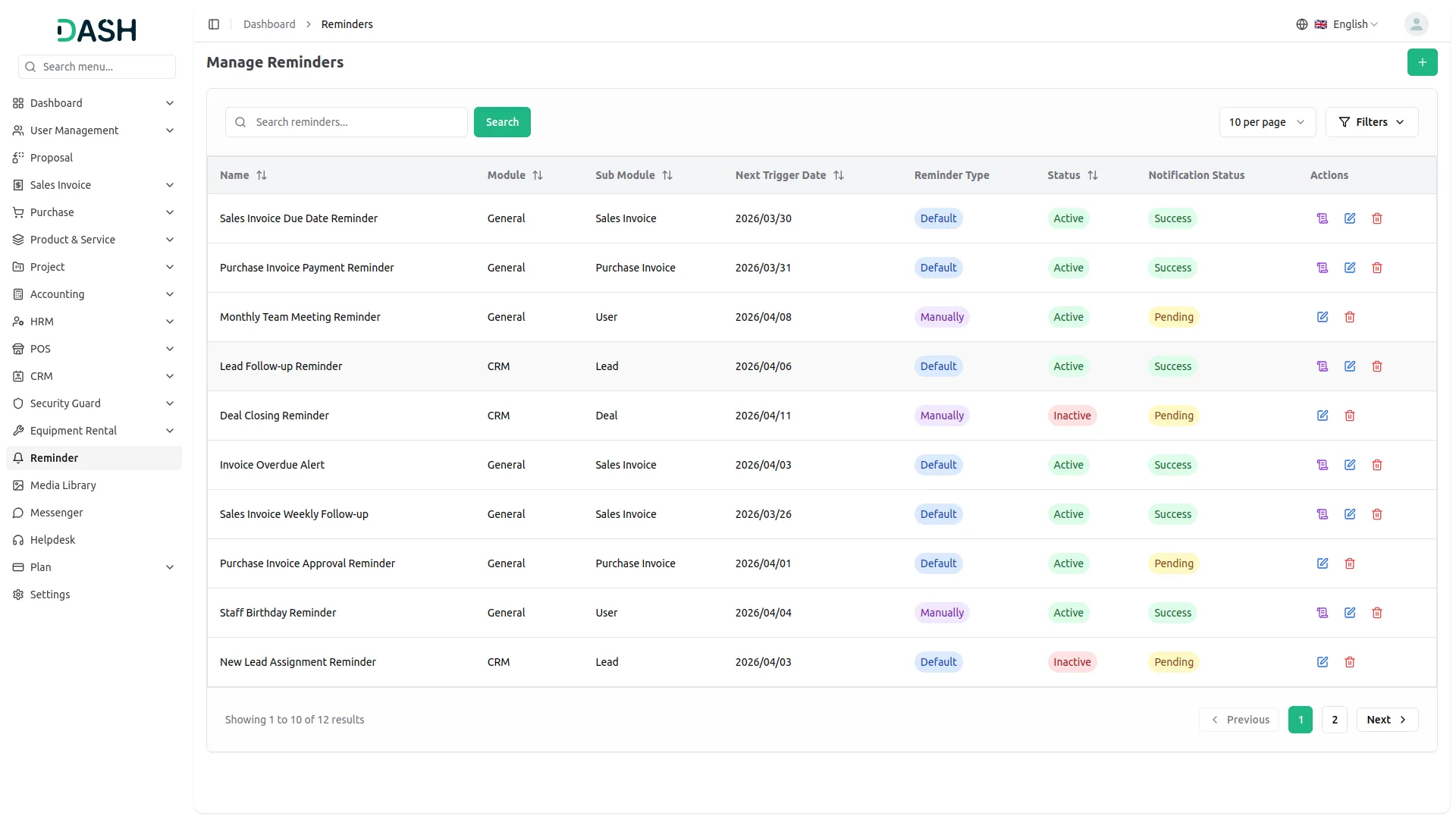
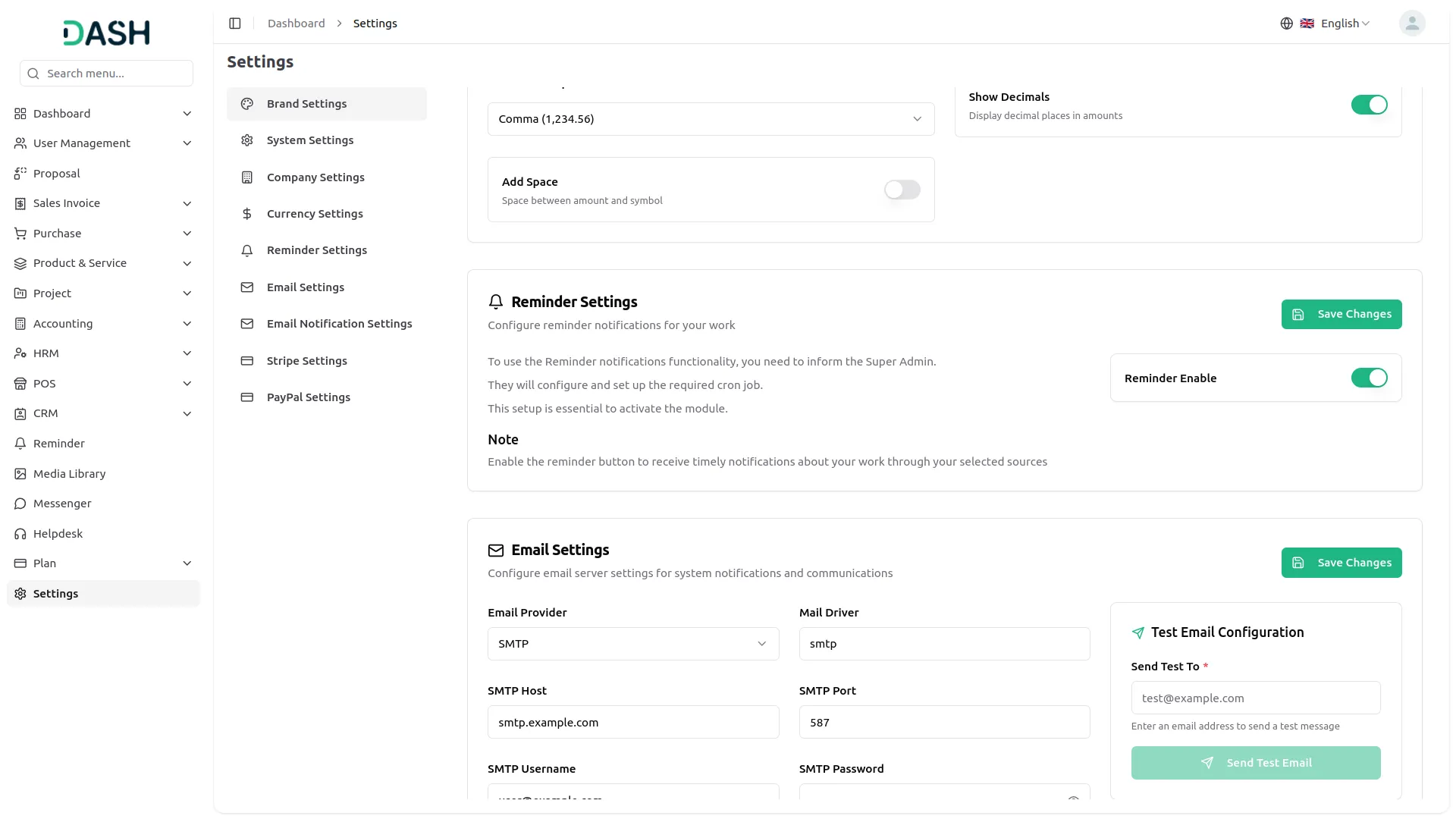
Stay on top of every important task with a unified reminder system built for both CRM and general business operations. Whether you're tracking leads, deals, invoices, or user-based tasks, you can create and manage reminders from a single, easy-to-use page. Each reminder can be linked to a specific module and item, giving you full control over what gets notified, when, and to whom. The managed reminders page keeps all your reminders organized with real-time status updates, so nothing falls through the cracks.
- Link reminders to Sales, Purchases, Leads, or Users
- View reminders in one table with key details
- Filter reminders by module, status, or date range
- Enable or disable reminders without deleting them
Flexible Scheduling Options
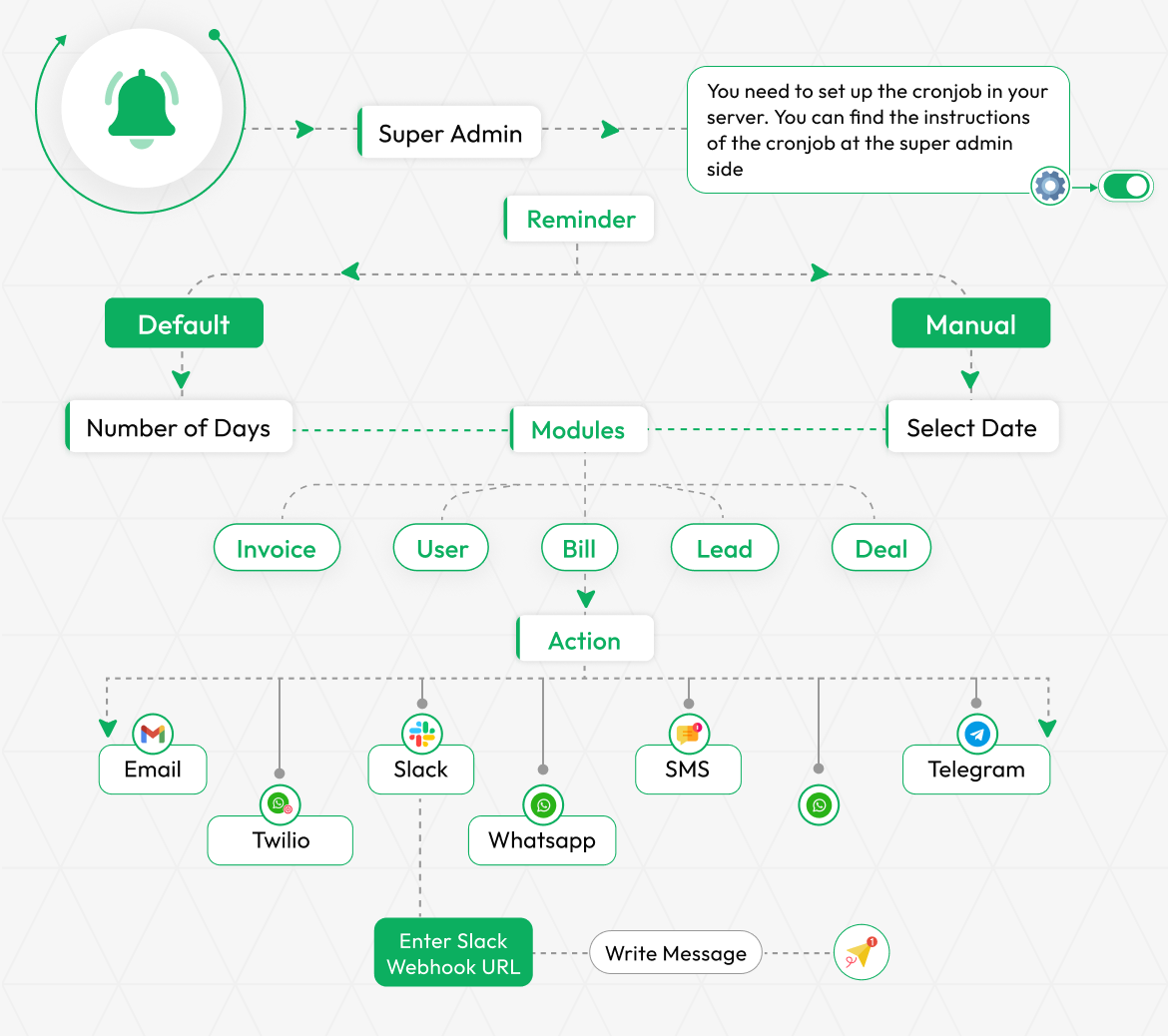
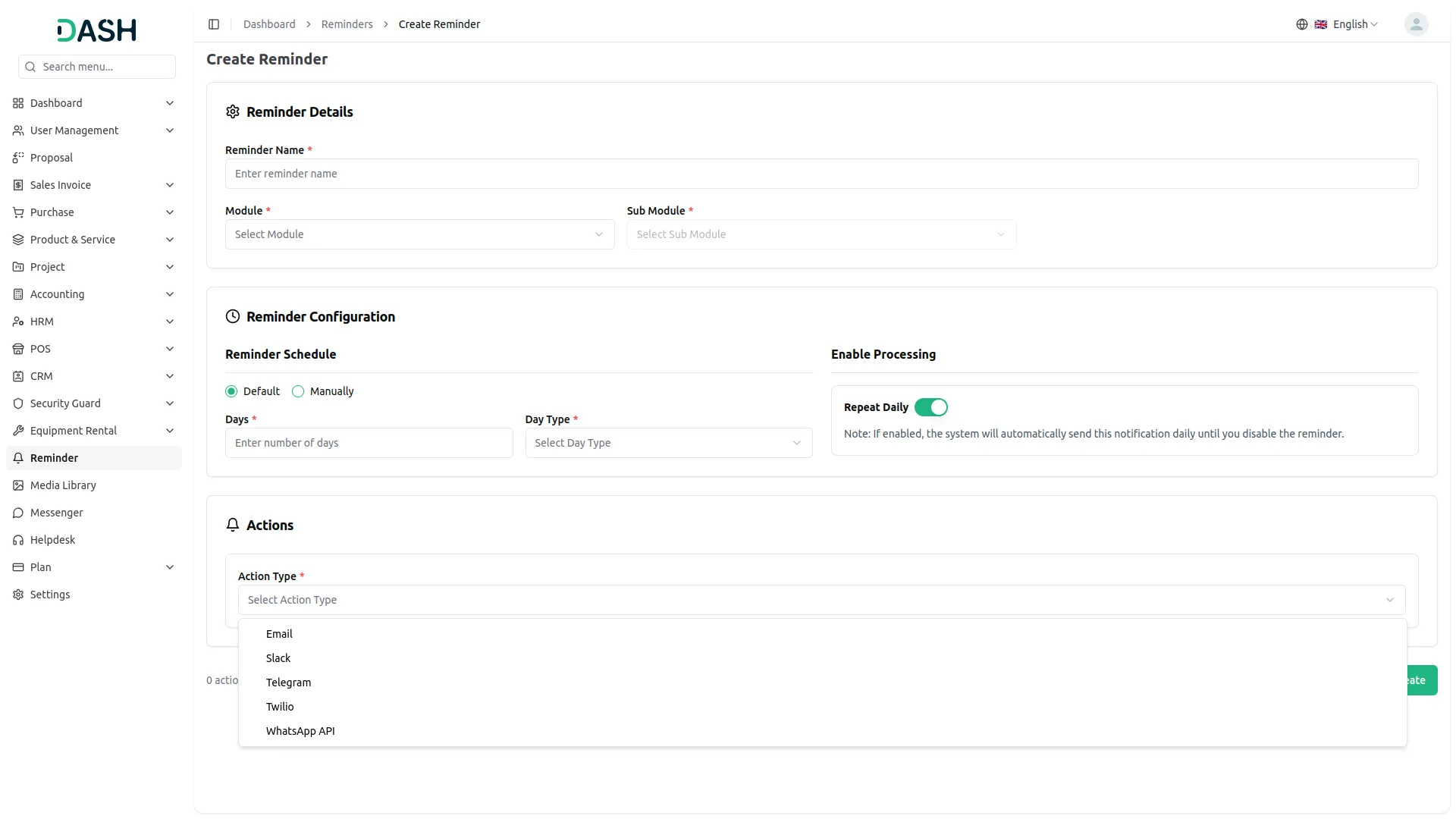
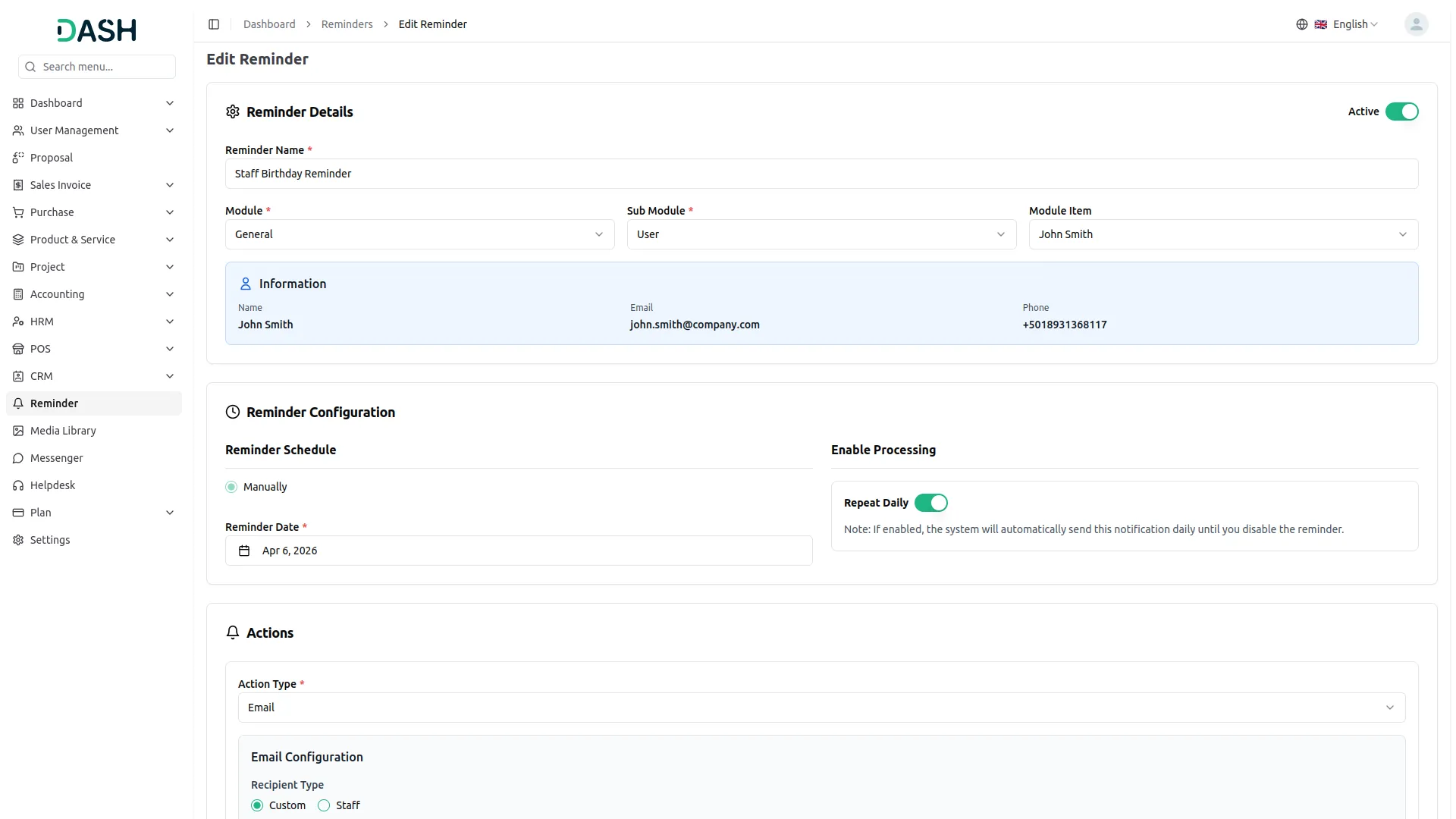
Choose exactly how and when your reminders are triggered with two scheduling modes designed to fit any workflow. Use the Default mode to automatically schedule reminders based on a set number of days, or switch to Manual mode to pick a specific date from the calendar. For time-sensitive tasks that need ongoing attention, the daily repeat option keeps sending notifications automatically until you turn it off; there's no need to recreate reminders every day.
- Auto-trigger reminders based on a defined day count
- Manual scheduling allows selecting an exact date
- Daily repeat toggle ensures continuous notifications
- User sub-module reminders require manual scheduling only
Multi-Module Action Delivery
Send reminders through the modules your team already uses, no extra tools required. The add-on supports multiple delivery methods, including Email, Slack, Telegram, Twilio SMS, and WhatsApp API, all configurable directly within the reminder setup. Each action type has its own configuration panel where you can define recipients, enter credentials, and compose messages. Only the modules you've activated in your settings will appear, keeping the interface clean and relevant to your setup.
- Email reminders support custom addresses and staff selection
- Slack reminders sent via webhook to configured channel
- Telegram and Twilio use tokens and phone numbers
- WhatsApp API delivers to custom contacts or staff
Super Admin-Side Reminder
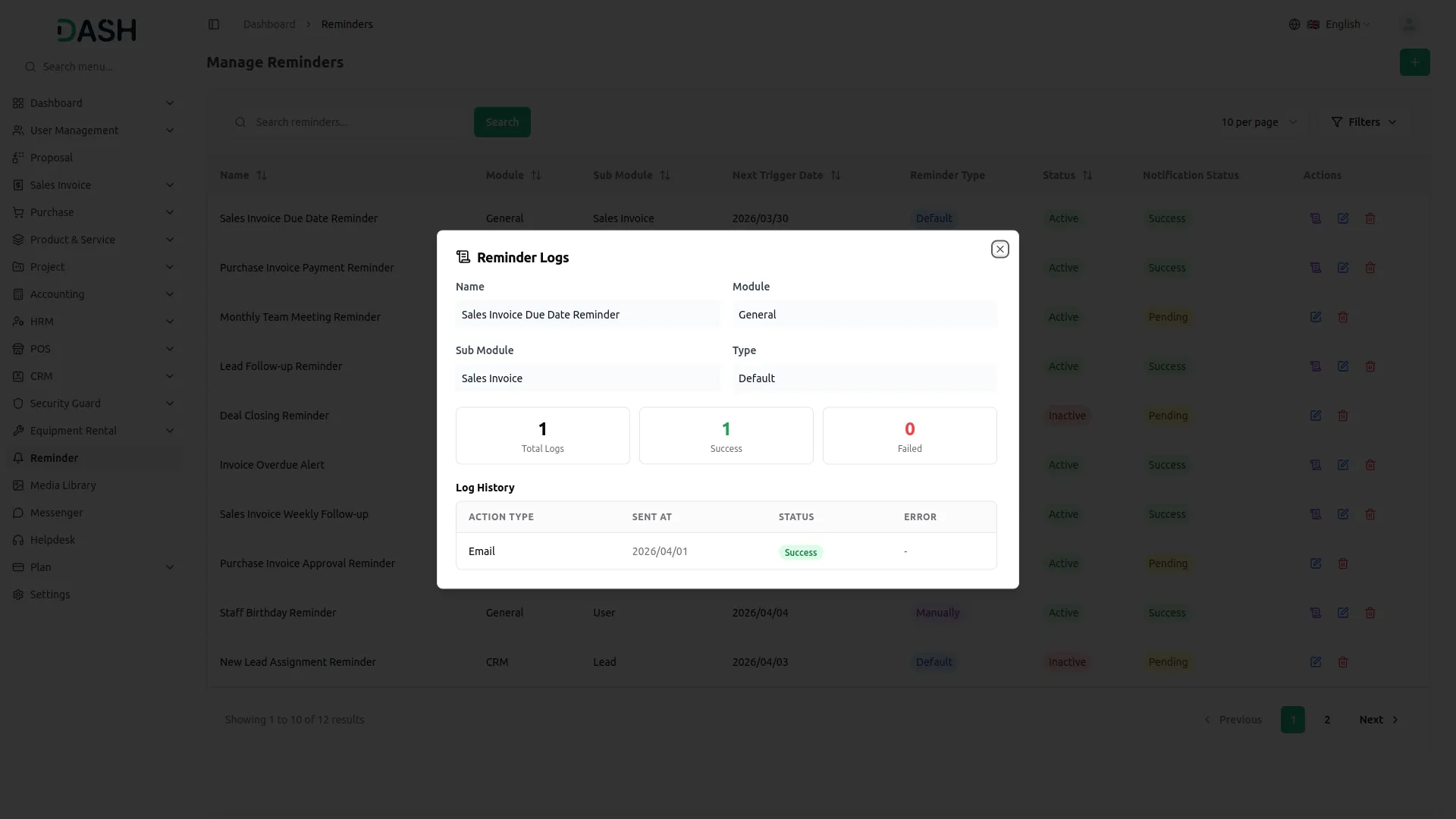
The platform gives administrators complete, system-wide control over how the reminder functionality is set up and operated. Admins can activate or deactivate the entire reminder system using a simple toggle, making it easy to manage access at a platform level. The admin panel also includes clear guidance on cronjob setup, ensuring that automated daily reminder processing runs reliably in the background without any manual triggering needed.
- System activation controls for full administrative oversight
- Cronjob configuration guidance for smooth automation operations
- Server setup instructions for accurate, consistent deployment
- Daily automation ensures reminders are never missed
Company-Side Reminder
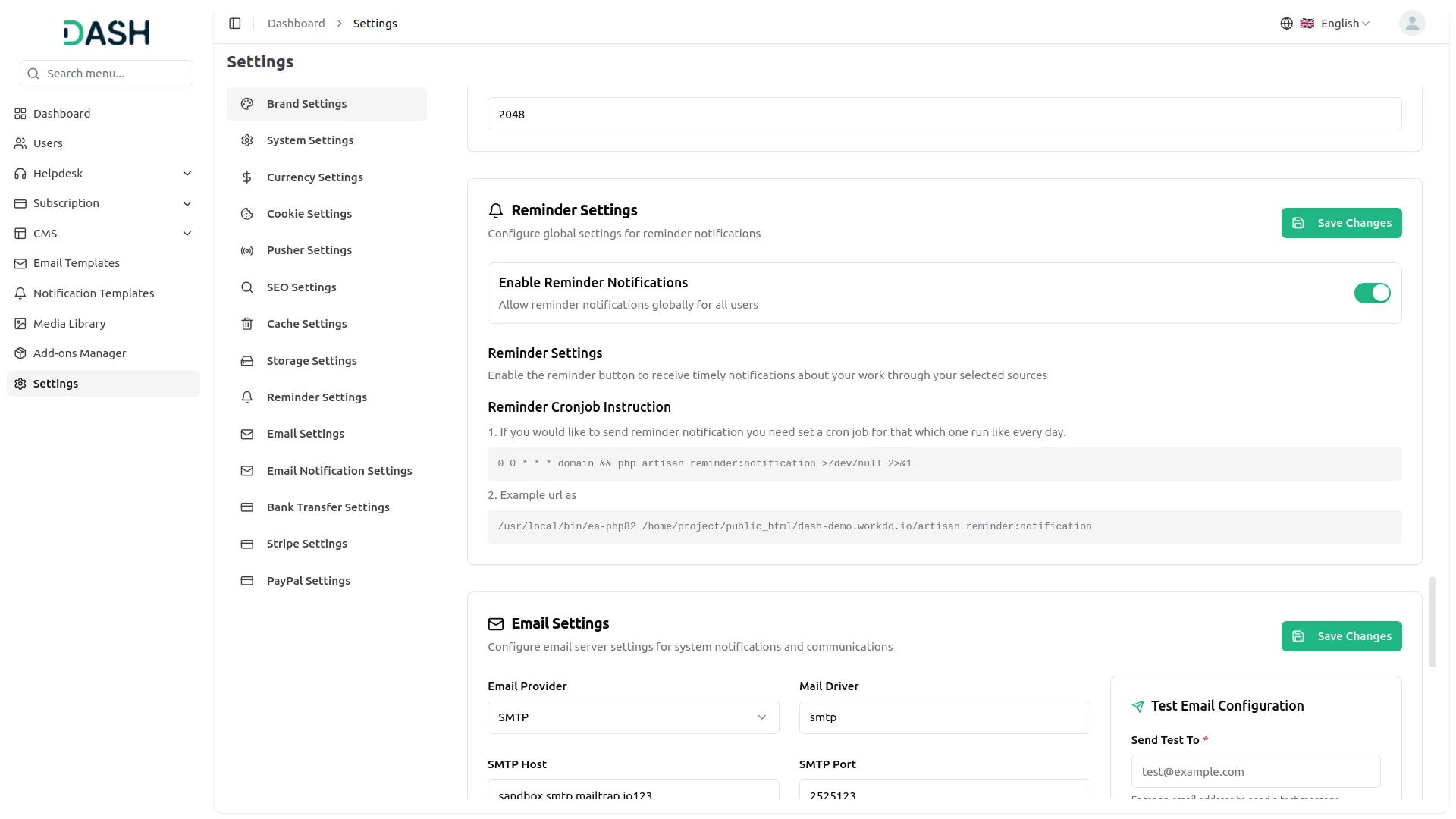
Companies can configure and manage their own reminder settings based on their specific operational needs. Once the reminder toggle is enabled at the company level, the system automatically tracks schedules and sends out notifications based on the parameters set; no manual follow-up required. With background processing in place, organizations can maintain consistent communication with users, clients, and stakeholders without day-to-day oversight.
- Company-specific configurations for tailored reminder operations
- Automated schedule monitoring triggers notifications on time
- Background processing ensures seamless reminder delivery
- Reliable cron job setup supports automated communication
Screenshots from our system
To explore the functionality and usage of these Add-Ons, refer to the accompanying screenshots for step-by-step instructions on how to maximize their features.
Discover More Add-Ons
Unlock even more functionality with additional Add-Ons, providing enhanced networking and customization options for your Dash SaaS experience.

senangPay
senangPay Payment Gateway Integration offers a secure environment for online transactions, ensuring the safety of both businesses and customers. Utilizing advanced encryption and fraud prevention measures, you can trust that your transactions are fully protected. This gateway supports multiple payment methods, providing customers with the convenience they expect.

Courier Management
Experience seamless deliveries with the Courier Management System in Dash SaaS. This dedicated tool ensures efficient order processing, real-time parcel tracking, and provides strategic insights through robust reporting features.

PrintPress
PrintPress Management Add-On is a powerful solution for printing companies to streamline operations from customer management to delivery.

E-Invoice for European
The E-Invoice Integration system is a comprehensive electronic invoicing platform that enables businesses to configure, generate, and export standardized electronic invoices in XML format.
Documentation is accurate and detailed
Attractive design and layout for users
Quick setup and easy configuration
The team communicates effectively throughout the project lifecycle
La interfaz es muy intuitiva y amigable
Product runs efficiently and reliably
Flexible options for multiple workflows
Easy to maintain and update
Support team provides excellent guidance
Excellent customer service and guidance