
Sign in with GitHub – WorkDo Dash SaaS Add-On Guide
Learn how to configure and manage GitHub sign-in integration in Dash SaaS.
Introduction
The Sign in with GitHub Add-On provides a seamless and secure authentication method, allowing users to log in using their GitHub credentials. This integration simplifies the login process, eliminates the need for creating new passwords, and utilizes GitHub’s trusted developer platform for secure authentication. By incorporating this Add-On, businesses can enhance user convenience, especially for users in the developer community, leading to increased engagement and user satisfaction. This documentation offers a comprehensive guide for implementing and customizing the Sign-in with GitHub Add-On, ensuring a smooth and effective integration aligned with your business needs.
How To Install The Add-On?
To Set Up the Sign-In with GitHub Add-On, you can follow this link: Setup Add-On.
How To Use The Sign-In With GitHub Module
After the super admin enables the Add-On, the end users can easily access and use the Add-On.
- After purchasing, log in to your super admin account and navigate to the settings page in the sidebar.
- In the settings, find and click on the Sign-In With GitHub Settings.
- Enter the GitHub client ID and client secret. Upload the necessary image, and then click on the save changes button.
- Once these credentials are entered, the end users can sign in to your store using their GitHub accounts.
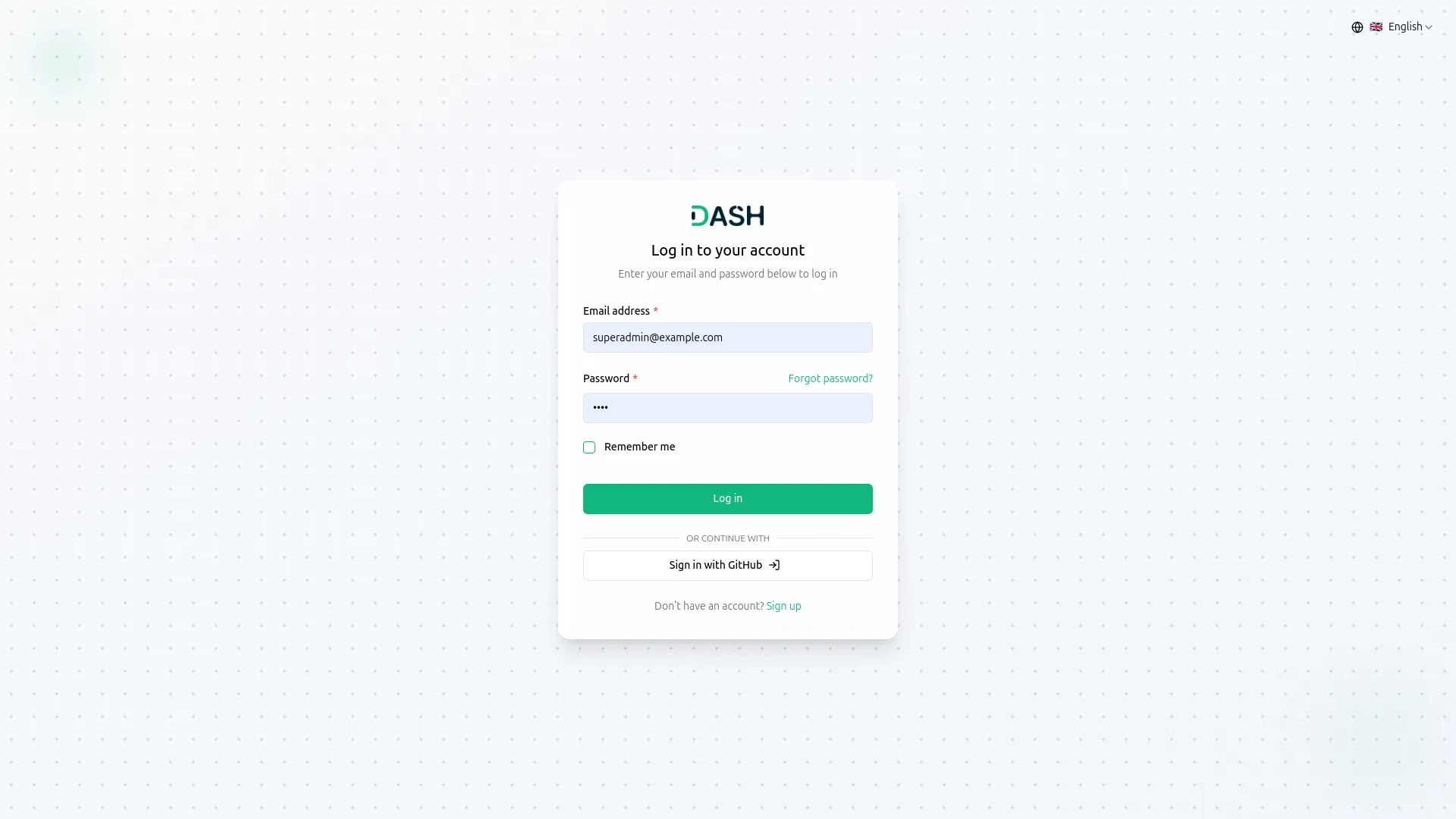
- The image that you upload on the super admin side will be visible on the login and register page in the Sign-In With GitHub button.
-
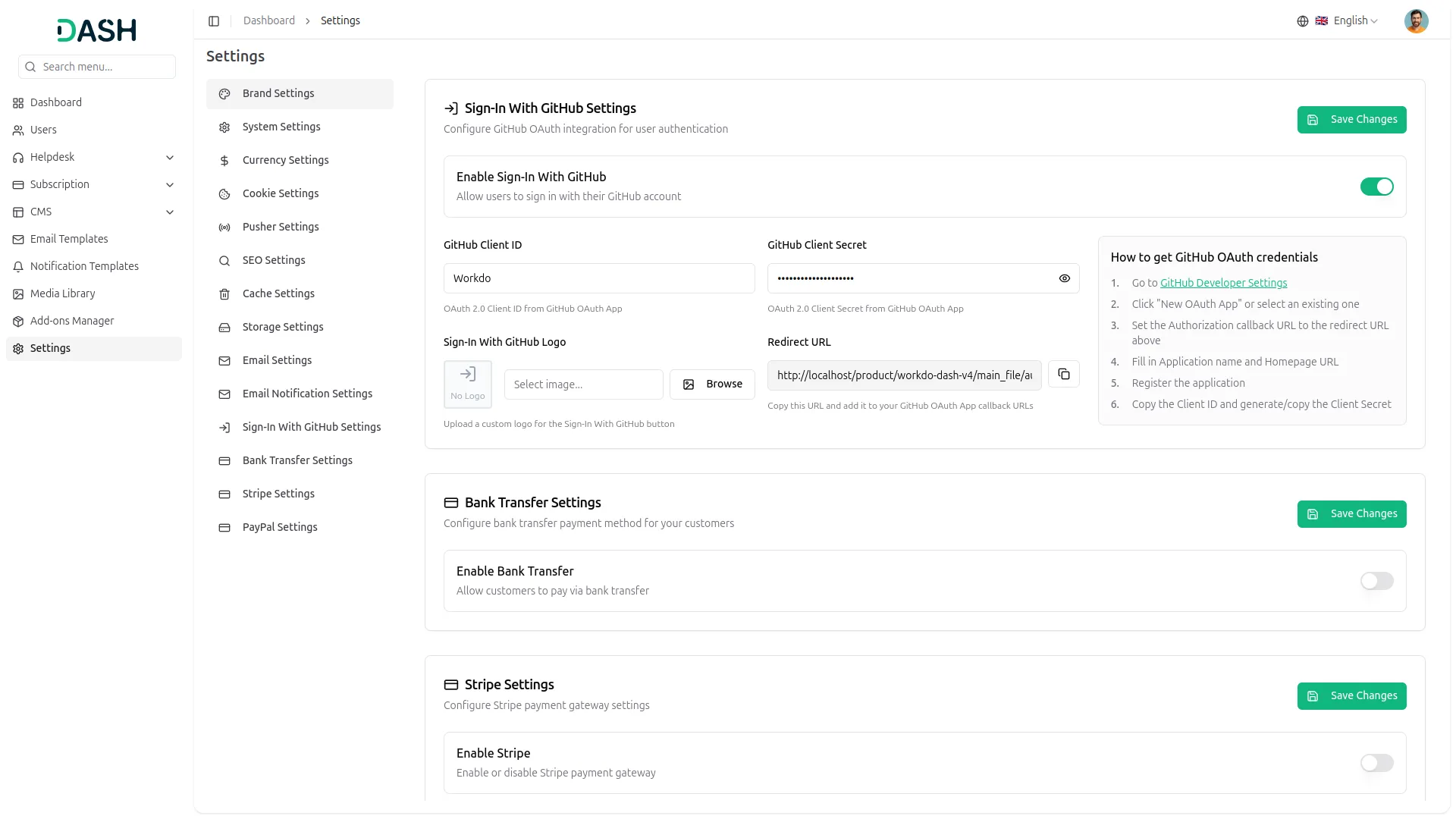
- To know how to generate the credentials, you can follow this link: https://episyche.com/blog/how-to-create-oauth-client-id-and-client-secret-for-github
- You need to copy the callback URL from settings and paste it while setting up the credentials.
- Once you add the credentials and activate the Sign-in with GitHub Add-On, a GitHub login button will appear on your register and login pages. By clicking it, the end users can easily log in to your store using their GitHub credentials.
-
Categories
Related articles
- Sign in with Bitbucket – WorkDo Dash SaaS Add-On Guide
- LMS – WorkDo Dash SaaS Add-On Guide
- LinePay – BookingGo SaaS Add-On Guide
- YouTube Credentials Generation Guide
- Zoho Credentials Generation Guide
- Omise – BookingGo SaaS Add-On Guide
- Suggestion Box – WorkDo Dash SaaS Add-On Guide
- WooCommerce Module Guide – eCommerceGo SaaS
- API – TicketGo Add-On Guide
- CinetPay – BookingGo SaaS Add-On Guide
- MSG91 – TicketGo Add-On Guide
- Iyzipay – BookingGo SaaS Add-On Guide
We're Here to Help - Let's Talk
Have questions about our solutions, customization services, or business tools? Our team is here to help you. let's talk.