
Types of CRM Software: Understanding Different CRM Systems
Learn the main types of CRM software and how each one helps businesses improve sales, customer relationships, and operations.

Types of CRM Software Explained: Choosing the Right System
Most teams jump into a CRM out of need. They do so because it broke. We had a hot lead that died out because we didn’t follow up. A customer’s history was in one rep’s inbox, and when he left, he took that info with him. The sales pipeline was a guess, not a number we trusted.
Selecting a CRM is not the issue, but what kind of CRM you select is very important. What type of CRM software you get will depend on what issues you are trying to address, and a solution for your follow-up chaos may not at all work for your reporting blind spots. Pick the wrong one, and you will know it in 6 months, usually right when you are stuck with it.
How CRM Software Actually Gets Categorized
Here’s something that trips people up early: the customer relationship management types aren’t defined by brand. They’re defined by purpose. The same big-name platform can wear three different hats depending on how you configure it.
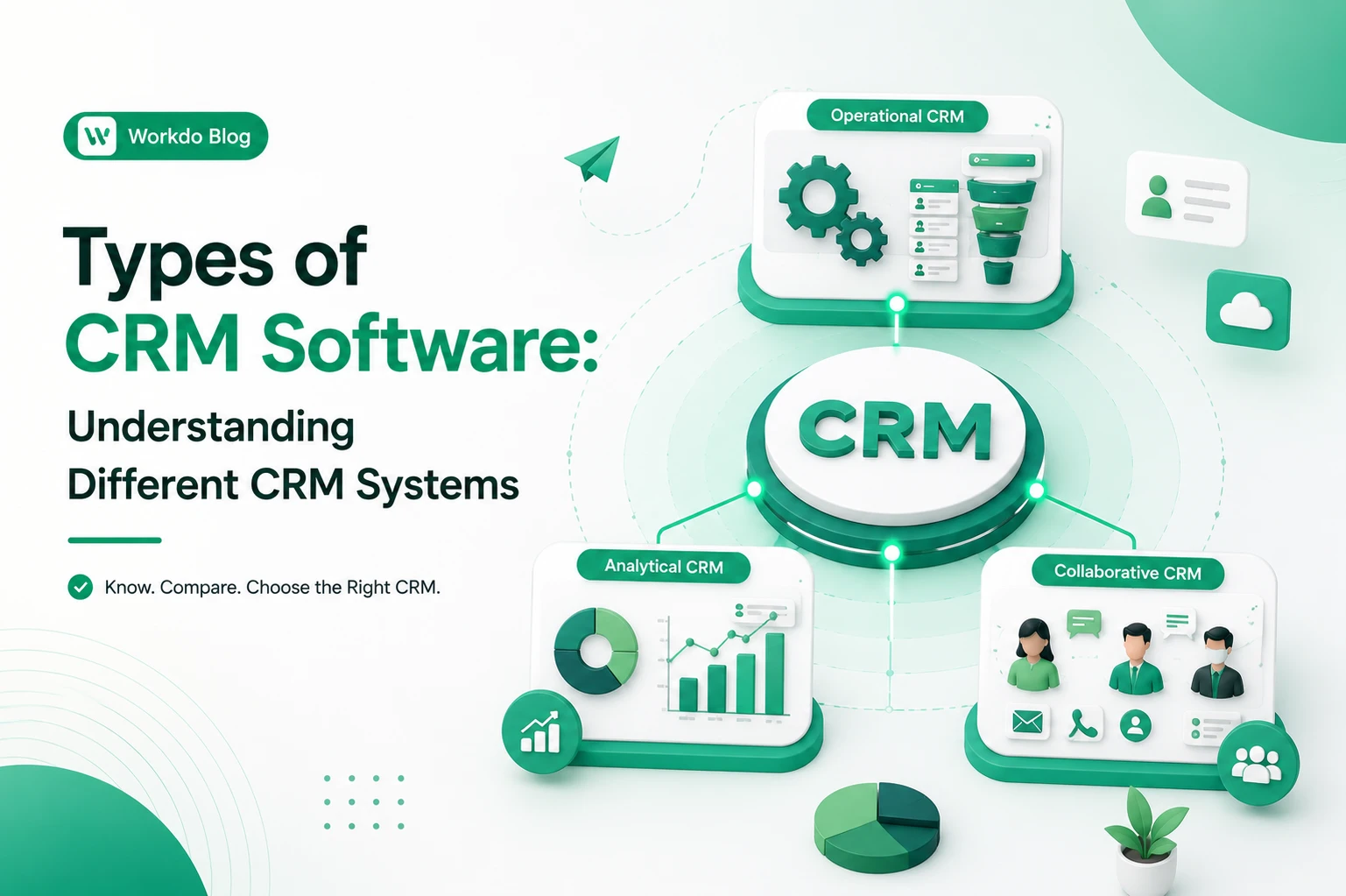
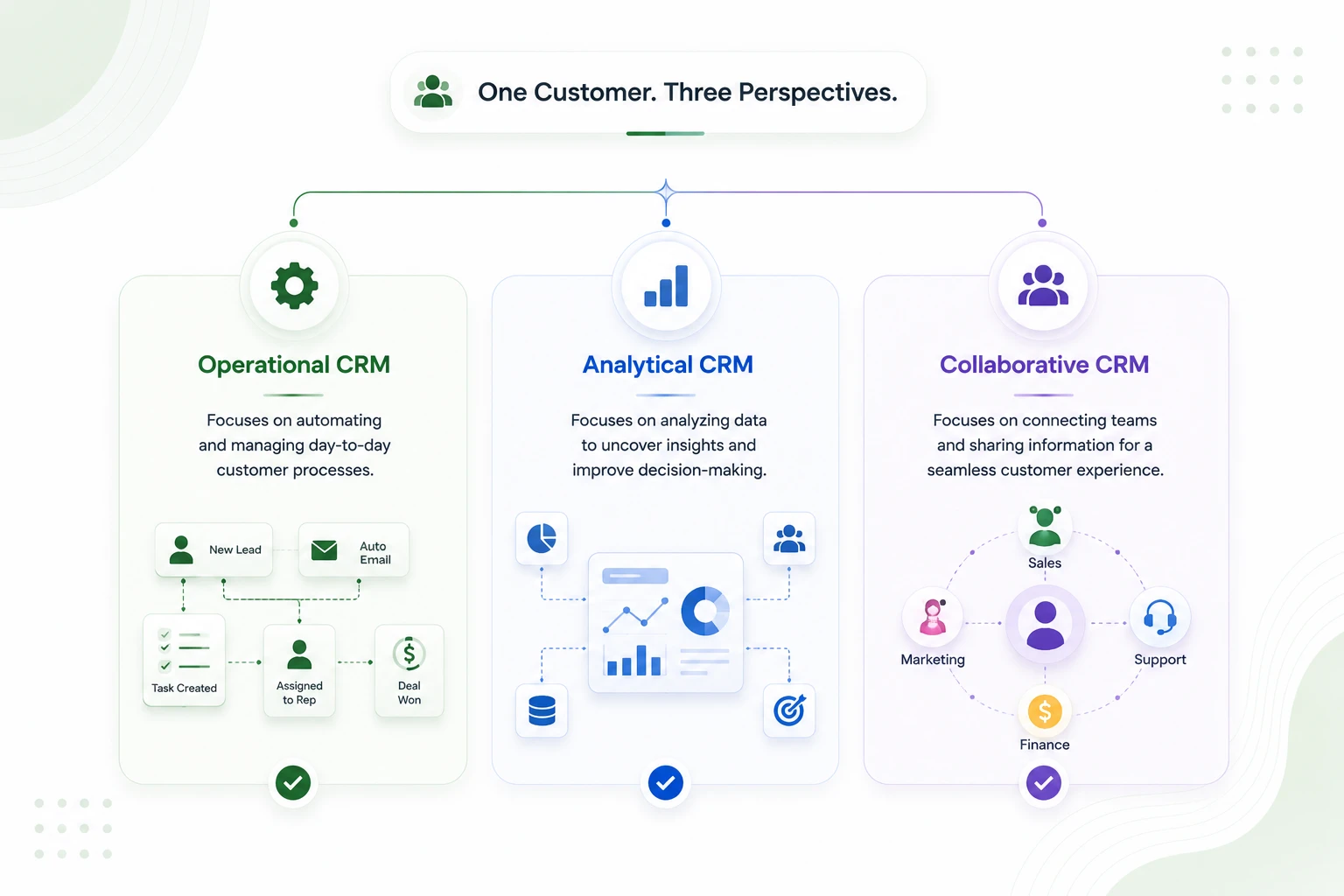
So when people talk about types of CRM, they’re really talking about three jobs a system can be designed to do well:
- Operational CRM: runs and automates your customer-facing work
- Analytical CRM: turns your customer data into decisions
- Collaborative CRM: keeps every team looking at the same customer
Think of these less as three separate products and more as three lenses. Most real-world tools lean heavily toward one, borrow a bit from the others, and call themselves “a CRM”. Knowing which lens you actually need is the whole game.
Let’s walk through each one the way it shows up in a working business, not the way a spec sheet describes it.
Operational CRM: The System That Runs Your Day
An operational CRM is the backbone. It’s what we put in place for a reason, which is to take the repetitive, customer-facing elements of your day and either speed them up or do them for you.
Think of a small sales team without one. A lead is put in a form. Someone has to see it, input it into a system, pass it along, remember to get back to it on day two and day five, note the call, and update the status. With that scaled up to fifty leads a week, what you see is things falling through the cracks, not because people are out to be lazy, but because manual tasks don’t scale with attention.
An operational CRM takes that whole chain and wires it together. The lead lands, gets assigned by a rule, triggers a welcome email, and shows up on the right rep’s task list with a reminder attached. That’s the core idea behind this category.
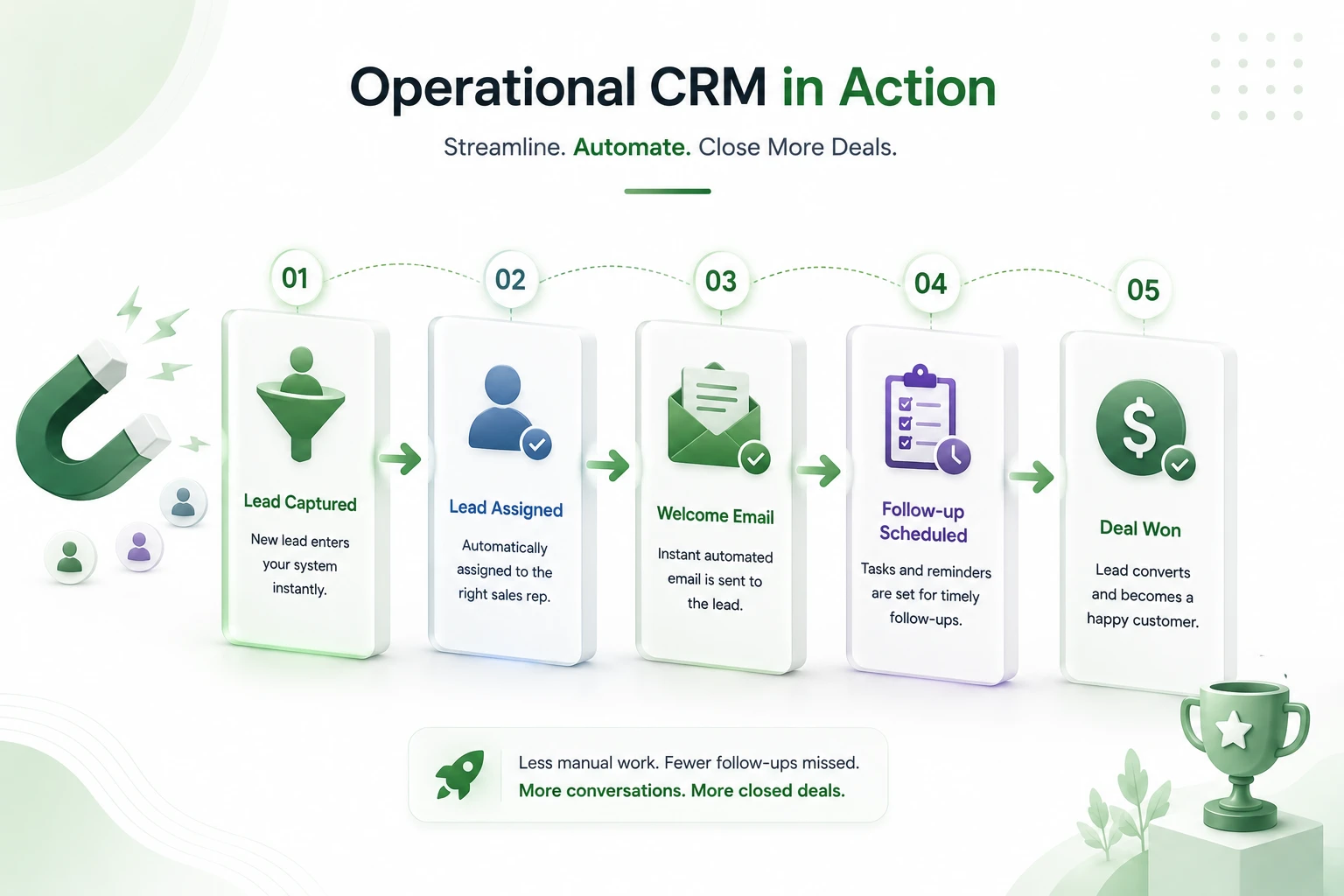
What it typically handles:
- Lead capture and assignment
- Sales pipeline and deal stages
- Marketing automation (sequences, triggers, follow-ups)
- Service tickets and customer support workflows
Who it fits best: Sales-oriented companies, small and mid-size businesses, and any team that has a large volume of customers in which speed and consistency are more important than in-depth analysis.
What we see is short sales cycles, less follow-ups that fall through the cracks, and teams that put their energy into conversations instead of data entry.
The true trade-off is that an operational CRM is great for what it does but not so great at what it doesn’t. It will tell you a sale was made. When it comes to why deals from a certain channel are stalled at the same stage, it is much less helpful. For that, you need the next level.
Analytical CRM: The System That Tells You What’s Working
If we think of operational CRM as a doer, then analytical CRM is an analyzer. It takes the mountain of data your business produces out there in the open – every interaction, purchase, support ticket, and abandoned cart – and puts it to work for you by turning it into actionable information.
This is the type that most growing companies put off until later, usually because the pain point isn’t visible until you are already bleeding profit. You don’t see the bad forecast coming until after the fact, like you do a missed follow-up. You just slowly but surely overhire, overorder, or go after the wrong segment for a quarter, and by the time the numbers catch up, you’re in a hole.
A good analytical CRM answers the questions that keep founders up at night. Which customers are most likely to churn? Which channel actually produces revenue, not just clicks? What does a high-value customer look like before they become one?
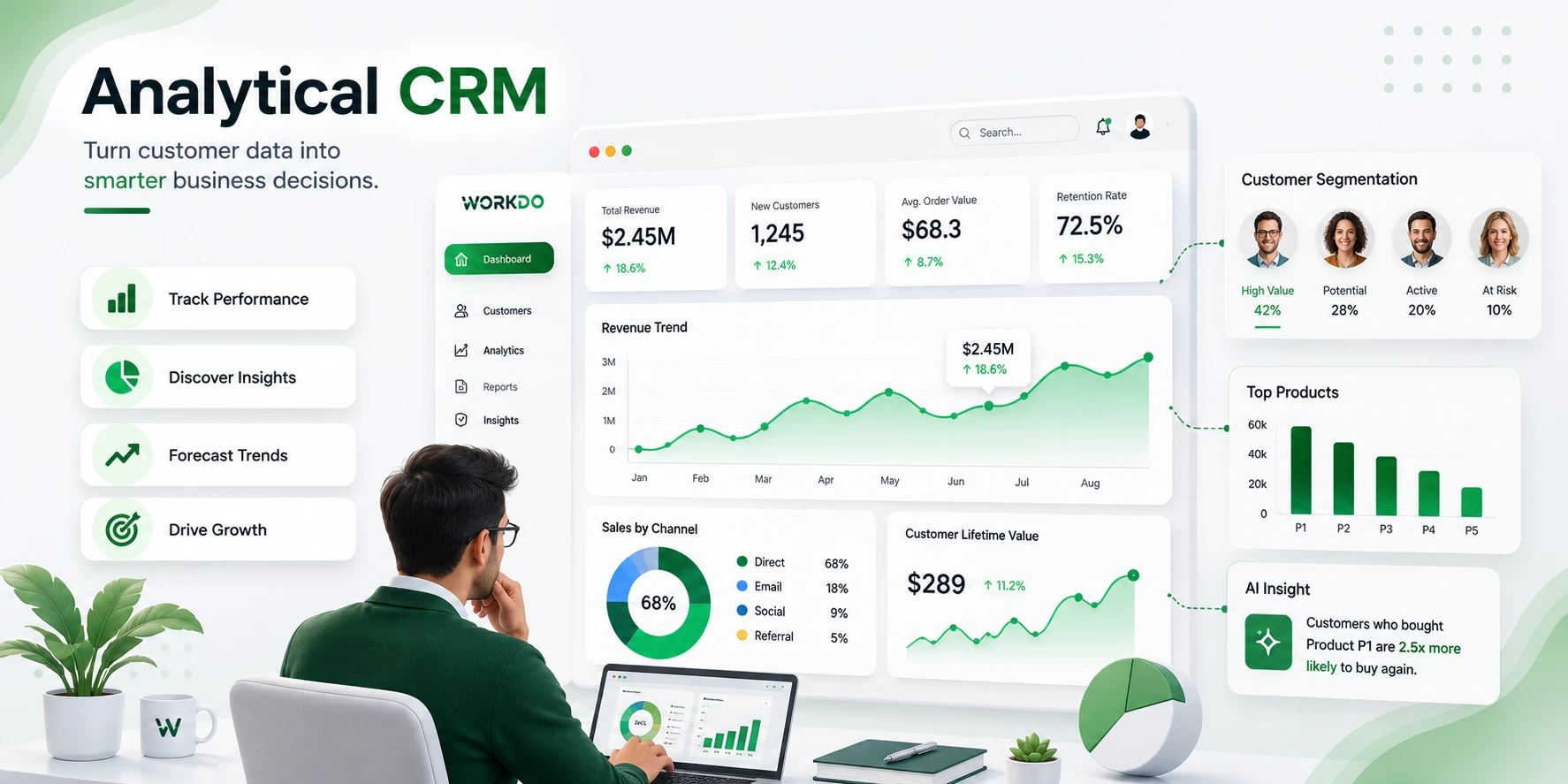
What it typically handles:
- Customer segmentation and behavior analysis
- Sales forecasting and trend reporting
- Reporting dashboards and performance metrics
- Data-driven targeting for marketing
Who it fits best: data-oriented companies, businesses with large customer bases, and marketing-heavy industries that base decisions on numbers, not gut feel.
What we see is better forecasting, more efficient spending, and the ability to identify trends early.
The honest issue is that analytical CRM is only as good as the data that feeds it. If your team isn’t putting in the activity reports, which usually means you don’t have a strong operational base, you’re pretty much just putting polish on crap. Garbage in, polished garbage out.
Collaborative CRM: The System That Keeps Everyone Aligned
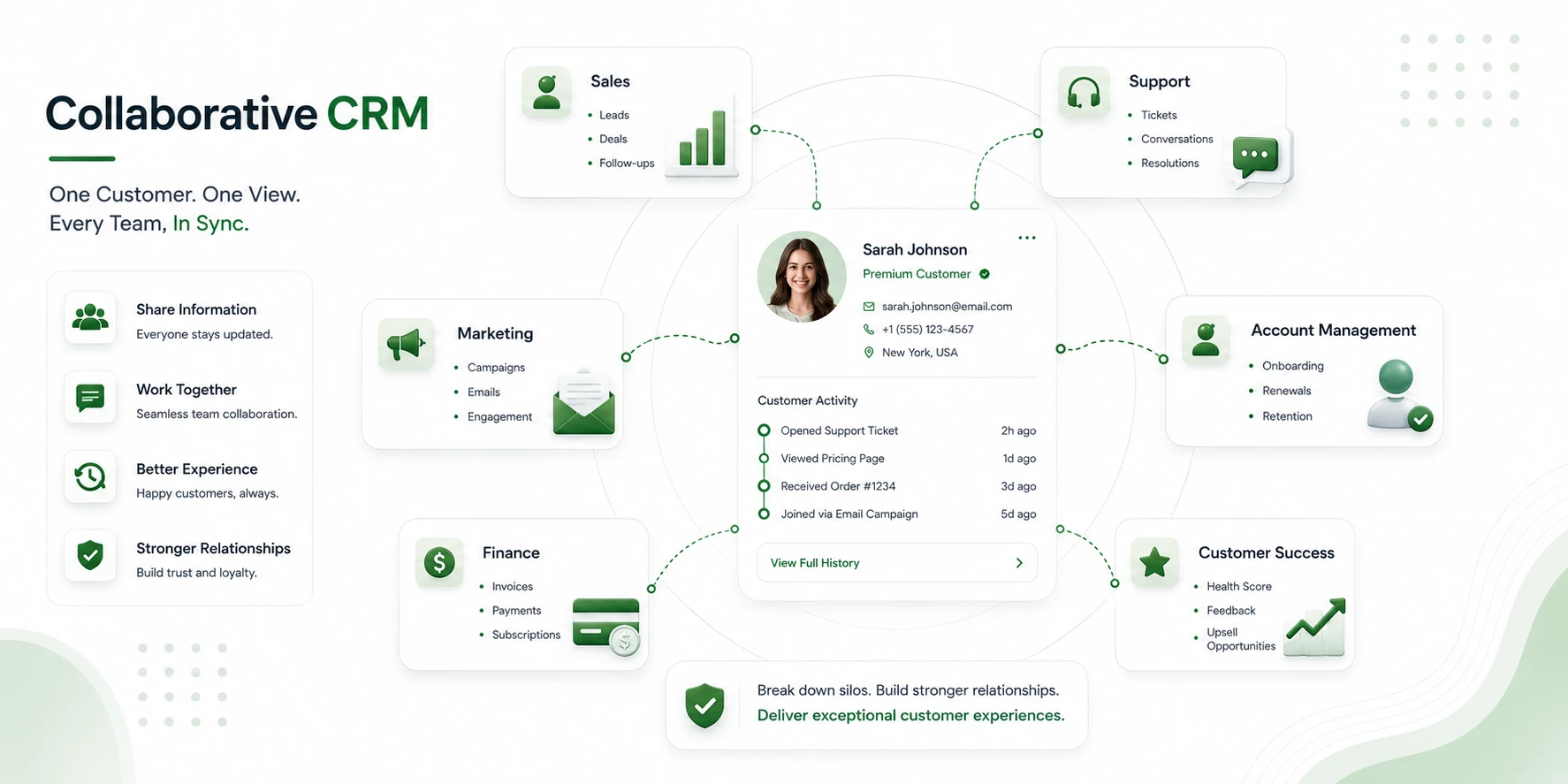
The third type solves a problem that gets worse as you grow: the customer talks to one company, but inside that company, they’re being handled by five different people who don’t talk to each other.
Sales gave out a promise that the support team has no info on. Account management is asking the customer a question they have already answered a couple of times. Every handoff loses some info, and the customer is made aware of each loss.
A collaborative CRM exists to close those gaps. Its job is to make sure that whoever picks up the relationship next, sales, support, billing, or success, sees the full history and continues the conversation instead of restarting it.
What it typically handles:
- A shared, single record of each customer that everyone can see
- Cross-team communication and internal notes
- Full interaction history across every touchpoint
- Multi-channel coordination (email, chat, phone, social in one place)
Who it fits best: Larger teams, multi-department organizations, and support-intensive businesses that see one customer interact with many teams.
What we see is a better customer experience, faster issue resolution, and a great reduction in internal “wait, who’s on this?.
As for the downside, collaboration tools are only as good as the practices they are rooted in. The best shared record in the world will go unused if half the team doesn’t use it. Collaborative CRM rewards discipline and also penalizes the lack of it.
The Three CRM Types Side by Side
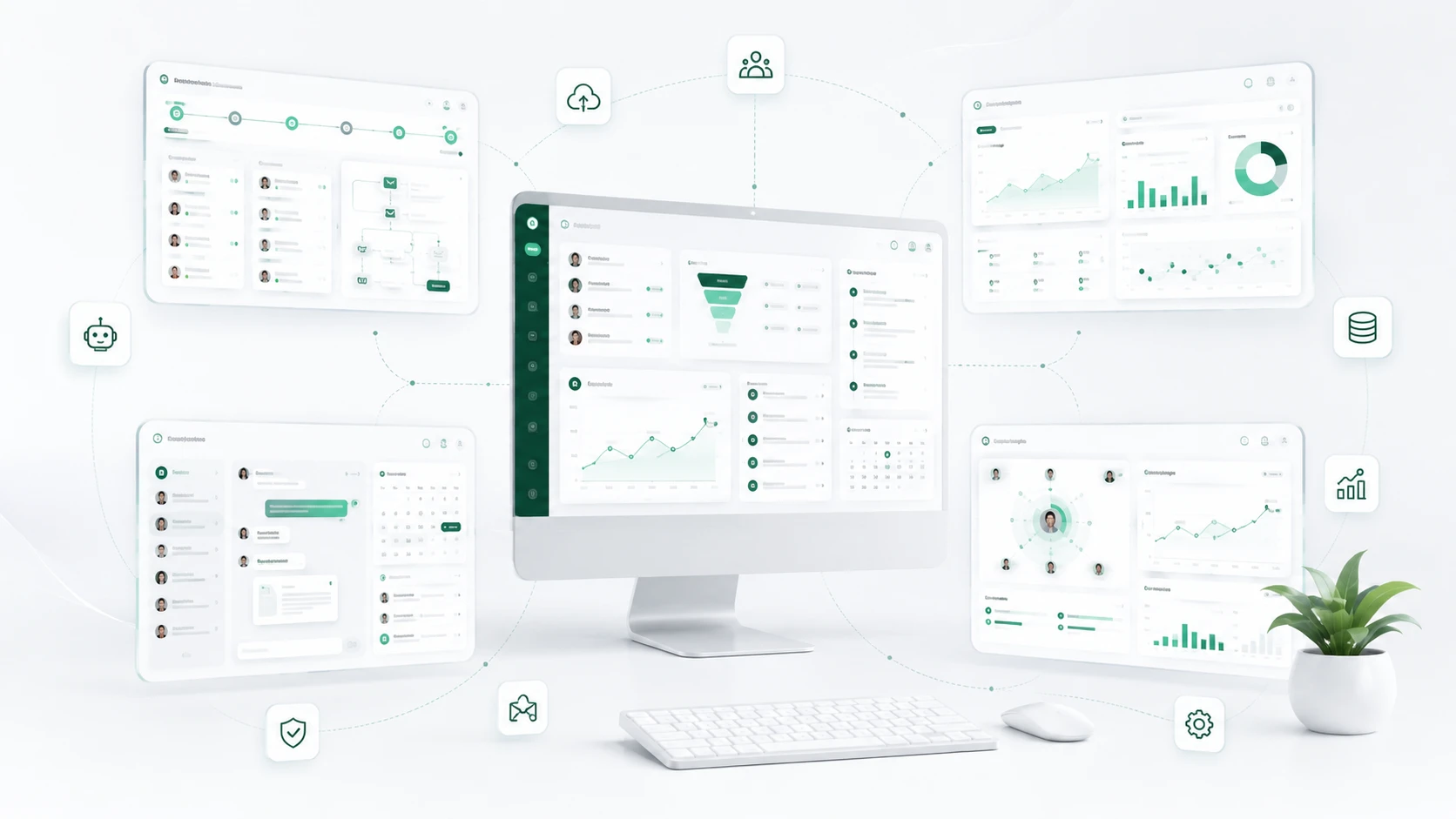
When you strip away the marketing, here’s how the three customer relationship management types actually compare:
| CRM Type | Core Focus | Biggest Strength | Best Fit |
|---|---|---|---|
| Operational CRM | Process automation | Efficiency and speed | Sales teams, SMBs |
| Analytical CRM | Data and reporting | Insight and forecasting | Enterprises, marketing-led teams |
| Collaborative CRM | Team communication | Coordination and continuity | Large, multi-department organizations |
Notice that none of these is “better”. They’re answers to different questions. The right one depends entirely on which problem is costing you the most right now.
The Other Divide: B2B vs B2C CRM
All three types of CRM do the job, but what we see is that businesses that sell to other businesses and those that sell to consumers do so in very different ways, and that difference does, in fact, play a role in which system you choose. It is about who is on the other side of the sale.
B2B CRM is for larger-scale plays and multi-month sales cycles, which play out over time, and we see relationships that include many people within the same organization as the norm rather than a single buyer. Features like account-based marketing and detailed pipeline management here are not nice to have; they are right at the core of what you do.
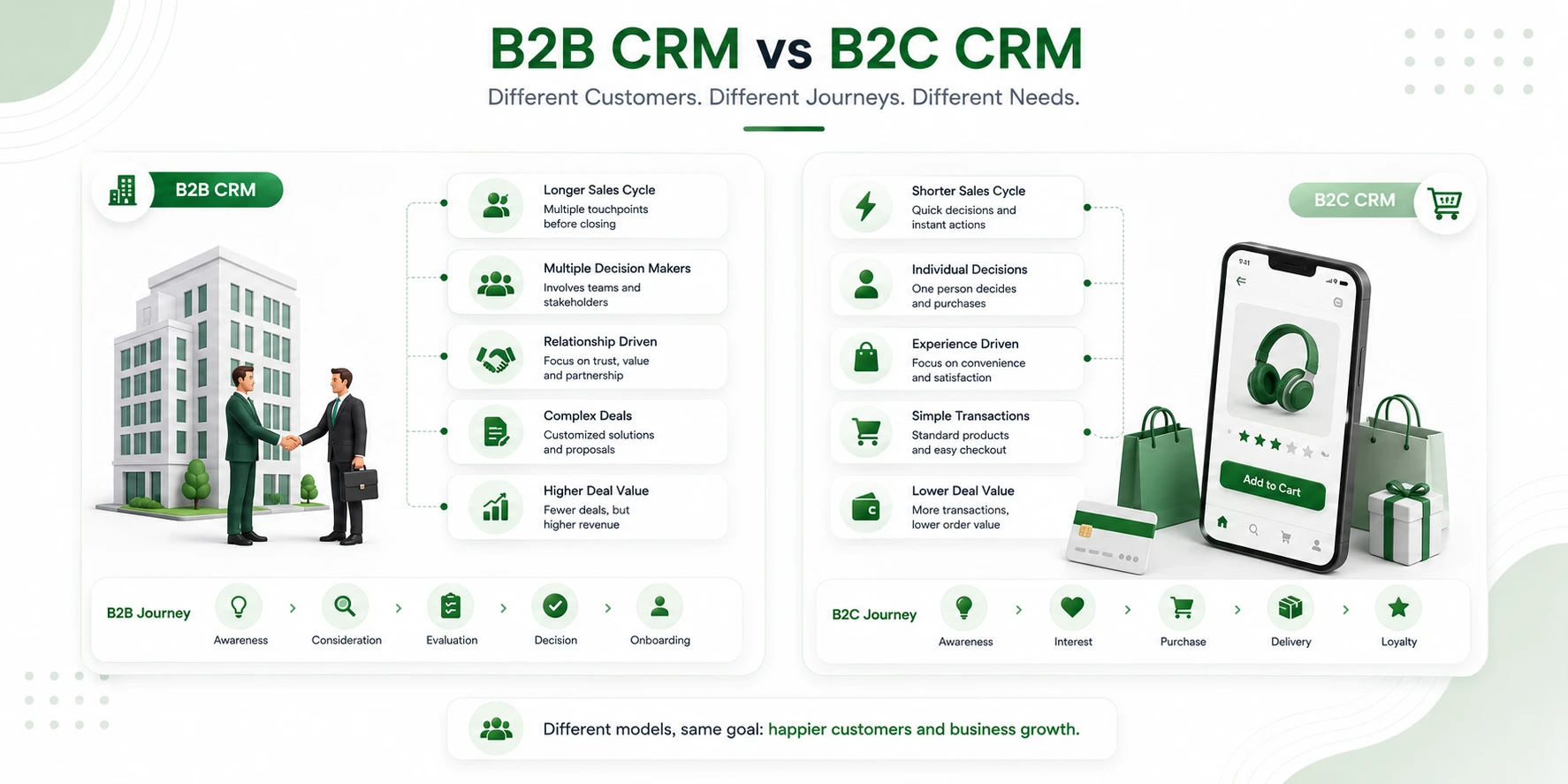
In that we all have our own processes and buying peculiarities as customers, B2B companies present more in terms of in-depth customization and large-scale integration, which we get to tailor to us. Also, we are targeted by their marketing automation that takes a lead through a very long multi-step process, which includes many touch points, and we see a lot of reporting on how we do over the long term, which in turn reports back the value each account relationship brings.
B2C CRM at a different scale. We are reaching out to a larger audience than B2B does, but each sale is for a lesser amount, and the decision is quick, almost in the same shopping session. This speed changes what the software has to do well. Instead of extensive personal interaction, B2C platforms use real-time data to present relevant info and play up the emotional play between shopper and product in the moment of purchase. They are designed to handle large volumes of transactions efficiently and to meet consumers where they are on e-commerce stores, social media, and mobile apps; thus, the experience is a smooth transition across all channels.
Which Type of CRM Should You Choose?
Theory only gets you so far. Here’s how the choice usually shakes out by business stage and need.
If you’re a small business, start operating. Your most expensive problem is almost always leads slipping through the cracks and inconsistent follow-up. Fix the doing first; you don’t have enough data yet for analytics to earn its keep. A step-by-step guide tailored for small teams? Check out our “CRM for Small Business” guide for setup advice, key features to focus on, and budgeting tips.
If you are a growing business, what you want is to have your operations run at a level that includes analytical tools. You have enough volume to see which patterns play out, which campaigns are successful, and which are not, but at the same time, execution has to remain very tight.
In the enterprise setting, what has changed is that the focus is more on analysis and collaboration. At scale, what you see is that the issue is no longer about lead generation; it is about the coordination of large teams around the same customer and making cross-regional and departmental decisions that stick.
If you are running a support-intensive business, put collaboration first. When a customer’s experience is at the hands of 5 people telling the same story, continuity is the key.
A quick gut-check: name the single problem that’s costing you the most money this quarter. If it’s speed you want, operational. If it’s a blind decision, you want analytical. If it’s dropped handoffs, you want collaborative. Start there.
The Truth Most Buyers Miss: Modern CRMs Are All Three
Here is what the neat three-box model breaks down in reality. Today, almost all serious CRM platforms integrate all three elements into one package. You get sales automation, reporting dashboards, and shared customer records at the same time at login. The categories are not gone; they have simply been put into a single package.
That is great news in a way that you don’t have to choose which to live without. Also, it creates a trap. A platform that says they do it all often does one thing very well and the other two only fairly. The category framework still has value; it gives you what to pay attention to. If you’re buying mainly for analysis don’t be won over by the pretty automation and think the reporting is the same. Do your due diligence on the part you actually need.
This is also where we see large adoption of self-hosted, all-in-one solutions. In the case of WorkDo’s Dash SaaS’ CRM module, for example, we see that they have put together a package which covers operations, analysis and collaboration in one place; lead and deal management; reporting; and a shared customer view. What we don’t have is a third party putting together that package for you. Also, because Dash SaaS is a one-time purchase that you host yourself, the value isn’t in the length of the feature list; it is in the fact that you own the whole stack according to your terms as opposed to renting it out per user per month forever. That ownership model may not be for everyone, but for companies that value data control and predictability in cost, it is definitely worth a look at in addition to the usual players in the space.
What the Right CRM Type Actually Does for Growth
Strip away the feature talk and the payoff of matching CRM type to need comes down to a few compounding effects:
- A better customer experience, because the right system removes the friction the customer used to feel — slow replies, repeated questions, forgotten promises.
- Faster sales cycles, because automation kills the dead time between “interested” and “closed.”
- Decisions backed by data, so you stop guessing which efforts are worth repeating.
- Tighter team coordination, so growth doesn’t quietly degrade into chaos.
None of these are dramatic on day one. They compound. Six months of consistent follow-up, clean data, and aligned teams looks very different from six months of the alternative.
To find the right ERP for your business, explore our CRM Feature Guide to understand key capabilities and identify the best-fit solution based on your specific business needs.
Where Businesses Get the CRM Choice Wrong
Most CRM regrets trace back to one of these:
- Choosing which brand to go with is unnecessary. Buying into what your competitor is using without first determining that your issue is the same as theirs.
- Also ignoring scalability. Going with a tool that works for today’s team only to outgrow it the moment you add a second department or a fifth rep.
- Overly complex setup. We go into great detail in configuration on day one, which in turn the team leaves for a spreadsheet. In the end, what gets used is what works, not what is the most advanced.
- Right tool for the job. Using enterprise-scale analytics for a 5-person team that just needs what is put together, or the other way around.
The fix for all four is the same: start from your problem, not from the product.
If you want to choose a CRM based on your business needs without making a mistake, click on our How to Choose CRM guide to get detailed information and make the right decision.
Choosing With Confidence
Different types of CRM software were developed as businesses identified distinct issues they had. Operational CRM runs the work, analytical CRM reports on it, and collaborative CRM gets everyone on the same page. We don’t choose the “best” CRM; we choose the type that best addresses the issue that is costing you the most at present. Also, we must make sure the platform you choose is strong in the areas you require.
Most modern systems include all three, which means the real issue is what to look for. Start from what is ailing you, pressure test the element that is most critical, and choose something your team will actually use. That’s how a CRM stops being another tool you bought and becomes the thing that fixes the leaks you started with.
 Frequently Asked Questions (FAQs)
We're Here to Help - Let's Talk
Have questions about our solutions, customization services, or business tools? Our team is here to help you. let's talk.