
CRM Features: A Complete Breakdown of CRM Capabilities
Explore key CRM features including automation, sales tracking, reporting, and integrations to evaluate the best CRM for your business.

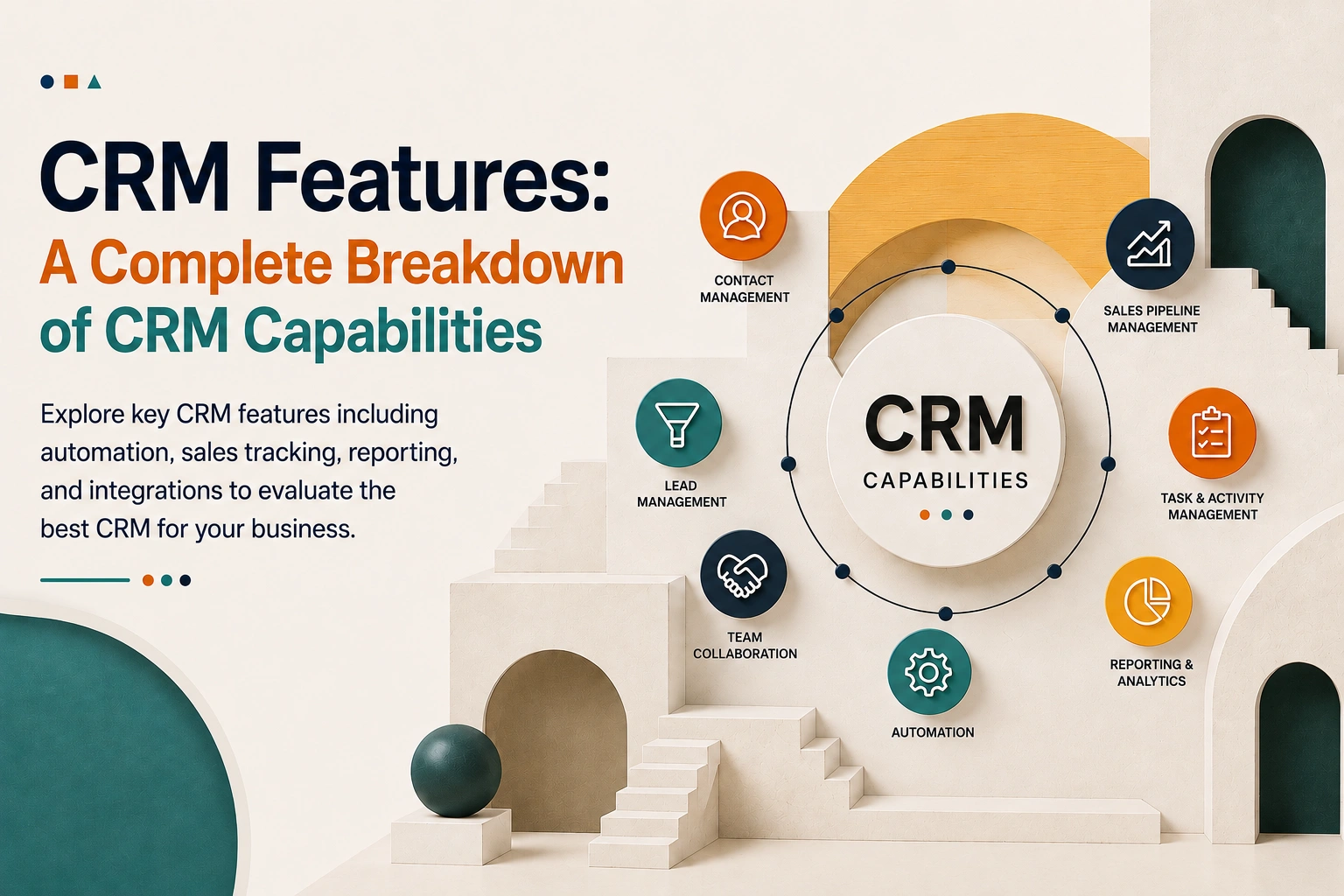
Customer Relationship Management Features Capabilities
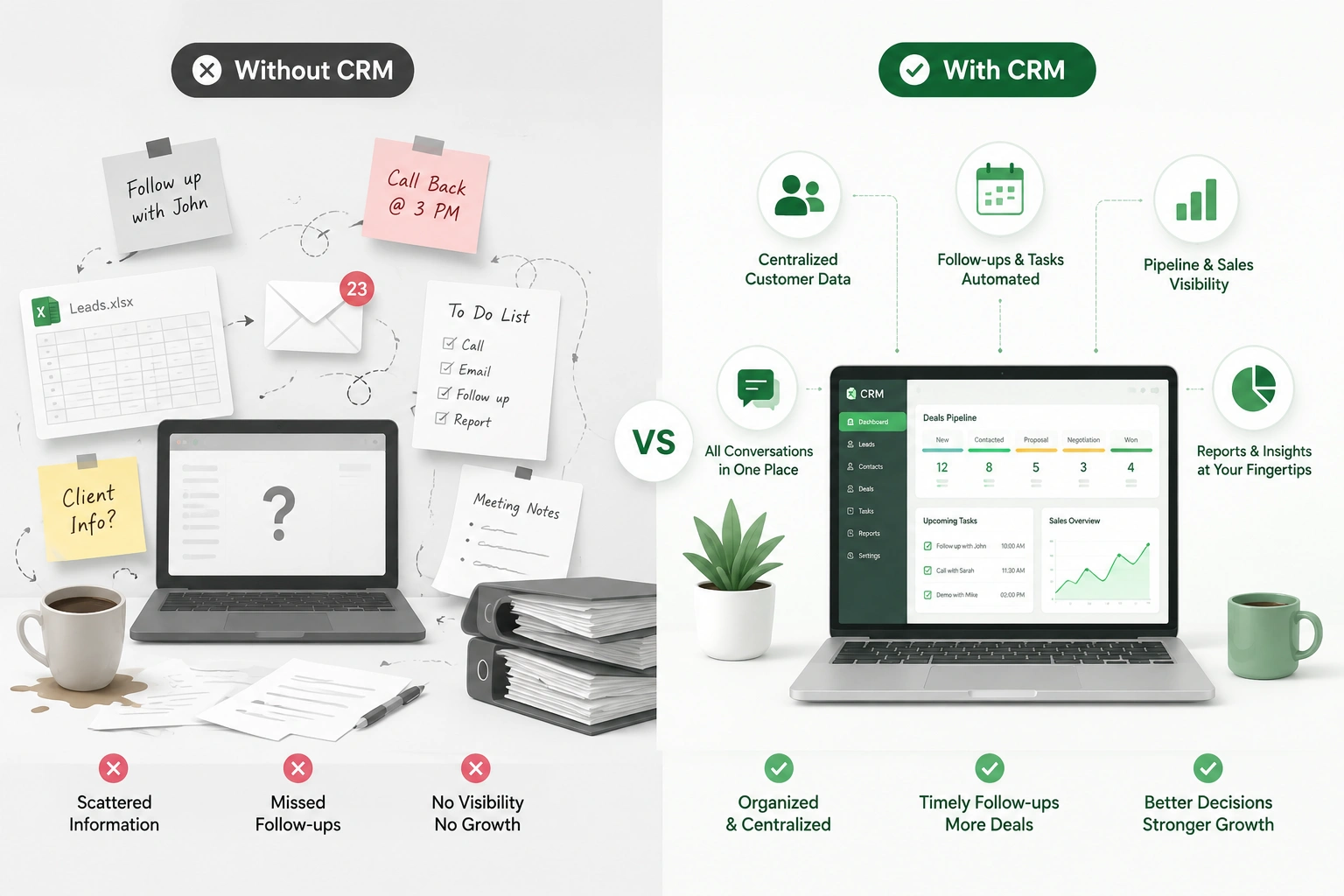
Most teams do not drop deals for a weak product. They lose out because a follow-up email is sitting in someone’s drafts, a lead is entered into three different spreadsheets, and no one has a record of which rep spoke to the customer. This is not an issue of sales discipline. It is an issue of tools, which is exactly what the right CRM features are made to solve.
A CRM is not just a pretty contact list. It is the hub that contains every interaction, deal, task, and customer info in one place, which in turn removes the guesswork. What also may come as a surprise is that the features of the CRM you pick will, in fact, run your sales for the next few years.
What Are CRM Features?
CRM features are the tools and functions inside customer relationship management software that help a business run its customer-facing work in one connected place. In practice, that means a CRM should let you:
- Manage relationships: store every customer’s details and history so nobody starts from zero.
- Track sales: see where each deal sits and what needs to happen next.
- Automate the boring stuff: follow-ups, reminders, data entry, handoffs.
- Improve communication: keep emails, notes, and calls attached to the right person.
- Analyze performance: turn day-to-day activity into reports you can actually act on.
If you want the foundation first, here’s a primer on what is CRM before you go deeper into capabilities. But assuming you already get the basics, let’s talk about why these features carry so much weight.
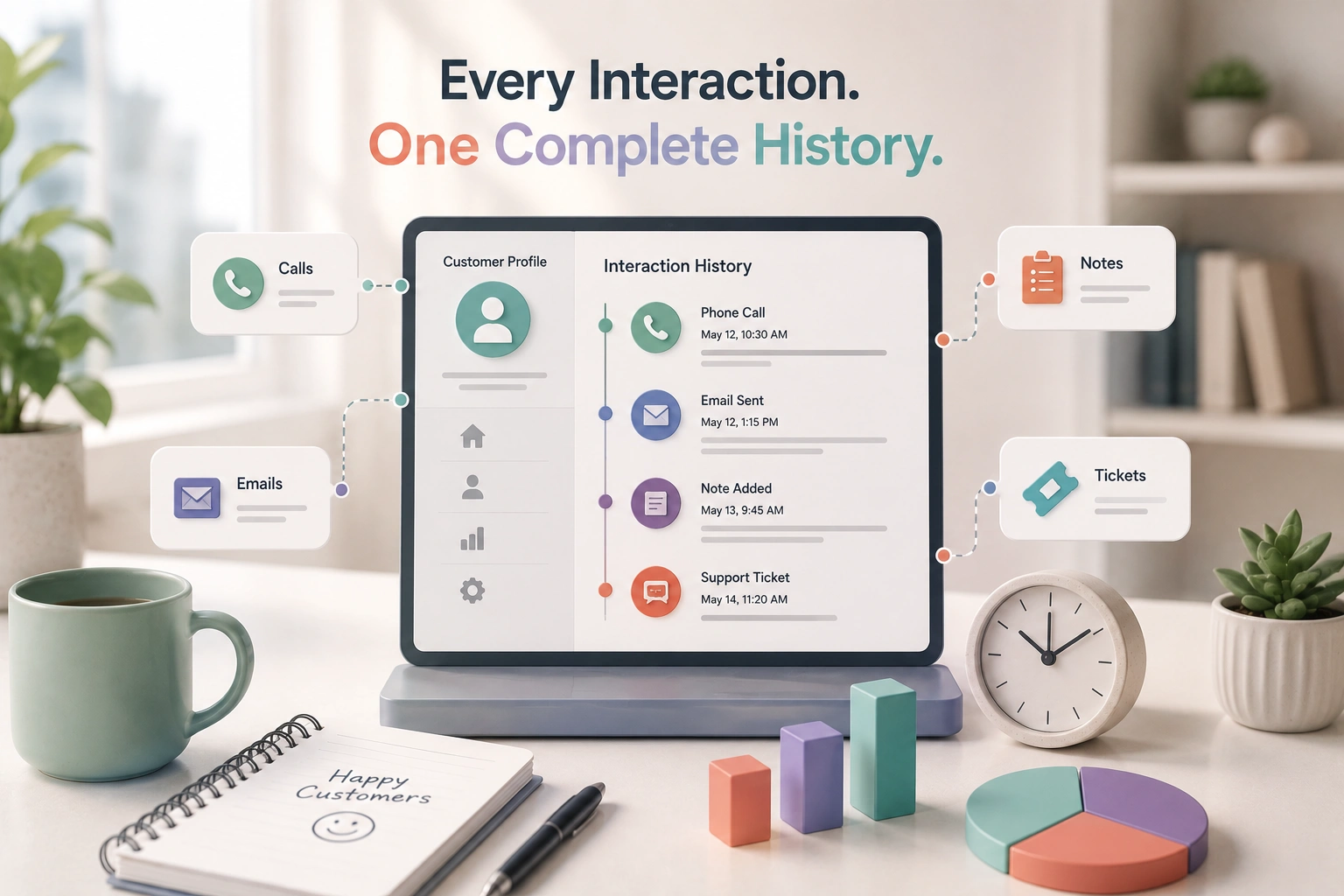
Why CRM Features Matter
Two CRMs can look identical on a comparison chart and feel completely different in daily use. The difference is almost always in how the features fit your workflow. Strong CRM functionality affects your business in five concrete ways:
- Better customer experience. When a rep can see the full history before they reply, customers stop repeating themselves, and they notice.
- Increased sales. A clear pipeline means fewer deals slip through the cracks. Most “lost” revenue is just forgotten revenue.
- Team collaboration. We have one record that all sales, support, and management use, which means we see less of them at odds over which spreadsheet is the right one.
- Automation. The system handles repetitive tasks, freeing your people for the work that actually needs a human.
- Business growth. Good data compounds. Six months of clean CRM records become a forecasting and decision-making engine.
Now the part you came for, the actual breakdown.
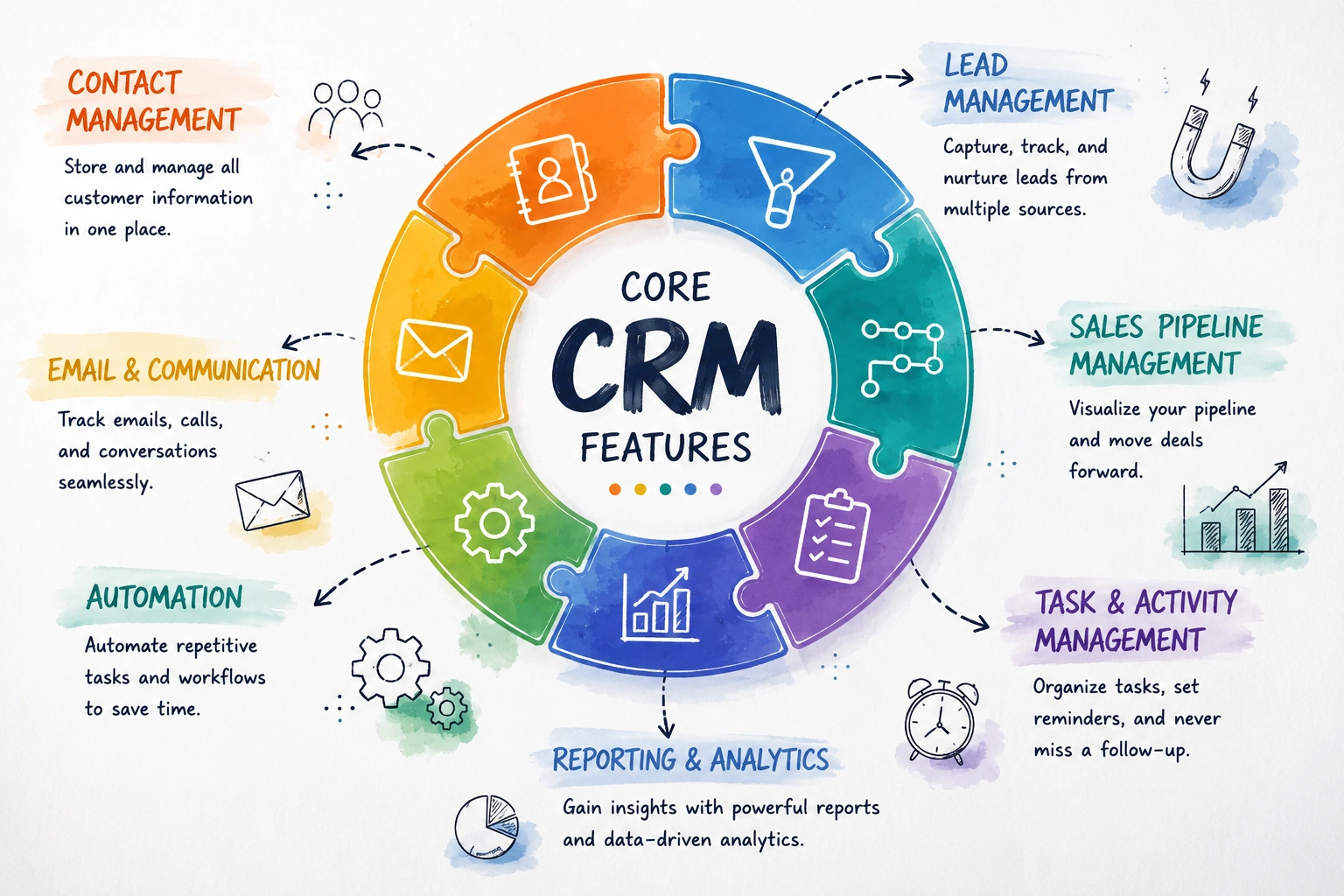
Core CRM Features (The Must-Haves)
These are the non-negotiables. If a CRM is missing any of these, walk away. This is the baseline of what customer relationship management features should deliver on day one.
Contact Management
This is the foundation everything else sits on. Contact management stores customer details, contact info, company data, and, crucially, the full communication history in one centralized database.
- What it looks like in real use: A rep logs into a case and right away sees the last email, the open issue, the support ticket from last month, and the note which states “decision maker is out until the 15th.” No questions asked. No investigation required.
- Business Results: Better customer visibility and organization. Your info, which before lived in people’s heads, now lives in a system that doesn’t break down or fail to remember.
Lead Management
Leads come from everywhere: your website form, a trade show, a LinkedIn message, or a referral. Lead management captures them from multiple sources, tracks each lead’s status, and assigns them to the right sales rep automatically.
- Where it earns its keep: The moment a lead lands, the clock starts. A CRM that routes a new lead to a rep in seconds, instead of letting it sit in a shared inbox overnight, is the difference between a reply and a missed sale.
- Business Results: We see higher conversion rates, at which point many leads that would have otherwise gone cold by us not following up in a timely manner, turn into customers.
Sales Pipeline Management
This is the visual heart of most CRMs. A pipeline shows your deals as cards moving through stages — say, New → Contacted → Proposal Sent → Negotiation → Won/Lost. You drag a deal forward as it progresses.
- Why it works: Humans do not do well with 40 deals in our heads at the same time, and we are great at reading a board, which gives us a glance of the whole picture. The pipeline we have put in place turns what is an abstract sales process into something that you can really see and manage.
- Business Results: We improved sales forecasting and control. When you see that 12 deals are stuck at “Proposal Sent”, you know exactly which ones are the focus for this week.
Task & Activity Management
Forgot to follow through. We handle reminders, follow-ups, and scheduling related to the contact or deal.
- Real Scenario: You tell a prospect you’ll call them the Tuesday after we meet. You put it in the system. Tuesday morning, the CRM reminds you, with the deal info at your fingertips. No more sticky notes, no “what did we discuss?
- Business Results: no lost opportunities. The deals you ignore are the ones you lose.
Email Integration
Your CRM should work with your existing email service, like Gmail or Outlook, and make sure that conversations are syncing automatically. This lets you keep track of who replied and what was said, allowing you to automate your routine responses.
- Why this matters more than it sounds: When email lives inside the CRM, every message is automatically attached to the right customer. Nobody has to remember to “log the email.” It just happens.
- Business results: Experience quicker communication and keep a full, organized record without the burden of manual tasks.
Reports & Dashboards
The last core feature is visibility into your own numbers. Sales reports, performance analytics, revenue tracking, and custom dashboards turn raw activity into decisions.
- In practice: A sales manager on Monday logs into the dashboard and out come reports of which deals closed last week, which accounts are in the pipeline, and how reps did against each other; no one has to be asked for that info.
- Business Results: You are working with data, not guesswork.
- We also put it out there — every CRM says they have this. What really matters is when you put them to the test. When you try out a CRM, do a full go at it from end to end. The feature list that they have doesn’t tell the whole story. When you put them through the paces with a real deal, that’s when you get what the CRM is really made of.
Advanced CRM Features
Once the basics are solid, these features start separating a “contact database” from a genuine growth system. You won’t need all of them on day one, but knowing they exist helps you choose software you won’t outgrow.
Workflow Automation
This is the highest-leverage advanced feature, full stop. Workflow automation handles automated follow-ups, task assignments, and approval processes based on rules you set: when X happens, do Y.
- Example: A deal moves to “Won” → the CRM automatically creates an onboarding task, emails the welcome sequence, and notifies the finance person. No human has to remember any of it.
- Business Results: We see reduced manual effort, and we also eliminate the human error which causes deals to fall through.
Reporting & Analytics
Beyond basic reports, advanced analytics adds forecasting and deeper performance dashboards, projecting where you’ll land this quarter based on your current pipeline.
- Business Results: Data-driven decisions instead of optimistic guesses.
- A trade-off worth knowing: Forecasting is only as good as your data discipline. If reps don’t update deal stages honestly, the prettiest forecast is fiction. The feature can’t fix a messy process; it can only reflect it.
Marketing Automation
Email campaigns, audience segmentation, and lead nurturing sequences that run on their own. You group contacts by behaviour or attributes, then send the right message at the right time without manual sending.
- Business Results: Better marketing, because you stop blasting everyone with the same email and start nurturing leads toward a sale.
Customer Support Tools
A ticketing system, case tracking, and SLA management bring support into the same system as sales. Now the rep who’s about to upsell can see the customer has three open complaints and act accordingly.
- Business Results: Improved customer satisfaction and no more sales and support working blindly with each other.
Mobile CRM
Access to the CRM from a phone, updating records on the go, getting real-time notifications, and checking a contact before a meeting in the parking lot.
- Who needs it most: Field sales and service teams. If your people work away from a desk, mobile isn’t a nice-to-have; it’s core.
- Business Results: Better field team productivity and data that’s actually current.
Discover the business value of using these CRM features. Click the CRM Benefits guide to explore key advantages.
AI-Powered CRM Features (Modern CRMs)
This is the category everyone’s excited about, so let’s be straight about what’s real and what’s hype. Modern CRMs are adding the following:
- Predictive analytics: estimating which deals are likely to close.
- AI lead scoring: ranking leads by how “hot” they look based on patterns.
- Smart recommendations: suggesting the next best action for a contact.
- Chatbots: handling first-touch website queries automatically.
- Automated insights: surfacing trends you didn’t think to look for.
Business impact: Faster, smarter decisions when it works.
The honest take: AI, which is at large scale, is very useful when you have thousands of records and a sufficient history for the model to learn from. For a small team of 200 contacts, AI lead scoring is mostly noise; you already know your leads by name. Don’t let AI features that are just there for show distract you from whether the core CRM features actually work for you. Buy the base first; the AI is the frosting, not the cake.
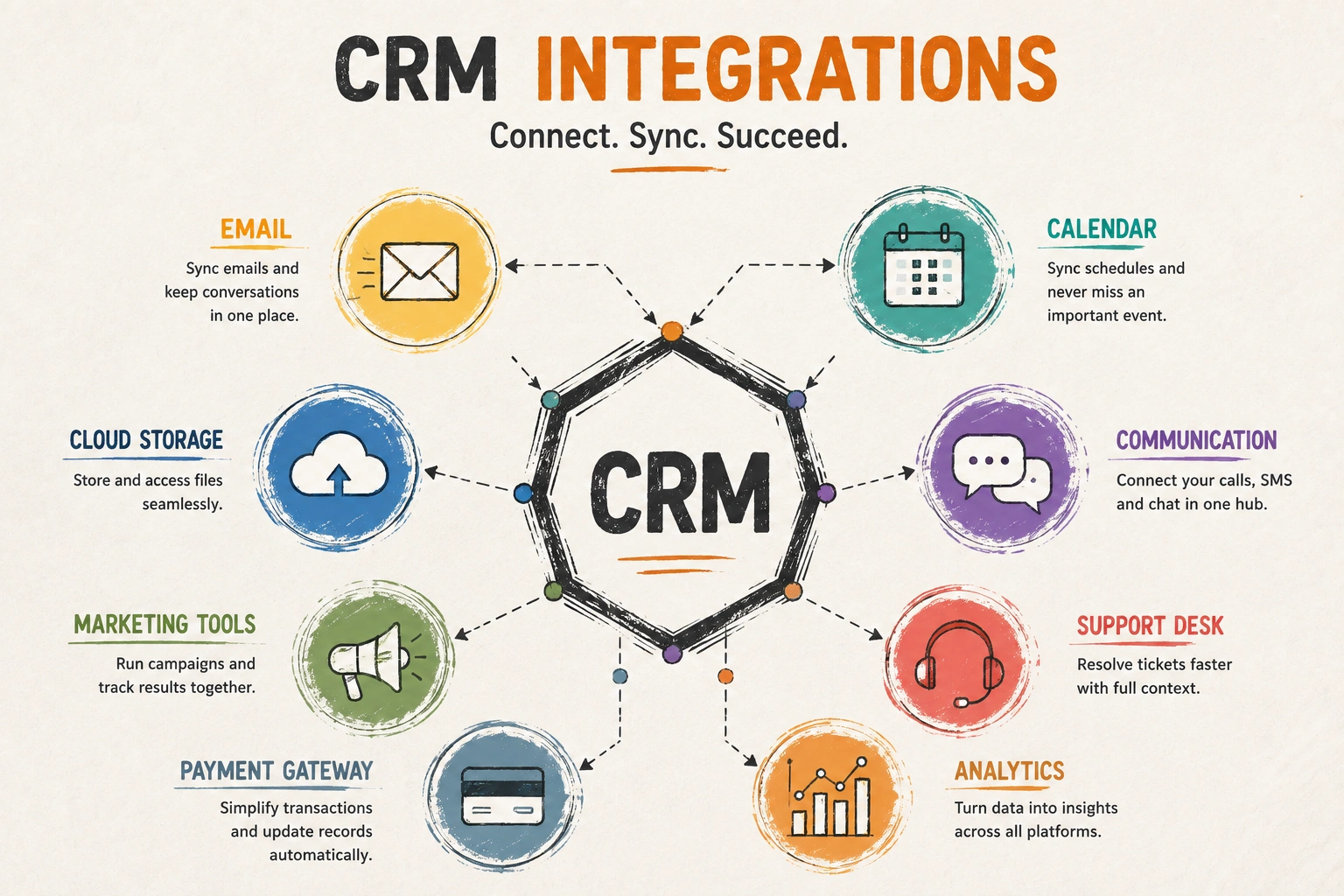
CRM Workflow Integration
A CRM is just one piece of the business puzzle. Your invoices are handled in accounting software, your meetings in a calendar, and your campaigns in a marketing tool. What integration features do is they break down that silo effect of CRMs, which is to have customer data flow between systems instead of you having to manually input it into each.
The tools a CRM typically connects to:
- Email platforms (Gmail, Outlook): so conversations log themselves against the right contact.
- Calendar tools: so meetings booked with a customer show up on the deal, not just in someone’s diary.
- Marketing tools: so the leads a campaign generates land straight in the pipeline.
- Accounting software: so a won deal can turn into an invoice without retyping a single line.
- Communication tools (WhatsApp, Slack, and similar): so a customer message reaches the right person and gets logged where the team can see it.
A network of business solutions which is integrated so customer info flows from one system to another instead of reentering it by hand.
This is an area where the structure of your software is important. A stand-alone CRM uses connectors to access your other tools. An all in one platform which puts CRM in the same system as accounting, projects, and HR does away with a lot of that integration because the data is in one place. More on that below.
If you’re at the stage of mapping out which tools need to connect and in what order, our CRM Implementation guide covers that groundwork in more detail.
Customization Features
No two companies’ sales methods are the same. A consultancy tracks proposals and retainers; a manufacturer tracks part numbers and reorder dates; a freelancer just has to know who owes them money. Customized features are what which enable one software to serve all three, by molding to your specific process instead of forcing you into a generic one that is built for no one in particular.
What you can usually shape:
- Custom fields: Identify what data is truly valuable to your business. If for each deal you require a “project type” or a renewal date, you should put it in the main fields rather than the notes which will make it hard to search and report out of.
- Custom workflows: align the CRM’s stages with how you actually sell. Your pipeline should reflect your sales process, not a template’s.
- Custom dashboards: give each role the numbers they care about. A rep needs their open deals; a manager needs the team’s forecast; the owner needs revenue. One system, three different first screens.
- Role-based access: control who sees and edits what. Your sales team doesn’t need payroll data, and a junior rep probably shouldn’t be able to delete an account. Access control is as much about preventing accidents as it is about security.
Where it earns its keep: At first go-live with any CRM, you get raw, honest feedback. If reps are putting in what they can into the generic “comments” field, that is the system telling you you have a custom field issue. Customization is the answer to that gap, so the data goes into structured, searchable, and reportable fields instead of into free text.
Flexibility is a double-edged sword. It is easy to go too far with it: twenty custom fields no one uses, a workflow with too many stages that reps stop updating. We aren’t trying to push the system as far as it will go; we are to shape it just enough to fit how your team works now, then leave it alone.
CRM Features by Business Size
Here’s the practical part. You don’t need every feature — you need the right ones for where you are right now. Buying enterprise features as a five-person team is one of the most common (and expensive) CRM mistakes.
Small Business
The priority is simplicity and getting value fast. Look for contact and lead management, a visual deal pipeline, basic email integration, and simple reporting (deal status, revenue forecasts). Automation should be light, just things like follow-up reminders or simple email sequences.
Keep it lean. Focus on:
- Contact management
- Lead tracking
- A basic sales pipeline
That’s it. Master these before adding anything else. A small team with clean contact records and a working pipeline beats a big team drowning in unused features. Want a deeper, small-team-specific walkthrough? Have a look at our CRM for Small Business guide for setup tips, feature priorities, and budget advice.
Growing Business
Things get more structured here. Workflow automation matters: lead scoring, automated task assignment, and multi-step nurture campaigns. You’ll also want custom fields and pipelines for different teams or products, marketing tool integrations, real analytics dashboards, and role-based permissions.
Now the manual work is hurting. Add:
- Workflow automation
- Reporting and analytics
- Integrations with your other tools
This is the stage where automation pays for itself, because your team’s time is now genuinely scarce.
Enterprise
The CR system has to serve as a single source of truth across our entire organization. This means in depth customizations (custom objects, complex logic), strong API connections to ERP/finance/support systems, very detailed permission and territory management, AI based forecasting, multi-currency and multi-language support and also we have to be very strict in compliance and audits.
At scale, you need control and intelligence:
- AI features (predictive scoring, insights)
- Advanced analytics and forecasting
- Custom workflows for complex processes
- Security and access controls
Must-Have vs Nice-to-Have Features
A simple way to keep yourself honest while comparing options:
| Must-Have | Nice-to-Have |
|---|---|
| Contact management | AI predictions |
| Lead tracking | Chatbots |
| Pipeline management | Advanced analytics |
| Email integration | Custom dashboards |
| Task management | Multi-channel automation |
The rule of thumb: if a feature in the left column is weak, no amount of the right column makes up for it. Get the left side right first. Want to see how these platforms stack up side by side? Check out our CRM Comparison guide for a full breakdown of pricing, features, and which tool fits which business stage.
Where WorkDo’s Dash SaaS Fits
The features only present value when they are connected. A pipeline is more useful when it is by your side with your invoicing. Support tickets mean more when they are tied to the same customer record your sales team has.
That is the concept behind WorkDo’s Dash SaaS CRM. Instead of a stand alone CRM which you then have to connect to a dozen other apps, the CRM module, leads, deals, and visual pipelines live within a single connected workspace which also includes accounting, projects, HR, inventory and more. Customer data is in one system so there is less integration maintenance.
A few things that make it a practical fit for the audiences this guide is written for:
- Built-in CRM, no separate license. Contact management, lead handling, and pipeline tracking come as a core module, not a paid bolt-on.
- Multi-workspace. Run separate workspaces for different teams, brands, or clients from one login — handy for agencies and operators, not just single companies.
- Customizable to your process. Custom fields, role-based access, and a white-label interface so the system matches how you work.
- Automation when you’re ready. A Workflow Automation add-on lets you set up rule-based follow-ups and handoffs as you grow into them.
It won’t pretend to be a heavy enterprise suite with native AI lead scoring and call recording, and honestly, most small and growing teams don’t need those yet. What it does well is give you the core and advanced CRM features that actually move deals inside one affordable, connected platform you own. If that matches where your business is, it’s worth a look.
Top 5 CRM Platforms Compared: Features at a Glance
Here’s how the five platforms stack up on the capabilities that matter most day-to-day. Use this as a quick reference before diving into pricing or implementation details.
| Feature | Salesforce | HubSpot | Zoho CRM | Pipedrive | WorkDo’s Dash SaaS |
|---|---|---|---|---|---|
| Contact Management | ✅ | ✅ | ✅ | ✅ | ✅ |
| Sales Pipeline | ✅ | ✅ | ✅ | ✅ | ✅ |
| Automation | ✅ Advanced | ✅ Advanced | ✅ Advanced | Moderate | Basic–Moderate |
| Mobile App | ✅ | ✅ | ✅ | ✅ | Limited |
| Free Plan | Limited | ✅ Generous | ✅ (3 users) | ❌ | N/A (one-time) |
| Self-Hosted / White-Label | ❌ | ❌ | ❌ | ❌ | ✅ |
How to Choose the Right CRM Features
Choosing isn’t about finding the longest feature list. It’s about matching capabilities to how your business actually runs. Here’s the order I’d recommend thinking it through, and there’s a deeper walkthrough in our guide on choosing the right CRM software:
- Start with your business goals. What does success look like in six months, more leads, faster follow-up, better forecasting? Pick features that serve that.
- Avoid overbuying. Every feature you don’t use is money spent and complexity added. More is not better.
- Focus on daily workflows. The features your team touches every day matter ten times more than the impressive ones they’ll never open.
- Choose scalable features. Pick software you can grow into, so you’re not migrating CRMs in 18 months.
- Prioritize ease of use. The best feature on earth is worthless if your team won’t use it. Adoption beats sophistication, every time.
Common Mistakes When Evaluating CRM Features
After watching plenty of teams pick (and regret) a CRM, the same mistakes come up again and again:
- Paying for unused features. That shiny enterprise tier you’ll “grow into” usually just sits there draining budget.
- Ignoring user adoption. If reps find it painful, they’ll quietly go back to spreadsheets — and you’ll have paid for nothing.
- Choosing complex systems too early. A startup buying enterprise software is like a learner driver buying a race car. Wrong tool for the stage.
- Not testing features in the trial. Don’t take the demo’s word for it. Run a real deal through the system yourself.
- Over-focusing on AI instead of basics. A CRM with brilliant AI and clunky contact management is a brilliant way to lose your data.
Avoid these traps yourself. Our Best CRM Software guide breaks down which features actually matter at each stage so you’re not paying for tools you’ll never use.
Conclusion: Features Decide the Value
As you peel back the marketing, what you find is that the features of CRM software that truly make the difference for your business do not add just another login to your day. What is right in the features of CRM is that they turn scattered customer data into a system that wins deals, keeps customers happy, and gives you the numbers to make smart decisions.
Contacts, leads, pipeline, and tasks, and become proficient in them before jumping into automation or AI. For your CRM, choose what fits your business size and goals, and also go for something that is scalable so you don’t find yourself doing a migration again next year. The best CRM isn’t the one with the most features. It’s the one your team uses daily.
If you would like to see the core of what CRM has to offer in a single, customizable workspace, we invite you to check out WorkDo’s Dash SaaS CRM, our built-in CRM module, which also includes lead and pipeline management and which also has room to scale with your need for automation. Go ahead and give it a try and see how our set of CRM features transforms the sales game for your team.
 Frequently Asked Questions (FAQs)
We're Here to Help - Let's Talk
Have questions about our solutions, customization services, or business tools? Our team is here to help you. let's talk.