

Best Digital Business Card Maker for Businesses in 2026
Discover must-have features in digital business card that improve branding, sharing, and networking performance.

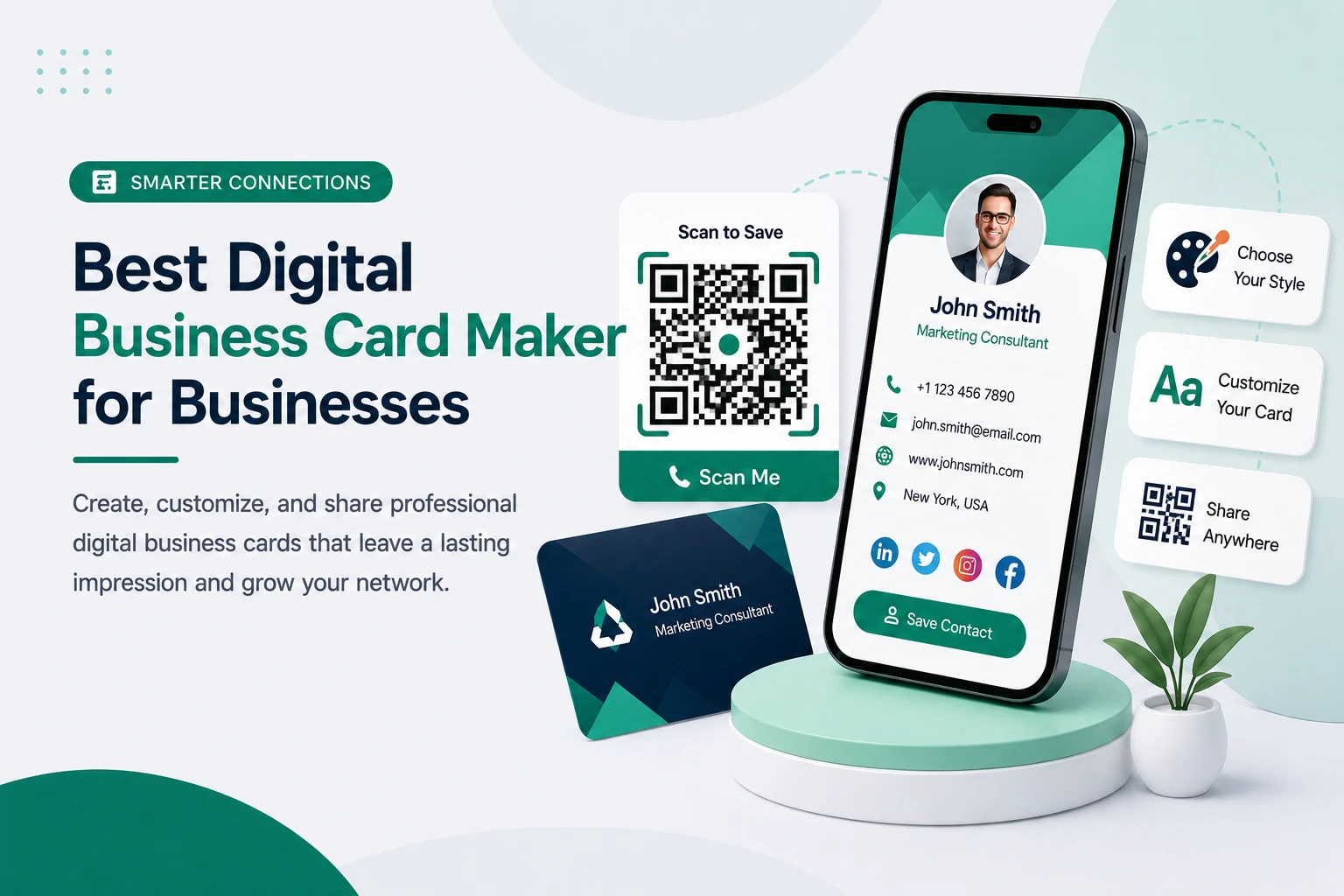
Best Digital Business Card Maker for Businesses (Features, Benefits & Comparison)
You meet someone perfect for your business at an event. You hand over a paper card. A week later, that card is at the bottom of a bag — or in a bin — and the connection is gone. No follow-up, no reminder, no way to know if they ever looked at it.
That’s the quiet failure of the traditional business card, and it happens every single day:
- Paper cards are outdated and run out at the worst possible moment.
- People lose contacts easily — most printed cards are thrown away within days.
- There’s no analytics or tracking, so you never know who’s actually interested.
- There’s no instant sharing when you meet someone online or across the room.
Digital business cards solve these problems by making networking faster, smarter, and trackable. In this guide, we’ll cover what a digital business card is, the features a good digital business card maker should have, how NFC is changing networking, and how to pick the right platform for your team.
What Is a Digital Business Card?
A digital business card template is simply the online version of your paper visiting card — but a far more useful one.
Instead of printing and handing over a piece of card stock, you share a link, a QR code, or tap an NFC card. The other person opens your profile on any phone, no app needed, and saves your details in one tap.
What makes it different from paper is that everything is clickable and live:
- Tap your phone number to call.
- Tap your email to write.
- Tap WhatsApp to start a chat.
- Tap your website, portfolio, or booking link to go straight there.
It’s the same idea as a paper card, just turned into a working tool instead of a static rectangle.
Why Businesses Are Switching to Digital Cards
The shift to digital business cards is not just about appearance; it delivers real, measurable business results. Companies adopting them benefit from instant sharing through links, QR codes, and NFC taps, making networking seamless in any situation. They are also eco-friendly, helping reduce waste from the estimated 100 billion paper business cards printed each year. Plus, digital cards can be updated anytime, ensuring your latest details are always accurate without the need for reprints.
They also present a platform for what we term as ‘lead generation’, which in turn allows companies to see which prospects viewed the card, which saved it, and which clicked on the links, which in turn helps to put forward more personalised follow-up with what we may term as ‘warmer leads’. Also, digital business cards present a better branding play as a sleek, professional, on-brand digital profile leaves a better first impression as opposed to a standard paper card.
Also we see this trend play out in adoption rates, which, according to industry reports, have grown to about 37% by 2026 from around 16% in 2020 that is a growth of over 100% in just 5 years.
What the Best Digital Business Card Must Have in 2026
A digital card is only as good as the platform behind it. Before you choose a business card maker, separate what’s required from what’s merely nice to have. These are the non-negotiables of a serious tool:
- ✅ Custom branding — your logo, brand colors, and layout for full business card design control.
- ✅ QR code generation — a scannable code for print, slides, packaging, and shopfronts.
- ✅ NFC support — a tap-to-share card for in-person meetings.
- ✅ Contact save button (vCard download) — so people add you to their phone in one tap.
- ✅ Analytics — views, clicks, and engagement so you can measure interest.
- ✅ Multi-profile support — manage several businesses or team members from one place.
- ✅ Lead capture — a built-in contact form so connections flow back to you.
- ✅ Easy sharing — WhatsApp, email, direct link, and social media.
- ✅ Mobile-friendly design — opens cleanly on any device, no app required.
Here’s the practical test. A tool that only shares your details has digitized a paper card. A tool that also captures leads and tracks engagement has actually upgraded how you network. Most free tools quietly stop at the first three boxes — and that’s exactly where they cost you deals.
Common Digital Business Card Problems — and How WorkDo’s vCard Solves Each One
Here’s the honest truth: every digital business card promises convenience, but the problems show up once you start using one daily. The good news is that all the common problems related to a digital business card have a clear solution in WorkDo’s vCard. Here’s the mapping:
| Common Problem | How WorkDo’s vCard Solves It |
|---|---|
| Card details go out of date | Edit your business and card design anytime in the vCard Builder — updates apply everywhere instantly |
| Contacts get lost, no follow-up | Built-in Contacts management and contact forms capture every lead in one place |
| No idea who’s actually interested | Analytics dashboard with views, conversion rate, and a real-time activity feed showing live visitors |
| Sharing is clunky / recipient needs an app | Share by link, QR, NFC, WhatsApp, Telegram, or Messenger — opens on any device, no app required |
| Card looks generic and off-brand | Professionally designed themes, color options, drag-and-drop layout, and a 40+ Best Customizable Business Card |
| Hard to manage a whole team’s cards | Multi-business profiles plus staff and role management — run one card or a hundred from one account |
| No easy way to book meetings | Built-in appointment booking with a calendar and Google Calendar/Wallet integration |
| Nobody can find you online | SEO settings per card, a public business directory, and a bio-link page to centralize all your links |
That’s the pattern: wherever a typical digital business card software leaves a gap, WorkDo’s vCard fills it — not with one flashy feature, but with a complete, connected system.
Best Digital Business Card Maker: A Quick Comparison
To make the choice clearer, here’s how three common types of tools stack up.
1. The Basic / Free Tool
Fine for a quick personal card. You get a simple profile and maybe a QR code — but limited customization, weak branding, and no real analytics. The moment you want to track leads or manage a team, you hit a wall.
2. The Good-Looking but Shallow Tool
Polished interface, nice business card templates, easy to start. The catch: no analytics, thin lead capture, and little team control. It looks the part but leaves you blind to what’s working.
3. WorkDo’s vCard SaaS (The All-in-One Platform)
This is where everything comes together. WorkDo’s vCard SaaS is a complete digital business card software built for individuals, teams, and agencies — and it checks every box above:
- Custom branding with professionally designed themes, multiple color schemes, and a drag-and-drop card layout.
- QR + NFC support — a QR code for every card plus built-in NFC card ordering and management.
- Lead tracking through an analytics dashboard showing views, contacts collected, conversion rate, and a real-time activity feed.
- Easy sharing via link, QR, WhatsApp, Telegram, Messenger, email, and social media — with click-to-call and click-to-message built in.
- Multi-business profiles, custom domains, SEO settings per card, and appointment booking with payment integration.
Here’s the same comparison at a glance:
| Feature | Basic Tool | Good-Looking Tool | WorkDo’s vCard SaaS |
|---|---|---|---|
| Custom branding | Limited | Yes | Yes (themes + colors + layout) |
| QR code | Sometimes | Yes | Yes (per card) |
| NFC support | No | Rarely | Yes (order + manage in-app) |
| Contact save (vCard) | Basic | Yes | Yes |
| Lead capture | No | Limited | Yes (contacts + forms) |
| Analytics & tracking | No | No | Yes (live dashboard) |
| Multi-profile / teams | No | Limited | Yes |
| Appointment booking | No | No | Yes |
Why Choose WorkDo’s vCard SaaS
Among all available options, businesses lean toward WorkDo’s platform because it combines simplicity with genuinely powerful networking tools — without forcing you into a steep learning curve.
A complete solution like WorkDo’s vCard SaaS gives you:
- A professional digital identity — a clean, branded custom digital business card that represents your business well.
- Easy setup in minutes — pick a business card template, add your details, and you’re live.
- Affordable for teams — multi-user support and subscription management mean it scales from one card to a whole company (or even your own SaaS).
- Advanced sharing options — QR, NFC, link, and direct messaging in one place.
- An analytics dashboard — real engagement data, so networking stops being guesswork.
It’s designed for modern businesses that want to streamline networking, not just replace paper with a prettier version of it.
How WorkDo’s vCard handles NFC (better than most)
This is where the platform you choose matters. Many tools support NFC in theory but make you source the physical cards somewhere else and link them manually. WorkDo’s vCard SaaS builds NFC management right into the dashboard.
- Order NFC cards from inside the platform. WorkDo’s includes a dedicated NFC Cards catalog where users browse and request physical cards directly — no third-party hunting.
- Track your orders. A My Order Requests area lets you follow each NFC card request from order to delivery.
- Centralized oversight for operators. On the Super Admin side, NFC card orders and requests are managed in one place, and platform analytics even surface NFC cards as a tracked metric.
- Add to Google Wallet, too. Beyond physical cards, WorkDo’s lets contacts save your card to Google Wallet for repeat, tap-free access.
In short, NFC isn’t bolted on as an afterthought — it’s part of how the platform is built. For businesses planning ahead, that’s the difference between dabbling in NFC and actually running on it.
Here, I have provided the link to our Workdo’s vCard user manual, which will help you easily understand the step-by-step guide for the vCard product.
Build the Card Your Business Actually Needs
A café, a freelancer, and an events company don’t need the same card — but most tools hand everyone the same fixed profile anyway. That mismatch is a real problem, and it’s the one WorkDo’s vCard quietly solves by letting you Add-Ons only the pieces your business needs:
- Run a restaurant or salon? Put your menu and coupons right on your card.
- Host events? Share invitations and event details from your profile.
- Have a walk-in location? Add tap-to-navigate directions or one-scan WiFi access.
- Want more reach? Point people straight to your app, Google listing, or social profiles.
The result is a card built around how you actually win customers — not a business card template and without paying for features you’ll never use.
Real Use Cases: Who It’s For
It’s easier to see the value when you picture it in action:
- Sales teams → instant lead sharing. Reps share a tap-to-save NFC card in every meeting and watch the analytics flag who’s engaged before they follow up.
- Freelancers → personal branding. One online business card design holds your portfolio, rates, social links, bio links templates, and a booking button — and updates instantly when things change.
- Corporate employees → uniform company cards. Roll out consistent, branded cards to the whole team from one dashboard, and deactivate them the moment someone leaves.
- Event networking → QR scanning and NFC taps. At a busy expo, a quick scan or tap beats fumbling for paper, and nothing gets lost.
If any of those sound like your day, a digital card isn’t a nice-to-have — it’s a faster way to work.
Traditional vs. Digital Business Cards
If you’re still deciding, this side-by-side makes the gap obvious:
| Paper Business Card | Digital Business Card | |
|---|---|---|
| Updates | Reprint the whole batch | Edit once, updates everywhere |
| Sharing | One person at a time | Link, QR, or NFC — instant |
| Tracking | None | Views, clicks, and saves |
| Lead capture | Manual | Built-in contact forms |
| Cost over time | Every reprint adds up | One affordable subscription |
| Environment | Paper and printing waste | Negligible |
Paper is outdated. Digital is smart, trackable, and shareable — which is exactly why the switch is happening across industries.
The Future of Digital Business Cards
Where is all this heading? A few trends are already clear, and they all point the same way:
- NFC becomes the default. Tapping will feel as normal as tap-to-pay. The businesses adopting NFC now will look ahead of the curve; the ones still printing paper will look dated.
- Cards turn into mini-CRMs. The line between a card and a lead-capture tool is disappearing. Expect contact forms, analytics, and follow-up to be standard, not premium.
- AI does the writing. Drafting descriptions, services, and bios is already being automated — WorkDo’s vCard’s built-in ChatGPT content generation is an early example of where every platform is going.
- Sustainability keeps driving adoption. As companies tighten their environmental commitments, billions of wasted paper cards become harder to justify.
- One identity, many links. Bio-link pages and digital cards are merging into a single, shareable hub for everything you do online.
The takeaway for businesses is simple: the modern business card isn’t a contact detail anymore — it’s a living, trackable part of your sales and branding. All these essential needs are already fulfilled inside WorkDo’s vCard SaaS, which means choosing it isn’t just solving today’s problem; it’s getting ahead of the next few years.
The takeaway
Switching to digital isn’t really about ditching paper — it’s about upgrading what happens after you meet someone. The right digital business card maker keeps your details current forever, shows you who’s actually interested, and turns a quick introduction into a captured, followable lead. The wrong one just shares your number with extra steps.
So choose for the workflow, not the logo: editability, lead capture, flexible sharing, real branding, and analytics. Get those right and your card stops being a formality and starts being part of how you close.
Ready to see the difference? Create your digital business card and share a smarter card before your next meeting.
 Frequently Asked Questions (FAQs)
We're Here to Help - Let's Talk
Have questions about our solutions, customization services, or business tools? Our team is here to help you. let's talk.