

Create Your NFC Business Card & NFC Visiting Card Online
Build a smart NFC business card and NFC visiting card online with our easy-to-use card maker. Share your contact details instantly via programmable NFC technology, perfect for professionals looking to network with contactless, digital cards.
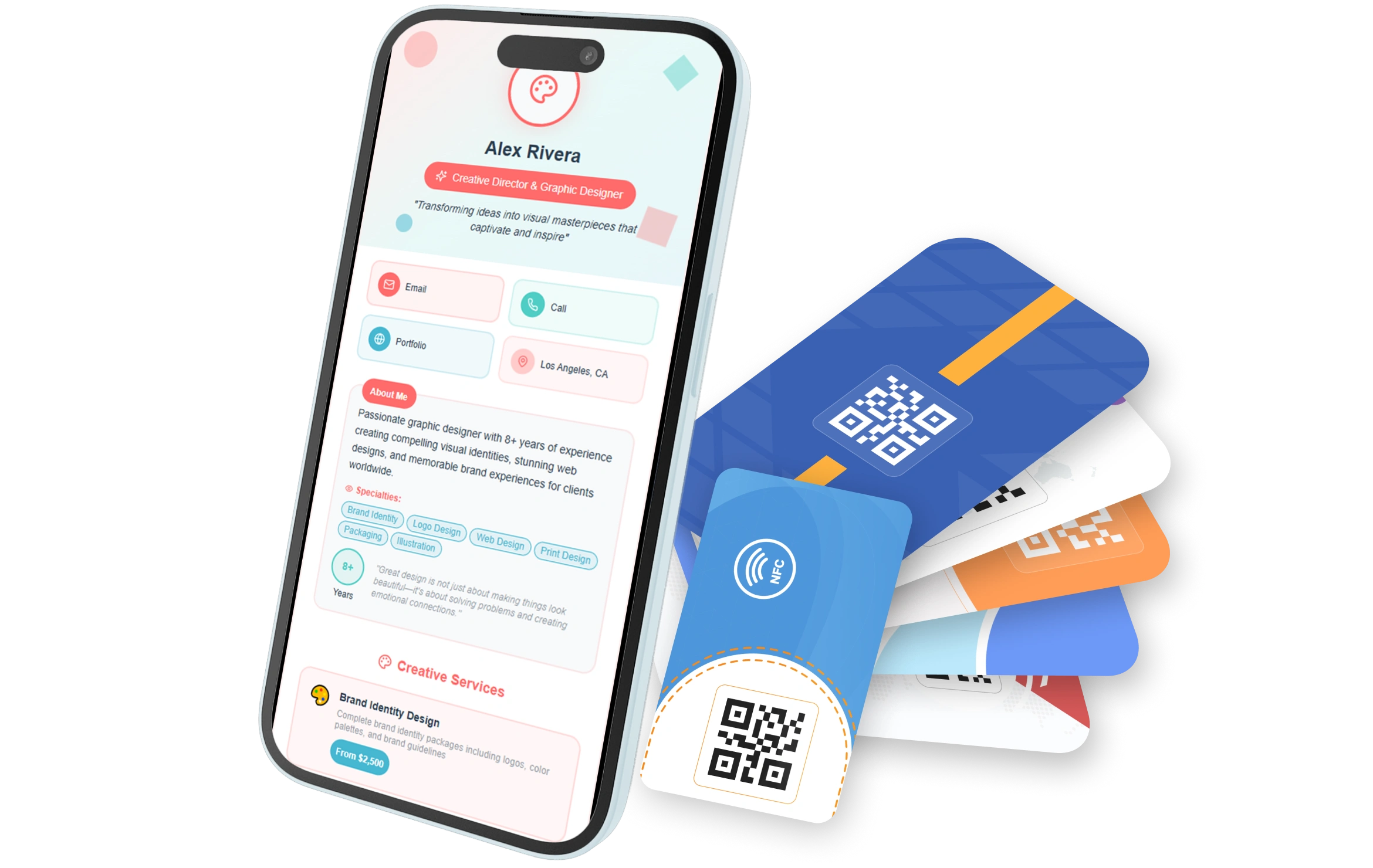
Explore Professional NFC Business Card Designs
Browse NFC business cards below - including the card name, quantity, pricing, and smart card information. Preview designs live with our NFC card maker.
Everything You Need for Smart Networking
Manage NFC business cards, vCards, bio links, analytics, contacts, and more - all-in-one smart platform for modern professionals.
Instant & Seamless Contact Sharing
Share your contact info with a simple tap—no apps, scanning, or downloads needed. Works across all smartphones and lets recipients instantly save your contact.
Custom Design Studio
Design beautiful digital cards using professional-grade tools. Choose from 50+ premium templates, match your brand’s colors, and easily add your logo.
Real-Time Analytics & Smart Insights
Track when and where your vCard is shared with live analytics. Monitor views, contact saves, and engagement to measure ROI and tailor your outreach strategy.
Multi-Channel Sharing & Social Integration
Share your vCard via NFC, QR code, or link—flexible across devices and formats. Display all your social profiles, portfolio, and video links in one card, integrated across 20+ platforms.
Real-Time Updates
Update your information instantly and all shared cards automatically reflect the changes—no reprinting or resending needed.
Secure & GDPR-Compliant
Protect your data with enterprise-grade encryption (bank-level, 256-bit) and privacy controls. Fully GDPR compliant.
Industry-Specific Use Cases for NFC & Digital Business Cards
Discover how industries use NFC business cards, vCards, and link in bio tools to create smart, digital business card experiences.
Real Estate
Agents share property listings, virtual tours, and contact info instantly at open houses and client meetings.
Technology
Developers and tech entrepreneurs share GitHub profiles, portfolio projects, and LinkedIn connections at tech events.
Sales & Marketing
Sales teams share product demos, pricing guides, and lead capture forms at trade shows and client visits.
Healthcare
Medical professionals share clinic info, appointment booking links, and emergency contacts with patients.
Legal Services
Lawyers share consultation booking, case studies, and law office client portals with prospects and referral partners.
Creative Industries
Designers, photographers, and artists showcase portfolios, Instagram feeds, and booking calendars to potential clients.
Fitness & Wellness
Personal trainers and wellness coaches share workout plans, nutrition guides, and class schedules with clients.
Restaurants & Food
Restaurant owners share digital menus, reservation systems, and delivery options with customers and clients.
Auto Services
Mechanics and auto dealers share service records, appointment booking, and vehicle history with customers.
How Does an NFC Business Card Work?
A smart NFC business card uses Near Field Communication (NFC) technology to wirelessly transmit data between the card and a smartphone or NFC-enabled device. It’s the same technology used in contactless payments, smart access cards, and tap-to-pair Bluetooth devices.
1. NFC Chip Embedded Inside the Card
Each NFC card contains a tiny microchip and antenna embedded inside the material (plastic, metal, wood, etc.). This chip stores digital data—usually a URL or a digital contact profile.
2. Tap the Card to an NFC-Enabled Smartphone
When someone taps your NFC visiting card or NFC contact card against the back of their smartphone (within 1-2 cm), the chip gets powered by the phone's electromagnetic field and sends the stored data wirelessly.
3. Instant Display of Contact Info or Link
The phone immediately reads the chip and opens the stored link or profile. This could lead to:
- A digital business card profile
- Your contact information (phone/email)
- Your company website
- Social media profiles
- A custom landing page or video
What Our Clients Say About Us
The platform has improved significantly with recent updates, and continuous enhancements make me confident future releases will be even better.
 TylerDeviGrey
Professional support, responsive communication, and consistent bug fixes make this product highly recommended for businesses seeking reliable solutions.
 hraheee
Excellent product quality, thoughtful features, and impressive development standards clearly demonstrate the team’s dedication and expertise.
 Muhammed Dakvan
Support handled my issue quickly and professionally, ensuring everything was resolved efficiently without unnecessary delays or complications.
 MMHSVG
The support team remains available whenever needed, providing fast responses and dependable assistance even outside regular hours.
 SmartDSK7
Communication was excellent throughout the process, and every reported issue was resolved quickly with impressive technical efficiency.
 ASEWG India
After contacting support regarding an issue, the team resolved everything promptly and restored full functionality immediately.
 Erez Domb
Regular updates improved previous concerns, and the overall product quality now delivers excellent value for investment.
 TaskReach
Recent enhancements and new Add-Ons have expanded functionality considerably, making an already strong product even better.
 Engage Media Group
The system performs reliably, and the responsive support team consistently helps resolve concerns with professionalism and speed.
 Ilyalcin4212
Customer support responds promptly to requests and actively assists with bug fixes, improvements, and technical guidance.
 Kanseps032
An outstanding digital business card solution with professional support, useful Add-Ons, and continuous improvements over time.
 Dusan Pecko
Fast customer support, excellent patience, and clear communication create an enjoyable experience throughout the entire process.
 Kreatura SK
Even without technical knowledge, I received exceptional assistance that resolved upgrade issues quickly and professionally.
 Sergio B61
The support team responded rapidly, provided effective assistance, and ensured the platform operated smoothly afterward.
 Do Xuan Manh
Create Smart NFC Business Card & NFC Visiting Card Online
In today’s fast-paced digital world, first impressions are everything—and the way you share your professional identity matters. Paper business cards are quickly becoming outdated, wasteful, and easy to forget. If you're looking for a modern, memorable, and high-tech solution, it’s time to switch to a smart NFC business card.
An NFC business card—also known as an NFC name card, NFC visiting card, or electronic business card—is a revolutionary way to share your contact details with just a simple tap. It allows instant sharing of your information (phone number, email, website, social links, or portfolio) directly to someone’s smartphone—no app download required. Whether you're an entrepreneur, corporate professional, freelancer, or networking at events, a smart NFC card puts your contactless communication on another level.
In this guide, you’ll learn how to create NFC business cards online, why they’re so powerful, and how to use them effectively to stand out in a crowded professional landscape.
What is an NFC Business Card & How Does It Work?
An NFC (Near Field Communication) business card contains a small chip that stores and transmits data wirelessly when tapped near a smartphone. With no apps needed, your contact info pops up on the recipient’s screen instantly.
Depending on your preferences, you can use an NFC tag business card to:
- Share phone/email/contact info
- Redirect to websites or landing pages
- Link to your digital portfolio or resume
- Display your LinkedIn, Instagram, or other social profiles
- Embed payment links or booking forms
Whether you call it an NFC contact card, NFC name card, or electronic business card, the benefits are endless.