

Create Digital vCard – Online Instant vCard Generator
Easily create your digital vCard online with our simple yet powerful vCard generator and maker. Build, customize, and share professional virtual contact cards to enhance your networking and maintain seamless digital connections anytime, anywhere.
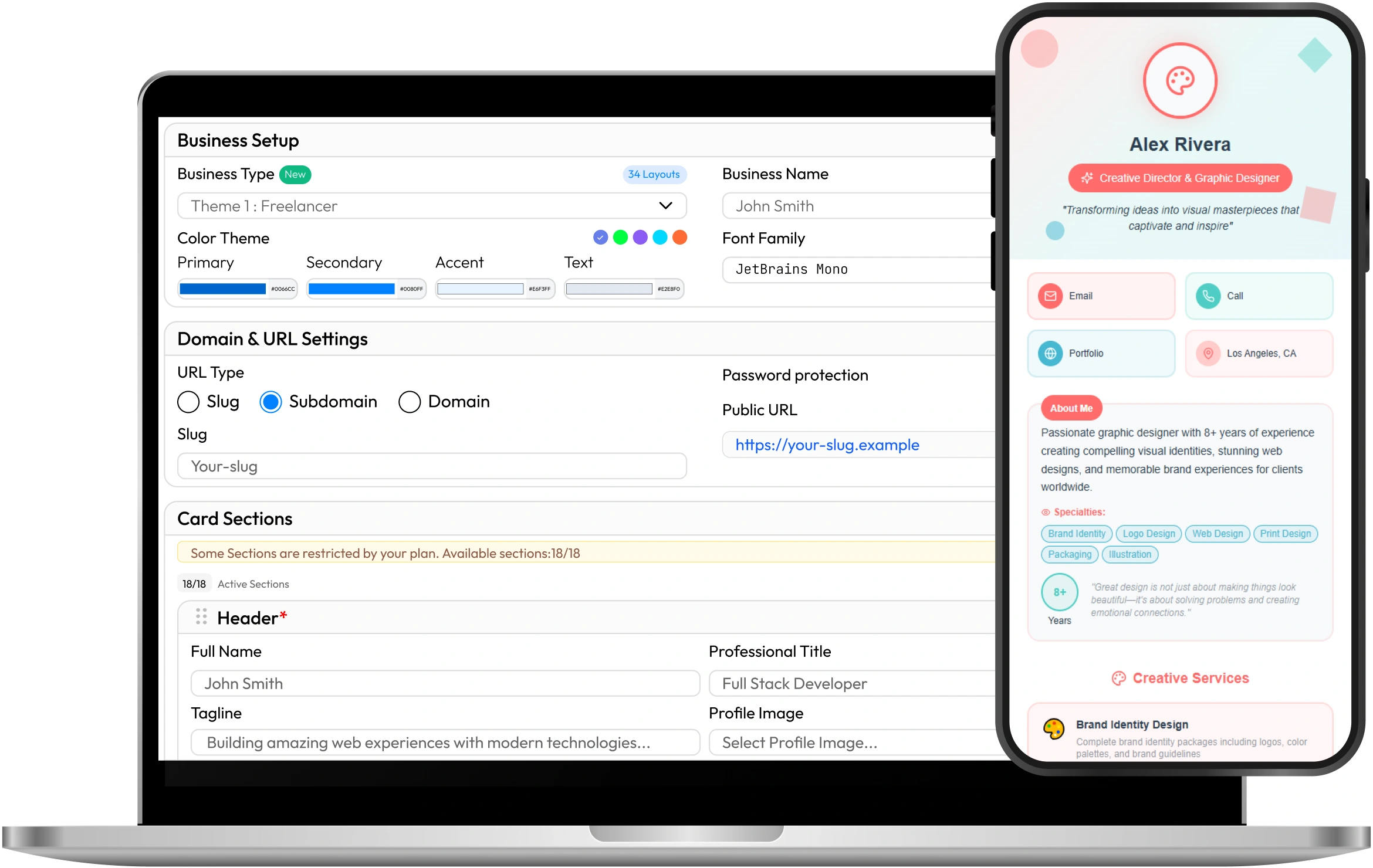
Explore Stunning vCard Templates
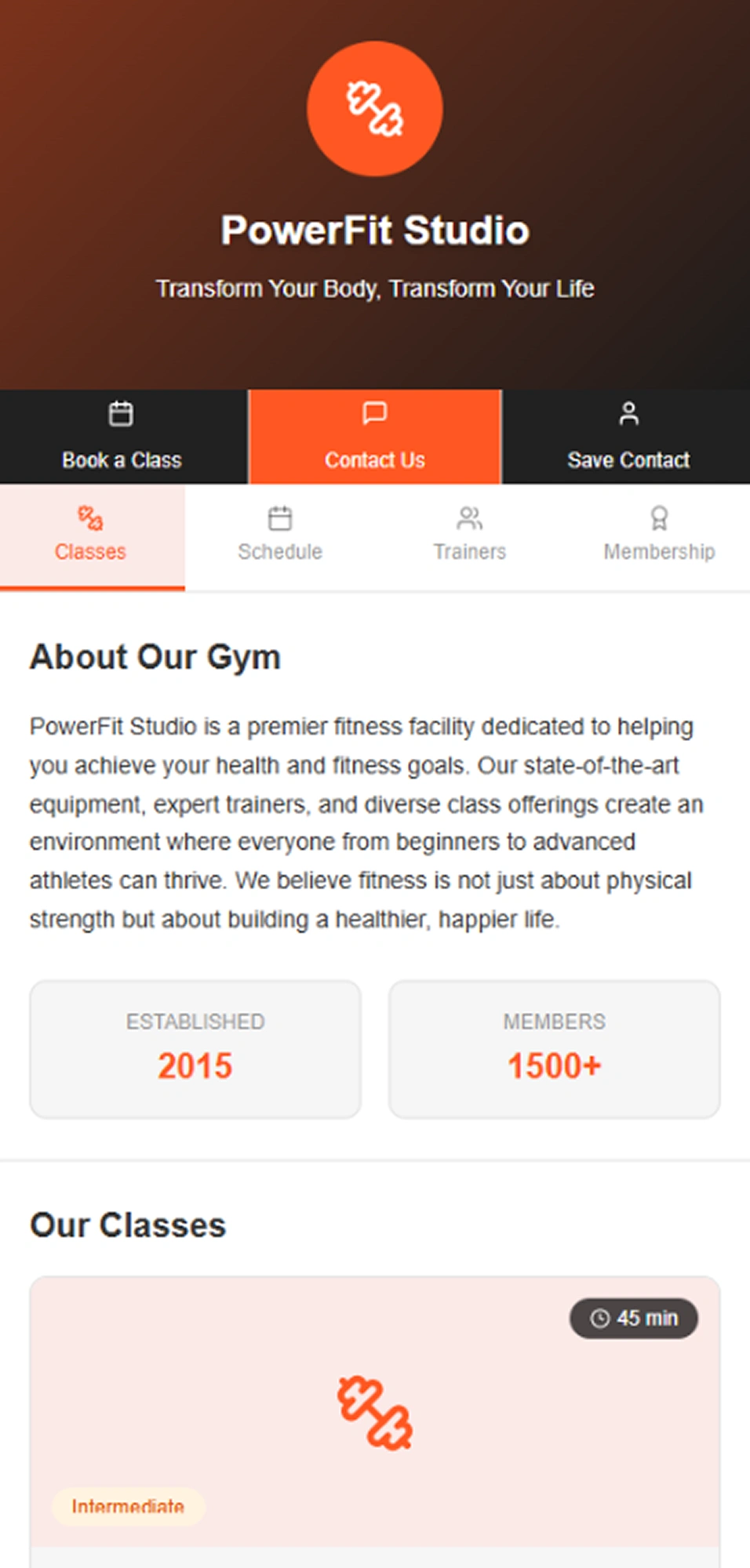
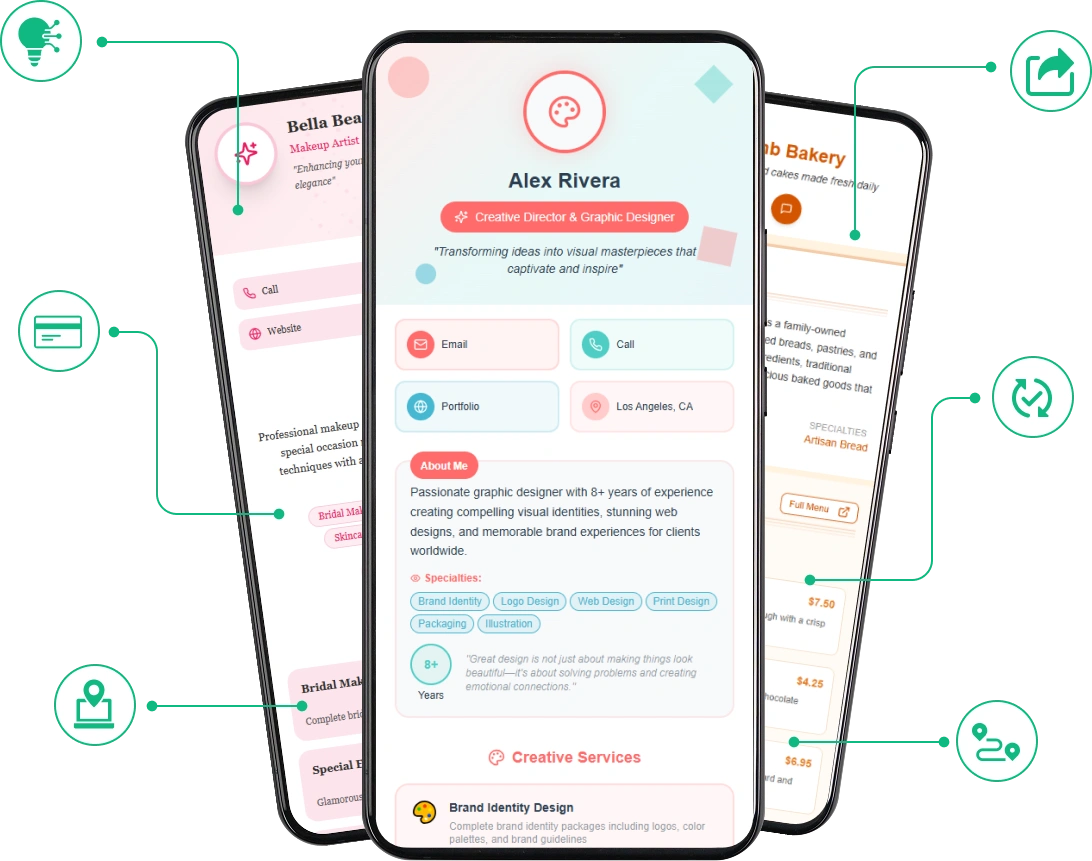
Stand out with professionally designed vCard templates tailored for every industry and personal brand. Whether you're a freelancer, entrepreneur, or business owner — choose a template that reflects your style and professionalism. Click "View More" to browse the full collection and find the perfect match for your digital identity.
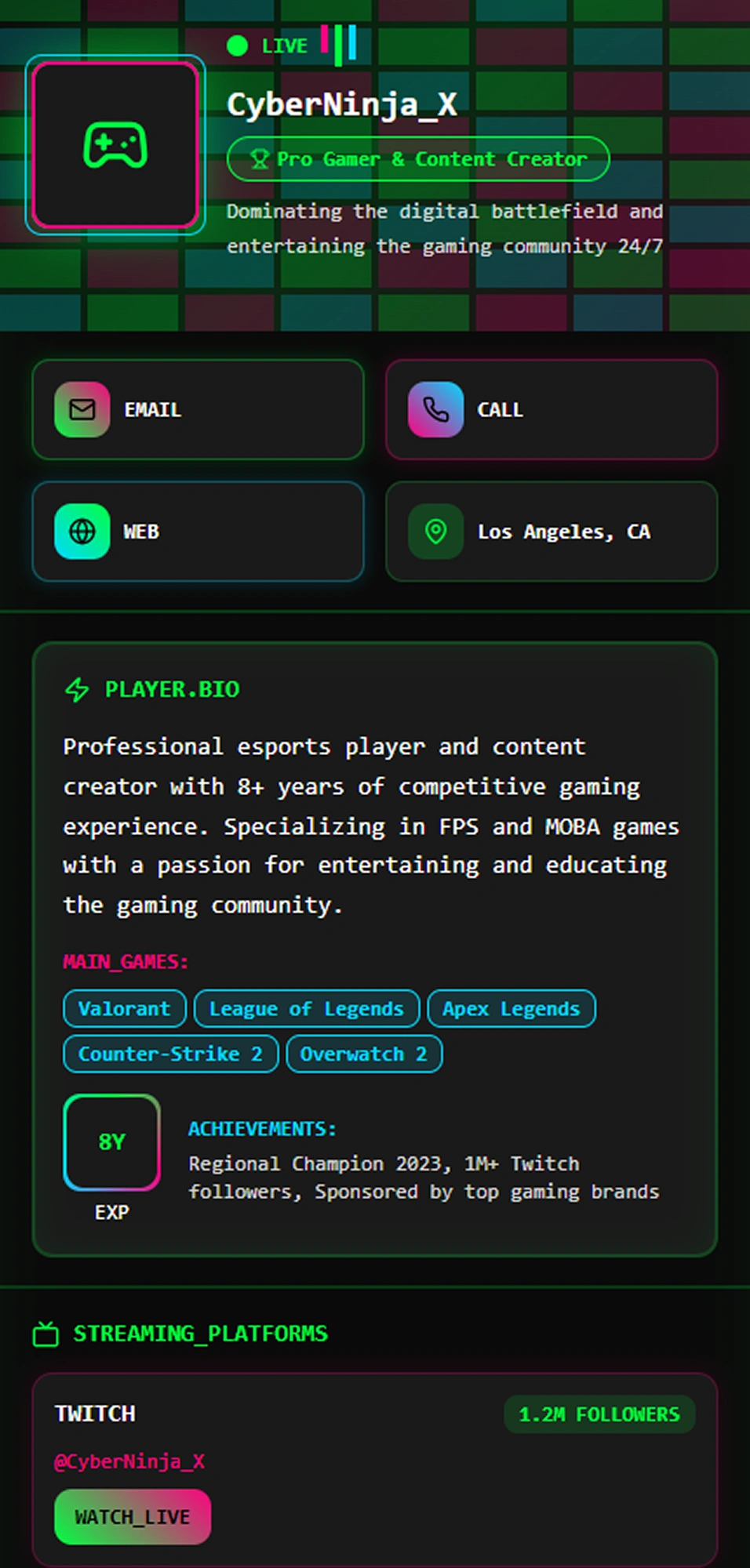
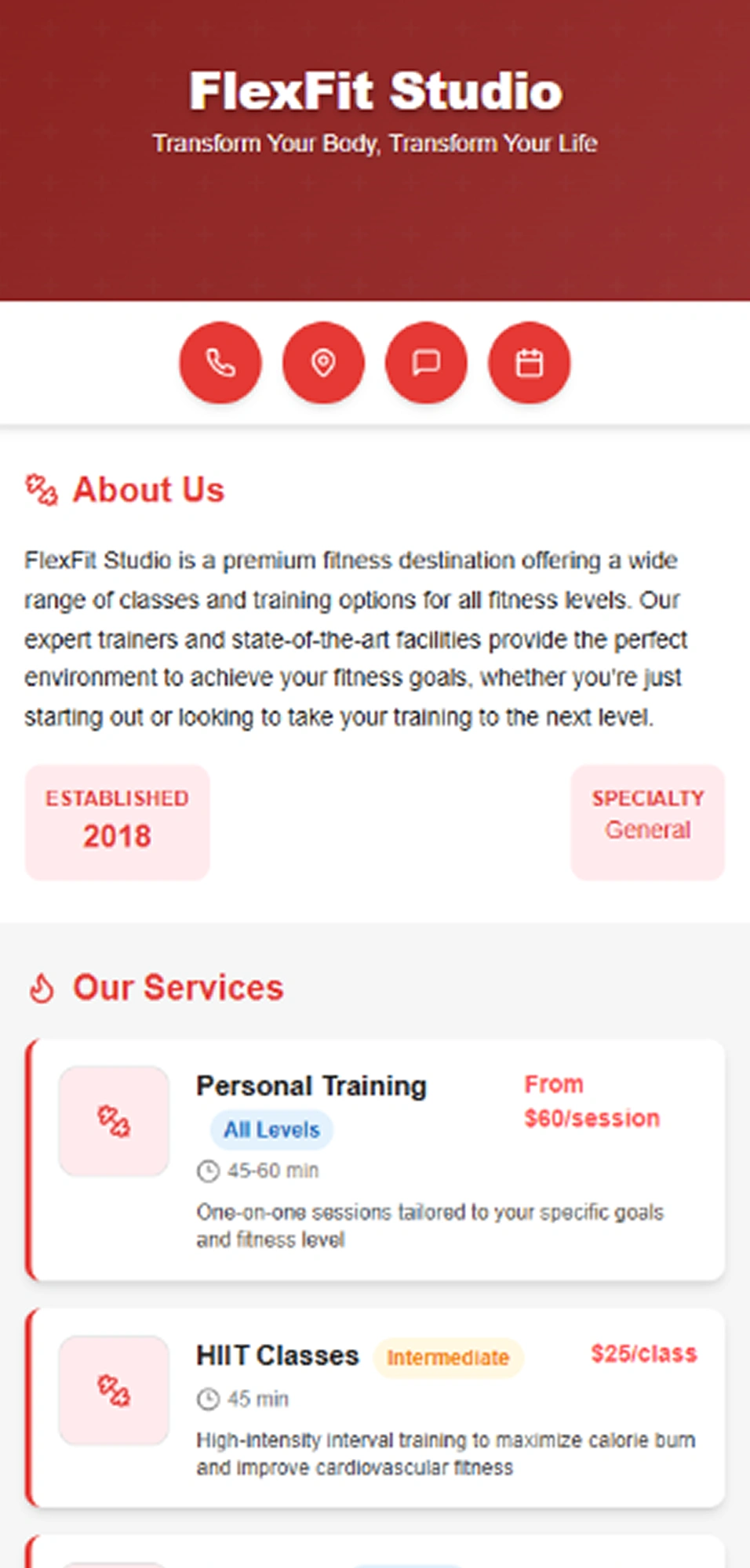
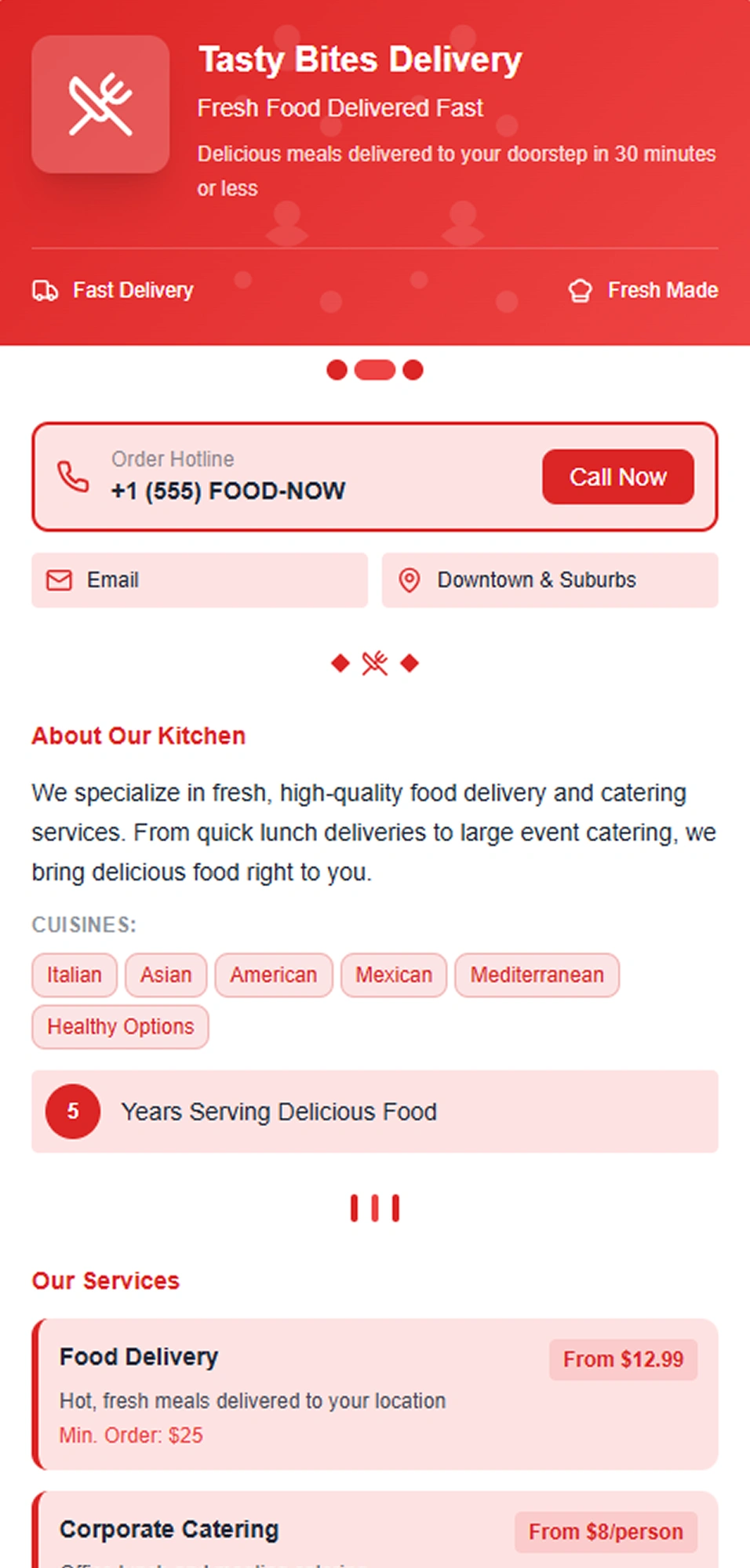
How to Create a vCard (5 Easy Steps)
Creating a professional vCard has never been easier. Whether you want to share your contact details digitally or integrate a vCard QR code for quick scanning, following these simple steps will help you get started. With the rise of digital networking, using vcards is essential for seamless contact sharing. Let’s dive into how to create a vcard quickly using a reliable vcard creator or vcard generator.
Start with a Ready-Made Professional Template
To create an impressive vcard, begin by exploring a variety of digital business card templates tailored for different professions. Choosing a mobile-responsive template ensures your card looks perfect on smartphones and tablets. Customizing colors and fonts according to your brand identity makes your vcard unique and professional.
- Explore a variety of digital business card templates tailored for different professions.
- Customize colors, fonts, and layouts to align with your brand identity.
- Choose a mobile-responsive template so your card looks perfect on smartphones and tablets.
Customize Your Digital Business Card's Design
Personalize your card's design to reflect your brand and professionalism. Upload your company logo and a high-quality profile photo to build trust with your audience. Use your brand's colors and select fonts that match your style. Enabling Progressive Web App (PWA) support allows users to save your card on their devices for offline access.
- Upload your logo and professional profile picture.
- Adjust brand colors and choose matching fonts.
- Add custom backgrounds or images to make your card unique and memorable.
Add Essential Contact Information and Links
Your digital business card should include all the necessary contact information to make communication easy. Add your full name, job title, phone number, email address, and physical address if applicable. Link to your website and social media profiles to extend your online presence. Use a bio link page to consolidate all important links in one place, like appointment bookings or portfolios.
- Enter your name, title, phone number, and email.
- Include links to your website and social media profiles.
- Use a bio link page to consolidate important links in one place.
Add Smart Features and Privacy Controls
Enhance your vcard by generating a vcard QR code that others can scan to save your contact instantly. Add smart features like appointment booking links or map locations for convenience. Manage privacy controls to decide who can access your information and protect your data.
- Generate a vcard QR code for instant sharing.
- Add features such as appointment booking and map locations.
- Enable privacy settings to control access to your vcard.
Go Live and Monitor Performance
Publish your vcard online and share it via email signatures, social media, or printed business cards with QR codes. Use your vcard generator's analytics dashboard to track how many people view or scan your card. Regularly update your vcard to keep your contact information current and professional.
- Share your vcard via email signatures, social media, and printed cards.
- Use analytics to monitor views and scans.
- Update your vcard regularly to keep it current.
Key Features of a Modern vCard
A modern vCard goes beyond just listing your name and contact info. It offers a complete digital identity that is interactive, customizable, and accessible from anywhere. Here are the 13 key features that make a vCard an essential tool for professionals and businesses today:

Complete Contact Information
A modern vCard includes all the essential contact details such as your full name, job title, company name, phone number, email address, and physical location. Unlike traditional cards, this information can be updated anytime without reprinting. It's designed to be accurate, always available, and easily accessible to your audience across all devices.
Professional Profile Photo and Branding
Adding a high-quality profile picture and your business logo personalizes your vCard and reinforces your brand identity. It builds trust and makes your card more recognizable, especially when networking with new people. First impressions matter, and a visual connection adds to your professionalism.
Clickable and Interactive Links
Your vCard can include direct links to your website, portfolio, calendar booking system, or external pages like blogs or presentations. You can also connect your social media platforms, allowing visitors to follow or message you directly. This interactivity adds depth to your profile and encourages ongoing engagement.
QR Code Integration for Instant Sharing
Modern vCards often come with an automatically generated QR code that links directly to your card. This is perfect for business cards, brochures, or even digital screens. Anyone can scan the code using their smartphone and instantly view or save your contact details without typing anything manually.
Fully Responsive and Mobile-Friendly Design
Modern vCards are built with responsive design so they look and function perfectly on all devices — from desktop monitors to smartphones. Whether someone accesses your card from an iPhone, Android, tablet, or laptop, the experience remains seamless, fast, and easy to navigate.
Customizable Look and Feel
A vCard can be fully customized to reflect your personal or corporate branding. You can adjust colors, fonts, background images, button styles, and layout to match your style. This ensures consistency with your brand and creates a lasting impression on anyone who views your card.
NFC (Near Field Communication) Compatibility
Many modern vCard platforms support NFC technology, allowing you to embed your vCard into an NFC-enabled physical card or device. With just a tap on a smartphone, your contact information opens instantly—ideal for tech-savvy professionals and events.
Built-In Analytics and Insights
Track how your vCard is performing using integrated analytics tools. You can monitor how many people viewed your card, which links were clicked, what device was used, and where your traffic is coming from. These insights help you optimize your content and understand your audience better.
Progressive Web App (PWA) Support
Some vCards can be saved as apps on a user’s phone or tablet using PWA functionality. This means users can access your card even when offline. It behaves like a native app without needing to go through app stores, increasing accessibility and long-term usage.
Privacy and Access Control Options
For added security and professionalism, vCards can be protected with a password or configured to be visible only during specific times. This is useful if you're sharing confidential details, time-sensitive offers, or temporary contact information.
Multiple Sharing Options
Your vCard can be shared in various ways — via a direct link, QR code, NFC card, or by embedding it in your email signature, social media bio, or on your website. This flexibility ensures that no matter where your audience is, they can access your information with ease.
Smart Bio Link Page
You can add a bio link section that brings together all your most important links in one place — your resume, appointment booking pages, service listings, testimonials, and more. It works like a mini personal website and allows visitors to explore multiple aspects of your work without leaving your vCard.
Benefits of Using a vCard
Using a vcard offers numerous advantages over traditional paper business cards. As digital communication becomes the norm, vcards provide a modern, efficient, and eco-friendly way to share your contact information instantly. Here are some key benefits:
- Instant Sharing: With a vcard QR code, you can quickly share your contact details by simply scanning the code with a smartphone—no typing needed.
- Easy to Create and Update: A vcard generator, maker, or vcard creator lets you create vcards online in minutes and update your information anytime without reprinting.
- Professional Appearance: Using a digital vcard ensures your contacts receive a polished, consistent, and interactive business card that reflects your brand.
- Saves Paper and Costs: Since vcards are digital, they reduce the need for physical cards, helping save money and supporting environmental sustainability.
- Accessible Anywhere: Vcards are mobile-friendly and can be saved directly to a phone’s contacts or cloud, making your information accessible anytime, anywhere.
- Integrates Smart Features: Many vcard online tools offer added features like social links, map locations, appointment booking, and privacy controls—all in one card.
- Track Engagement: Some vcard generators provide analytics so you can monitor how many people have viewed or scanned your vcard, helping you measure networking success.
Switching to a vcard is a smart move for modern professionals wanting to stay connected efficiently and professionally.
What Our Clients Say About Us
See what our customers are saying about their experience with our products.

TylerDeviGrey
The platform has improved significantly with recent updates, and continuous enhancements make me confident future releases will be even better.
hraheee
Professional support, responsive communication, and consistent bug fixes make this product highly recommended for businesses seeking reliable solutions.
Muhammed Dakvan
Excellent product quality, thoughtful features, and impressive development standards clearly demonstrate the team’s dedication and expertise.
MMHSVG
Support handled my issue quickly and professionally, ensuring everything was resolved efficiently without unnecessary delays or complications.
SmartDSK7
The support team remains available whenever needed, providing fast responses and dependable assistance even outside regular hours.
ASEWG India
Communication was excellent throughout the process, and every reported issue was resolved quickly with impressive technical efficiency.
Erez Domb
After contacting support regarding an issue, the team resolved everything promptly and restored full functionality immediately.
TaskReach
Regular updates improved previous concerns, and the overall product quality now delivers excellent value for investment.
Engage Media Group
Recent enhancements and new Add-Ons have expanded functionality considerably, making an already strong product even better.
Ilyalcin4212
The system performs reliably, and the responsive support team consistently helps resolve concerns with professionalism and speed.
What is a vCard?
A vCard (short for Virtual Contact File) is a digital version of a traditional business card that allows users to share their contact information electronically. It typically includes your name, phone number, email address, company, job title, website, and social media links. vCards are often shared via QR codes, email signatures, or direct links and can be saved directly to smartphones or contact management apps. Unlike paper cards, vCards are interactive, eco-friendly, and easy to update. They also support features like tap-to-call, click-to-email, and even map integration for physical addresses. vCards are widely used in digital networking, professional websites, and mobile-based contact sharing.
Why Use Our vCard Generator?
Our vCard generator (also called a vCard maker) offers a fast, reliable, and professional way to create a fully customizable digital business card in minutes—no coding or design experience required. Whether you're a freelancer, entrepreneur, or part of a corporate team, our tool helps you build a sleek and mobile-friendly vCard that reflects your personal or business brand.
With intuitive design features, you can easily add your contact information, upload a profile photo and company logo, customize colors and fonts, and include interactive elements like links, buttons, and social media profiles. Advanced features like QR code generation, NFC support, and Progressive Web App (PWA) functionality ensure that your vCard can be shared and accessed anywhere—online or offline.
Our platform also includes built-in analytics, allowing you to track views and engagement. You get full control over privacy settings, visibility schedules, and editing options at any time.
Whether you're networking at events, sharing your info online, or embedding your card in email signatures or websites, our vCard generator ensures you make a strong and lasting impression—every time.
The Power of vCard QR Codes
vCard QR Codes combine the convenience of digital sharing with the simplicity of a quick scan. With just one scan from a smartphone camera, anyone can instantly access your digital business card—no apps, no typing, no hassle. Whether on print materials, presentations, product packaging, or event booths, a vCard QR code makes your contact information instantly available.
These QR codes are dynamic, allowing you to update your vCard content anytime without changing the code itself. That means your printed materials never go out of date. They're perfect for professionals who want to make a lasting impression in seconds—especially in fast-paced networking environments.
vCard QR codes are mobile-friendly, work across all devices, and eliminate the need to carry physical cards. They also support one-tap actions like calling, emailing, or connecting on social media directly from the digital card. It’s the most efficient, modern, and eco-friendly way to share who you are.
If you're looking for a smart, touchless, and professional way to expand your reach, vCard QR codes are a powerful tool to elevate your personal or business branding.
vCard Generator vs. vCard Maker: Are They the Same Tool?
Short answer: yes. A vCard generator and a vCard maker do the same job — both help you build a digital vCard you can share online, whether you searched for a "generator," a "maker," or a "creator." WorkDo’s vCard generator lets you design, customize, and publish a professional digital vCard without writing any code, no matter which term brought you here.
Some tools lean toward "generator" because they auto-produce a vCard file (.vcf) from the details you enter, while "maker" and "creator" emphasize the design side. With WorkDo, you get both in one tool: instant vCard generation plus full control over templates, branding, and layout.
Frequently Asked Questions
Explore our most common questions to learn how our SaaS solutions can help streamline your business operations and team collaboration.