
Drive employee development through well-structured training programs designed to improve skills and job performance. This Add-On, connected with your HRM setup, allows you to plan, monitor, and track training sessions for individuals or teams. Whether internal or external, each training is aligned with business goals and designed to deliver maximum value. Track expenses, duration, and training type all in one place.
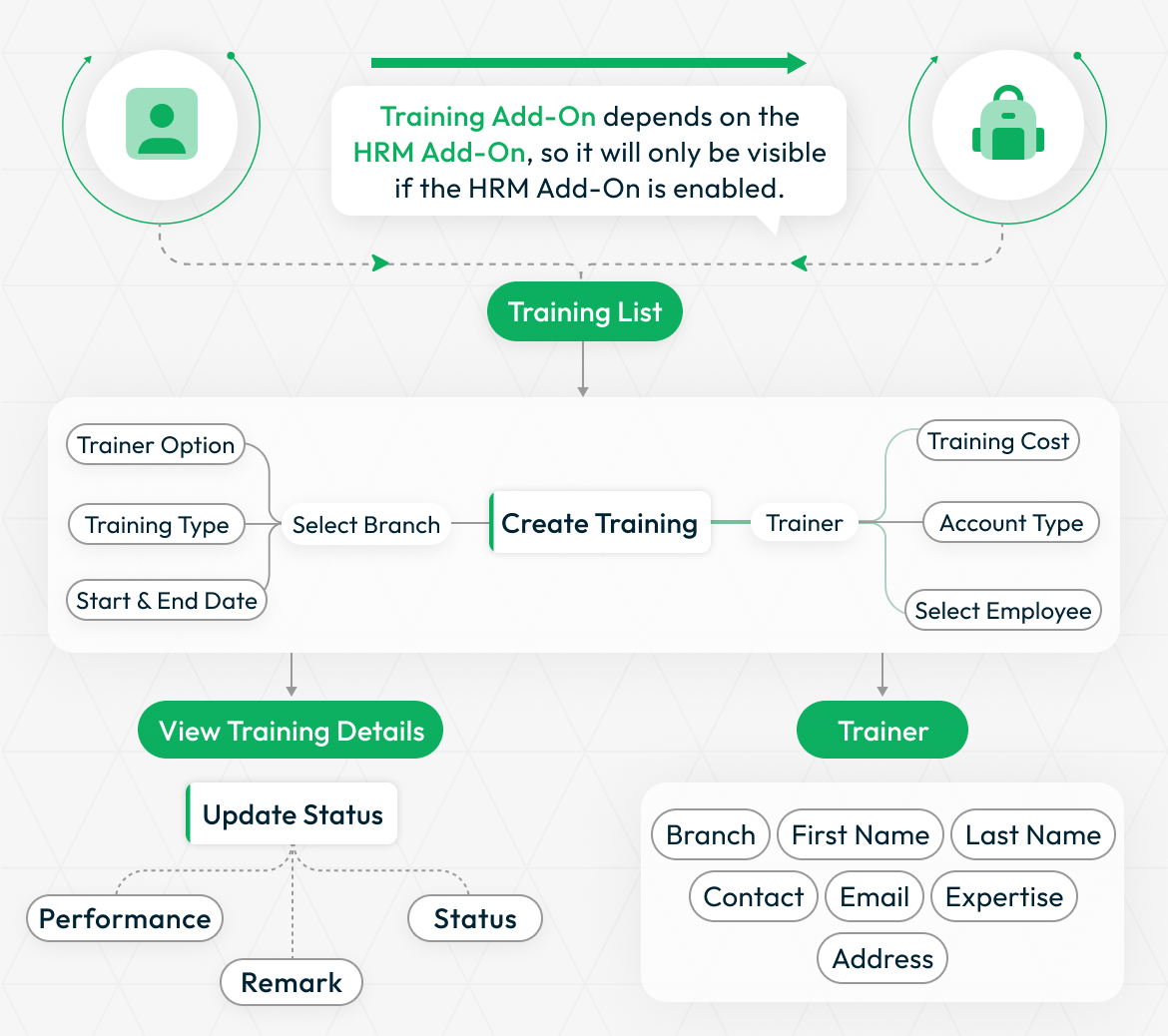
Dependency Notice: This Add-On works only when the HRM Add-On is enabled. Please activate it first to access all Training features.
Employee Training Coordination Platform
The Training Add-On integrates seamlessly with the HRM system to provide comprehensive employee training management and tracking capabilities. This interconnected system enables organizations to create structured training programs, assign trainers, manage employee participation, and monitor training progress through detailed status tracking.
Structured Training Type Classification
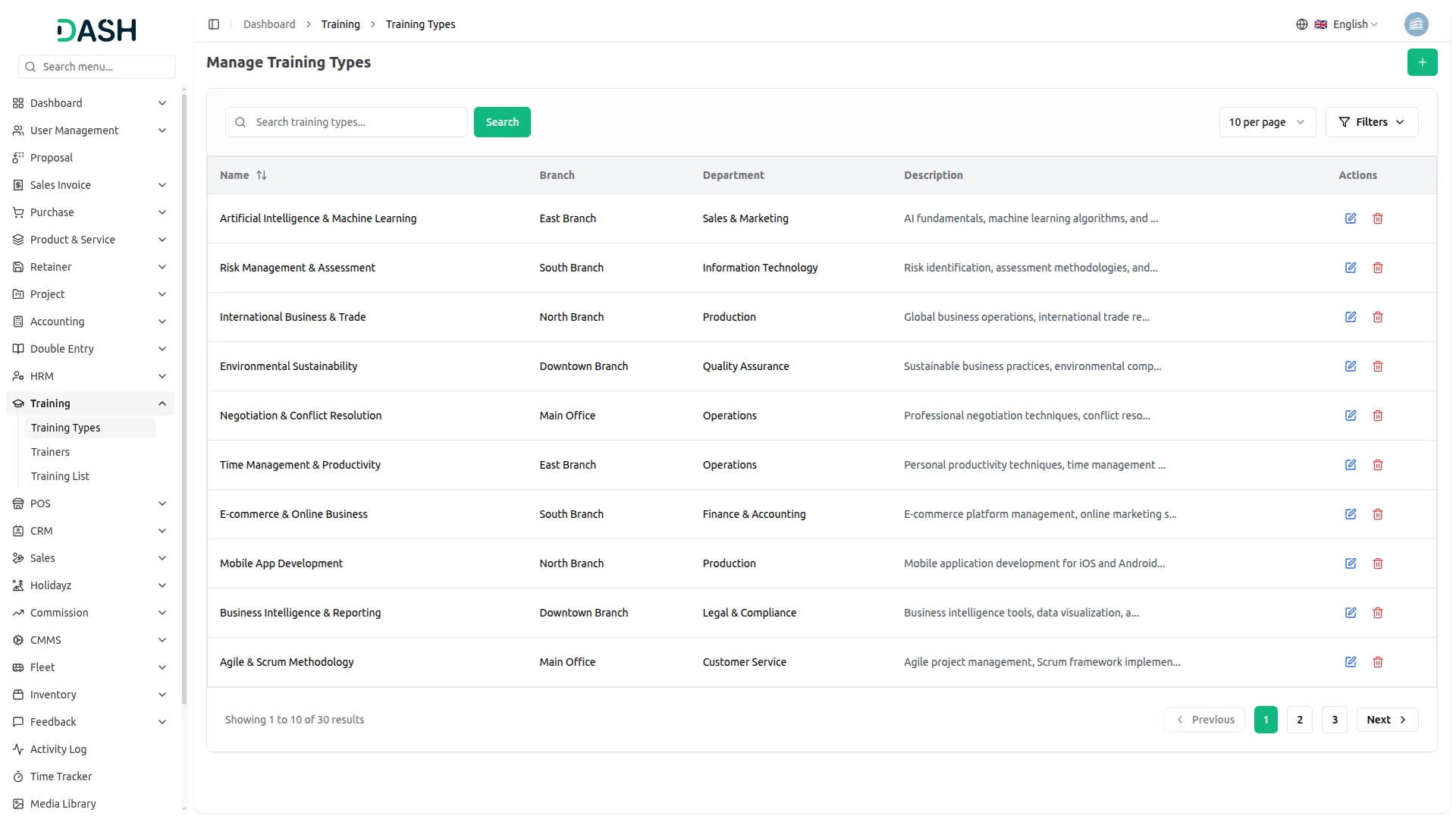
Define and manage different categories of training programs tailored to your organization's needs. Create training types with specific names and descriptions, organize them by branch and department, and maintain a structured classification system. This allows you to categorize training sessions effectively - whether technical skills, soft skills, compliance training, or leadership development - ensuring each training type is properly documented and aligned with departmental requirements across your organization.
- Create customizable training categories with names and descriptions
- Organize training types by branch and department structure
- Support technical, soft skills, compliance, and leadership programs
- Maintain centralized database with search and management tools
Powerful Training Monitoring
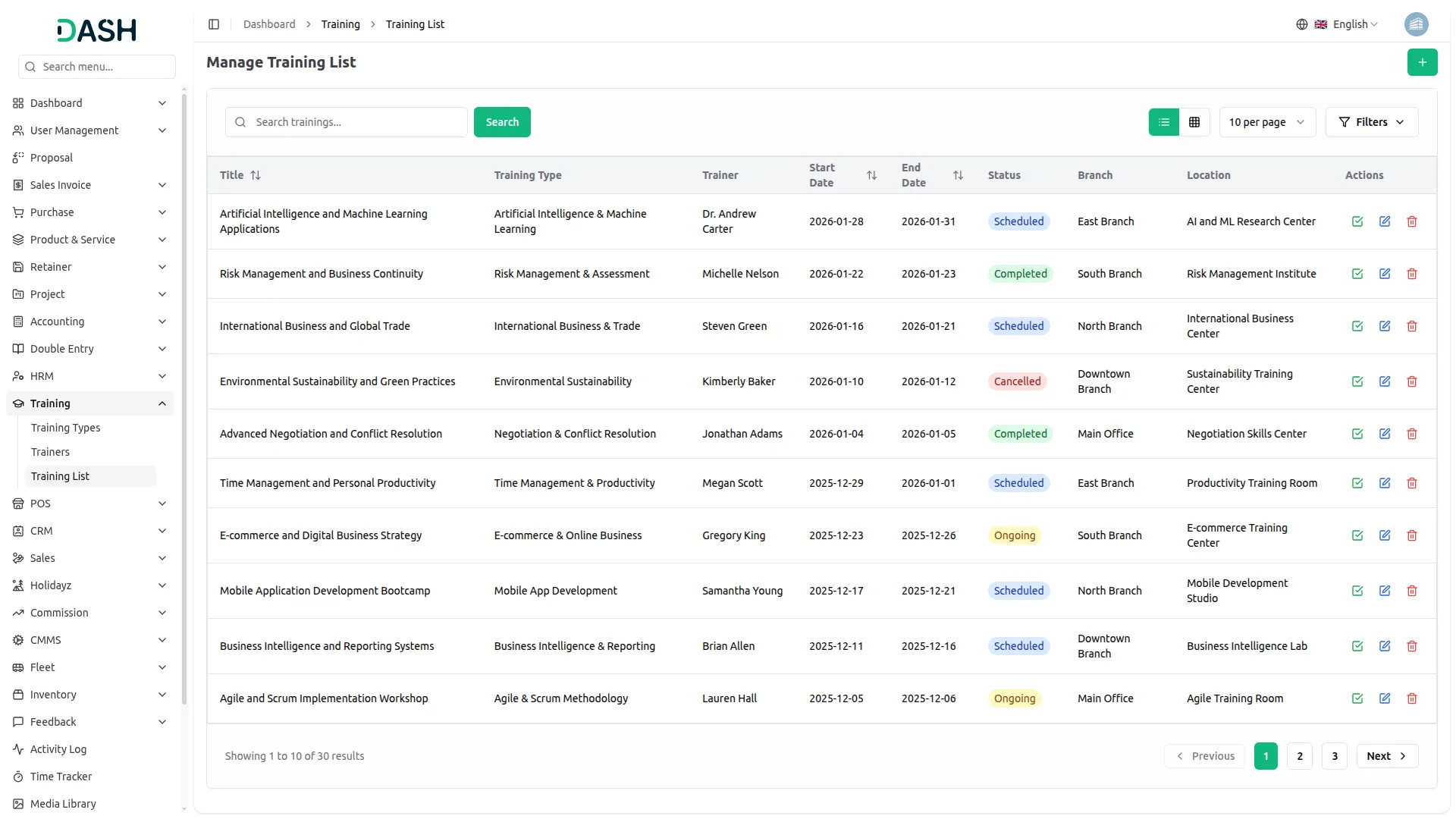
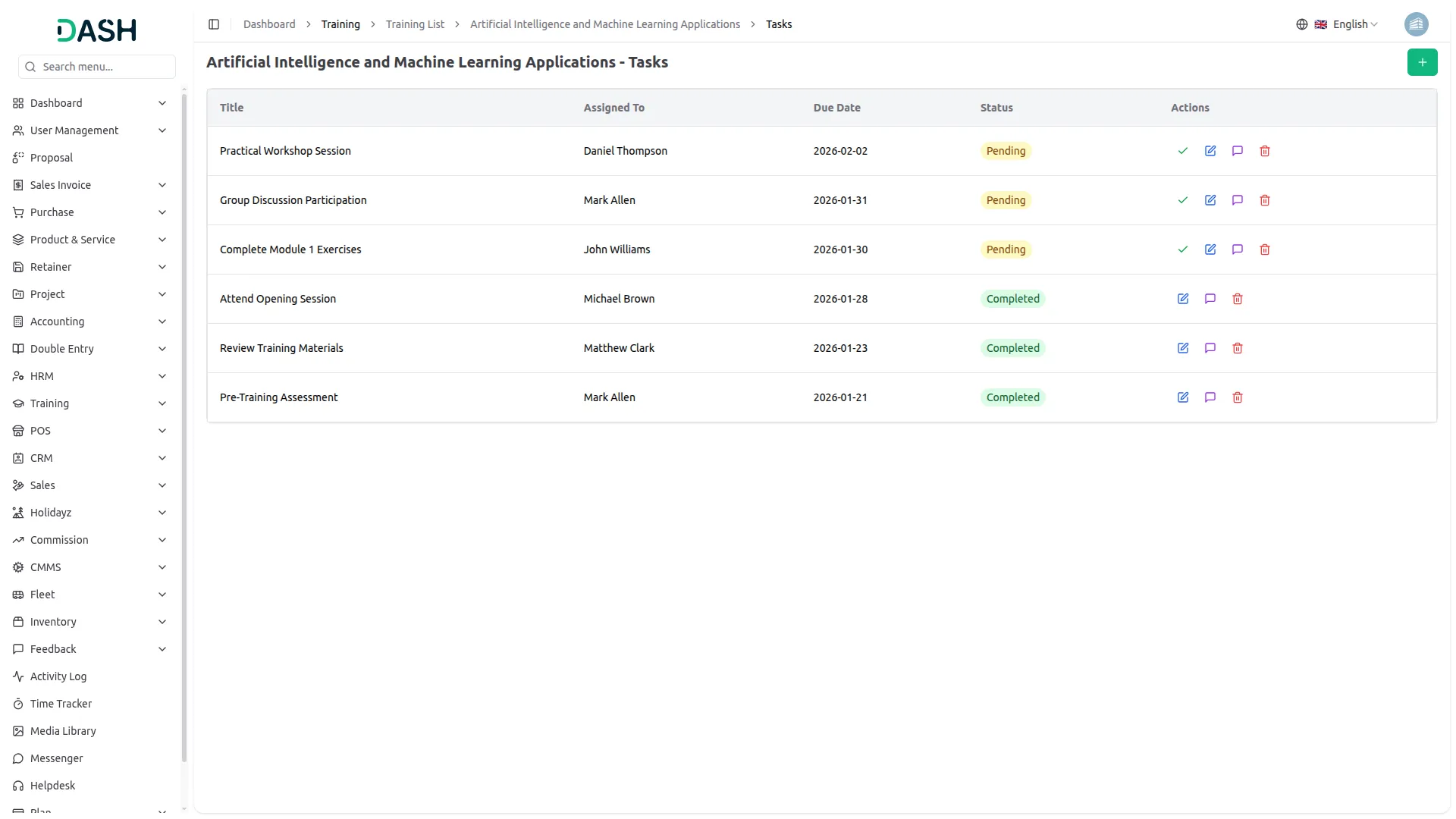
Select the relevant branch to suit your organizational needs, define the training type, choose between internal or external trainers, assign employees, and set specific start and end dates. You can also specify training costs, which are seamlessly linked to the accounting add-on for automatic deductions upon completion. The system tracks the entire lifecycle of each training - from pending to started, completed, or terminated - while providing clear visibility into participating employees, assigned trainers, and training duration. Upon completion, performance reviews and comments can be added to assess effectiveness. This all-in-one feature centralizes every detail, making training management streamlined, insightful, and efficient.
- Track training lifecycle from scheduled to completed status
- Assign internal or external trainers with detailed profiles
- Integrate training costs with accounting for expense tracking
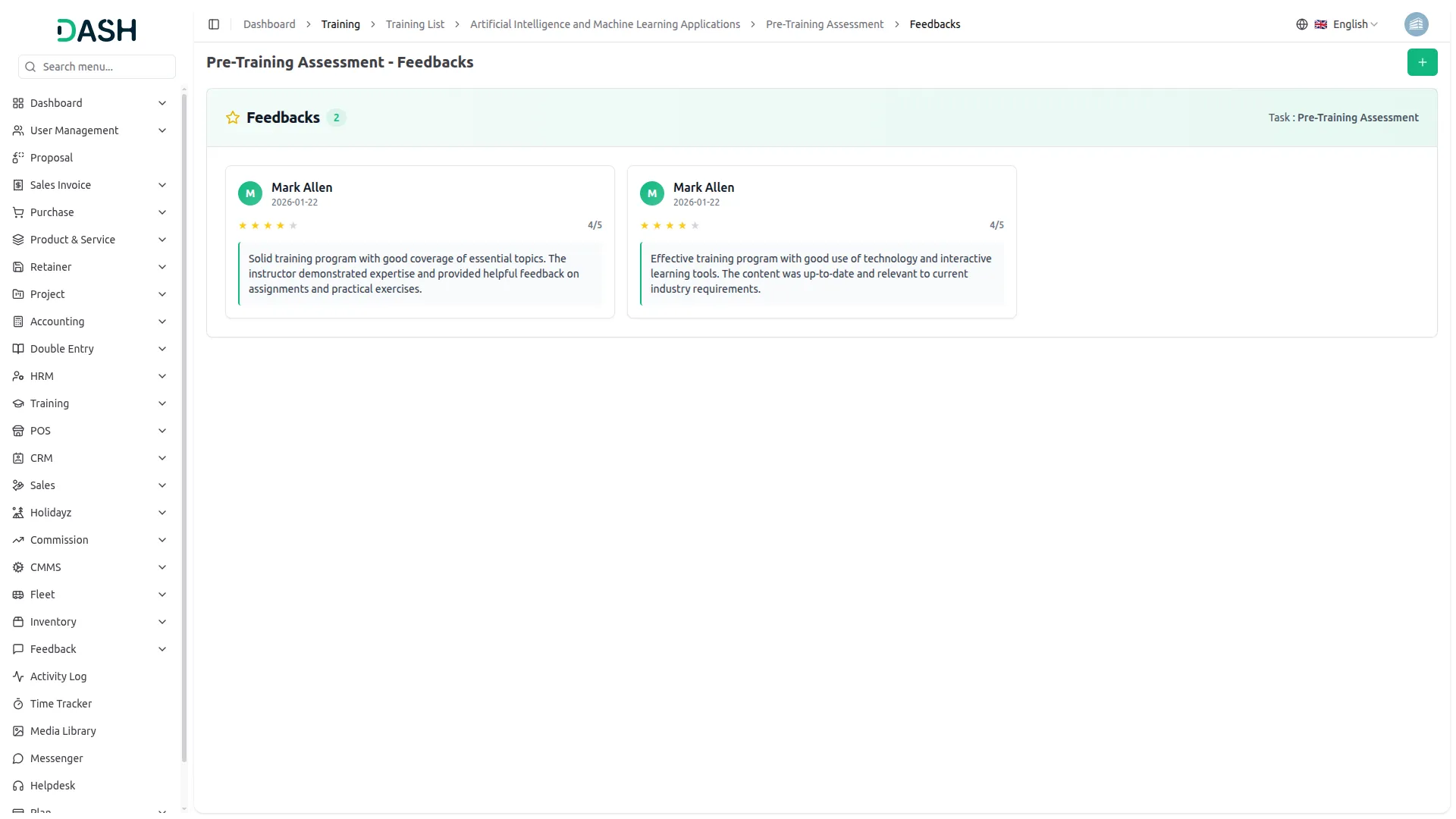
- Manage tasks with assignments, deadlines, and feedback collection
Trainer Management Hub
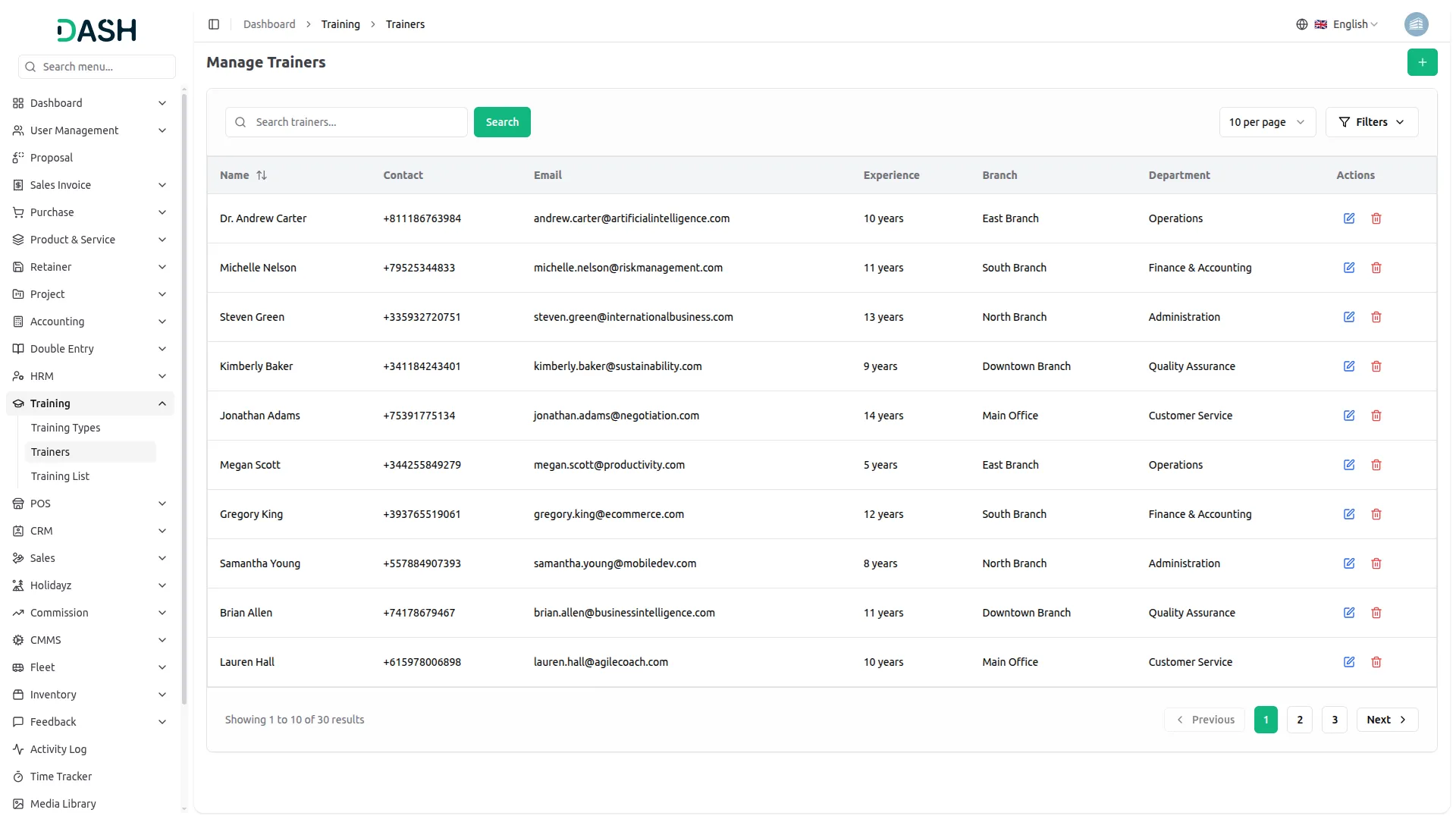
Easily manage a complete directory of trainers, whether internal staff or external experts. Store detailed contact information, email addresses, physical addresses, and areas of expertise for each trainer. This organized database ensures you can quickly assign the right trainer for any session. Searching, editing, and exporting trainer details is straightforward, allowing you to keep trainer information up to date.
- Store comprehensive profiles with contact and qualification details
- Maintain unified database for internal and external trainers
- Organize trainers by branch and department for allocation
- Search and filter trainers by expertise for assignments
Screenshots from our system
To explore the functionality and usage of these Add-Ons, refer to the accompanying screenshots for step-by-step instructions on how to maximize their features.
Discover More Add-Ons
Unlock even more functionality with additional Add-Ons, providing enhanced networking and customization options for your Dash SaaS experience.

Contract Template
Transform your contract management process with the user-friendly Contract Template Integration available in Dash SaaS. This feature empowers you to effortlessly craft customized contract templates tailored precisely to your organization's needs.

Rocket Chat
Dash SaaS now includes Rocket Chat, giving teams a direct way to connect and collaborate. Instead of switching between different apps, users can send messages, share files, and manage conversations all within Dash SaaS. This helps businesses improve communication and stay organized.

blood-bank
The Blood Bank Management Add-On empowers hospitals with seamless donor tracking, advanced blood testing, and real-time inventory control.

Hospital Management
Our user-friendly Hospital management system simplifies hospital management. It features a doctor manage, patient manage, Appointment manage, Medicine manage, Bed manage, Medical Record and System Setup for easy form submission.
The system’s scalability makes it adaptable to growing needs
The product offers consistent performance across different devices
Works fine, and the support is great!
the Team deserve 5 Star for following reason; 1- Customer Support2- Feature Availability3- Design Quality 4- Documentation Quality
Excellent customer service, highly recommend!