
Social Media Analytics – WorkDo Dash SaaS Add-On Guide
Learn how to track social media performance, engagement, and audience insights.
Introduction
The Social Media Analytics Add-On allows you to track and analyze your performance on Facebook, Instagram, and YouTube. After setting up your accounts with the necessary credentials, you can access detailed insights for each platform, including engagement metrics, audience growth, and content performance. The Add-On provides easy-to-read charts and data summaries, helping you monitor trends, interactions, and demographics across all your social media accounts in one place.
How To Install The Add-On?
To Set Up the Social Media Analytics Add-On, you can follow this link: Setup Add-On.
How to Use the Social Media Analytics Add-On?
System Setup
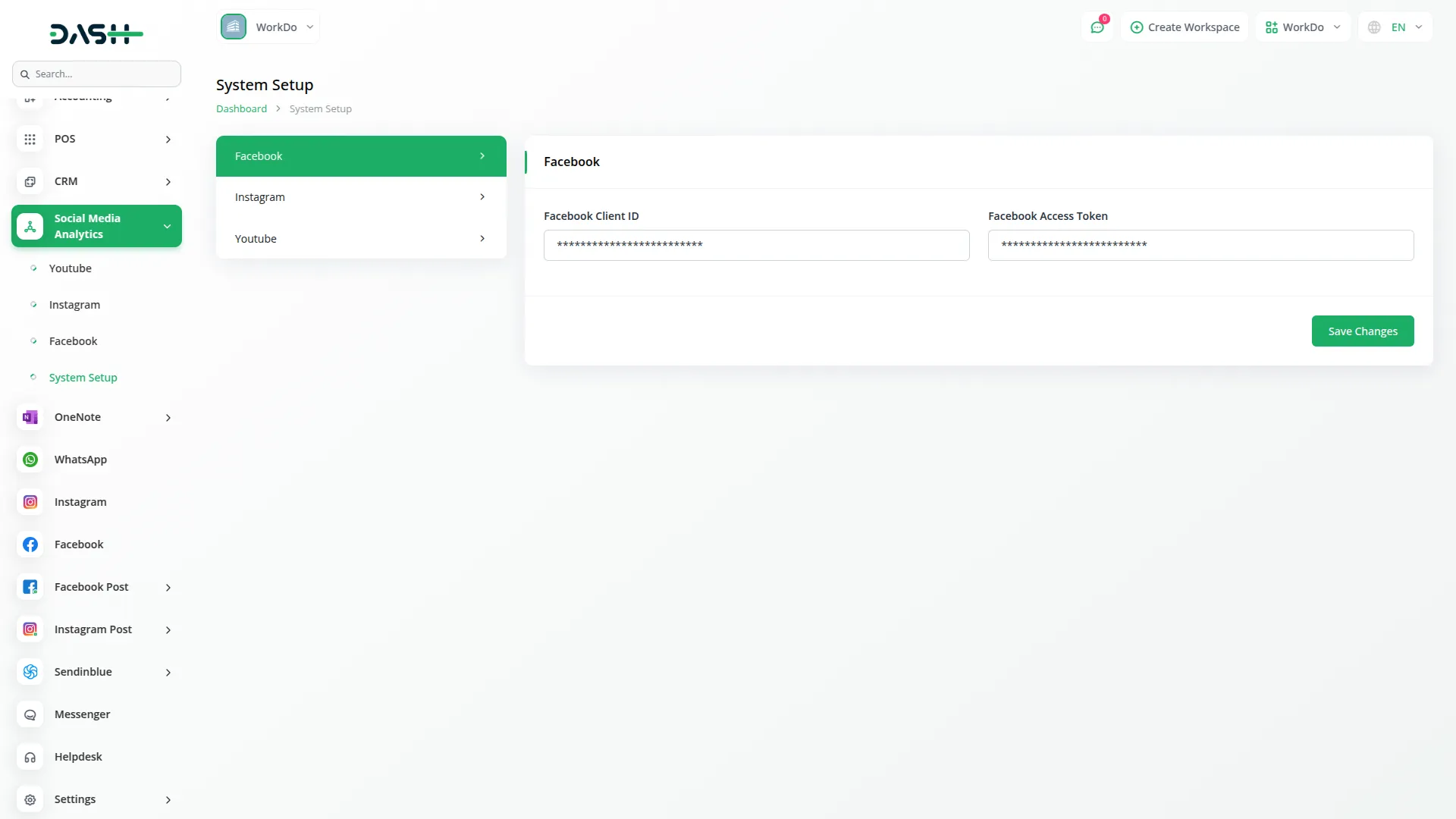
- Go to the System Setup page, where you will find three settings options: Facebook Settings, Instagram Settings, and YouTube Settings.
Facebook Settings
- In the Facebook Settings section, you need to enter your Facebook Client ID.
- You also need to enter your Facebook Access Token. After filling in both fields, click the Save Changes button to save your settings.
Instagram Settings
- In the Instagram Settings section, you need to enter your Instagram Client ID.
- You also need to enter your Facebook Client ID. Next, enter your Instagram Access Token. After filling in all three fields, click the Save Changes button to save your settings.
YouTube Settings
- In the YouTube Settings section, you need to enter your Google Client ID. You also need to enter your Google Client Secret.
- Next, enter your Google Redirect URI, and you can copy this URL by clicking the copy icon next to the field and adding it to your Google Console project.
- Under the Google Authentication section, you will see if you are connected to Google, indicated by a green dot and “Connected to Google” message.
- Click to authenticate with Google and get access to YouTube analytics as instructed below the authentication status.
- After entering all details, click the Save Changes button to save your settings.
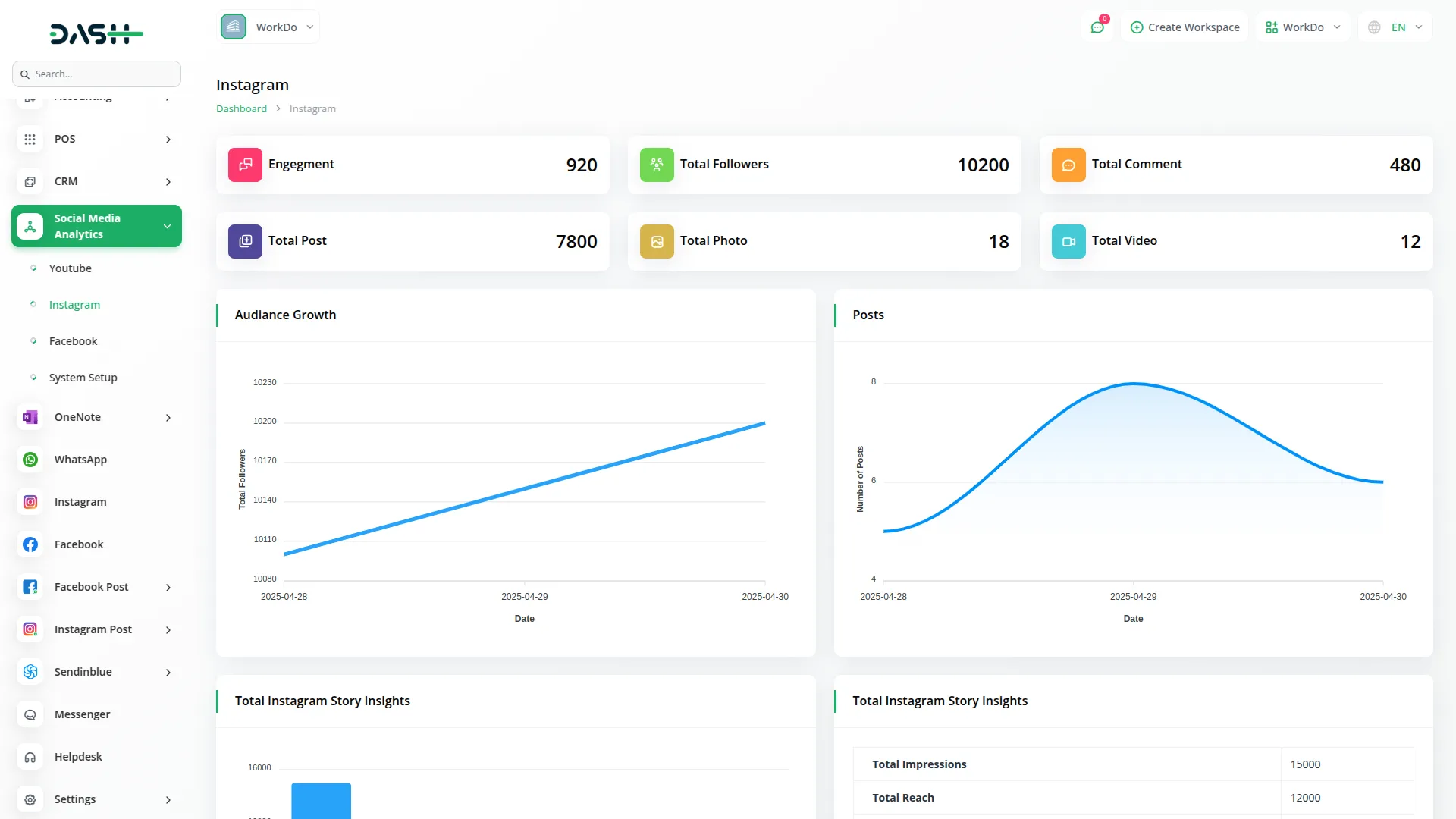
Instagram Analytics
- On the Manage Instagram Analytics page, you will see your engagement, total followers, and total comments displayed at the top.
- Below that, you can view your total posts, total photos, and total videos
- In the Additional Metrics section, you will find total likes, total saves, total shares, total views, story count, and total tags.
- Below the metrics, you will see two charts: the Audience Growth chart and the Posts chart.
- Further down the page, you can see Total Instagram Story Insights shown in a chart with impressions, reach, replies, taps back, taps forward, and exits.
- Next to it, you will find Story Metrics displayed as a list showing total impressions, total reach, total taps forward, total taps back, total replies, total exits, and average impressions per story.
- At the bottom of the page, you can see the Engaged Audience by Country section.
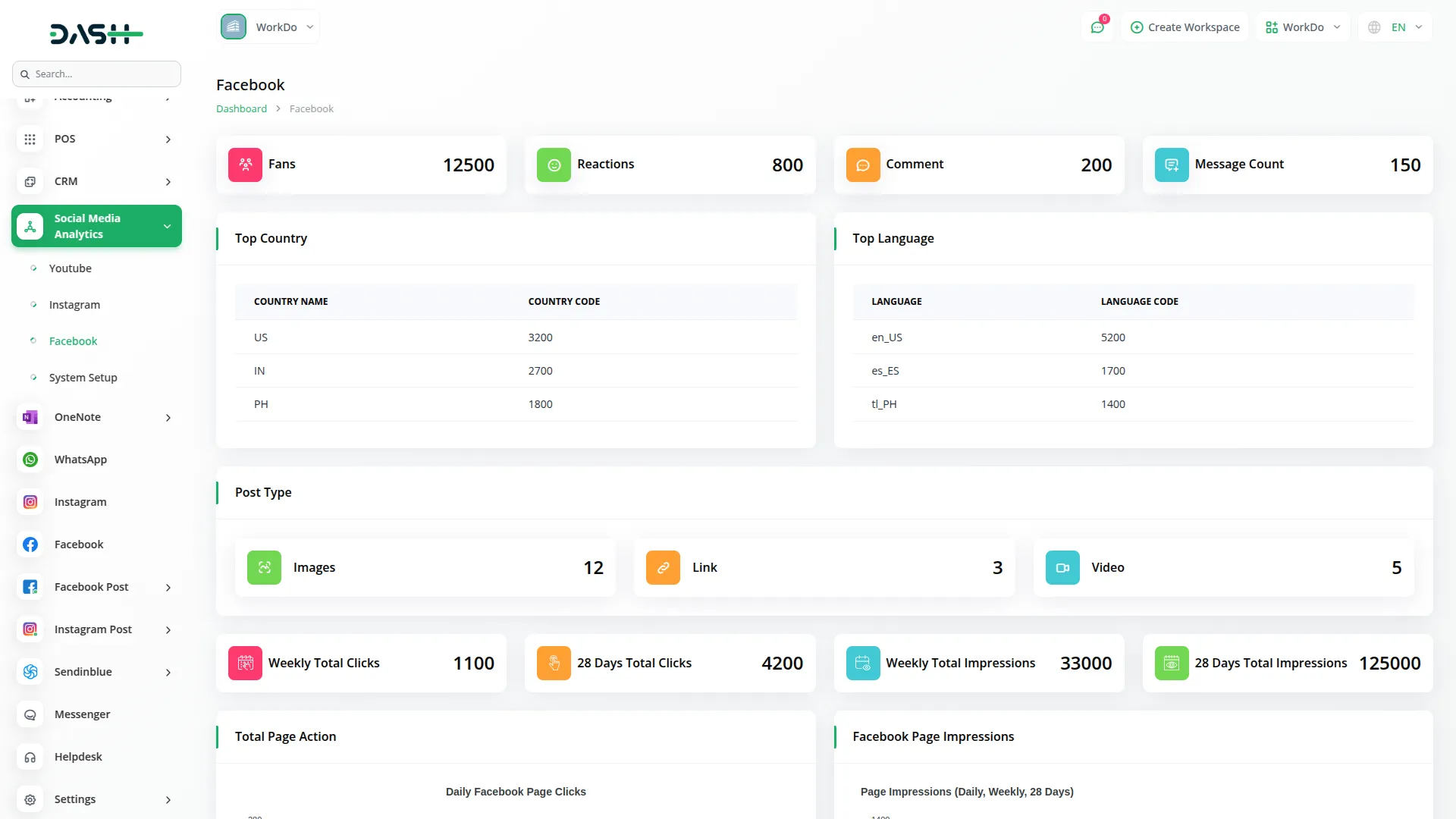
Facebook Analytics
- On the Manage Facebook Analytics page, you will see your fans, reactions, comments, and message count displayed at the top.
- Below that, you will find two sections side by side: Top Countries and Top Languages.
- In the Post Types section, you can view the number of status, photo, video, and link posts.
- Further down, the Clicks & Impressions section shows weekly total clicks, 28-day total clicks, weekly total impressions, and 28-day total impressions.
- Below that, you will see the Total Page Actions chart. Next, you can view the Facebook Page Impressions chart. At the bottom of the page, you will find the Audience Growth Over Time chart.
YouTube Analytics
- On the Manage YouTube Analytics page, you will see your total subscribers, total likes, and total dislikes displayed at the top. Below that, you can view your total videos, total comments, and total views.
- Further down, you will find the Video Statistics Over Time section. Next, you can see the Daily Subscribers Gained section.
- Below that, there are two sections side by side: Gender Distribution and Device Distribution.
- At the bottom of the page, you will find two more sections: Traffic Sources and Subscribers Gained by Country.
Categories
Related articles
- PDF Voucher – eCommerceGo SaaS Add-On Guide
- Business Process Mapping – WorkDo Dash SaaS Add-On Guide
- Save Reply – TicketGo Add-On Guide
- Zendesk – TicketGo Add-On Guide
- Document Template – WorkDo Dash SaaS Add-On Guide
- Appointment – WorkDo Dash SaaS Add-On Guide
- Spreadsheet – WorkDo Dash SaaS Add-On Guide
- Support Ticket – BookingGo SaaS Add-On Guide
- Accounting – WorkDo Dash SaaS Add-On Guide
- BTCPay – BookingGo SaaS Add-On Guide
- Square – BookingGo SaaS Add-On Guide
- Childcare Management – WorkDo Dash SaaS Add-On Guide
We're Here to Help - Let's Talk
Have questions about our solutions, customization services, or business tools? Our team is here to help you. let's talk.