

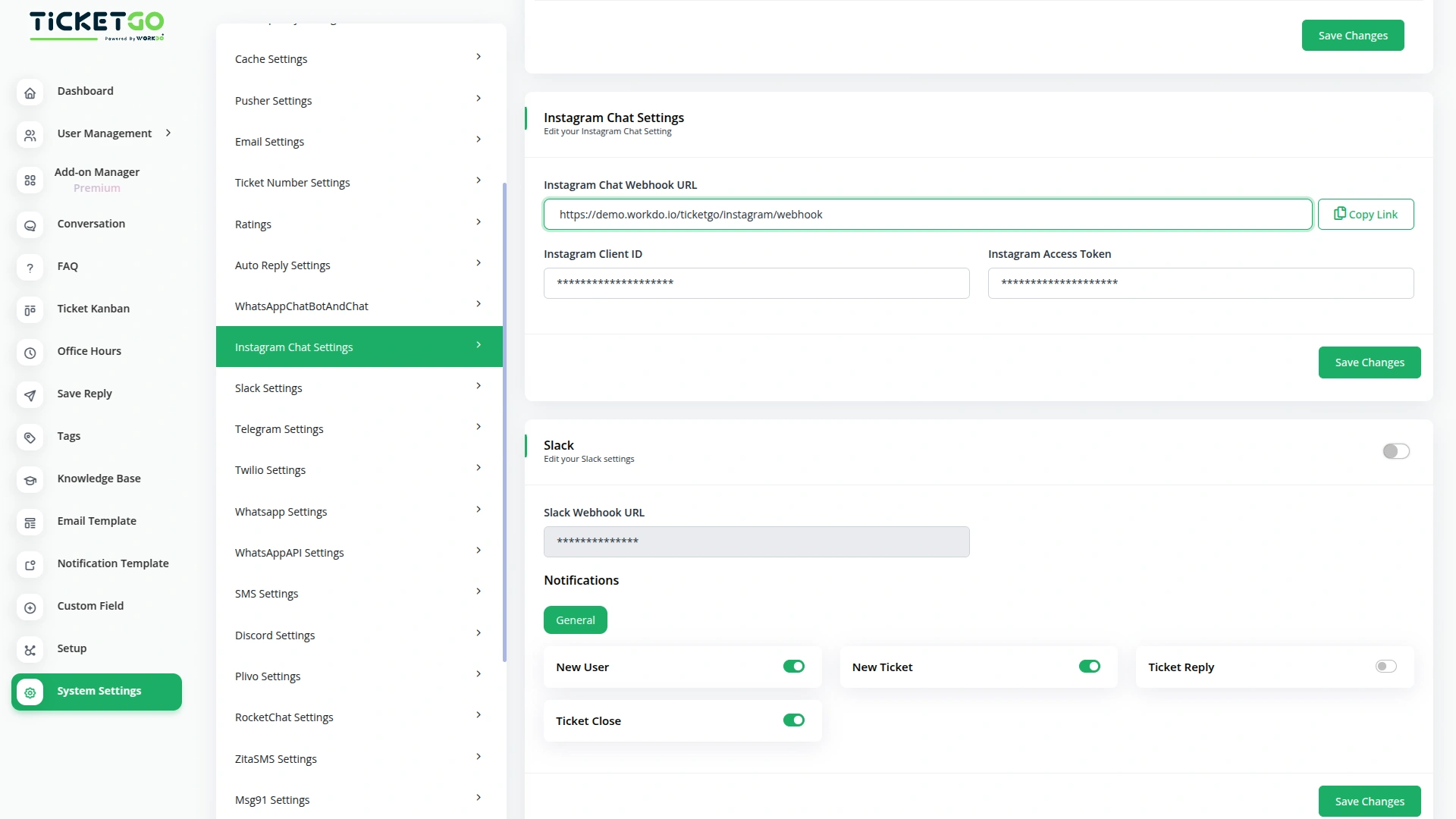
Quick Setup for Instagram Integration
To get started, simply add your Instagram Client ID, and Instagram Access Token into TicketGo. These details will connect your Instagram account to TicketGo and enable real-time message syncing. Once integrated, you can manage Instagram chats, share media, and respond to clients instantly—enhancing your customer service experience with ease.
Get Real-Time Responses on Instagram via TicketGo
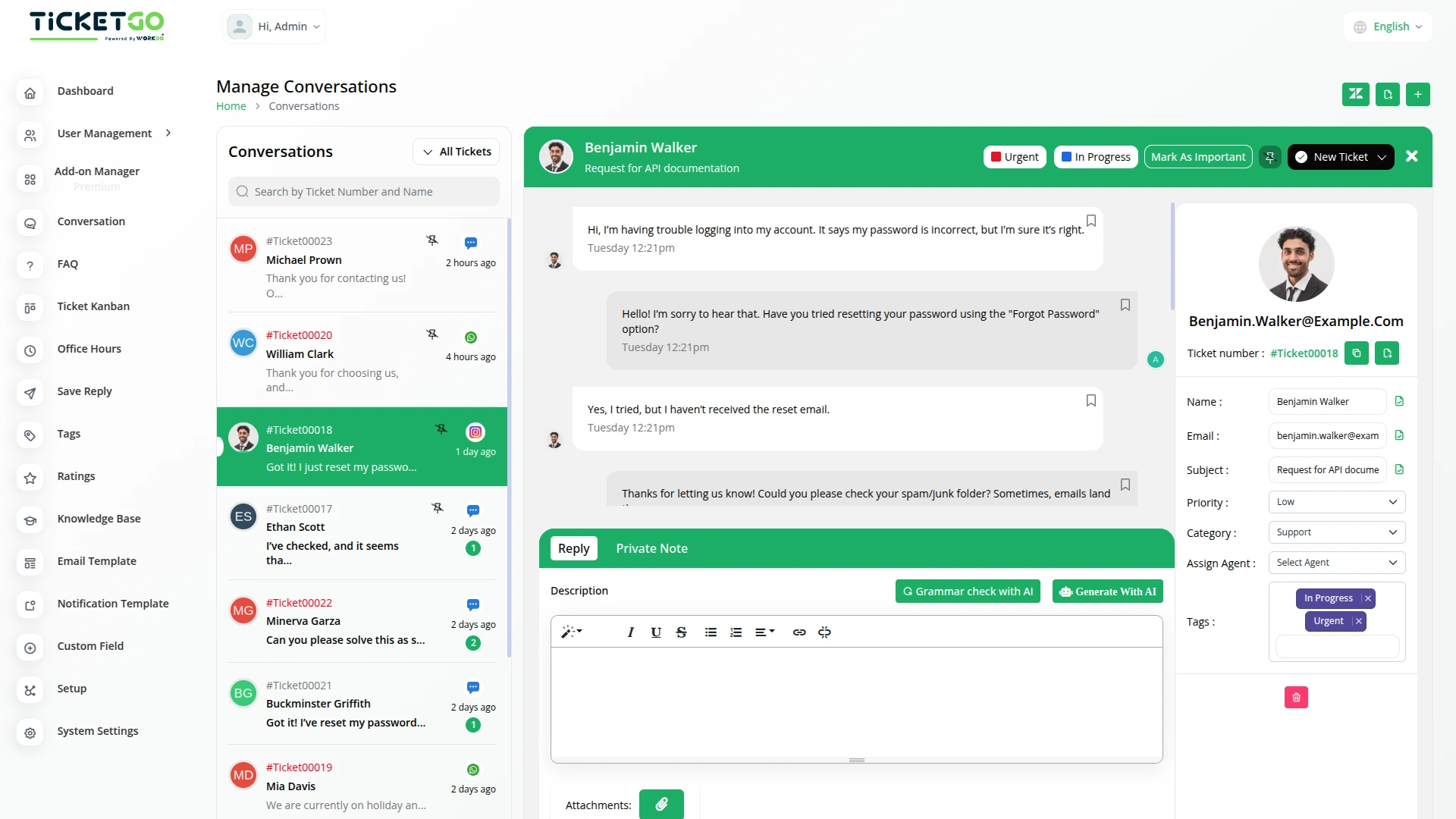
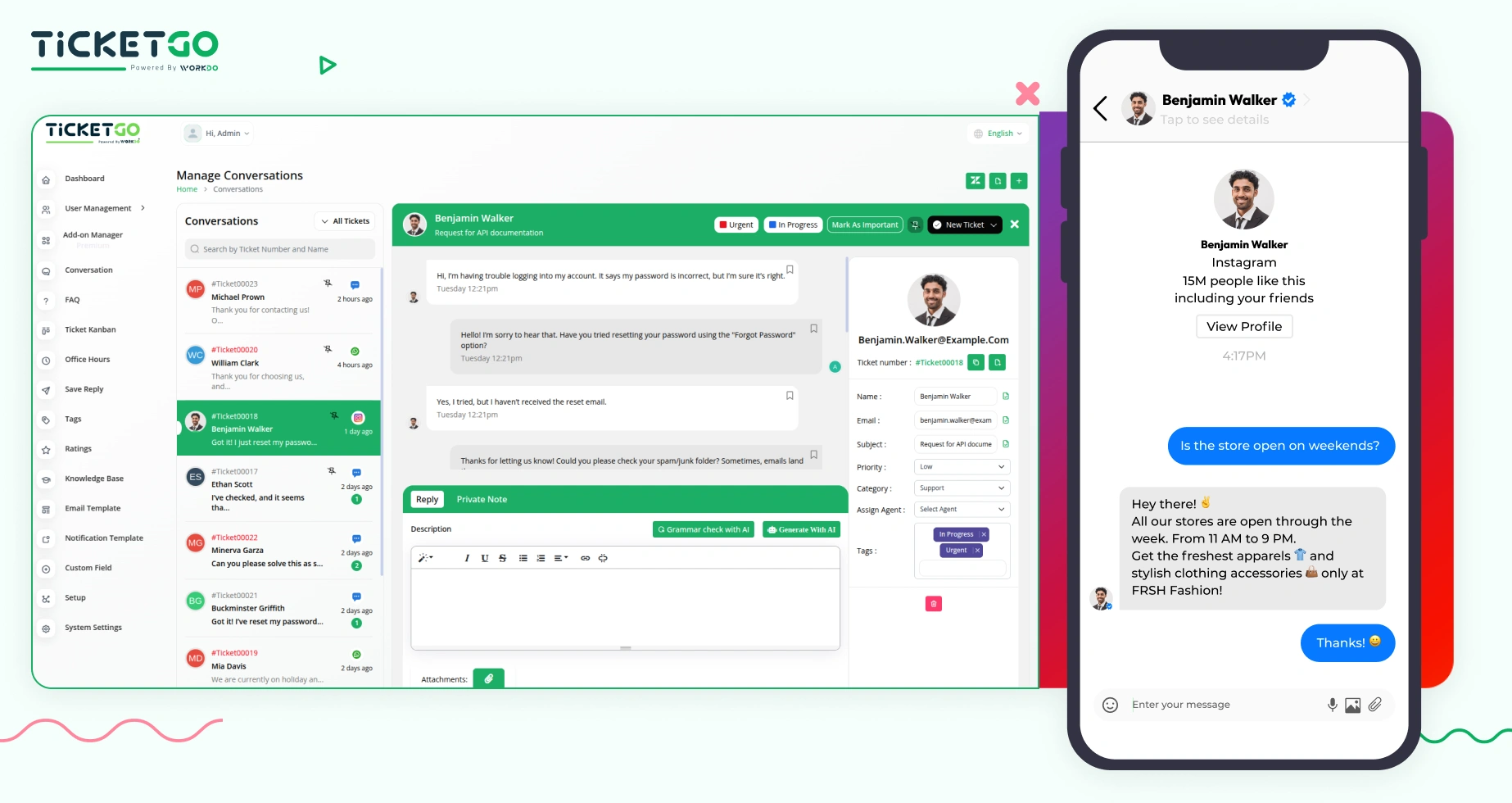
Now, you can chat with us on Instagram and receive instant replies, all thanks to our integration with TicketGo. When you message us on Instagram, we’ll receive it through our TicketGo portal and reply to you without any delays. You’ll get our responses directly in your Instagram inbox, making it easier for you to get the help you need—fast and efficiently!
Screenshots from our system
To explore the functionality and usage of these Add-Ons, refer to the accompanying screenshots for step-by-step instructions on how to maximize their features.
Discover More Add-Ons
Unlock even more functionality with additional Add-Ons, providing enhanced networking and customization options for your TicketGo Add-Ons experience.

Office Hours
The Office Hours Module in TicketGo allows businesses to set their working hours for each day of the week. This helps customers know when your support team is available. By defining your office hours, you ensure that customers are aware of your business’s availability before they create a support ticket.


Auto Reply
Customers often feel uncertain when they don’t receive an immediate response after submitting a query. The Auto Reply module addresses this concern by instantly sending a predefined message, confirming that the support team has received the request.

Tags
Adding and managing tags is simple. Agents can create, edit, or remove tags as needed. You can assign tags when creating a ticket or update them later if necessary. If your business process changes, you can easily modify tags to keep everything up to date. Color-coded tags make it even easier to recognize different types of tickets at a glance, improving the way you handle support requests.
Advanced feature controls improve operational flexibility
Flexibility is amazing we could modify every layout to match our brand identity