

Quick Access Anytime
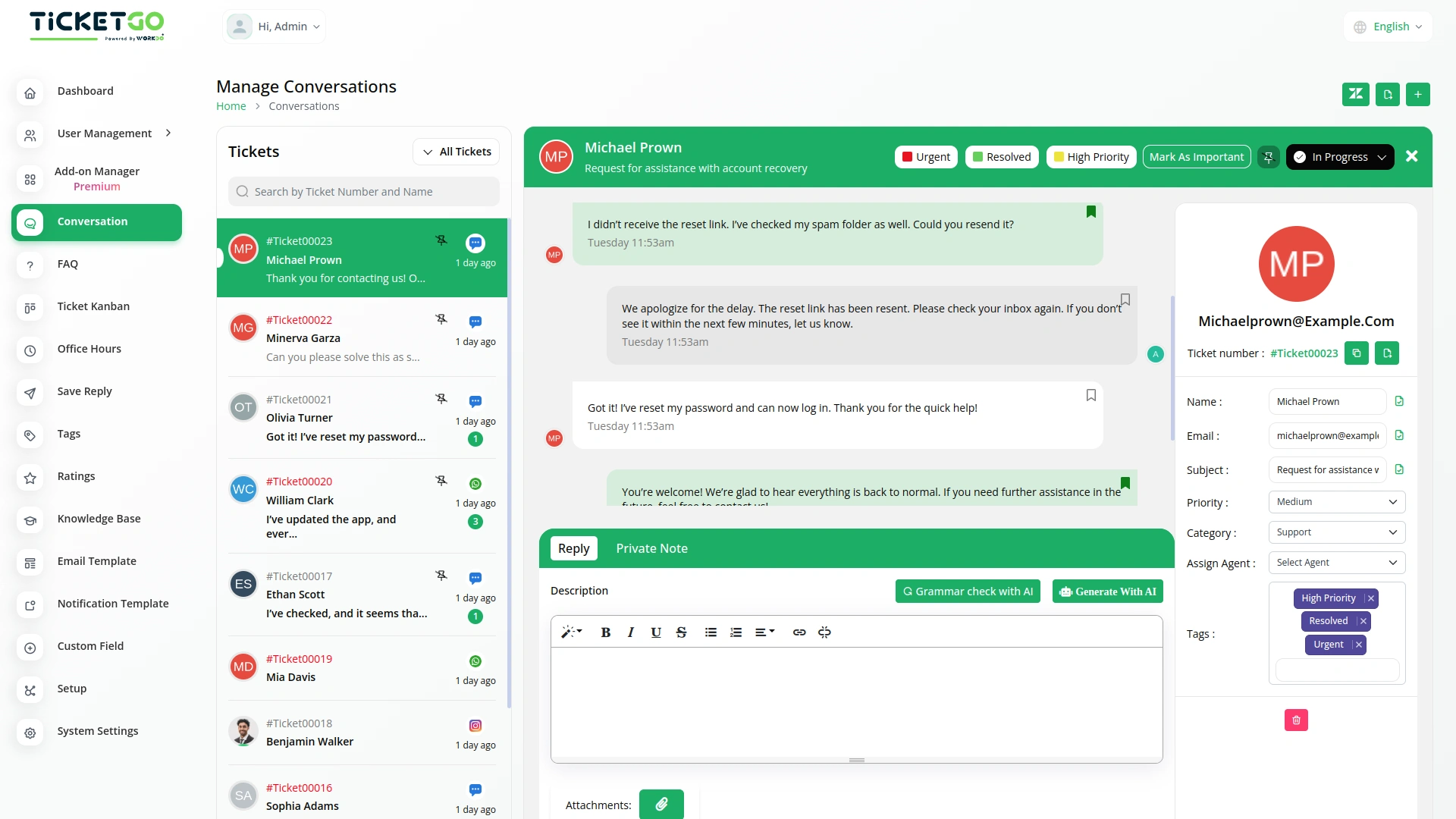
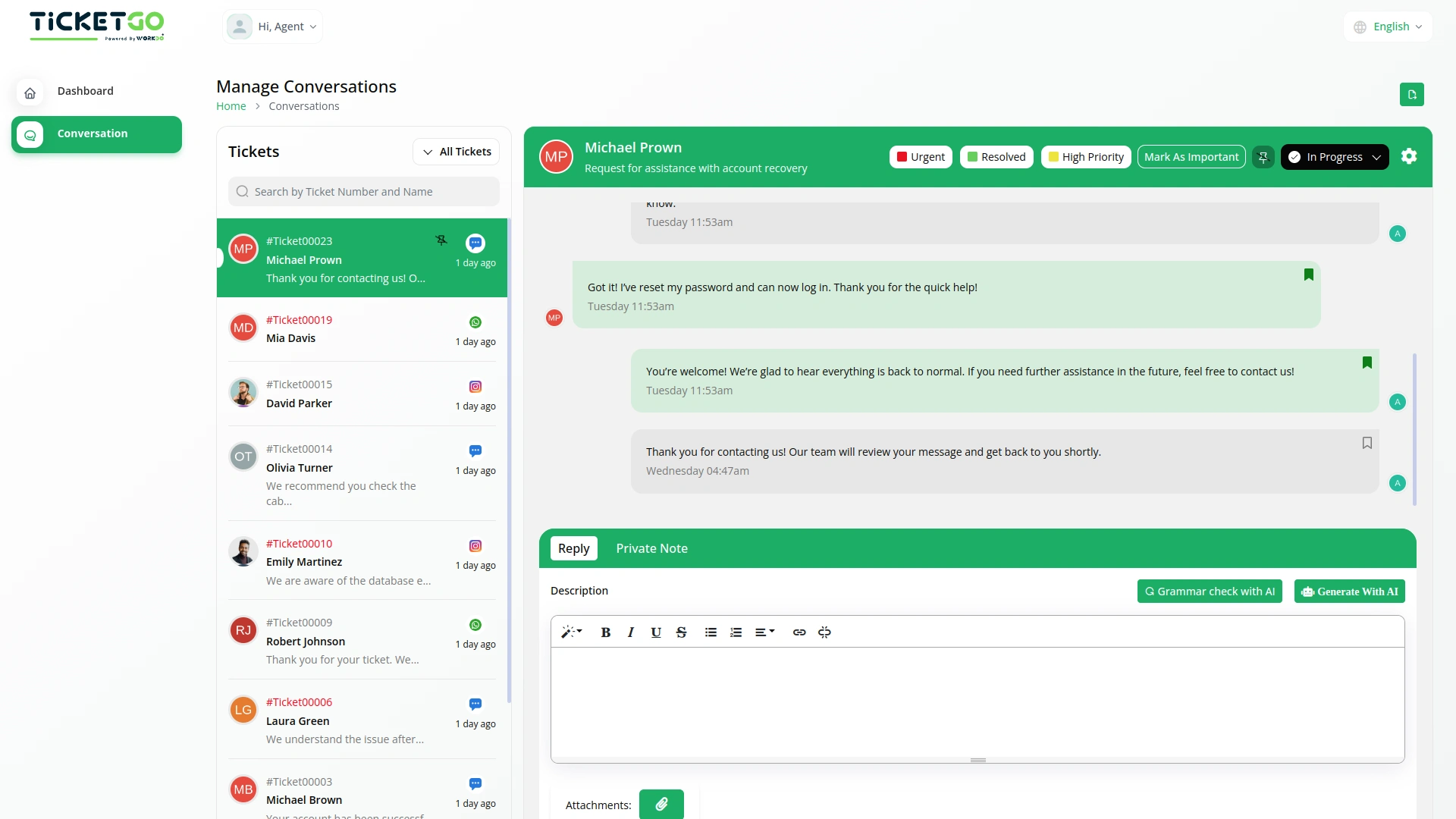
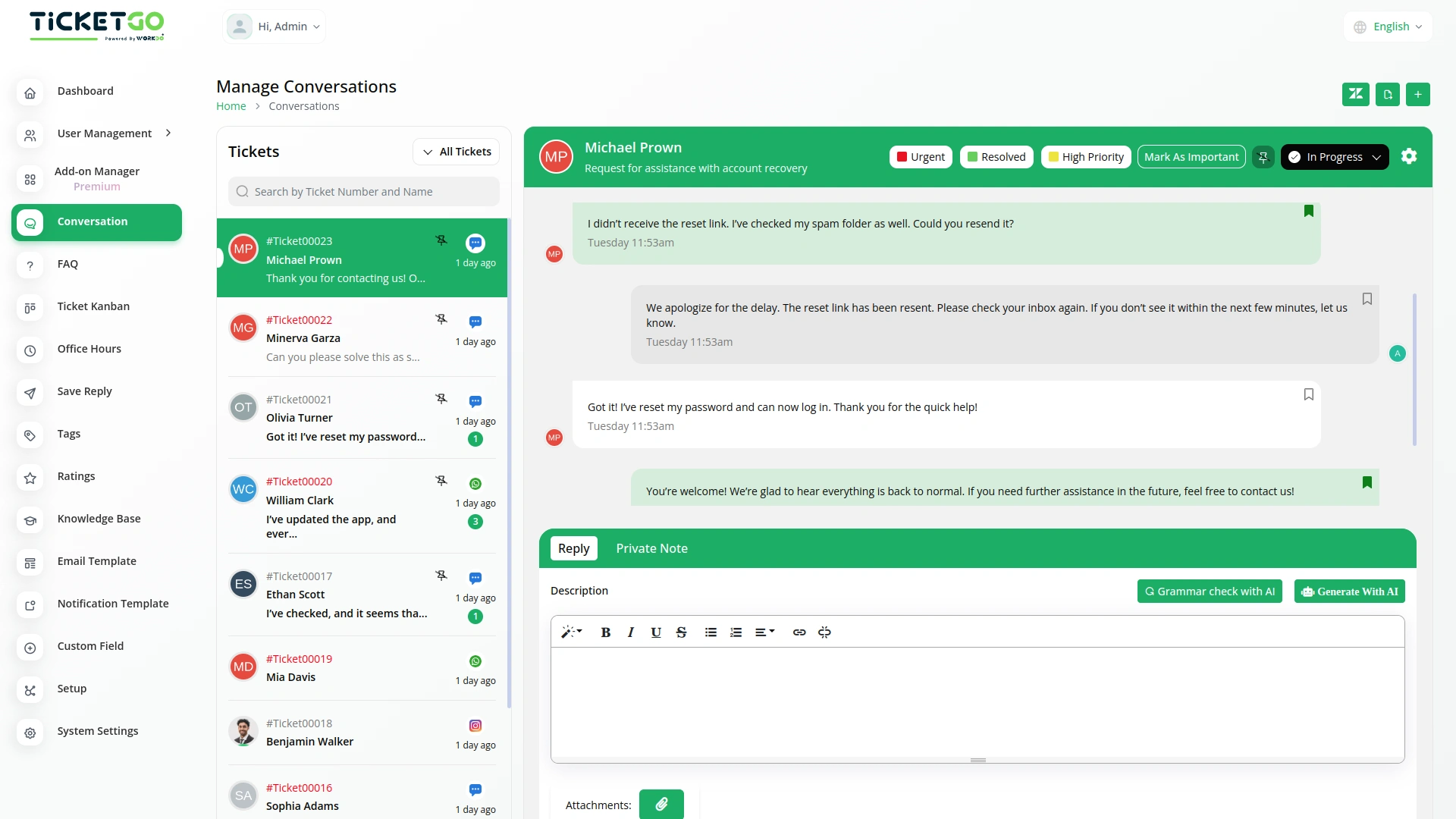
Once a chat is saved, it remains easily accessible for future reference. This means you don’t have to waste time searching for past conversations—just go to your saved chats and find the information you need instantly. Whether you’re looking for a specific customer query or a key decision made during a conversation, SaveChat helps you retrieve it quickly. This not only saves time but also improves efficiency by keeping all important messages in one place.
Smooth Team Collaboration
SaveChat also benefits teamwork by allowing multiple team members to access saved conversations. If a team member needs context on a customer interaction, they can simply check the bookmarked chats instead of asking for updates. This reduces miscommunication and makes collaboration smoother, as everyone has access to the same important information. It also ensures continuity in customer support, even if different agents handle the same ticket at different times.
Screenshots from our system
To explore the functionality and usage of these Add-Ons, refer to the accompanying screenshots for step-by-step instructions on how to maximize their features.
Discover More Add-Ons
Unlock even more functionality with additional Add-Ons, providing enhanced networking and customization options for your TicketGo Add-Ons experience.

Chat Pin
The ChatPin module in TicketGo provides a straightforward way to prioritize and highlight important conversations within the system. By enabling this feature, users can pin specific conversations to the top of the list, ensuring that high-priority tickets or urgent discussions are always visible and easily accessible. This helps teams stay organized and focused on the most important conversations, preventing them from being overlooked among others. The ChatPin module is a simple yet effective tool for managing workflows and ensuring that critical issues are addressed in a timely manner.

RocketChat
The Rocket.Chat integration in TicketGo provides real-time notifications for key ticketing events, ensuring your team stays informed and responsive. With this integration, TicketGo users can receive immediate updates within RocketChat channels about important ticket activities. This keeps all relevant stakeholders informed without having to leave the chat platform, making it easier to handle customer support and streamline communication.


Telegram
The Telegram integration with TicketGo provides a powerful and efficient way to stay connected with your support system. By linking Telegram to TicketGo, businesses can receive real-time notifications for critical events, ensuring quick responses and better service management. Whether it's task assignments, ticket updates, or invoice modifications, this integration keeps you informed instantly. The setup process is straightforward, allowing administrators to configure their Telegram credentials effortlessly and start benefiting from immediate notifications.
Customer support responded fast and guided us step by step through the entire process