

Easily Organize Your Tickets
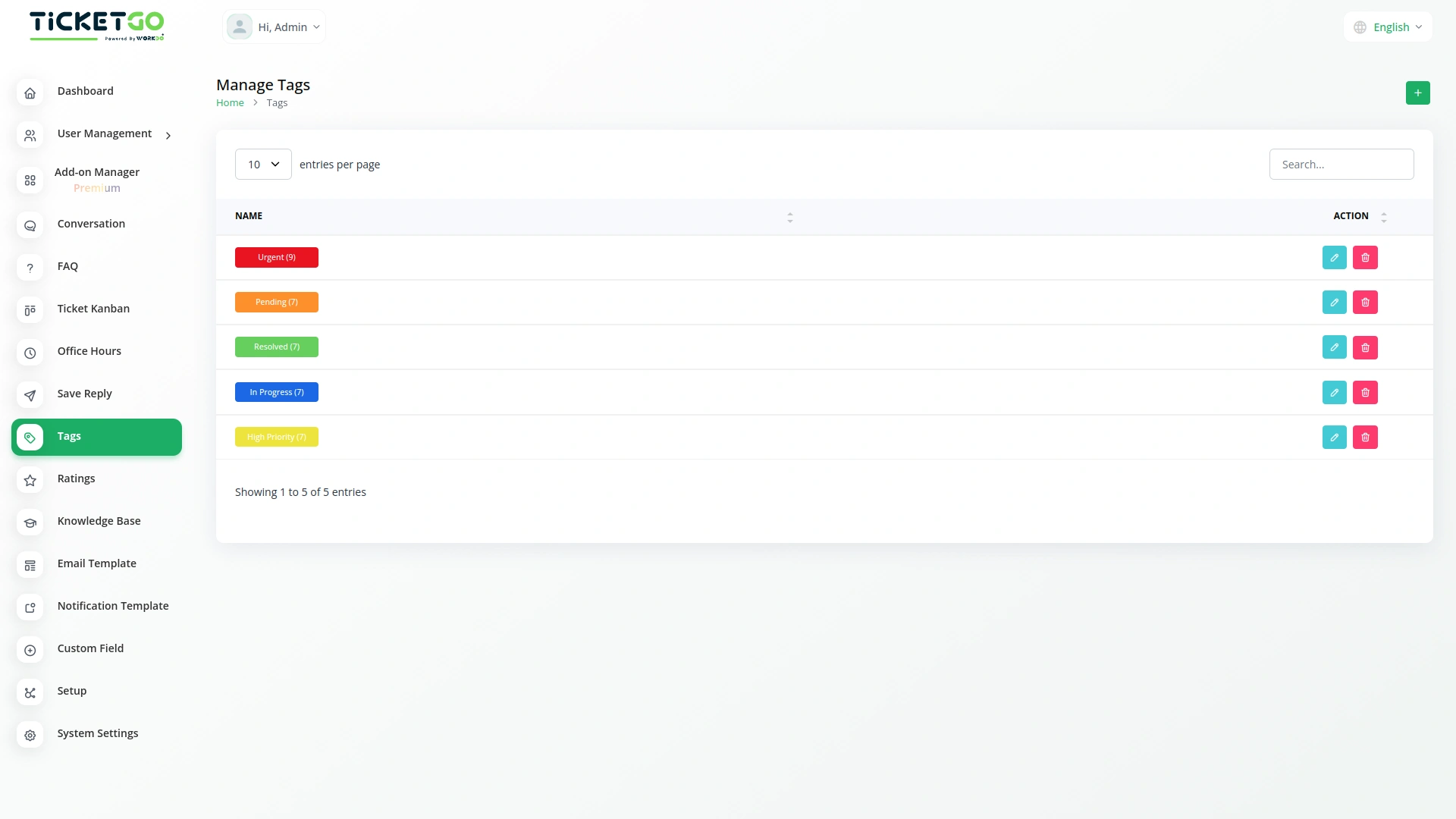
The Tags Module in TicketGo helps you keep your tickets organized by adding simple labels called tags. These tags make it easy to sort and manage tickets based on their type, priority, or department. Instead of searching through a long list of tickets, you can quickly find what you need using tags. This makes ticket management smoother and helps your team respond faster to customer requests.
Improve Team Collaboration
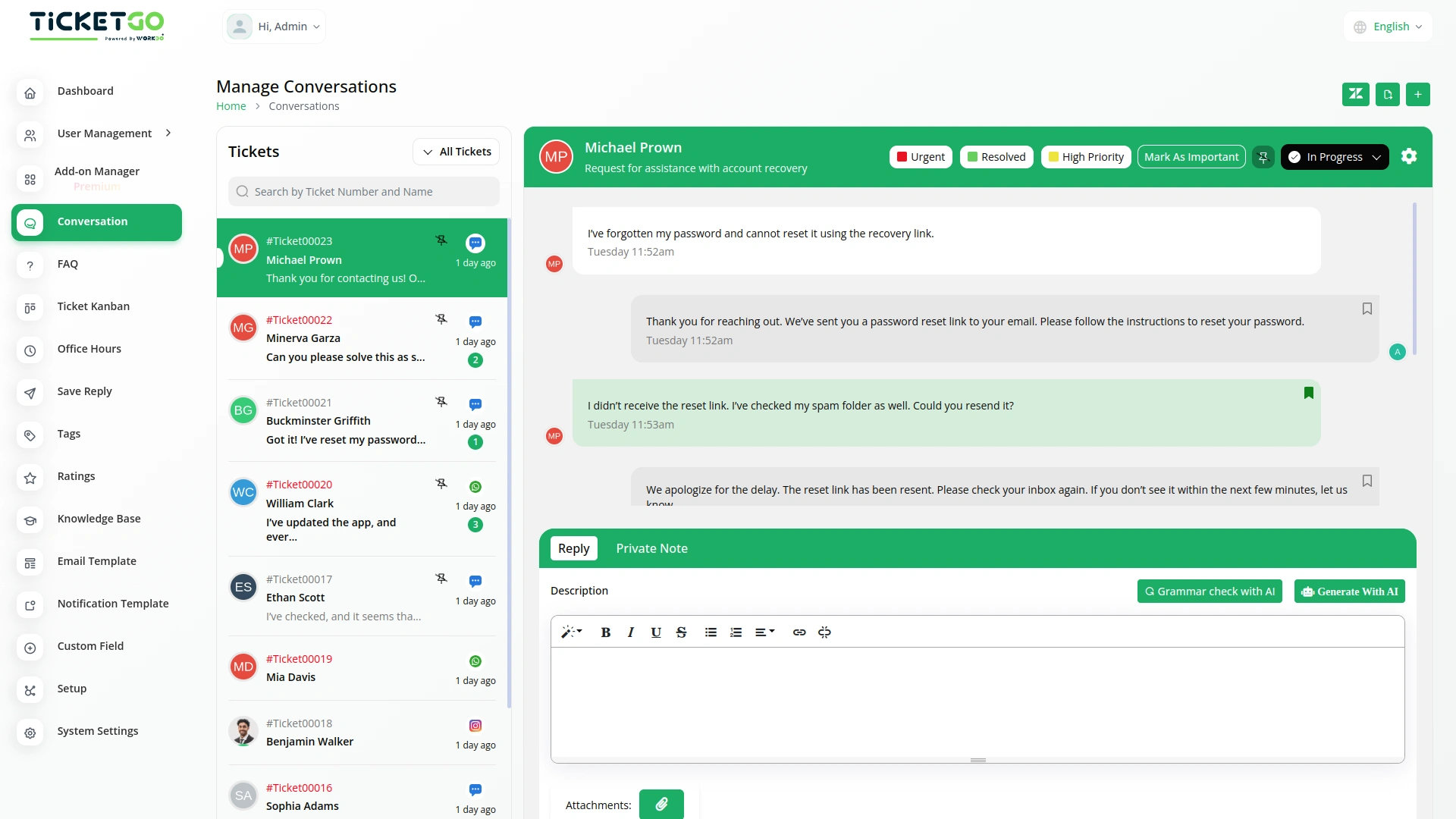
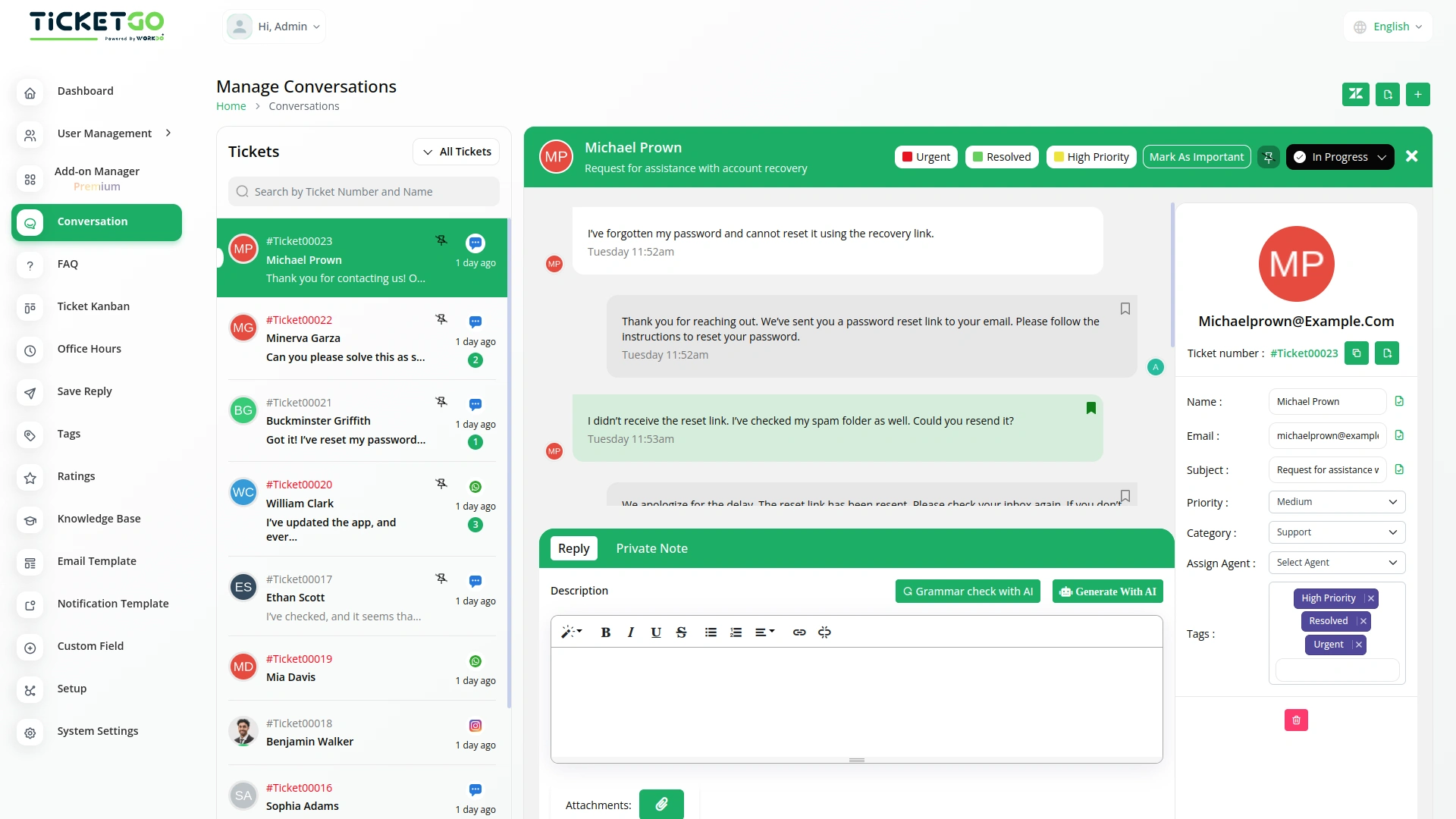
Tags help team members understand ticket details quickly. With properly labeled tickets, it’s easy to assign them to the right person or department. This avoids confusion, speeds up the response process, and makes sure each ticket goes to the right place. As a result, your team can work more efficiently, and customers get quicker resolutions to their issues
Provide Better Customer Support
A well-organized ticketing system means better service for your customers. When tickets are sorted using tags, urgent matters can be handled faster, and common issues can be addressed more efficiently. Customers will receive timely responses, and support teams can ensure every request is handled properly. This leads to higher customer satisfaction and a more professional support experience.
Screenshots from our system
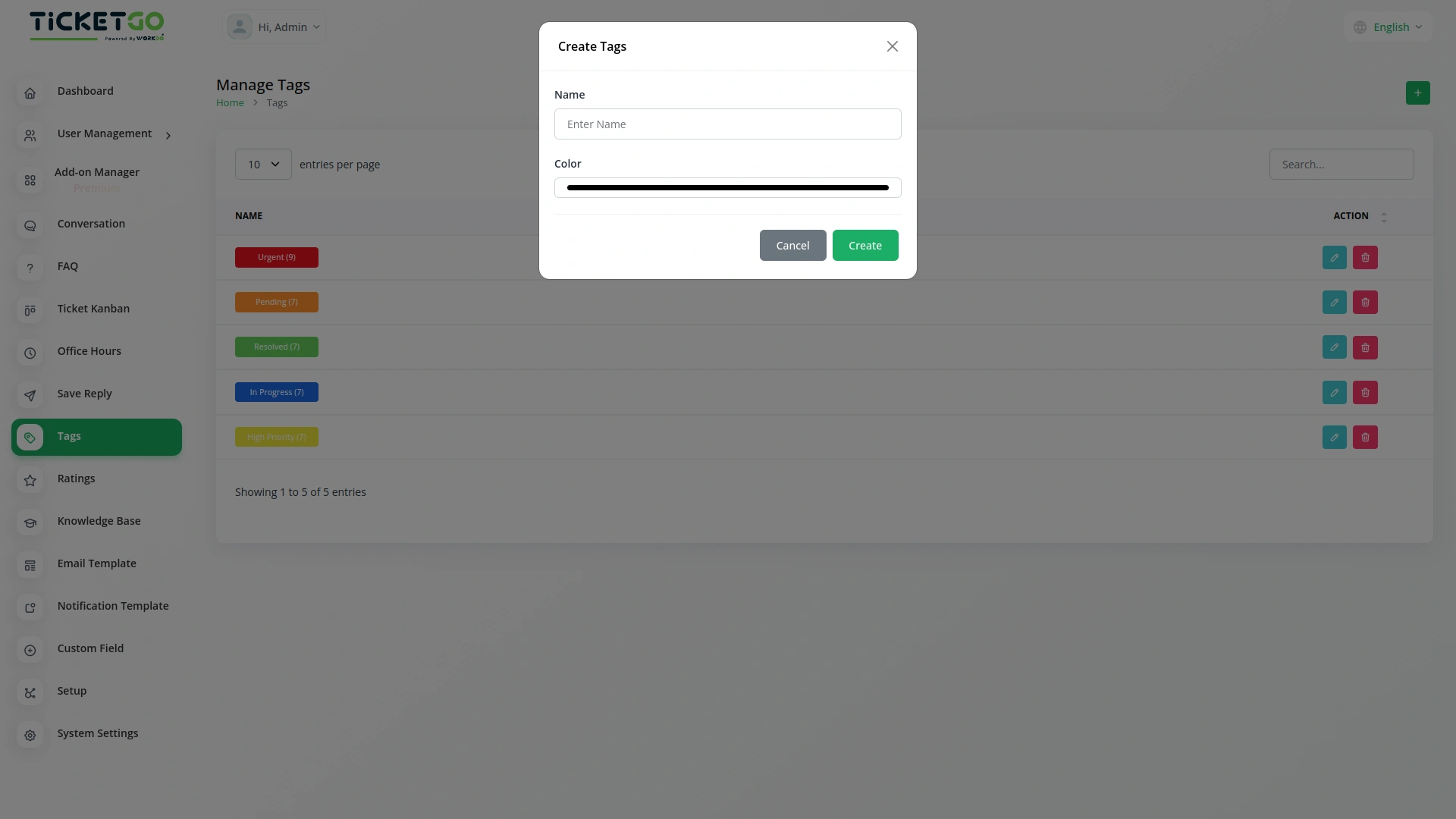
To explore the functionality and usage of these Add-Ons, refer to the accompanying screenshots for step-by-step instructions on how to maximize their features.
Discover More Add-Ons
Unlock even more functionality with additional Add-Ons, providing enhanced networking and customization options for your TicketGo Add-Ons experience.

Pabbly Connect
Pabbly Connect is a versatile automation platform seamlessly integrating 1000+ apps, from Google Sheets to Shopify. With its user-friendly interface, creating automated workflows becomes effortless. Boosting efficiency, Pabbly Connect enables scheduled workflows, advanced paths, and automated data extraction from emails. Imagine the potential for streamlined processes and real-time data synchronization, all achieved with this powerful, no-code automation solution.


Save Chat
The SaveChat module in TicketGo allows you to highlight and save important conversations as bookmarks. Instead of scrolling through endless chat histories, you can simply mark key messages and access them instantly when needed. This feature helps you keep track of crucial discussions without the risk of losing important information. Whether it's a customer request, an internal discussion, or a follow-up message, bookmarking ensures that essential chats are always within reach.

Mark As Important
The Mark as Important feature in TicketGo helps you easily prioritize conversations that matter the most. With just one click, you can ensure critical tickets stand out, allowing you to focus on urgent issues without getting lost in the noise. This functionality is perfect for businesses that need to handle high-priority inquiries efficiently.
Logical navigation structure enhances user experience
The extensions seamlessly integrated into our system and boosted performance across all departments
Documentation with screenshots
Aesthetic and smart design