

FedaPay – WorkDo Dash SaaS Add-On Guide
Learn how to configure and manage FedaPay payment integration in Dash SaaS.
Supported Countries: Benin, Senegal, Ivory Coast, Togo, Mali, Burkina Faso, Niger
Supported Currencies: XOF (West African CFA Franc)
Benefits of FedaPay Payment Gateway
Fast & Encrypted Payment Processing
FedaPay ensures every transaction is handled swiftly and securely, minimizing processing delays while keeping sensitive customer data protected through robust encryption standards.
International Payment Flexibility
With support for globally recognized currencies including USD, EUR, and GBP, FedaPay makes it straightforward for businesses to receive payments from international clients without any additional complexity.
Independent Admin & Company Configuration
Both Super Admins and Companies have the freedom to configure their gateway settings separately, giving each level full control over their respective billing processes and payment flows.
All-Round Billing Compatibility
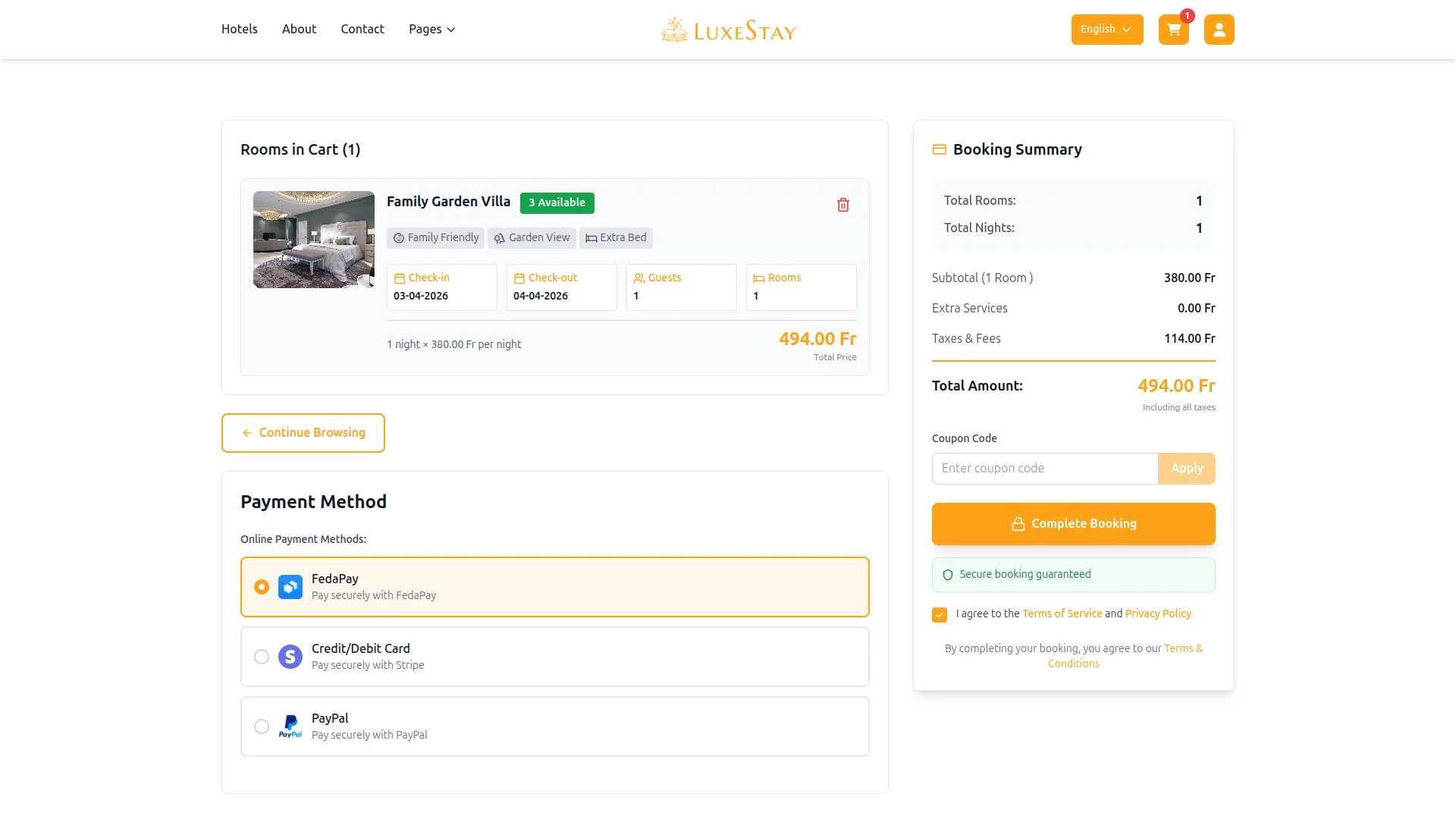
FedaPay integrates seamlessly across Plans, Bookings, Beauty Spa Management, LMS, Parking Management, Laundry Management, Events Management, and Hotel & Room Management, enabling businesses to process all standard payment scenarios through a single, unified gateway.
Straightforward Setup & Activation
With a simple API key generation process and an easy-to-navigate configuration panel, businesses can get FedaPay up and running quickly without requiring advanced technical expertise.
How To Access FedaPay Add-On?
- Visit the WorkDo Dash website: Go to https://www.workdo.io/ to access the WorkDo Dash platform.
- Navigate to Dash SaaS Add-Ons: Explore the “Dash SaaS Add-Ons” section on the website to discover available Add-Ons.
- Discover FedaPay Add-On: Browse the list of available Add-Ons and find the “FedaPay Payment Gateway.”
- Activate the Add-On: Click the “Activate” button next to the FedaPay Add-On to enable it for your WorkDo Dash account.
Once activated, FedaPay becomes available across supported modules based on permissions and settings.
Super Admin Settings
(Plan Purchase by the Company)
The Super Admin Settings are accessible only to the highest-level administrator. These settings allow the Super Admin to manage company-level subscriptions and payment configurations.
Key Capabilities:
- Purchase or upgrade company subscription plans
- Configure FedaPay API keys for plan payments
- Enable or disable FedaPay as a payment gateway
Configuration Path:
Super Admin Login → Settings → FedaPay Settings
Company Settings
(Bookings, Beauty Spa, LMS & Other Payments)
Company Settings allow organizations to configure FedaPay for receiving payments from customers across multiple modules.
Supported Modules Include:
Configuration Path:
Company Login → Settings → FedaPay Settings
Company-Level Capabilities:
- Configure FedaPay API keys
- Enable FedaPay for selected modules
- Accept online payments from customers
- Manage Bookings, Beauty Spa, and service
- Handle tax, coupon, and discount calculations
How to Generate FedaPay API Keys?
To integrate FedaPay into your (Product Name), follow the steps below:
1. Generate API Key:
- Log in to your FedaPay account or create one if you don’t have an account yet.
- Obtain comprehensive information about FedaPay.
- Proceed to generate your API key by visiting: https://docs.fedapay.com/development/development-overview
2. Configure FedaPay Gateway in (Product Name):
- Log in to your (Product Name) account with administrator credentials.
- Navigate to the settings page.
3. Access Payment Settings:
- Within the settings page, locate and select the “Payment Settings” option.
4. Set Up FedaPay Gateway:
- Scroll down the page until you find the FedaPay Gateway option.
- Click on the FedaPay Gateway to access its configuration settings.
5. Enter Required Details:
In the settings, provide the following essential details:
- Public Key: Input your FedaPay Public Key.
- Secret Key: Enter your FedaPay Secret Key.
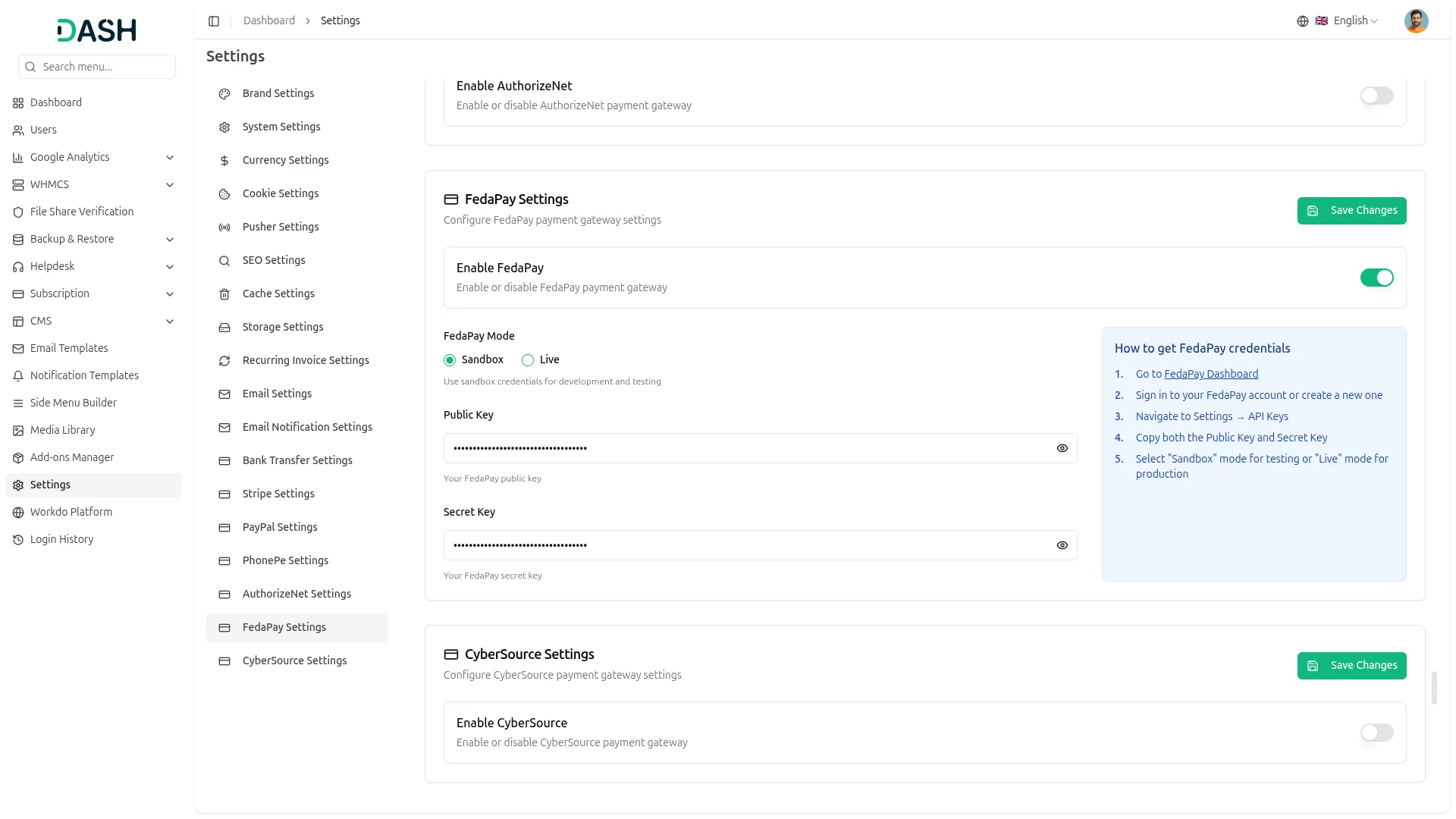
6. Save Your Settings:
- After entering the necessary details, save the settings to activate the FedaPay Payment Gateway within your (Product Name) platform.
This detailed documentation provides an overview of FedaPay Payment Integration, its benefits, and the integration process. By integrating FedaPay, businesses and organizations can offer their customers a secure and flexible payment experience while streamlining their payment processes.
Note: The FedaPay Add-On is a paid feature and can be accessed by users who have purchased it. By integrating the FedaPay Add-On into your WorkDo Dash SaaS account, you’ll provide a reliable and user-friendly payment gateway that supports global transactions.
Categories
Related articles
- Slack Integration – TicketGo Add-On Guide
- ToyyibPay – BookingGo SaaS Add-On Guide
- Google Forms – WorkDo Dash SaaS Add-On Guide
- YooKassa – WorkDo Dash SaaS Add-On Guide
- Rotas – WorkDo Dash SaaS Add-On Guide
- ToyyibPay – WorkDo Dash SaaS Add-On Guide
- Razorpay – BookingGo SaaS Add-On Guide
- SMS – BookingGo SaaS Add-On Guide
- School & Institute Management – WorkDo Dash SaaS Add-On Guide
- AI Assistant – WorkDo Dash SaaS Add-On Guide
- Tip – BookingGo SaaS Add-On Guide
- Size Guideline – eCommerceGo SaaS Add-On Guide
We're Here to Help - Let's Talk
Have questions about our solutions, customization services, or business tools? Our team is here to help you. let's talk.