
Easily Organize Your Tickets
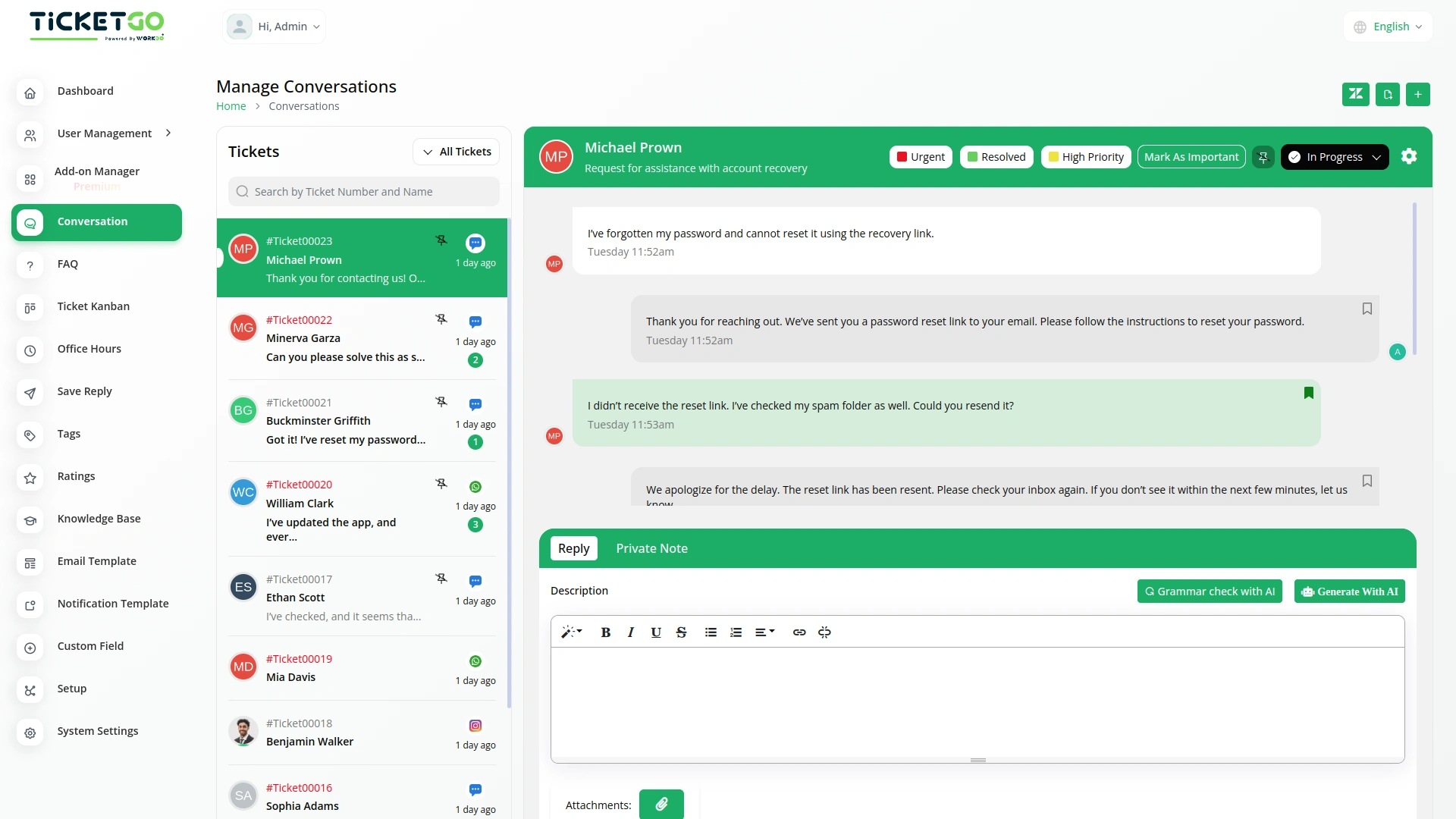
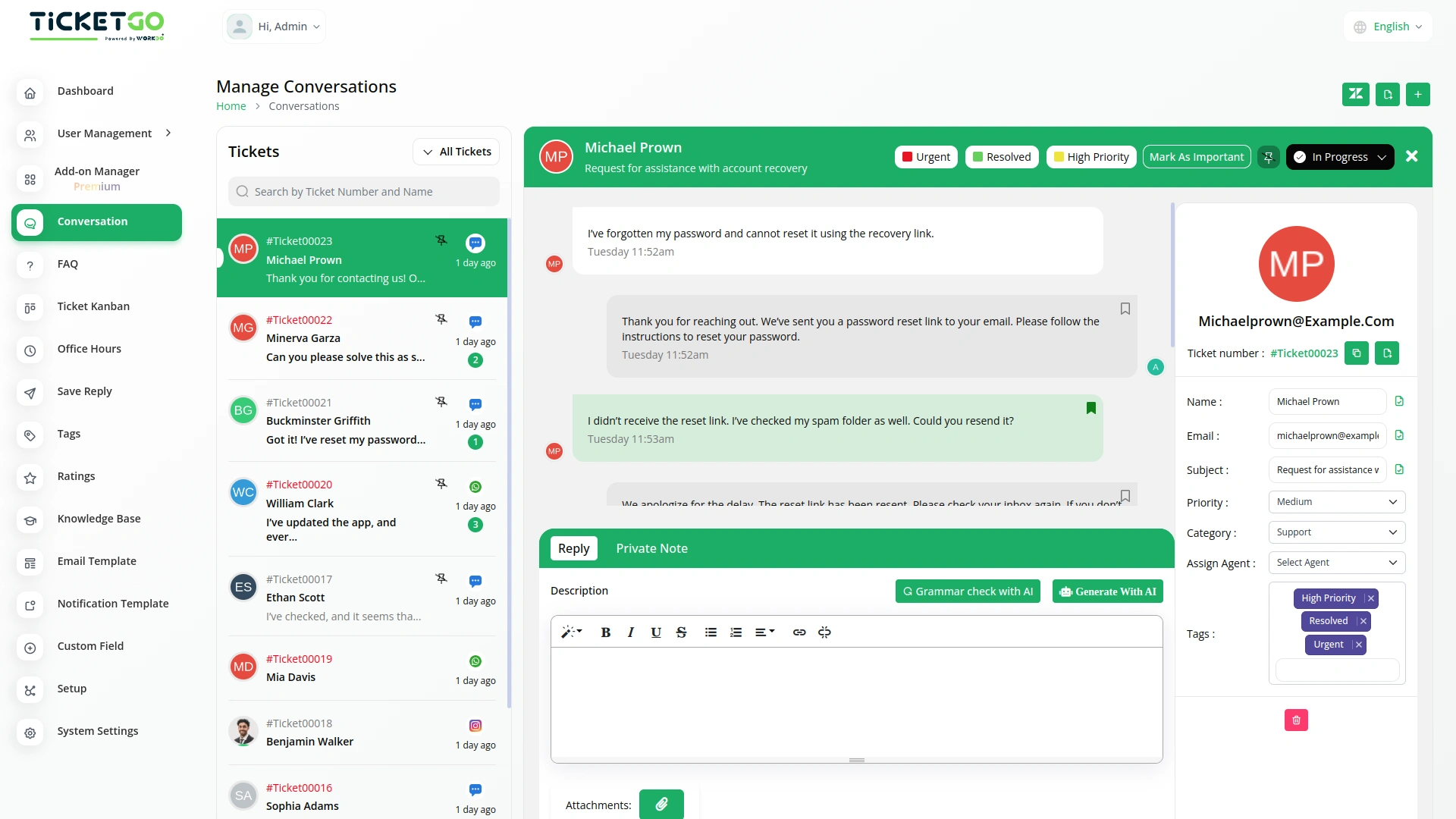
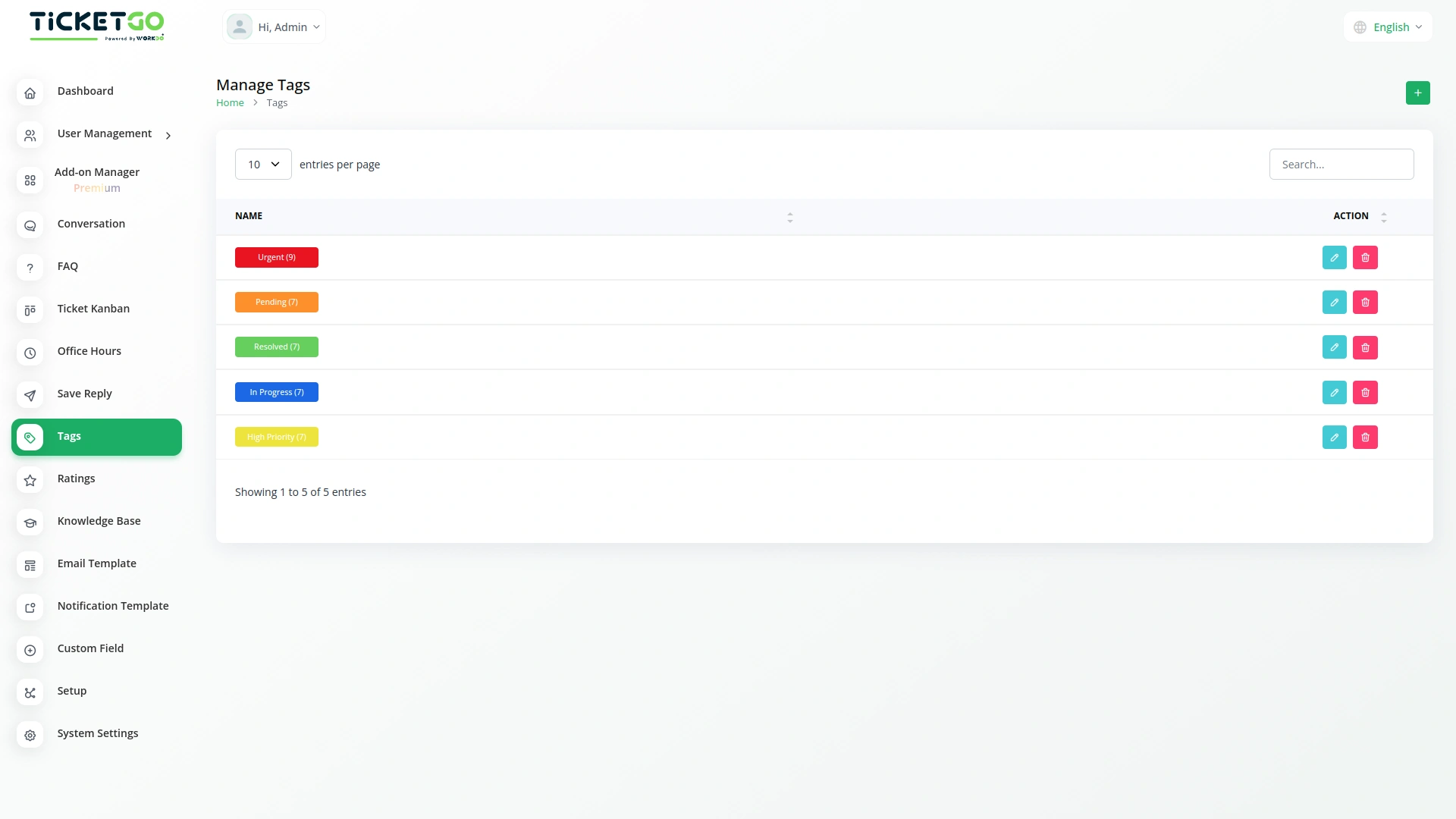
The Tags Module in TicketGo helps you keep your tickets organized by adding simple labels called tags. These tags make it easy to sort and manage tickets based on their type, priority, or department. Instead of searching through a long list of tickets, you can quickly find what you need using tags. This makes ticket management smoother and helps your team respond faster to customer requests.
Improve Team Collaboration
Tags help team members understand ticket details quickly. With properly labeled tickets, it’s easy to assign them to the right person or department. This avoids confusion, speeds up the response process, and makes sure each ticket goes to the right place. As a result, your team can work more efficiently, and customers get quicker resolutions to their issues
Provide Better Customer Support
A well-organized ticketing system means better service for your customers. When tickets are sorted using tags, urgent matters can be handled faster, and common issues can be addressed more efficiently. Customers will receive timely responses, and support teams can ensure every request is handled properly. This leads to higher customer satisfaction and a more professional support experience.
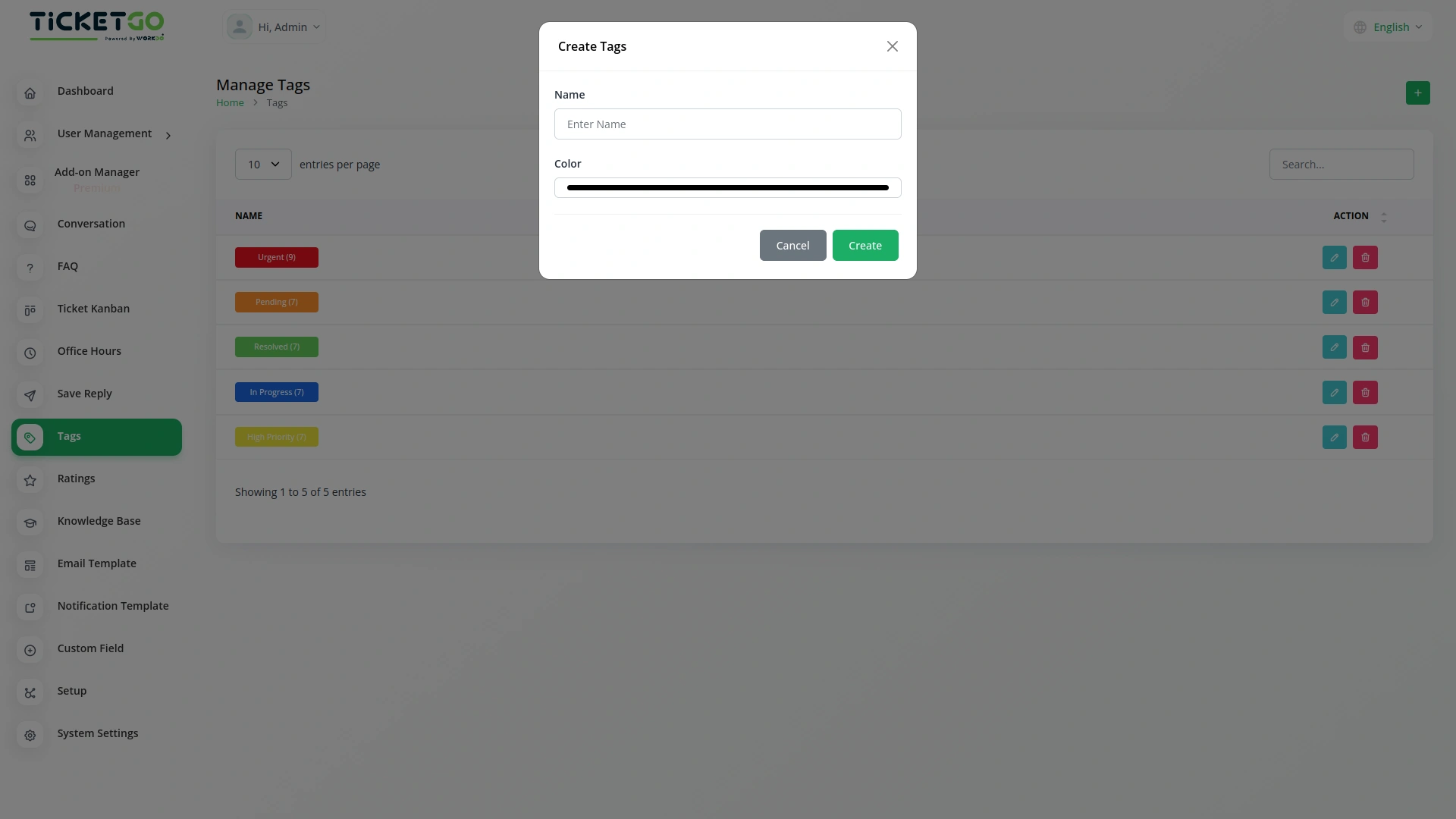
Screenshots from our system
To explore the functionality and usage of these Add-Ons, refer to the accompanying screenshots for step-by-step instructions on how to maximize their features.
Discover More Add-Ons
Unlock even more functionality with additional Add-Ons, providing enhanced networking and customization options for your TicketGo Add-Ons experience.

Slack
Enhance your team’s communication and efficiency with the Slack integration in TicketGo. This powerful Add-On allows your team to receive real-time updates, notifications, and ticket status changes directly in your Slack channels, streamlining your support ticketing workflow. By integrating Slack with TicketGo, you eliminate the need to juggle multiple platforms. Whether it’s assigning tickets, tracking progress, or resolving customer issues, the integration ensures your team stays informed, connected, and proactive, leading to faster resolution times and better project management.

SMS
The SMS Notification Integration in TicketGo provides businesses with a reliable way to notify users about important ticket updates through SMS. This integration ensures that customers receive real-time notifications, even when they do not have access to email or other communication platforms. With the widespread use of mobile phones, SMS serves as a highly effective channel to keep customers informed about their ticket status, reducing the chances of missed updates and improving customer satisfaction.


WhatsApp API
The WhatsApp API Integration in TicketGo brings seamless communication to businesses by enabling them to interact with customers through WhatsApp. This integration allows businesses to send instant notifications, ticket updates, and personalized messages directly to users, enhancing both the speed and reliability of customer interactions. By leveraging the WhatsApp API, businesses can streamline their ticketing processes and provide timely, efficient communication to their customers.
Logical navigation structure enhances user experience
The extensions seamlessly integrated into our system and boosted performance across all departments
Documentation with screenshots
Aesthetic and smart design