

Quick Access Anytime
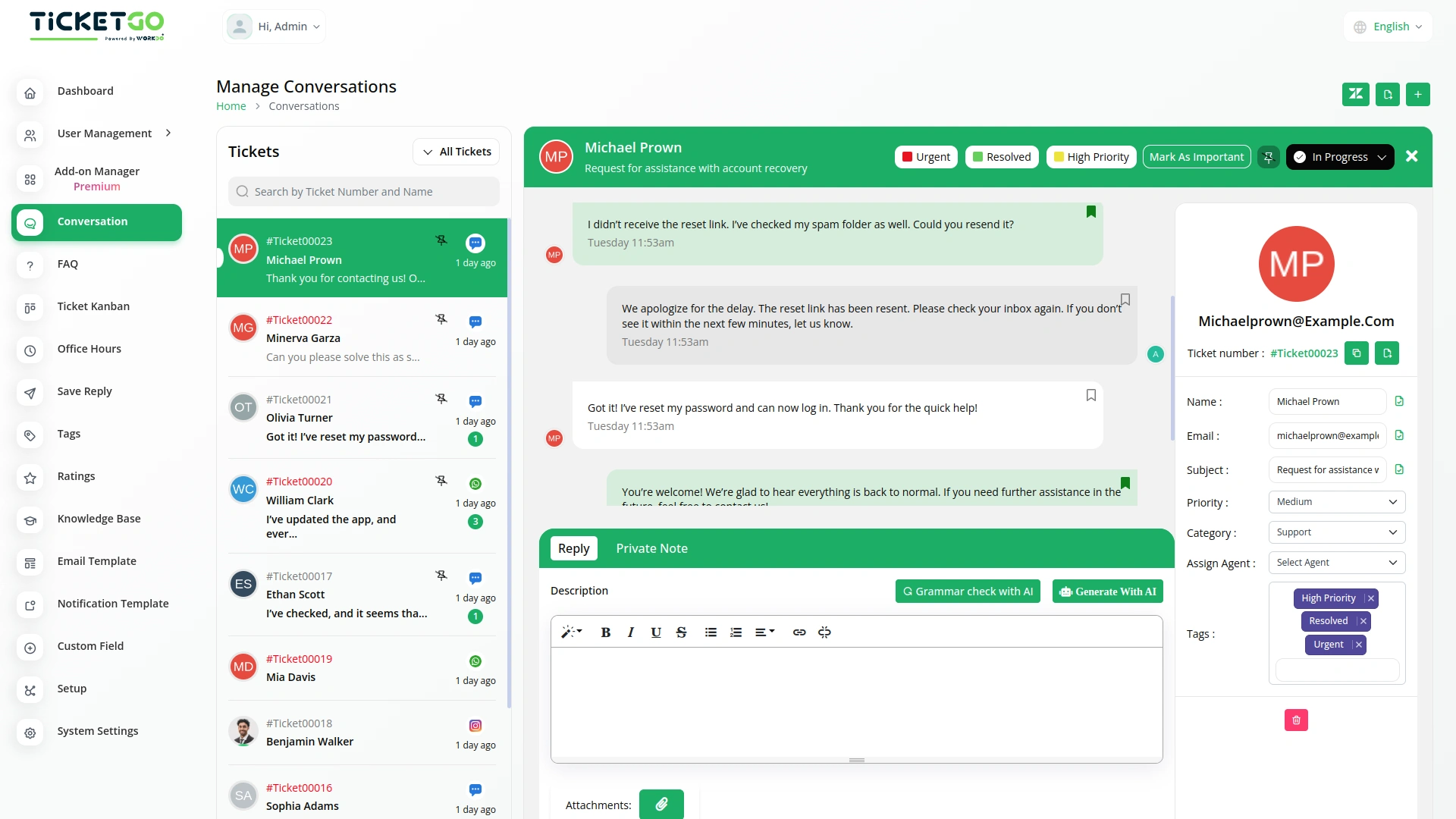
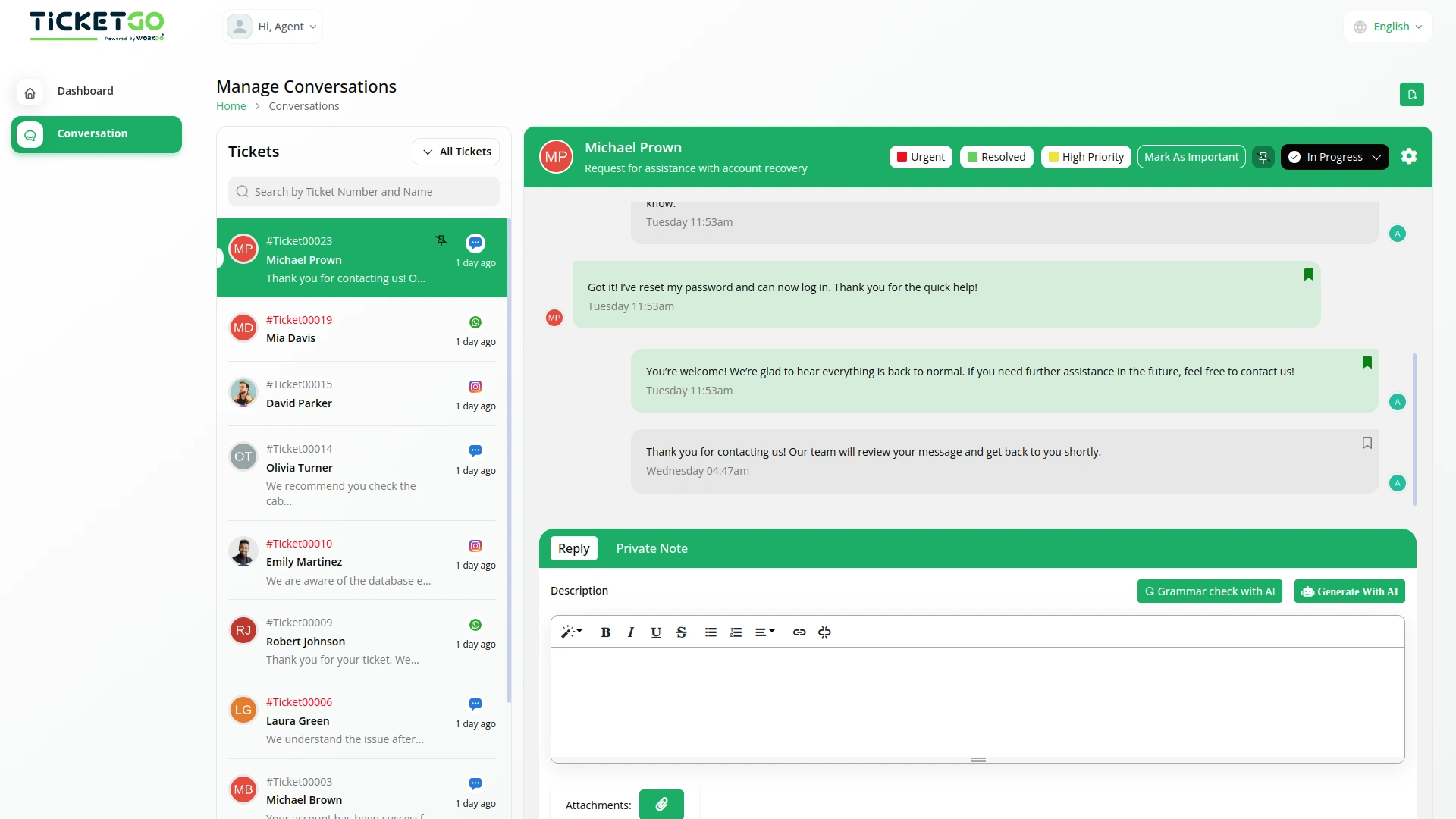
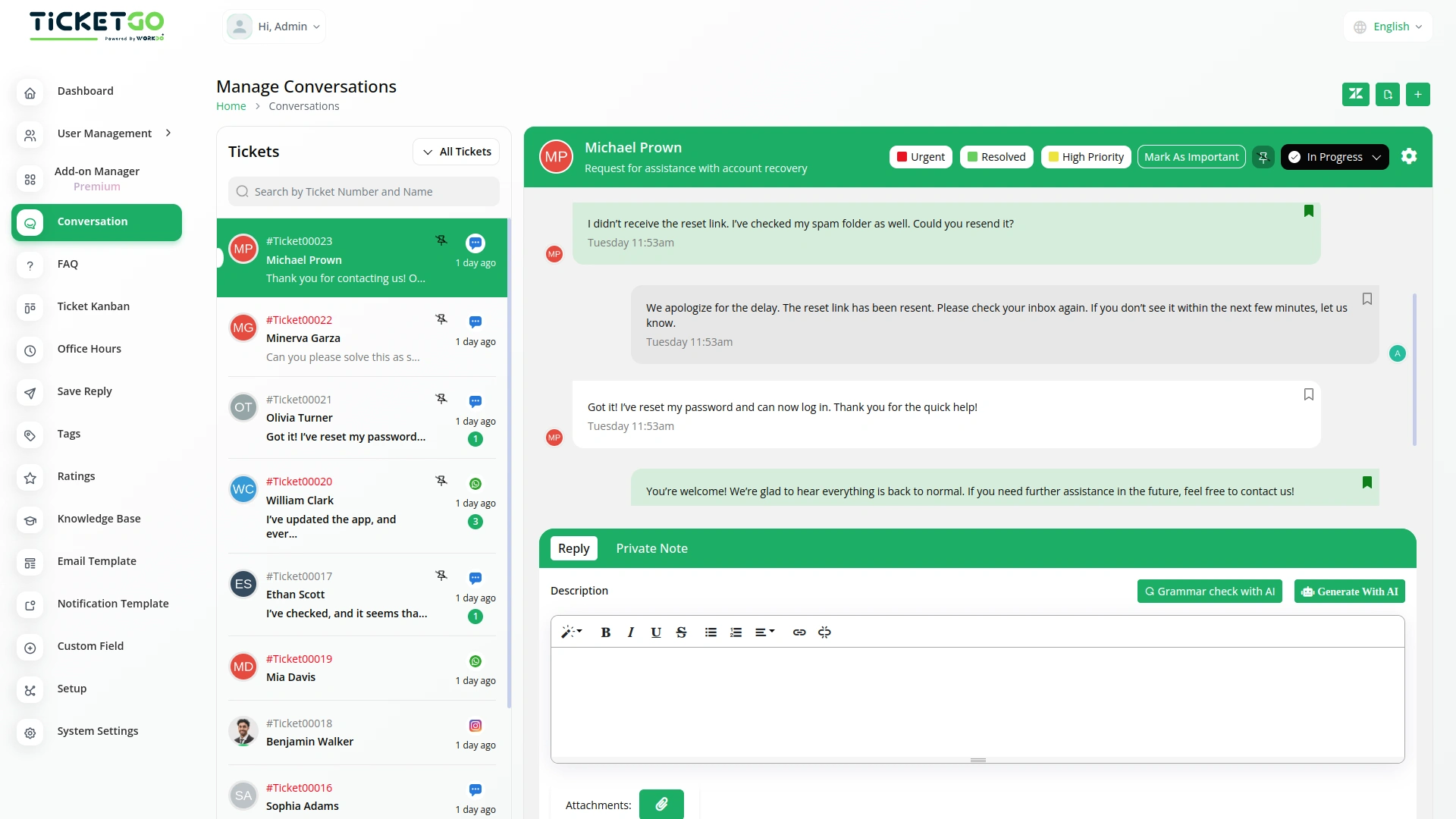
Once a chat is saved, it remains easily accessible for future reference. This means you don’t have to waste time searching for past conversations—just go to your saved chats and find the information you need instantly. Whether you’re looking for a specific customer query or a key decision made during a conversation, SaveChat helps you retrieve it quickly. This not only saves time but also improves efficiency by keeping all important messages in one place.
Smooth Team Collaboration
SaveChat also benefits teamwork by allowing multiple team members to access saved conversations. If a team member needs context on a customer interaction, they can simply check the bookmarked chats instead of asking for updates. This reduces miscommunication and makes collaboration smoother, as everyone has access to the same important information. It also ensures continuity in customer support, even if different agents handle the same ticket at different times.
Screenshots from our system
To explore the functionality and usage of these Add-Ons, refer to the accompanying screenshots for step-by-step instructions on how to maximize their features.
Discover More Add-Ons
Unlock even more functionality with additional Add-Ons, providing enhanced networking and customization options for your TicketGo Add-Ons experience.

Plivo
The Plivo integration within TicketGo allows businesses to receive and send SMS notifications for crucial ticket events, ensuring real-time updates across agents, admins, and customers. By leveraging Plivo’s messaging API, you can keep everyone in the loop, whether it's notifying agents about incoming tickets or informing customers about ticket status changes. The integration enhances customer service efficiency by automating notifications and improving communication flow without needing additional tools.

Mail2Ticket
Mail2Ticket makes customer support easier by turning incoming emails into organized support tickets.

Export Conversations
TicketGo’s Export Conversations feature ensures that all customer interactions are saved for future use. Whether for compliance, internal reviews, or training, having a record of past conversations helps businesses improve their customer service. Teams can revisit previous chats to understand customer concerns and refine their support strategies.

Customer support responded fast and guided us step by step through the entire process