
Quick Access Anytime
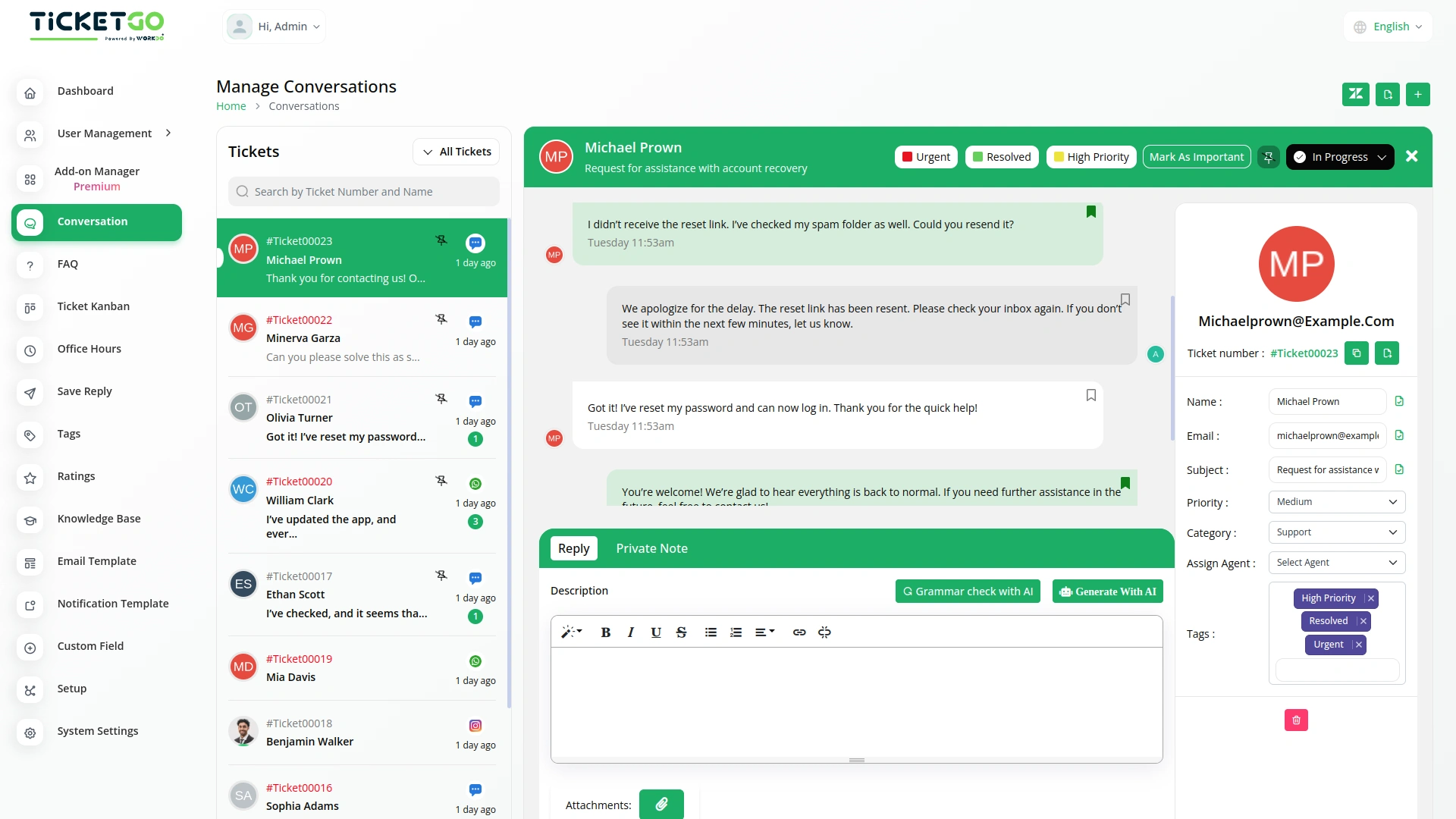
Once a chat is saved, it remains easily accessible for future reference. This means you don’t have to waste time searching for past conversations—just go to your saved chats and find the information you need instantly. Whether you’re looking for a specific customer query or a key decision made during a conversation, SaveChat helps you retrieve it quickly. This not only saves time but also improves efficiency by keeping all important messages in one place.
Smooth Team Collaboration
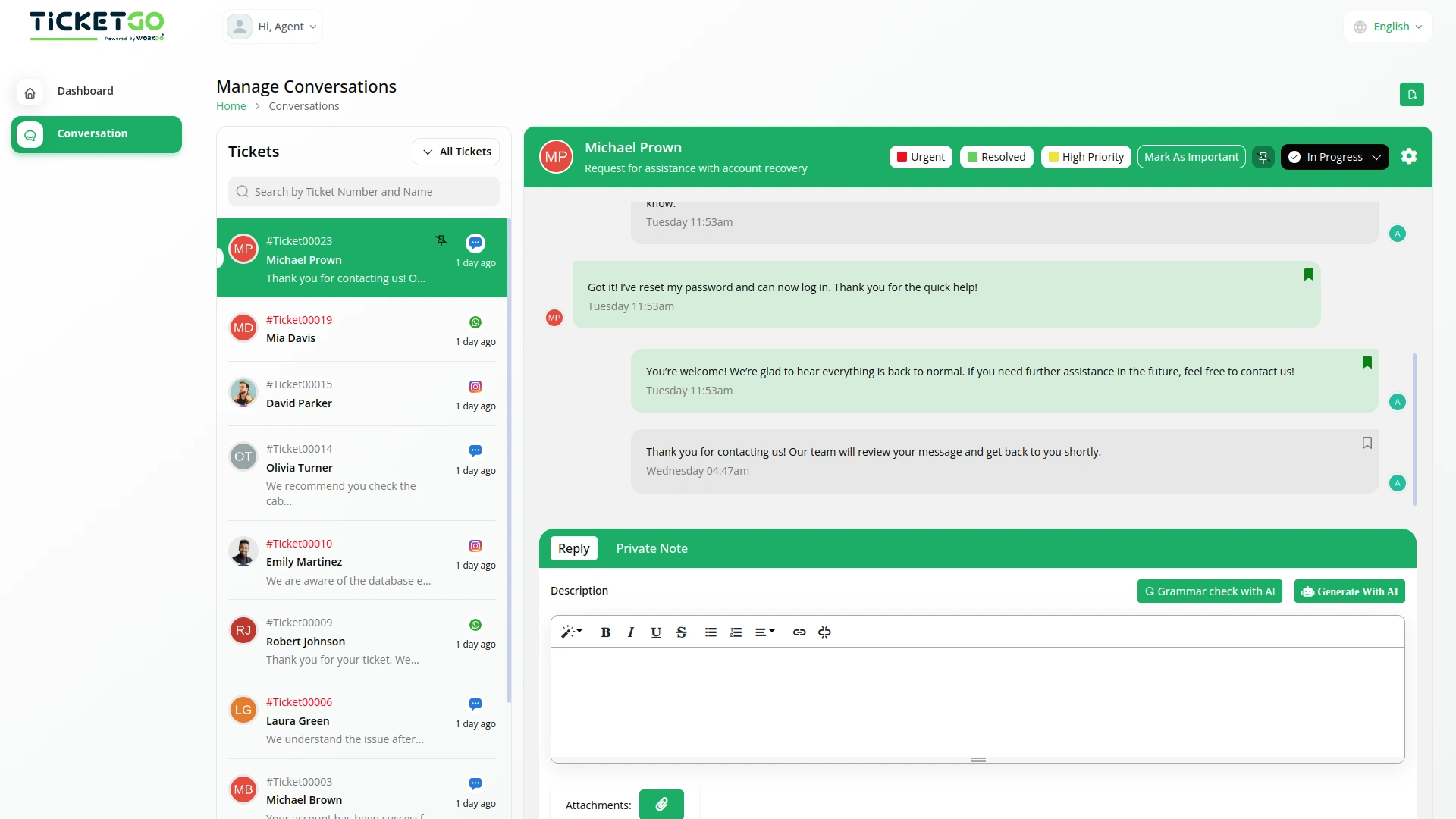
SaveChat also benefits teamwork by allowing multiple team members to access saved conversations. If a team member needs context on a customer interaction, they can simply check the bookmarked chats instead of asking for updates. This reduces miscommunication and makes collaboration smoother, as everyone has access to the same important information. It also ensures continuity in customer support, even if different agents handle the same ticket at different times.
Screenshots from our system
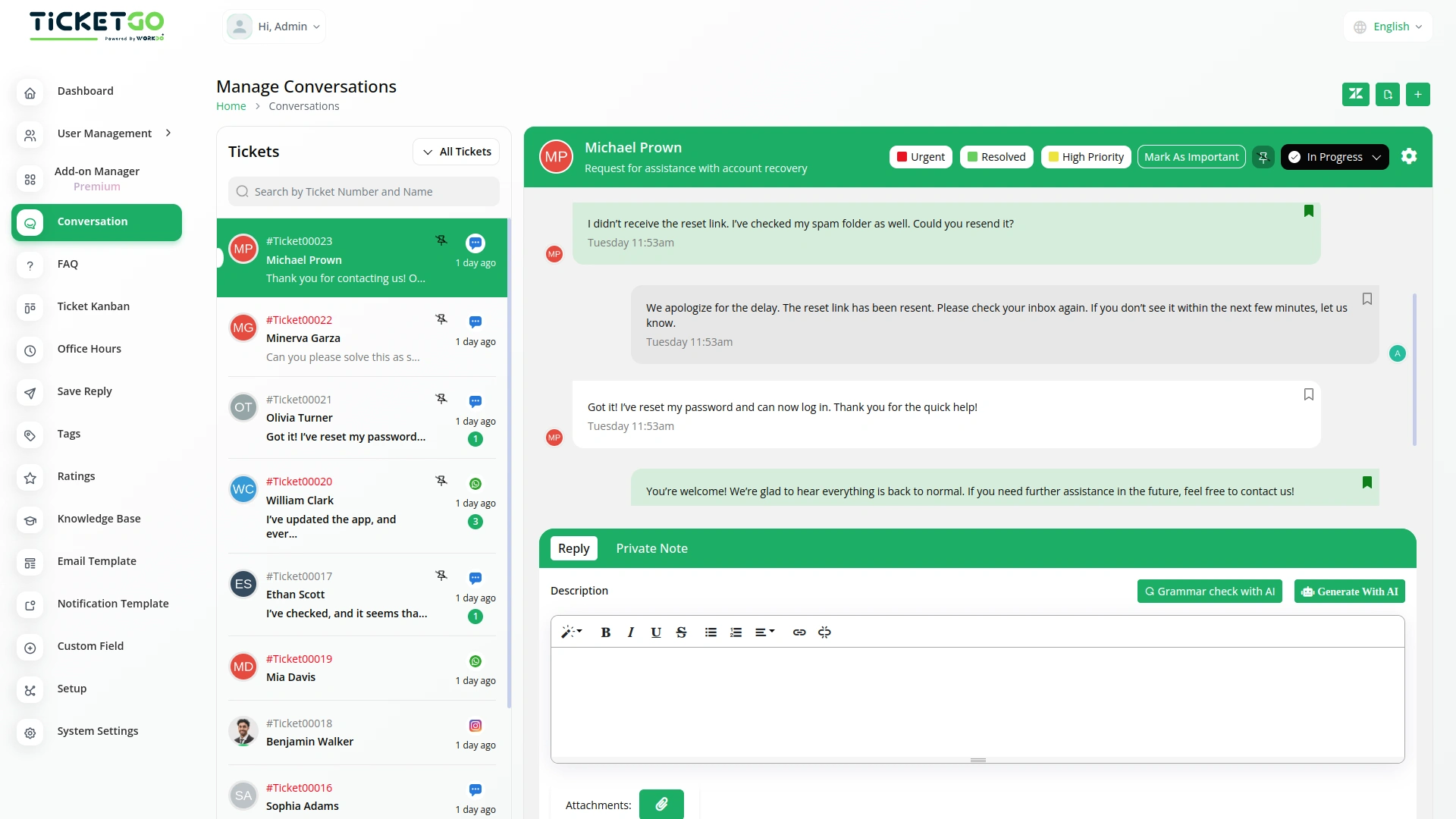
To explore the functionality and usage of these Add-Ons, refer to the accompanying screenshots for step-by-step instructions on how to maximize their features.
Discover More Add-Ons
Unlock even more functionality with additional Add-Ons, providing enhanced networking and customization options for your TicketGo Add-Ons experience.

Whatsapp (Twilio)
The WhatsApp Twilio Module in TicketGo enables businesses to send automated notifications to users, keeping them informed about their ticket status. Whether it’s a new ticket creation, an update, or a resolution message, users receive real-time alerts on WhatsApp. This automation reduces manual effort and ensures that customers stay updated without needing to check the platform frequently.

Chat Pin
The ChatPin module in TicketGo provides a straightforward way to prioritize and highlight important conversations within the system. By enabling this feature, users can pin specific conversations to the top of the list, ensuring that high-priority tickets or urgent discussions are always visible and easily accessible. This helps teams stay organized and focused on the most important conversations, preventing them from being overlooked among others. The ChatPin module is a simple yet effective tool for managing workflows and ensuring that critical issues are addressed in a timely manner.

Auto Reply
Customers often feel uncertain when they don’t receive an immediate response after submitting a query. The Auto Reply module addresses this concern by instantly sending a predefined message, confirming that the support team has received the request.

Discord
Discord is a widely used communication platform that enables real-time messaging, voice calls, and community engagement. Integrating Discord with TicketGo allows businesses and support teams to receive ticket notifications directly within their Discord servers. This seamless connection ensures that teams stay updated without constantly checking the TicketGo dashboard.
Customer support responded fast and guided us step by step through the entire process