
Inform Customers About Off-Hours
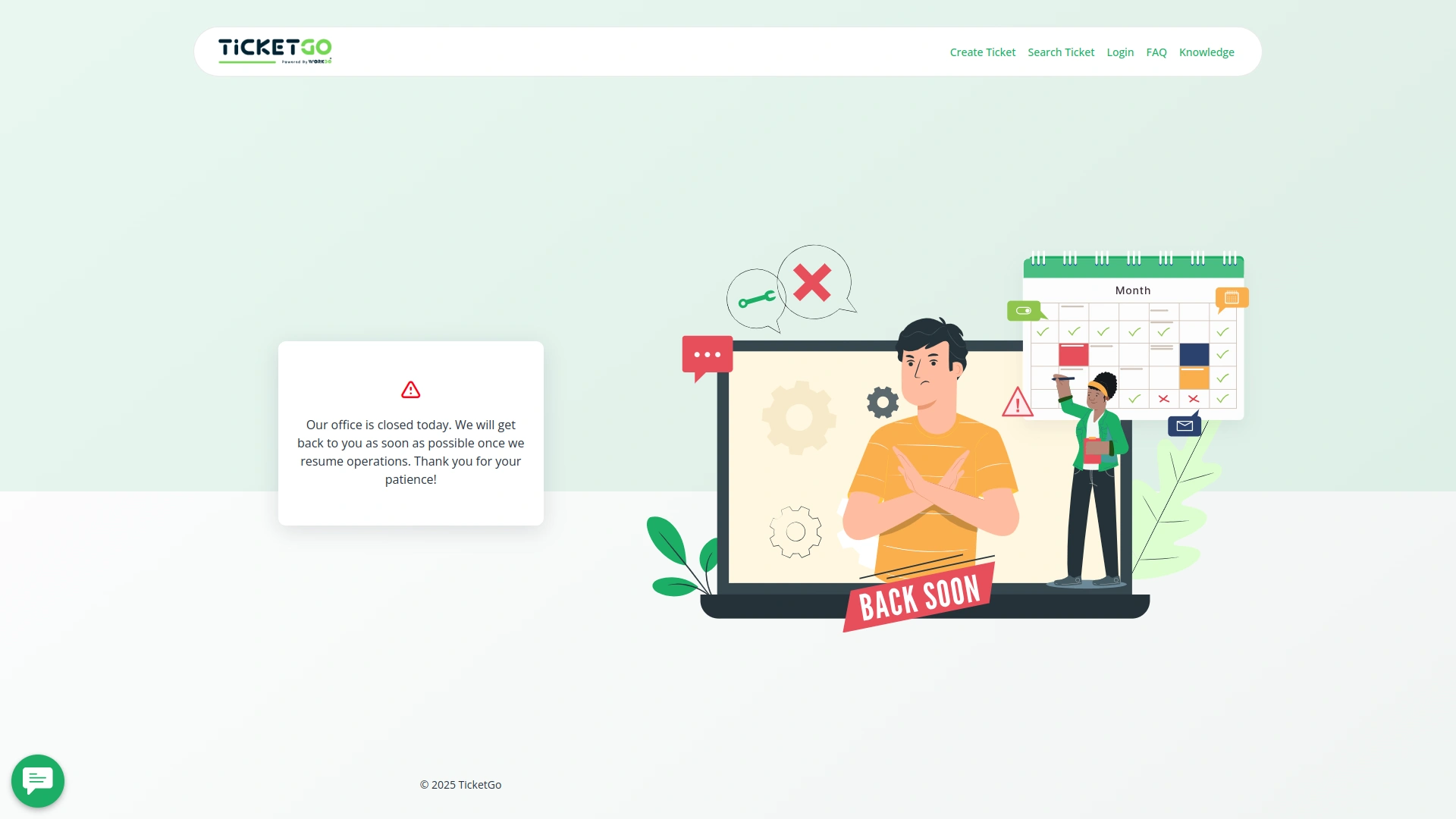
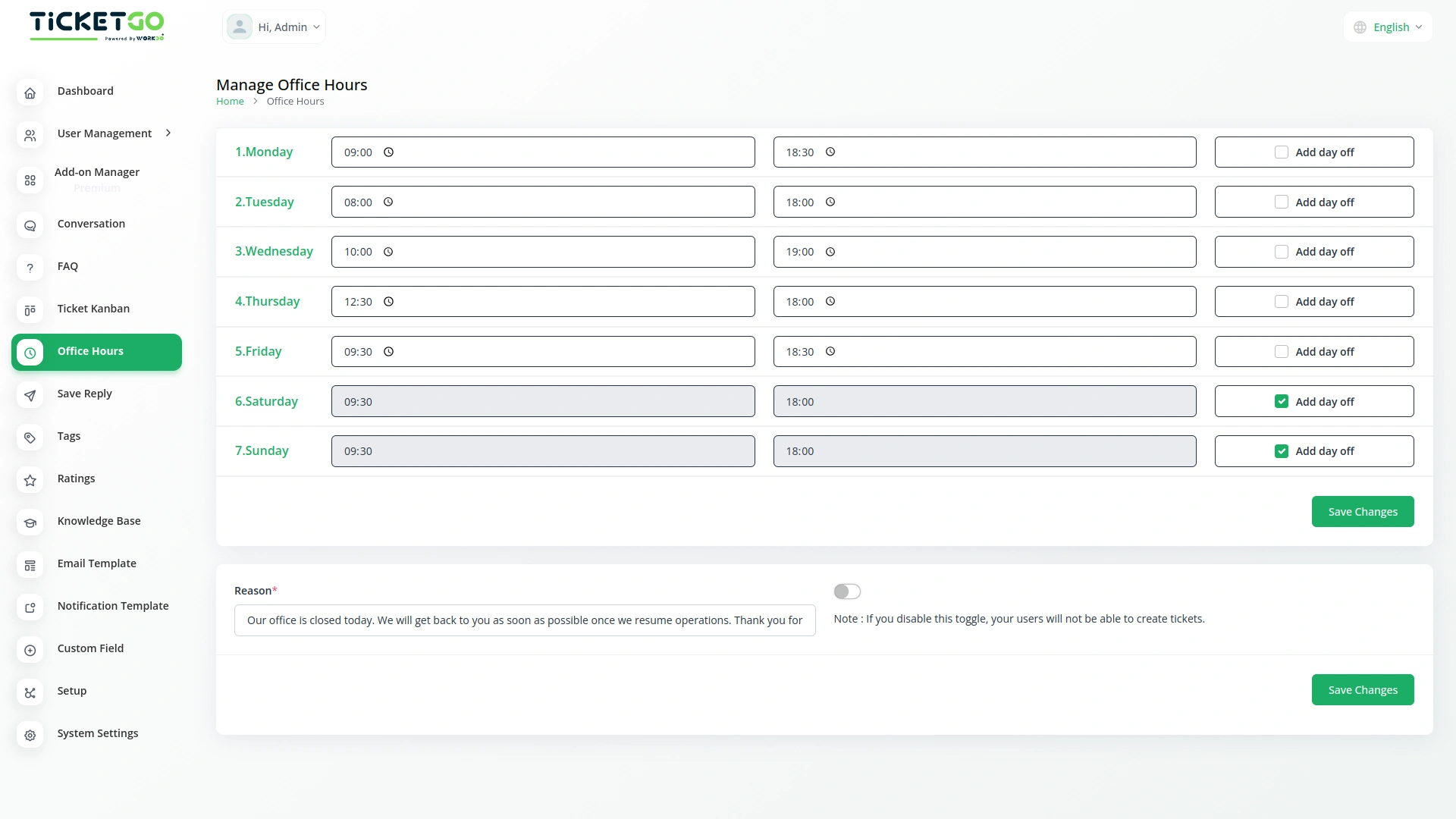
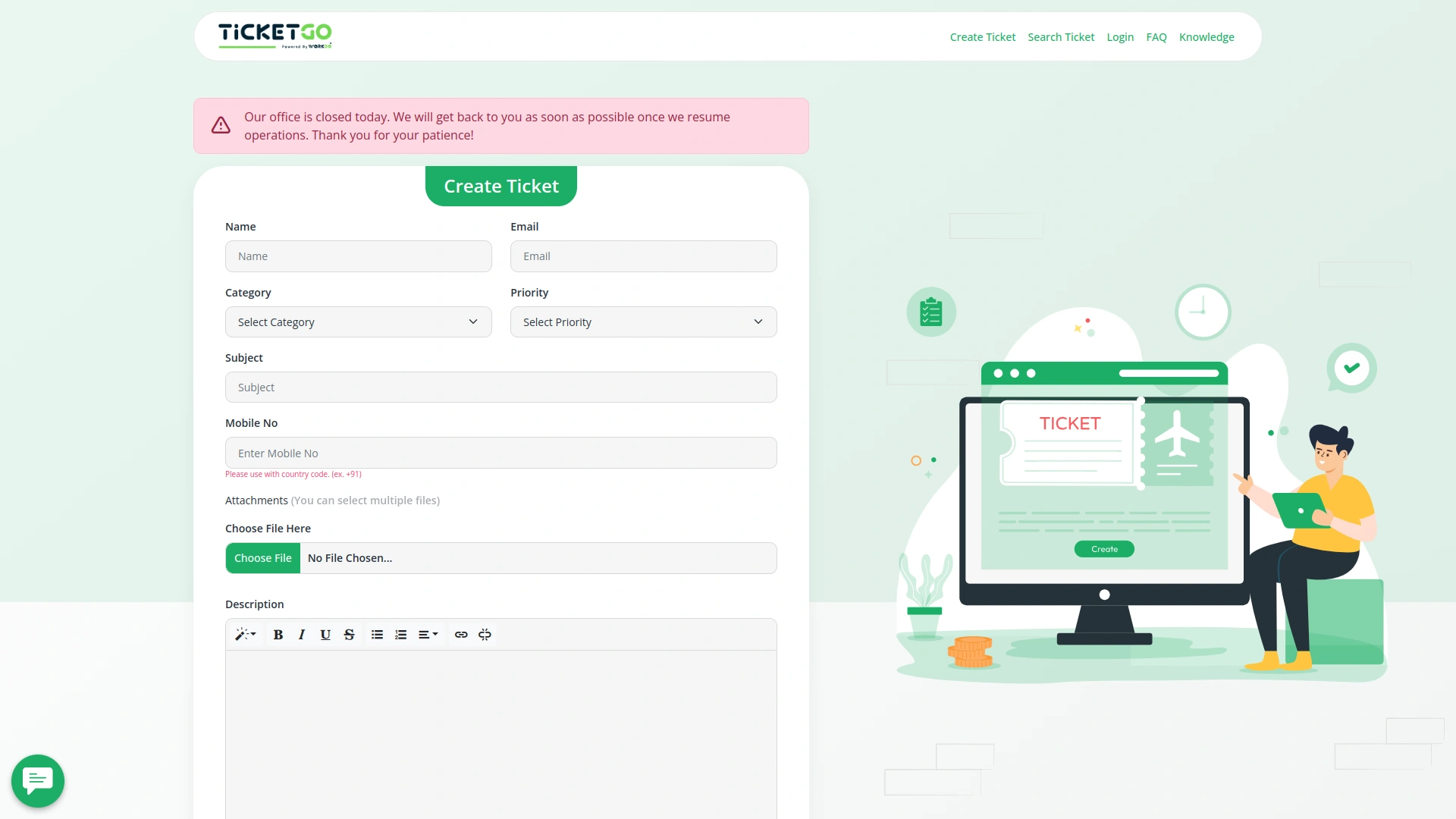
If a customer tries to create a ticket outside of your working hours, they will see a message on the frontend. You can customize this message by entering a reason in the provided box. This way, customers are informed about why support is unavailable at that time, reducing confusion and unnecessary waiting.In case of a scheduled day off, the system automatically displays the same message to customers when they attempt to create a ticket. This ensures that your customers know in advance that your support team is not available, making communication smoother and more transparent.
Flexible Ticket Submission Settings
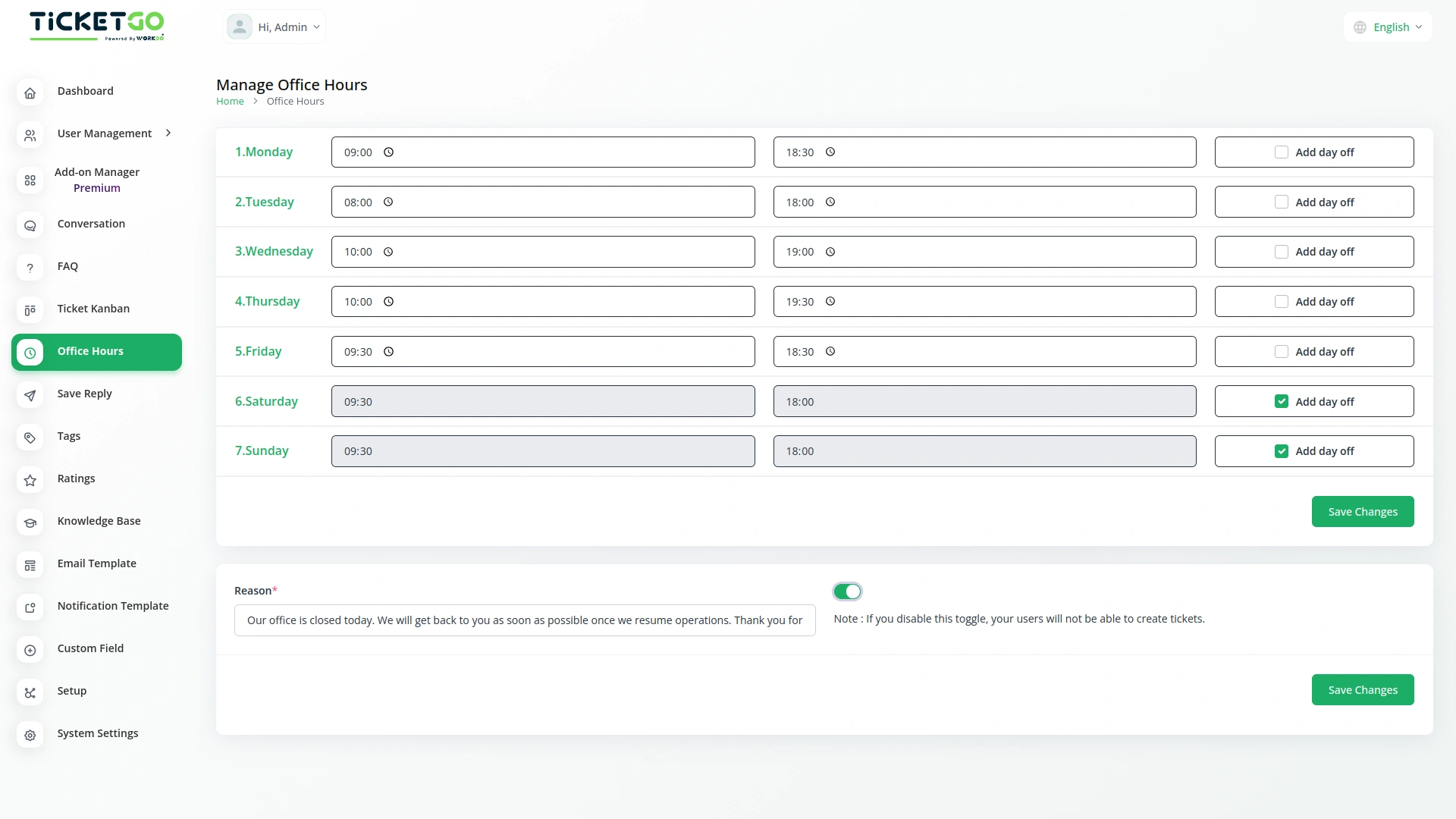
The module includes a toggle button that gives businesses control over ticket creation outside office hours. If the button is enabled, customers can still create support tickets at any time, even on days off or outside working hours, while the notice remains visible. This allows businesses to receive tickets in advance and respond once they are back online.
Screenshots from our system
To explore the functionality and usage of these Add-Ons, refer to the accompanying screenshots for step-by-step instructions on how to maximize their features.
Discover More Add-Ons
Unlock even more functionality with additional Add-Ons, providing enhanced networking and customization options for your TicketGo Add-Ons experience.

Slack
Enhance your team’s communication and efficiency with the Slack integration in TicketGo. This powerful Add-On allows your team to receive real-time updates, notifications, and ticket status changes directly in your Slack channels, streamlining your support ticketing workflow. By integrating Slack with TicketGo, you eliminate the need to juggle multiple platforms. Whether it’s assigning tickets, tracking progress, or resolving customer issues, the integration ensures your team stays informed, connected, and proactive, leading to faster resolution times and better project management.

Chat Pin
The ChatPin module in TicketGo provides a straightforward way to prioritize and highlight important conversations within the system. By enabling this feature, users can pin specific conversations to the top of the list, ensuring that high-priority tickets or urgent discussions are always visible and easily accessible. This helps teams stay organized and focused on the most important conversations, preventing them from being overlooked among others. The ChatPin module is a simple yet effective tool for managing workflows and ensuring that critical issues are addressed in a timely manner.

WhatsApp Chatbot & Chat
The WhatsApp Chatbot Add-On in TicketGo enables customers to create support tickets effortlessly through WhatsApp. Instead of navigating through a website or app, users can simply send a message detailing their issue, and the chatbot will capture the necessary information to generate a ticket. This eliminates long wait times and ensures that queries are logged into the system instantly, allowing for a quick and efficient resolution process.

Plivo
The Plivo integration within TicketGo allows businesses to receive and send SMS notifications for crucial ticket events, ensuring real-time updates across agents, admins, and customers. By leveraging Plivo’s messaging API, you can keep everyone in the loop, whether it's notifying agents about incoming tickets or informing customers about ticket status changes. The integration enhances customer service efficiency by automating notifications and improving communication flow without needing additional tools.
The extensions supported accurate record-keeping and improved internal coordination
Wide feature coverage across modules
Bugs quickly patched