
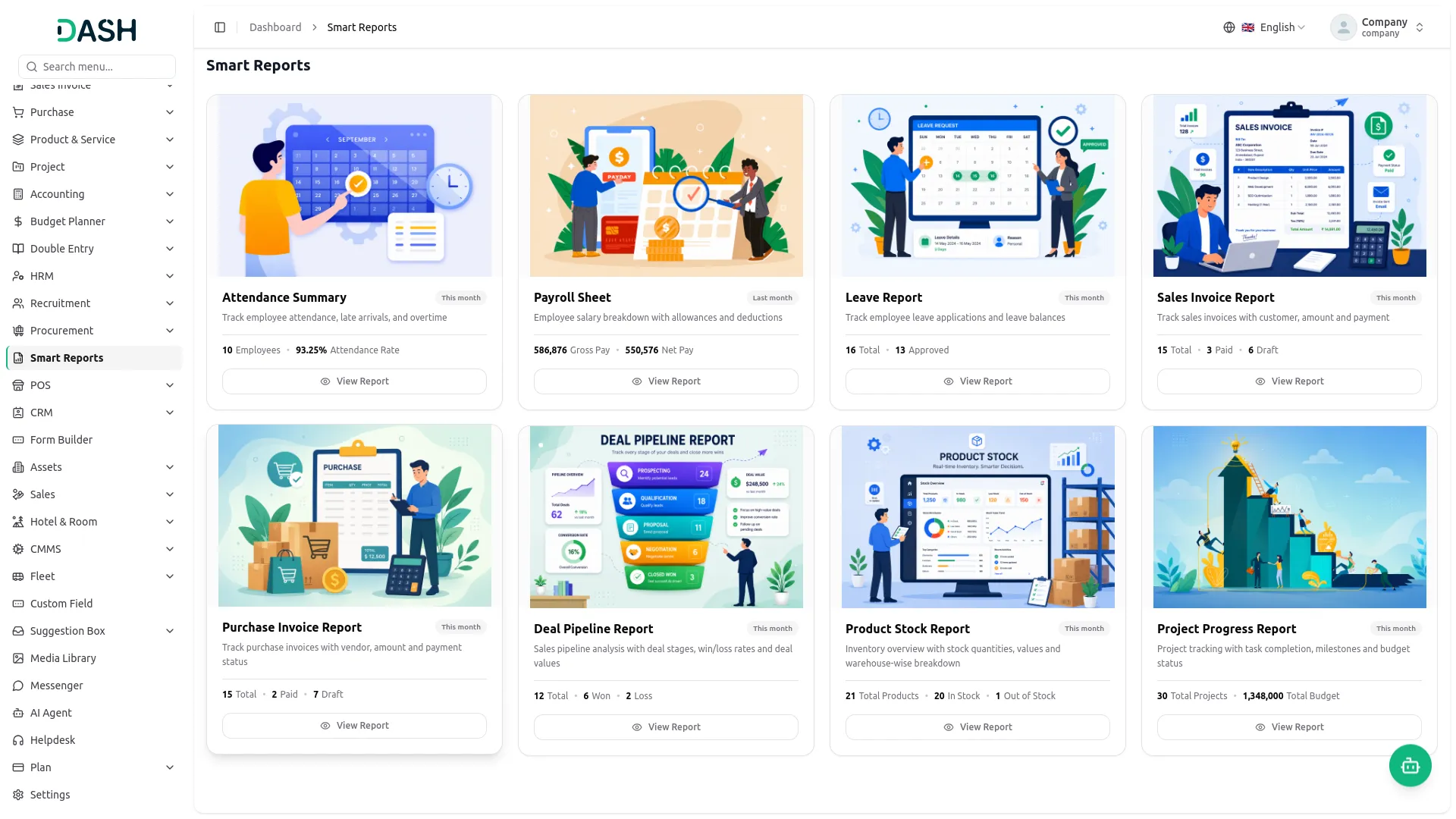
The Smart Reports Add-On brings all your important business reports into one simple and easy-to-use page. It helps you track attendance, payroll, invoices, sales, purchases, CRM deals, and project progress in real time without any manual effort. Its main purpose is to give quick insights and better decision-making by keeping all key business data in one centralized place.
Comprehensive Reporting Capabilities
- Eight Ready-Made Reports
- Real-Time Data Tracking
- Multi-Filter Support
- Instant Report Generation
- Excel & PDF Export
- Attendance & Leave Insights
- Invoice & Payment Visibility
- CRM Pipeline Overview
- Stock & Inventory Control
- Project Budget Monitoring
Attendance, Leave & Payroll Visibility
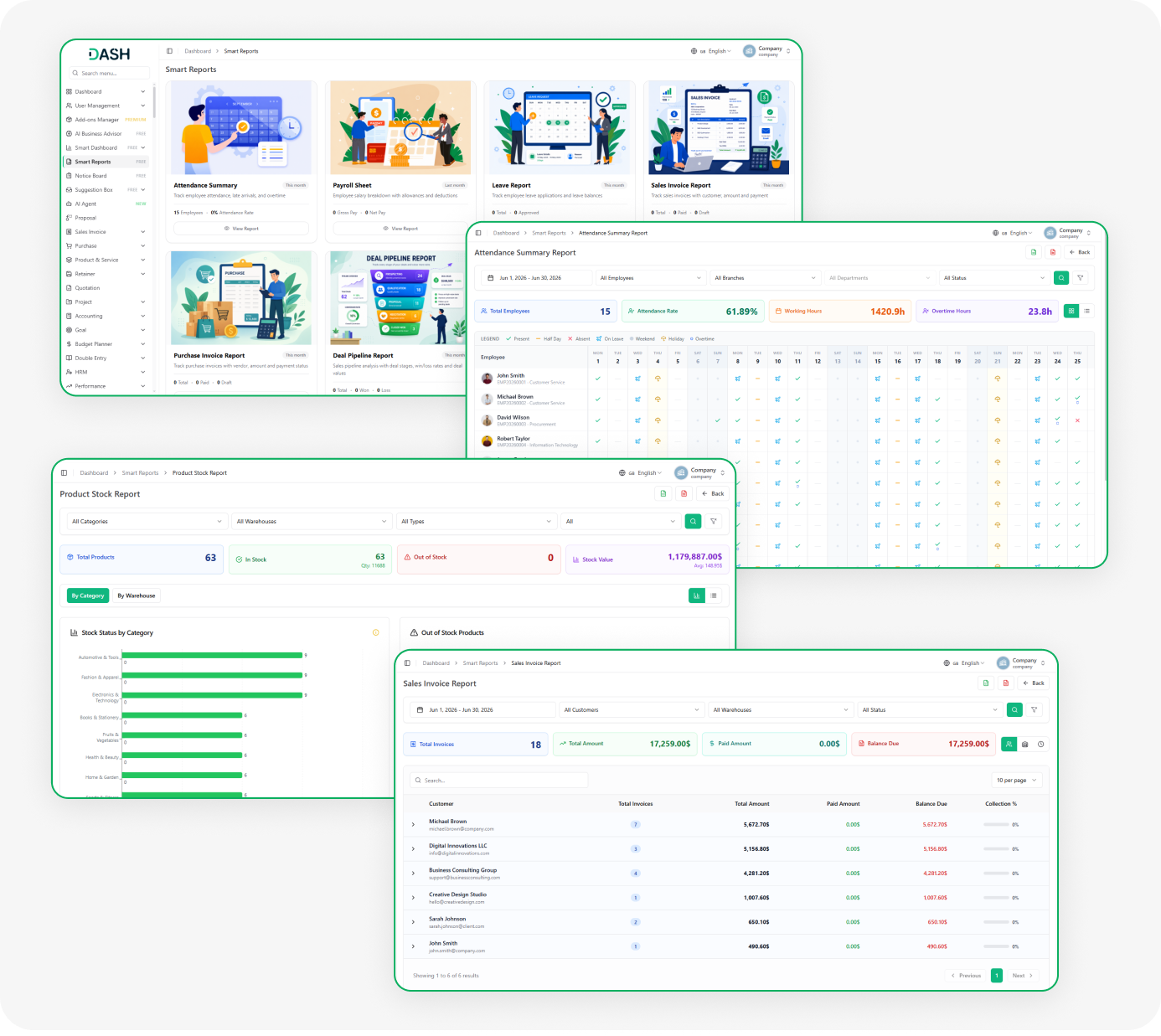
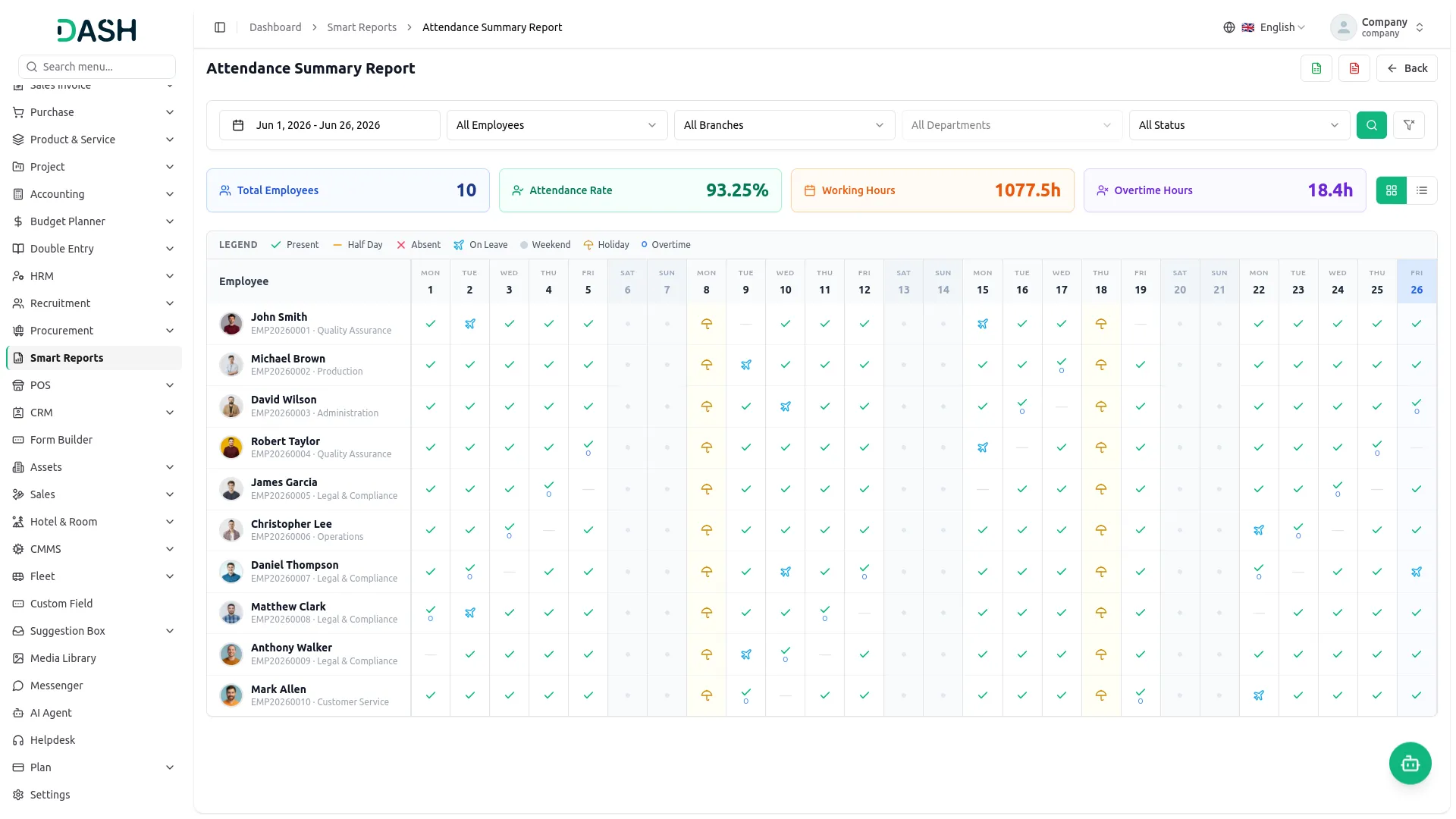
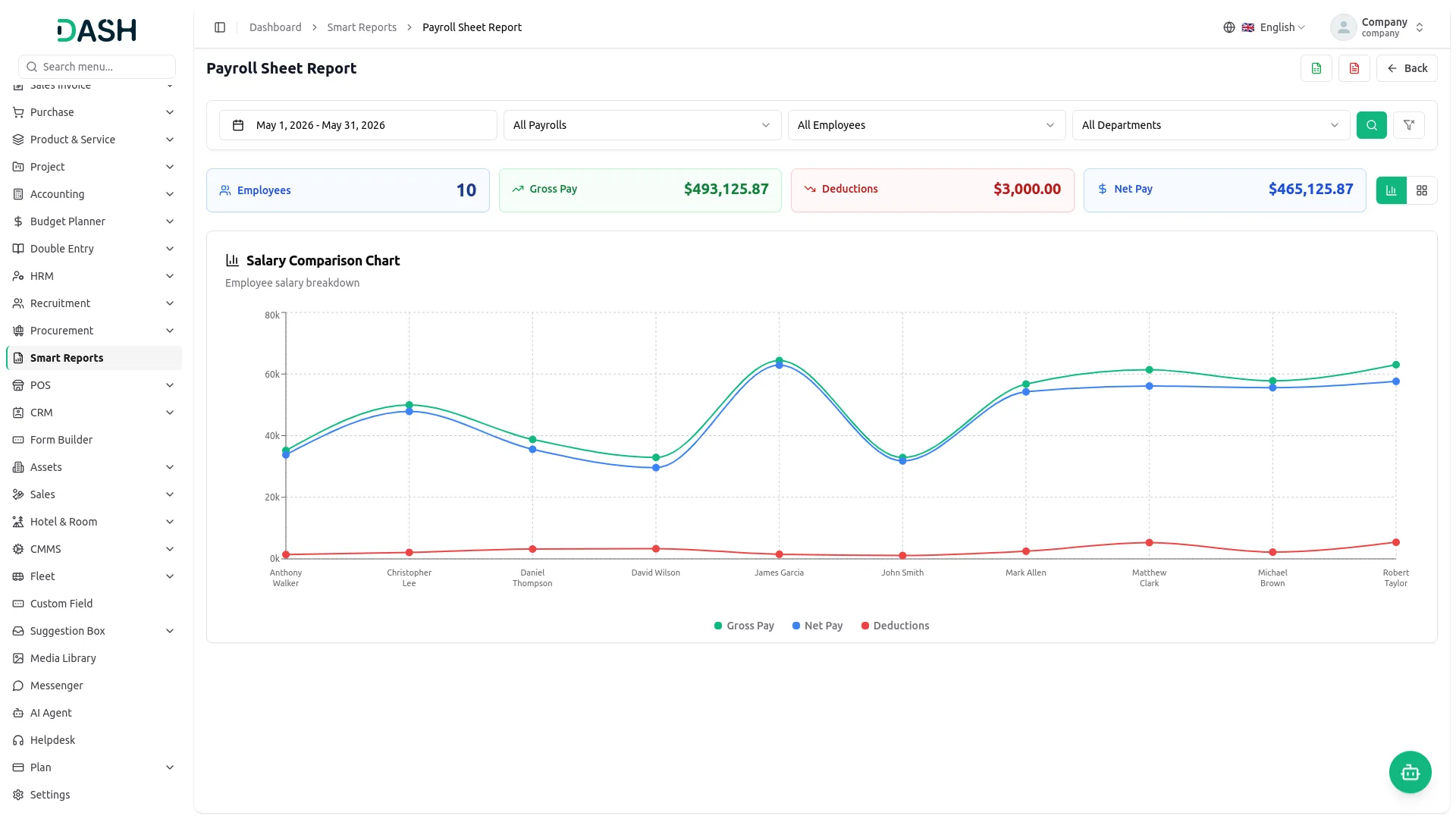
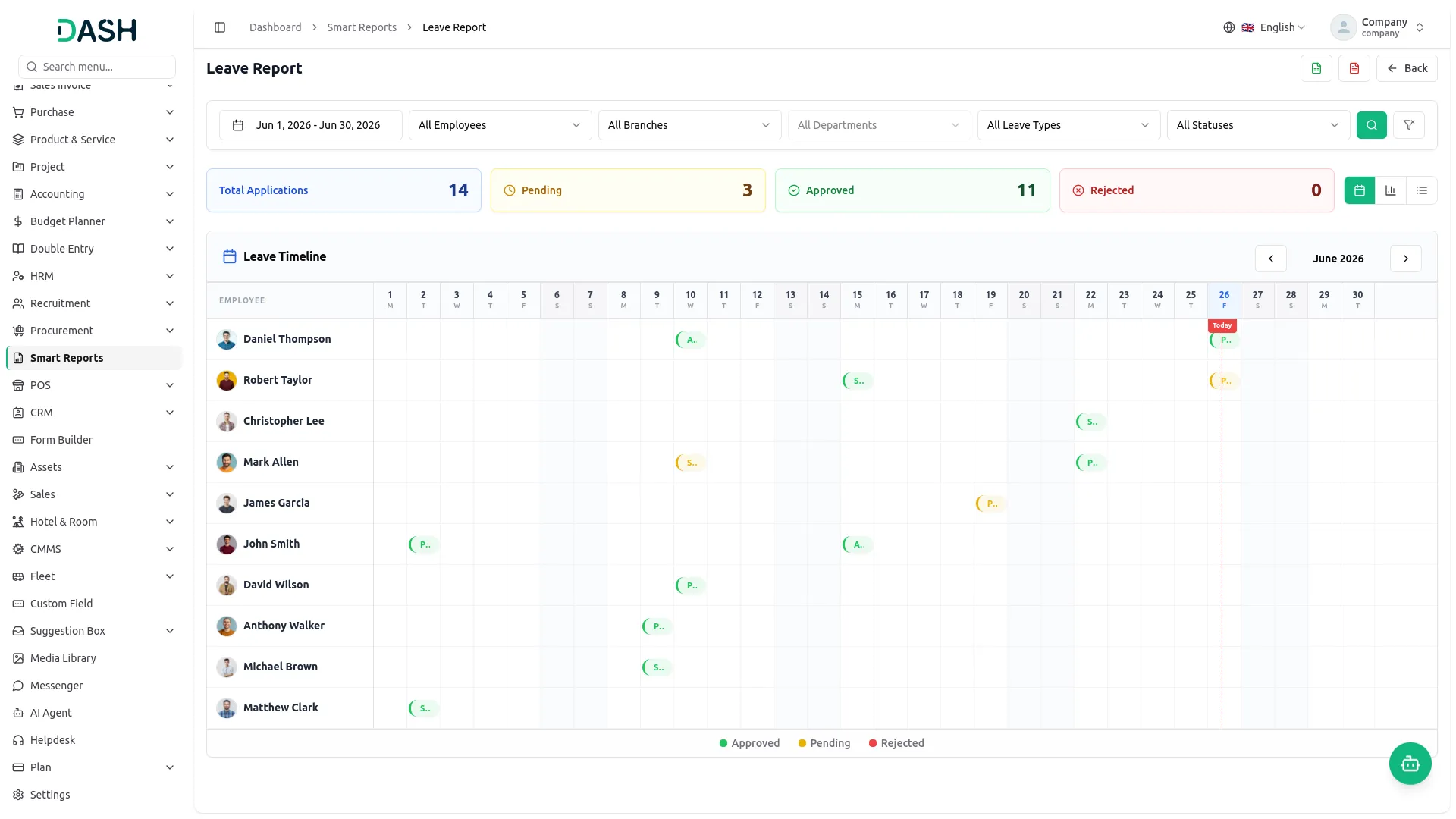
The Attendance Summary Report shows who is present, absent, or on leave. It also tracks working hours and overtime for each employee. The Leave Report helps HR see approved, pending, and rejected leave requests. The Payroll Sheet Report shows salary, deductions, and final pay in one easy view.
- Tracks employee attendance, overtime, and working hours easily.
- Shows approved, pending, and rejected leave requests clearly.
- Displays gross salary, deductions, and net pay details.
- Filters reports by branch and department for review.
Sales & Purchase Invoice Tracking
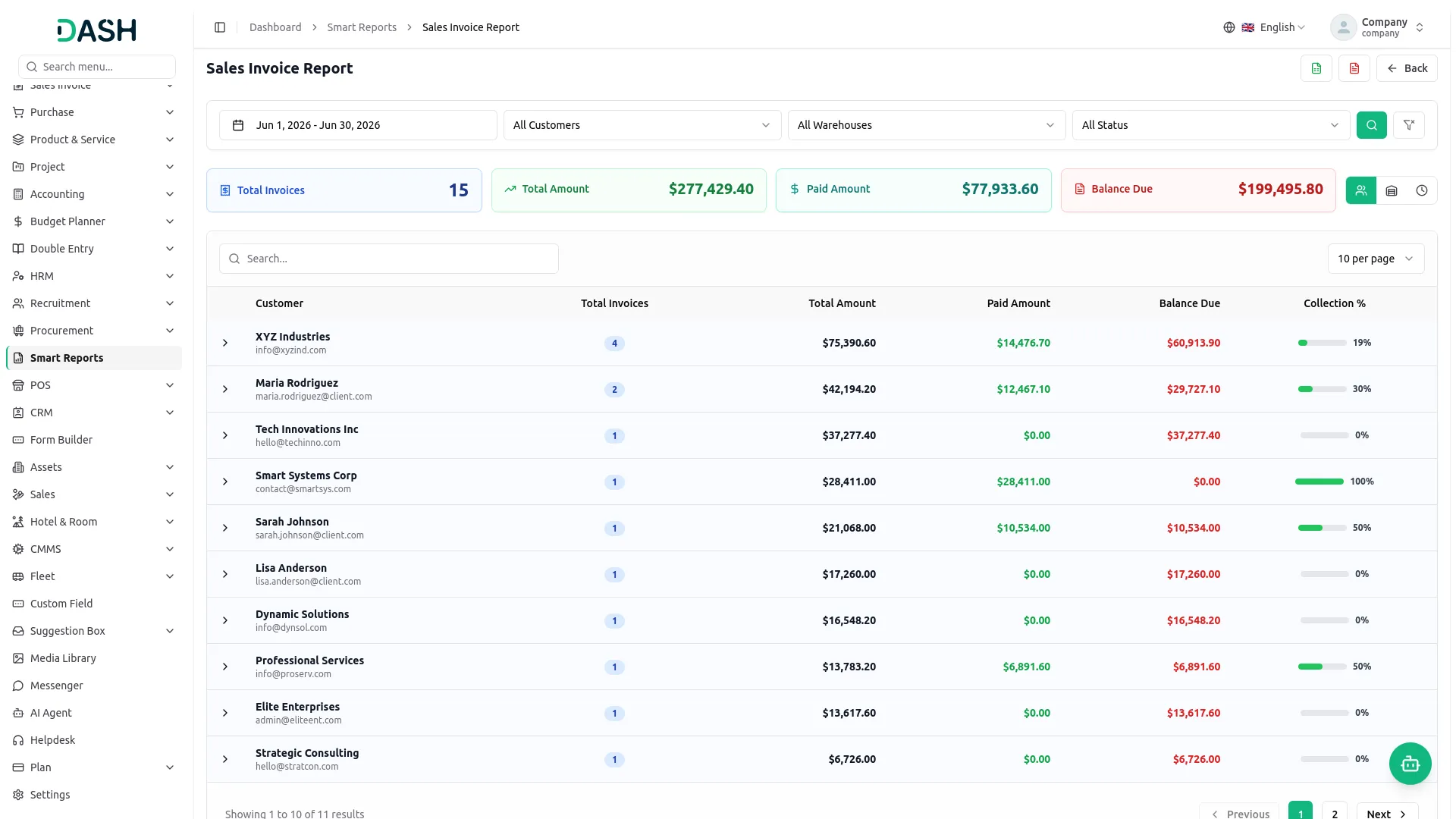
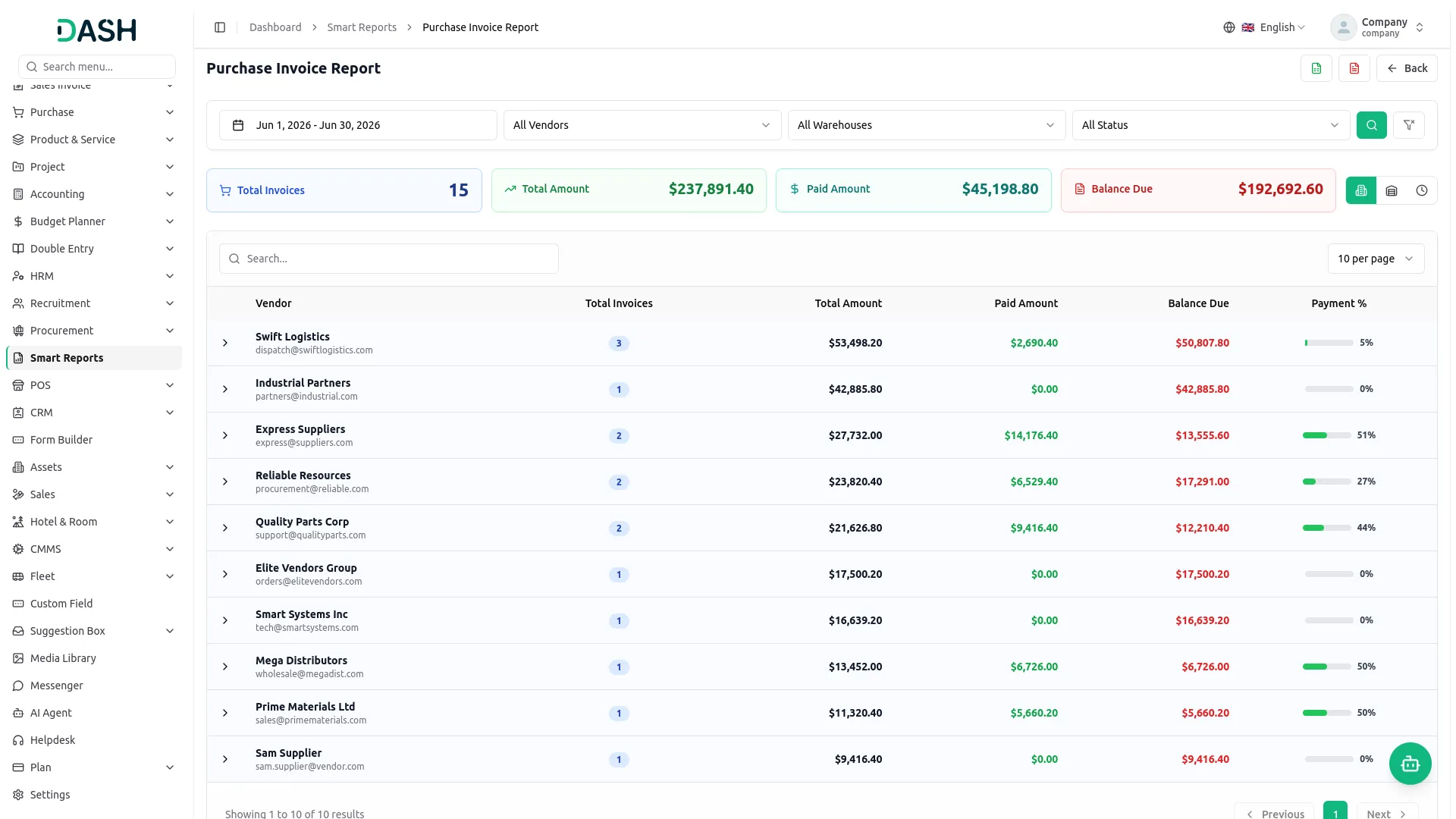
The Sales Invoice Report shows customer bills, payments, and pending amounts. The Purchase Invoice Report tracks supplier bills, paid amounts, and pending payments. These reports help you manage money coming in and going out. You can also filter reports by customer, vendor, warehouse, or month.
- Tracks customer invoices, payments, and outstanding balances easily.
- Monitors vendor invoices, payments, and pending dues accurately.
- Displays billed, paid, and outstanding invoice amounts clearly.
- Simplifies receivables and payables review for finance teams.
CRM Deal Pipeline Analysis
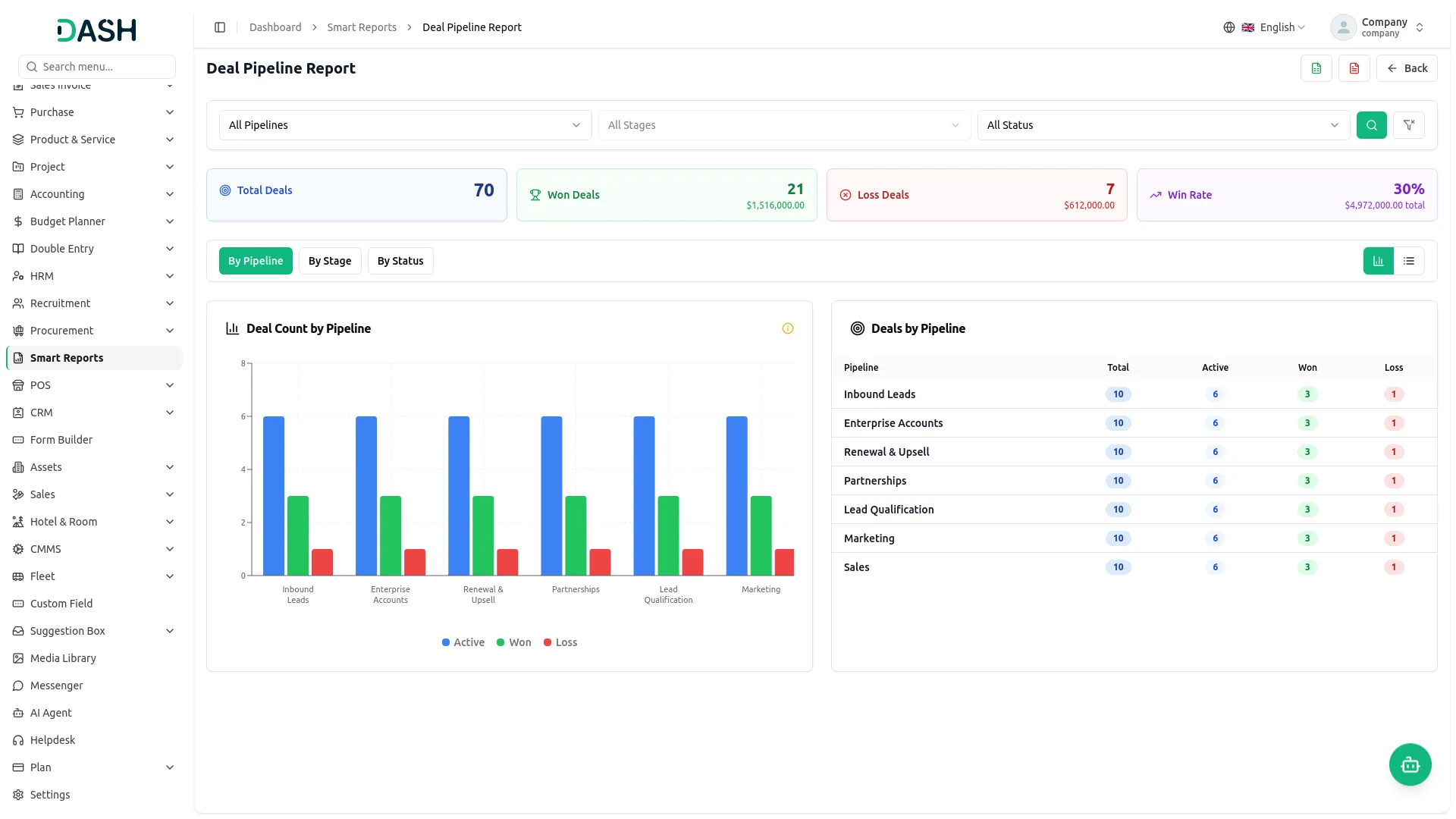
The Deal Pipeline Report gives a clear view of all sales deals in one place. It shows won, lost, and ongoing deals along with their total values and current progress. Sales managers can easily track team performance, win rates, and overall pipeline health. You can also filter the report by pipeline, stage, or deal status for better analysis.
- Shows all CRM deals in one clear report.
- Displays deal values, win rates, and loss counts.
- Filters pipeline by stage, status, or pipeline easily.
- Helps identify sales bottlenecks and improve performance.
Product Stock Overview
The Product Stock Report shows your current inventory in one place, including available stock, out-of-stock items, total quantity, and overall stock value. You can filter the report by product category or warehouse for better tracking and management. It also helps quickly identify products that need restocking before shortages occur, ensuring smooth inventory operations.
- Shows real-time stock counts and inventory value.
- Breaks inventory by category or warehouse location.
- Automatically highlights products that are out of stock.
- Helps maintain accurate stock without manual checking.
Project Progress & Budget Tracking
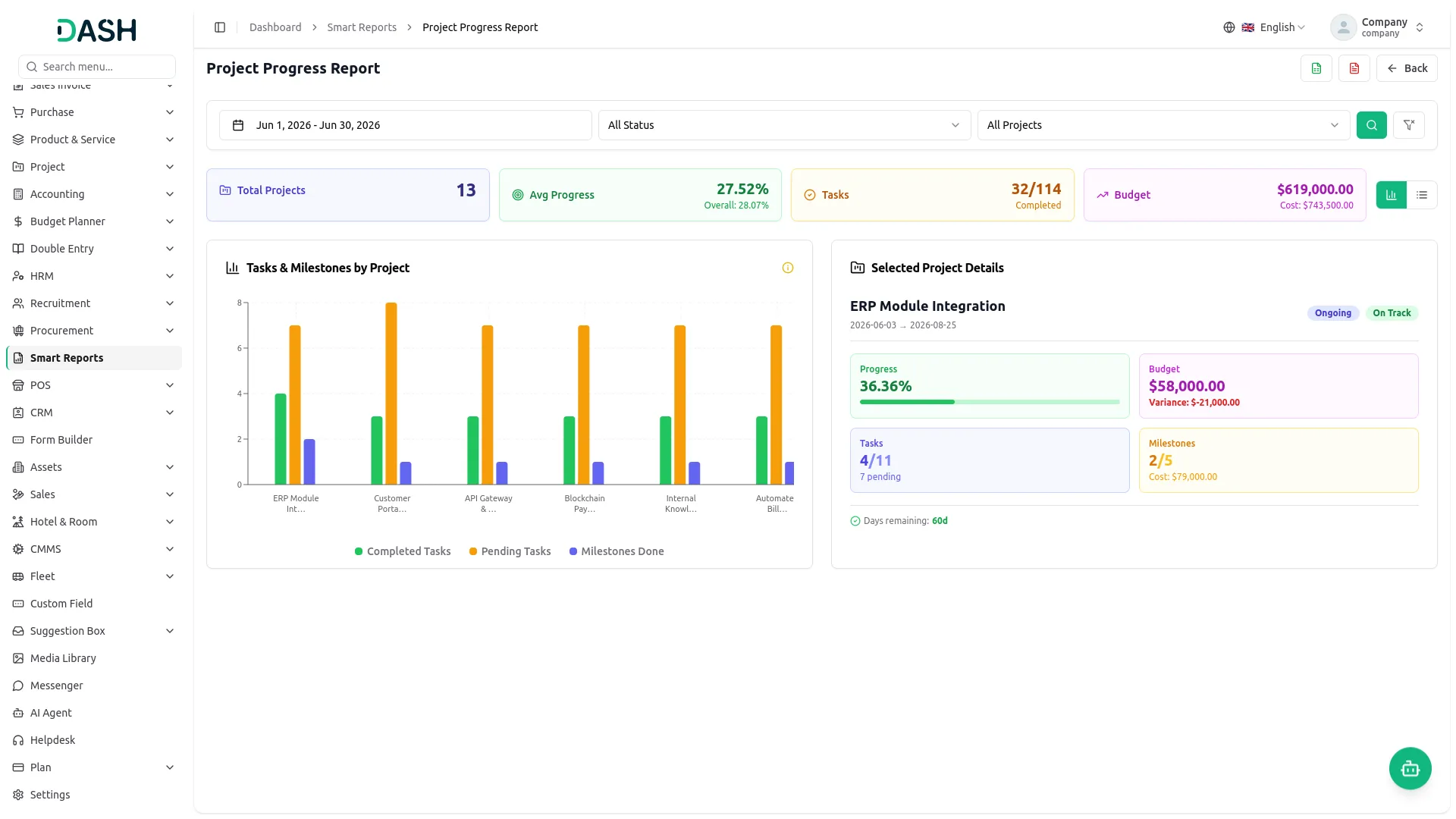
The Project Progress Report shows all projects in one place with task completion, milestones, and budget tracking. It helps managers see how much work is done and how much budget is used for each project. It clearly highlights projects that are on track, delayed, or over budget using simple indicators. You can also filter by date, status, or project for better monitoring.
- Tracks task and milestone progress per project.
- Displays budget usage and highlights overspending risks.
- Shows project health status and remaining days.
- Filters projects by date, status, or project.
Screenshots from our system
To explore the functionality and usage of these Add-Ons, refer to the accompanying screenshots for step-by-step instructions on how to maximize their features.
Discover More Add-Ons
Unlock even more functionality with additional Add-Ons, providing enhanced networking and customization options for your Dash SaaS experience.


Innovation Center
An Innovation Center is a dedicated and strategically designed space or initiative within an organization that fosters an environment of open communication, idea sharing, and collaborative problem-solving. Its primary objective is to drive innovation and creativity, ultimately leading to improved processes, outcomes, and the overall competitiveness of the organization.

Whereby Meeting
The Whereby Meeting module for Dash SaaS enables users to host, join, and manage virtual meetings with ease, all without leaving the platform.

Easebuzz
In today's digital landscape, offering a seamless and secure payment experience is crucial for any SaaS business. Integrating Easebuzz as your payment gateway within Dash SaaS empowers you to do just that. Easebuzz simplifies the payment process for your customers, boosting your conversion rates and driving revenue growth.
These free add-ons add meaningful value with an easy setup and professional experience.
Smart Reports deliver accurate business data without manual effort.