

The Investment System Management Add-On provides powerful tools for managing investment plans, website customization, blogs, investor profiles, transactions, withdrawals, newsletters, and custom pages. Admins can configure plans, track transactions, handle withdrawals, and engage investors through content and subscriptions. It offers centralized control and enhanced operational efficiency for admins and investors alike.
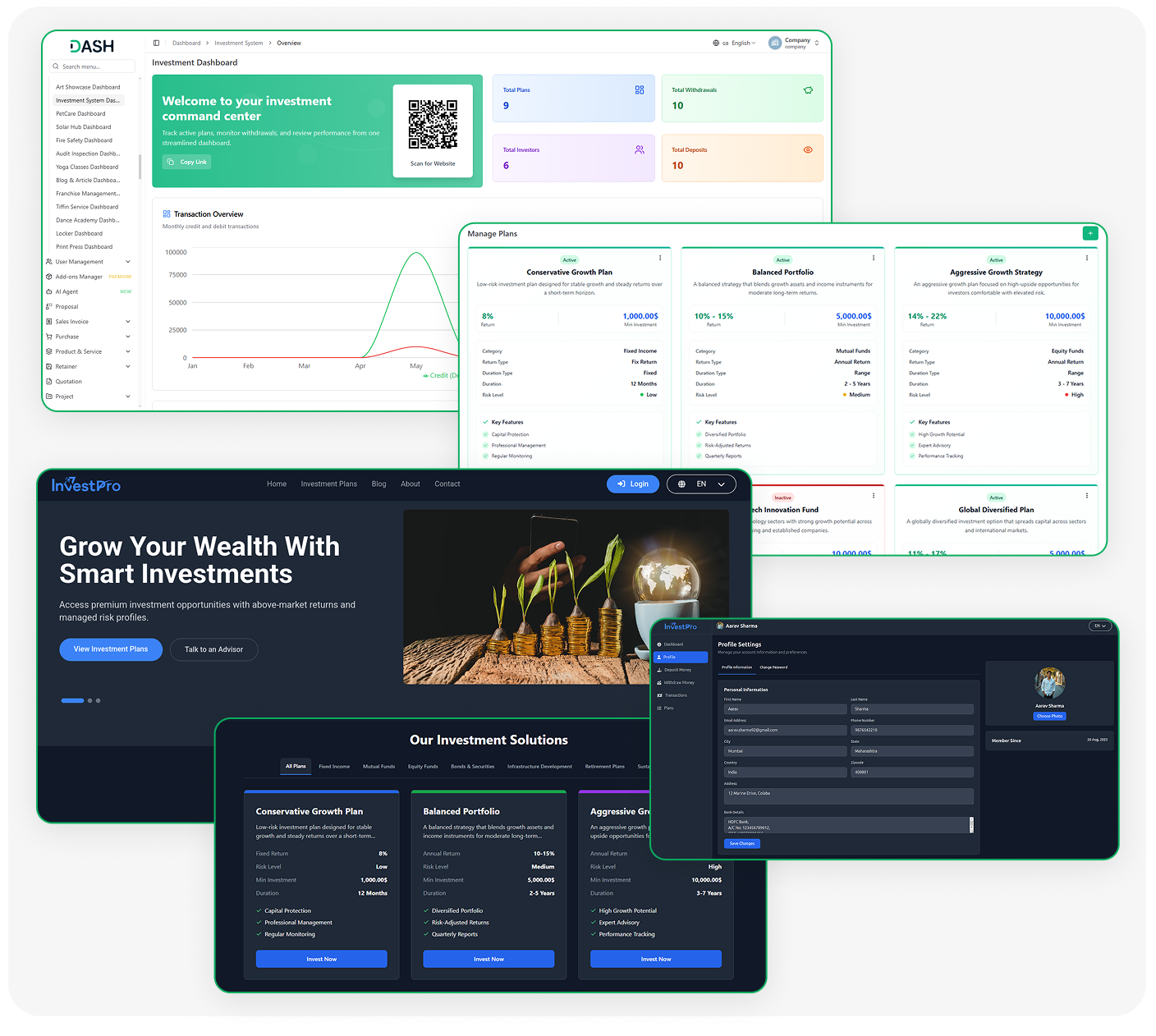
Everything You Get in the Investment System
- Investment Dashboard
- Plan Management
- Investor Accounts
- Deposit Tracking
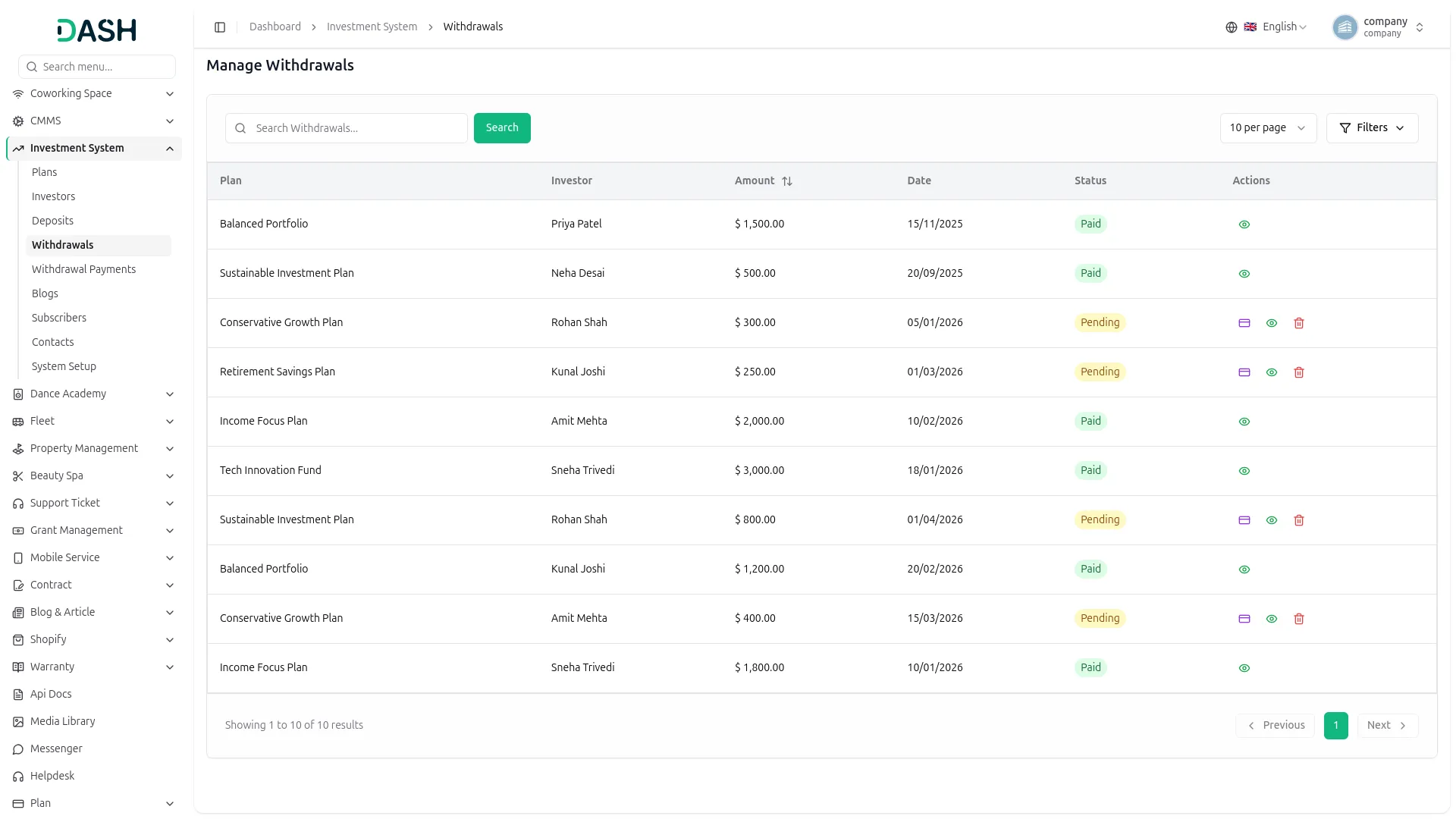
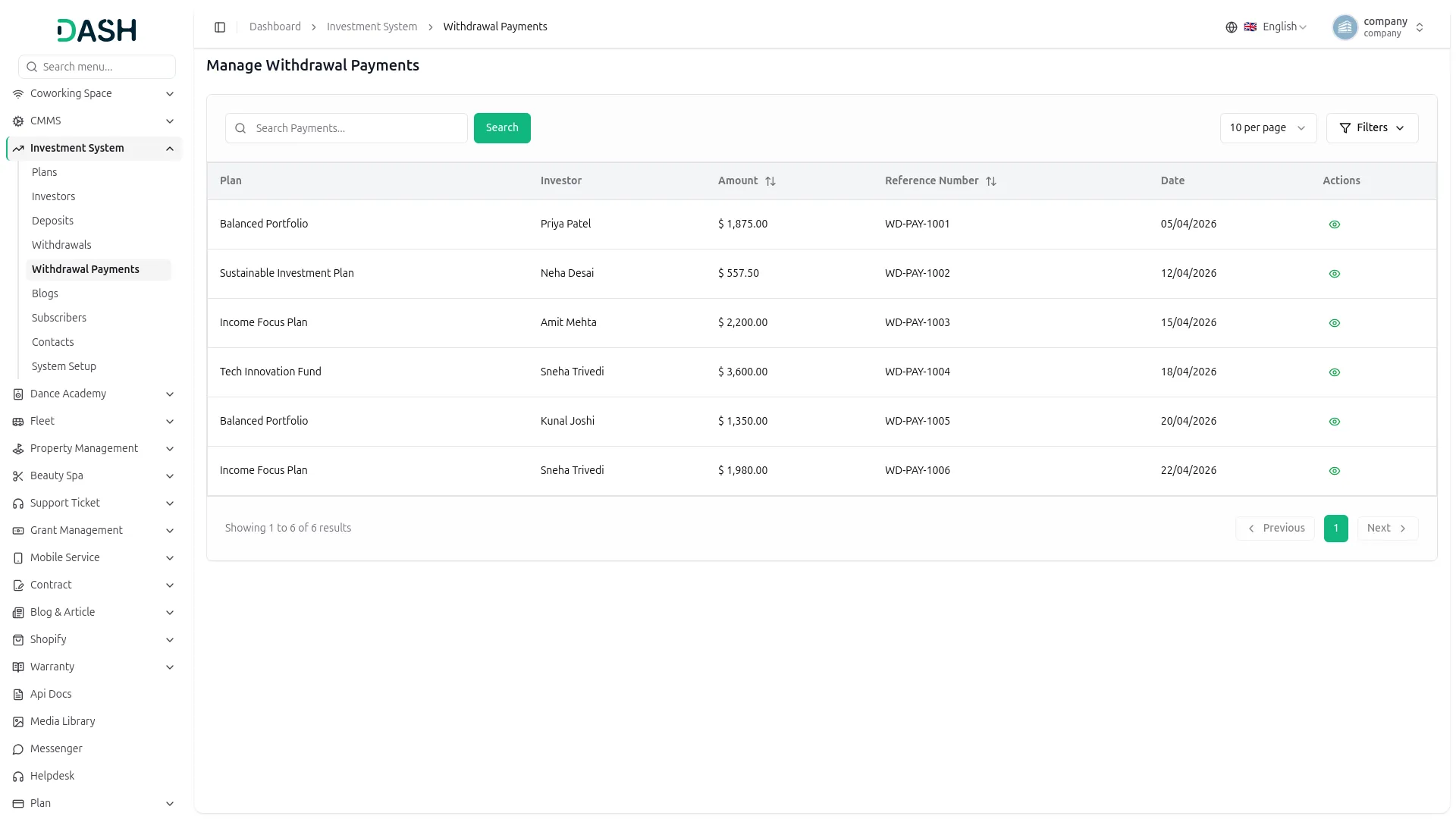
- Withdrawal Processing
- Return Calculations
- Blog & Content Hub
- Website Customization
- Investor Self-Service
- Transaction History
Central Control Dashboard
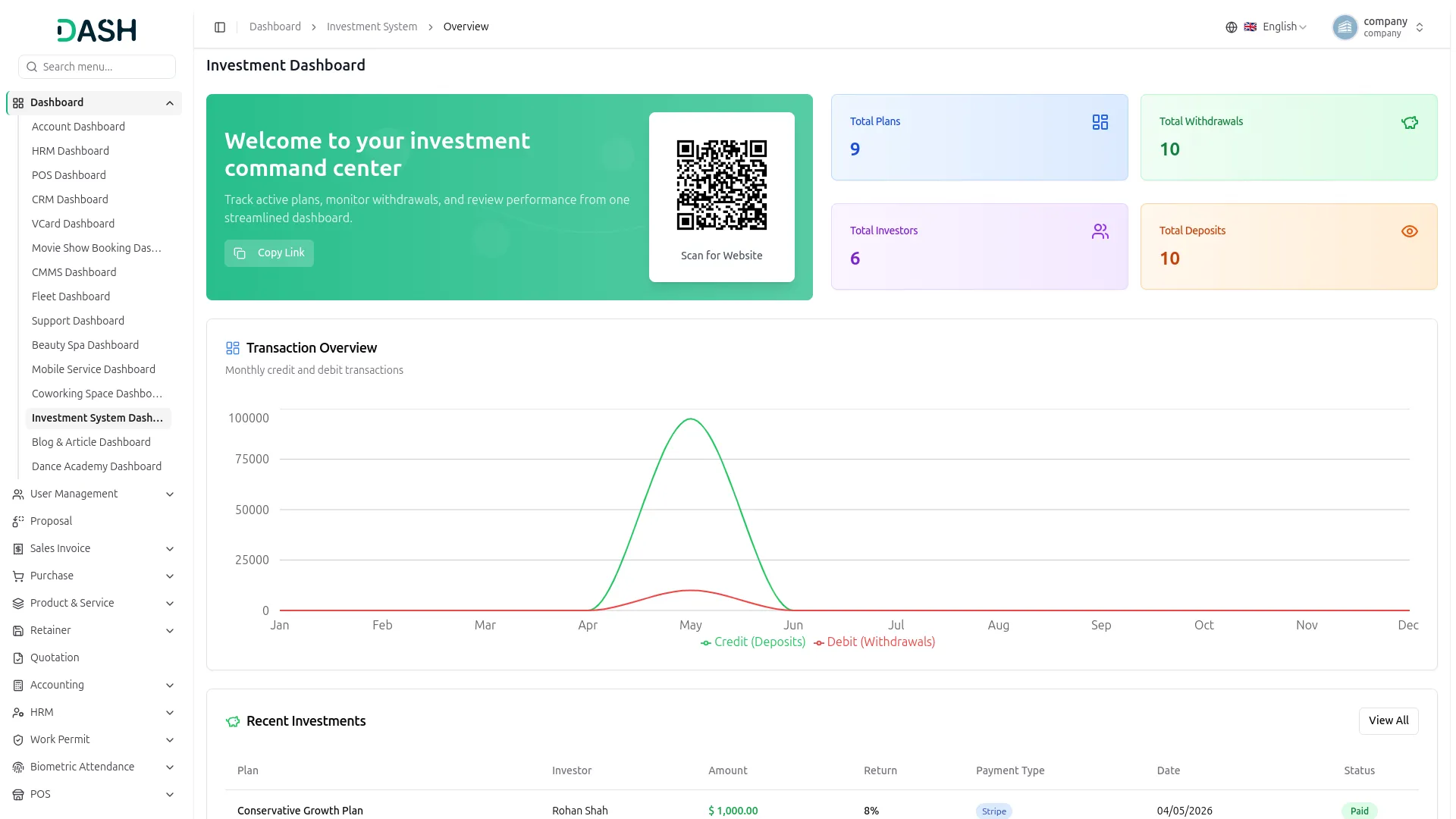
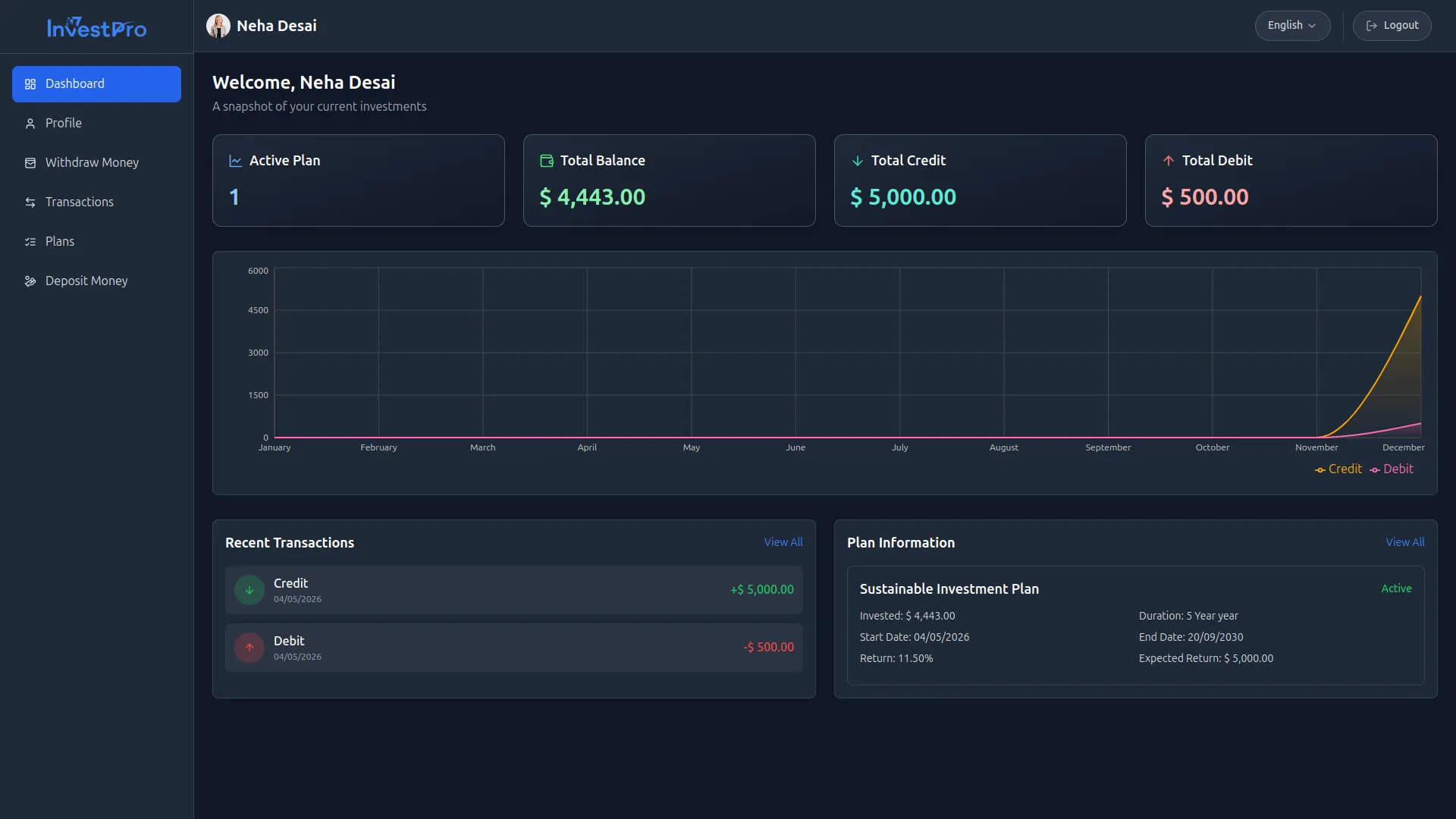
The Investment Dashboard is your command center for monitoring the entire platform in real time. It gives you a clear summary of active plans, registered investors, total deposits, and withdrawals. A monthly chart lets you compare incoming and outgoing funds side by side, and quick-access tables show you the latest investor activity and withdrawal requests so nothing gets missed.
- Summary cards for plans, investors, deposits, and withdrawals
- Monthly chart comparing credits and debits across the year
- Live feed of the most recent investment and deposit activity
- Latest withdrawal requests displayed for fast action
Website & Content Control
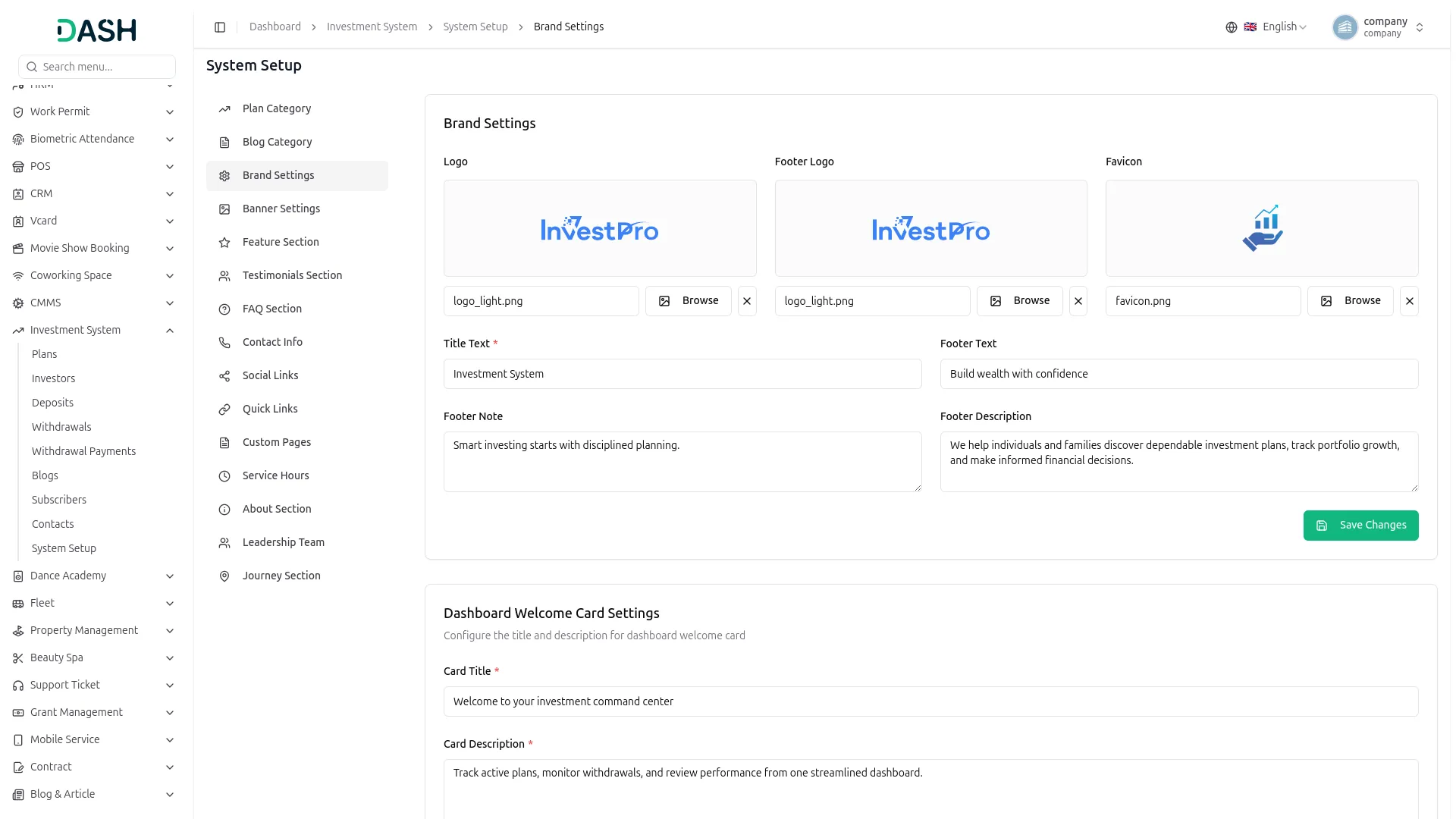
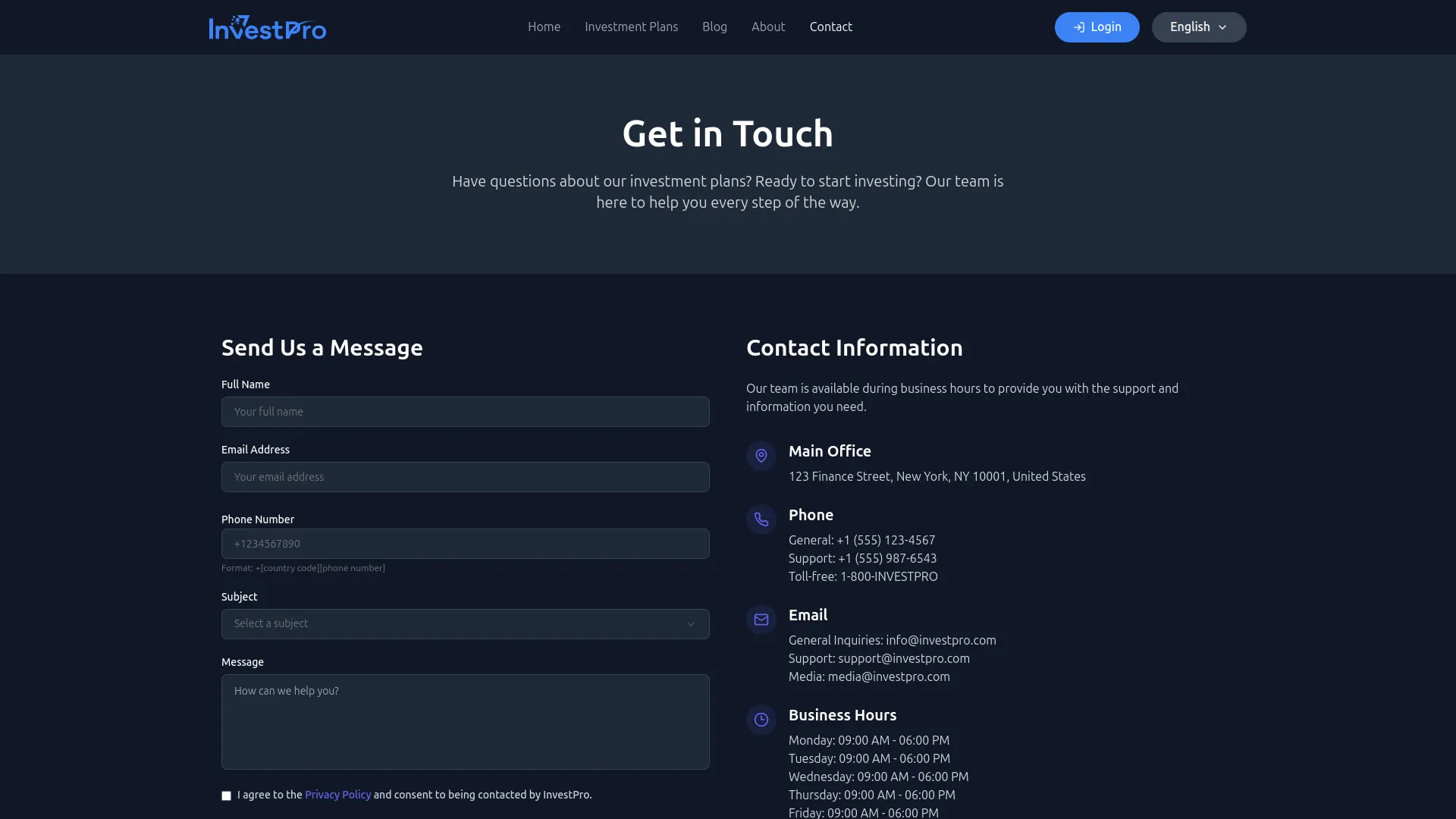
Customize your entire public-facing website from the admin panel, no coding required. Update brand logos, favicons, homepage banners, feature highlights, testimonials, FAQs, and contact details with ease. Publish blog posts by category to engage visitors, set social and navigation links, manage service hours, and create custom pages like Privacy Policy, all designed to make your platform look professional and trustworthy.
- Customize logos, banners, features, and FAQs from one panel
- Publish and manage blog posts by category and author
- Set contact details, branch offices, and social media links
- Create custom pages like Privacy Policy and Terms & Conditions
Plan & Investor Management
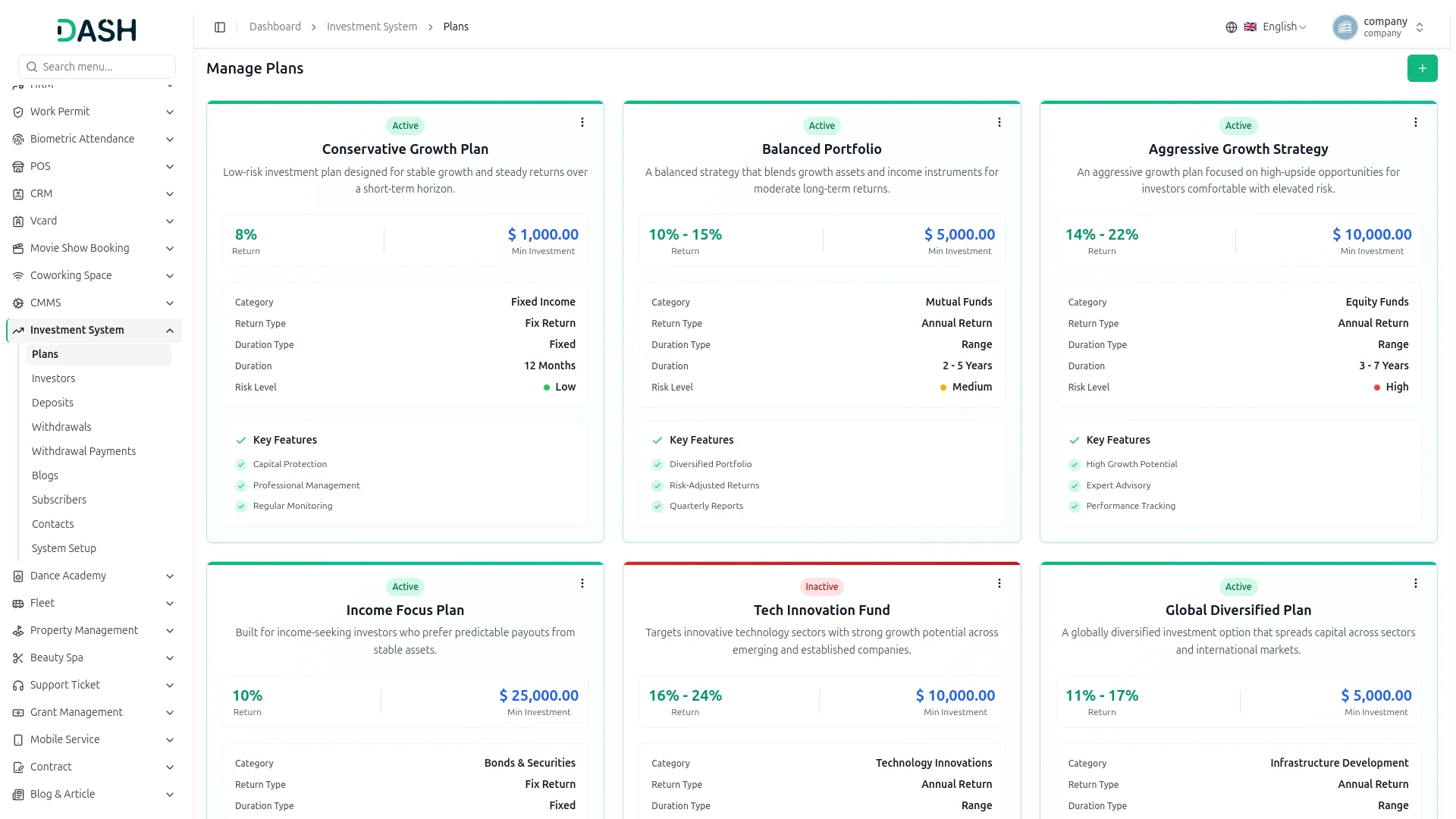
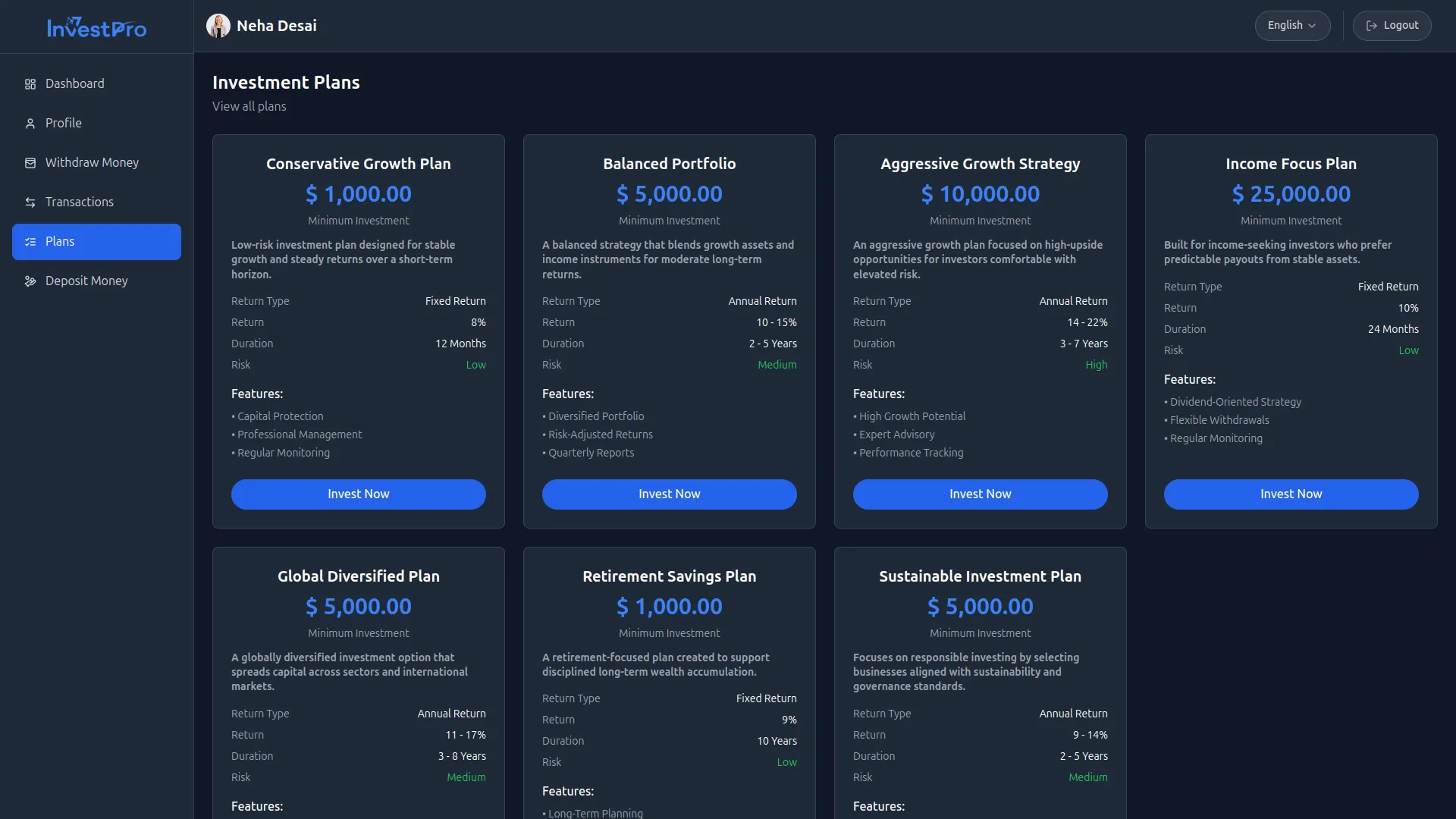
Create and organize investment plans by category, set return types, define minimum amounts, choose durations, and assign risk levels, all without technical knowledge. Plans can be toggled active or inactive to control what investors see publicly. On the investor side, you can view portfolios, track invested amounts, check expected returns, and browse full transaction histories for every account.
- Create categorized plans with custom returns and durations
- Toggle plan visibility with active or inactive status
- View investor portfolios with returns and expiry details
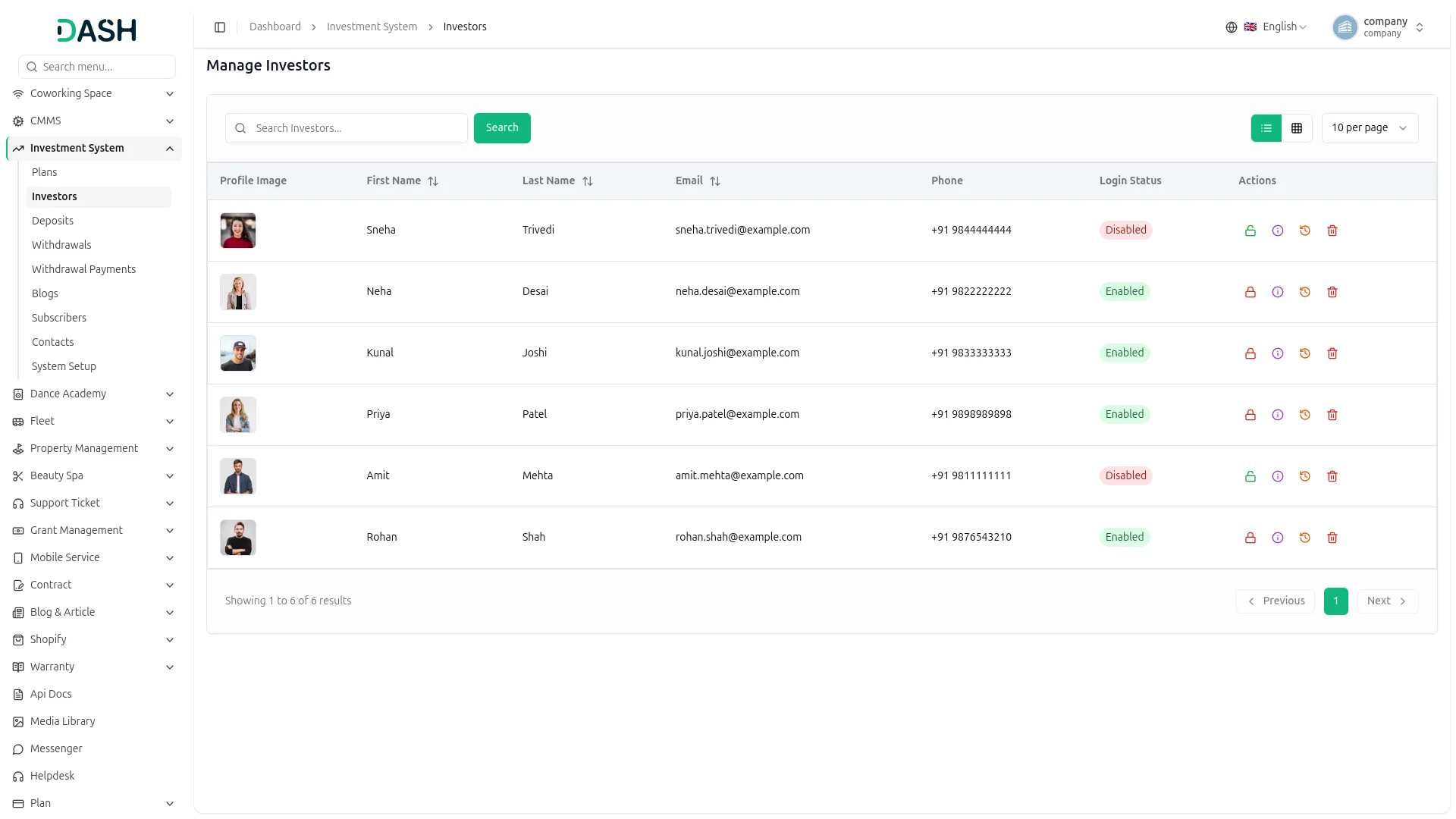
- Enable or disable investor login access anytime
Investor Profile Management
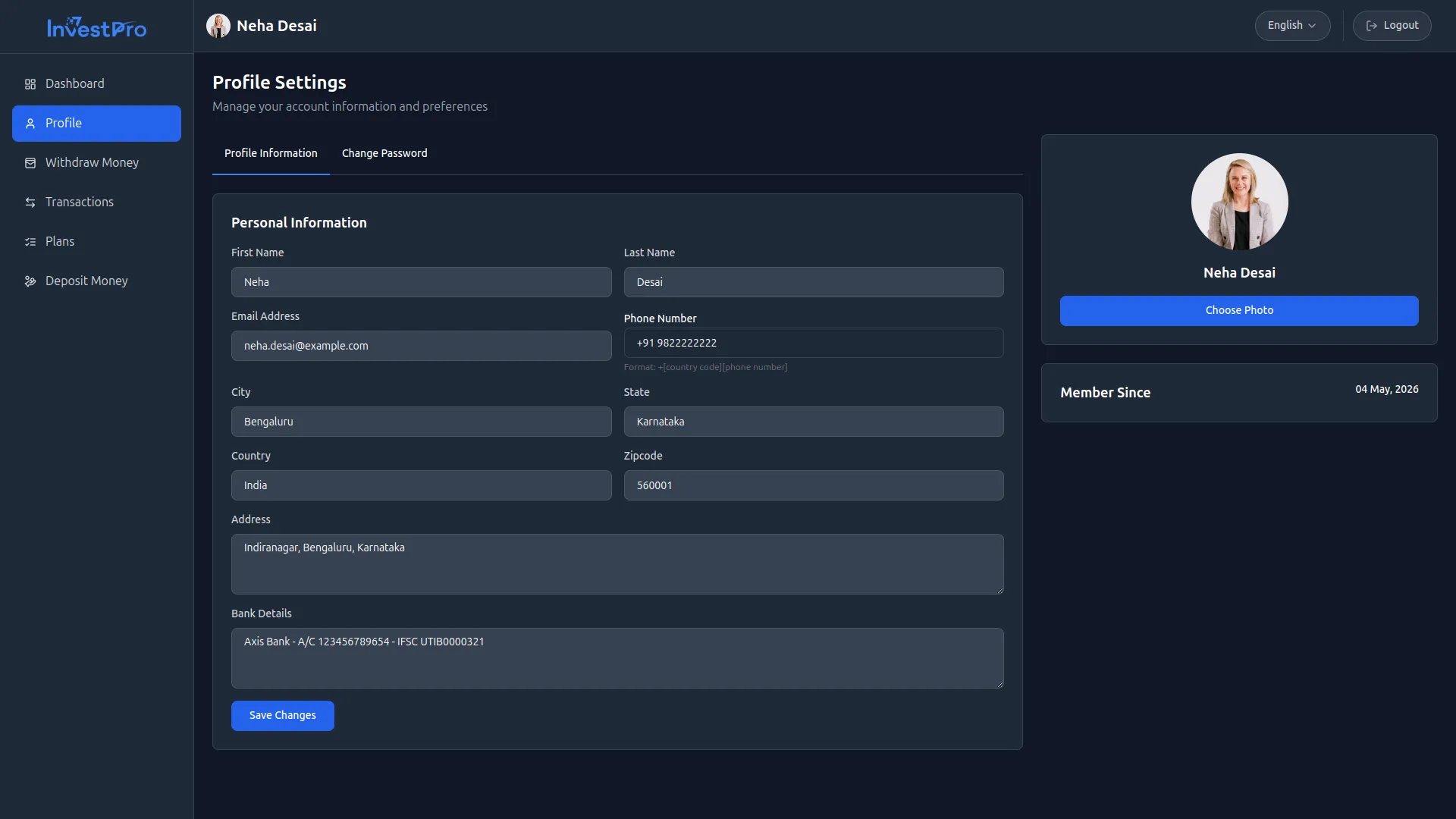
The system securely manages investor profiles by storing personal details, bank information, and login credentials. It provides features like password resets and profile updates to ensure a user-friendly experience. Investors can log in and access their accounts securely, which builds trust and convenience. The platform also tracks investor activities, including deposits and withdrawals, to maintain clear record
- Full transaction history with credits and debits clearly labeled.
- Secure user authentication for safe and protected investor accounts.
- Store investor bank details securely for accurate financial management
- Enable password resets and profile updates for user convenience.
Efficient Deposit Management
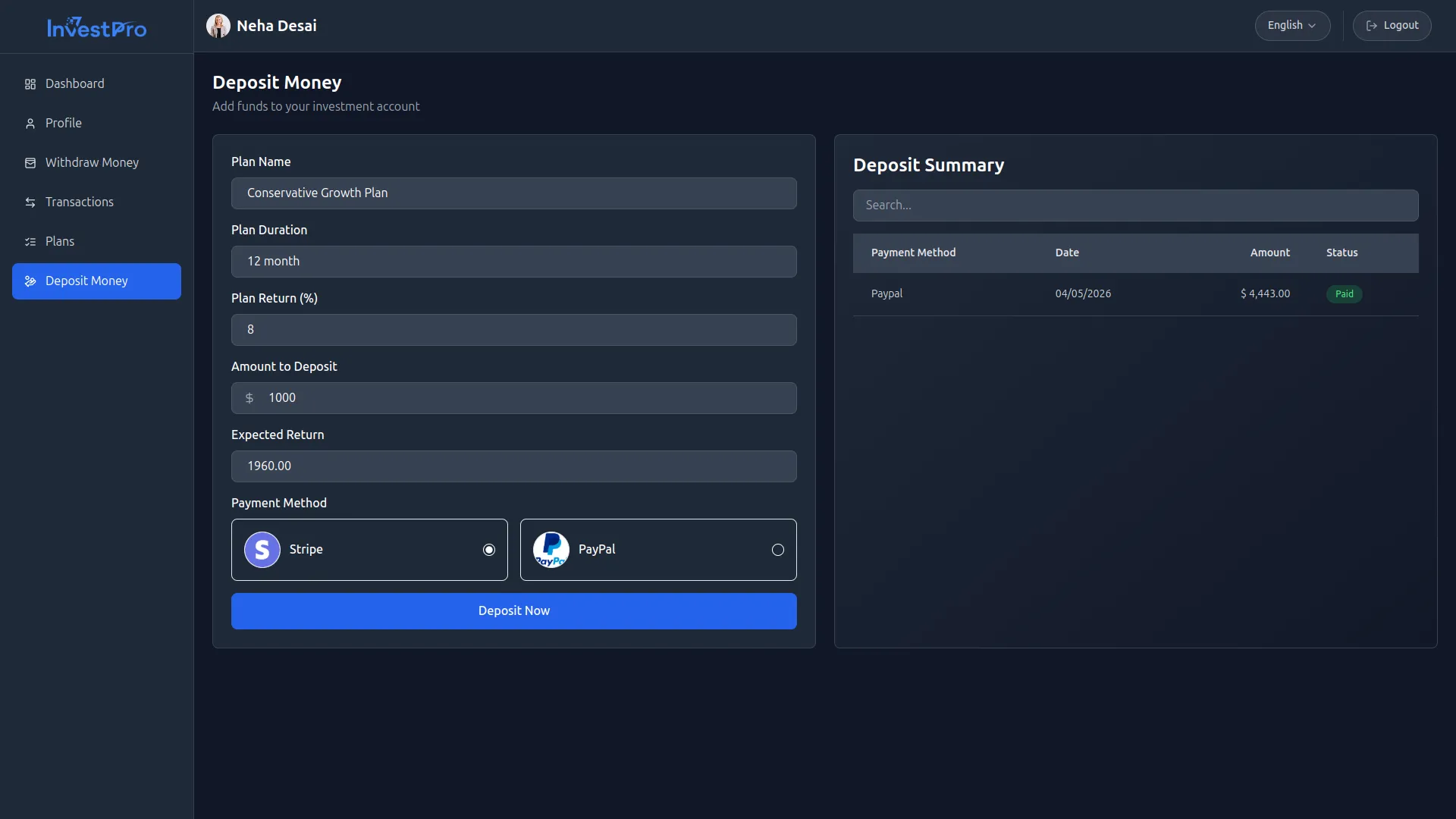
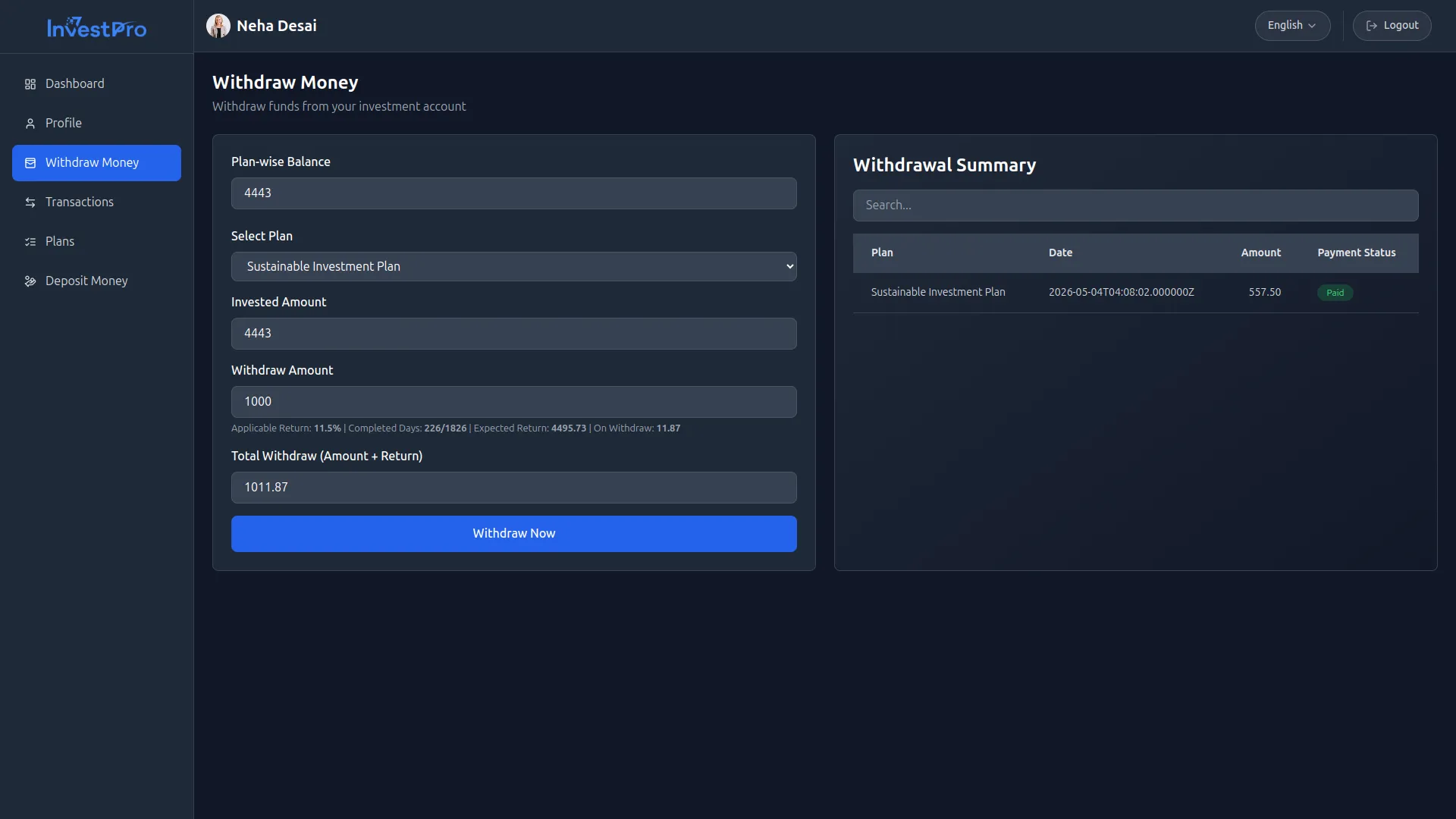
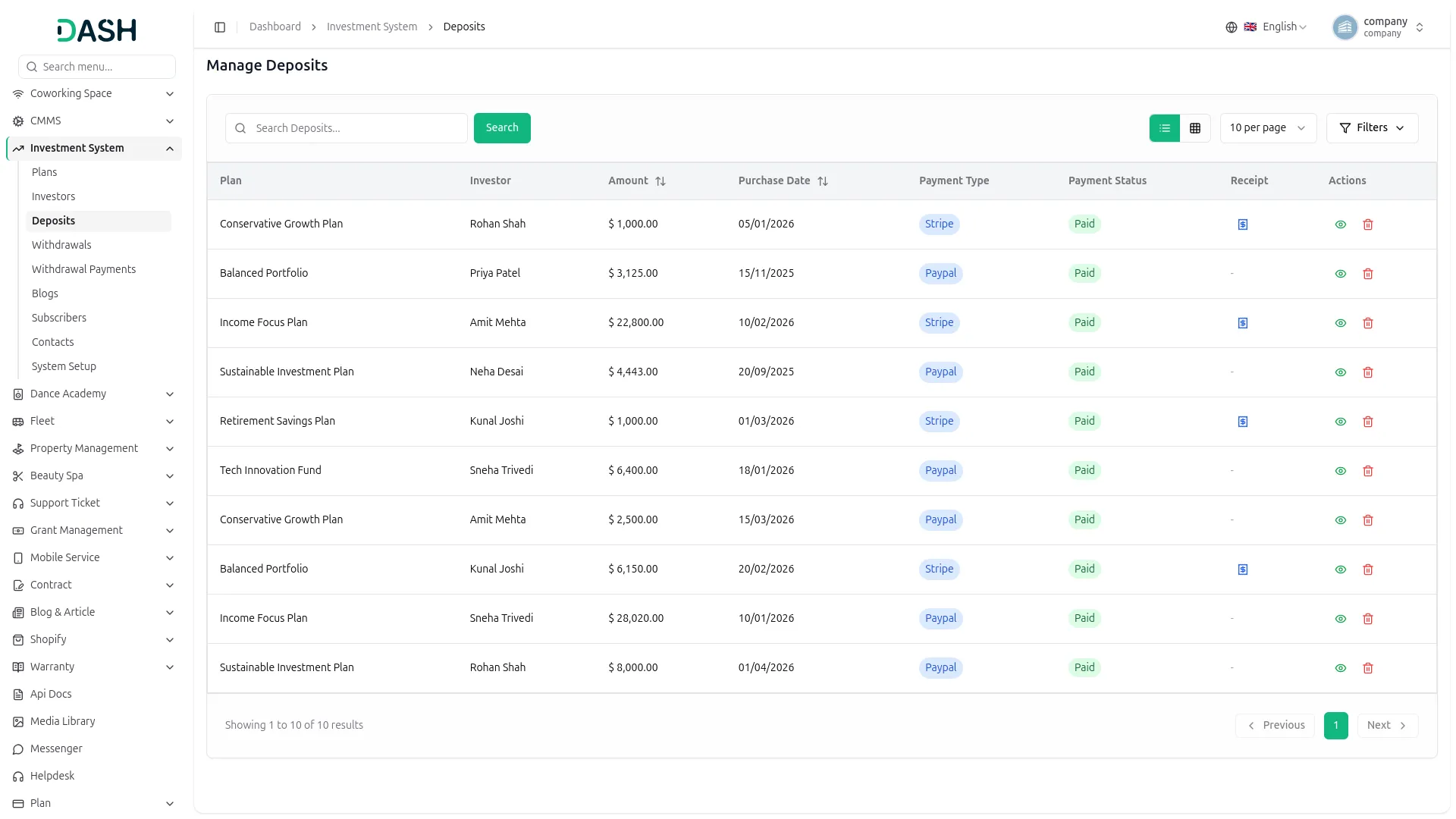
This section allows investors to deposit money into their selected investment plan securely. The system supports multiple payment methods, including Stripe and PayPal, ensuring flexibility and global accessibility. Investors must select a plan before making a deposit, and the system automatically links the deposit to the chosen plan for accurate tracking. Admins can monitor all deposit activities in real-time, ensuring transparency and operational efficiency.
- Invest money directly into the selected investment plan securely.
- Pay using flexible options like Stripe, or PayPal.
- Link deposits with chosen plans for accurate financial record-keeping.
- Real-time admin monitoring for transparency and control.
Screenshots from our system
To explore the functionality and usage of these Add-Ons, refer to the accompanying screenshots for step-by-step instructions on how to maximize their features.


Discover More Add-Ons
Unlock even more functionality with additional Add-Ons, providing enhanced networking and customization options for your Dash SaaS experience.

PowerTranz
Integrate the PowerTranz payment gateway with Dash SaaS to streamline your payment processes and enhance transaction efficiency. This module allows for seamless integration, ensuring that you can easily manage payments directly within your Dash SaaS platform.


Sign-In With Twitter
The Sign In with Twitter Add-On for Dash SaaS offers a seamless integration that allows users to quickly and easily access their accounts using their Twitter credentials. This feature eliminates the need for remembering yet another username and password, making the sign-in process smooth and efficient.

WordPress (WooCommerce)
Integrate and manage your store`s products and inventory with WooCommerce using WooCommerce. Simplify product and coupon management while enhancing customer interactions for an optimized WooCommerce experience.
Clean code architecture supports seamless scalability and maintenance
The consistent updates show a commitment to quality and long-term improvement