
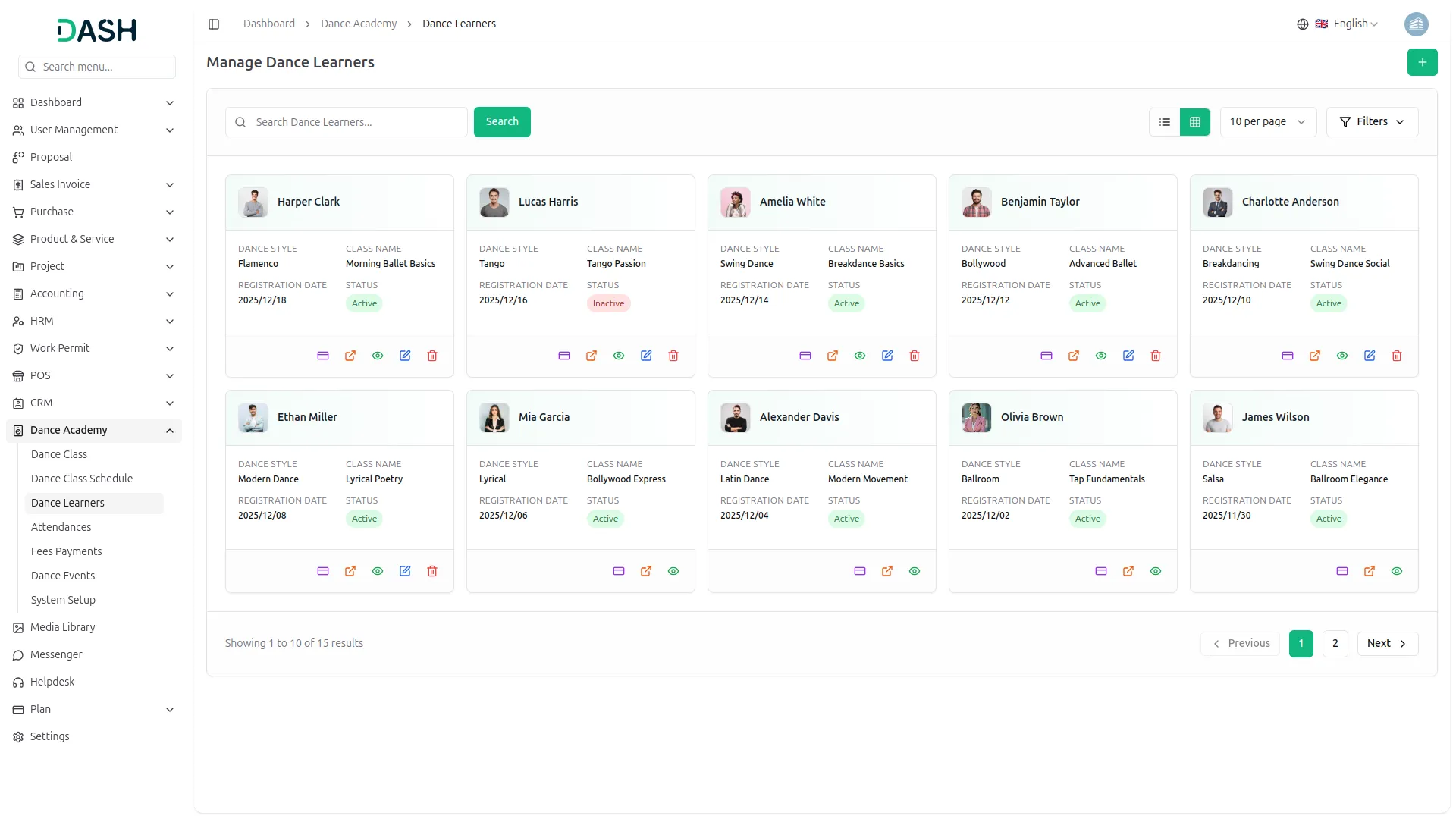
The Dance Academy Add-On streamlines every aspect of running a dance school, from class scheduling and learner enrollment to fee management and event planning. Its centralized dashboard provides a clear, real-time overview of classes, attendance, payments, and events, making academy management effortless.
Your Dance Academy, Fully Organized
- Comprehensive Dashboard
- Dance Style Management
- Class & Schedule Control
- Learner Enrollment Tracking
- Attendance Monitoring
- Fee Payment Management
- Event Planning Management
- Multi-View Calendar
- Flexible Filter & Search
- Grid & List Views
Centralized Academy Dashboard
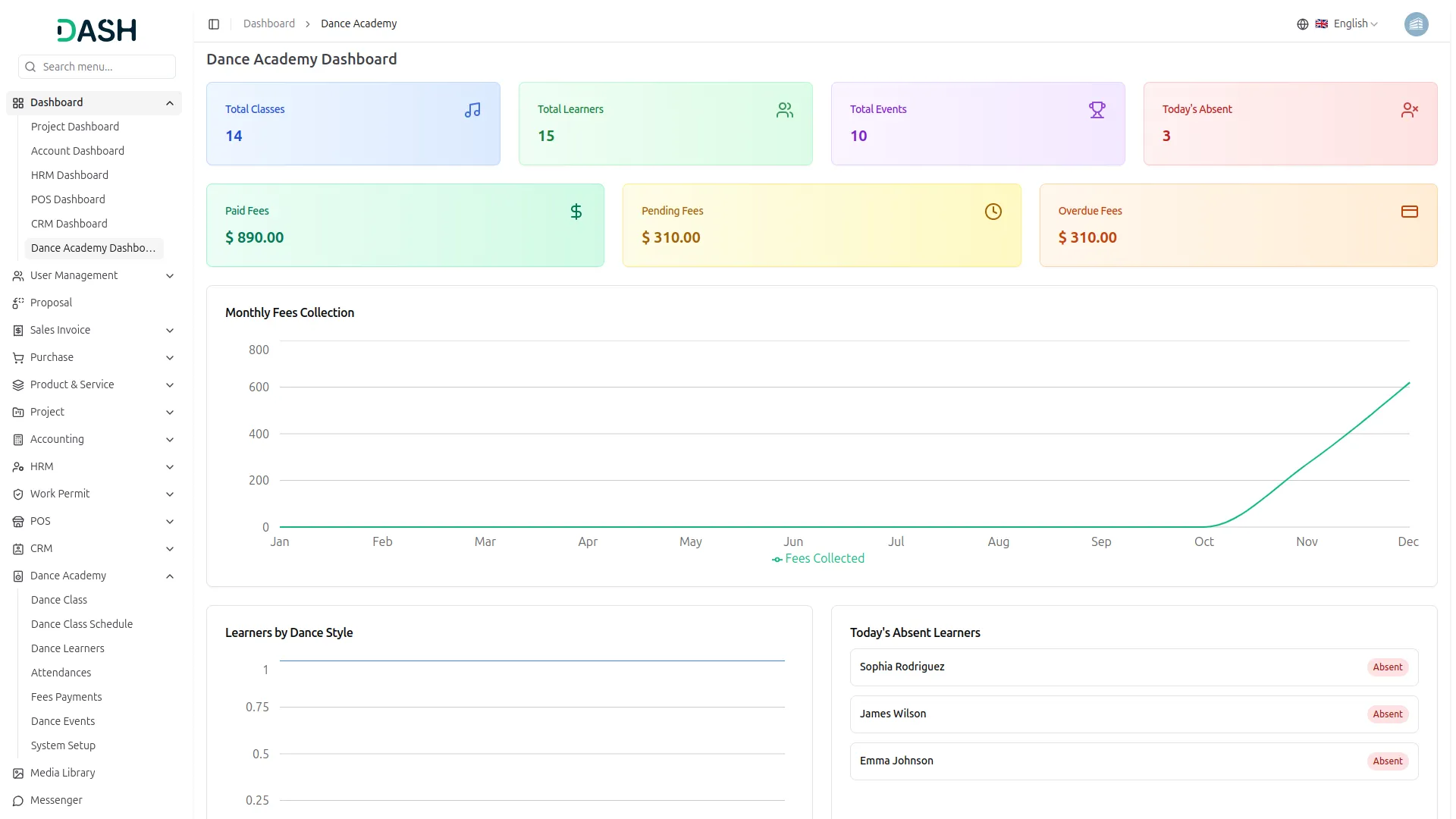
Stay on top of your academy’s operations with a single, unified dashboard. It consolidates key metrics like classes, learners, events, attendance, and fee status in one clean view. Track monthly fee collections, monitor popular dance styles, and check today’s absences and scheduled classes instantly. Recent payment activity is also displayed at a glance, keeping your financial overview clear and up to date.
- View total classes, learners, and events in summary cards
- Monitor paid, pending, and overdue fees in real time
- Track monthly revenue trends through a visual chart
- See today's absent learners and scheduled classes instantly
Dance Style & Class Setup
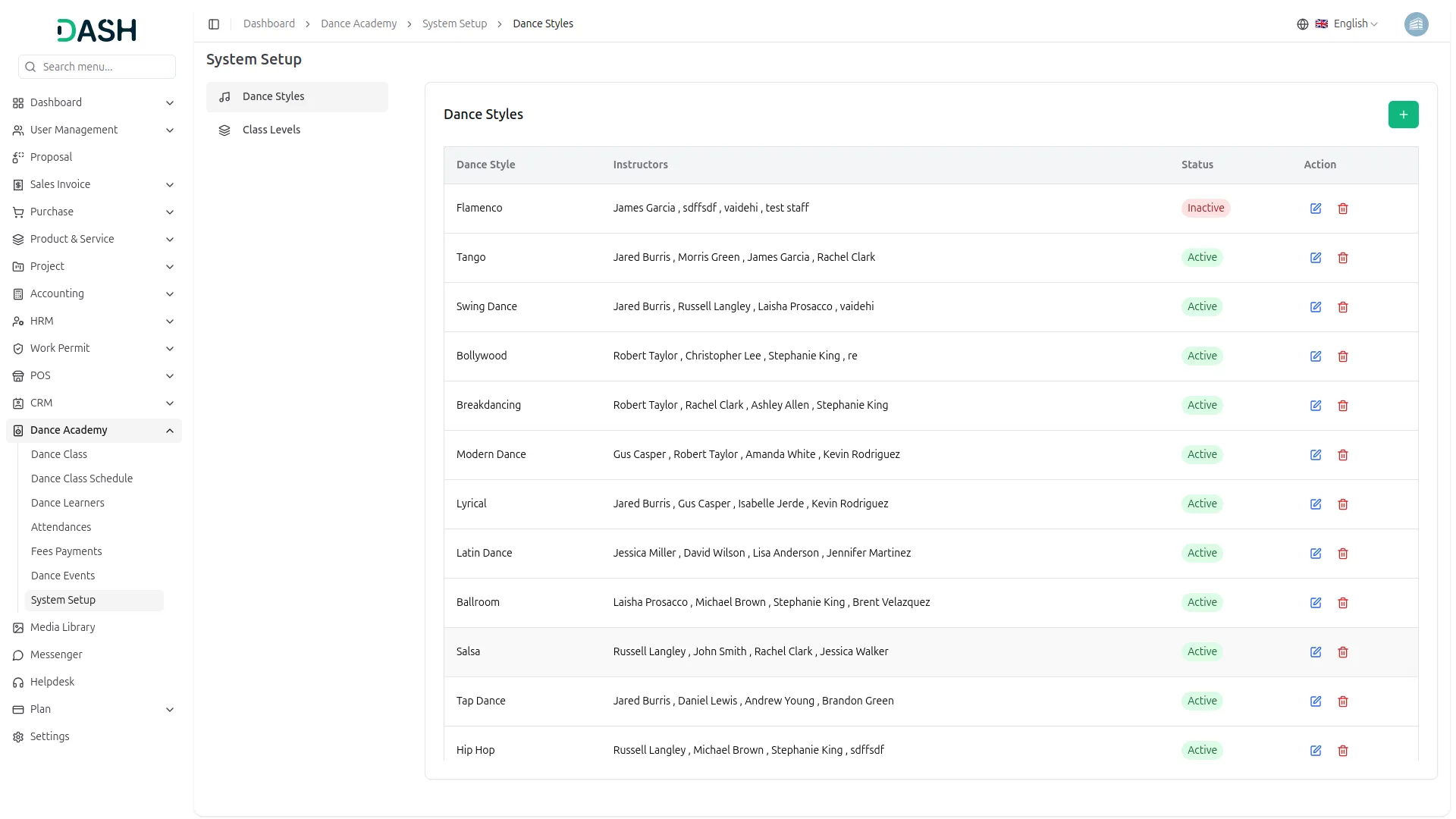
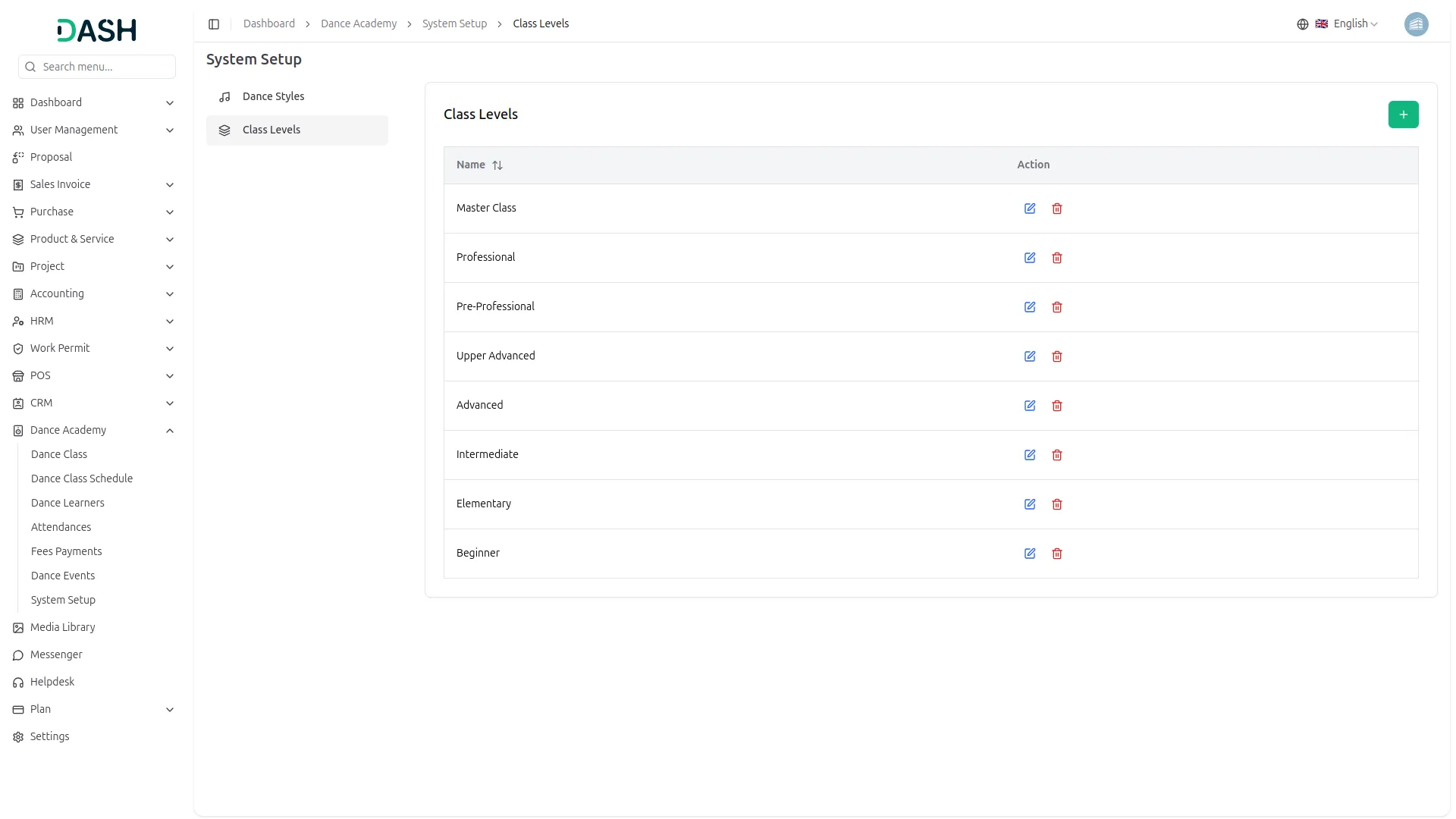
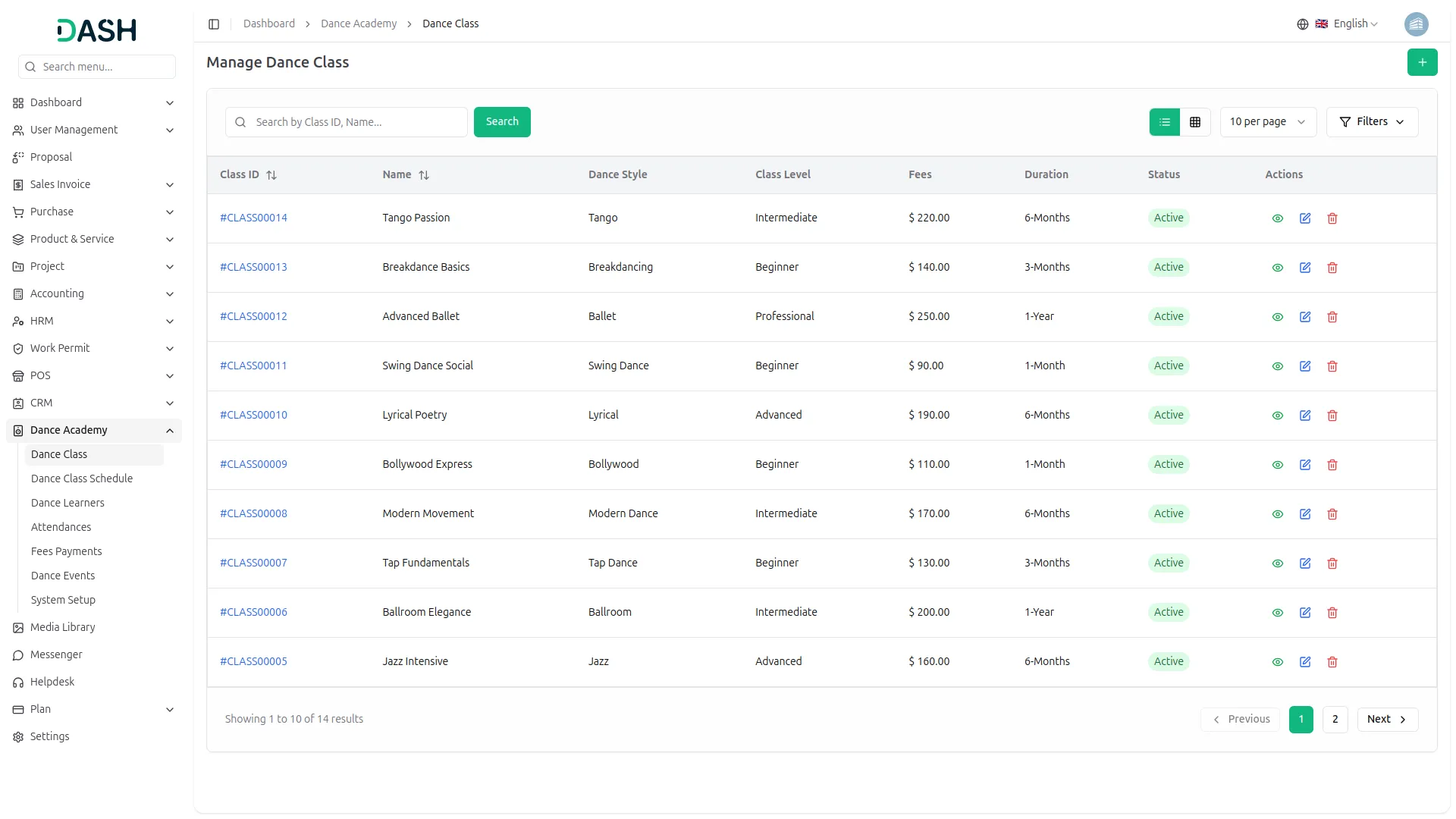
Setting up your academy’s core structure is simple and intuitive. Define the dance styles you offer, assign instructors, and mark their availability as active or inactive. Create classes linked to specific styles and levels, setting location, fees, capacity, and duration all in one place. You can also configure class levels separately to keep your curriculum organized and easy to manage.
- Create and manage dance styles with instructor assignments
- Define class levels to organize your curriculum
- Set fees, capacity, location, and duration per class
- Activate or deactivate classes based on availability
Schedule & Session Management
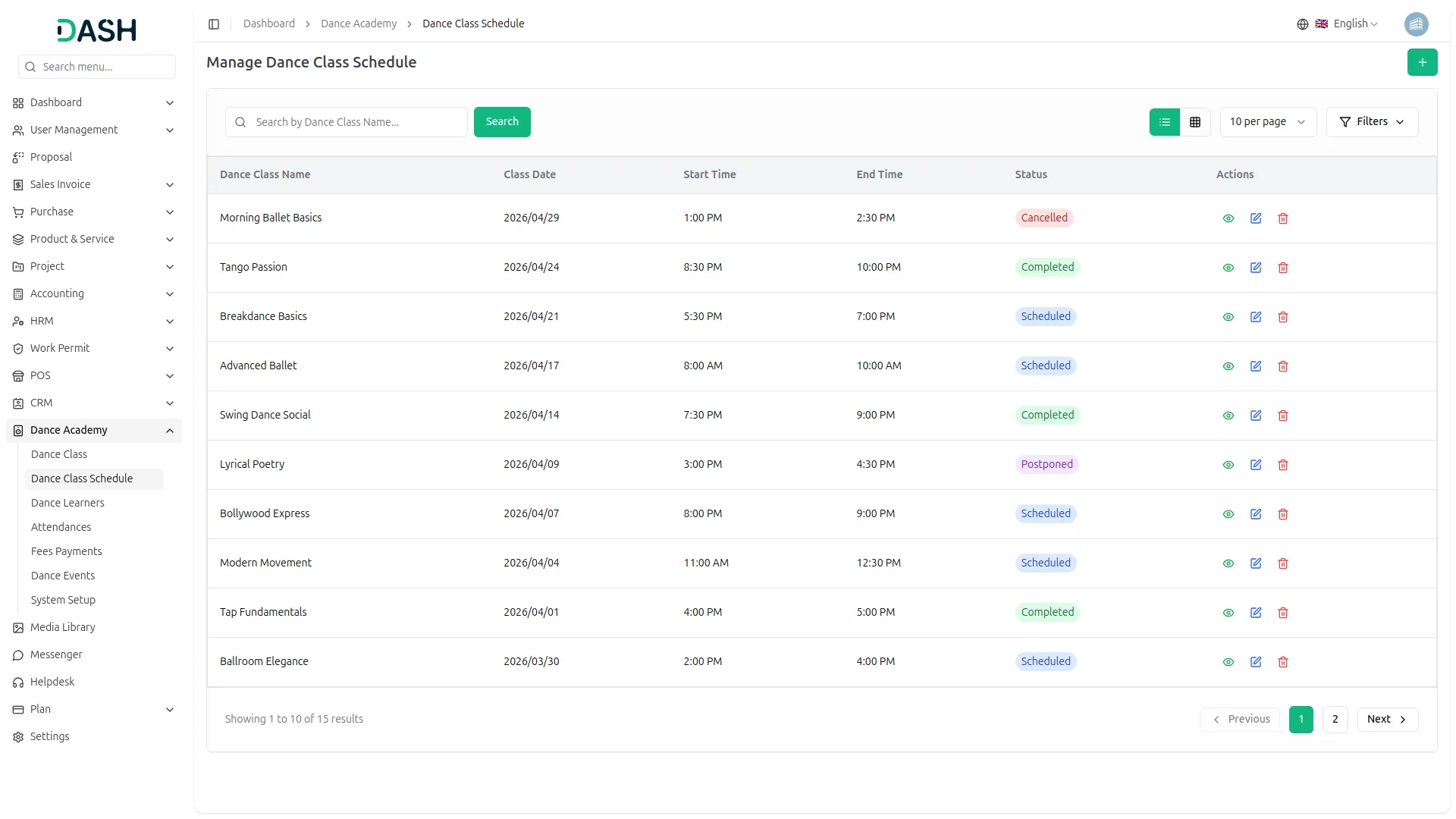
Once your classes are set up, managing their sessions is just as simple. You can schedule individual class sessions with specific dates, start and end times, and locations. Each session can be marked as Scheduled, Completed, Postponed, or Cancelled, making it easy to reflect real-world changes. Searching and filtering by status helps you quickly find what you need on any given day.
- Schedule sessions with date, time, and location details
- Update session status to reflect real-time changes
- Filter sessions by status to find relevant records quickly
- View full session details from the list or grid view
Learner Enrollment & Fees
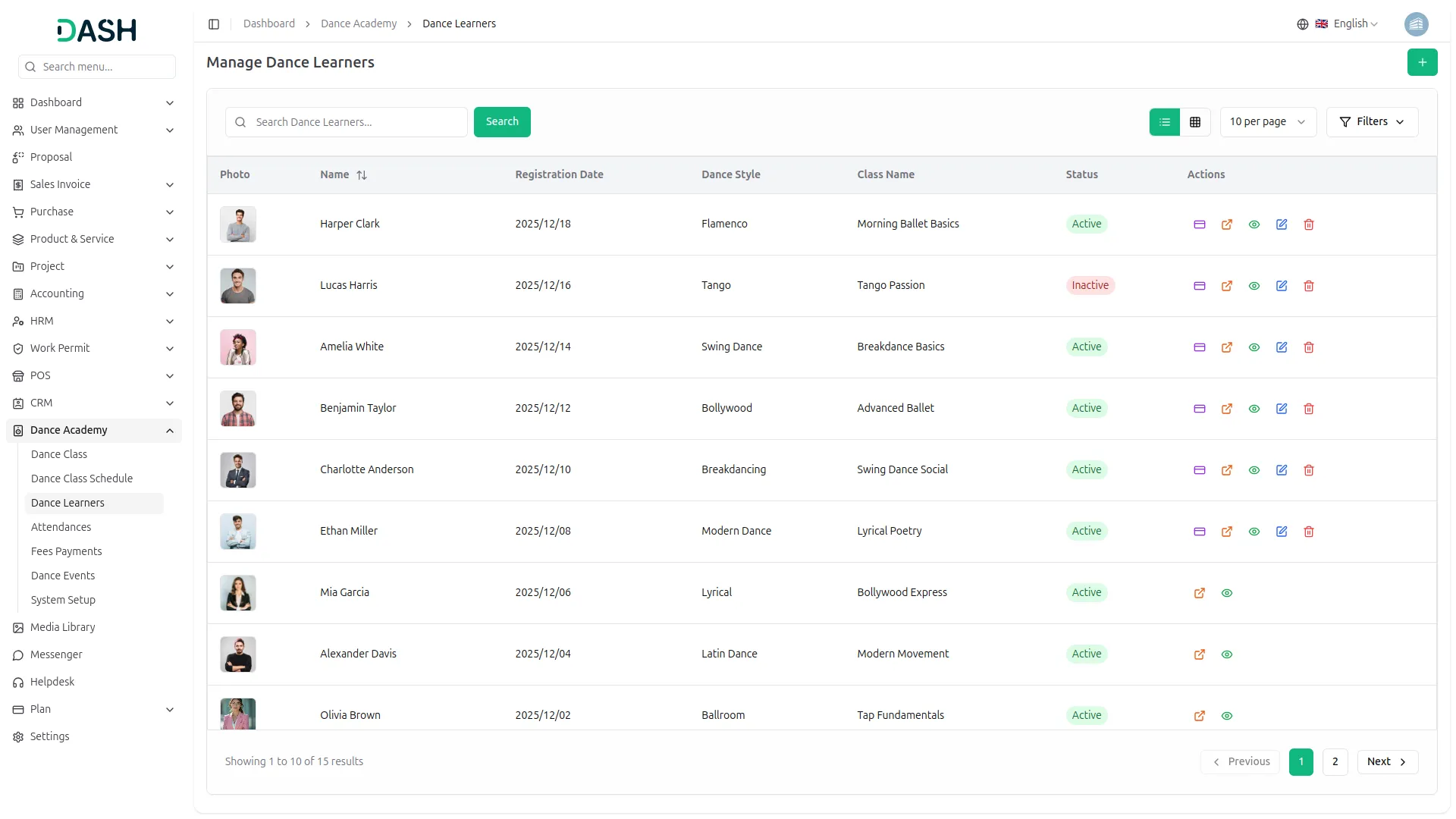
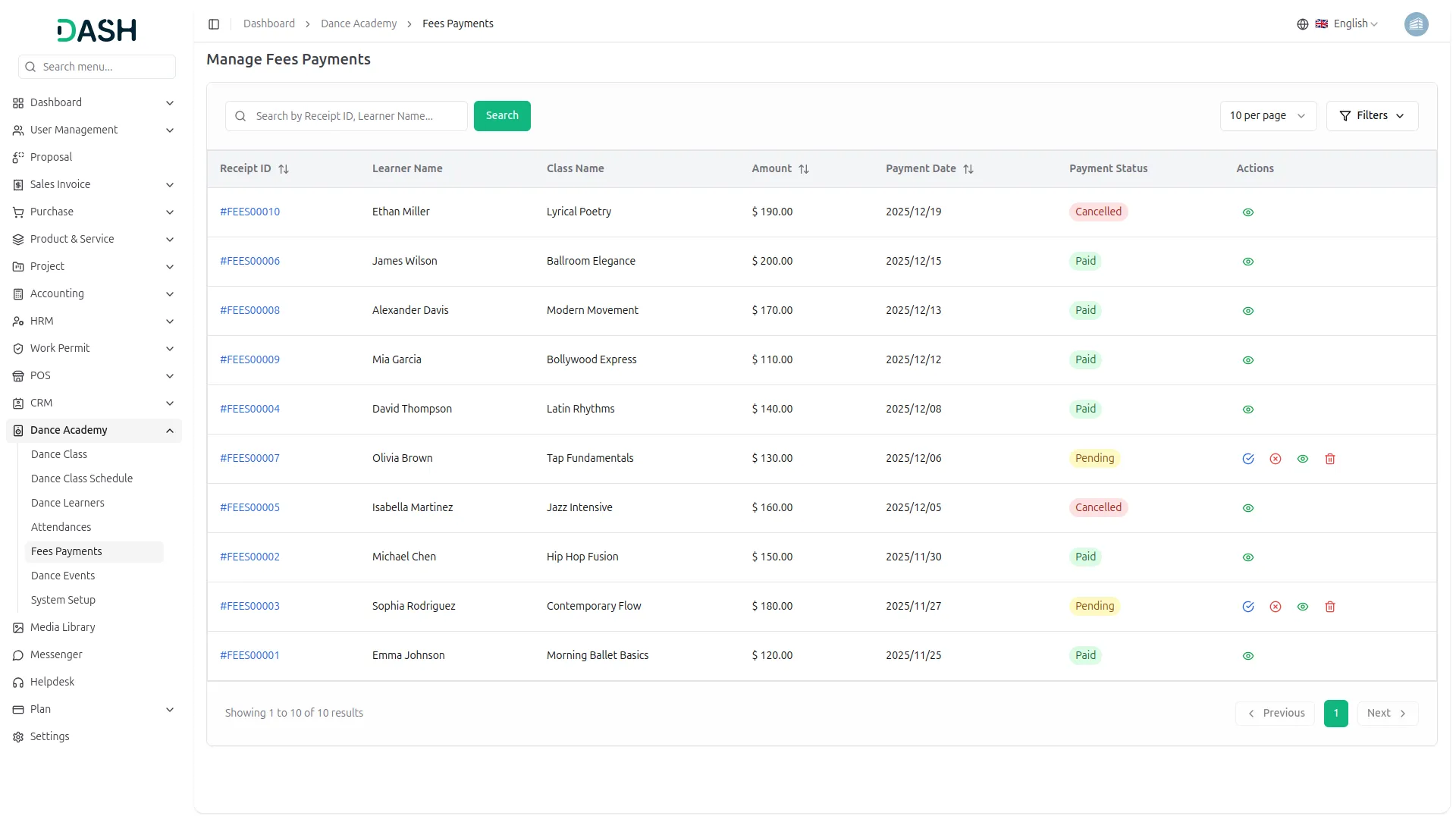
Managing learners is both comprehensive and user-friendly. You can register each learner with personal details, assign them to a dance style and class, and upload ID proof, photos, or medical notes as needed. Fee payments are recorded directly in the learner’s profile, capturing payment date, reference number, and bank details for accurate tracking. Once recorded, the learner’s information is secured to prevent any accidental changes.
- Register learners with personal, class, and health details
- Upload photo and ID proof for each learner's profile
- Record fee payments with reference and bank account details
- Lock learner records automatically after payment is confirmed
Events & Attendance Tracking
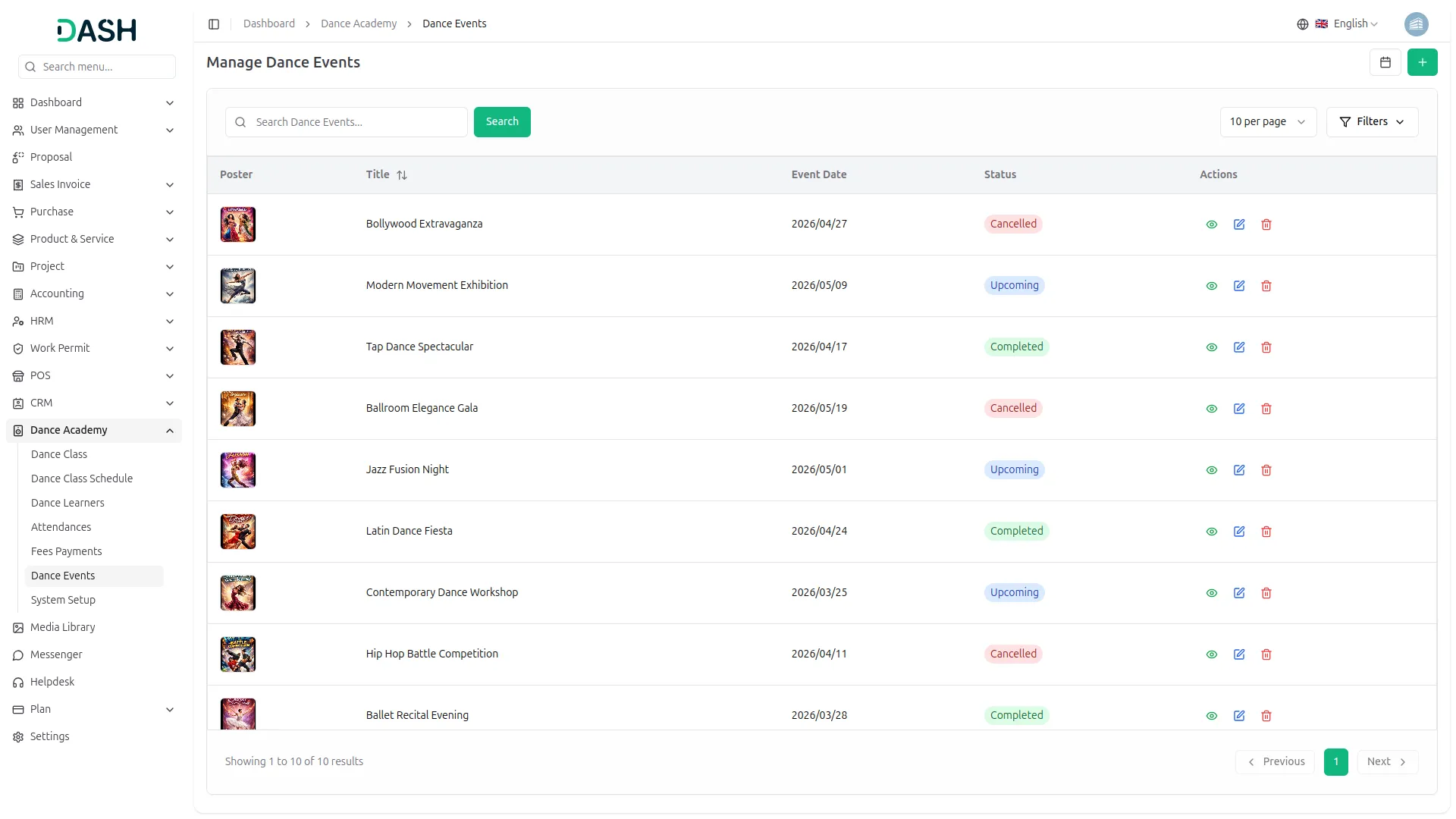
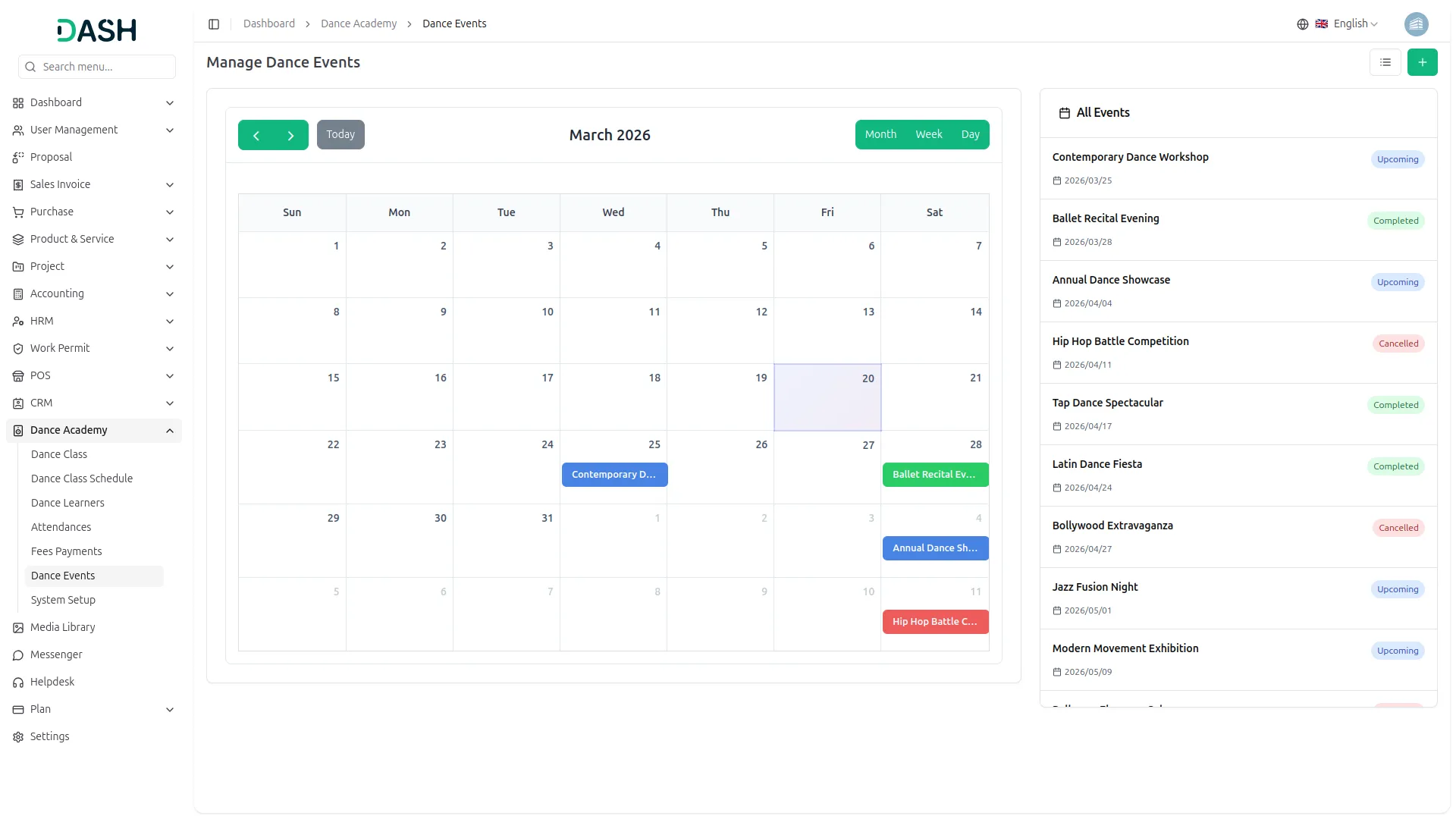
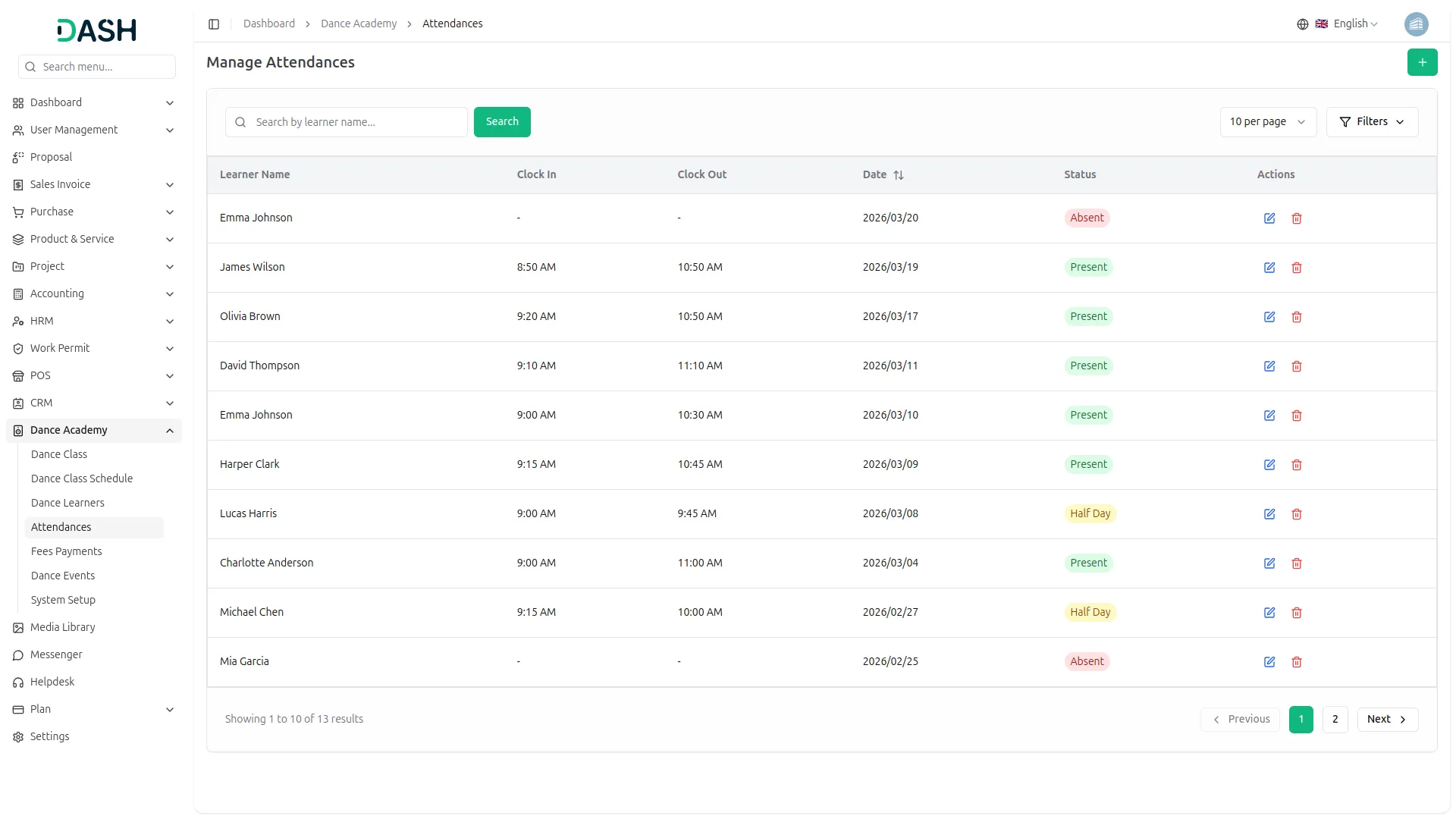
You can also organize and manage dance events seamlessly within the same system. Link events to specific classes, assign a coordinator, and track their status as Upcoming, Completed, or Cancelled. The calendar view lets you visualize events by month, week, or day for easy planning. Attendance can be recorded with full-day, half-day, or absence entries, including clock-in and clock-out times, and filtered by date or status for quick reviews.
- Plan events with title, location, date, coordinator, and poster
- Link events to specific dance classes for better organization
- View events in an interactive calendar with month, week, and day options
- Record and filter attendance by date, status, and learner name
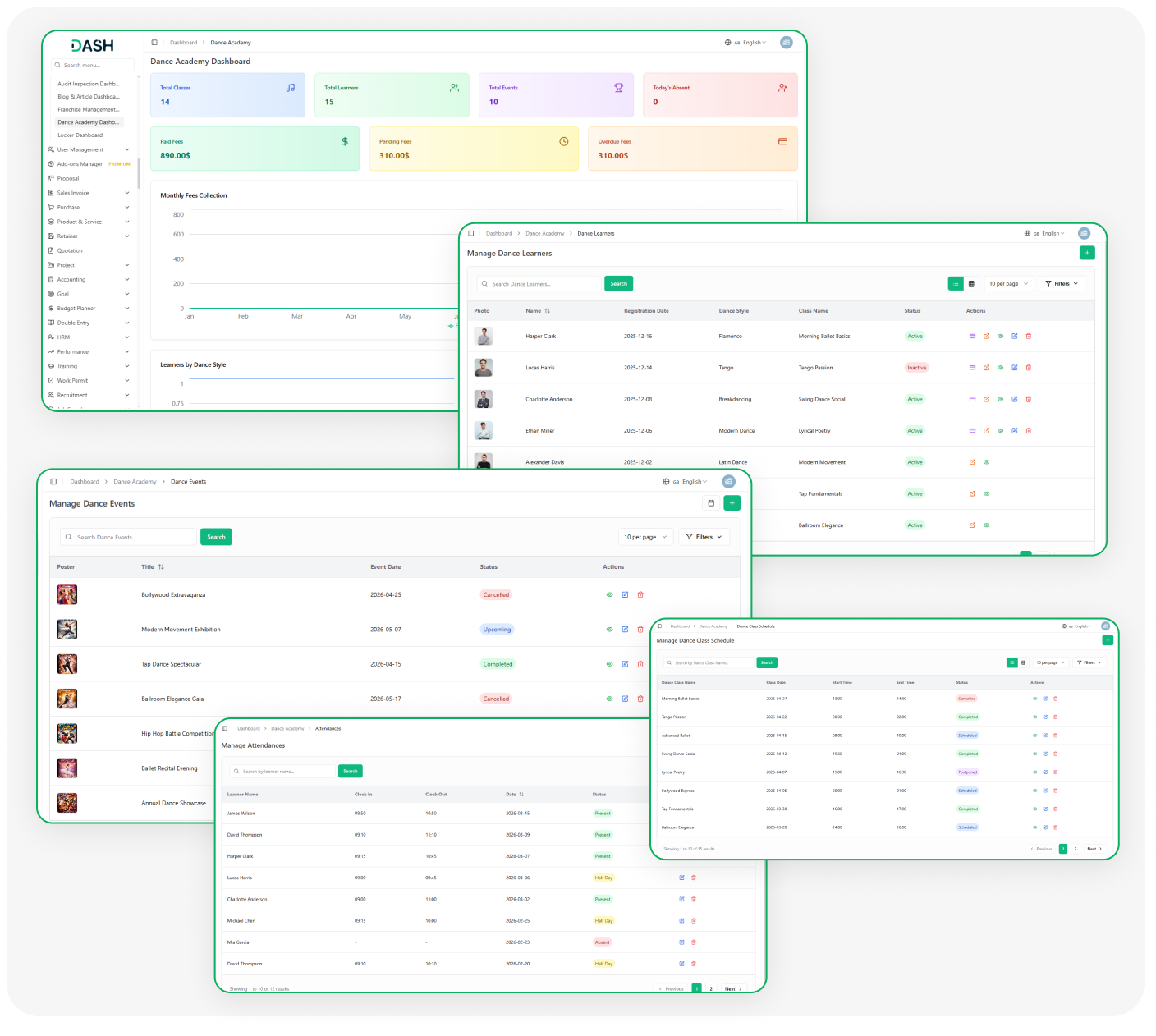
Screenshots from our system
To explore the functionality and usage of these Add-Ons, refer to the accompanying screenshots for step-by-step instructions on how to maximize their features.
Discover More Add-Ons
Unlock even more functionality with additional Add-Ons, providing enhanced networking and customization options for your Dash SaaS experience.

Document Template
Revolutionize your document management process with Dash SaaS's Document Template Integration, designed to simplify template creation and customization.

Garden Management
The Garden Management Add-On in Dash SaaS allows users to systematically organize and manage garden beds with ease.

Time Tracker
The Time Tracker Module in Dash SaaS redefines the way businesses manage their workforce, offering a suite of tools designed to enhance productivity, transparency, and accountability.

Flexible permission management improves organizational workflow control
The system has brought noticeable structure and organization to our daily routines