
The Blood Bank Management Add-On streamlines donor tracking, blood testing, and inventory control, ensuring safe and efficient blood supply management. Integrated with the Hospital Management Add-On, it handles donations, requests, payments, and real-time stock insights with priority-based workflows.
Dependency Notice: This Add-On depends on the Hospital Management Add-On, so you must purchase and activate it first to access the Blood Bank Management features.
Optimized Blood Donation & Distribution:
- Complete Donor Management
- Blood Test Tracking
- Donation Record Control
- Multi-Component Support
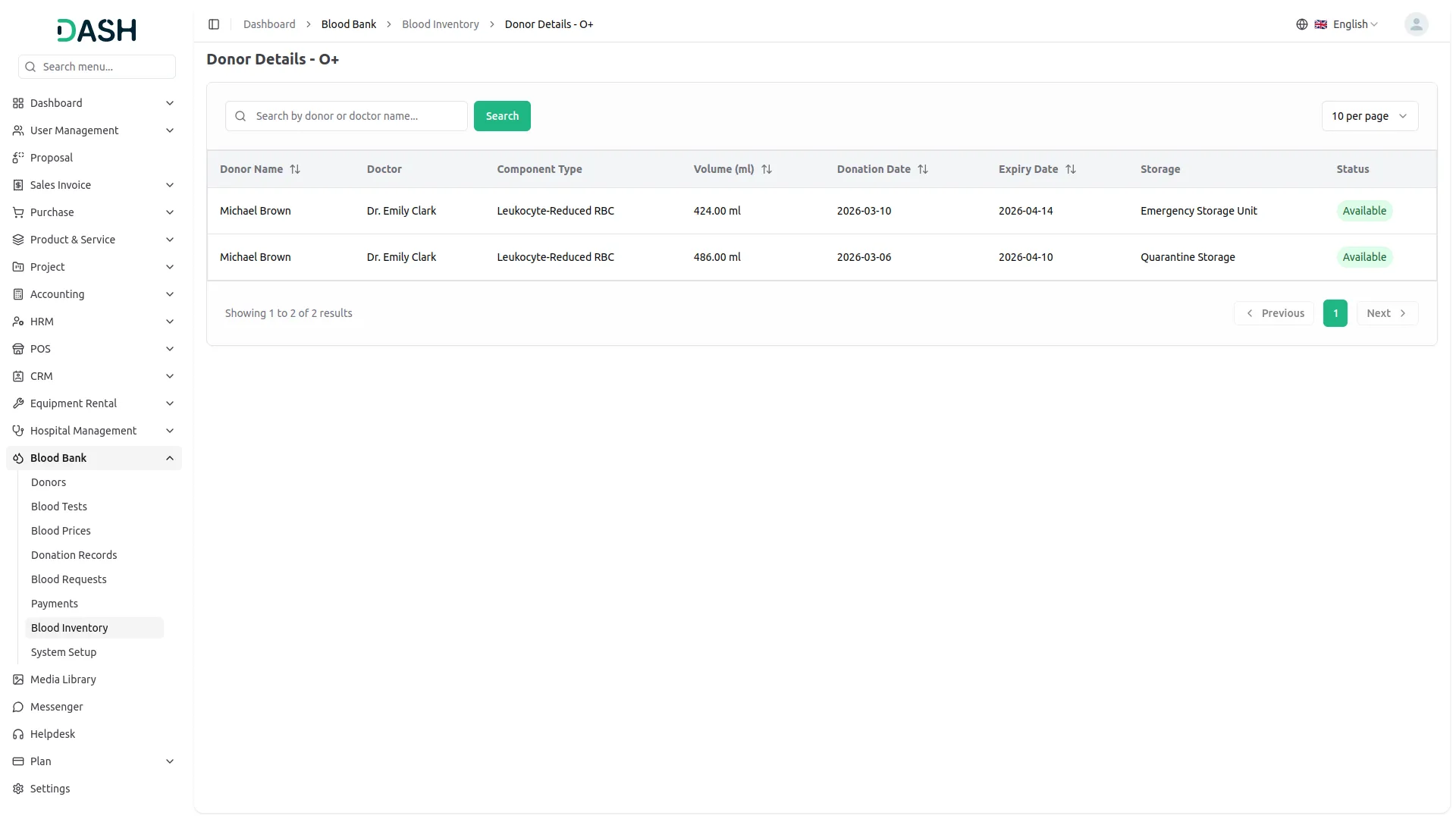
- Smart Inventory Overview
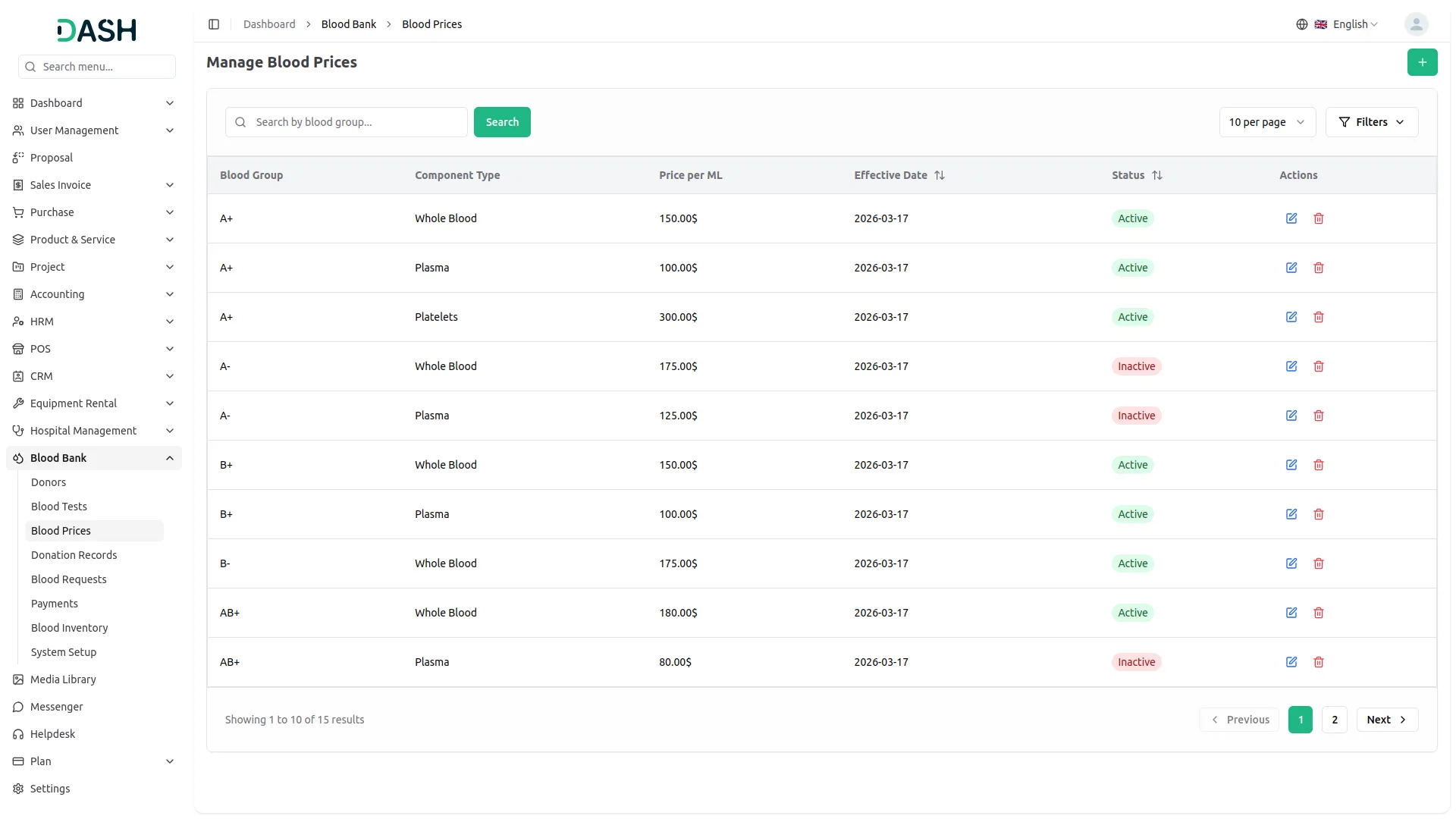
- Flexible Blood Pricing
- Blood Request Processing
- Payment Handling
- System Configuration
- Priority-Based Requests
Blood Bank Setup & Configuration
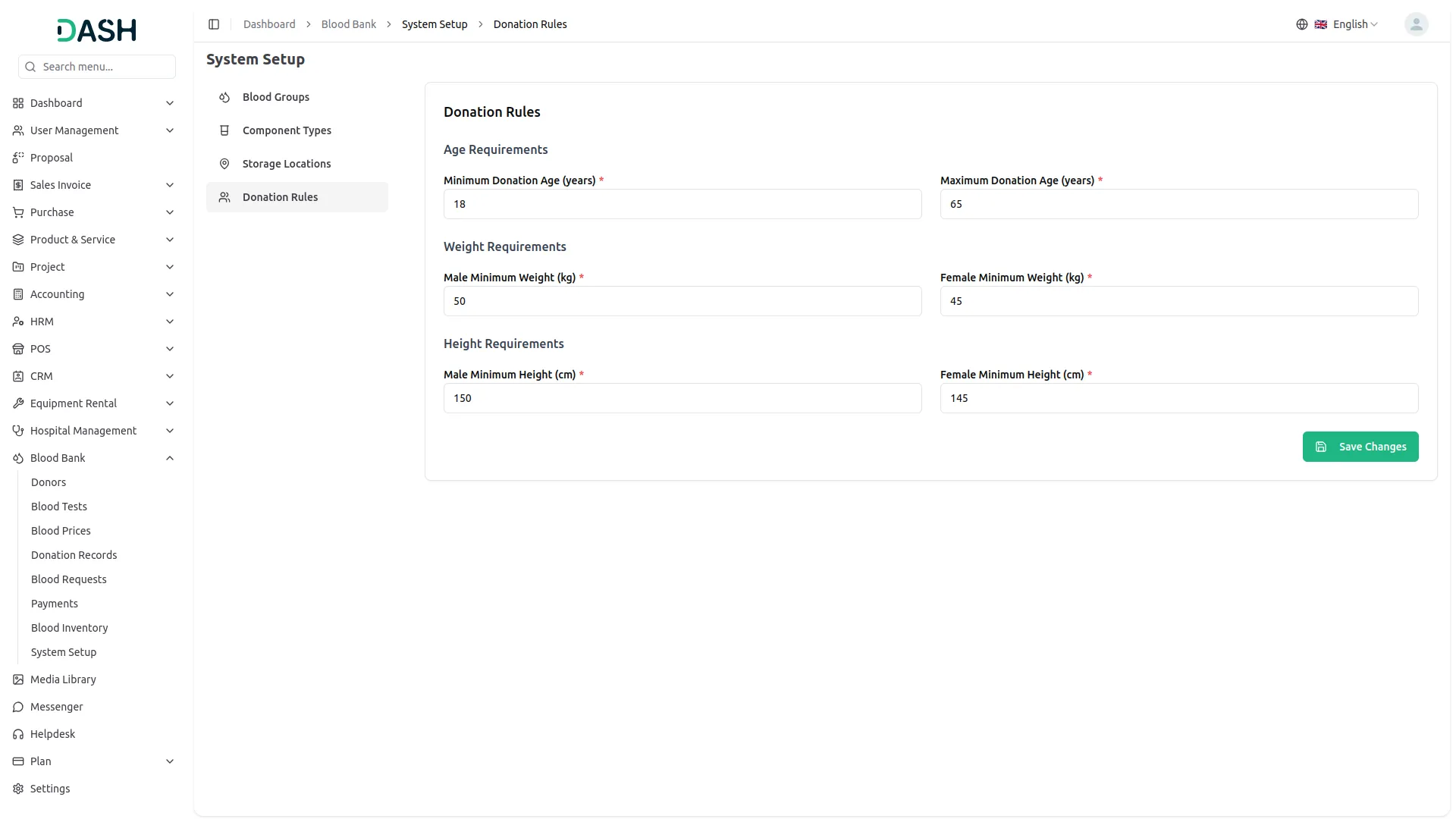
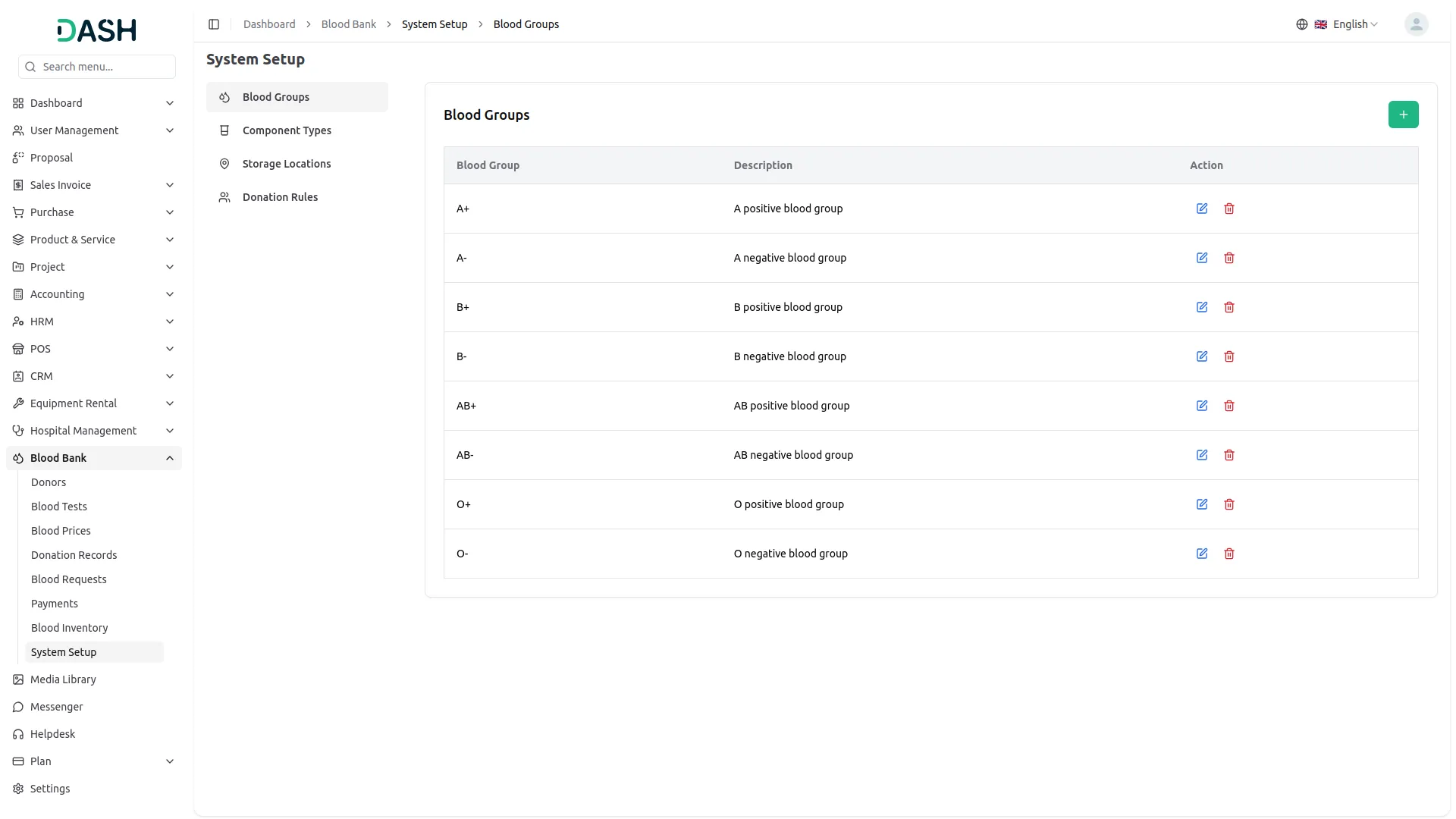
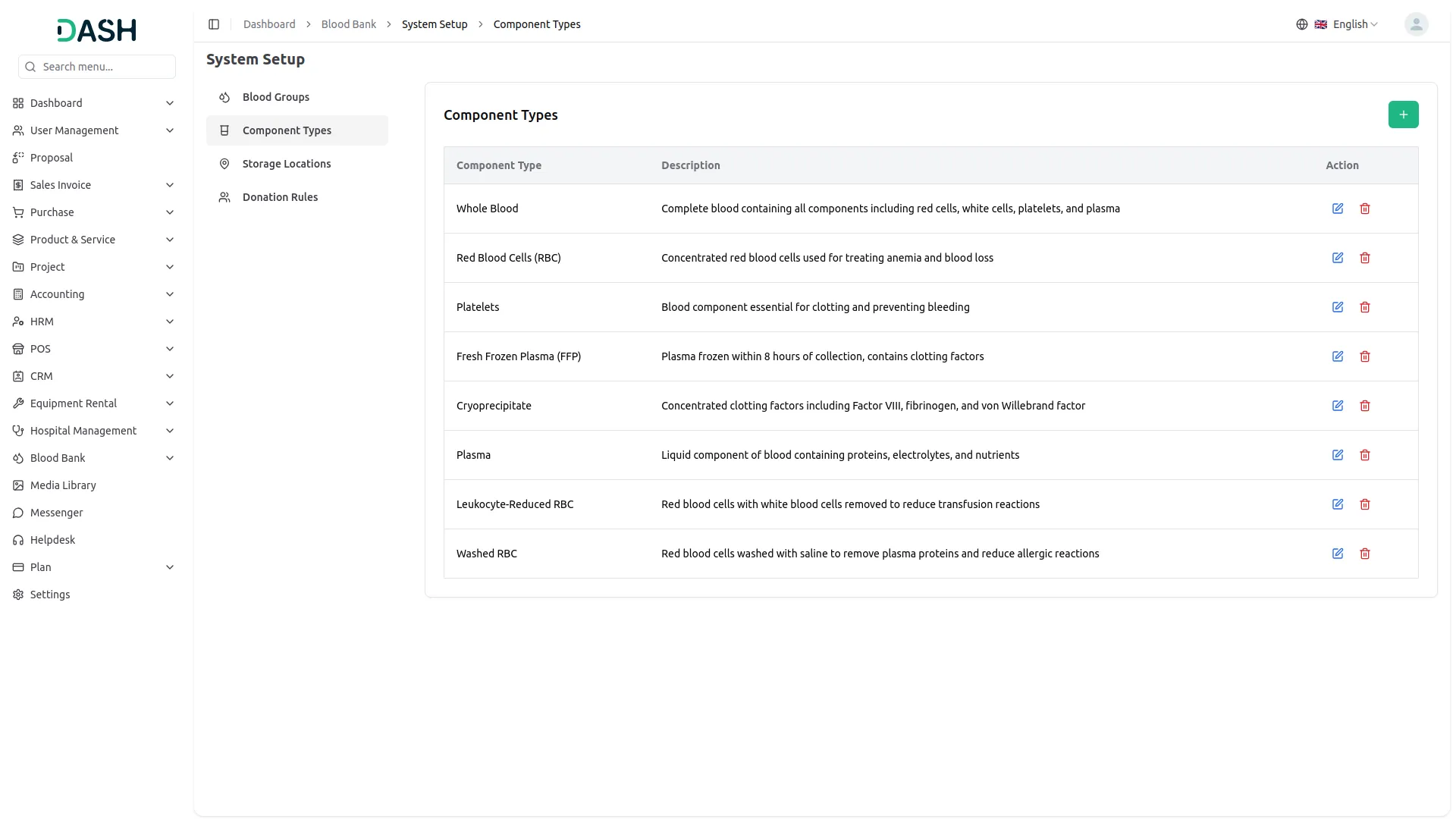
The Blood Bank Management Add-On is easy to set up, giving administrators control over essential configurations. You can define blood groups, component types, and storage locations in one place. It also allows you to set donation eligibility rules based on age, weight, and height. These settings ensure smooth operations and consistent data from the start.
- Define and manage blood groups with optional descriptions
- Create multiple component types for precise blood categorization
- Set up named storage locations for organized inventory tracking
- Configure donor eligibility rules based on age, weight, and height
Donor & Test Records Management
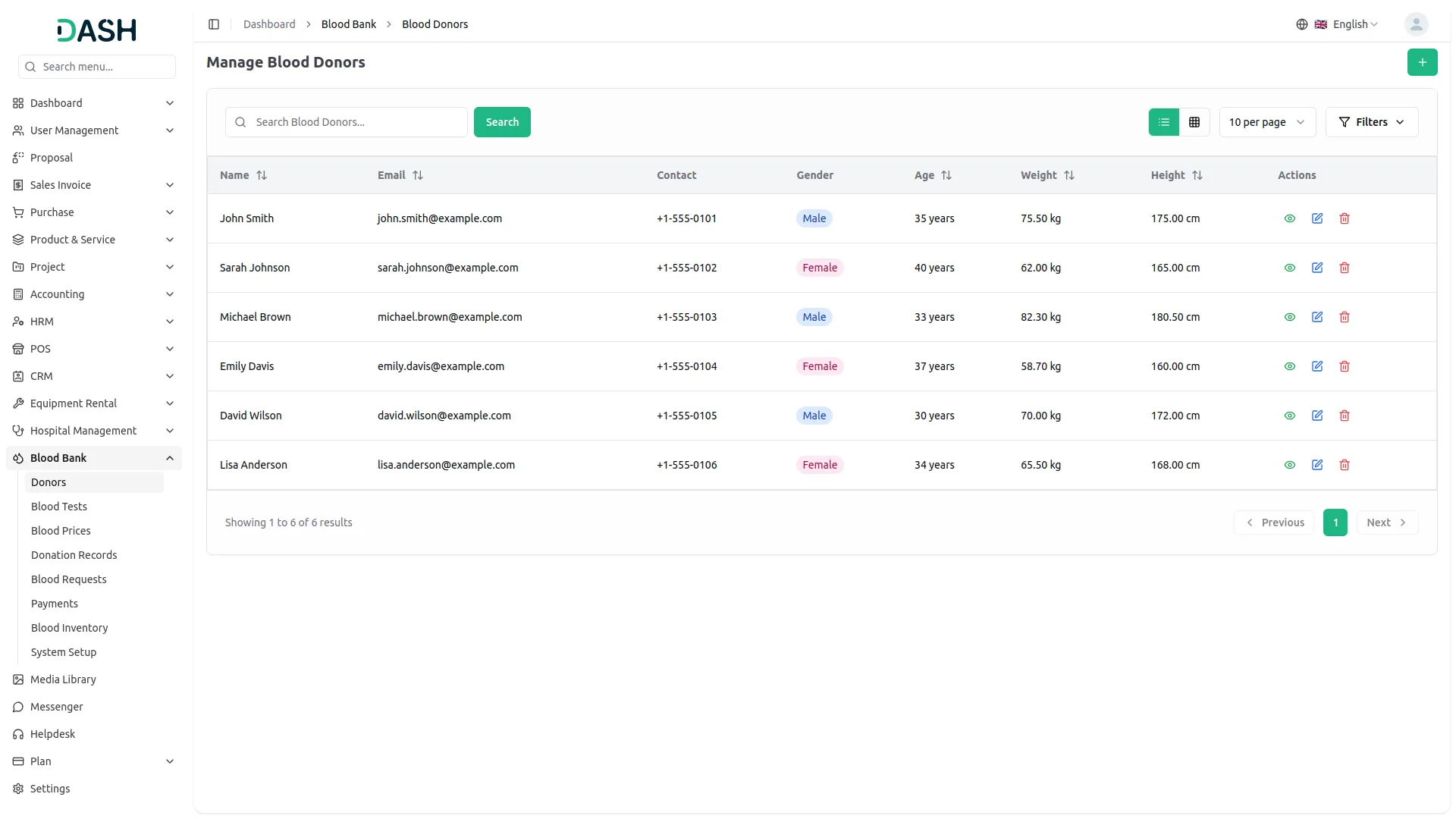
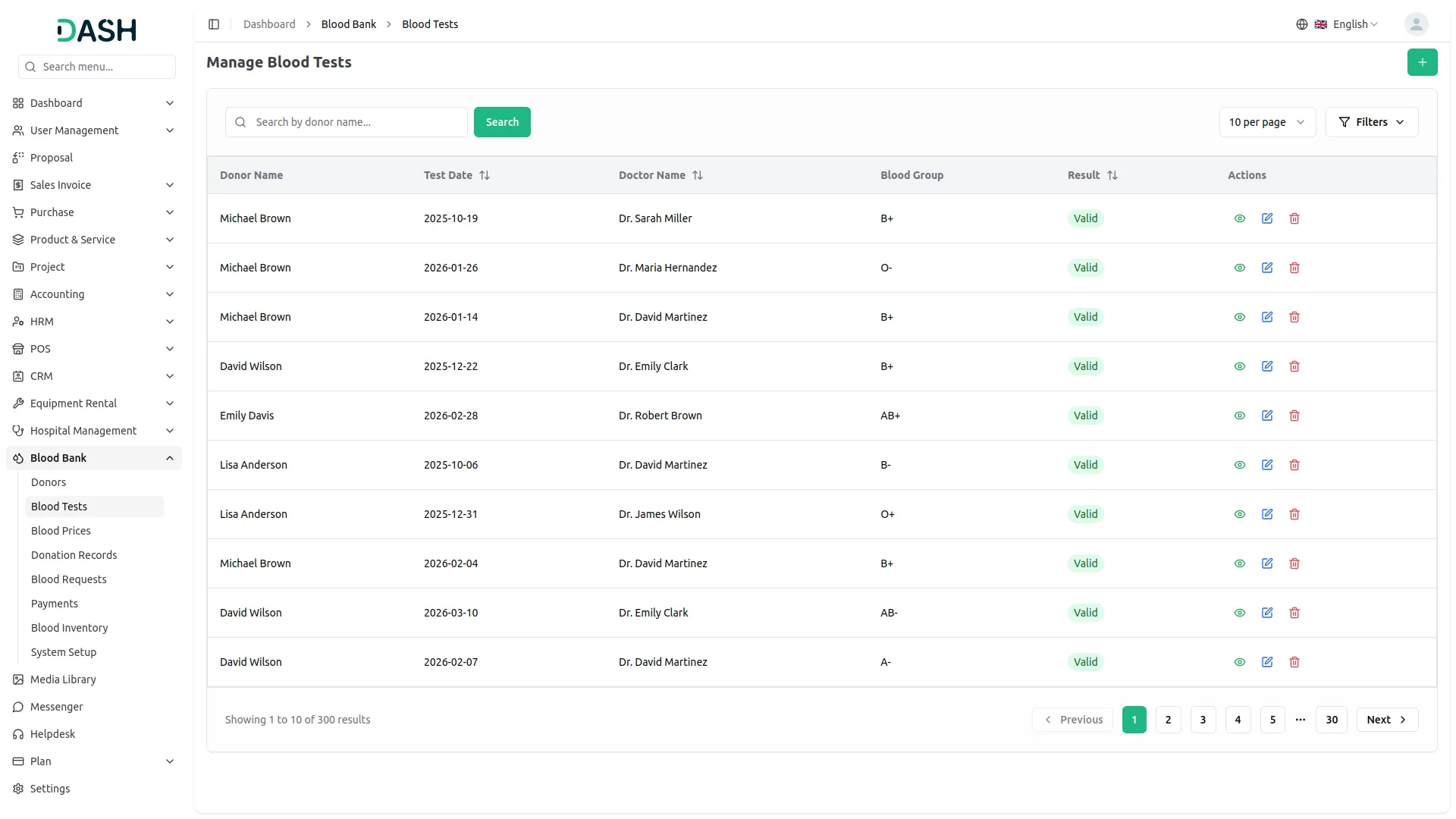
Managing blood donors and their test records is a core part of the system. The Add-On lets you create detailed donor profiles with personal and health information. It automatically calculates age from the date of birth, reducing manual work. Test records can be linked to each donor, ensuring every donation is supported by verified health data.
- Register detailed donor profiles with auto-calculated age
- Link blood test records directly to individual donors
- Record test results as Valid or Invalid for clear status tracking
- Filter donors and tests by gender, blood group, or doctor
Donation Record Tracking
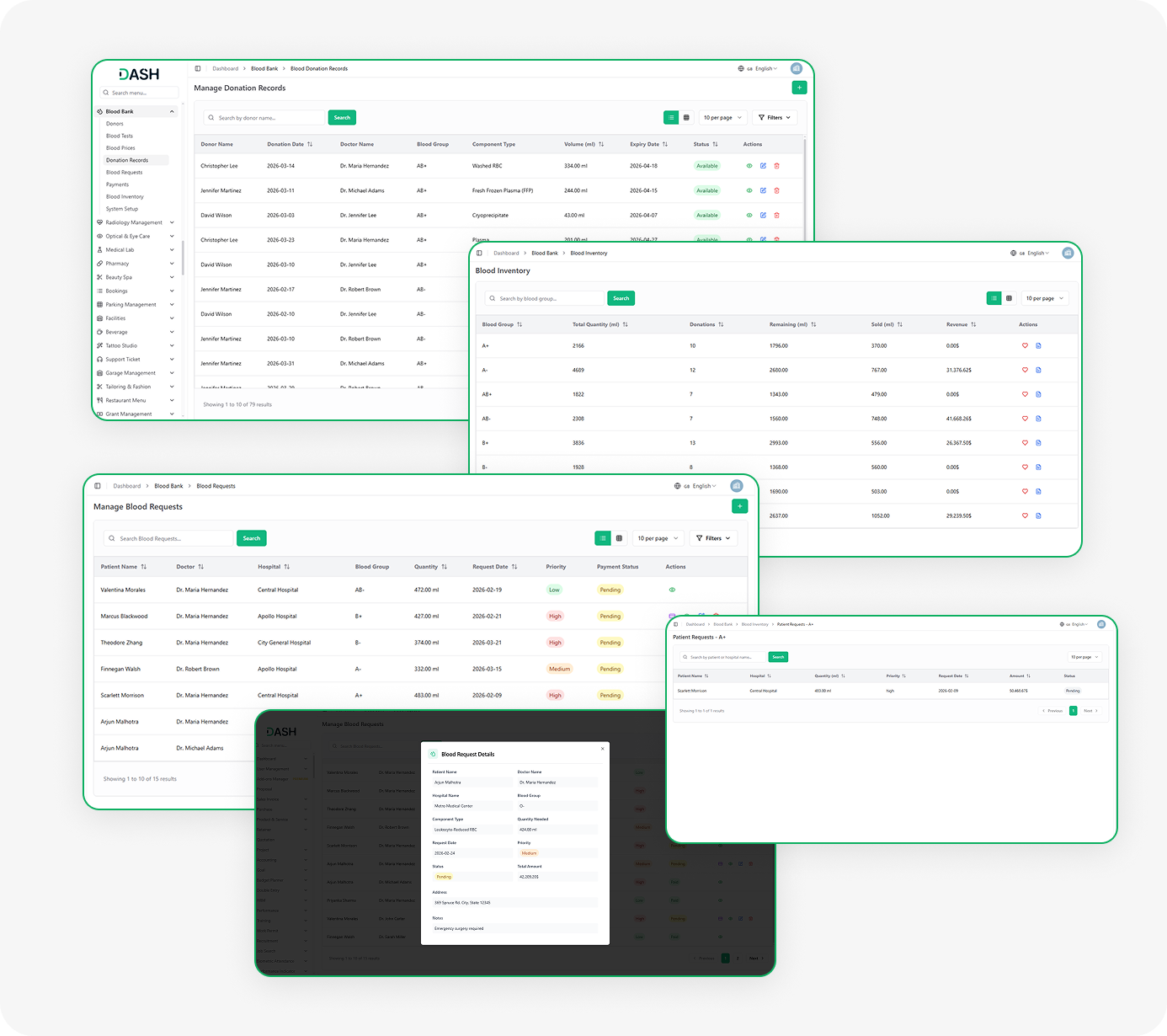
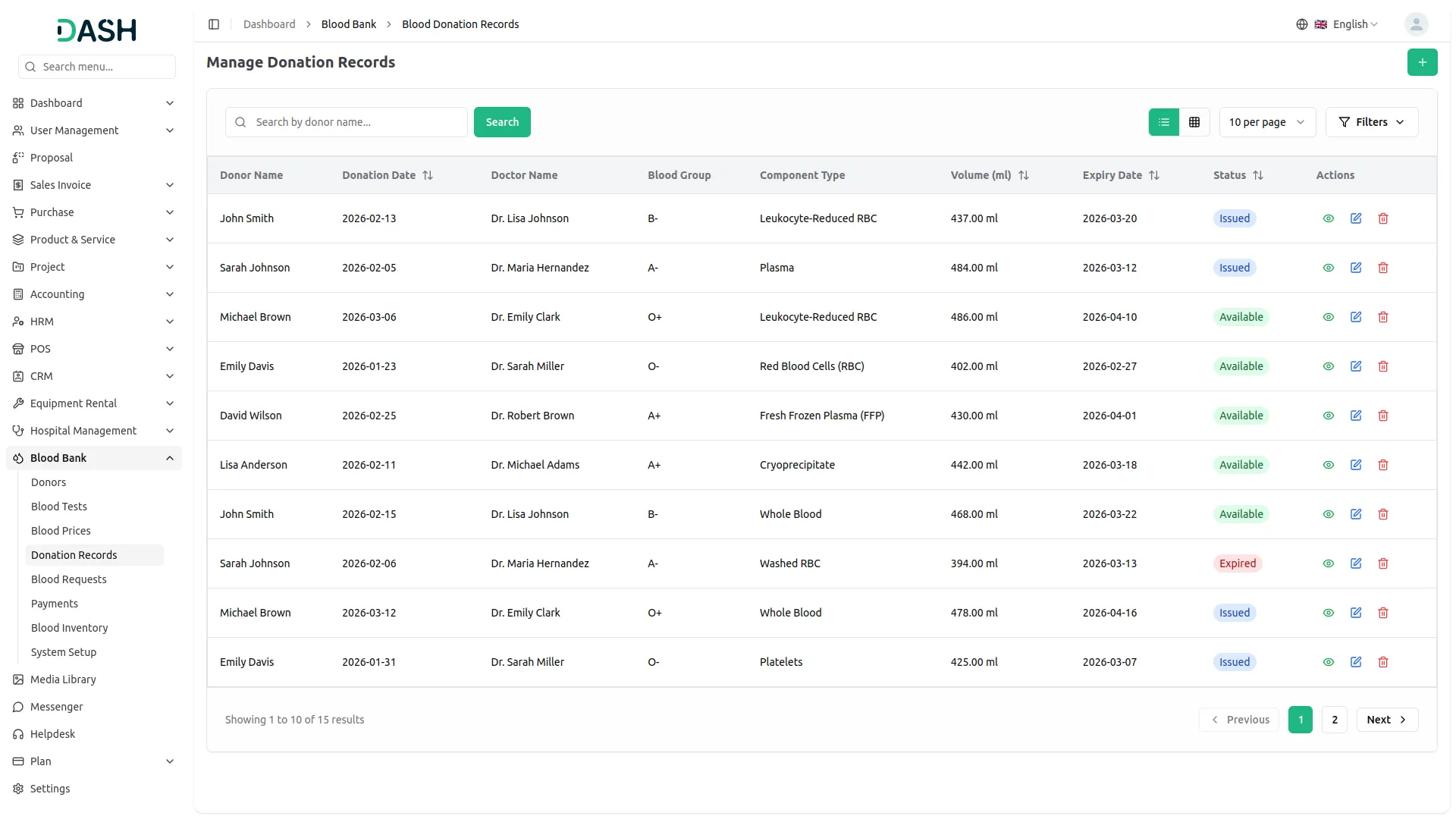
Once a donor is tested and approved, their donation can be recorded and tracked in the system. Each record includes donor details, donation date, component type, storage location, and volume. The system tracks the status of each donation as Available, Issued, or Expired. This ensures real-time stock visibility and helps reduce waste while improving response times.
- Record donations with volume, component type, and storage location
- Automatically track donation status: Available, Issued, or Expired
- View and manage all donation records from a centralized list
- Filter records by blood group, component type, doctor, or status
Blood Request Management
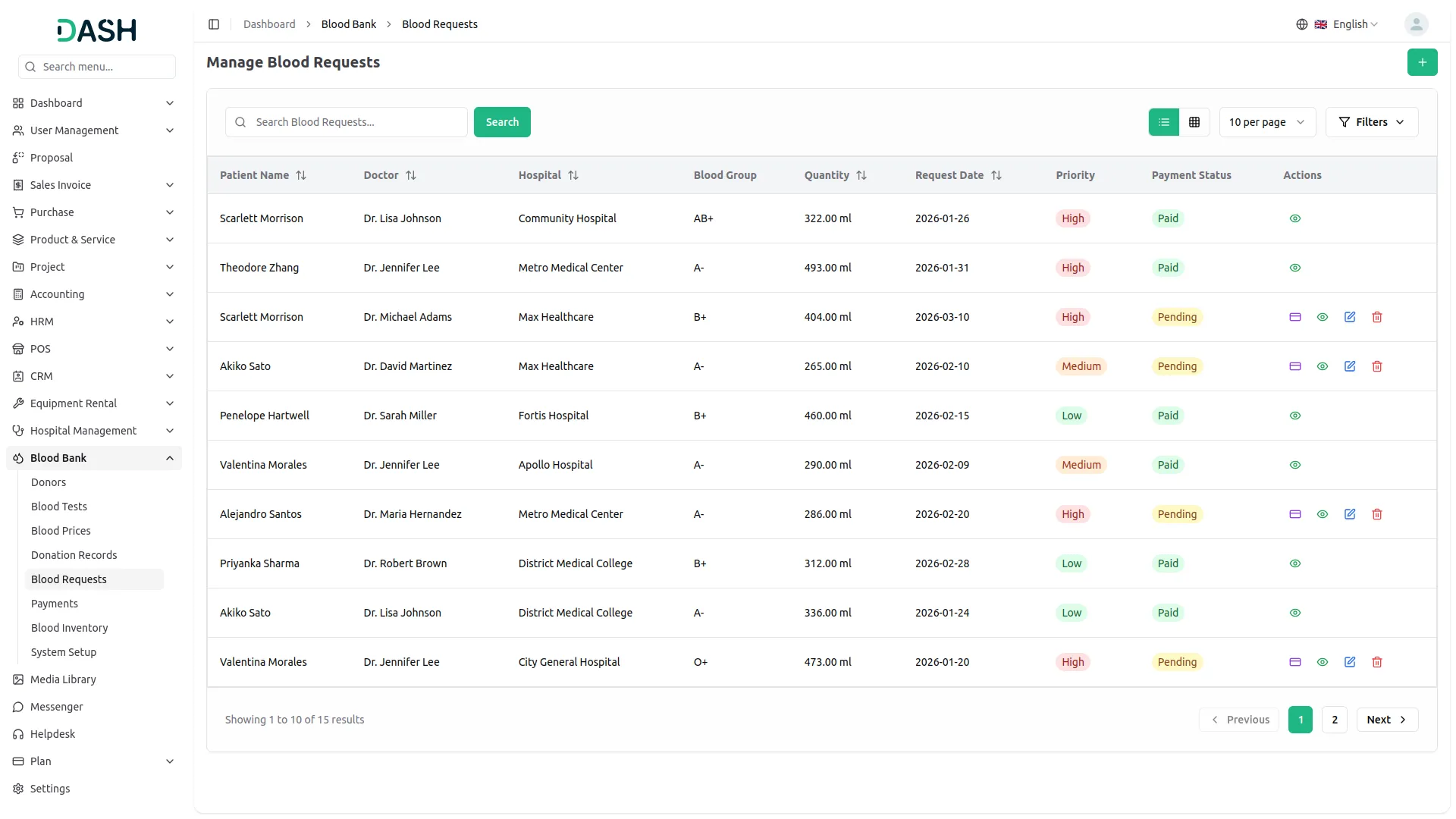
The blood request workflow is designed to handle both routine and urgent needs efficiently. Staff can create requests by entering patient, doctor, and hospital details, and the required blood type. Each request is assigned a priority level to ensure critical cases are handled first. The system also shows request and payment status, helping teams manage allocation smoothly.
- Create requests with patient, doctor, blood group, and quantity details
- Assign Low, Medium, or High priority to each blood request
- Track payment status as Pending or Paid directly from the request list
- Filter requests by doctor, priority, status, or date range
Payments & Inventory Insights
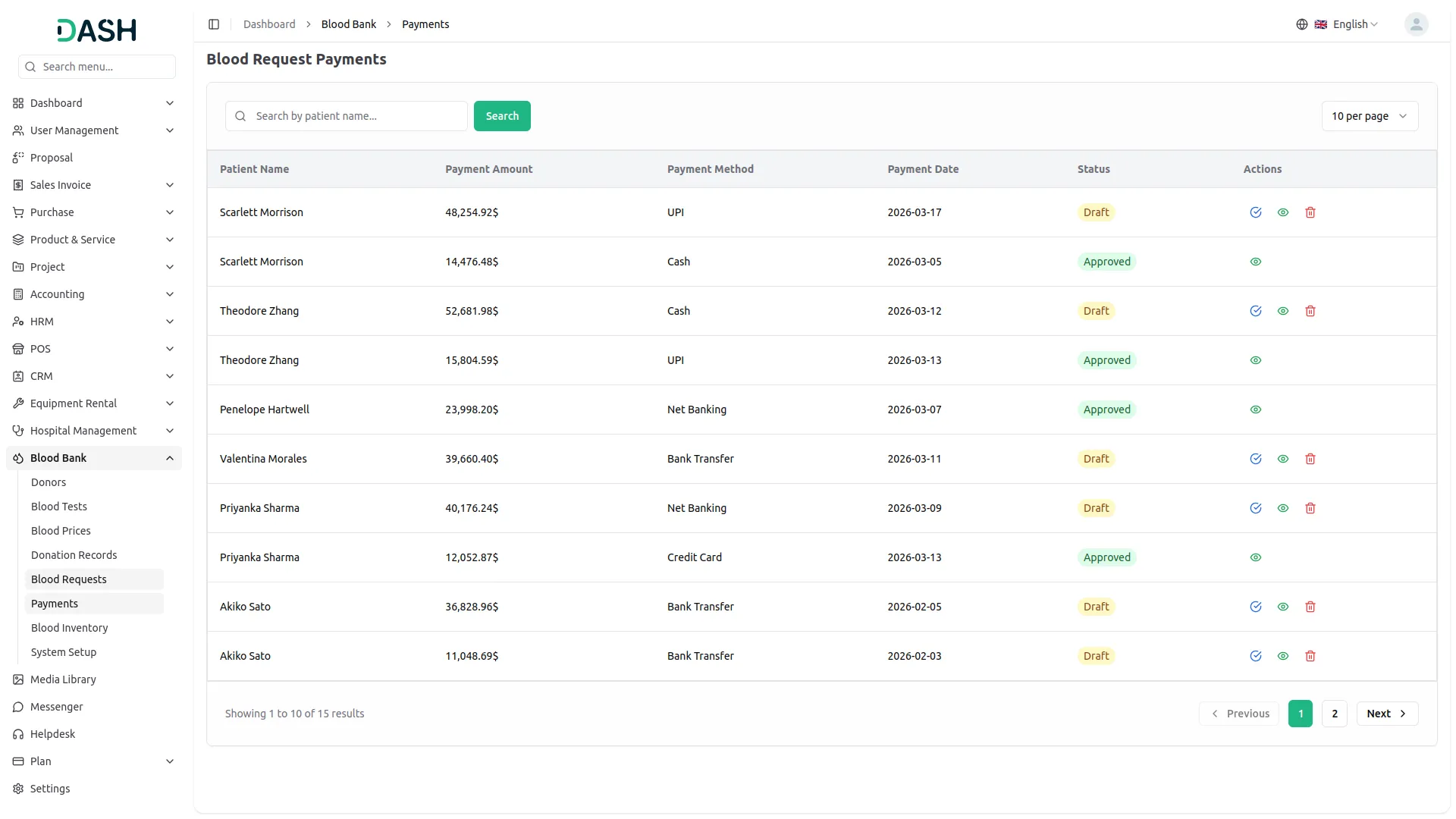
The Add-On includes a built-in payment flow to simplify billing for blood requests. The system automatically calculates the amount and allows staff to select payment details and methods. Payments follow a Draft to Approved process to ensure proper review before completion. The inventory section provides a clear view of stock, issued units, and revenue by blood group.
- Auto-calculate payment amounts based on blood request details
- Process payments with method, date, and optional reference details
- Approve draft payments through a controlled review workflow
- View inventory levels and revenue per blood group in one dashboard
Screenshots from our system
To explore the functionality and usage of these Add-Ons, refer to the accompanying screenshots for step-by-step instructions on how to maximize their features.
Discover More Add-Ons
Unlock even more functionality with additional Add-Ons, providing enhanced networking and customization options for your Dash SaaS experience.

Vehicle Wash
The Vehicle Wash Add-On is a powerful tool for managing vehicle wash services with ease. It supports both walk-in and registered clients, offering customizable washing plans tailored to various vehicle types.

Custom Alert
The Custom Alert Add-On allows you to send targeted and time-based messages to users across your system.

Zoho Meeting
The Zoom integration streamlines video conferencing by combining secure API configuration, intuitive meeting scheduling, and advanced calendar visualization.

Rich functional coverage supports various business management tasks
Stable version with no reported bugs