
Google Authentication – BookingGo SaaS Add-On

Protect User Accounts with Two-Factor Authentication

(2 Reviews) (15 Sales)
  • Pre-Required : BookingGo SaaS
  • Free 6 Months of Support
  • Free Lifetime Updates
  • Last Update:

    11 November 2025

  • Published:

    17 April 2024

$29

STRONG BRAND

How To Start Google Authentication In A BookingGo?

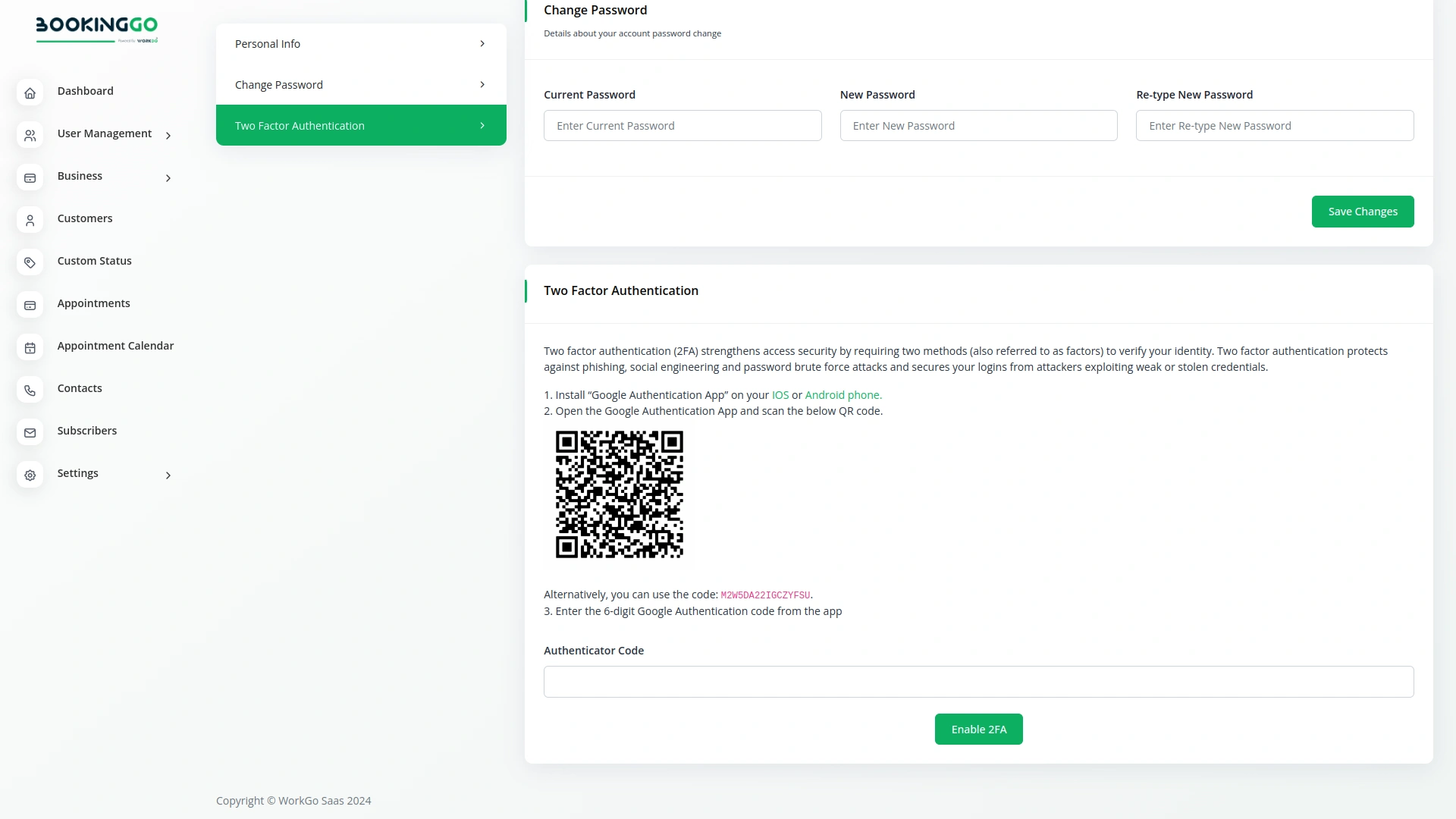
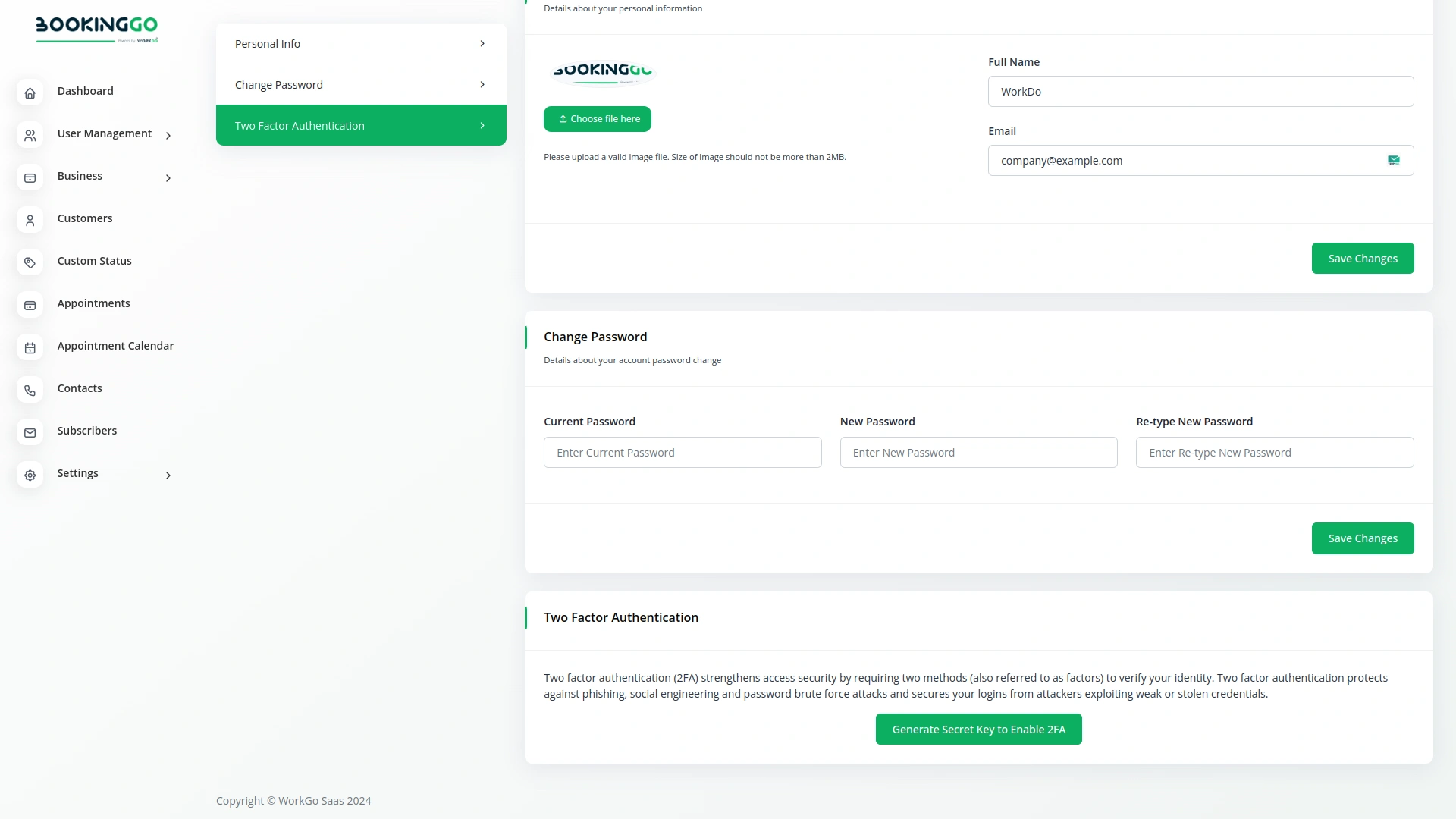
Click to Generate Secret Key to Enable 2FA. Install the “Google Authentication App” on your iOS or Android phone. Open the Google Authentication App and scan the below QR code. Enter the 6-digit Google Authentication code from the app. Click to Enable 2FA.
Google Authentication – BookingGo SaaS Add-On

How Does Google Authentication Work In A BookingGo?

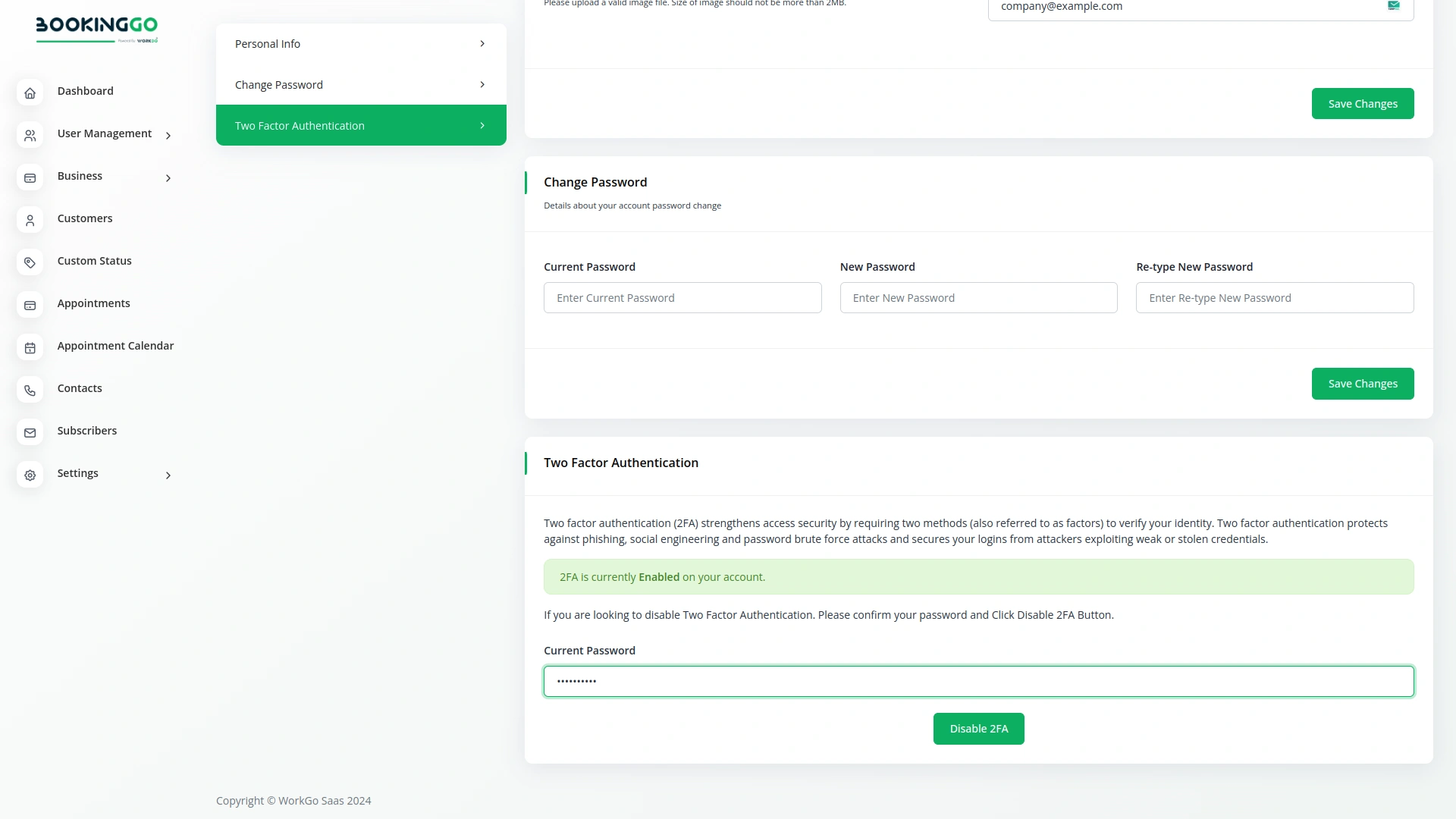
When you and your users log in to the site, the site will ask for a Google authentication code for everyone, like this page. If you do not enter the Google authentication code, you will not be able to login to the site.

From our system

Screenshots from our system

To explore the functionality and usage of these Add-Ons, refer to the accompanying screenshots for step-by-step instructions on how to maximize their features.
Additionals

Discover More Add-Ons

Unlock even more functionality with additional Add-Ons, providing enhanced networking and customization options for your BookingGo SaaS experience.

Report Abuse – BookingGo SaaS Add-On

Report Abuse

The Report Abuse module in BookingGo SaaS allows customers to effortlessly report any spam, malware, phishing, or other forms of abuse they encounter during the booking process.

View More
Zita SMS – BookingGo SaaS Add-On

ZitaSMS

The ZitaSMS module for BookingGo SaaS makes customer communication easier by sending instant SMS notifications for bookings. Whether it’s a confirmation, reminder, or cancellation update, customers receive real-time messages that keep them informed. This feature helps businesses improve customer experience by reducing confusion and ensuring smooth communication at every step of the booking process.

View More
ToDo – BookingGo SaaS Add-On

ToDo

On the ToDo page, getting started with task creation is quick and straightforward. Click on the Create button at the top to begin. You’ll be prompted to fill out key details for the task, including the title, duration, assigned team member, associated module, priority level, and a brief description.

View More
Backup & Restore – BookingGo SaaS Add-On

Backup & Restore

The primary purpose of backup is to prevent data loss. Regularly backing up data ensures that if unexpected events, such as hardware failures, human errors, or cyber-attacks, lead to data loss, you can restore your information from a previous point in time.

View More

2 reviews for Google Authentication – BookingGo SaaS Add-On

5.0
Based on 2 reviews
5
100
100%
4
0%
3
0%
2
0%
1
0%
1-2 of 2 reviews
  1. bugs
    by Sofia Marin

    Developer-oriented architecture simplifies extension and integration work

  2. customizability
    by Anonymous
Add a review
Currently, we are not accepting new reviews

Comments

You must be logged in to post a comment.

There are no comment yet.

Contact Us for Support :

Item support includes:

  • Answer pre-sale questions or query
  • Answering technical questions about item's features
  • Assistance with reported bugs and issues
  • Help with included 3rd party assets
  • Free Installation services in some cases

However, item support does not include:

  • Customization services