
Google Wallet Settings – vCard SaaS Guide
Learn how to configure and manage Google Wallet settings in vCard SaaS easily.
Introduction
To integrate with Google Wallet, you first need to generate API credentials. This involves setting up a project in the Google Cloud Console, creating a service account, and retrieving your Issuer ID. Follow the steps below to complete the setup and enable secure access to the Google Wallet API.
Google Wallet Settings:
1. Enable API & Create a new project
- Go to Google Cloud Console
- Create a new project
- Navigate to APIs & Services > Library
- Enable Google Wallet API
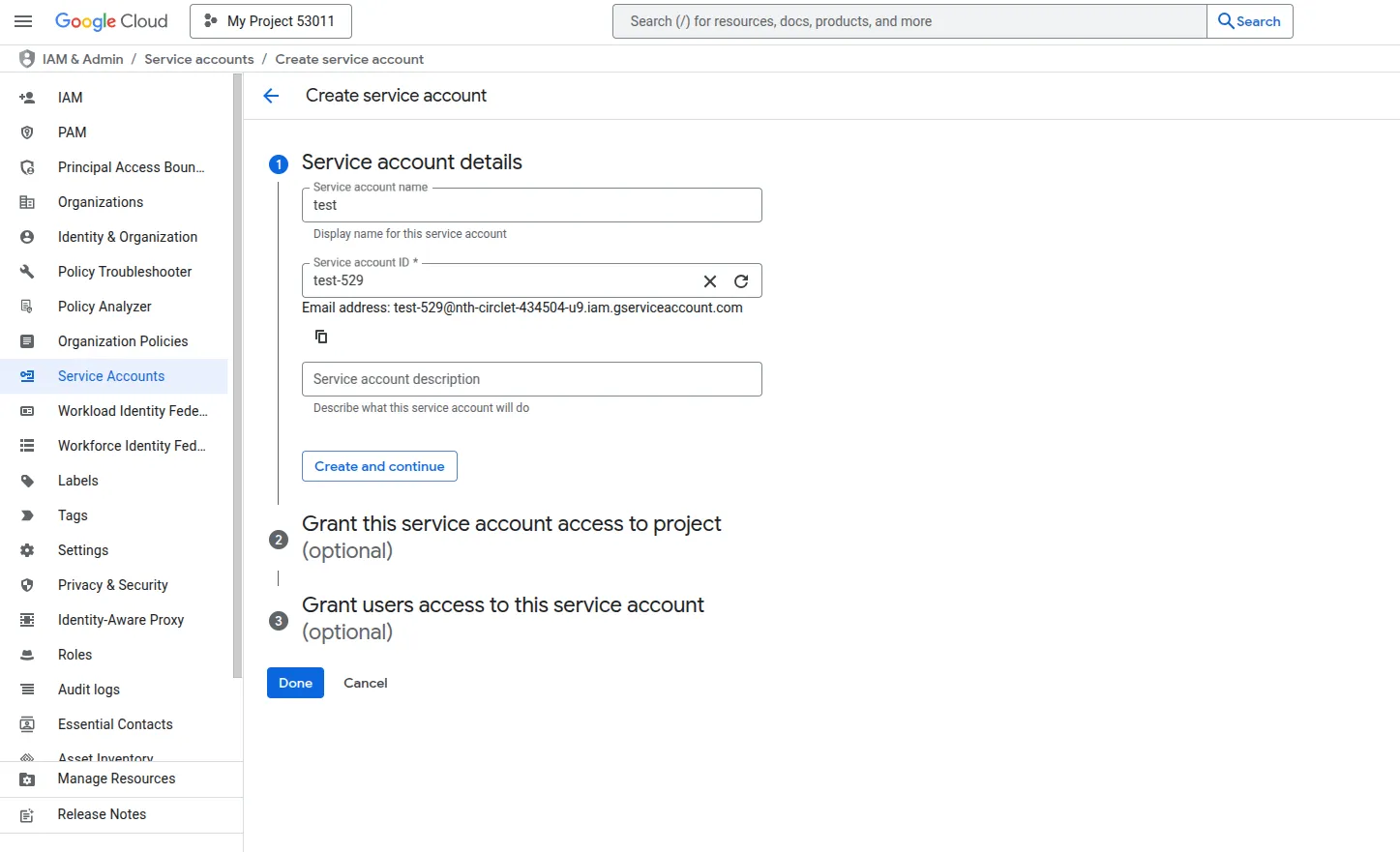
2. Create a Service Account
- Go to IAM & Admin > Service Accounts
- Click Create Service Account
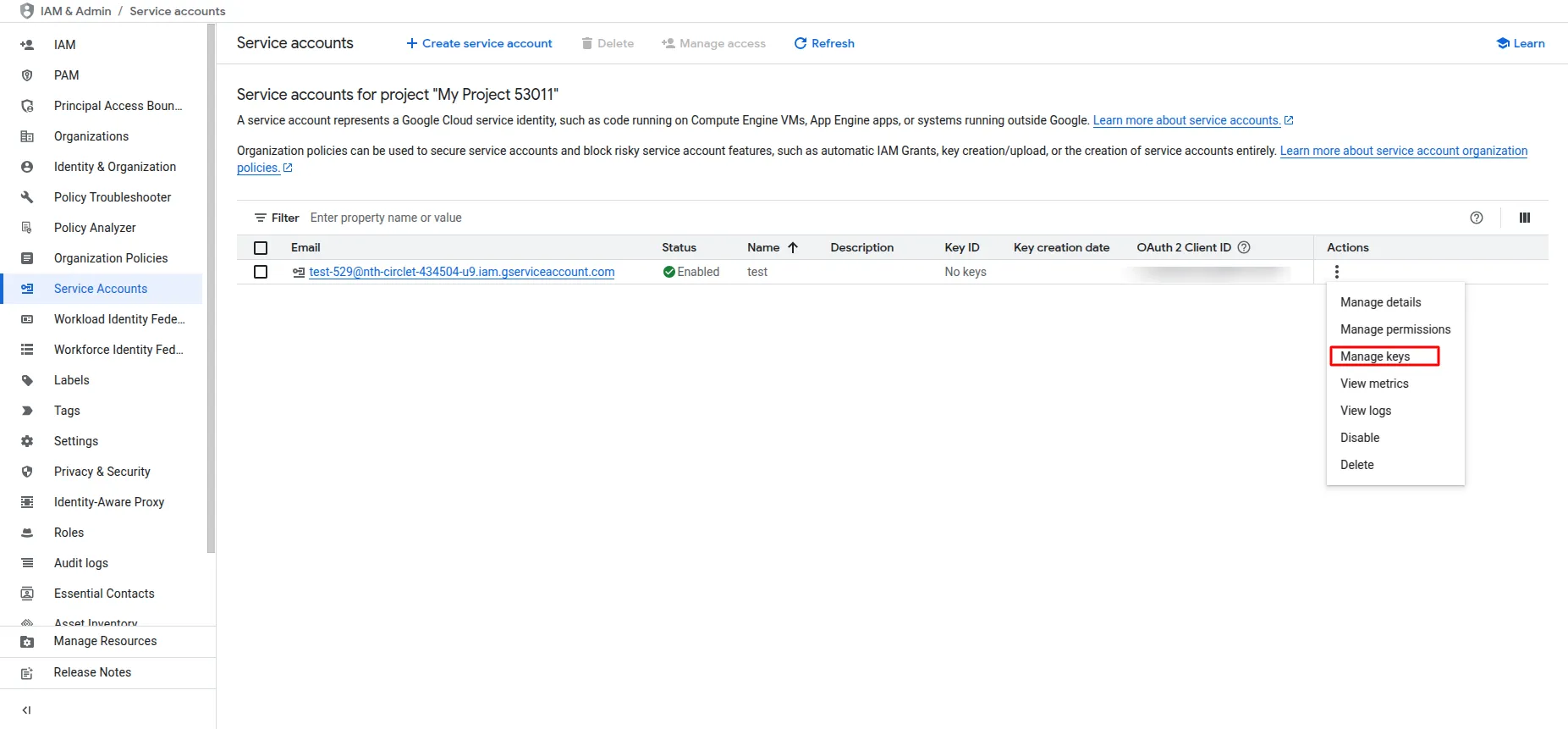
- After creation, click Manage Key
- Click Add Key > Key Type JSON and download the key file.
-
-
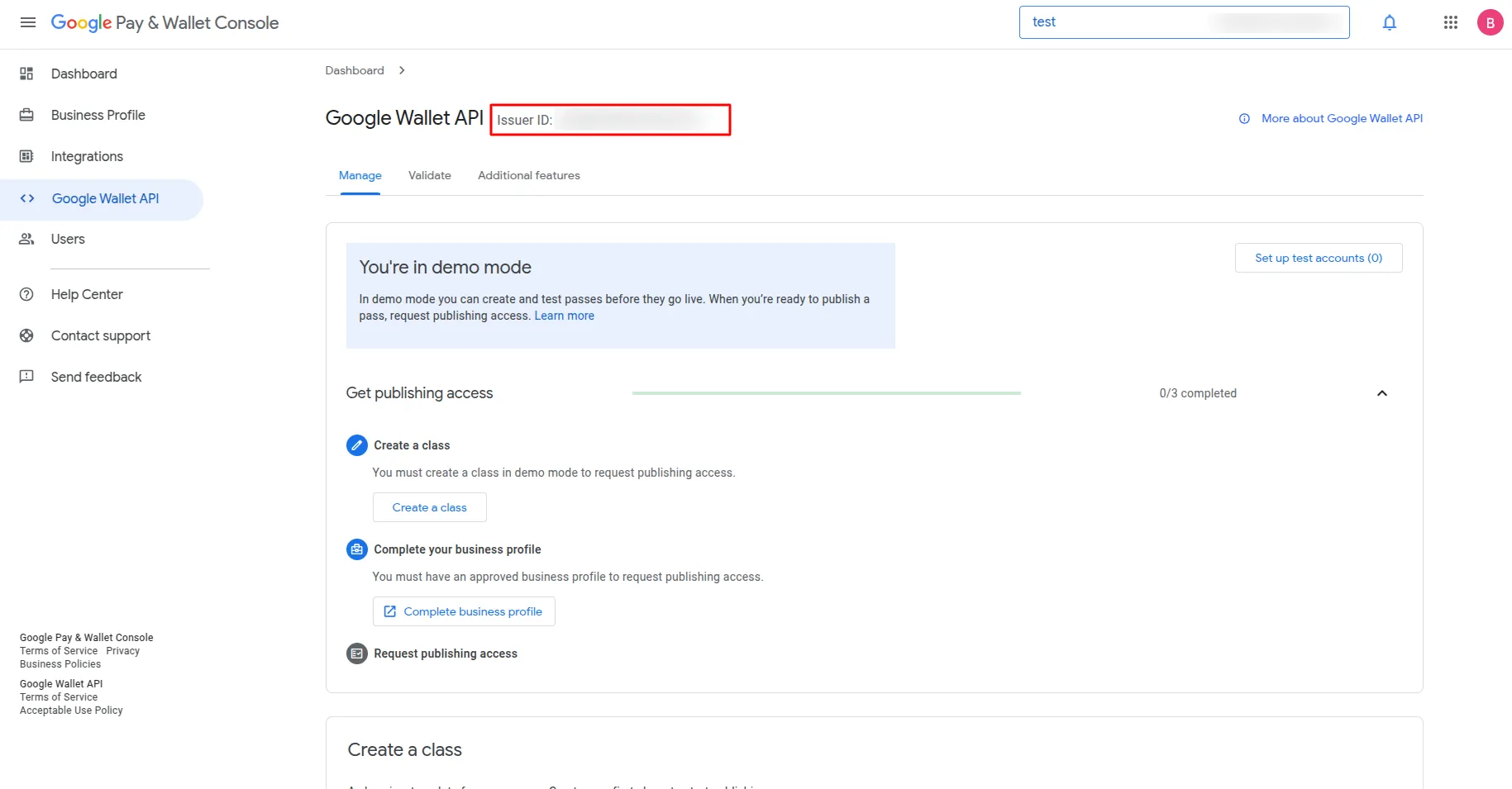
3. Get Issuer ID
- Visit Google Wallet Console
- Complete the business information form.
- Click on Google Wallet API > Build your first pass
- Copy your Issuer ID
-
4. Grant Access
- In the Wallet Console, go to Users
- Click Invite User
- Add your Service Account Email
Categories
Related articles
- School & Institute Management – WorkDo Dash SaaS Add-On Guide
- Mailchimp – BookingGo SaaS Add-On Guide
- BitPay – BookingGo SaaS Add-On Guide
- Budget Planner – WorkDo Dash SaaS Add-On Guide
- Livestorm Meeting Credentials Generation Guide
- App Download – vCard SaaS Add-On Guide
- WorkDo Products Installation Guide
- Asana Project Management – WorkDo Dash SaaS Add-On Guide
- Tap – BookingGo SaaS Add-On Guide
- Business Process Mapping – WorkDo Dash SaaS Add-On Guide
- Webhook – TicketGo Add-On Guide
- PhonePe – BookingGo SaaS Add-On Guide
Get in Touch
We're Here to Help - Let's Talk
Have questions about our solutions, customization services, or business tools? Our team is here to help you. let's talk.