Bundle Sale - Save 72% on the Dash SaaS Complete Bundle Claim Now
Tour & Travel Management Software

Corporate Travel Software for Agencies and Tour Operators

Most corporate travel software helps a company book and control its own employees' trips. WorkDo is the other kind: software a tour operator or travel agency uses to sell and run trips for companies.

In short: group trips, events and incentive trips for company clients, from first inquiry to final feedback, under one login for one $279 payment.

It belongs to WorkDo's tour and travel management software. It does not book employee flights or hotels, and the limits are listed further down.

Two Kinds

Two Kinds of Corporate Travel Software

Corporate travel management software usually means a business travel tool that a company buys for its own staff. The other kind is the back office of the operator or agency that plans the trip.

Company-side tools

Serve the traveler's employer

A business travel platform of this kind handles employee booking, travel policy, approvals, expense claims and traveler tracking.

They are judged on spend control, which is why buyers comparing them ask about policy rules and department reports.

Operator-side software

Serves the business that sells the trip

This software holds tours, group bookings, payments, transfers, tickets, documents and suppliers.

It is judged on how smoothly a trip runs, from the first inquiry to the last receipt.

A good operator-side system answers three questions:

  • What is the plan?
  • Who has paid?
  • Which paperwork is missing?

Where WorkDo Fits

WorkDo is corporate travel software of the second kind, for the business that sells the trip. The company buys the trip from you, and its staff do not use WorkDo to book their own flights.

If a client asks about policy and approvals, explain the split early. You sell and run the trip here, and the client's own tool handles its employees' bookings.

Good to know: flights and hotels from supplier inventory, policy rules, approvals and employee expense claims do not appear in the feature list.

Company Trips

Company Trips Agencies and Operators Sell

A company trip is still a trip with dates, travelers, a plan and a payment. Set it up as a tour package or an event and run it like any other departure.

Tour Package or Event?

Use a tour package when the group travels together on one itinerary.

Use an event when attendees buy tickets for sessions on set dates.

Team Offsites and Retreats

An offsite is usually one tour package with a daily plan, meals and transfers. A consultation slot lets the organizer brief you before you quote.

Incentive Trips

A reward trip has fixed dates and a cost per traveler, totaled for the whole group. Its itinerary, transfers and insurance sit in the same record. The booking summary adds up adults and children, so the quote stays simple.

Client Hospitality Trips

Hospitality trips start from a custom itinerary built from the inquiry. Ratings and comments afterward show what to keep for the next client.

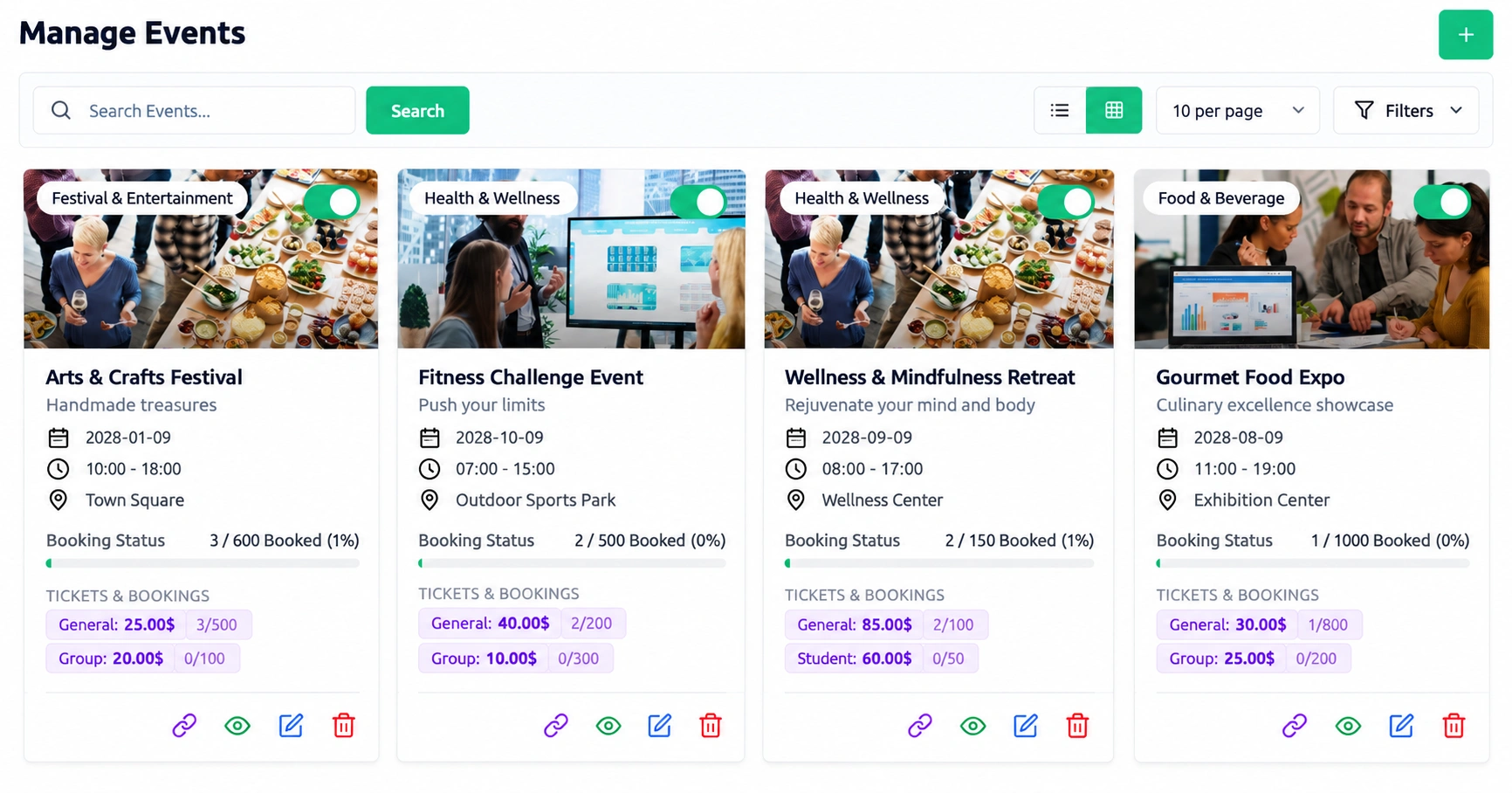
Manage Events screen with event dates, venues, ticket types and bookings

Business Travel Management Software for Conferences and Events

On the operator side, business travel management software has to run the event as well as the journey. An event holds its dates, venues and ticket types, and transfers carry attendees between stops.

Ticket tiers such as early bird, VIP and group are priced separately. Every booking gets a PDF ticket with a barcode, and updates and rosters can be pinned for your team, with read tracking.

Agency Workflow

Corporate Travel Software for Travel Agencies and Tour Operators

A company contact starts with an inquiry, and your team follows the trip through to feedback. This is the agency-side workflow, from first contact to the next booking.

  1. Inquiry: the company contact fills in a web form with dates, group size and budget, or books a call.

  2. Quote: you build the package with an itinerary, dates and pricing.

  3. Booking and payment: the company confirms and pays online, and a receipt is logged.

  4. Transfers and paperwork: seats, insurance and documents are arranged.

  5. Team alerts: SMS alerts and a shared calendar keep your staff on schedule.

  6. Feedback: travelers and staff leave ratings that shape the next trip.

Keeping Your Team in Step

Your staff share one calendar that syncs with Google Calendar, so deadlines and bookings sit side by side. Texts go out for whichever events you turn on.

Guides and tour managers read departure updates on the notice board, and you can see who has opened them.

We know their destination and budget before the meeting even starts.
Omar Al-Farsi

What to Ask a Company Client Before You Quote

  • Who is going? The number of adults and children, and any guests who need their own documents.
  • When? Dates, days and nights, which the inquiry form works out for you.
  • What is the budget? So the first quote already fits it.
  • What is the trip for? An offsite, a reward and a conference need different plans.
  • What to arrange? Transfers, insurance, meals and emergency contacts, and who confirms the quote and pays online.

Custom questions on the consultation link collect the rest before the call.

What a Company Proposal Should Show

Show the itinerary, the dates and one price for the whole group. Say clearly what is included, because a company buyer will compare your proposal with others.

Then explain how the company pays and which paperwork you need from its travelers. A proposal that answers those questions early is easier to approve.

Booking

Corporate Travel Booking Software for Group Trips

Companies can book the trips you publish on your own website, through a link or with a QR code. This is booking for tours, transfers and tickets you create, not business travel booking software that searches airline and hotel inventory.

  • Booking on Your Own WebsiteStaff explore tours, book packages and track trip details on a mobile-friendly, branded site. The price per adult and per child adds up for the whole party.
  • Links, QR Codes and CheckoutA link or a QR code opens the booking form, so it fits neatly into a proposal or an email. Checkout runs through Stripe or PayPal, with paid and pending amounts shown on each booking.
  • Before You Publish a Company Trip

    Check the itinerary, the price per adult and per child, and the seat counts. Then share the link with the company contact.

    1. The itinerary
    2. The price per adult and per child
    3. The seat counts
    4. Share the link with the company contact
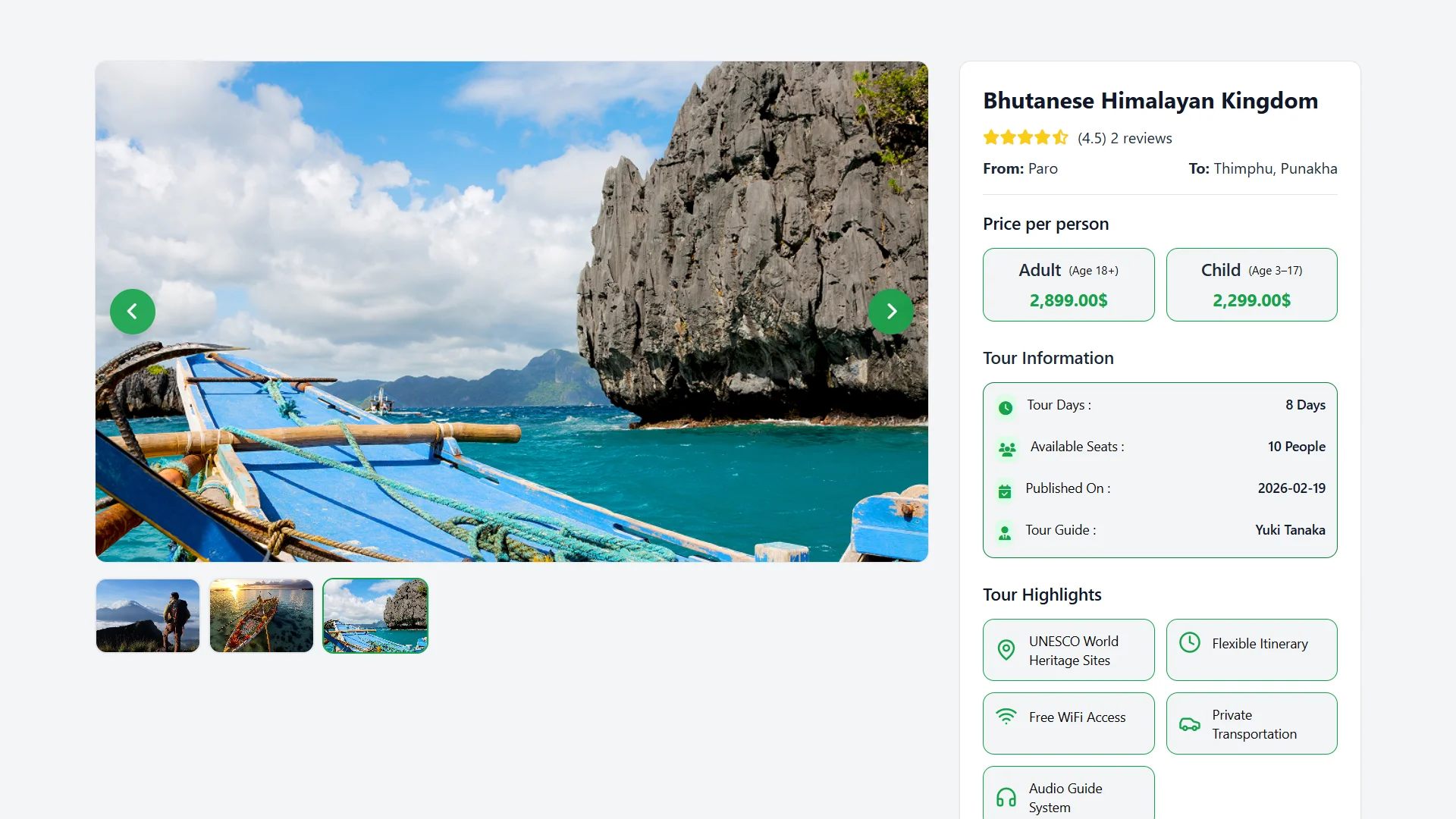
Tour page with price per person, tour information and highlights

Group Transfers

Shuttle routes offer seat selection, and passenger details are kept with the booking. A group that arrives together can leave together.

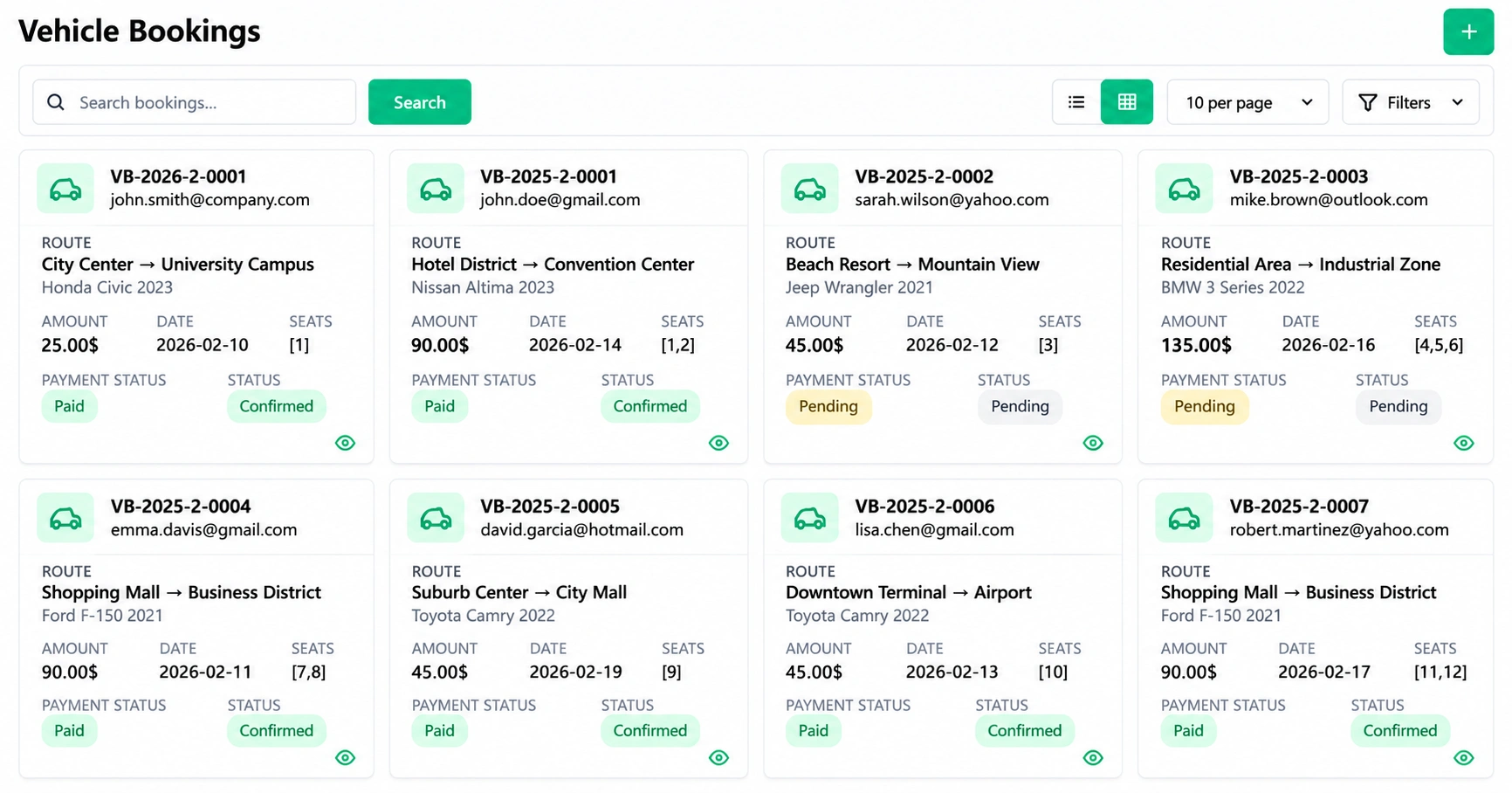
Vehicle Bookings screen with routes, vehicles, amounts, seats and payment status
Small Business

Small Business Travel: Team Trips and Offsites

Small business travel is often one trip a year, such as a team offsite, a client visit or a reward. A short inquiry, a consultation slot and a clear quote are enough to start.

The owner picks an open slot through your link, free or paid. Dates, group size and budget arrive with the inquiry, so the quote starts from facts.

Every booking shows the amount settled and the amount still due. Afterward, ratings and comments show what to keep for next year's trip.

A small client will not read a long proposal. Lead with the plan, one price and a date for the decision.

This is travel management software for small business trips that you sell, not a tool for the client's own staff. Small business travel management on your side means one list of inquiries, quotes and bookings.

A travel map, field notes, camera and brochures laid out on a desk
Paperwork

Paperwork, Contracts and Cover for Company Trips

Company trips carry paperwork on both sides. Keep it with the booking, not in an inbox.

Traveler and Company Documents

Numbered files for travelers and for companies sit with the booking. Each is marked private or public, with notes and attachments.

Comments let your team record who asked for what.

Supplier Contracts

Hotel, transport and partner agreements carry values, renewal alerts and online signatures. Both sides sign online, so nothing waits on a courier.

Company buyers care about who can see a traveler's passport copy. Marking each file private keeps it out of public view.

Insurance

Cover plans come with approvals, installment invoices and claims tracked to payment. Installments let a larger group pay for cover in parts.

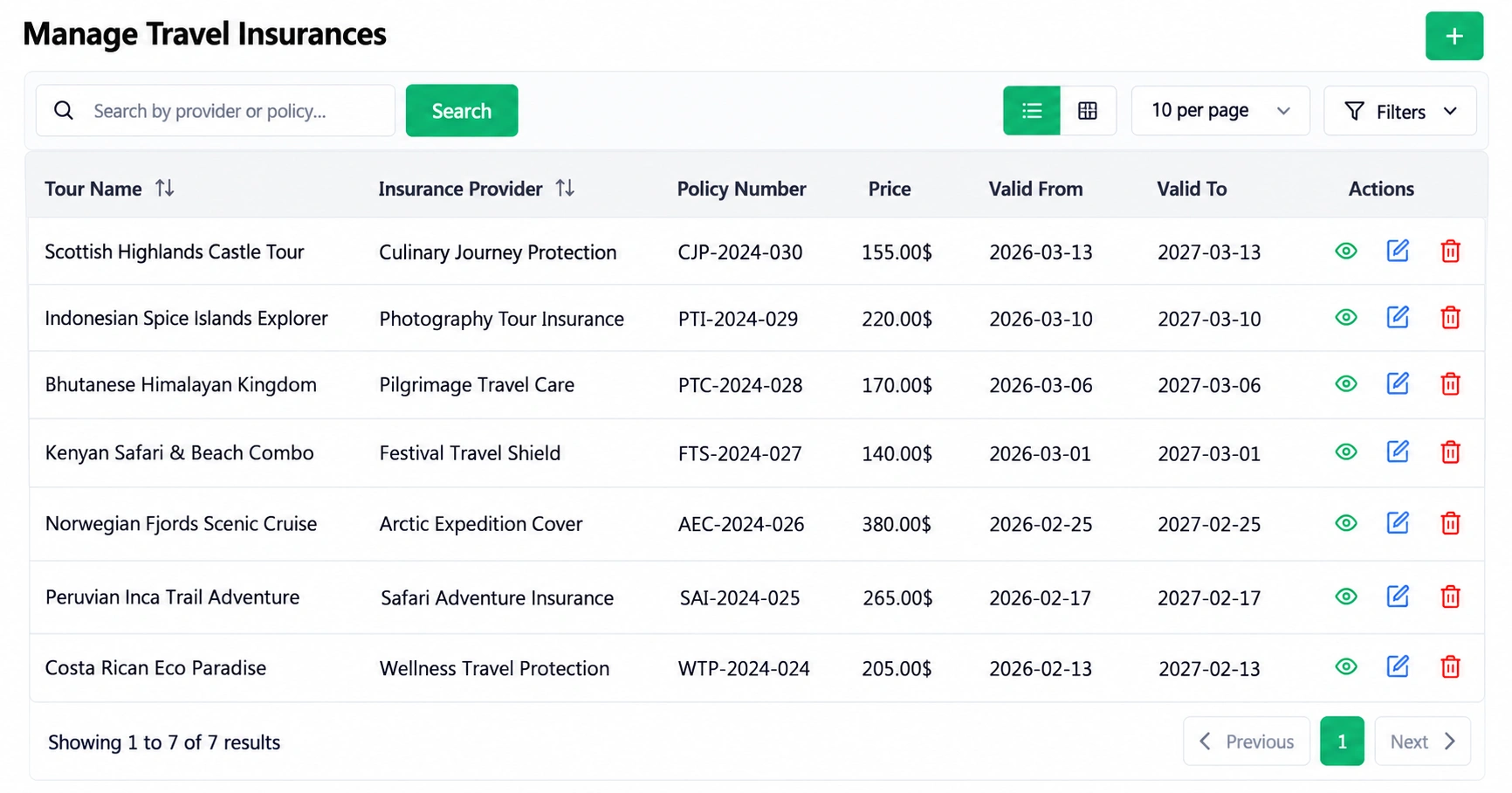
Manage Travel Insurances screen with tour, provider, policy number, price and validity
Adding travel insurance to our packages was always manual.
Jonas Becker
White Label

White Label Corporate Travel Software Under Your Own Brand

Your client should see your name, not a vendor's. The software is white label ready, and your logo, title, footer and banners appear on the tour website.

Your Brand on Every Touchpoint

The site, the booking link and the QR code all carry your identity. A company that books through you sees your agency, not a software vendor.

Source Code and Updates

The full source code is included, and future updates cost nothing extra.

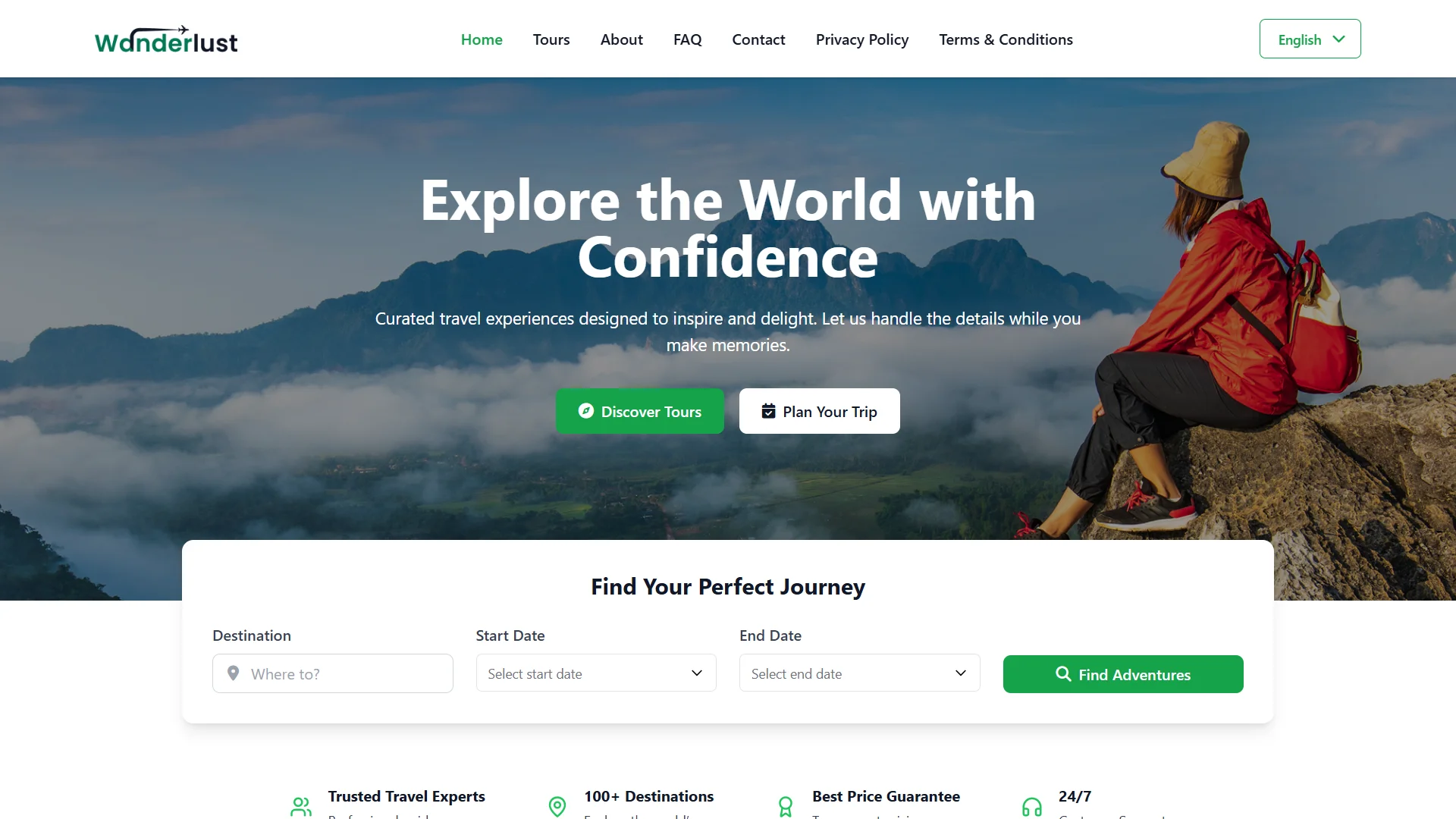
Branded tour website home page with a tour search form
It runs on our own server under our agency brand, with no monthly fees to budget for.
Nathan Price
Closest Match

Features Company Buyers Expect, and the Closest Match Here

Company-side business travel tools are judged on a familiar checklist. This is the closest match for each item in operator-side software.

A buyer expects The closest match here
Itinerary management Day-by-day plans with meals, transport legs and contacts.
Group booking Group prices, ticket types and shared departures.
Traveler records Numbered files for each traveler, kept private or public.
Notifications SMS alerts for the events you choose, plus a shared calendar.
Reporting Bookings, expenses and revenue for your own business, not a client spend view.
Cost control A cash float for each of your guides, with requests approved online.
Branding A white label site with your own logo, which suits an agency better than a vendor-branded page.

None of this turns WorkDo into a company-side tool. It shows how much of a buyer's checklist an operator-side system can answer honestly.

Limits

Good to Know: What Company-Side Tools Cover That WorkDo Does Not

Business travel software of the company-side kind covers jobs that are missing from the feature list here:

  • Booking flights, hotels or cars from supplier inventory.
  • GDS or other supplier connections.
  • Travel policy rules and approval workflows.
  • Employee expense claims and corporate cards.
  • Traveler location tracking and duty-of-care alerts.
  • Accounting, ERP and HR integrations.
  • A dedicated mobile app.

If a client needs one of these, it belongs in a company-side tool. Use WorkDo for the trips you sell and run.

Pricing

Corporate Travel Software Solutions Pricing: One Payment, No Per-User Fees

Company-side tools often charge per user or per trip. An agency has few staff and many travelers, so a single payment suits its shape better.

$279

What you pay once.

  • All 17 modules would cost $697 if bought separately.
  • Nothing recurs afterward.

Why Per-User Fees Do Not Fit a Trip Business

Per-user fees count your staff, but a trip business earns from its travelers. A small team can serve many travelers in a season, so a fee that grows with staff or trips works against you.

What You Arrange Yourself

Hosting, payments, text messages and AI each connect through your own accounts. They sit outside the $279.

Choosing

Which Kind of Corporate Travel Software Do You Need?

Answer these five questions before you choose a tool.

The question The answer
Who books the trip? Employees booking flights and hotels need a company-side corporate travel tool, while a team that plans and sells trips needs operator-side software.
What must be controlled? Policy rules and approvals sit in company-side tools, and itineraries, payments, transfers and paperwork sit here.
Whose name does the client see? Yours, on a white label site.
What does it cost? One payment, with a live demo to test first.
Can you use both? Yes. Keep a company-side tool for a client's own staff and WorkDo for the trips you sell.

If both sides apply to you, the answer to the last question is the practical one. Use each tool for the job it was built to do.

The tour operator software page shows the day-to-day view. The travel booking software features page explains every feature named here.

Live Demo

Try a Company Trip in the Live Demo

Every module is switched on in the demo. Publish a group tour, make a booking and open the dashboard before you spend a cent.

  • One Payment.
  • Lifetime Access.
  • Everything Included.
Two travelers planning a trip with maps and brochures at a travel desk
Faq's

Frequently Asked Questions About Company Trips

It usually means a tool a company uses to book and control employee trips. WorkDo is the operator side: software a tour operator or agency uses to sell and run group, event and incentive trips for companies.
No, employee self-booking of flights and hotels from supplier inventory is not listed. Companies book the tours, transfers, tickets and group trips you publish, through your website, a link or a QR code.
No, travel policy rules and approval workflows are not listed among the features. For a client who needs them, use a company-side tool and keep WorkDo for the trips you sell.
Yes. Set each trip up as a tour package or event with group pricing, take bookings and payments online, and arrange transfers, insurance and documents in the same system.
Yes, it is white label ready. Your logo, title, footer and banners appear on the tour website, and the full source code is included.
One payment of $279 buys all 17 modules, the full source code and free updates, with no monthly fee. Company-side tools often charge per user or per trip.