Bundle Sale - Save 72% on the Dash SaaS Complete Bundle Claim Now
Tour & Travel Management Software

Tour Operator Software for Tours, Bookings and Payments

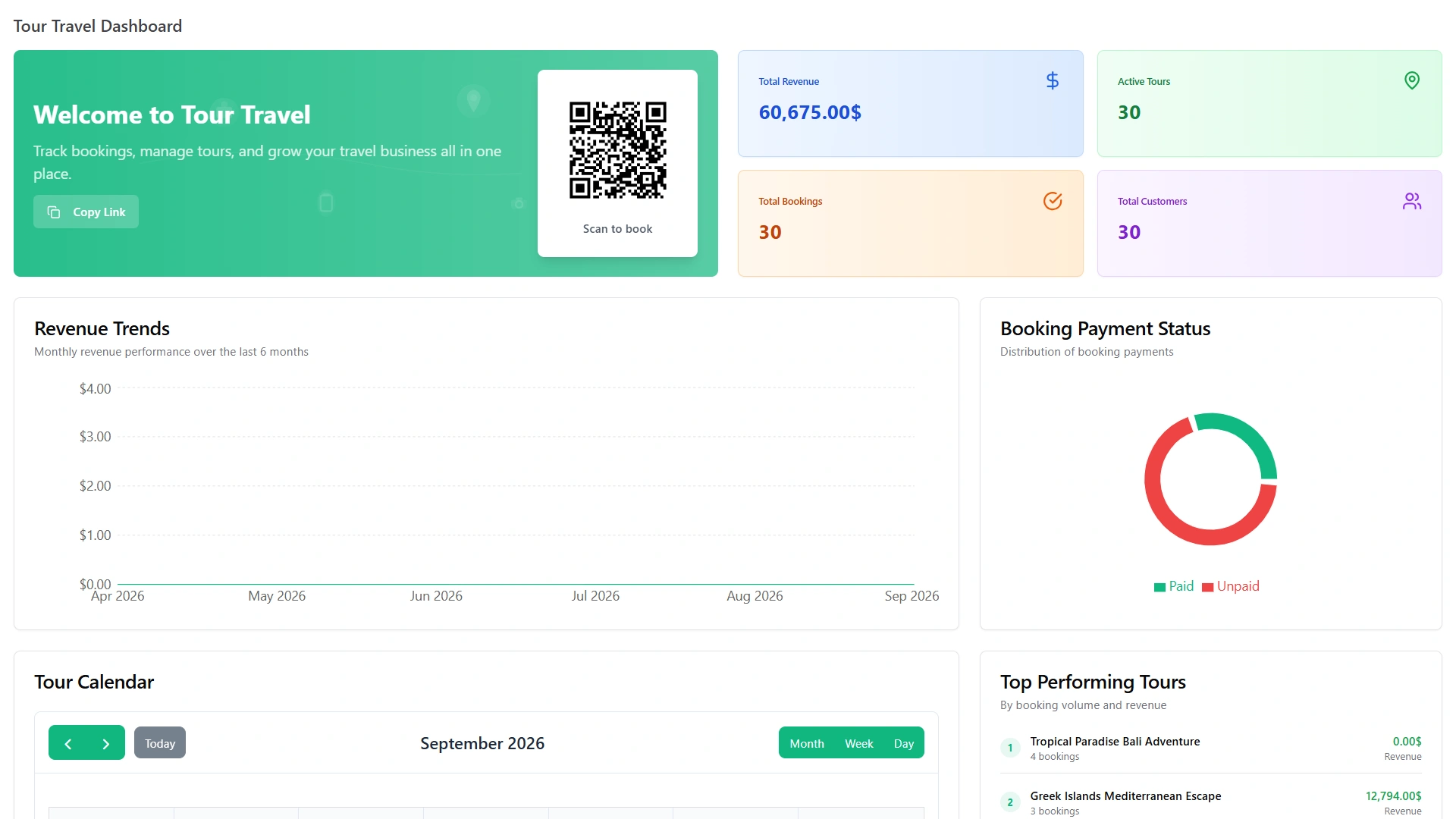
Tour operator software keeps every tour, departure, traveler and payment in one system. This page shows how WorkDo's tour and travel management software runs a tour company from the first inquiry to the last receipt.

In short: tours, bookings, payments, transfers, tickets, guides, suppliers and paperwork behind one login, for a single $279 payment.

Whether you run tours or sell them, you start from the same tour record. The travel agency management system guide shows how different travel businesses use it.

The Basics

What Is Tour Operator Software?

It is the booking and back-office system for a company that runs tours. One system holds the tours you sell, the travelers who book them and the money, people and paperwork behind each departure.

Booking agents, tour managers, guides, the accounts team and owners all use the same records, each through the view that fits the job.

What It Replaces

Most tour companies start on spreadsheets, shared inboxes and paper cash books. That works for a handful of departures and breaks when the season gets busy. Good tour operator software gives each tour one record that everyone can open. Sales, guides and accounts then work from the same facts instead of their own copies.
Signs You Have Outgrown Spreadsheets

You answer the same itinerary questions by phone, seat counts live in someone's head, and guides settle cash on paper. If two or more sound familiar, it is time to move the tours into one shared system.

Names You May See

Teams search for the same tool under several names: a tour organizer, a tour manager tool or a tours management system. The names differ, but each describes software that plans, sells and runs tours.

Travelers used to call us for the day plan again and again.
Antoine Laurent
Tour Packages

Tour Management Software for Packages and Departures

Here tour management software means managing tour packages and departures for travelers, not band tours or crew schedules. A tour is one record, whether it leaves on fixed dates or is built for a single customer.

  • One Record for Every Tour

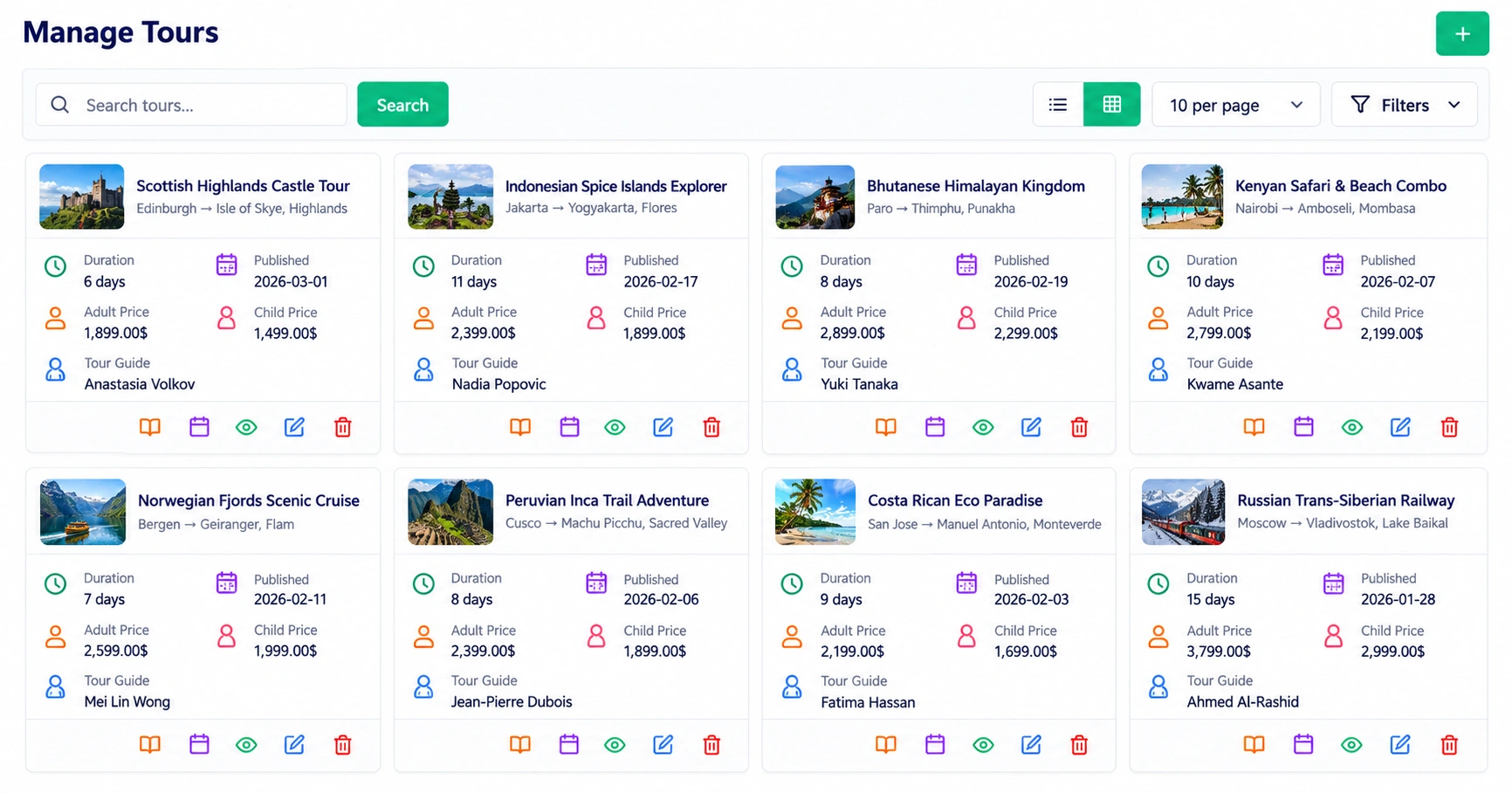
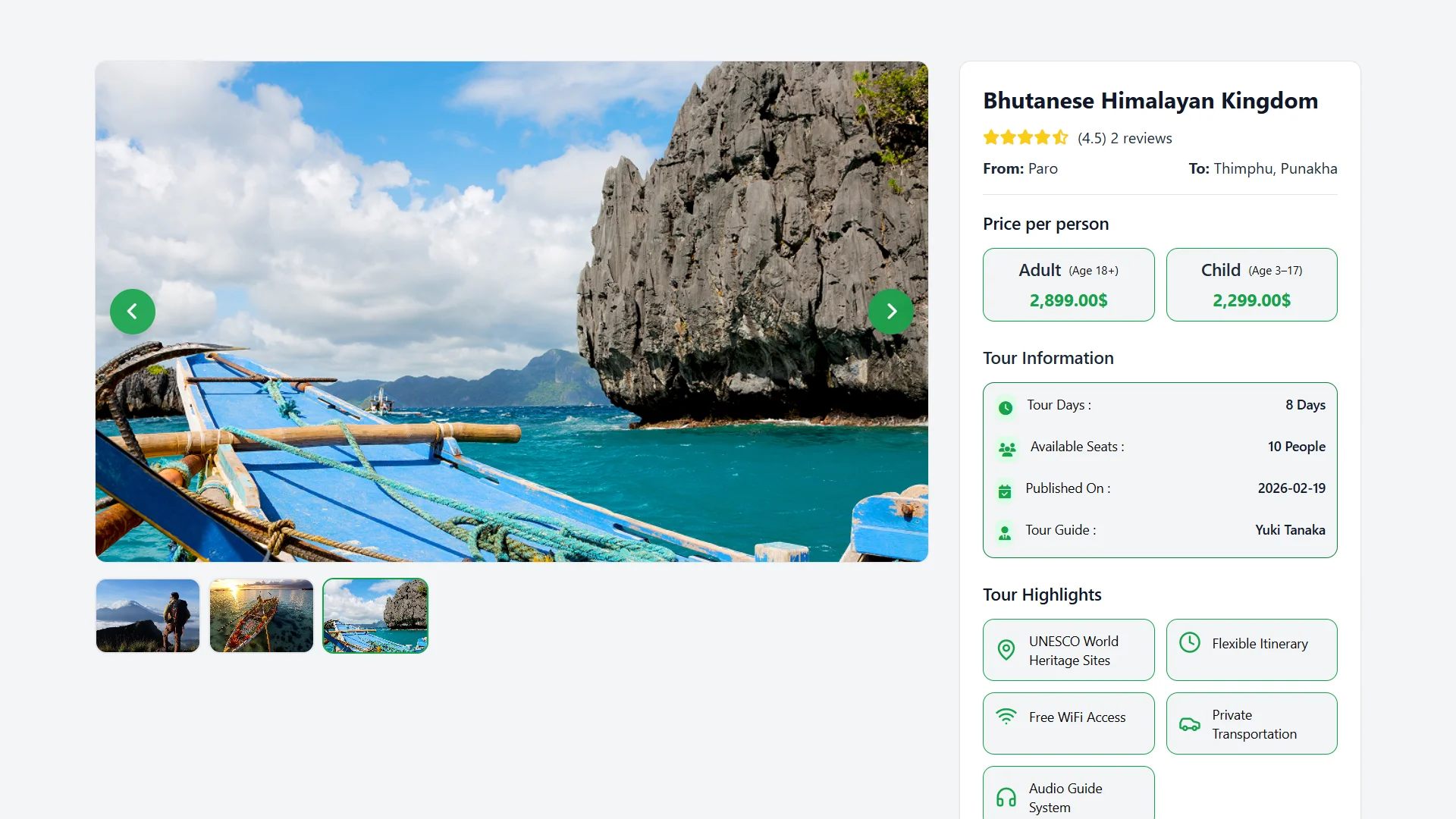
    Each tour holds its destination, prices, guides, photos and highlights. A published tour carries the full plan, so travelers find answers before they phone.

  • Fixed Departures and Custom Trips

    A fixed departure starts from the tour, while a custom trip starts from the inquiry. Both end up as the same kind of record, with an itinerary, prices and bookings.

  • Seasons, Seats and Prices

    Multi-date tours carry a price for each season and a seat count for each departure. Seat availability is tracked across the dates you schedule, so you can always see what is left. Prices can be set per adult and per child, and the booking summary adds up the total for the whole group.

  • The Day-by-Day Plan

    Every day of an itinerary has a title, date, time and description. Meals are listed by date, type and category, and transfers show route, mode and length. Emergency contacts for medical, police and tourist help sit on the same tour, with their opening hours.

  • One Tour Management System for the Whole Season

    A tour management system should show where every departure stands. The tour list, seat counts and bookings share one login, so the whole team works from the same plan.

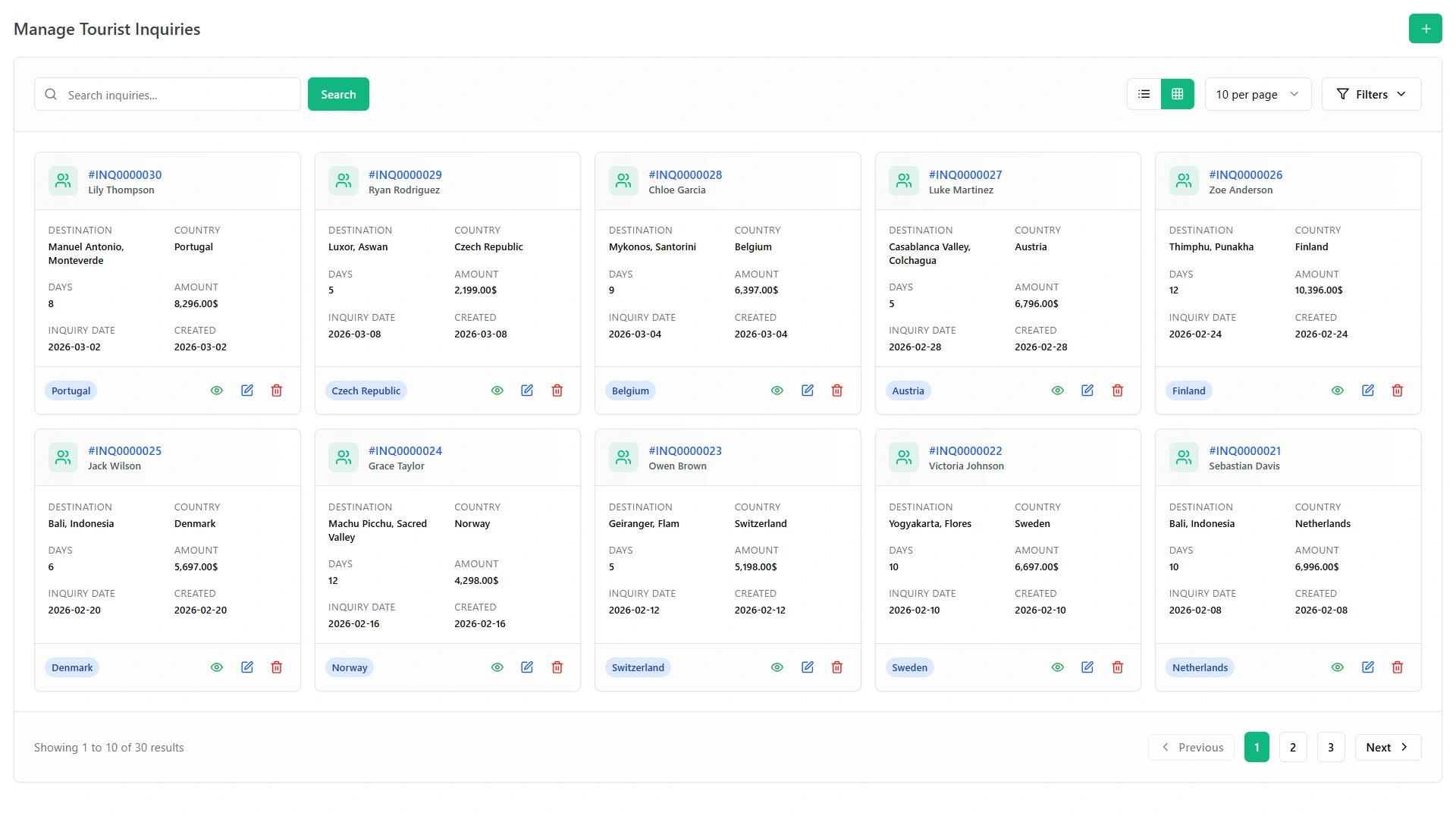
Manage Tours screen with tour cards, days, prices and tour guides Tour page with price per person, tour information and highlights
We run fixed departures and custom trips from two offices.
Arjun Malhotra
A Season

A Season in the Software

A tour season has a rhythm: build, sell, run and learn. Here is how that rhythm looks in WorkDo, with the features behind each stage.

Before the Season: Build and Publish

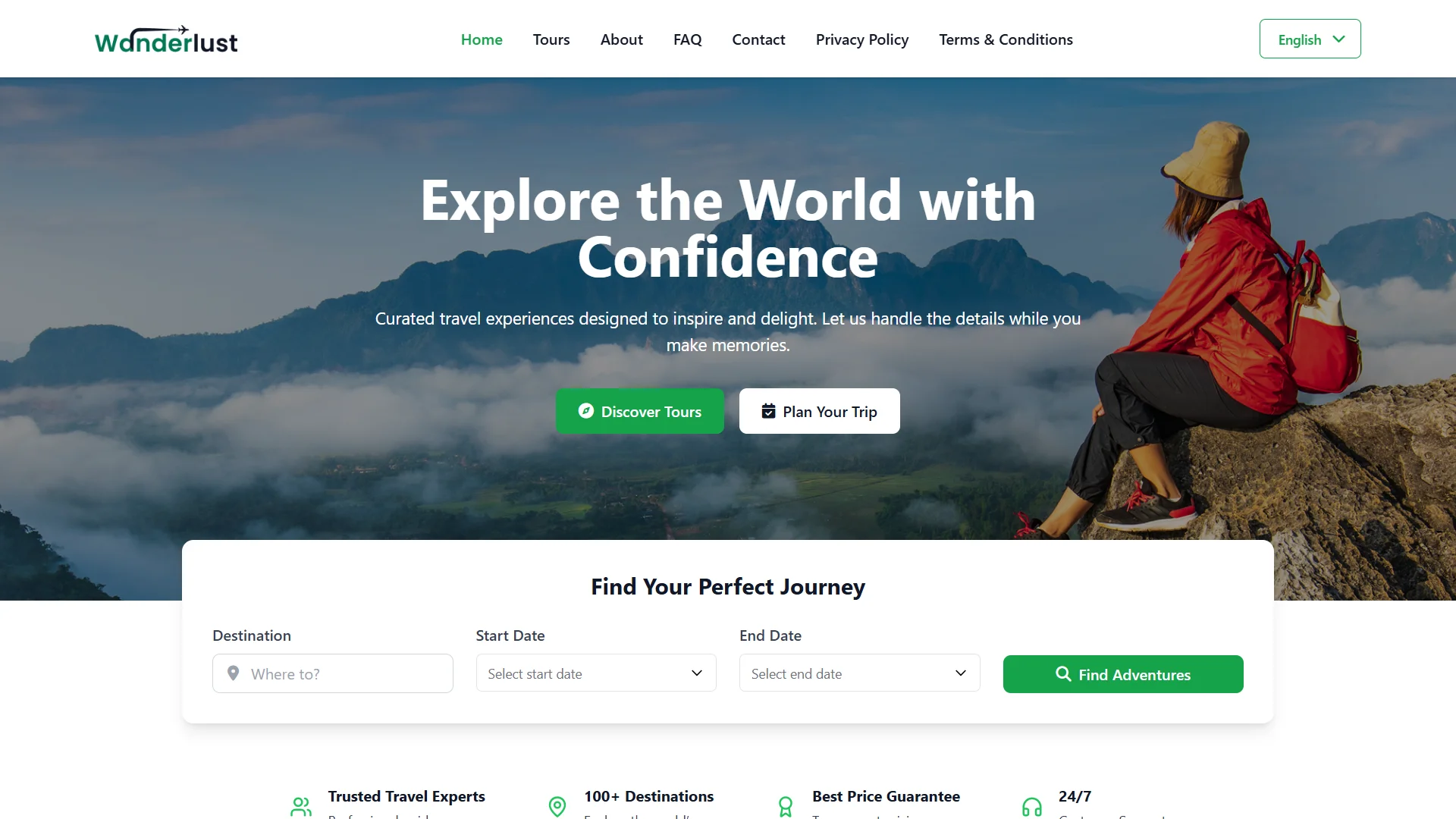
Start with the tours, then the website. Add your logo, site title, footer and homepage banners, and your tours appear on the homepage and the tours page.

Testimonials, an FAQ page, contact details and social links tell travelers who you are. Hotel, transport and guide agreements go in as contracts, with values, dates, renewal logs and signing online by both sides.

Branded tour website home page with a tour search form
Tour Types

Day Tours, Multi-Day Tours or Both?

Day Tours and Activities

A day tour needs a date, a time slot and a payment. Services and events can offer open time slots, so travelers pick one when they book.

Short tours live or die on the booking page, so open slots and a clear price matter most.

Multi-Day Tours

A multi-day trip adds an itinerary, meals, transfers, suppliers and several payments. That is where the daily plan, seasonal prices and supplier contracts earn their place.

Long trips live on coordination, so suppliers, transfers and paperwork matter most.

Running Both Together

A company that sells both works from one login, one calendar and one set of reports. Day tours and long trips differ in detail, not in the system behind them.

Small Operators

Small Tour Operators Software: Start With a Few Modules

Small tour operators software should not need a big setup. Switch on a few modules, run a few tours and grow from there, because every module is already included.

A Solo Operator's First Modules

Begin with Bookings, Appointment, Documents and Tour & Travel Management. Those four cover the tour, the sale, the consultation and the paperwork.

When the Team Grows

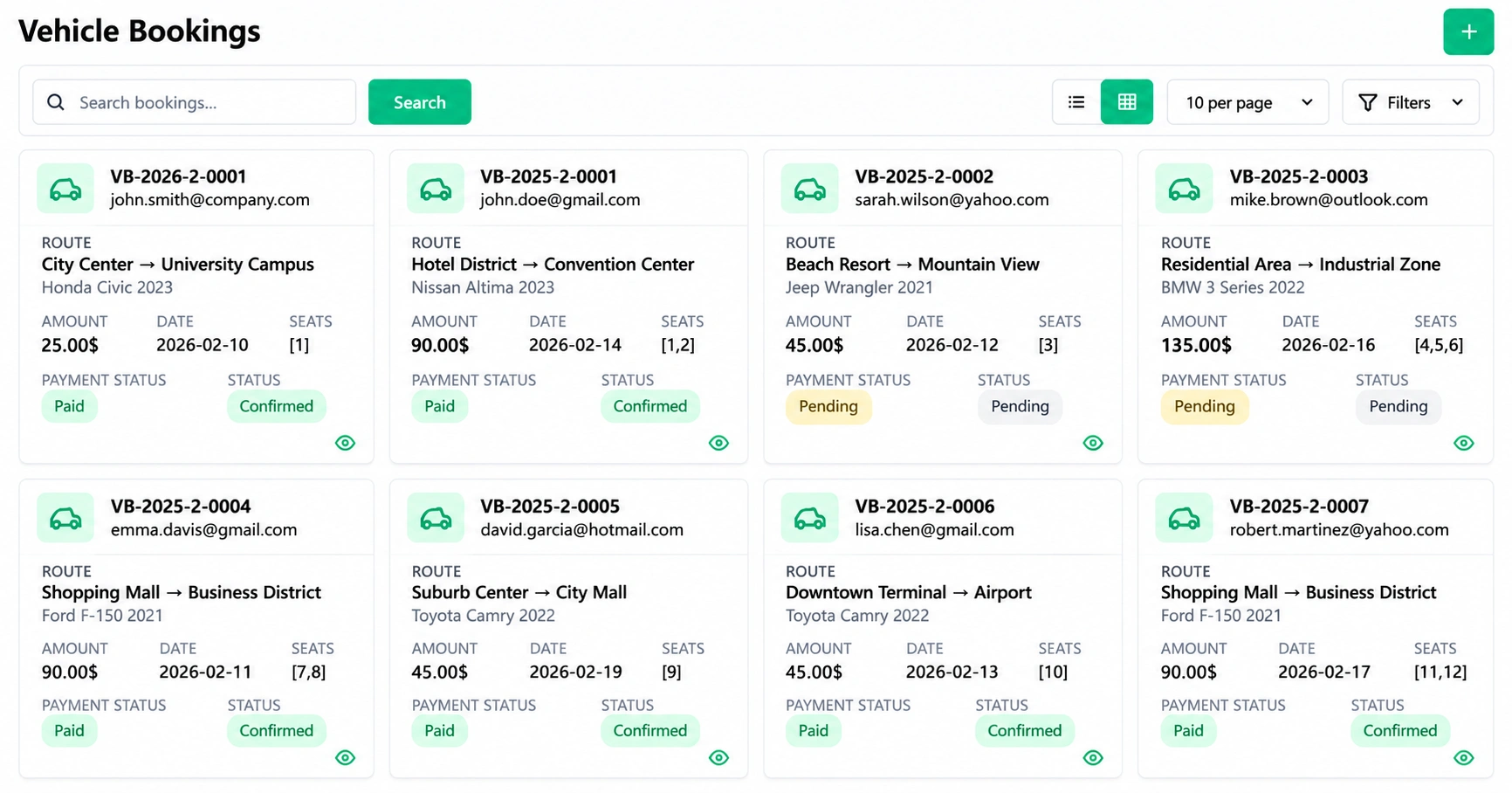
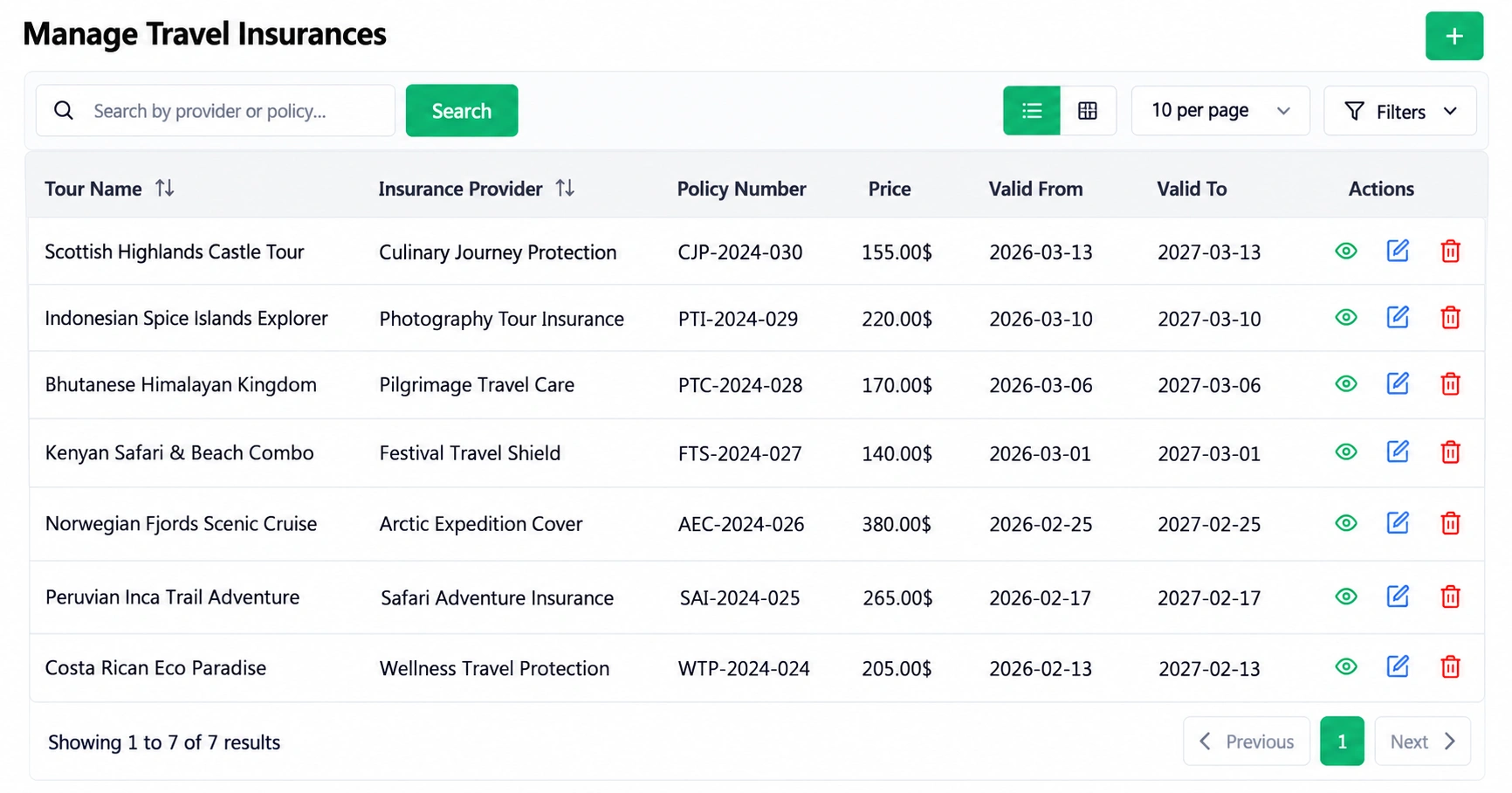
Add Vehicle Booking Management for transfers and Events Management for ticketed departures. Insurance Management and Smart Reports follow when cover and numbers start to matter.

A Multi-Office Operator

Booking agents get a simple view, tour managers a detailed one and owners a clear picture. That split lets several offices share the same records without sharing the same screens.

There is no upgrade step along the way: you open another module when you need it.

Operator or Agency

Tour Operator or Travel Agency? One System for Both

A tour operator builds and runs the tour, while a travel agency sells tours to travelers. Teams that do both work from one set of records.

Operators lean on

Tours, departures, guides, vehicles and supplier contracts.

Agencies lean on

Inquiries, bookings and payments.

A business that does both sees each side in the same dashboards and reports.

Good to know: agent commission tracking is not part of the feature list.

Tourism

Tourism Management System: What WorkDo Covers

What it covers

A tourism management system can mean a destination board's visitor tools. WorkDo covers the tour company's side: tourism and travel services management for tours, bookings, transfers, tickets and paperwork.

What it does not cover

It does not cover visitor statistics or public tourism listings for destination boards.

Pricing

Tour Operator Software Pricing: One Payment, Not Monthly Fees

Many tour platforms charge a monthly fee or a share of each booking, so the bill grows with your season. WorkDo is one payment of $279 for all 17 modules, the full source code and free updates.

$279

What you pay once.

  • $279 compares with $697 if the modules were bought one by one.
  • No monthly fee, and you own the software after the payment.
  • A subscription bills every month, including the quiet months.

  • A commission bills a share of every sale, so it grows as you do.

  • A one-time purchase bills once, and the cost stops growing.

What You Arrange Yourself

Hosting and gateways still sit outside the $279. Your own server, payment gateway, SMS gateway and AI provider each connect through your own account.

Choosing

How to Choose Tour Operator Software

Ask the same five questions of any vendor. Here is how this system answers them.

  1. What Do You Sell?

    Fixed departures, custom trips, transfers and event tickets are all covered. Day tours and multi-day tours share one system.

  2. How Big Is Your Team?

    Booking agents see a simple view and tour managers a detailed one. Owners get dashboards and reports.

  3. What Is Not Working Now?

    Quotes, repeat calls, seats, tickets, paperwork and guide cash each have a feature. Start with the pain that costs you the most hours.

  4. Will It Grow With You?

    All 17 modules are included from the start, so growing means switching modules on. Nothing is locked behind a higher plan.

  5. What Does It Cost?

    One payment covers every module, and the live demo lets you test them first. Compare that with the monthly fee and the booking share elsewhere.

Questions to Ask in a Demo

Open the demo and build one of your real tours rather than a sample. Check that the itinerary, meals, prices and seat counts say what you would tell a traveler.

Take a test booking, then look for the payment, the receipt and the report. Ask what is not included, and compare the answer with the Good to know list below.

For what this adds up to, see the benefits of tour operator software. Each feature is explained on the travel booking software features page.

First Week

Your First Week With the Software

A new tour company can be up and running quickly. This is one way to order it.

Two travelers walking beside a lake toward a castle, a tour van behind them
  1. Try the demo: open the live demo with every travel module switched on.
  2. Create your first tour: add the destination, prices, guides and a daily plan.
  3. Set seasons and seats: add dates, seasonal prices and seat availability.
  4. Publish your website: add your logo, tours and FAQs, then share the booking link.
  5. Add the road team: assign guides and equipment, then switch on SMS alerts and the calendar.
  6. Review the numbers: read the dashboard and reports after your first departure.

What to Expect After Week One

After the first departure, compare the plan with what actually happened. Then edit the tour record, the prices or the seat counts, so the next group sees the improved version.

Limits

Good to Know Before You Choose

Every tool has edges, and these are the ones to weigh against your own needs. They are not part of the feature list:

  • Reseller and OTA channel sync.
  • GDS and supplier connections.
  • Accounting and tax automation.
  • Waivers and automatic deposit schedules.
  • A dedicated mobile app.

For any of these, pair WorkDo with a dedicated tool and let it run your tours.

Live Demo

Run a Test Tour in the Live Demo

The demo opens with every travel module switched on. Create a tour, take a test booking and read the report before you spend anything.

  • One Payment.
  • Lifetime Access.
  • Everything Included.
Two travelers planning a trip with maps and brochures at a travel desk
Faq's

Frequently Asked Questions About Tour Operators

It is the booking and back-office system for a company that runs tours, holding tours, itineraries, bookings, payments, transfers, guides, suppliers and traveler documents in one place.
Look for itinerary building, online booking with tracked payments, seats and equipment, supplier contracts, traveler documents and reports. WorkDo includes all six under one login.
Operators build tours and agencies sell them, but both need inquiries, bookings, payments and paperwork, so one system covers both; agent commission tracking is not listed.
No: it manages travel tours, with packages, departures, travelers, transfers, tickets and paperwork, not band tour schedules or crews.
No such connections are listed among the features. WorkDo runs your own tours, bookings, payments and paperwork, so keep a channel manager or GDS tool separate if you need one.
No free plan is listed. WorkDo is one payment of $279 for all 17 modules, and the live demo lets you try every feature before you buy.