
workdo sale image

Get 50% off all Add-Ons today! Need more? Check Bulk Discounts!

get 50% off
School Management System

Every Feature Built Into Your School Database Management System

See every feature packed into one school database management system - attendance, fees, exams, library, transport & more.

Introduction

Most schools don't fail at teaching. They fail at keeping track - of who's absent today, whose fee is overdue, which student's exam marks haven't been entered yet, and which library book is three weeks late. If your team is still juggling spreadsheets, WhatsApp groups, and a filing cabinet to run a single campus, you already know how much time that "system" quietly eats every week.

A proper school database management system solves this by pulling every one of those jobs - admissions, attendance, fees, exams, library, transport, and communication - into one connected platform, so nothing has to be typed twice and nothing falls through the cracks. Below is a complete, honest look at everything this system does, module by module, so you know exactly what you're getting before you switch.

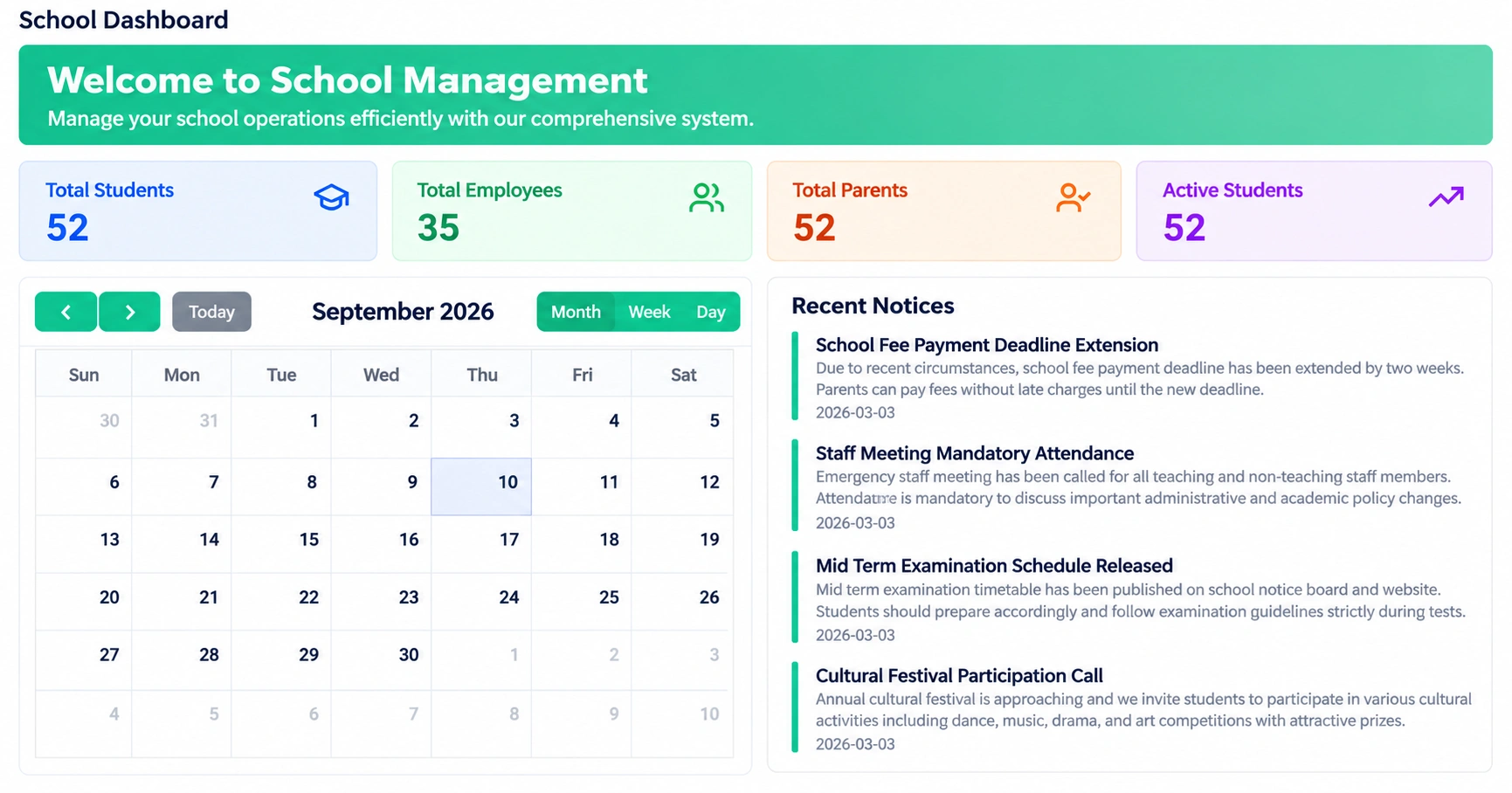
school database management system dashboard overview
Definition

What Is a School Database Management System?

In simple terms, a school database management system is software that stores and organizes every piece of information your institution generates - student records, staff records, attendance logs, fee history, exam results, and library or transport data - in one searchable, secure place instead of scattered across paper files, spreadsheets, and separate apps.

Think of it as the difference between a filing room with a hundred folders and a single search bar that finds anything in two seconds. That's the practical value of good school database software: less time hunting for information, more time using it.

Admissions

Admissions & Student Records: The Core of Every School Database Software

Every other feature in this system depends on getting this one right. The admissions module lets your team capture applications, review submitted documents, and convert an applicant into an enrolled student without re-typing a single field - the same record follows that student from their first form to graduation.

Once enrolled, each student profile becomes a living record: personal details, parent/guardian contacts, class and section, health information, and a full history of attendance, fees, and results - all attached to one ID. This is what separates real school data management software from a folder of spreadsheets: one source of truth, not five.

Related reading: for the staff and admin side of this - timetables, payroll, and back-office operations - see our school administration software page.

Attendance

Attendance Management

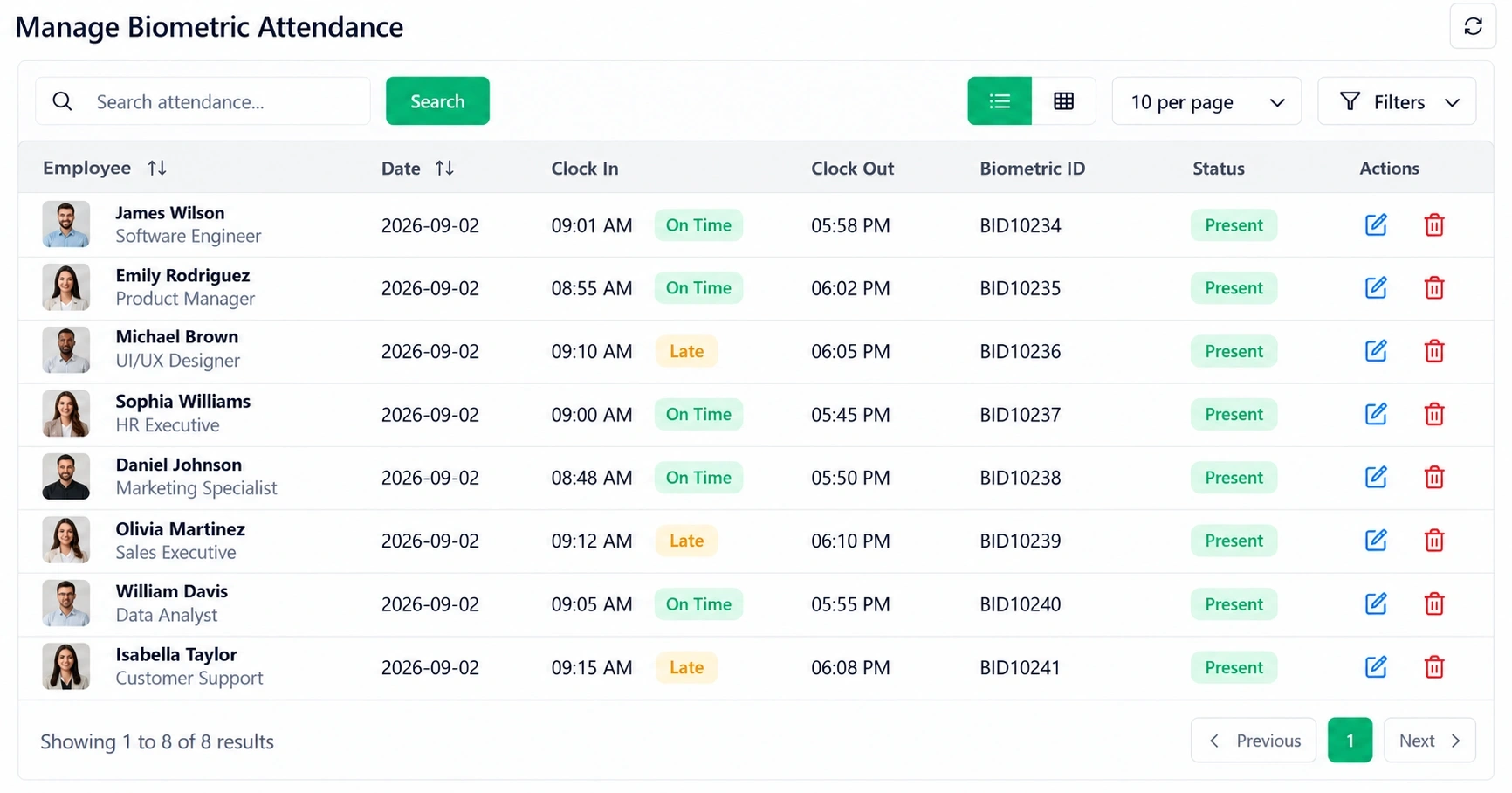
Manage Biometric Attendance screen with clock-in, clock-out and present status per person

Manual attendance registers are slow and easy to fake. This system replaces them with class-wise digital attendance that teachers can mark in seconds, with an optional biometric device sync layer for schools that want hardware-verified, tamper-resistant records for staff and high-security areas. Attendance data feeds straight into reports, so a parent-teacher meeting never starts with "let me go check."

Example: A 500-student school that used to spend 40+ minutes per class collecting paper attendance can mark and confirm attendance for an entire section in under two minutes, with the record instantly visible to the front office.

Exams

Exams, Grading & Report Cards

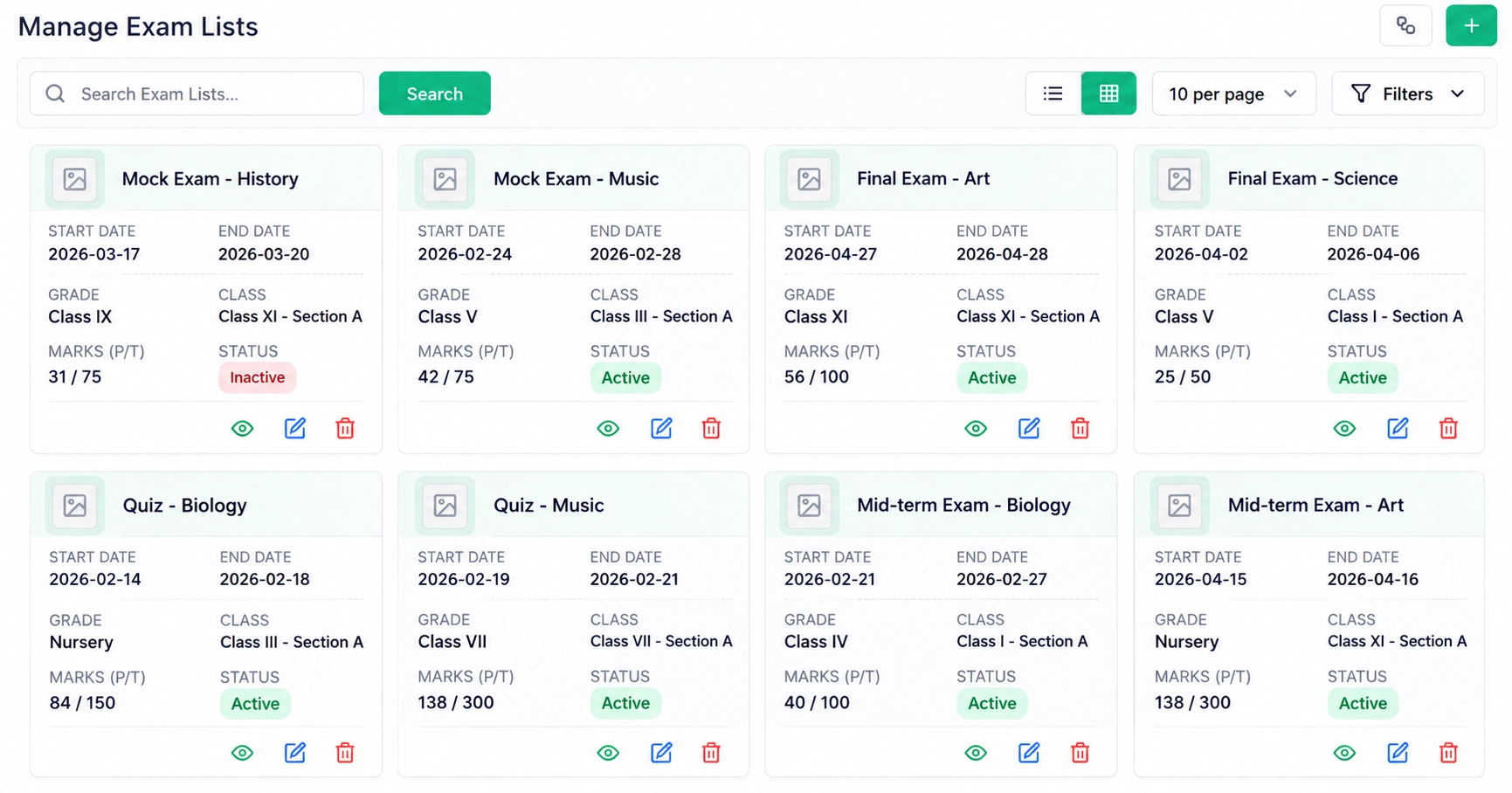
The exam module handles the full academic cycle:

  1. 1Schedule exams by class, subject, or academic term
  2. 2Allocate exam halls and seating with defined capacities
  3. 3Enter marks in bulk, not one student at a time
  4. 4Apply configurable grading scales that match your institution's system
  5. 5Generate report cards automatically, ready to share with parents

This is one of the clearest wins over spreadsheet-based grading, where a single formula error can silently throw off an entire class's results.

Manage Exam Lists screen with exam dates, class and section, marks and status
Fees & Payments

Fee Management & Online Payment

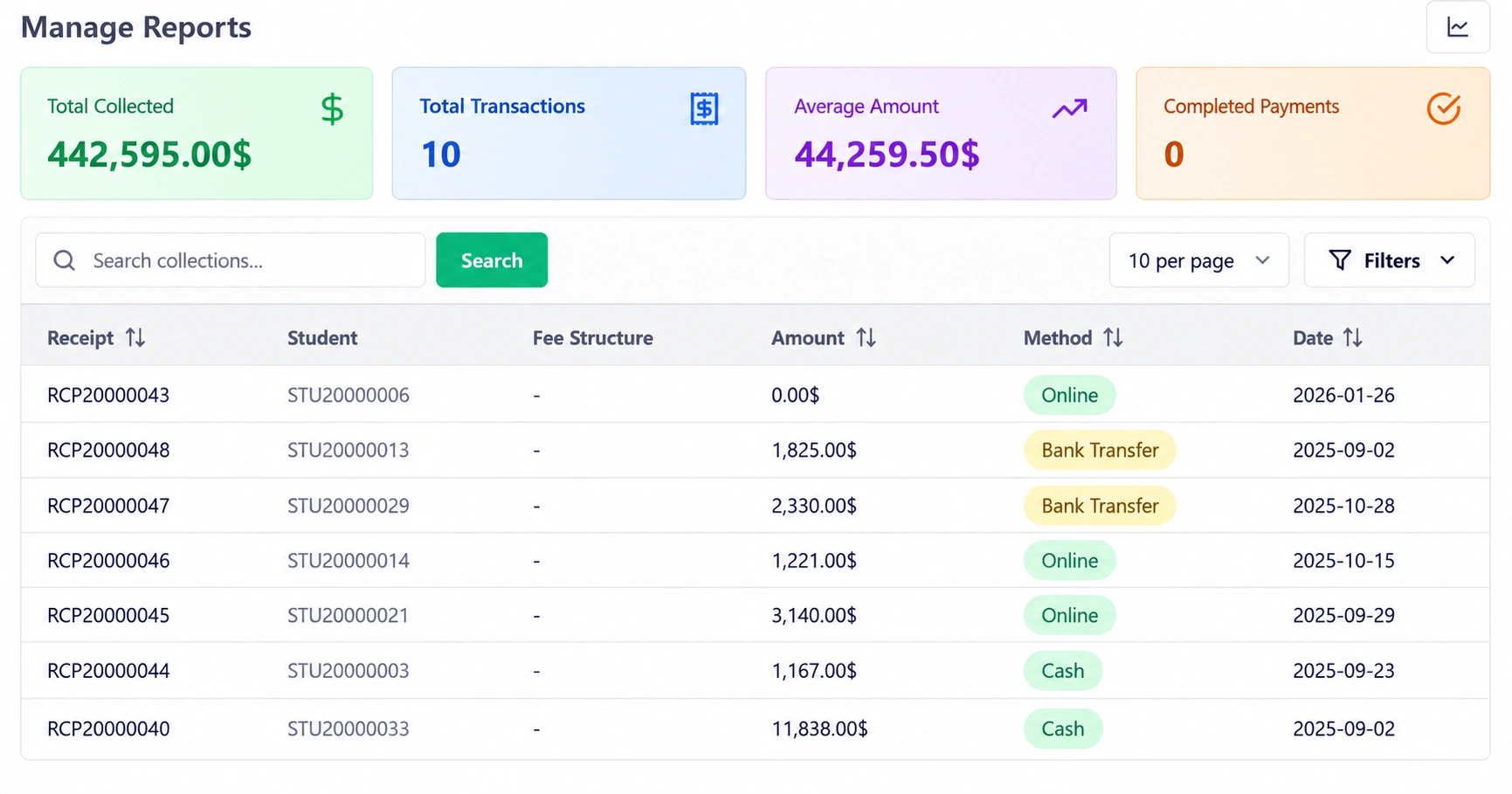
This is where a lot of administrative time - and awkward phone calls - disappear. The school payment software built into this system lets you:

  • Set custom fee structures by grade, category, or program
  • Automate discounts and scholarships at the account level
  • Send automatic reminders for upcoming or overdue payments
  • Let parents pay online instead of visiting the office
  • Track every due amount and every payment centrally, in real time

No more reconciling a paper receipt book against a bank statement at the end of the month.

fee and payment dashboard in school database management system
Campus Services

Library, Transport & Hostel Management

Three departments, one connected system:

  • Library: catalog books, track due dates, manage issue/return cycles, and send automatic reminders for overdue items
  • Transport: plan bus routes by student location, monitor vehicle capacity, and optimize travel time
  • Hostel: manage room allocation and maintenance requests for boarding students

Each of these ties back to the same billing and student record - so a transport fee or a library fine shows up in the same account statement as tuition, instead of a separate ledger someone has to reconcile by hand. This is the kind of school resource management software that most spreadsheet-based schools never quite get to build themselves.

Students studying together with books and notebooks at a classroom table

Scholarship Management

For institutions that run scholarship or financial-aid programs, this module manages the entire lifecycle - from application intake and document review to approval workflows and fund disbursement - with separate views for administrators, students, and parents so everyone can track status without a dozen back-and-forth emails.

Student taking an online class with a teacher on a laptop screen

Learning Management (LMS)

Beyond the physical classroom, the built-in learning management tools let teachers create and deliver course content, upload videos, run quizzes, and track each student's progress automatically - useful for hybrid classes, supplementary content, or fully online academies.

Communication

Communication Tools Built In

A school runs on communication as much as it runs on academics. This system includes:

  • SMS alerts for instant notifications on attendance, fees, or emergencies
  • Newsletters for scheduled, templated updates to parents and staff
  • Video meetings for parent-teacher conferences without leaving the platform
  • Calendar sync so academic events, holidays, and exams stay visible to everyone
  • Feedback collection to hear directly from parents and students
  • Shared notes and document storage to keep staff communication organized
Reports

Reports & Real-Time Analytics

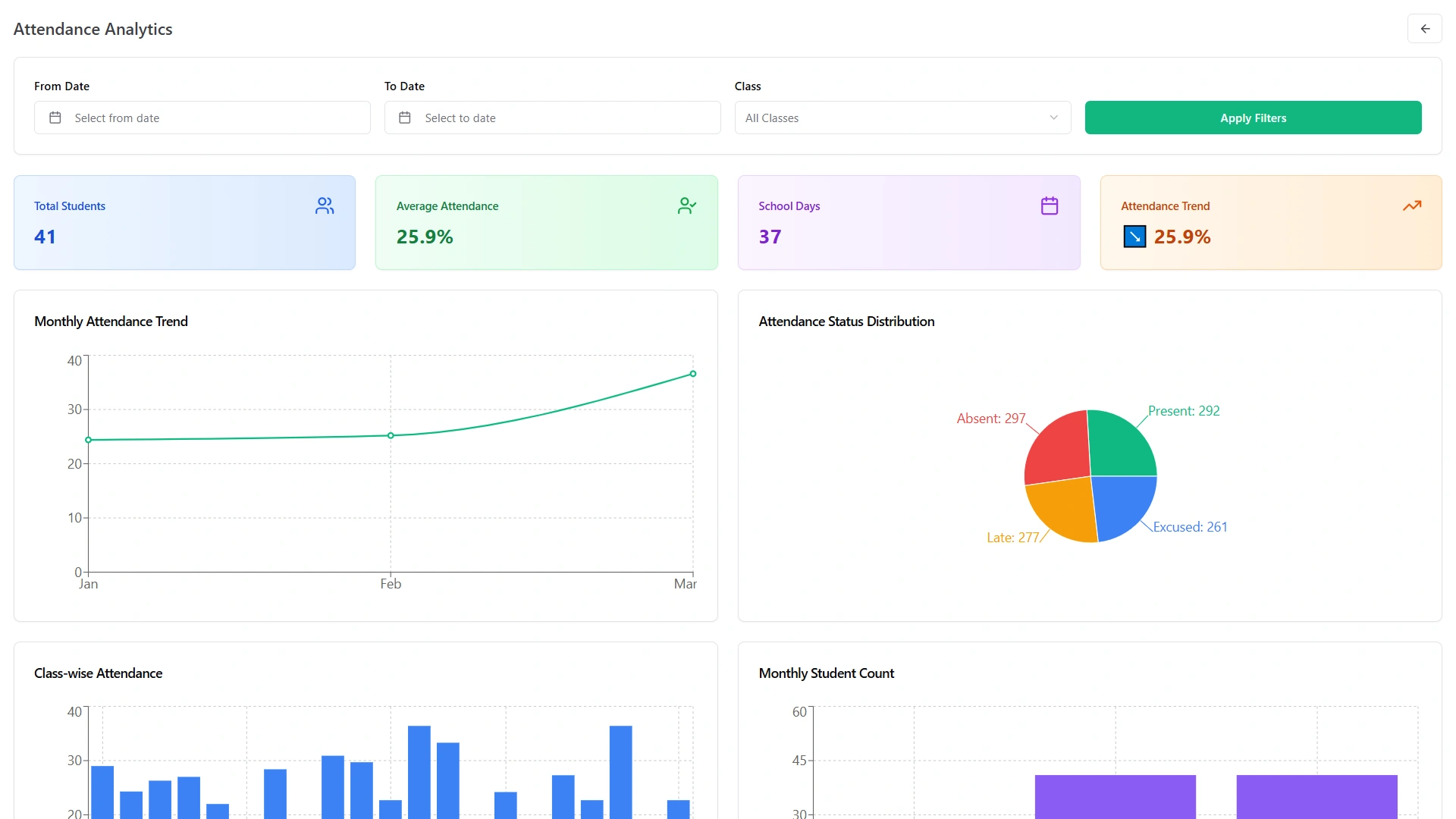
Every module above feeds into one reporting layer. Administrators can see attendance trends, fee collection status, and academic performance at a glance, on dashboards built separately for admins, teachers, and parents - so each person sees exactly what's relevant to them, not a wall of numbers meant for someone else's job.

attendance and reporting analytics dashboard
How It Works

How It Works: 4 Simple Steps

Setting this up is more straightforward than most administrators expect:

  1. Setup school structure Configure academic years, terms, classes, sections & subjects
  2. Manage students & staff Handle admissions, student profiles, parent details & staff assignments
  3. Schedule & timetable Organize class timetables, subjects & daily academic routines
  4. Track attendance & exams Record daily attendance, evaluate exam marks & generate report cards

Most schools are fully operational within days, not months.

Comparison

Spreadsheets & Separate Apps vs. One Connected System

Spreadsheets & Disconnected Apps This School Database Management System
Student records Scattered across files One record per student
Attendance Manual, paper-based Digital, class-wise, minutes not hours
Fee tracking Manual reconciliation Automated reminders & real-time status
Reporting Built by hand, error-prone Automatic, real-time dashboards
Access One device, one person Role-based access for admins, teachers & parents
Setup cost "Free," but costs hours every week One-time payment, lifetime access

The trade-off is honest: a connected system takes a short setup period to configure correctly, and staff need a brief adjustment period to move away from familiar spreadsheets. For most institutions, that short-term friction is repaid within the first full term through hours saved every single week.

Teacher guiding students working in groups in a busy classroom
Scenario

A Real-World Scenario

Picture a mid-sized coaching institute running three branches. Before switching to a unified system, each branch kept its own attendance register, its own fee ledger, and its own WhatsApp group for parent updates - and the head office only found out about a fee shortfall at month-end. After moving every branch onto one school data management software platform, the same head office can see attendance, fee collection, and enrollment across all three branches from a single dashboard, in real time, without a single phone call.

The Final Result

A school runs on hundreds of small, repetitive administrative tasks - and every one of them is faster, more accurate, and less stressful when it happens inside one connected system instead of five disconnected tools. That's the entire purpose of a proper school database management system: fewer spreadsheets, fewer late-night fee reconciliations, and one place where every record actually makes sense together.

If you want to see how these same features translate into day-to-day benefits, visit our best school management software page - or if your institution needs cloud access across multiple locations, check out our cloud based school management system options. For a closer look at student-specific tools, see student management systems.

Ready to bring every department onto one system? Explore the complete school management system
Teacher helping a student in a classroom
Faq's

Frequently Asked Questions About the School Database Management System

Yes. You can catalog books, track due dates, and manage the full issue-and-return cycle, with fines linked to the same student billing record.
Yes. Teachers can mark class-wise attendance digitally in minutes, and the system supports optional biometric device sync for hardware-verified attendance records.
Yes. You can set custom fee structures by grade or category, automate payment reminders, and let parents pay online while every due and payment is tracked centrally.
Yes. Built-in SMS alerts, newsletters, video meetings, and calendar sync keep parents, teachers, and administrators connected without needing separate apps.
Yes. You can schedule exams, allocate halls and seating, enter marks in bulk, apply configurable grading scales, and generate report cards automatically.
Yes. The system provides role-based dashboards, so administrators, teachers, students, and parents each see the information relevant to them.