
Why Businesses Need ERP Software Today
Learn why businesses need ERP software to scale efficiently and manage modern business operations.

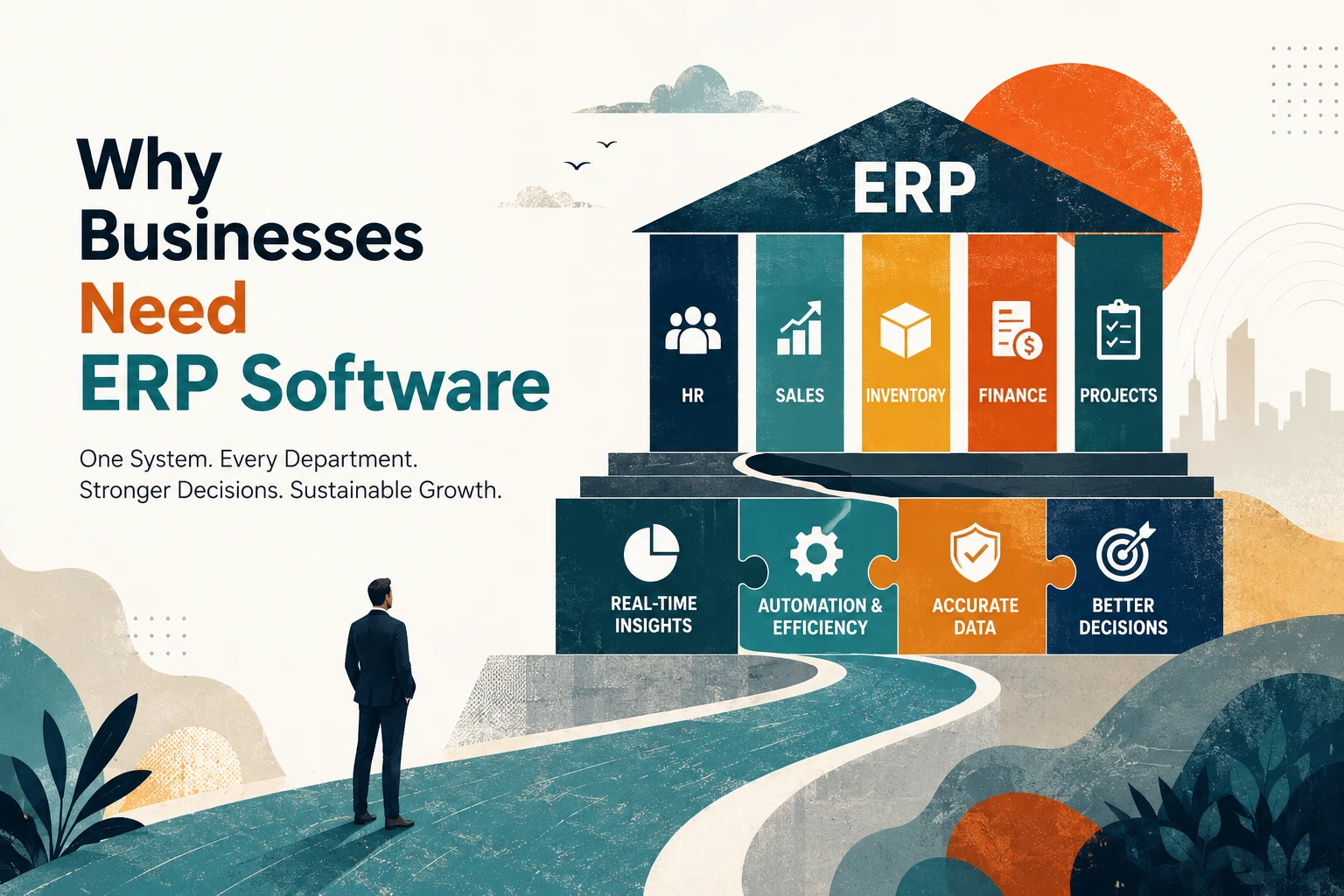
Why Businesses Need ERP Software: A 2026 Breakdown
Learn why ERP software is essential for modern businesses to scale and efficiently manage operations.
Here’s a scene that plays out in thousands of growing companies every single day.
The sales team closes a big order. Finance finds out about it two days later, through a forwarded email. Inventory doesn’t have the stock, but nobody checked. The customer gets a delay notice, and three departments spend the week blaming each other’s spreadsheets.
Not one person did anything wrong. The system failed because there was no system.
That, in one story, is why businesses need ERP software. An ERP (Enterprise Resource Planning) system connects sales, finance, inventory, HR, and projects into one shared platform, so every team works from the same live data instead of their own private version of it.
In this article, we’ll break down what actually goes wrong in businesses running without ERP, what changes when they adopt one, and when ERP genuinely isn’t worth it yet. If you first want to understand the mechanics behind the software, read our guide on how ERP systems work; this article focuses purely on the why.
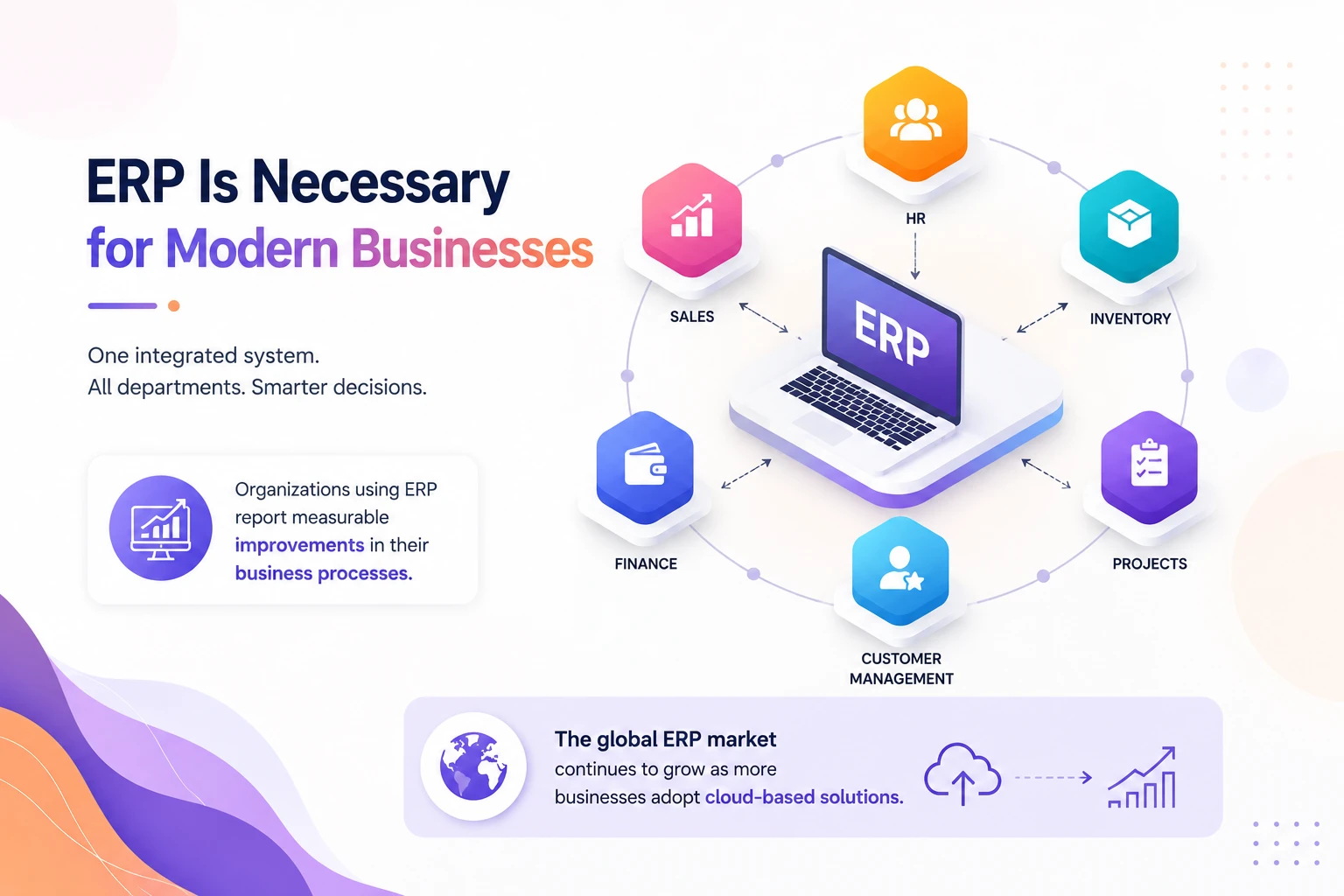
ERP Is Necessary for Modern Businesses
ERP software connects your core business functions — finance, HR, inventory, sales, projects, and customer management — into a single system with one shared database.
The necessity isn’t about having fancy software. It’s about a simple operational truth: disconnected tools create disconnected decisions.
When your accounting tool doesn’t talk to your inventory tool, someone has to bridge that gap manually. That “someone” is usually a person copying numbers between systems, slowly, expensively, and with errors nobody catches until month-end.
According to Workdo’s ERP research, the majority of organizations that implement ERP report measurable improvements in their business processes. The demand isn’t slowing down either; the global ERP market continues to grow year over year as more small and mid-sized businesses adopt cloud-based systems.
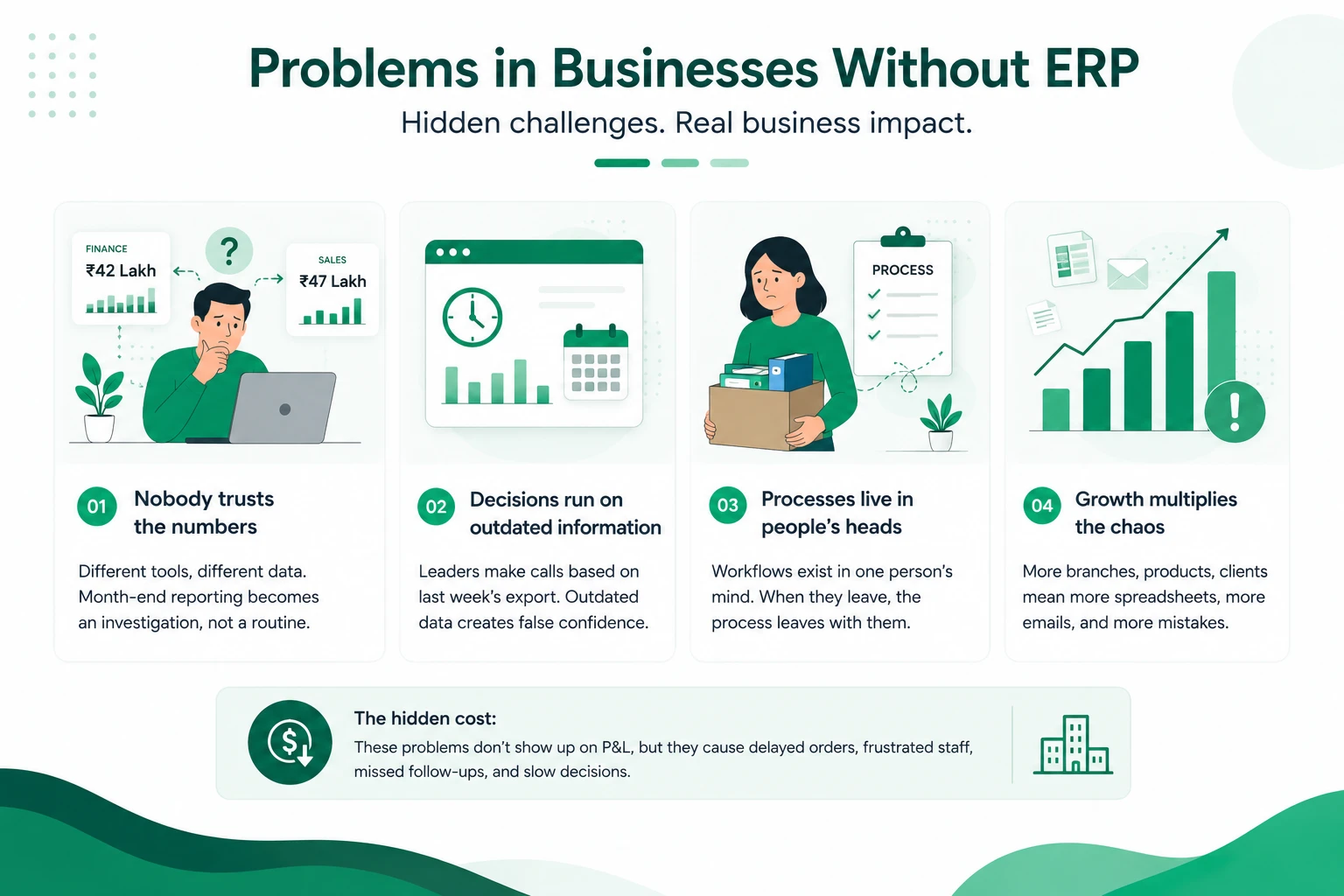
Problems in Businesses Without ERP
Ask any operations manager who’s worked in a pre-ERP company, and they’ll recognize these symptoms instantly.
1. Nobody trusts the numbers
Finance says revenue is ₹42 lakh this month. The sales dashboard says ₹47 lakh. Both exported data on different days from different tools. Which one goes to the board?
When every department maintains its own records, month-end reporting becomes an investigation, not a routine task.
2. Decisions run on outdated information
Without a live system, leaders make calls based on last week’s export. In fast-moving areas like inventory or cash flow, week-old data is often worse than no data; it creates false confidence.
3. Processes live in people’s heads
In businesses without a business management software backbone, the “process” is often just what Priya in accounts has always done. When Priya resigns, the process leaves with her.
4. Growth multiplies the chaos
Every new branch, product line, or client adds more spreadsheets, more email threads, and more chances for something to slip. The cost of disorganization scales faster than revenue.
The hidden cost: none of these problems appear on a profit-and-loss statement. They show up as delayed orders, frustrated staff, missed follow-ups, and slow decisions, which is exactly why they go unfixed for years.
Ask yourself a quick question: if your operations manager resigned tomorrow, could someone else run your workflows from documented systems, or would things quietly fall apart?
If that question makes you uncomfortable, you already know part of the answer to why ERP matters.
Manual Work vs ERP Automation
Let’s make this concrete with a workflow every business knows: order to invoice.
| Step | Manual Process | With ERP Automation |
|---|---|---|
| Order received | Sales notes it in a spreadsheet or email | Order logged once in the ERP, visible to all teams instantly |
| Stock check | Someone calls or messages the warehouse | System shows live inventory levels automatically |
| Invoice creation | Finance re-types order details into accounting software | Invoice auto-generated from the same order record |
| Payment tracking | Manual follow-ups from memory or a reminder sheet | Automated payment reminders and real-time receivables view |
| Reporting | Data exported and merged from 3–4 tools | One dashboard, updated in real time |
Notice the pattern: manual work isn’t just slower; every re-entry point is an error point. A single mistyped quantity can ripple into wrong invoices, wrong stock counts, and wrong forecasts.
ERP automation removes the human bridge between systems. Your team stops being data couriers and starts doing the work they were actually hired for.
One practical note from real implementations: automation only pays off if your processes are reasonably defined first. ERP amplifies whatever process you have, good or bad. Messy workflows fed into an ERP become fast, messy workflows.
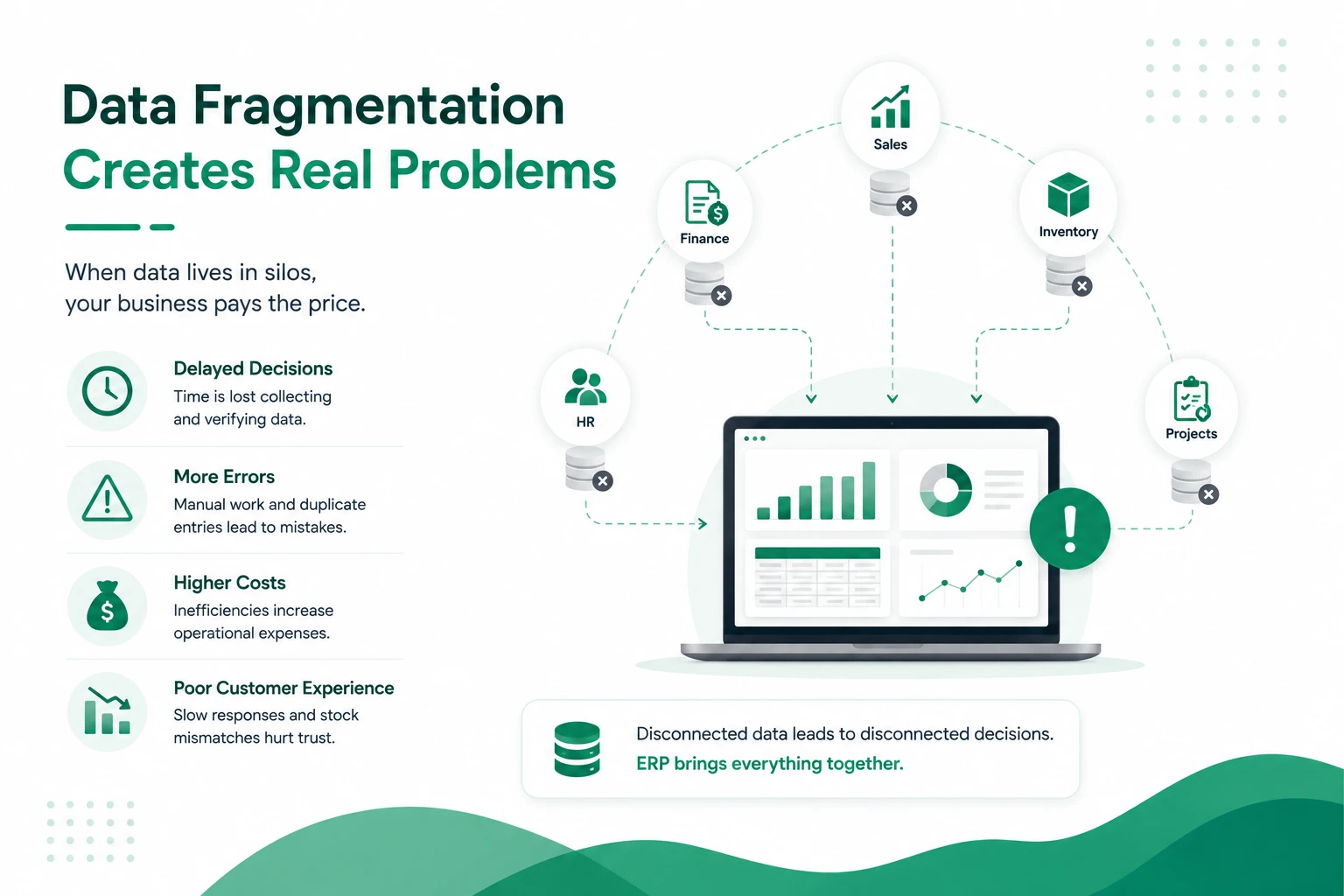
Data Fragmentation Challenges
If there’s one root cause behind almost every operational headache, it’s data fragmentation, the same information living in multiple disconnected places.
Here’s what fragmentation looks like in practice:
- Customer details exist in the CRM, the invoicing tool, and the support helpdesk, with three slightly different phone numbers.
- Inventory counts differ between the warehouse sheet and the sales team’s “available stock” file.
- Employee records are split across HR files, payroll software, and attendance registers.
These aren’t just annoyances. Data silos create real business risk:
- Compliance exposure: tax filings and audits become painful when financial data is scattered.
- Customer experience damage: support agents can’t see order history, so customers repeat themselves.
- Duplicate work: teams unknowingly redo tasks another team has already completed.
- Analysis paralysis: you can’t spot trends across data that were never connected.
An ERP system solves this with a simple architectural idea: one central database, one version of the truth. This fragmentation is why businesses need ERP software in the first place; a single database ends the guessing game. When Sales updates a customer record, Finance and Support see the same update instantly – no syncing, no exports, no “Which file is the latest?”
Scaling Issues Without ERP
Growth is where the absence of ERP turns from inconvenient to dangerous.
Here’s the trap: manual systems have a hidden capacity ceiling. They work until they suddenly don’t, and the failure usually arrives during your busiest, most profitable period.
Consider what scaling actually demands:
- More transactions → more data entry → more errors → more time fixing errors
- More employees → more onboarding → more inconsistent processes
- More customers → more follow-ups falling through the cracks
Without integrated software, the typical response is hiring more admin staff, essentially paying salaries to move data between tools. That’s growth funding operational overhead instead of actual expansion. This scaling ceiling is exactly why businesses need ERP once they cross a handful of clients or locations.
A practical example: a growing agency managing multiple client accounts can use an ERP like Workdo’s Dash SaaS to keep each client’s projects and invoices under one system. That structure simply cannot be replicated with spreadsheets once you cross a handful of clients.
When you don’t need ERP yet: if you’re a 3-person startup with one product and simple finances, a full ERP may be overkill. The tipping point usually arrives when double data entry, reporting delays, or inter-team confusion start costing real hours every week.
Competitive Advantage of ERP
Beyond fixing internal problems, ERP software creates advantages your competitors without one simply cannot match:
Speed of decision-making
When your competitor needs three days to compile a sales report, and you need three seconds, you simply react faster to demand spikes, cash crunches, and market shifts.
Better customer experience
Real-time visibility means accurate delivery promises, faster support resolutions, and proactive communication.
Lower cost structure
Automation reduces the admin overhead baked into every order, invoice, and payroll cycle. Over hundreds of transactions a month, that compounds into a genuine margin advantage.
Adaptability
Modern modular ERPs let you switch on capabilities as you grow and add CRM, HRM, POS, or inventory Add-Ons when the business demands them, instead of buying everything upfront.
Pros and Cons at a Glance
Pros of adopting ERP software:
- One source of truth across all departments
- Automated, error-resistant workflows
- Real-time reporting and forecasting
- Scales without proportional admin hiring
- Stronger compliance and audit readiness
Cons to weigh honestly:
- Upfront implementation effort (data cleanup, training)
- Team adjustment period: expect some resistance to change
- Choosing the wrong system for your size creates its own friction
- Poorly planned rollouts can miss deadlines and budgets
The advantage doesn’t come from owning ERP software; it comes from using it well. Companies that treat implementation as a process improvement project, not just a software install, capture the real gains.
For a look at how different companies apply these advantages in practice, see our breakdown of ERP system examples across industries.
ERP Affordability for Small Businesses
For years, “ERP” carried a quiet assumption: it’s for big companies with big budgets. That assumption is outdated, and it’s costing small businesses time they don’t need to lose.
The old cost structure was genuinely prohibitive. Traditional enterprise ERP deployments came with license fees per user, implementation consultants, months of setup, and ongoing subscription costs that scaled with your headcount, whether or not you actually used every seat.
That model still exists, but it’s no longer the only option. What’s changed:
- One-time licensing instead of endless subscriptions. Some modern ERP platforms, like Workdo’s Dash SaaS, are sold as a single purchase rather than a recurring per-user fee. A small team can get the same core functionality as a large one without a monthly bill that grows alongside headcount.
- Modular pricing. Instead of buying an entire enterprise suite upfront, businesses can start with the two or three modules they actually need — say, Accounting and Inventory — and add HRM, POS, or CRM only when the business genuinely requires them.
- Open-source foundations. ERPs built on widely used frameworks (Laravel and React, for example) mean a small business isn’t locked into an expensive vendor’s development team. Any competent developer can maintain or extend the system.
- Cloud-first setup. No servers to buy, no IT department required just to keep the lights on.
The real affordability question isn’t “Can we afford ERP software?” It’s “Can we afford not to have it?” That underlying question is really why businesses need ERP software in the first place, regardless of size. A small business losing a few hours a week to manual reconciliation, duplicate data entry, or missed follow-ups is already paying an ERP-sized cost, it’s just hidden in wasted staff hours instead of a line-item invoice.
ERP Beyond Manufacturing
ERP has a branding problem: most people still picture a factory floor, a warehouse, and a supply chain diagram. That image is decades out of date.
Manufacturing is where ERP got its start, tracking raw materials, production schedules, and inventory across a factory. But the underlying idea, connecting core business functions into one shared system, applies to almost any business that has more than one moving part.
A few examples of where ERP shows up today, well outside a factory:
| Industry | What ERP handles |
|---|---|
| Service and consulting agencies | Project timelines, staff utilization, and client billing in one system, especially when running multiple clients at once |
| Retail and e-commerce | POS, inventory, and online sales channels, so stock levels stay accurate whether a sale happens in-store or online |
| Healthcare and clinics | Patient scheduling, billing, and staff records, without juggling separate software for each |
| Real estate and property management | Leases, tenant communication, maintenance requests, and payments across multiple properties from one dashboard |
| Professional services and agencies | Keep each client’s projects, invoices, and teams cleanly separated while operating from one system |
What connects all of these industries isn’t the product they sell — it’s the operational pattern. Any business with multiple departments, multiple locations, or multiple clients runs into the same fragmentation problems a factory does: numbers that don’t match, processes that live in one person’s head, and decisions made on stale information. This cross-industry pattern is why businesses need ERP outside manufacturing too, not just inside a factory.
This is exactly why modular, industry-agnostic ERP platforms have become more common than rigid, manufacturing-only systems. A business today can pick the modules relevant to its own operations, CRM and Projects for an agency, POS and Inventory for a retailer, without adopting a system designed around a production line it will never have.
Workdo’s Dash SaaS: ERP Built for Growing Businesses
This is exactly where Workdo’s Dash SaaS fits. It’s an all-in-one, open-source, AI-powered ERP built on Laravel and React, designed for businesses that need enterprise capability without enterprise complexity or cost.
Here’s what makes it a practical choice:
- One-time payment, not recurring subscriptions: Dash SaaS gives you predictable licensing costs with no monthly per-user fees increasing as your business grows.
- Modular by design: Start with the core — CRM, HRM, Accounting, POS, Inventory, and Projects — then expand with 300+ Add-Ons as your needs evolve. You never pay for features you don’t use.
- White-label ready: Agencies and consultants can rebrand and resell it as their own solution.
- Open source on Laravel + React: Your developers can inspect, customize, and extend the code — no vendor lock-in.
Setup is straightforward, and the complete user manual walks through every module. You can also review it directly on CodeCanyon, where it’s earned strong ratings from real buyers.
For a growing business, this model solves the classic ERP dilemma: you get integration and automation from day one, without the six-figure implementation budget traditional ERPs demand.
Summary of ERP Need
Let’s bring it back to that opening story, the lost order, the confused departments, the finger-pointing.
None of it was a people problem. It was an information problem. And that is exactly why businesses need ERP software: it replaces scattered tools, manual re-entry, and outdated reports with one connected system where every team sees the same live truth.
The pattern is consistent across industries. Businesses without ERP fight data fragmentation, hit scaling ceilings, and make decisions on stale numbers. Businesses with a well-implemented ERP system move faster, waste less, and grow without drowning in admin work.
The honest takeaway? ERP isn’t magic, and it isn’t for everyone on day one. But once your business crosses the complexity threshold, multiple teams, growing transactions, rising errors, delaying ERP doesn’t save money. It quietly costs you more every month.
 Frequently Asked Questions (FAQs)
We're Here to Help - Let's Talk
Have questions about our solutions, customization services, or business tools? Our team is here to help you. let's talk.