
Enterprise Resource Planning Explained: ERP Guide
Learn Enterprise Resource Planning with ERP meaning, features, modules, benefits, software, and implementation.

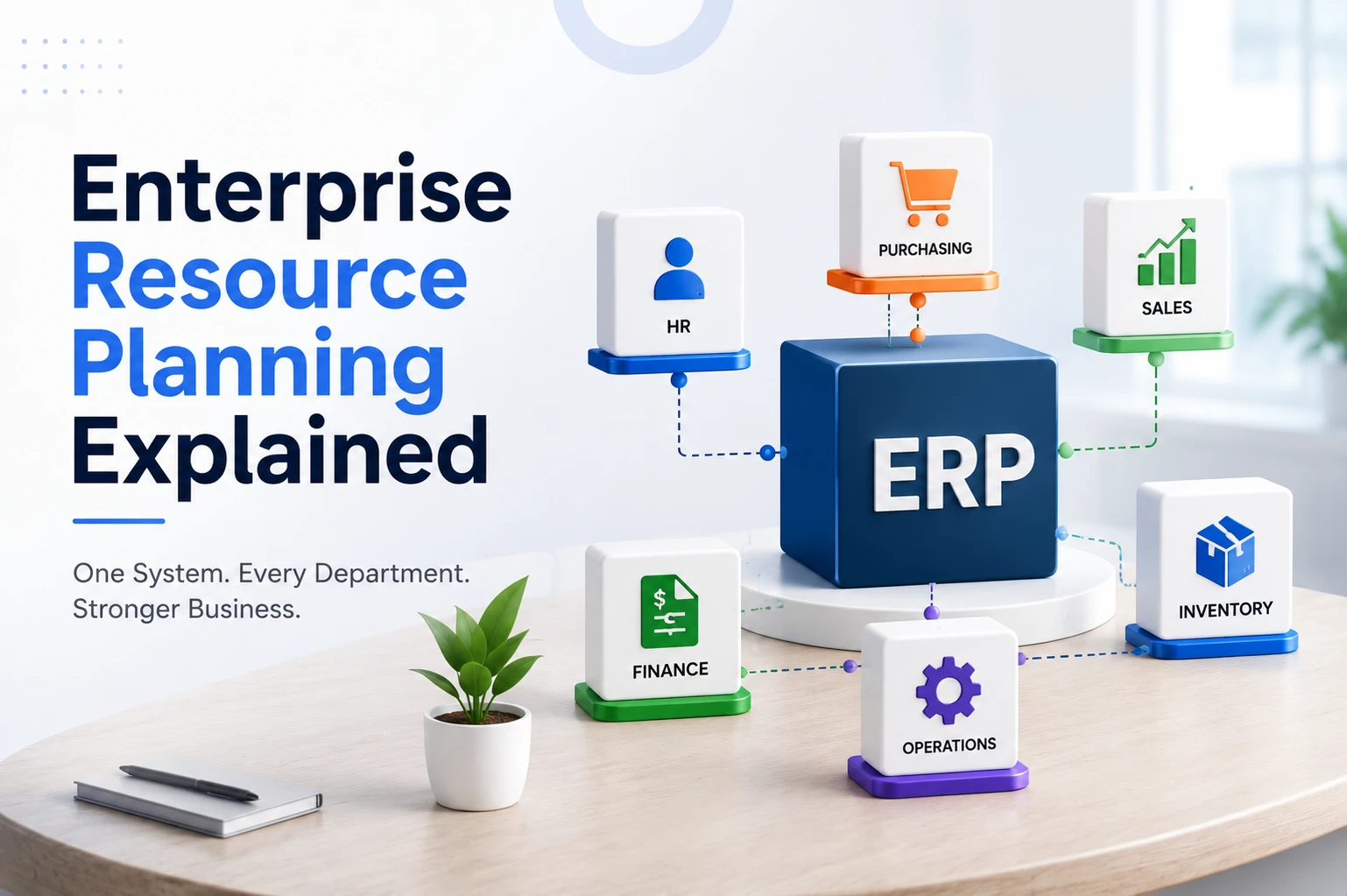
What is Enterprise Resource Planning?
Enterprise Resource Planning is a type of software that manages all of a company’s core business processes, finance, sales, inventory, human resources, purchasing, and more inside one integrated system built on a single shared database.
That last part is the key. In an ERP, every department reads from and writes to the same database. There is only one record for each customer, one record for each product, and one record for each transaction.
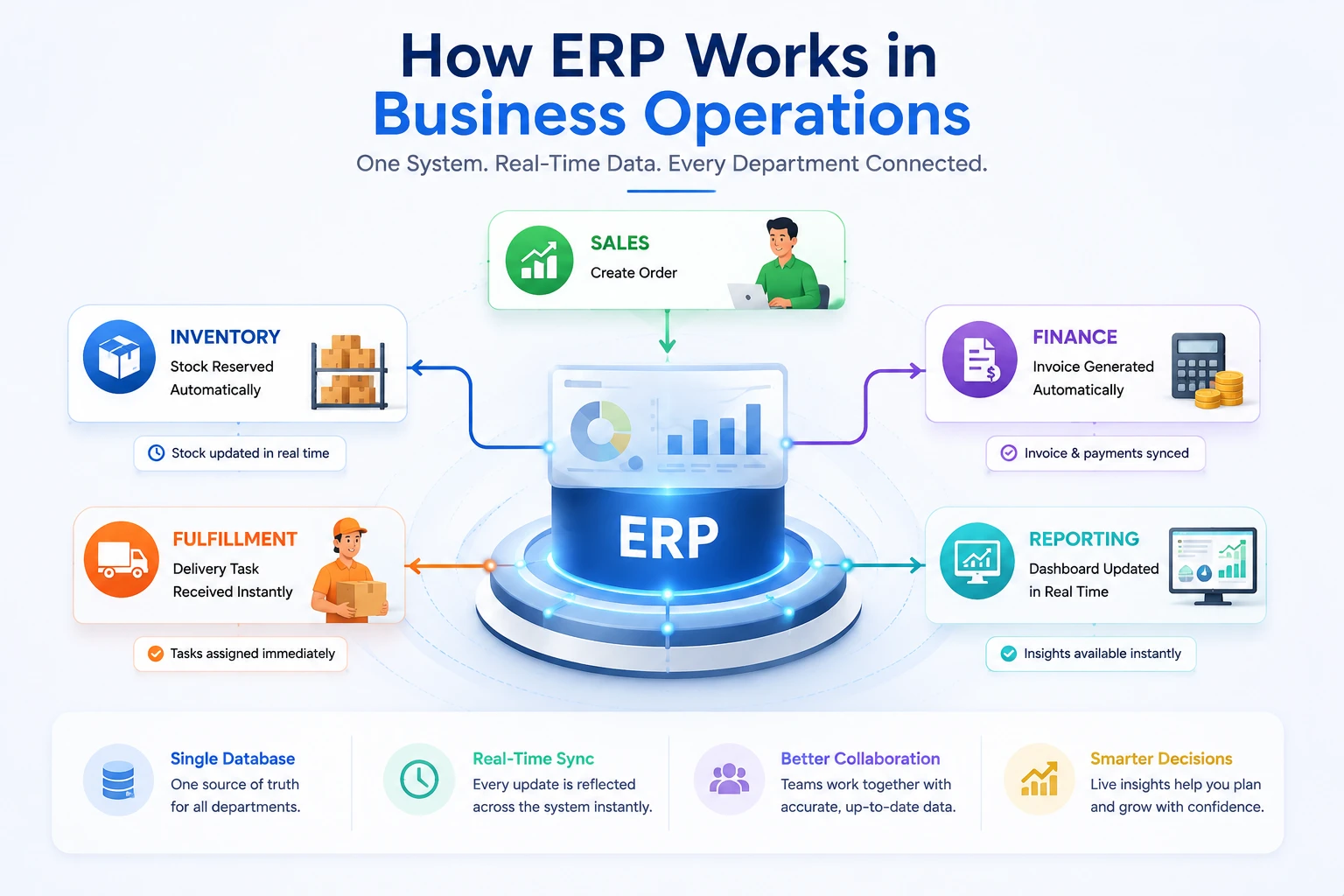
Here’s what that means in practice. When a sales order is entered into an ERP:
- The inventory module reserves the stock automatically
- The finance module creates the invoice from the same order data
- The fulfillment team receives a delivery task instantly
- The reporting dashboard updates revenue in real time
Nobody forwarded an email. Nobody copied numbers into a spreadsheet. One entry updated everything because everything is connected.
ERP Definition
ERP meaning is basically a single software system that connects all the different departments of a business, like sales, inventory, accounts, HR, and purchasing, so everyone works with the same updated information instead of maintaining separate files or registers.
Instead of each department doing its own thing and causing confusion or delays, ERP brings everything onto one common platform, so when something happens in one department (like a sale), the other departments (like warehouse or accounts) instantly know about it too, making the whole business run smoother, faster, and with fewer mistakes.
Why does this matter right now?
Modern businesses often struggle with fragmented software—like separate accounting tools, CRMs, and spreadsheets—which Enterprise Resource Planning systems address to prevent operational inefficiency. Global ERP spending is projected to hit $83 billion to $106 billion by 2026. This investment offers five key benefits: first, it eliminates manual data reconciliation through a unified environment; second, it enables data-driven decision-making with real-time metrics; third, it simplifies scalability by utilizing standardized workflows; fourth, it strengthens compliance through automatic audit trails for all transactions; and finally, it enhances the customer journey by ensuring accurate inventory, quoting, invoicing, and delivery. Although clients don’t interact with Enterprise Resource Planning software directly, they benefit from the resulting reliability.
Meaning of Each Word in ERP
The term “Enterprise Resource Planning” becomes much clearer when you examine each word individually.
Enterprise
“Enterprise” refers to the whole organization, not a single team or function. This is the defining difference between ERP and point solutions. Accounting software serves the finance team. A CRM serves the sales team. An ERP serves the entire company, which is why integration sits at the heart of the concept.
Resource
“Resources” are everything a business uses to operate:
- Financial resources: cash, receivables, budgets
- Human resources: employees, their time, and their skills
- Physical resources: inventory, raw materials, equipment
- Informational resources: customer data, sales history, supplier records
An ERP tracks all four categories in one place.
Planning
“Planning” is the outcome. Once all resource data lives in one system, a business can plan with accuracy: how much stock to reorder, when to hire, which product lines are profitable, and how much cash will be available next quarter.
Put the three words together, and the full ERP meaning emerges: software that helps an entire organization track its resources and plan its operations from a single system.
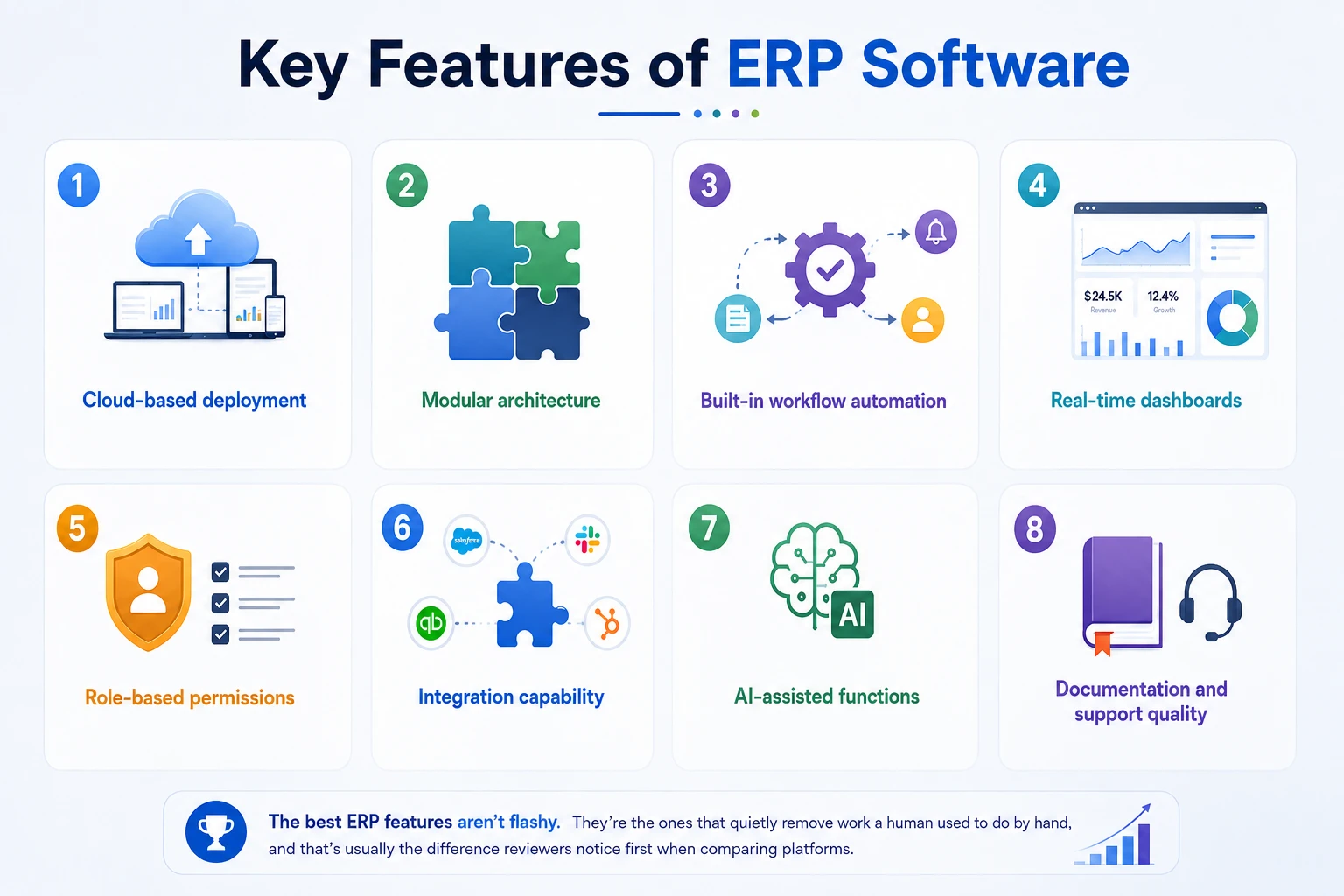
Key Features of ERP Software
When evaluating Enterprise Resource Planning software, these core features separate systems that will serve you for years from ERP systems you’ll outgrow:
- Cloud-based deployment: Cloud ERP adoption reached 64% in 2024, up from 44% in 2020, because browser-based access removes hardware costs and enables remote work
- Modular architecture: The ability to activate only the modules you need and add more later
- Built-in workflow automation: Approvals, alerts, and triggered actions without custom development
- Real-time dashboards: Live operational visibility rather than scheduled exports
- Role-based permissions: granular control over who can view and edit each data type
- Integration capability: Open APIs and connectors for the specialized tools you’ll keep using
- AI-assisted functions: Modern Enterprise Resource Planning systems increasingly use AI for demand forecasting, anomaly detection, and data entry; companies using AI-enabled ERP report roughly 20% better forecasting accuracy
- Documentation and support quality: Thorough documentation see an example of a well-structured ERP user manual significantly shortens implementation time
The best ERP features aren’t flashy. They’re the ones that quietly remove work a human used to do by hand, and that’s usually the difference reviewers notice first when comparing platforms.
Benefits of ERP for Businesses
The benefits of ERP show up in ways that are easy to feel but sometimes harder to measure, until you look at the data. Here’s roughly how they stack up, from the gains businesses notice first to the ones that compound over time:
- Improved efficiency. One shared system means less duplicate data entry and fewer manual handoffs between teams.
- Reduced operational costs. Automation cuts down on the labor hours spent on repetitive admin work, invoicing, reordering, and approvals.
- Better decision-making. Real-time dashboards replace guesswork and outdated, end-of-month spreadsheets.
- Increased productivity. Teams spend less time hunting for information across five tools and more time acting on it.
- Improved collaboration. Departments finally work from the same numbers, instead of arguing over whose spreadsheet is right.
- Scalability for growth. Adding a new location, product line, or team doesn’t mean rebuilding your systems from scratch.
Companies already using AI-enabled ERP platforms report measurable gains: roughly a 20% improvement in forecasting accuracy and up to 15% lower operational costs, according to recent industry benchmarking. Numbers like that are why ERP adoption keeps climbing even among businesses that once thought it was “too enterprise” for them.
For a full breakdown with data sources and industry benchmarks, see our dedicated guide: Benefits of Enterprise Resource Planning Software for Modern Businesses.
How ERP Works in Business Operations
Understanding how ERP works is easier once you stop thinking of it as “one program” and start thinking of it as a shared brain for your business.
The centralized database
Every action inside an Enterprise Resource Planning System — a new invoice, a stock update, a new hire — gets stored in one central database. There’s no “sales version” of the truth and a separate “accounting version.” There’s just one version, and everyone sees it.
Data sharing between departments
When a customer places an order, that single entry can:
- Update inventory levels automatically
- Trigger an invoice in the finance module
- Notify the warehouse team to prepare shipping
- Feed into the sales team’s revenue reports
No one has to manually re-enter that same data four times across four tools.
Automation of daily tasks
Enterprise Resource Planning systems handle a lot of the repetitive work that used to eat up hours: recurring invoices, low-stock alerts, approval routing, and payroll calculations. This is where teams get real-time payback.
Real-time reporting and analytics
Because everything lives in one place, a manager can pull a live report on cash flow, stock levels, or team performance without waiting for someone to compile it manually. That’s a meaningful shift from the old model of monthly, backward-looking reports.
Want the deeper technical breakdown — including a full order-to-report walkthrough? Read our complete guide on how Enterprise Resource Planning Software work.
Understanding ERP Modules and Their Functions
Enterprise Resource Planning modules are the building blocks of the system. Each one handles a specific business function, but they all read from and write to the same central database.
Common types of ERP modules include:
| Module | What It Handles |
|---|---|
| Finance | Accounting, invoicing, budgeting, financial statements |
| Inventory | Stock tracking, reorder points, warehouse management |
| HR | Payroll, attendance, employee records, performance |
| Sales & CRM | Leads, deals, customer communication, quotes |
| Module | What It Handles |
|---|---|
| Finance | Accounting, invoicing, budgeting, financial statements |
| Inventory | Stock tracking, reorder points, warehouse management |
| HR | Payroll, attendance, employee records, performance |
| Manufacturing | Production planning, bill of materials, shop floor tracking |
| Supply chain | Procurement, vendor management, logistics |
A small consulting firm might only need finance, HR, and CRM modules active. A manufacturer will lean heavily on production planning and supply chain. That’s the point of a modular system; you activate what your business actually needs, not what a vendor decided you should have.
Is ERP Right for My Business?
The honest answer: it depends on your stage, not your ambition. ERP delivers enormous value, but it’s a commitment that deserves a clear-eyed evaluation.
Pros of Adopting ERP
- Replaces a patchwork of disconnected tools with one integrated system
- Provides real-time data across every department
- Reduces manual errors through automation
- Scales with business growth instead of collapsing under it
- Improves compliance, security, and audit readiness
Cons and Risks to Consider
- Implementation is a real project. Data migration, process mapping, and configuration take deliberate effort, even on modern platforms.
- Training is unavoidable. Teams need time to shift from familiar spreadsheets to structured workflows. Resistance to change is a documented cause of failed rollouts.
- Poorly planned projects underdeliver. Industry research shows only about 61% of ERP implementations fully meet their original objectives, with poor data quality cited as the leading cause of failure.
- Legacy enterprise ERP is expensive. Traditional mid-size implementations average around $7.1 million and 17 months, according to Panorama Consulting, though modern cloud and SaaS options cost a small fraction of that.
- A practical decision rule: if operational pain is growing faster than your headcount can absorb, ERP is the right move. If you’re a very small business with one product and simple workflows, standalone tools remain the more economical choice, for now.
ERP Implementation: Steps and Best Practices
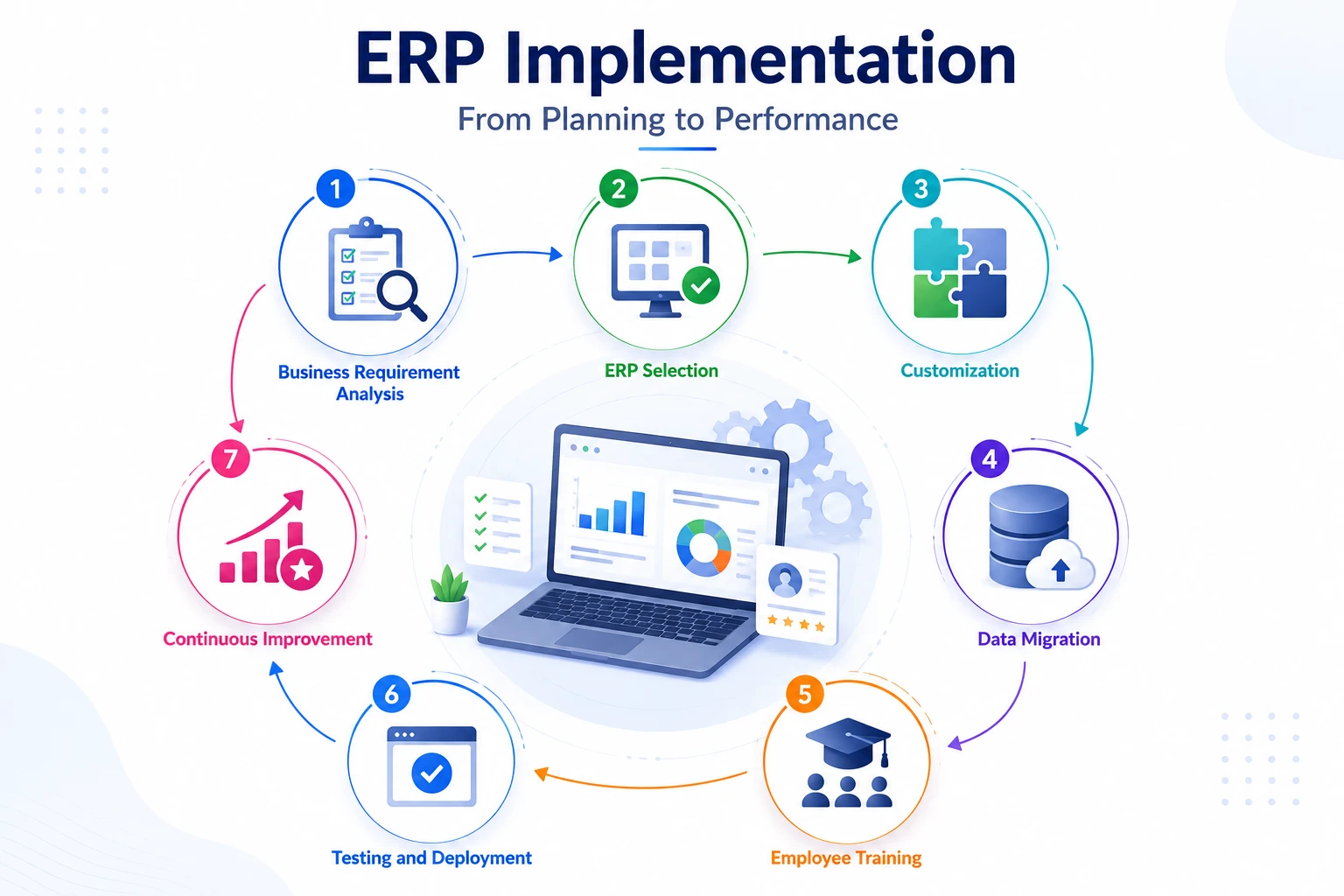
Enterprise Resource Planning (ERP) implementation is where a lot of the value and a lot of the risk actually live. A mid-size implementation averages well over a year and can run months past the original plan, so going in with a clear process matters.
- Business requirement analysis — map out exactly which processes and pain points the ERP needs to solve
- ERP selection — shortlist and evaluate platforms against those requirements, not against feature lists alone
- Customization — configure modules, workflows, and permissions to match how your business actually operates
- Data migration — move existing records from spreadsheets or legacy software into the new system cleanly
- Employee training — the best system fails if teams don’t know how to use it
- Testing and deployment — run the system in parallel with old processes before fully switching over
- Continuous improvement — refine workflows and add modules as the business grows
Skipping any one of these steps is usually where implementations run over budget or fall short of expectations.
Common ERP Challenges and How to Overcome Them
No system is without friction. Being honest about the challenges is part of choosing ERP responsibly.
| Challenge | How to Overcome It |
|---|---|
| Implementation costs | Scope the rollout in phases instead of switching every department at once |
| Employee adoption | Invest in hands-on training early, not just a one-time onboarding session |
| Data migration issues | Clean and de-duplicate existing data before migration, not after |
| Customization challenges | Over-customizing makes future upgrades harder; configure only what you truly need |
| Maintenance requirements | Cloud deployments shift much of this burden to the vendor, worth weighing against on-premise control |
Roughly one in five ERP implementations fails to deliver the majority of its expected benefits, according to recent industry research. That’s not a reason to avoid ERP; it’s a reason to plan the rollout carefully.
For practical strategies to minimize implementation risks and improve project success, explore our guide: Common ERP Challenges and How to Overcome Them.
Signs Your Business Needs ERP
These are the most common operational symptoms that indicate a business has outgrown disconnected tools:
- Employees re-enter the same data into two or more systems
- Different departments produce conflicting numbers for the same metric
- Month-end financial closing takes several days of manual reconciliation
- Stock-outs are discovered by customers, not by your systems
- Basic questions, current cash position, top-selling product, take hours to answer
- The company pays for five or more separate tools that don’t exchange data
- Errors from manual copying between spreadsheets appear regularly in invoices or orders
As a rule of thumb, one or two symptoms are manageable. Four or more means the business is already paying an “ERP cost”, just in wasted labor hours rather than software licensing.
If these challenges sound familiar, explore our guide: Signs Your Business Needs an Enterprise Resource Planning System.
Conclusion
Enterprise Resource Planning exists to solve a very specific, very common problem: too many disconnected tools and not enough shared visibility. By pulling finance, HR, inventory, sales, and every other core function into one connected system, ERP turns scattered data into decisions a business can actually act on.
Whether you’re a startup outgrowing spreadsheets or an established company juggling too many disconnected tools, the right Enterprise Resource Planning system can improve efficiency, cut costs, and support long-term growth, as long as it’s chosen and implemented with a clear plan.
If you’re exploring ERP options, Workdo’s Dash SaaS offers an open-source, AI-powered ERP built on Laravel and React, with a one-time license (no per-user subscription) covering CRM, HRM, Accounting, POS, Inventory, Projects, and more.
 Frequently Asked Questions (FAQs)
We're Here to Help - Let's Talk
Have questions about our solutions, customization services, or business tools? Our team is here to help you. let's talk.