
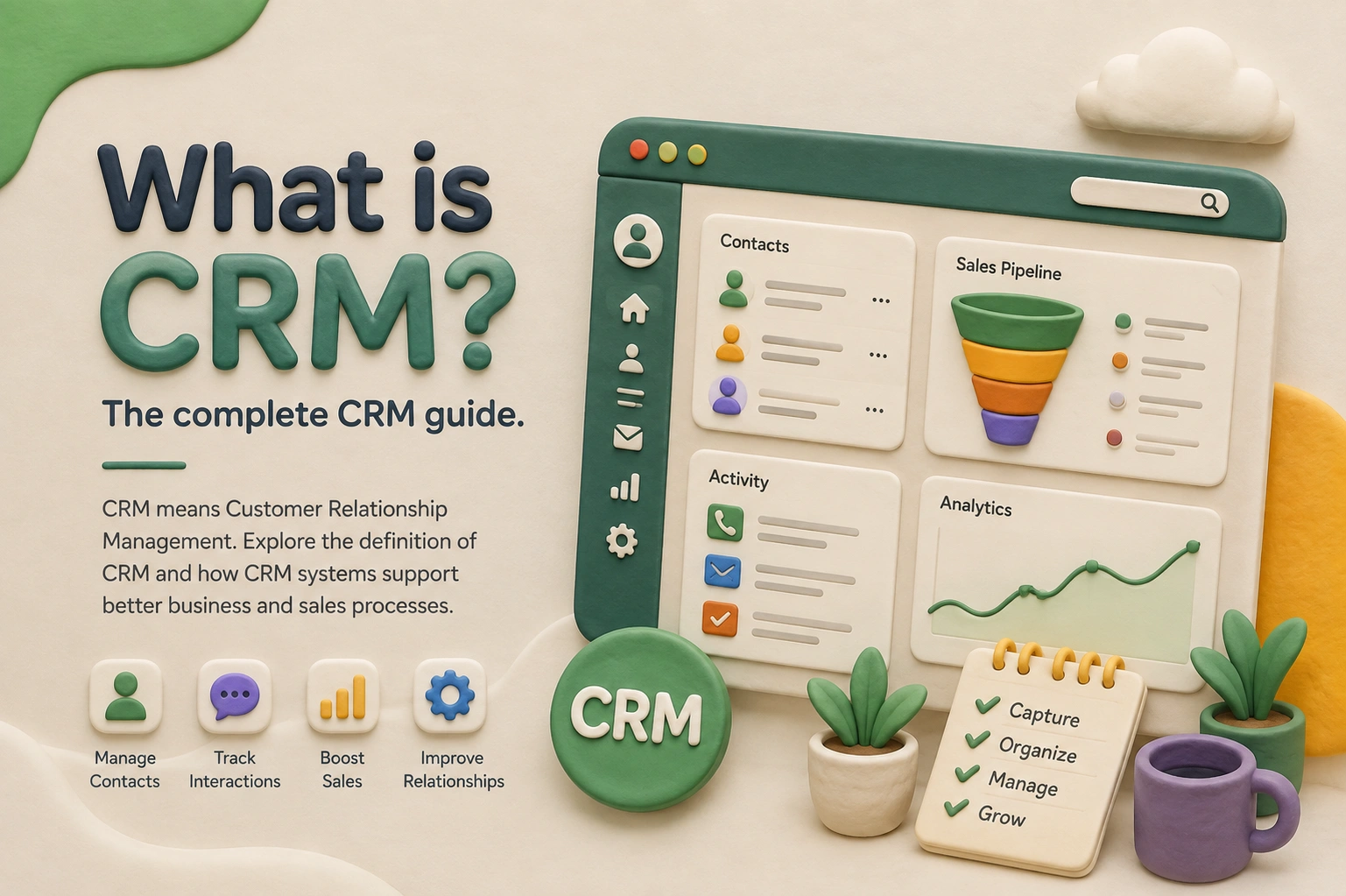
What is CRM? The complete CRM guide.
CRM means Customer Relationship Management. Explore the definition of CRM and how CRM systems support better business and sales processes.

What Is CRM?
CRM stands for Customer Relationship Management.
In simple terms, a CRM is a tool that helps companies with the organization, tracking, and management of their interactions with customers and also with prospects.
Instead of using email, spreadsheets, sticky notes, and personal memory for this purpose, a CRM puts it all in one place. Each and every contact, each interaction, and each follow-up task is organized, searchable, and accessible to any team member.
Here’s the simplest way to think about it:
A CRM is a digital tool that is a step up from a paper-based record book for all of your business’s customer relationships. It is shared among the entire team and, in many ways, is a lot smarter. Beyond just contact info, which is what some may think, the definition of CRM software also includes the tracking of how relationships grow over time, what was talked about, what promises were made, and what the next steps are.
CRM Full Form: Breaking It Down
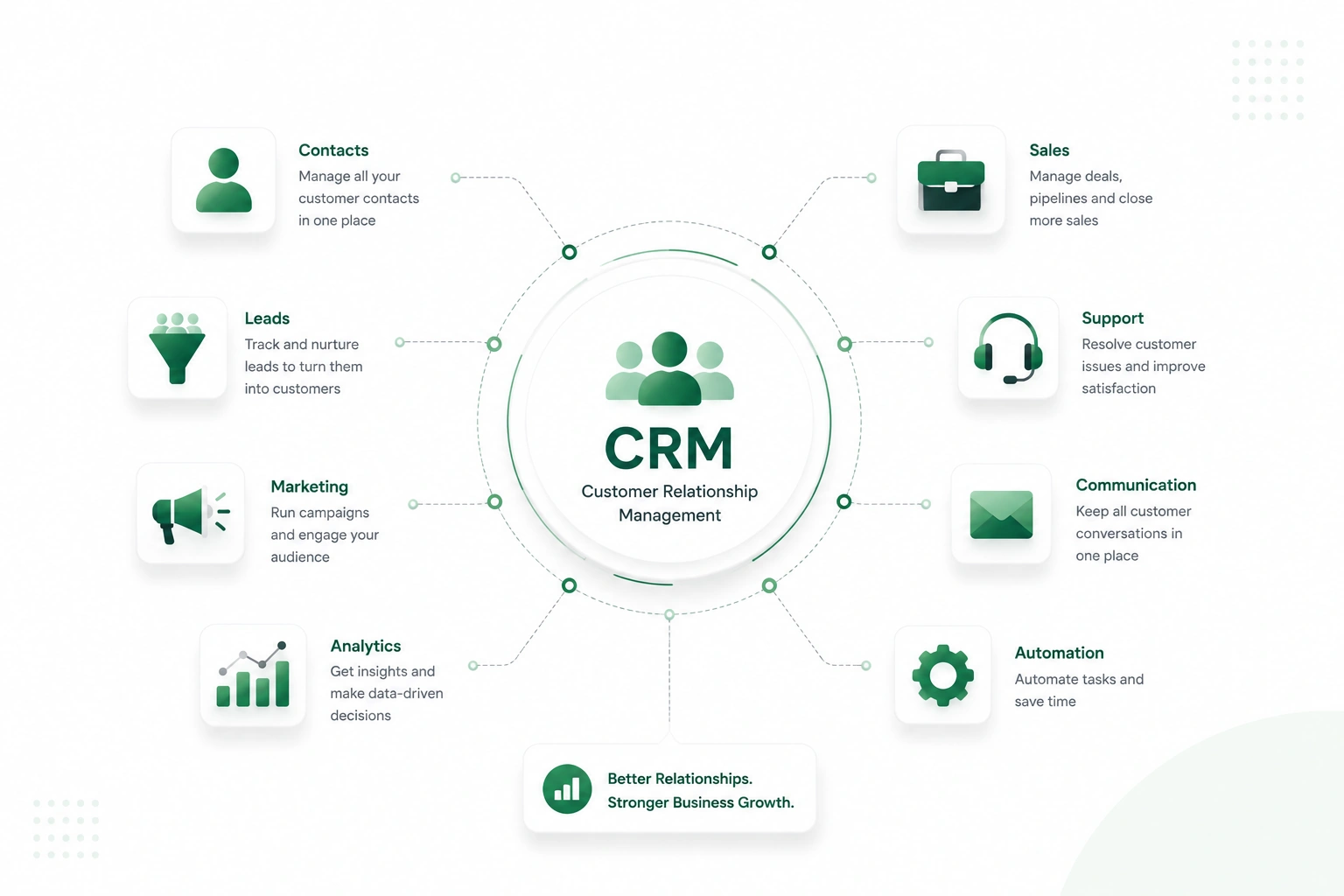
The CRM Full Form, Customer Relationship Management, contains all the insight you need to understand what the system actually does.
| Letter | Word | What It Means in Practice |
|---|---|---|
| C | Customer | Everyone who has interacted with or could interact with your business — leads, prospects, existing clients |
| R | Relationship | The history, context, and continuity of those interactions over time |
| M | Management | The structured system that captures, organizes, and activates the relationship data |
Each word matters. A customer without a relationship history is just a name in a database. Relationship data without management is just noise no one can act on. When all three work together, you get something that fundamentally changes how a business operates day to day.
Why Businesses Need CRM
To understand why CRM matters, it helps to look at how businesses managed customers before it existed and what that created.
The “Before CRM” Reality
For a long time, businesses tracked customers the old-fashioned way:
- Excel sheets with names, phone numbers, and status columns
- Email inboxes where customer conversations got buried under other messages
- Personal notebooks that only one person could read
- Memory, which, for busy people, is unreliable at best
This approach worked when a business had 10 customers. It starts breaking down at 50. By 200, it’s chaos.
What Goes Wrong Without CRM
These aren’t occasional mistakes; they’re daily friction that quietly drains revenue and damages customer relationships.
- Missed follow-ups: A sales associate reached out to a prospect 2 weeks ago and said they would get back to them on Thursday. That Thursday passed without a call. The prospect had lost interest.
- Also, we have an issue of duplicate effort: team members are reaching out to the same customer without being made aware of the other’s interaction, which leaves the customer confused and feels as though what is being put forth is not of value.
Also, we have an issue with a lack of info flow. A manager is asking how many deals are in play, which no one is able to report back on, as that info is siloed in 5 different places. And we have issues of past history, where a customer service rep fielding an issue has no access to what the customer has bought, what was promised to them, or who they spoke to in the past.
These aren’t occasional issues — they are everyday issues that silently siphon revenue and, at the same time, damage customer relationships.
The Real Reason Businesses Lose Customers
Most companies don’t see a drop in customers from a poor-quality product.
Indeed, it is a result of poor follow-up. A lead that put out a question that went unanswered. A sales person that left the company, taking all the contact info with them. A support team member who had no info when a frustrated customer called back three months later.
The product was fine. The relationship wasn’t managed.
And here’s the uncomfortable truth: This is not a matter of effort or intent. Sales teams put in a great deal of work. Business owners are very much dedicated to their customers. That said, when customer data is stored in five separate systems and follow up is left to individual memory issues that arise. It’s not a people issue.
It’s a system issue. That is what CRM is for. It puts all business customer interactions into one organized, accessible system, which in turn means nothing is left out, no context is lost, and every relationship gets the care it requires.
CRM vs. Traditional Methods
It’s worth being direct about what separates a CRM from the tools many businesses still rely on.
| Traditional Methods | CRM System | |
|---|---|---|
| Customer data | Stored in spreadsheets, emails, notebooks | Stored in one organized, searchable database |
| Follow-up tracking | Relies on personal memory | Automated reminders and task scheduling |
| Team visibility | Each person knows their own work | Entire team sees the same real-time information |
| Customer history | Hard to piece together | Complete log of every interaction |
| Reporting | Manual — takes hours to compile | Instant — dashboards update automatically |
| Scalability | Breaks down as the business grows | Built to handle growth |
The difference isn’t just convenience. It’s the difference between a business that reacts and one that stays ahead.
How CRM Works: The Step-by-Step Journey
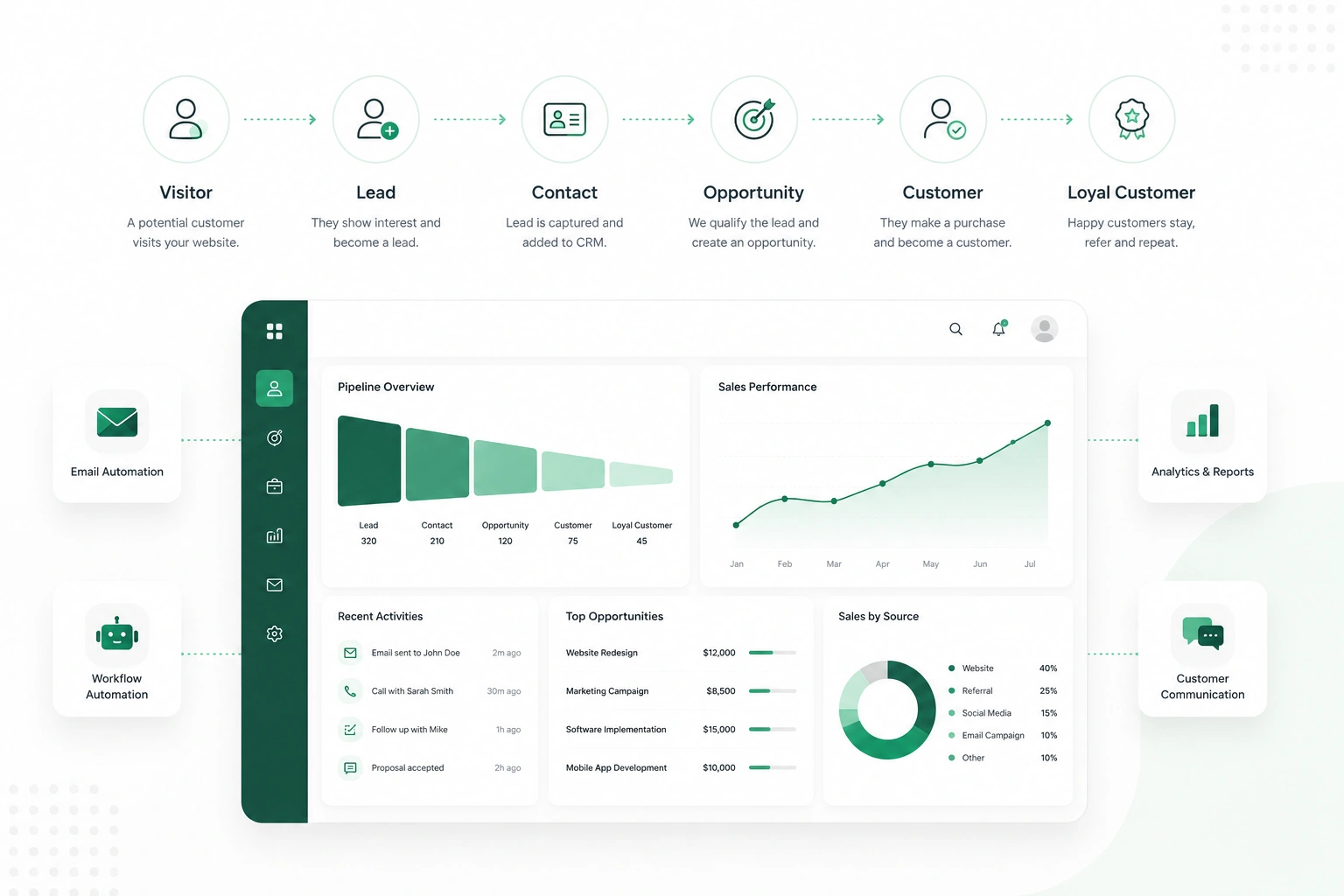
The best way to understand CRM is to follow a customer from their very first interaction with a business all the way through to becoming a loyal client.
Step 1 — A new inquiry arrives.
Someone visits a website, fills out a contact form, or calls in. Their details are captured and entered into the CRM as a new lead, a potential customer who has shown interest.
Step 2 — The lead is assigned.
The CRM records who this lead belongs to and which salesperson or team will handle the follow-up. A task is created: “Call back within 24 hours.”
Step 3 — Communication begins.
The sales rep will call the lead. We log the results of the conversation into the CRM: what was discussed, what the customer is looking for, and what we promised. No more depending on memory or scattered notes.
Step 4 — The deal moves through stages.
As conversations continue, the lead moves through a sales pipeline, from “First Contact” to “Proposal Sent” to “Negotiation” to “Closed”. At any moment, anyone in the business can see exactly where each deal stands.
Step 5 — The deal closes.
The customer signs or pays. Their record in the CRM is updated. They move from “lead” to “customer”, but the relationship doesn’t end here.
Step 6 — The relationship continues.
Future communications, renewals, support requests, and new purchases all get added to the same customer record. Over time, the CRM builds a complete history of the relationship, which helps the business serve that customer better every single time.
This is what define CRM systems at their core: a structured journey, not a one-time transaction.
Core Features of CRM
Different CRM tools offer different capabilities, but most share a common set of features. Here’s what each one does in practice.
- Contact Management: Stores all customer and lead information in organized profiles. Replaces disconnected address books, spreadsheets, and business card piles.
- Lead Tracking: Follows a potential customer from the moment they first show interest. Shows what stage they’re in and what’s needed to convert them into a paying customer.
- Sales Pipeline: A visual overview of all active deals, organized by stage. Think of it like a board where every deal card moves from left to right as it progresses toward closing.
- Reminders and Follow-up Scheduling: Let users set automatic reminders for calls, emails, or check-ins. Ensures every lead gets timely attention, not just the ones the salesperson remembers.
- Reports and Analytics: Show data like how many leads came in this month, how many deals were closed, how long the average sale takes, and which team members are performing well. Helps businesses make decisions based on facts, not feelings.
- Communication Logging: Records every interaction with a customer, what was said, when, and by whom. Gives the whole team shared context
How Modern Businesses Are Using CRM Platforms
Something worth understanding about how CRM has evolved: it’s no longer a standalone tool sitting separately from the rest of a business’s operations.
In the early years, CRM was a contact database that had some notes. Today, we see that the best implementations that we have are of systems that tie front-line customer interaction with the rest of the business: finance, support, inventory, and project management in real time. At the closure of a deal in the CRM, an invoice goes out. When a customer puts in a support request, the support team has access to the full sales history. As a business owner, I look at revenue and may 0 trace it back to the exact pipeline action which produced it.
Many modern businesses are moving toward CRM environments that are part of larger business management platforms, where sales data, customer records, and operational data live in the same connected system. This creates a unified view of every customer: not only who they are and what they’ve been told, but how each department has played into it and what they need going forward.
This is why CRM has moved from a sales team tool to a central piece of business infrastructure.
Who Needs a CRM?
This is one of the most common questions people ask when they first learn about CRM, and the honest answer is ‘more businesses than you’d think’.
CRM isn’t limited to large corporations or high-volume sales teams. It’s useful anywhere that customer relationships need to be managed consistently. Here’s a practical look at who benefits most.
Small Business Owners
A small business professional like a shop owner, a freelance consultant, a local service provider, or any individual who has outgrown a simple client base of a few goes through this stage. Who did you talk to last? When did the inquiry come in? What did you tell them you would send?
CRM provides small business owners with the same structured system that is used by large companies but does not require a big team to manage it.
Sales Teams
Sales reps are the most obvious users of CRM. They need to track leads, log calls, move deals forward, and hit targets, all at the same time. CRM keeps that work organized and visible, both for the rep and for their manager.
Customer Support Teams
Support agents deal with customers who often have complex histories, multiple purchases, past complaints, and previous conversations. With CRM, the agent can see all of that before they say hello. It makes every interaction faster and more informed.
Marketing Teams
Marketers use CRM data to understand who their customers are, where leads come from, and which campaigns actually result in closed deals. Without that connection to real customer data, marketing decisions are mostly guesswork.
Business Managers and Founders
Even if a founder isn’t doing sales themselves, they need visibility. How many leads came in this month? What’s the conversion rate? Where are deals getting stuck? CRM answers these questions without requiring every team member to write a report.
When Is a Business Ready for CRM?
There’s no single rule, but these are reliable signals:
- You regularly interact with more than 30–50 contacts
- More than one person on your team handles customer communication
- You’ve lost a deal because a follow-up was missed
- You can’t answer “what’s in the pipeline right now?” without asking multiple people
- A team member has left and taken customer knowledge with them
If any of these sound familiar, a CRM would almost certainly help.
Workdo’s Dash SaaS: A CRM Built for How Businesses Actually Work
If you’re looking for a CRM that covers all of the above and keeps everything under one roof without per-user subscription costs climbing as your team grows, Workdo’s Dash SaaS is built for exactly that.
Dash SaaS is presented as a full-featured CRM platform that gives businesses full control of their sales pipeline. In terms of what it does as a CRM, it allows you to manage leads and deals via custom pipelines; track every task, call, file, and email related to each record; convert leads to deals in a go; and see performance in general, staff, client, and pipeline reports all within a single centralized dashboard.
Dash SaaS, what makes us stand out from the crowd of CRM tools is the depth we provide without increasing complexity. We have a CRM that integrates smoothly into the flow of your business’ operations, users, clients, products, and beyond, which means your customer data does not get siloed. It is all connected, visible, and actionable from the same system.
For businesses that want a serious CRM without locking into a recurring per-seat subscription, Workdo’s Dash SaaS is a practical and scalable starting point.
CRM Use Cases Across Different Business Types
The real measure of any system is whether it solves actual problems in real businesses. CRM does — across industries and team sizes.
Real Estate Agencies
An agency managing 50 active buyer inquiries can’t rely on individual agents remembering who wanted what property at which price point. A CRM tracks every buyer’s preferences, current status, and follow-up timeline. When a relevant listing comes in, the system surfaces which buyers should be contacted immediately.
SaaS Companies
A SaaS sales team running 200 active trials needs to know which trials are going cold, which prospects have asked pricing questions, and which accounts are closest to converting. Without a CRM, that’s guesswork. With one, it becomes a prioritized daily task list organized by urgency.
Service-Based Businesses
An agency or consultancy managing ongoing client relationships needs to track when contracts renew, what was committed in the last review, and which clients haven’t heard from the team recently. CRM keeps all of that surfaced and actionable — not buried in a 60-thread email chain.
Retail and E-commerce
Understanding each customer’s purchase history, communication preferences, and overall lifetime value helps retail businesses run more relevant marketing, improve repeat purchase rates, and identify which customers are worth specific retention investment.
Startups and Small Teams
A founder managing early sales conversations across WhatsApp, email, and LinkedIn quickly loses track of where each conversation stands. A CRM gives that founder a single place to see every relationship — even before a dedicated sales team exists.
What Does a CRM System Do?
It’s that we pay attention to detail. We identify every lead that comes in, we log each of the conversations that transpire, and we get the entire team on the same page as to what the next steps are.
Instead of going back and forth via email, spreadsheets, and memory, which is a very hit-or-miss method at best, you have one place for the full picture: contacts, deals, tasks, calls, files, and history, which are all interconnected. That said, it goes beyond the basics.
Our CRM also does the mundane tasks for you; it sends out follow-up reminders, it moves deals through the sales pipeline, and it generates reports — in other words, your team spends less time doing admin and more time actually selling.
The real question isn’t what a CRM does. It’s what your business stops losing once you have one. → Read the full breakdown of what a system does and how each CRM feature works
How Much Does a CRM Cost?
CRM prices tend to be more variable than what the average person expects, and by far, the sticker price is the tip of the iceberg.
Some platforms are free to begin with but then charge for each user as your team grows, which adds up fast. Also, we see priced models that are monthly subscriptions with feature tiers, which means the version you will get for your money often costs more than the basic plan. And then there are self-hosted options, for which you pay once and own the software forever.
The best fit depends on your team size, how many features you require, and how much you are willing to spend over 12 to 36 months, not just the first month.
→ See a full CRM pricing breakdown — free plans, subscription models, and one-time options compared (CRM comparison software)
Conclusion: CRM Is the System That Keeps Relationships Alive
In every aspect of business, we live in a world of relationships. Relationships with prospects that require care, with customers that deserve our constant attention, with existing accounts that have great growth potential. We scale these relationships without losing track, missing out on follow-ups, or duplicating effort.
That is what CRM does best. The CRM stands for Customer Relationship Management, which is the simple definition. But the real value is in the deals that don’t fall through the cracks, the timely follow-ups, and the customer who feels known by your team.
CRM is no longer optional for modern businesses. It’s the infrastructure that customer-focused organizations run on, and the businesses that adopt it early build a compounding advantage: better data, better processes, stronger relationships, and a sales system that improves with every interaction recorded.
 Frequently Asked Questions (FAQs)
We're Here to Help - Let's Talk
Have questions about our solutions, customization services, or business tools? Our team is here to help you. let's talk.