
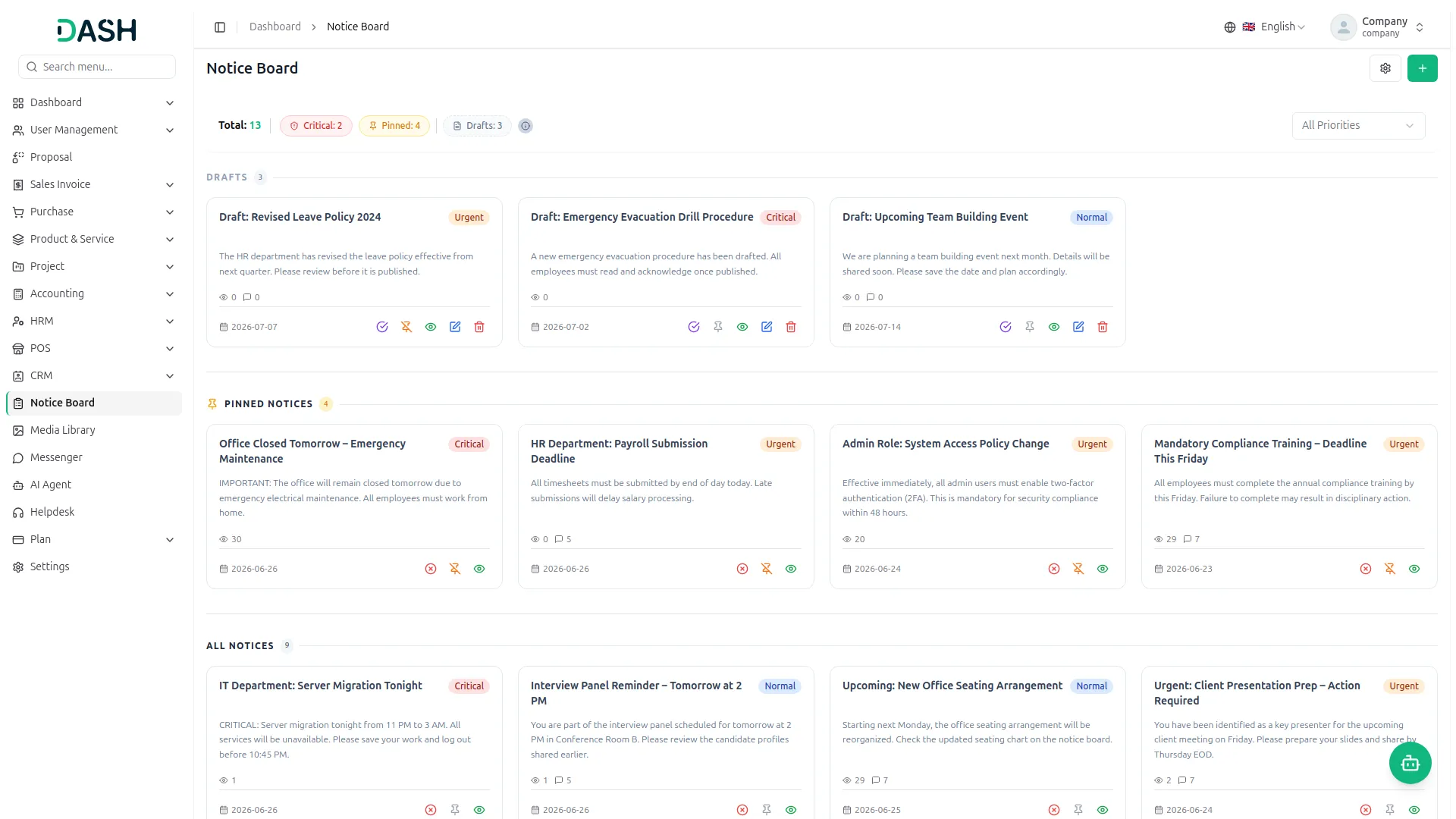
The Notice Board Add-On for Dash SaaS is designed to centralize all important organizational updates in one place so administrators and managers can efficiently communicate with employees. It ensures the right messages reach the right people on time, while enabling tracking, acknowledgement, and engagement for better transparency and accountability.
Everything You Need to Manage Team Announcements:
- Targeted Notice Delivery
- Priority Levels
- Critical Pop-Up Alerts
- Acknowledgement Tracking
- Comments & Replies
- File Attachments
- Draft & Publish Flow
- Pin Important Notices
- Start & Expiry Dates
- Read & Engagement Stats
Create & Target Notices
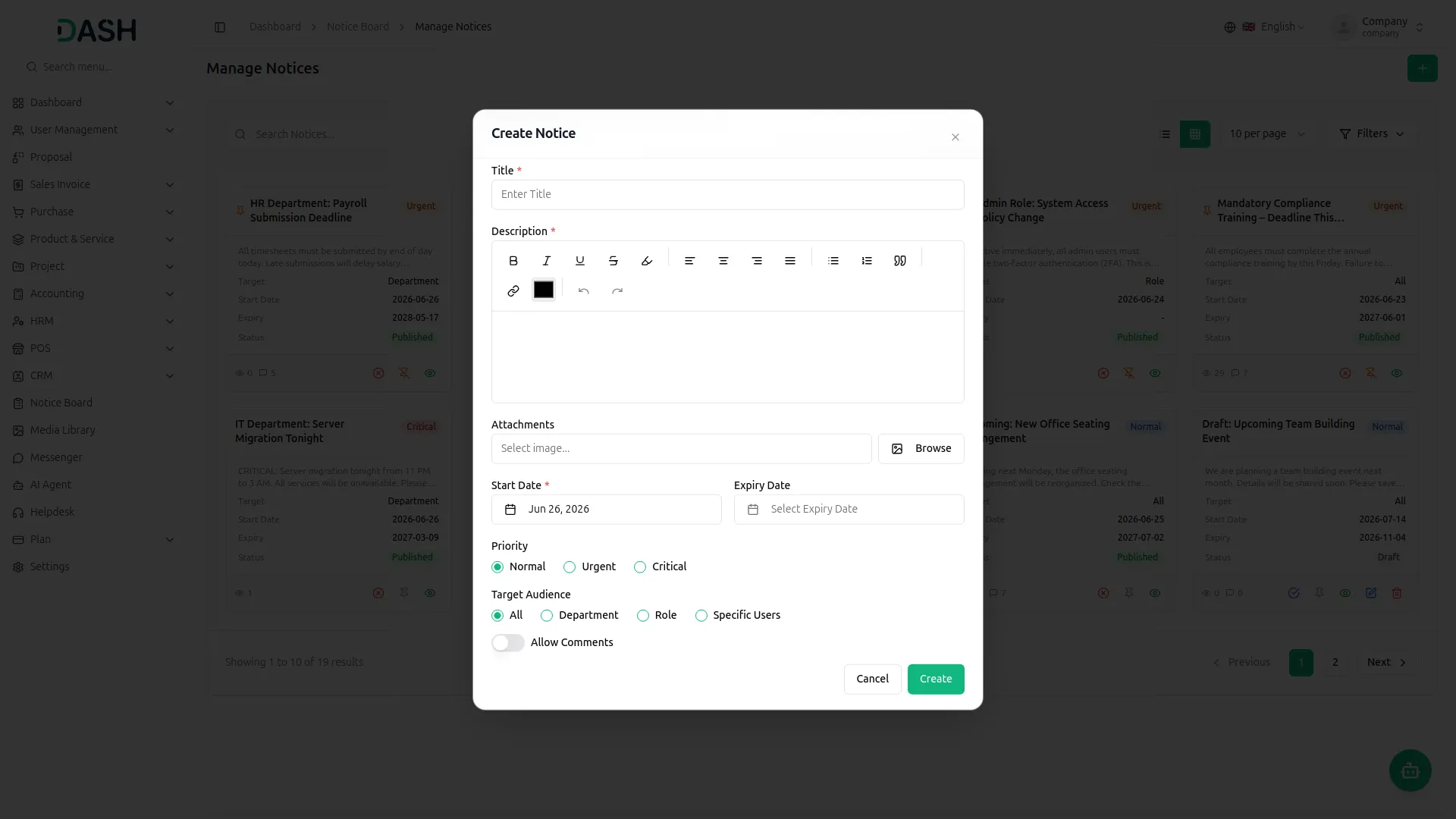
Build a notice with a clear title and a full description that supports rich text such as bold, lists, and links. You can attach files or images, set when the notice becomes visible and when it expires, and choose how important it is. Every notice can be sent to the right people only, so the message reaches the intended audience and no one else. You stay in control of who sees it, how long it stays up, and whether people can respond.
- Write a rich text description with formatting and links.
- Attach files or images and set the visibility window with start and expiry dates.
- Send notices to users, roles, or departments.
- Set priority levels and enable or disable comments.
Publish, Manage & Track
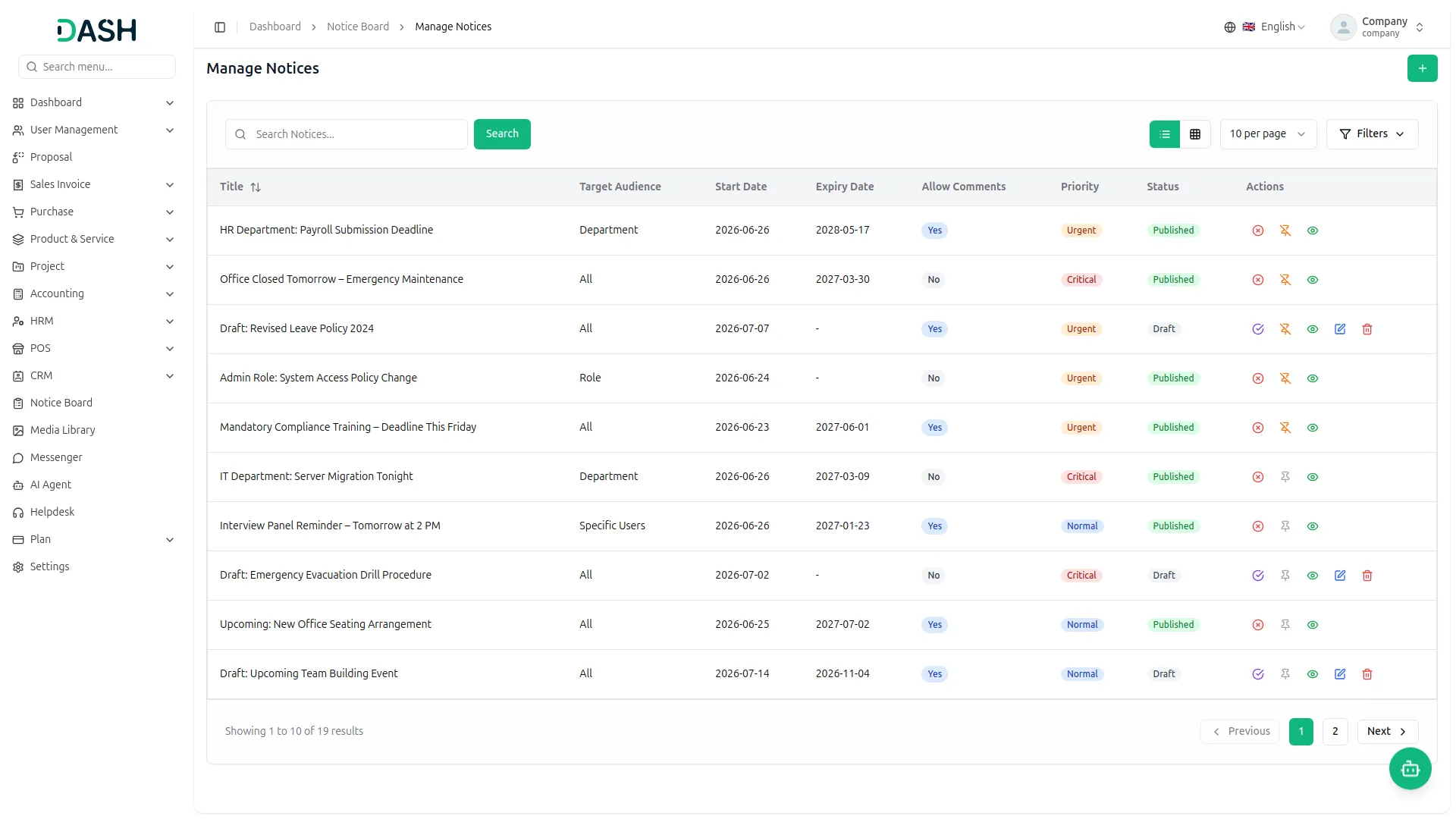
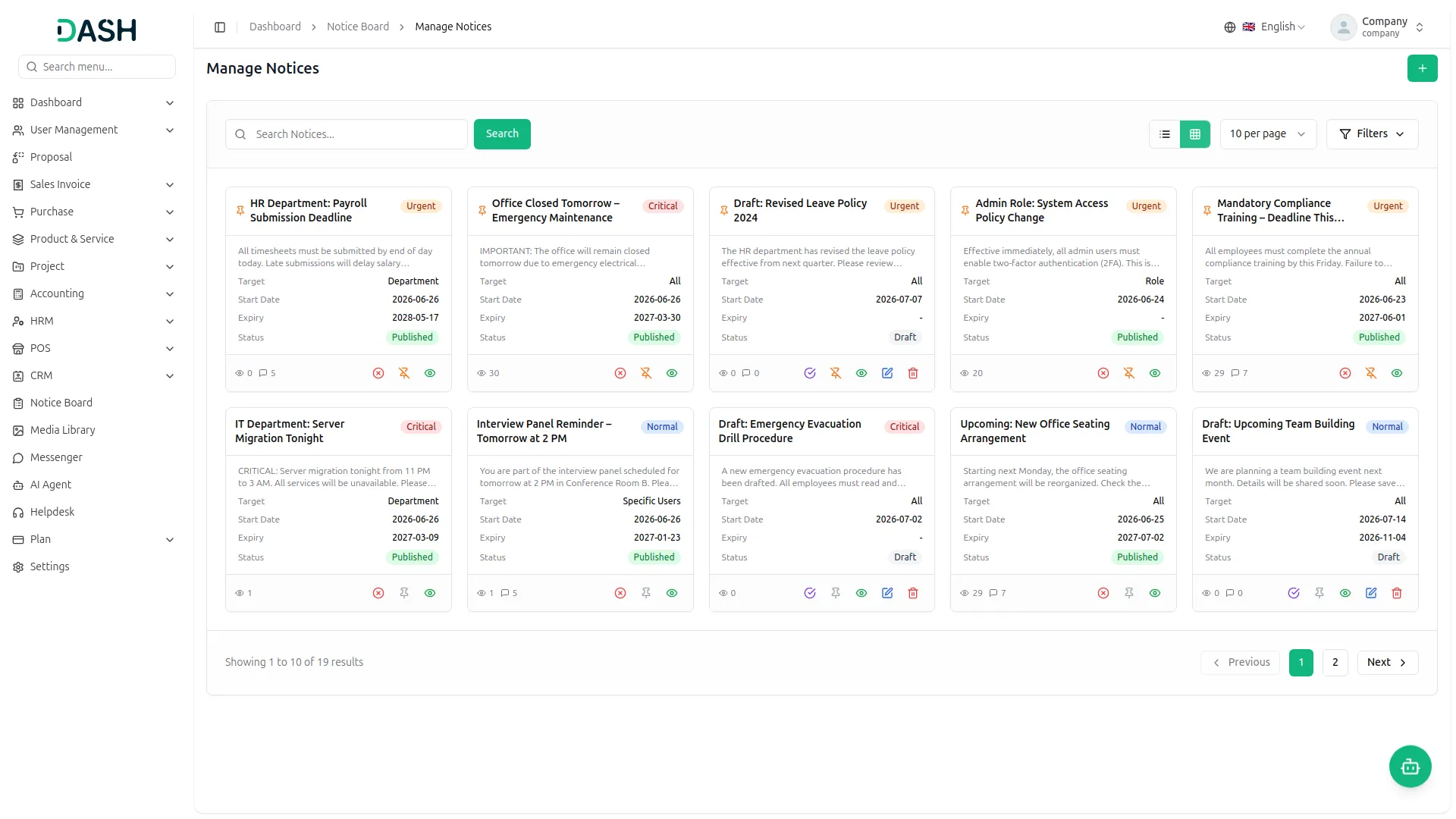
New notices are saved as drafts first, so only the creator and managers can see them until they are ready. From the management view, you can publish, deactivate, pin, or unpin notices, and find any of them quickly using search, filters, and list or grid layouts. Pinned notices always sit at the top of the board, and notices you no longer need can be stopped early without losing the record. For each notice you can also follow how it is performing with clear read and acknowledgement numbers.
- Save notices as drafts before publishing.
- Manage all notices using filters and search.
- Pin important notices or deactivate early.
- Track reads, acknowledgements, and progress easily.
Read, Acknowledge & Engage
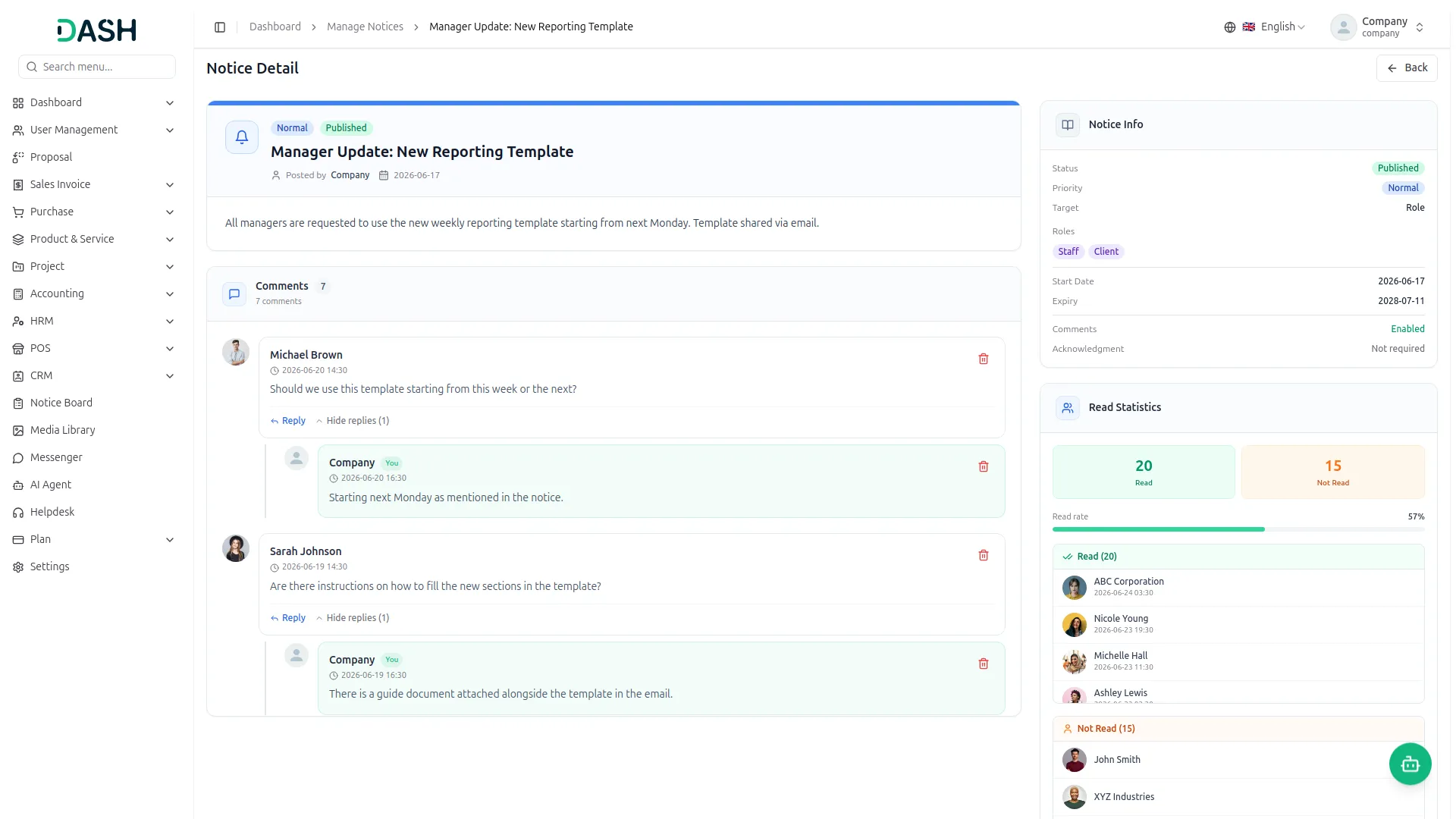
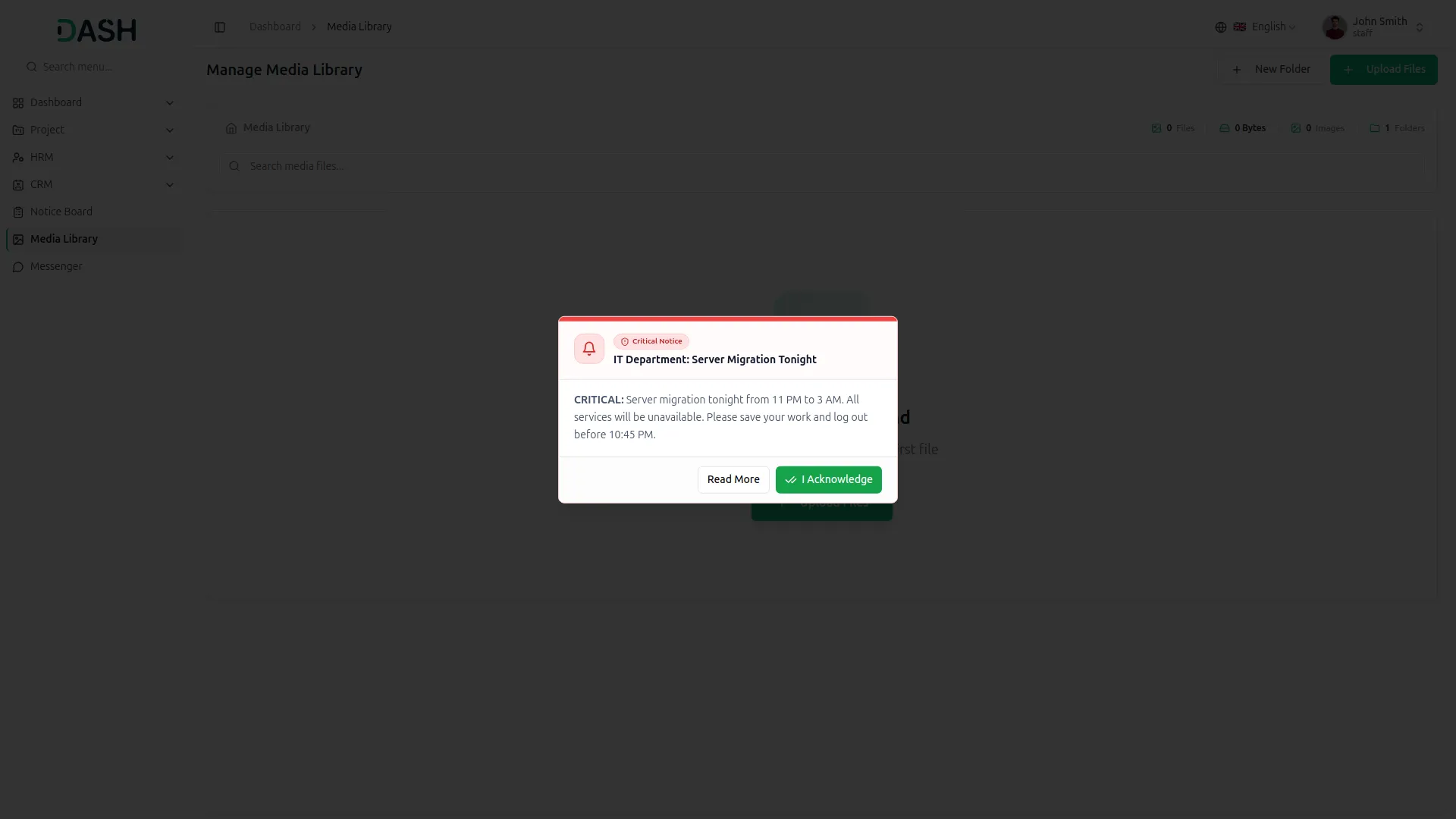
On the board, employees see all the published notices meant for them, along with quick counts at the top. Unread notices carry a "New" badge, and simply opening a notice marks it as read. Critical notices appear as an instant pop-up alert so urgent messages are not missed, and when acknowledgement is needed, a single "I Acknowledge" click confirms the notice has been read. When the creator allows it, employees can also comment on a notice to keep everyone in the loop.
- Identify unread notices using visible New badges.
- Receive instant pop-up alerts for critical notices.
- Acknowledge critical notices with one-click confirmation.
- Comment on notices when comments are enabled.
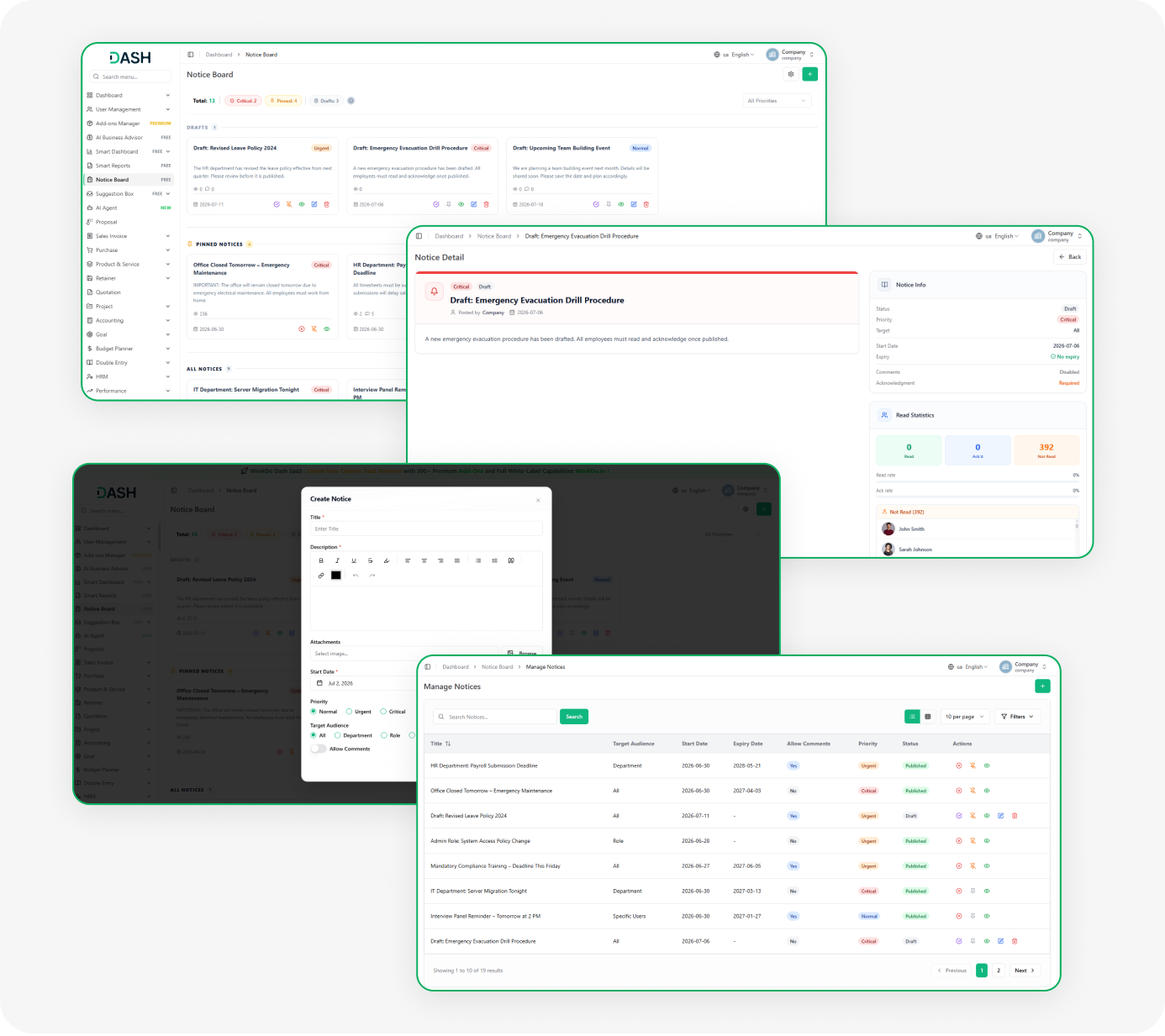
Screenshots from our system
To explore the functionality and usage of these Add-Ons, refer to the accompanying screenshots for step-by-step instructions on how to maximize their features.
Discover More Add-Ons
Unlock even more functionality with additional Add-Ons, providing enhanced networking and customization options for your Dash SaaS experience.

PrintPress
PrintPress Management Add-On is a powerful solution for printing companies to streamline operations from customer management to delivery.

Childcare Management
Experience the streamlined management of your preschool or nursery with the Childcare Management Integration in Dash SaaS.


suggestive
Notice Board keeps every team member informed with important updates, Suggestion Box encourages valuable employee feedback in a simple way