

Discord Notifications with BookingGo SaaS
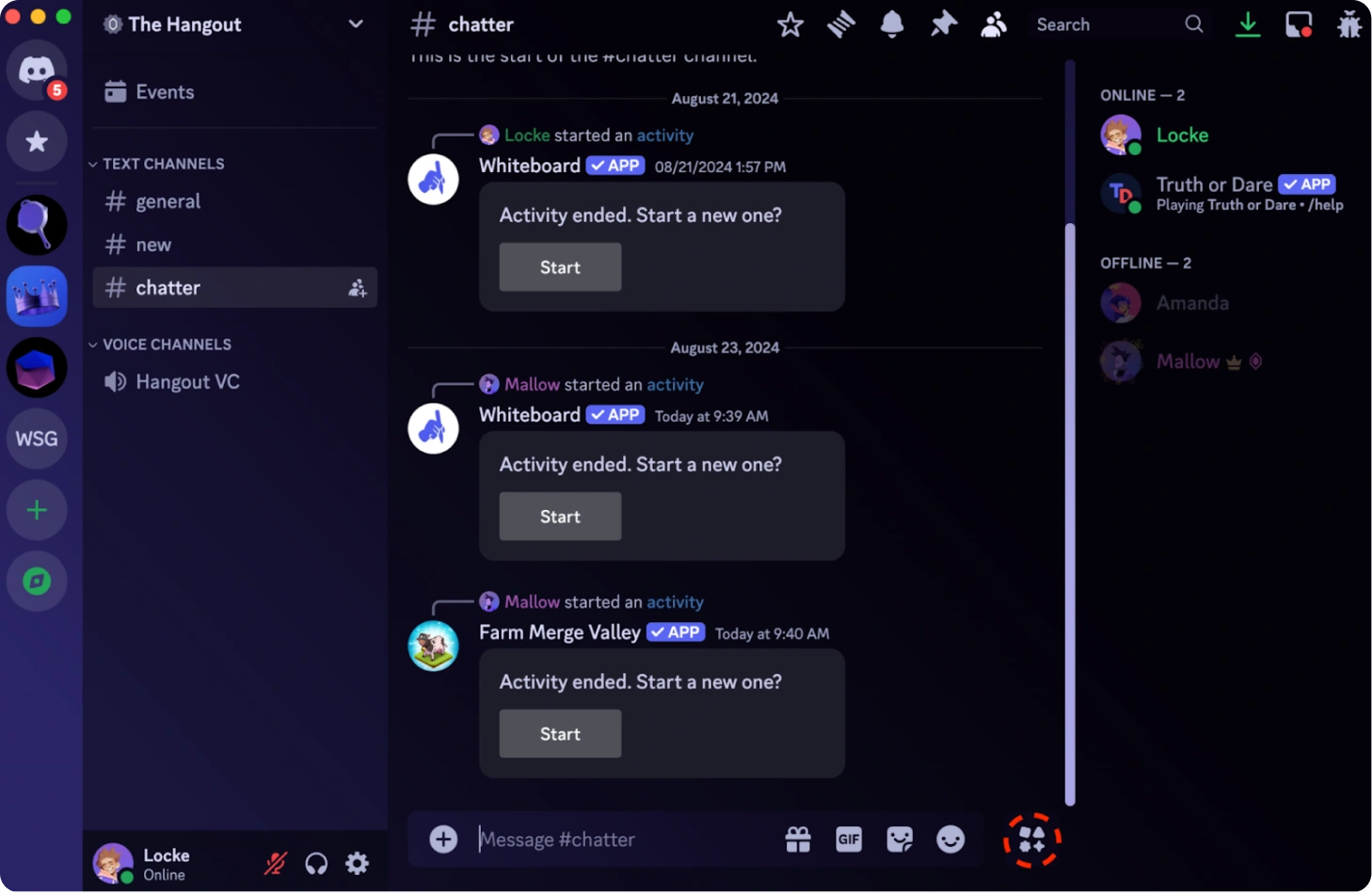
Receive instant notifications of critical updates, alerts, and actions directly in your Discord server. Stay on top of important events without missing a single update. Using Discord effectively with BookingGo SaaS is simple: connect your Discord Webhook URL on the settings page, and customize your notifications based on your preferences. You can enable or disable specific notifications to ensure you’re only informed about what matters most to you. Automate away routine tasks with the power of generative AI and simplify your workflow with all your favorite apps ready to go in Discord.
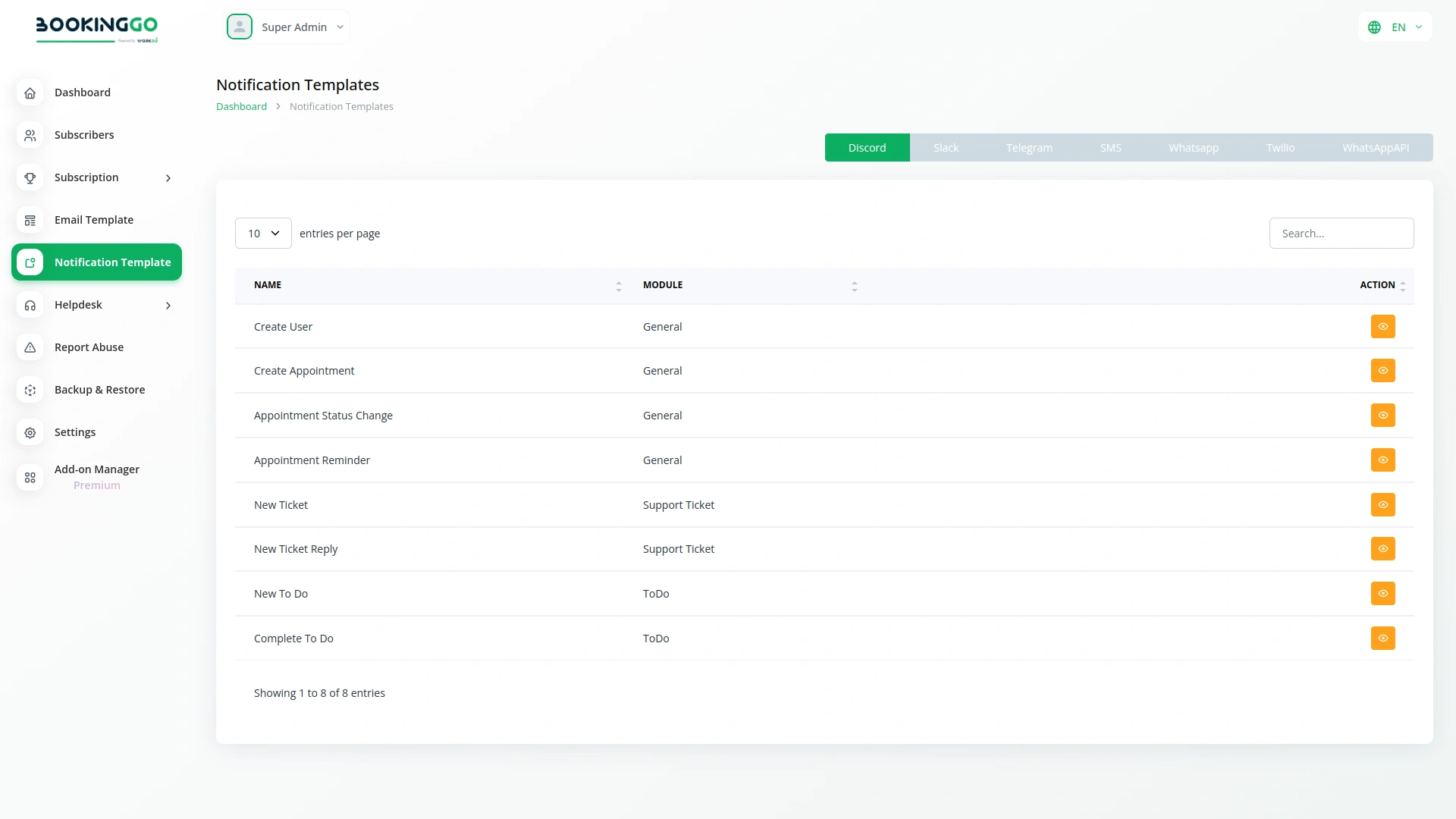
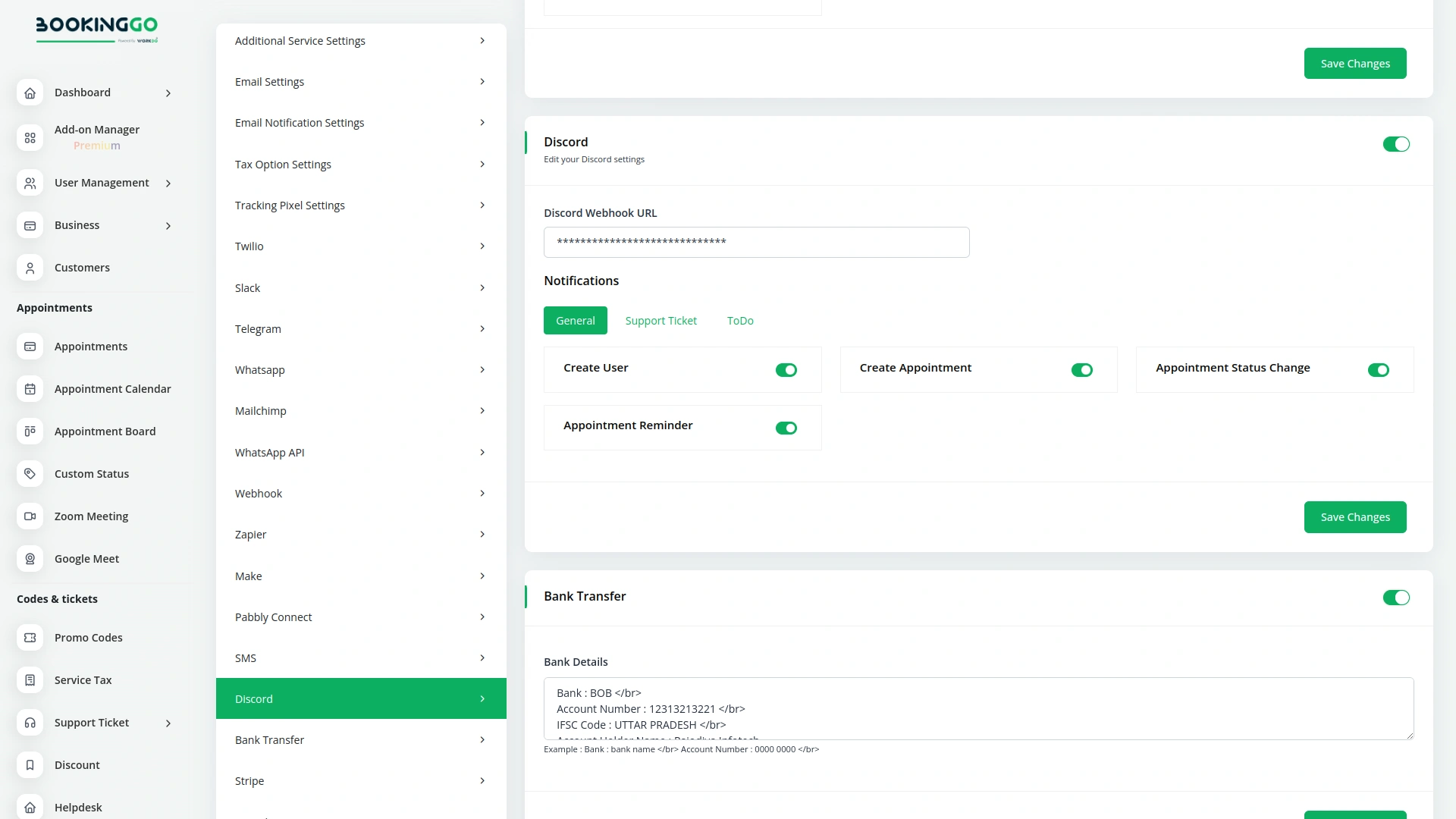
Discord with Modules
The Discord integration allows you to receive instant updates and notifications from various modules, ensuring seamless communication and streamlined workflows. Here’s how the modules are organized for efficient collaboration:
- General: Stay updated on key activities such as new user registrations and appointment scheduling.
- Support Ticket: Receive notifications when a new support ticket is created or updated, ensuring timely responses to customer queries.
- To Do: Get reminders and updates about tasks, deadlines, and progress to keep everyone on track.
With these customizable modules, you can tailor notifications to suit your business needs, making it easier to stay informed and maintain smooth operations with BookingGo SaaS and Discord.
This integration makes it easier than ever to keep your team aligned and informed, ensuring your business runs smoothly and efficiently!
Screenshots from our system
To explore the functionality and usage of these Add-Ons, refer to the accompanying screenshots for step-by-step instructions on how to maximize their features.
Discover More Add-Ons
Unlock even more functionality with additional Add-Ons, providing enhanced networking and customization options for your BookingGo SaaS experience.

Tip
The Tip Module in BookingGo SaaS is designed for effortless integration with your appointment bookings. This intuitive feature ensures that adding a tip is a natural part of the booking process, making it easy for customers to reward exceptional service. By incorporating tipping directly into the appointment workflow, the module simplifies the transaction and enhances the overall user experience.

Whatsapp (Twilio)
WhatsApp with Twilio refers to the integration of Twilio's cloud communication platform with WhatsApp's messaging service.

Make
MAKE is a powerful workflow automation platform that connects BookingGo with a wide array of applications, enabling seamless integration and workflow optimization. With support for thousands of apps, including Google Calendar, Slack, HubSpot, Shopify, and more, MAKE allows businesses to build customized workflows that automate repetitive tasks. By linking BookingGo to the tools you already use, MAKE simplifies operations, enhances collaboration, and boosts productivity, leading to a more streamlined and impactful business approach.

SinchSMS
The SinchSMS Add-On makes it easy to send text messages to your customers directly from BookingGo. Whether you need to confirm bookings, send reminders, or update ride status, this Add-On helps you communicate quickly and easily. SMS messages are fast and reliable, making sure your customers get important information on time.
Documentation includes examples that make setup incredibly simple