
The Facebook Post Add-on in Dash SaaS allows users to create, schedule, and manage Facebook posts directly from the platform. With a simple setup and an intuitive interface, this feature makes social media management easy for businesses, marketers, and content creators. Whether you want to post instantly or schedule content for later, this add-on ensures that your social media presence stays strong and consistent.
Setting Up Facebook Integration
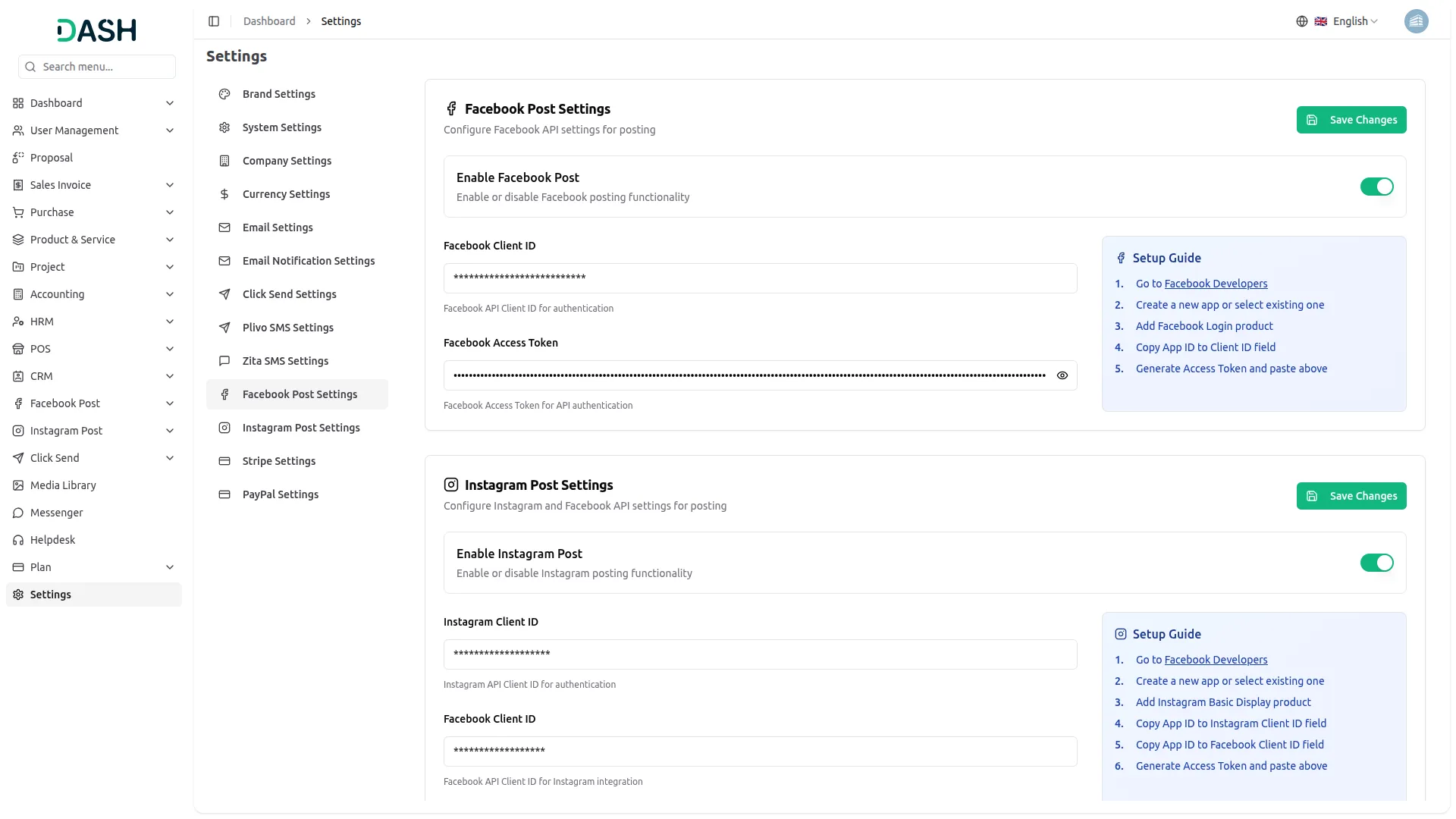
To start using the Facebook Post Add-on, you first need to configure your Facebook credentials. Navigate to the System Settings page and enter your Facebook Client ID and Facebook Access Token. These credentials establish a secure connection between Dash SaaS and Facebook, allowing posts to be published without any manual effort. Once configured, you’re ready to create and manage posts directly from the platform.
Creating, Scheduling, and Publishing Posts
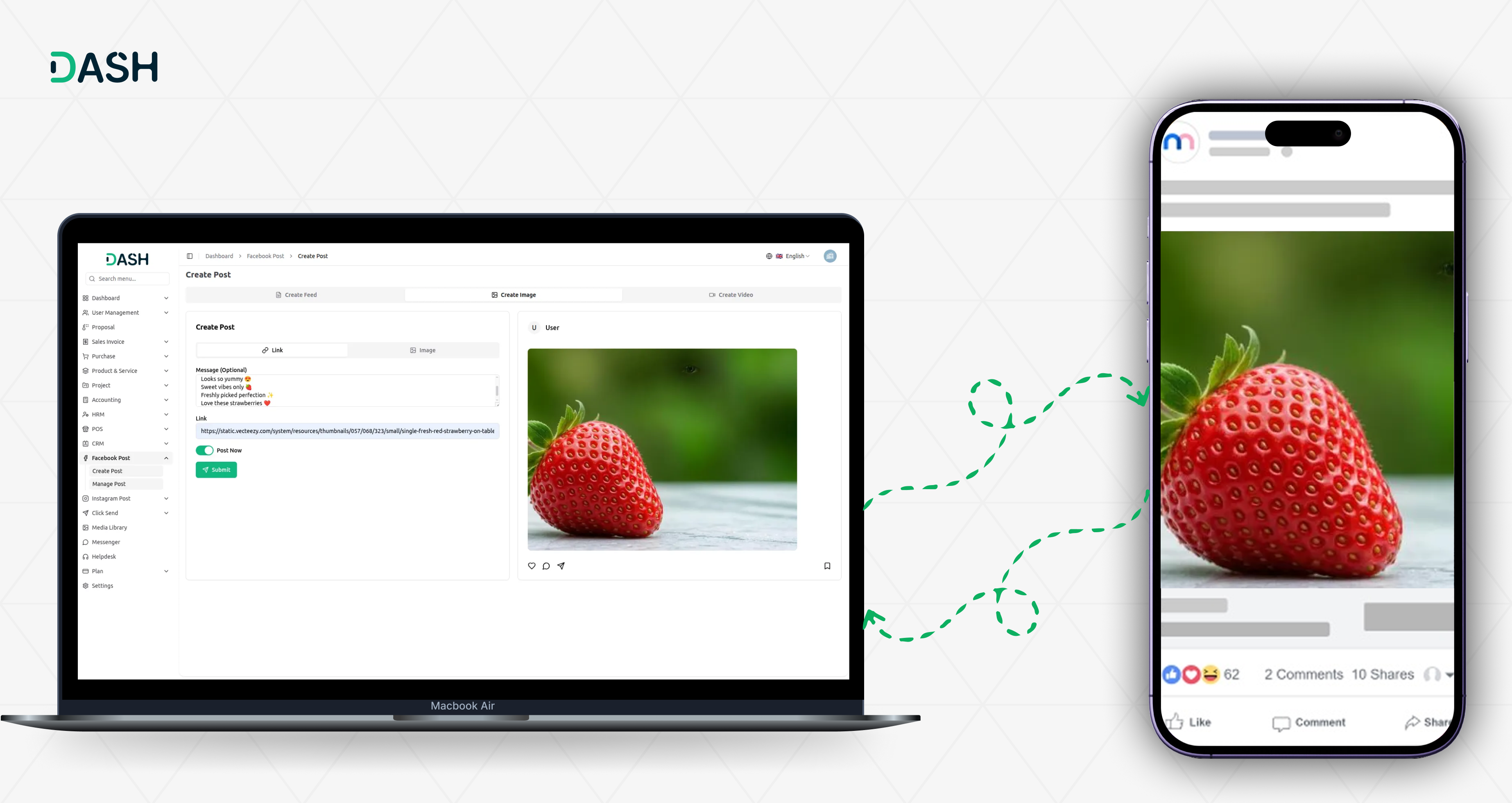
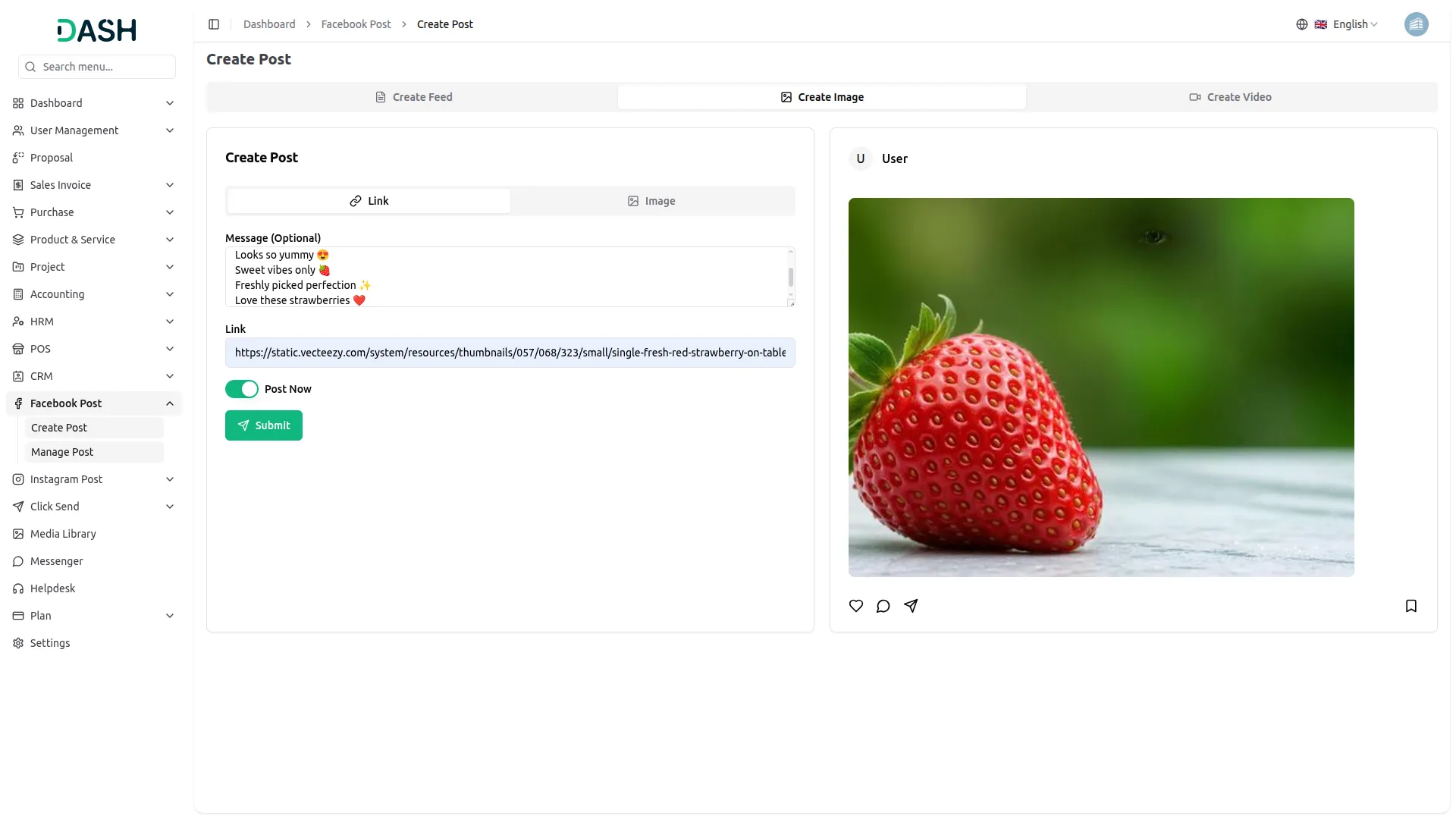
Once the setup is complete, head over to the Facebook Post page within Dash SaaS. Here, you can compose a new post, upload images or videos, and add captions. You can upload images either by providing a link or selecting a file from your system. If you want to schedule a post for later, simply set the desired time and timezone, and the system will automatically publish it at the chosen time. If you prefer to post immediately, just hit publish, and it will go live on your Facebook account instantly.
Managing and Replying to Comments
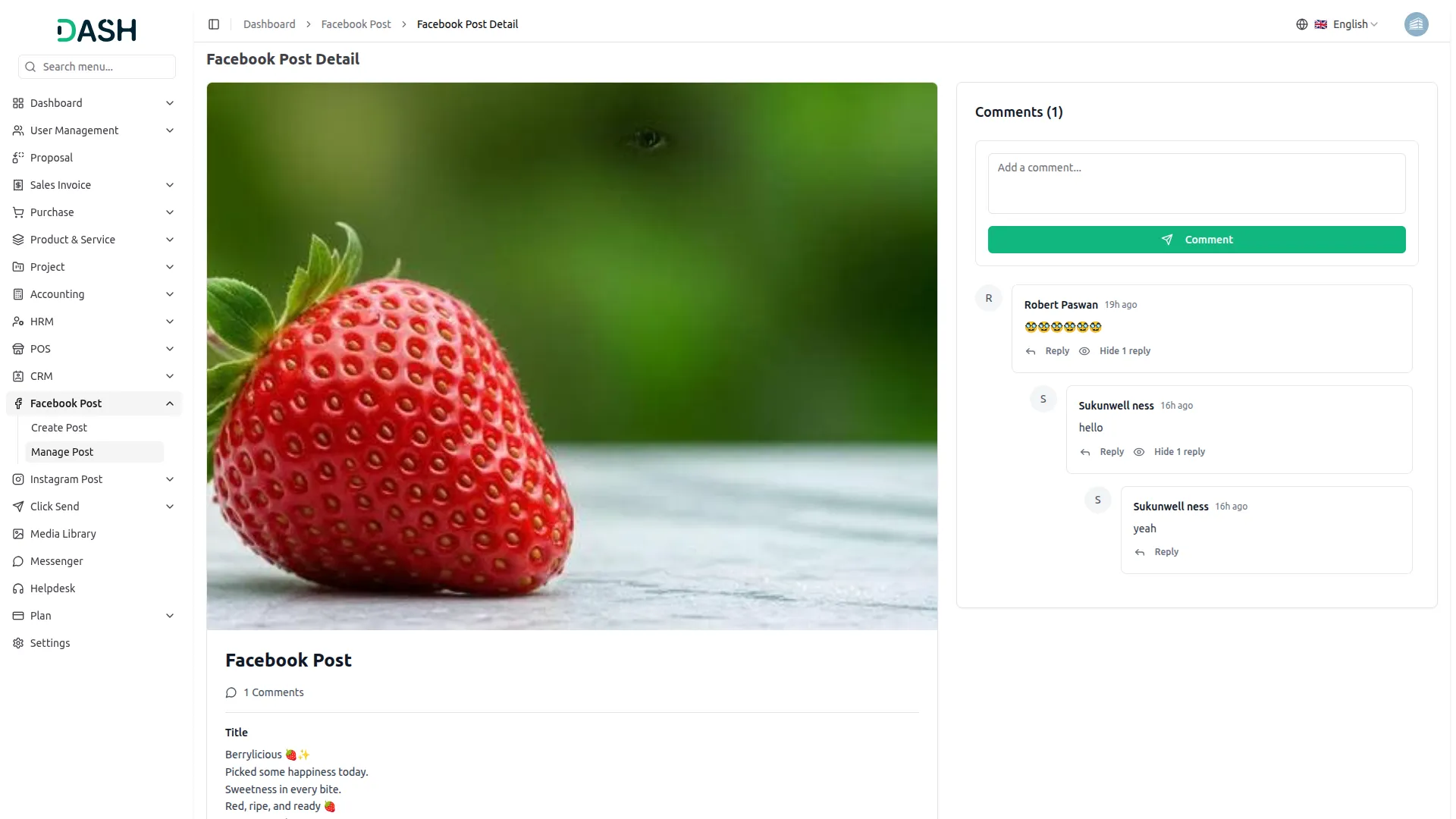
Engagement goes beyond just posting, Dash SaaS enables you to view, respond to, and manage comments on your Facebook posts directly from the platform. Once a post is live, you can see all comments from users and reply to them without switching to Facebook. This makes it easy to stay active in conversations, interact with your audience, and keep your engagement levels high.
Full Control Over Your Posts
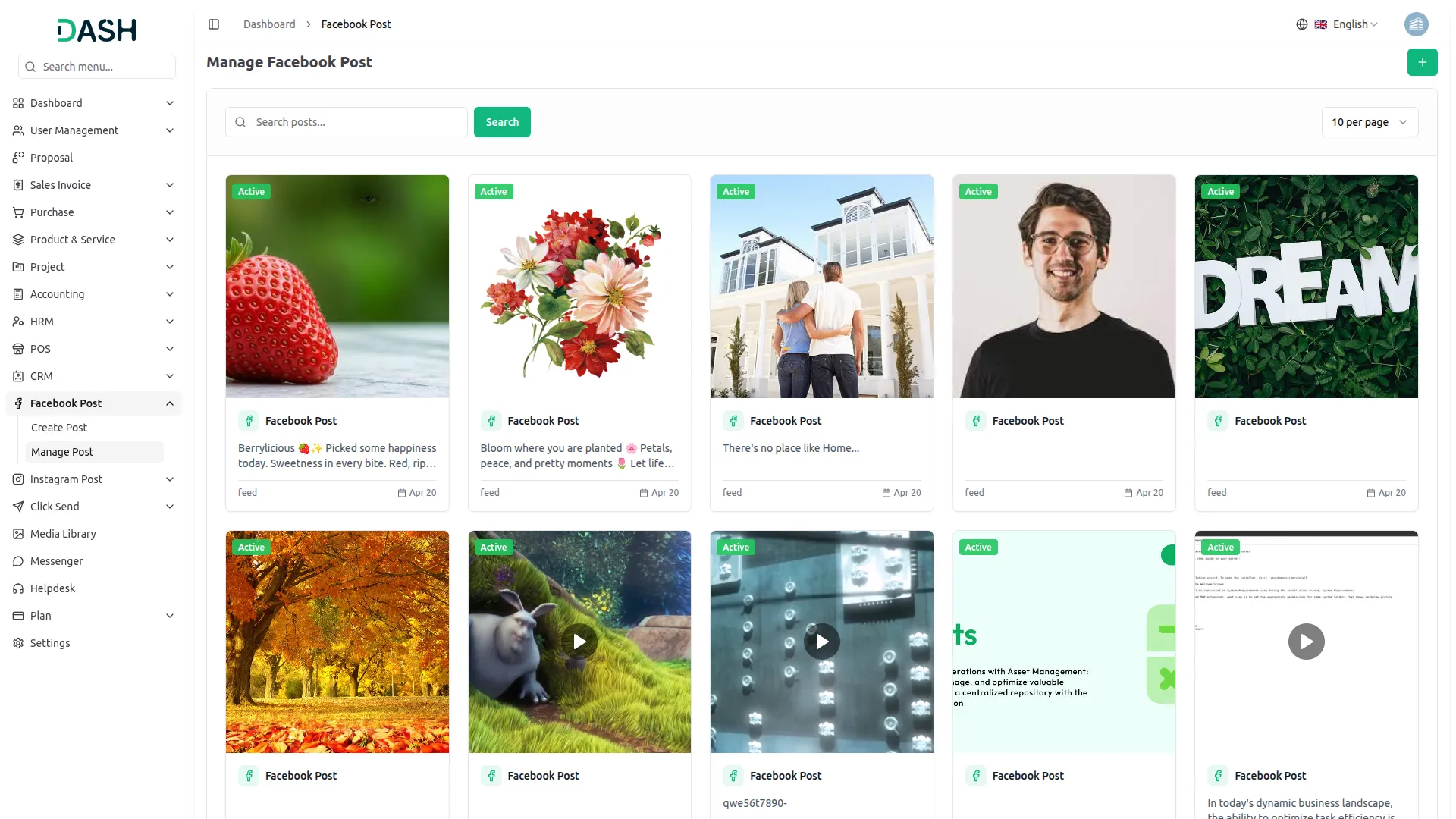
After publishing, you can view post details, track engagement, and make changes whenever needed. Dash SaaS provides a dedicated space where you can monitor all your Facebook posts, delete content when necessary, and maintain full control over your social media activity. Whether it's adjusting a post or removing outdated content, this add-on ensures flexibility and efficiency in managing your Facebook presence.
Screenshots from our system
To explore the functionality and usage of these Add-Ons, refer to the accompanying screenshots for step-by-step instructions on how to maximize their features.
Discover More Add-Ons
Unlock even more functionality with additional Add-Ons, providing enhanced networking and customization options for your Dash SaaS experience.

Innovation Center
An Innovation Center is a dedicated and strategically designed space or initiative within an organization that fosters an environment of open communication, idea sharing, and collaborative problem-solving. Its primary objective is to drive innovation and creativity, ultimately leading to improved processes, outcomes, and the overall competitiveness of the organization.

MyFatoorah
Building a smooth payment experience is vital for any SaaS business, and integrating MyFatoorah into your Dash SaaS platform can be a game-changer. MyFatoorah offers a user-friendly payment gateway specifically designed for Indian businesses.

Construction Management
Manage construction projects, streamline workflows, and boost team collaboration effortlessly with WorkDo Dash's Construction Management Module. Track project progress, oversee budgets, and ensure timely completion of tasks.

Job Search
The Job Search Integration in Dash SaaS offers a comprehensive and efficient solution for managing job searches. This powerful integration allows businesses to streamline their recruitment process by providing a centralized platform for posting job openings, tracking applications, and managing candidate interactions.
Strong feature availability covers real operational needs
Aesthetic clean design
Customization makes us unique
Bugs handled professionally
Code quality is professional and well structured