
The Suggestion Box Add-On is a digital platform where employees can submit ideas to improve the company and help drive innovation. Employees can also track their submissions and vote on suggestions from others. Admin reviews all ideas, provides feedback, and accepts or rejects them while keeping everyone updated on progress and outcomes.
Designed for Better Suggestions:
- Category Selection
- Anonymous Submissions
- Voting System
- View Tracking
- Admin Response Panel
- Status Workflow
- Status History Log
- Category Management
Submit and Support Ideas
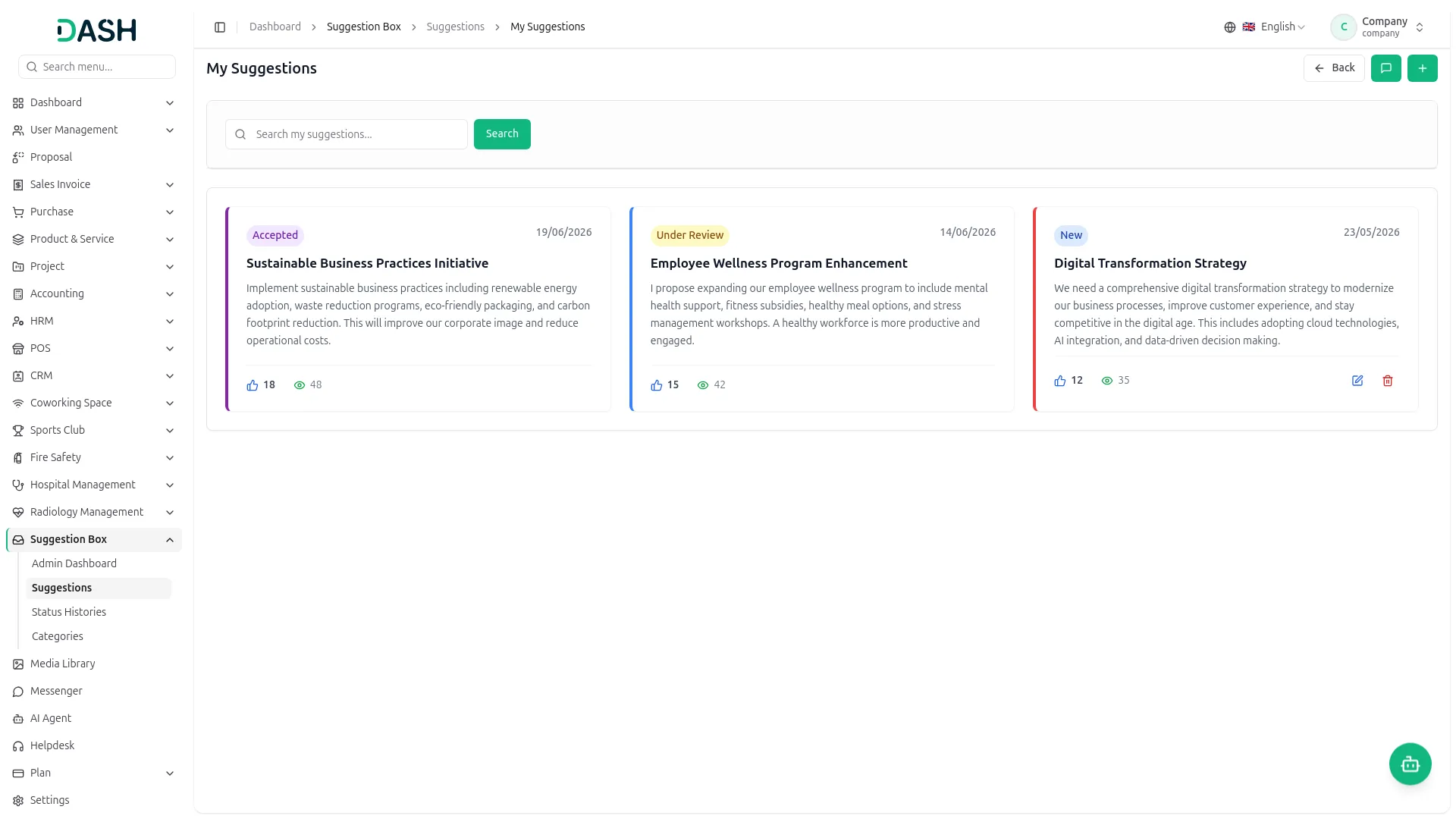
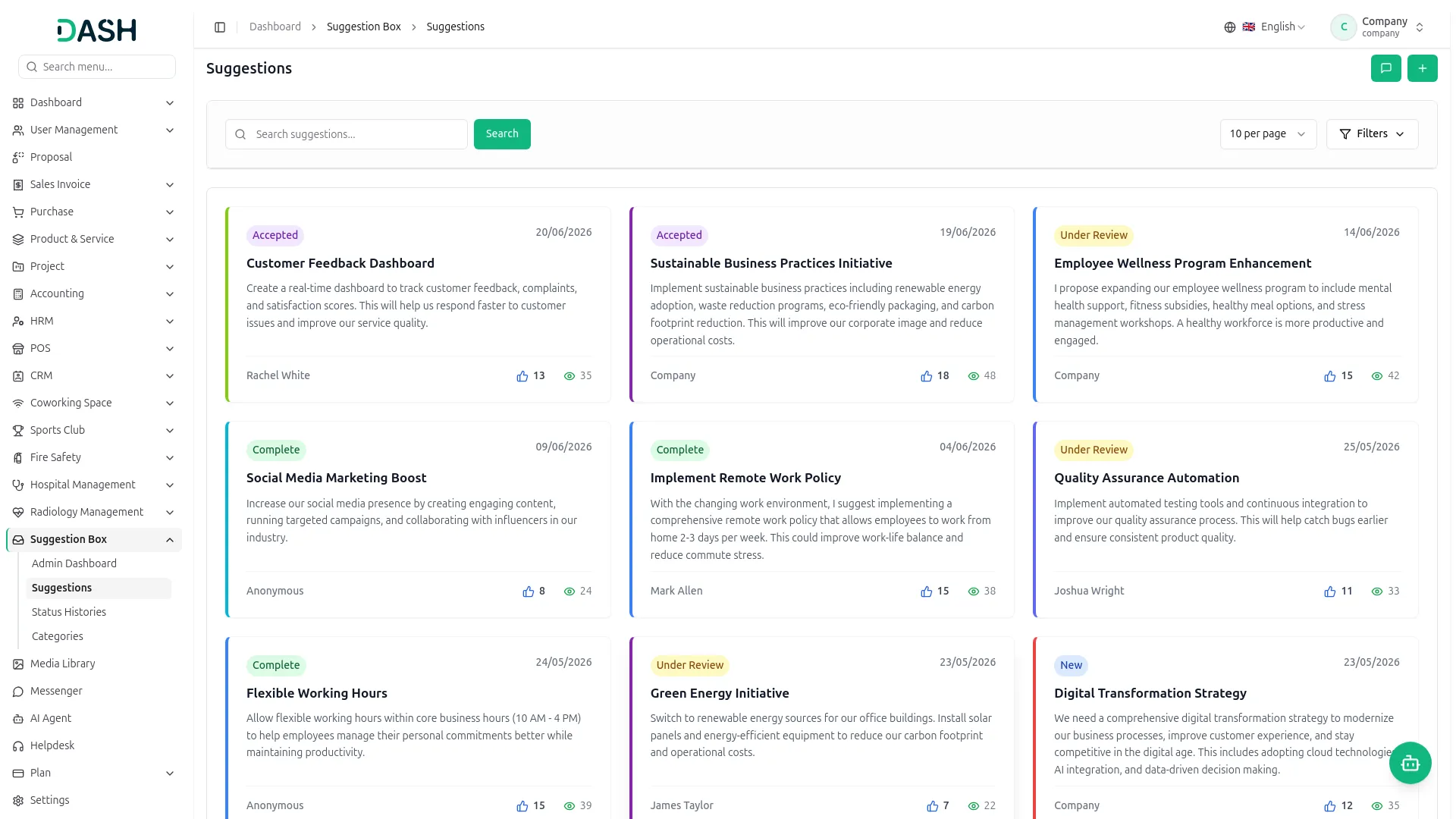
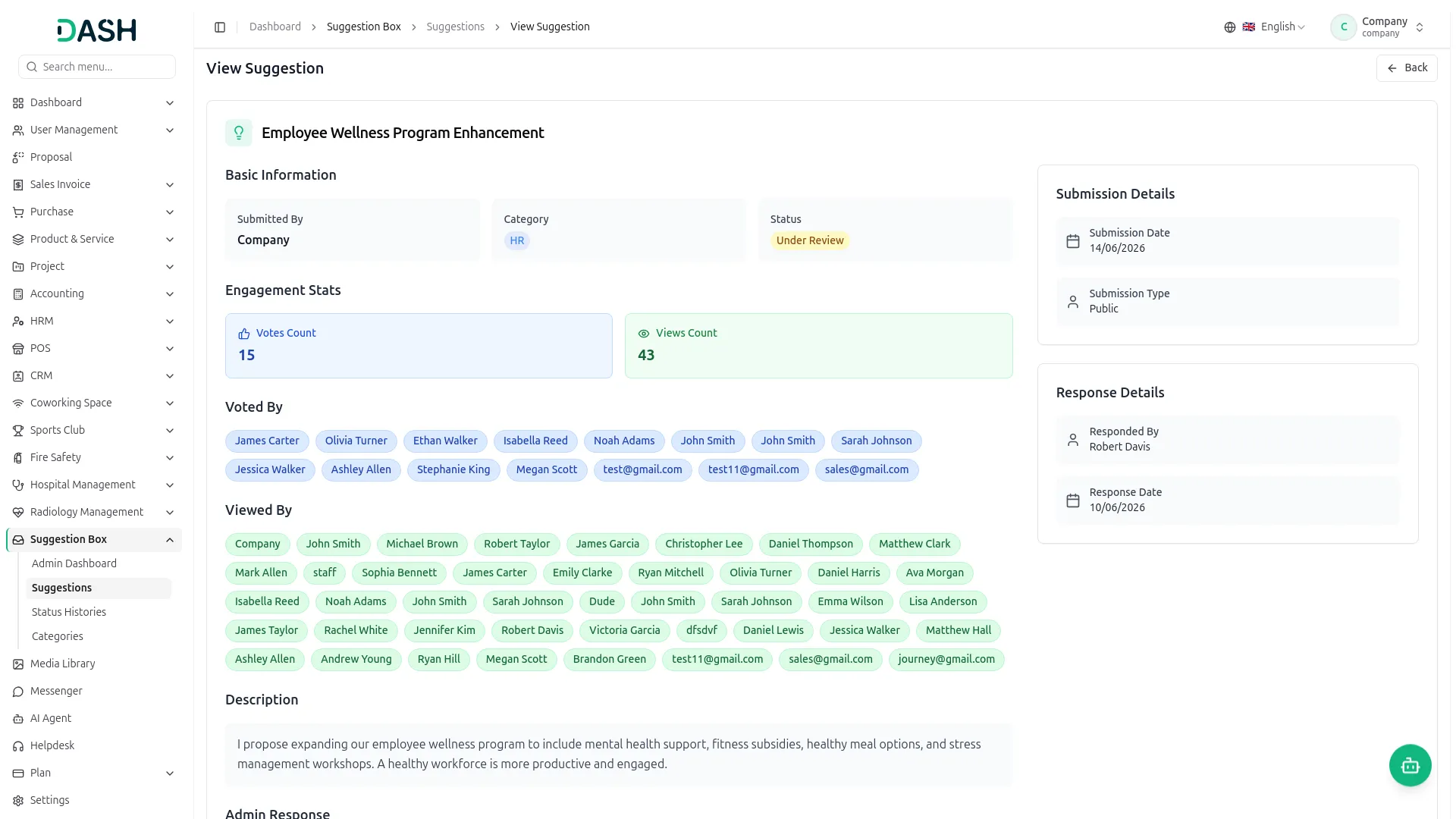
The Suggestion Box Add-On gives every employee a simple place to share ideas and back the ones they like. A suggestion is created with a title, a category, and a description and can be submitted anonymously when a name should stay hidden. Each suggestion appears as a card showing its status, date, vote count, and view count, so progress stays visible to everyone.
- Create a suggestion with title, category, and description fields.
- The option to submit ideas anonymously has been enabled.
- Vote on colleagues’ suggestions (no self-vote) allowed.
- Manage, edit, delete new submissions; view stats.
Admin Review and Response
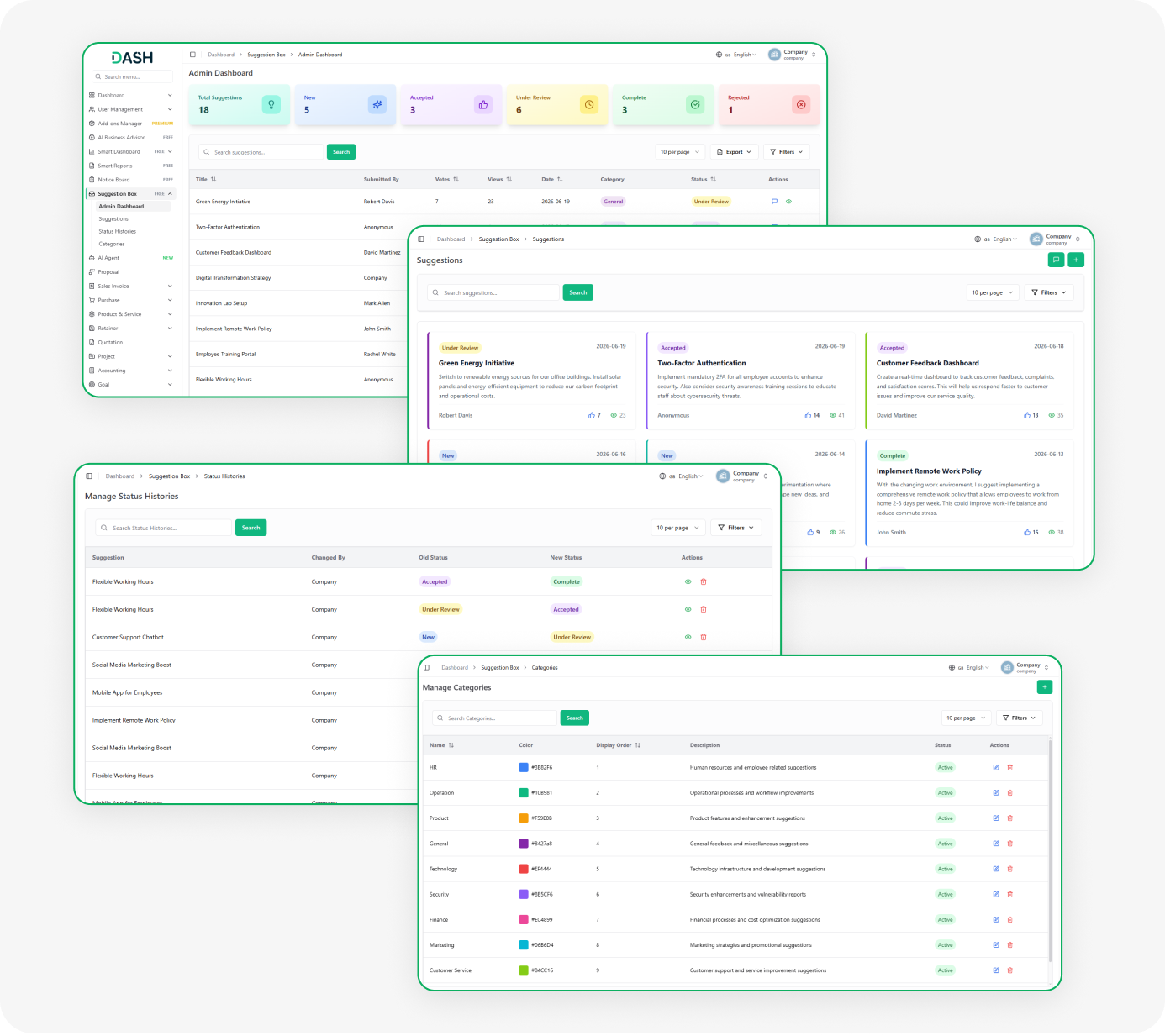
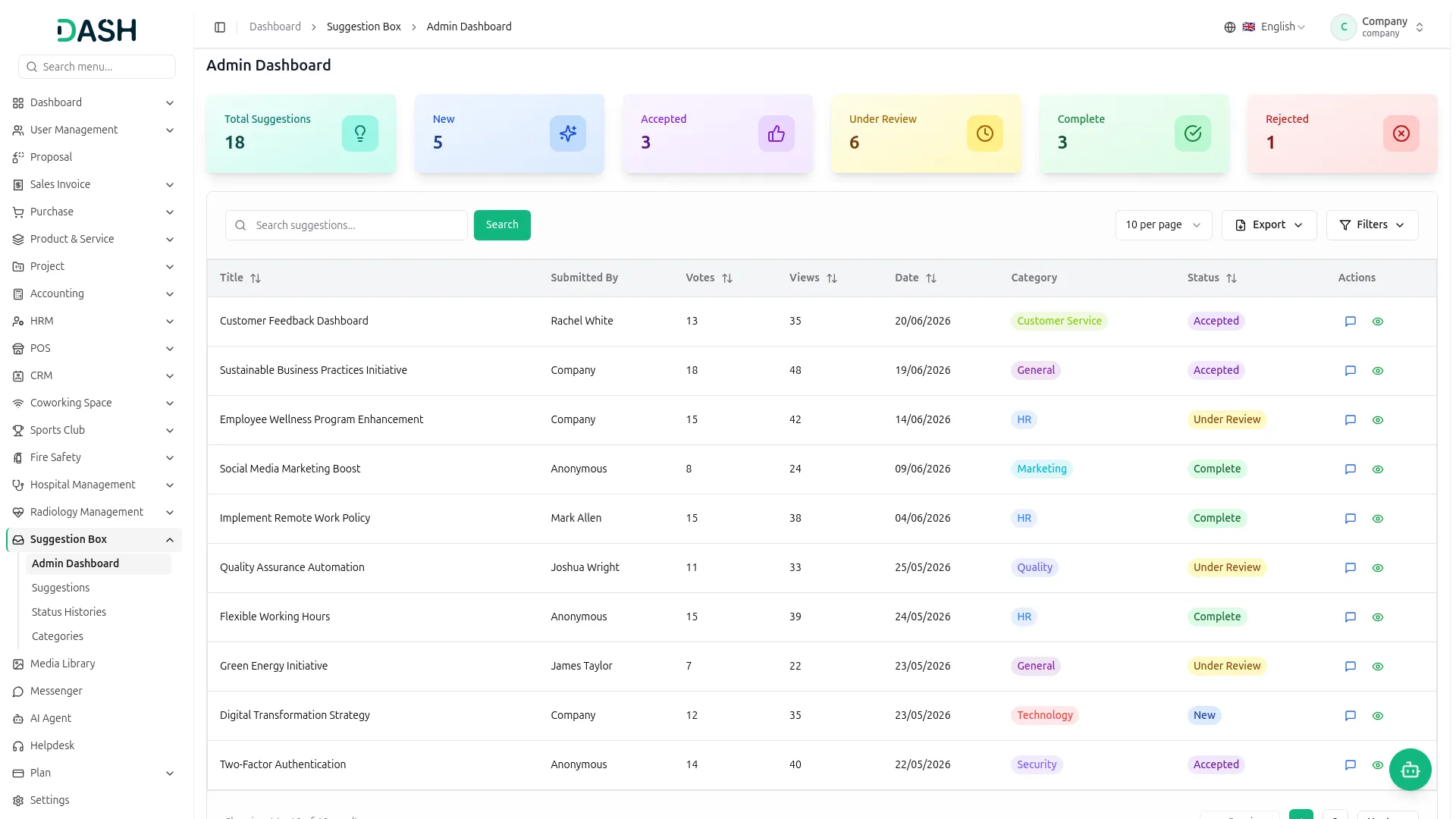
Administrators manage everything from a dedicated dashboard built for quick decisions. Summary cards show the count of suggestions in each stage, and a single table lists every submission with its key details. Admins can search, filter, and export the data, then respond directly to any suggestion to share a decision or feedback.
- View status cards summarizing all suggestions.
- Table view with search, filter, and export options.
- Update status and respond to suggestions directly.
- Automatic history log on status changes.
Track Status and Categories
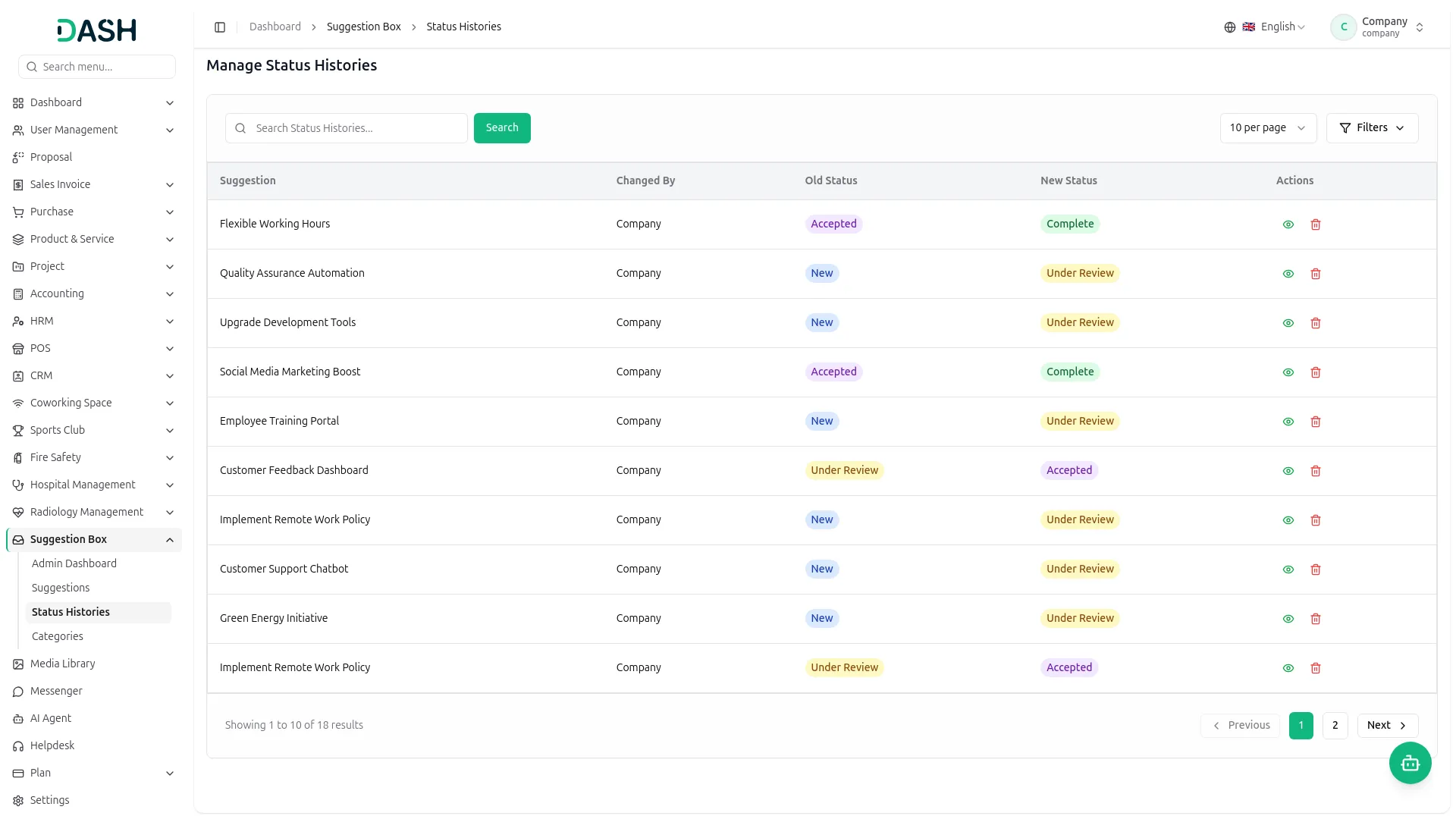
The Add-On keeps a clear record of how each idea moves forward and how suggestions are organized. Every status change is logged, so the full journey of an idea can be reviewed at any time. Categories can be created and styled to keep submissions sorted and easy to scan across the platform.
- Track suggestions through defined workflow stages.
- View full status change history logs.
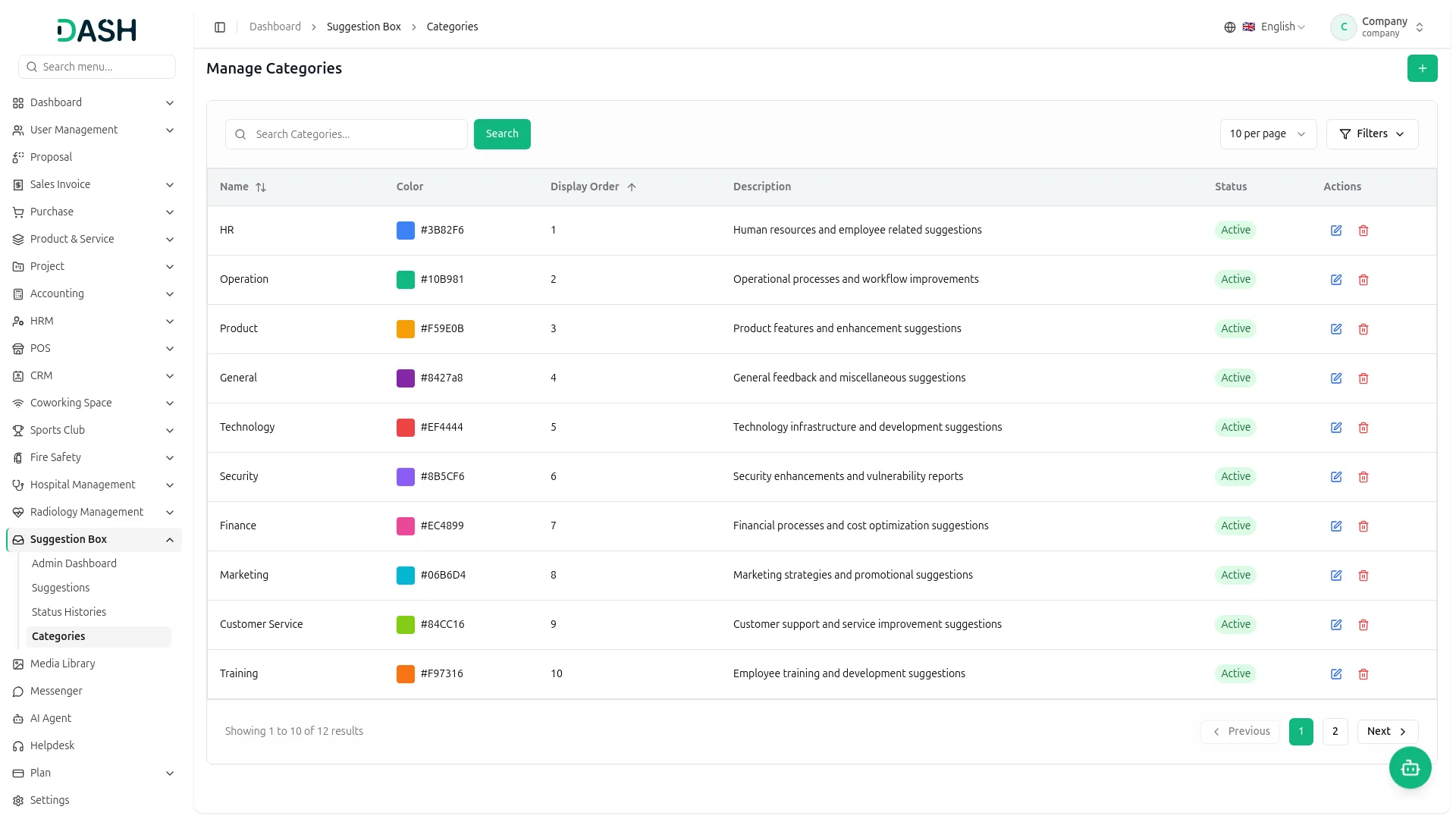
- Create categories with name, color, and order.
- Category colors are displayed on the suggestion cards visually.
Screenshots from our system
To explore the functionality and usage of these Add-Ons, refer to the accompanying screenshots for step-by-step instructions on how to maximize their features.
Discover More Add-Ons
Unlock even more functionality with additional Add-Ons, providing enhanced networking and customization options for your Dash SaaS experience.

Dairy And Cattle Management
Dairy and Cattle Management module is your comprehensive solution for dairy cattle management. Our platform is designed to simplify the complexities of managing a dairy farm, offering seamless integration for tasks such as animal health monitoring, breeding management, weight tracking, daily milk yield recording, and milk inventory management.

Shopify Sync
Streamline your operations and enhance customer experiences by simplifying the management of Shopify products, categories, customers, orders and coupons. Our integration solutions empower you to take your online sales to the next level.

Quotation
Quotation management is critical to any business, influencing customer perception, revenue generation, and overall efficiency. With Dash SaaS, you can revolutionize your quotation process, simplifying the creation, tracking, and conversion of quotes into invoices. Our comprehensive quotation module offers a range of features designed to streamline your workflow and enhance productivity.

Suggestion Box encourages valuable employee feedback in a simple way