
This integration provides a seamless way to connect and manage Google Slides directly from within your platform. Users can authenticate their Google account securely, create and edit presentations in real-time, and instantly share access through automatically generated links. With synchronized updates, collaborative editing, and centralized control, this solution enhances productivity and streamlines the entire presentation workflow.
Seamless Integration with Google Slides for Presentation Management
The Google Slides integration empowers users to manage presentations directly from their dashboard. With a secure OAuth 2.0 connection, users can create, edit, duplicate, and organize slides without switching context. The module features advanced tools like activity timelines, version history, and granular permission controls, providing a centralized hub for all presentation needs.
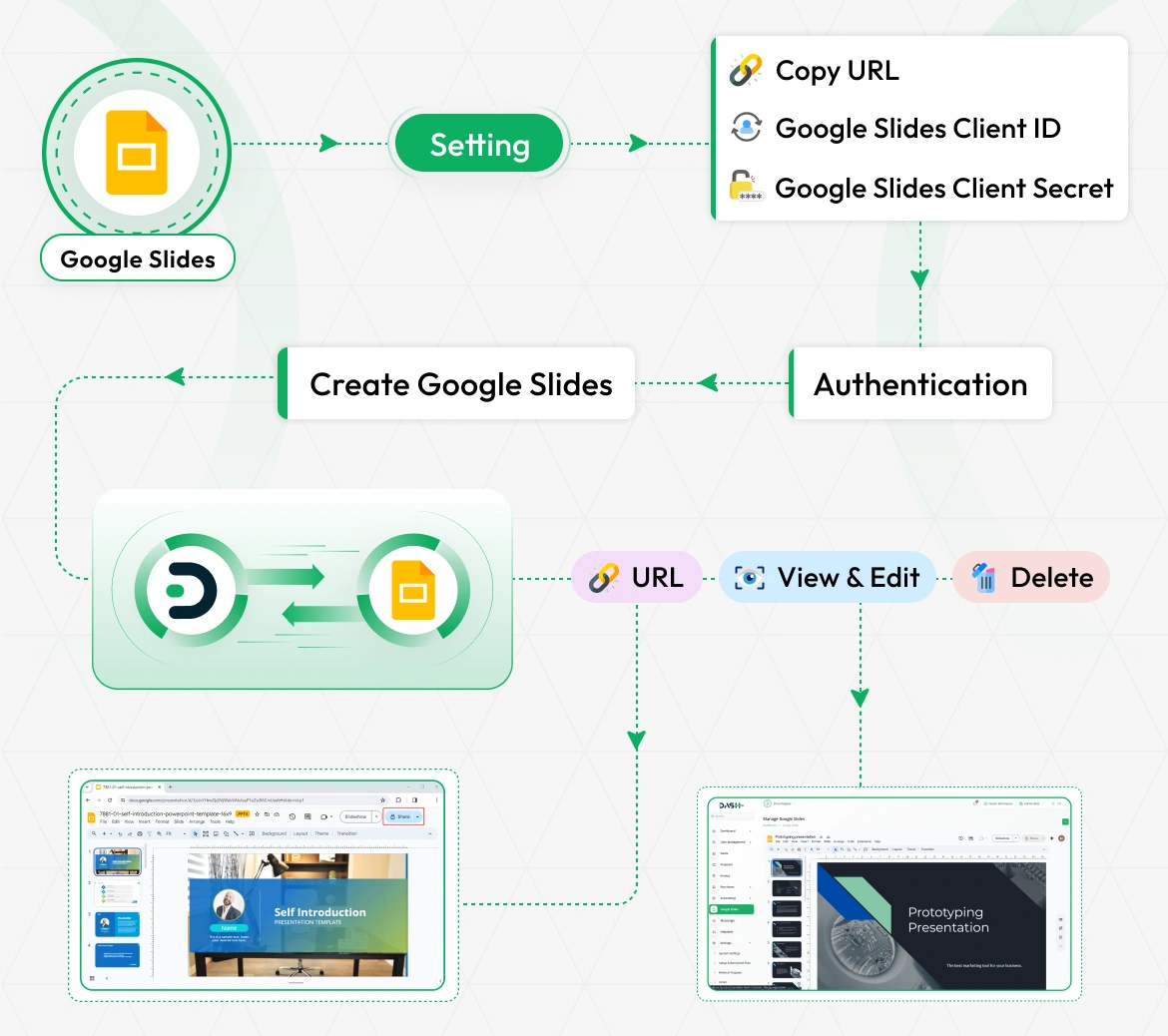
Seamless Authentication & Setup
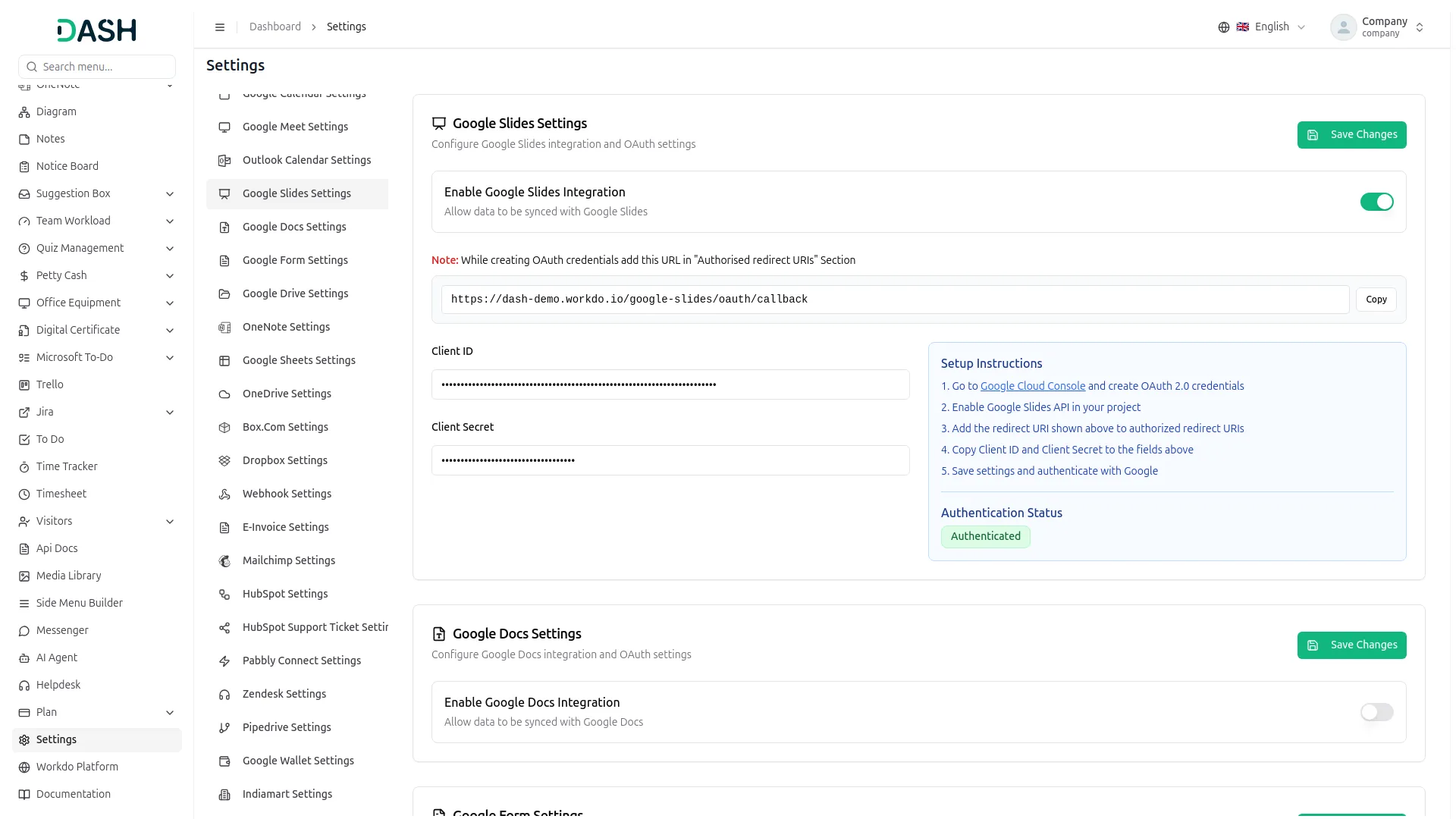
Connect your Google account securely using OAuth 2.0. The system handles token management and automatic refreshing, ensuring uninterrupted access. Setup is simplified with automatic webhook URL generation and easy-to-follow configuration steps for Client ID and Secret.
- Secure OAuth 2.0 Authorization: Industry-standard security for account connection.
- Automatic Token Refresh: Keeps your session active without constant re-login.
- Easy Configuration: Guided setup for Google Cloud Console credentials.
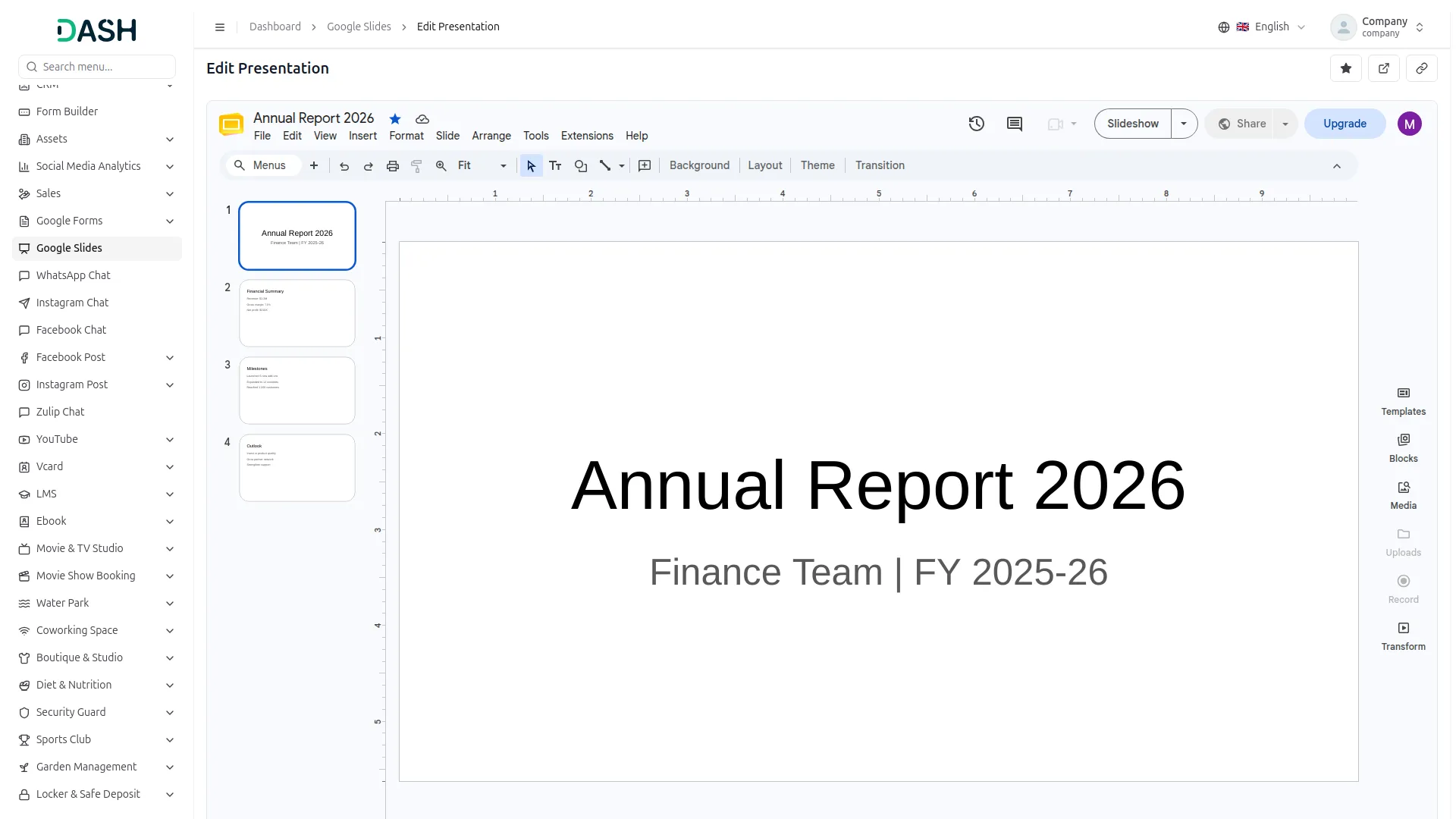
Advanced Presentation Management
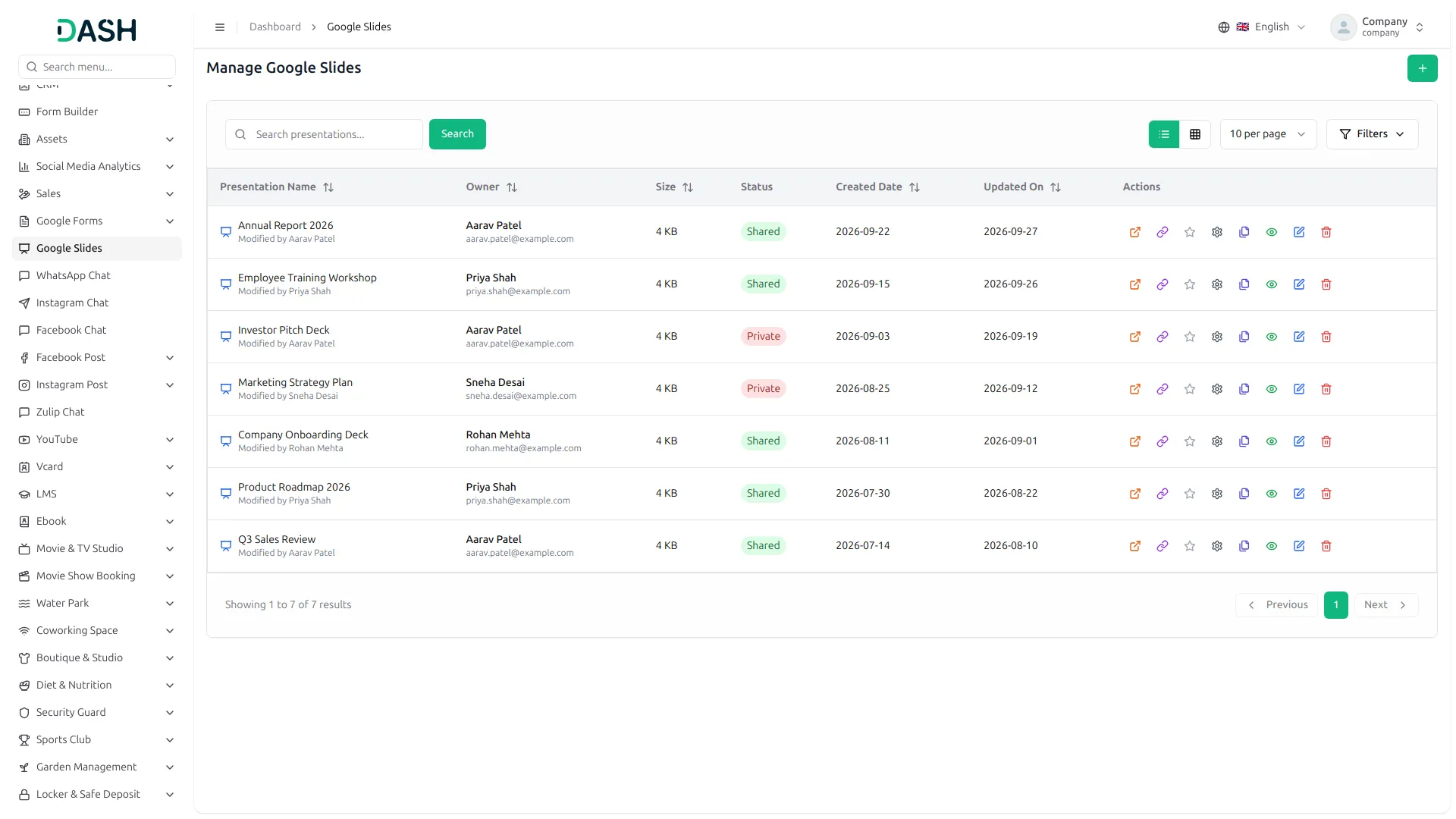
Take full control of your presentation files. From creating new decks to organizing existing ones, everything is manageable from one interface. Use the "Favorites" feature to star important presentations for quick access, and easily duplicate existing presentations to use as templates.
- Create & Delete: Manage the lifecycle of your presentations.
- One-Click Duplication: Clone presentations instantly to start new projects faster.
- Favorites & Quick Access: Star important files to keep them at the top of your list.
- Advanced Filtering: Search by name, filter by owner, status (shared/private), or date range.
Real-time Collaboration & Sharing
Collaborate with team members and external stakeholders effortlessly. Share presentations with specific email addresses and define their role Viewer, Commenter, or Editor right from the platform. The "Copy Link" feature generates instant web view links for quick sharing.
- Granular Permissions: Assign roles (Reader, Commenter, Writer) when sharing.
- Instant Link Sharing: Specific "Copy Link" action for immediate access.
- Permission Management: View and revoke access for collaborators at any time.
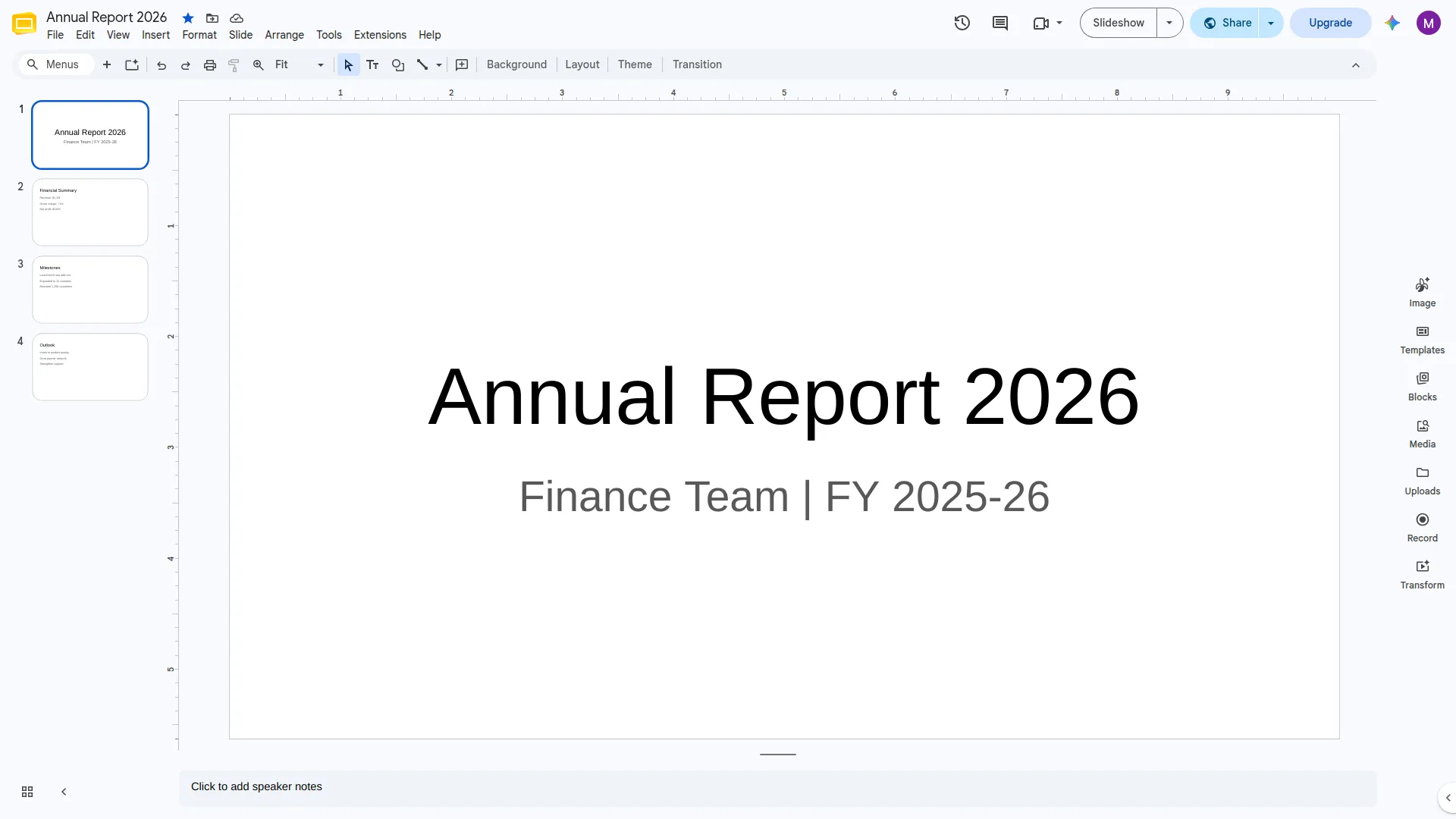
Screenshots from our system
To explore the functionality and usage of these Add-Ons, refer to the accompanying screenshots for step-by-step instructions on how to maximize their features.
Discover More Add-Ons
Unlock even more functionality with additional Add-Ons, providing enhanced networking and customization options for your Dash SaaS experience.

Google Sheet
The Google Sheet Add-On section helps you connect your Google Sheet securely and manage all your sheets in one place.


Professional usability standards enhance customer satisfaction
I was impressed by the overall code quality it’s clean efficient and built for scalability