
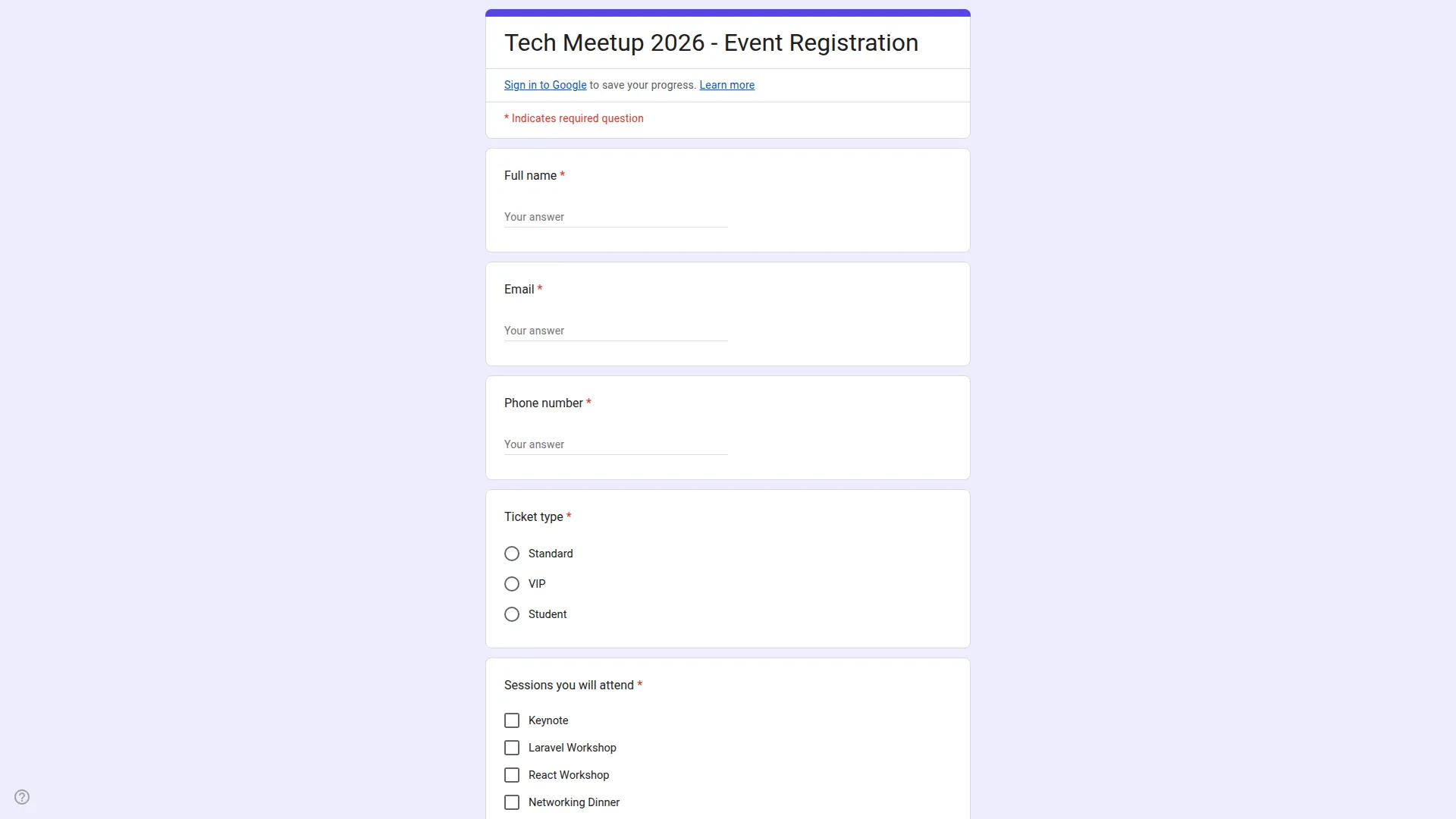
A powerful form management solution that integrates with Google services to create, customize, and manage forms efficiently. Build unlimited forms with multiple question types, utilize reusable templates, and track responses through a comprehensive dashboard. The system provides secure Google account integration with automated synchronization for seamless form lifecycle management.
Automated Google Form Integration for Streamlined Data Collection
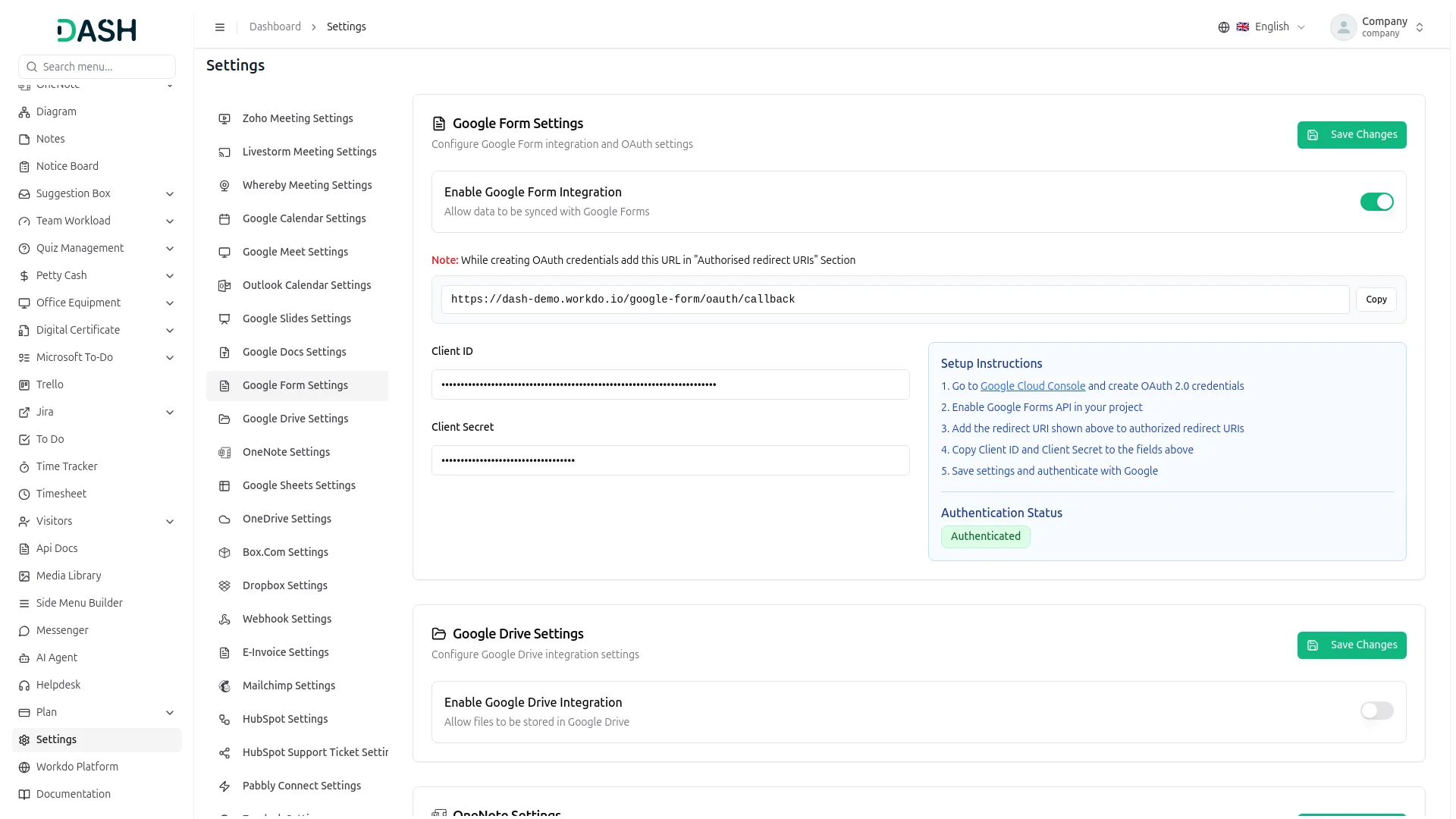
Connect your system effortlessly with Google Forms using secure credential settings, including Google Client ID, Client Secret and Redirect URL. Create reusable form templates to maintain consistency and speed up the form-building process. Generate custom forms like travel requests directly from templates without manual effort. All form responses are automatically captured and displayed in an organized format for easy access. This integration improves efficiency by simplifying data collection and centralizing form management.
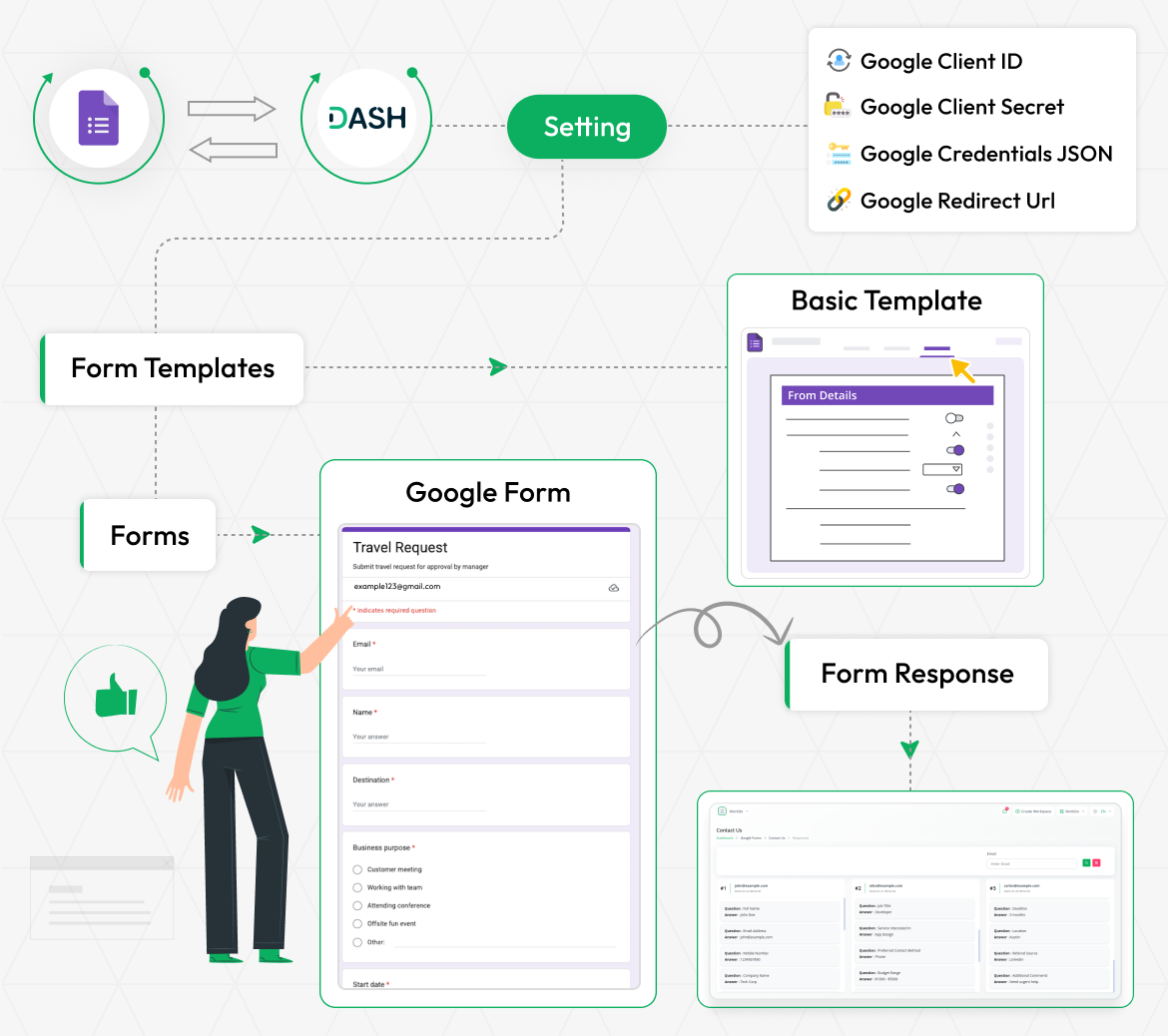
Google Account Integration
Seamlessly connect your application with Google services through secure authentication protocols. The system provides automated authorization workflows with proper credential management and real-time status monitoring. Users can configure client credentials and webhook URLs for continuous service integration. To configure Google Form Settings, you need to enter your Client ID and Client Secret.
- Secure OAuth authentication for safe and encrypted login every time
- Add credentials easily using straightforward step-by-step instructions
- Access and manage Google Forms files directly from the system
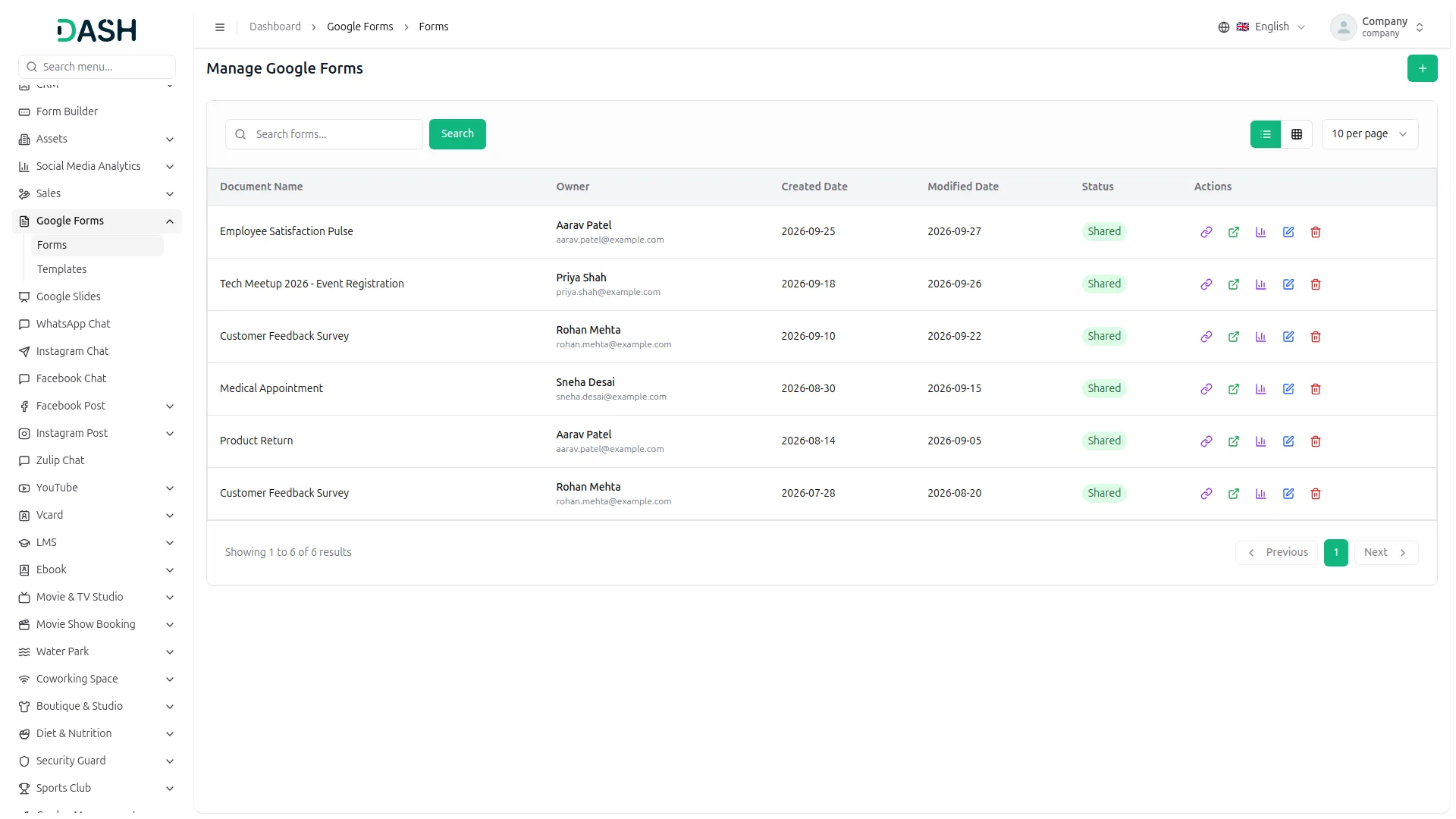
Centralized Form Management
Manage all forms through a centralized interface with powerful features including form copying, direct editing, and response management. The system provides form-sharing capabilities with direct Google integration and comprehensive search functionality. Users can organize forms by creation date and status while maintaining full control over form lifecycle including permanent deletion options.
- Centralized management with search functionality
- Direct Google integration for editing
- Response management and tracking
- Complete lifecycle control system
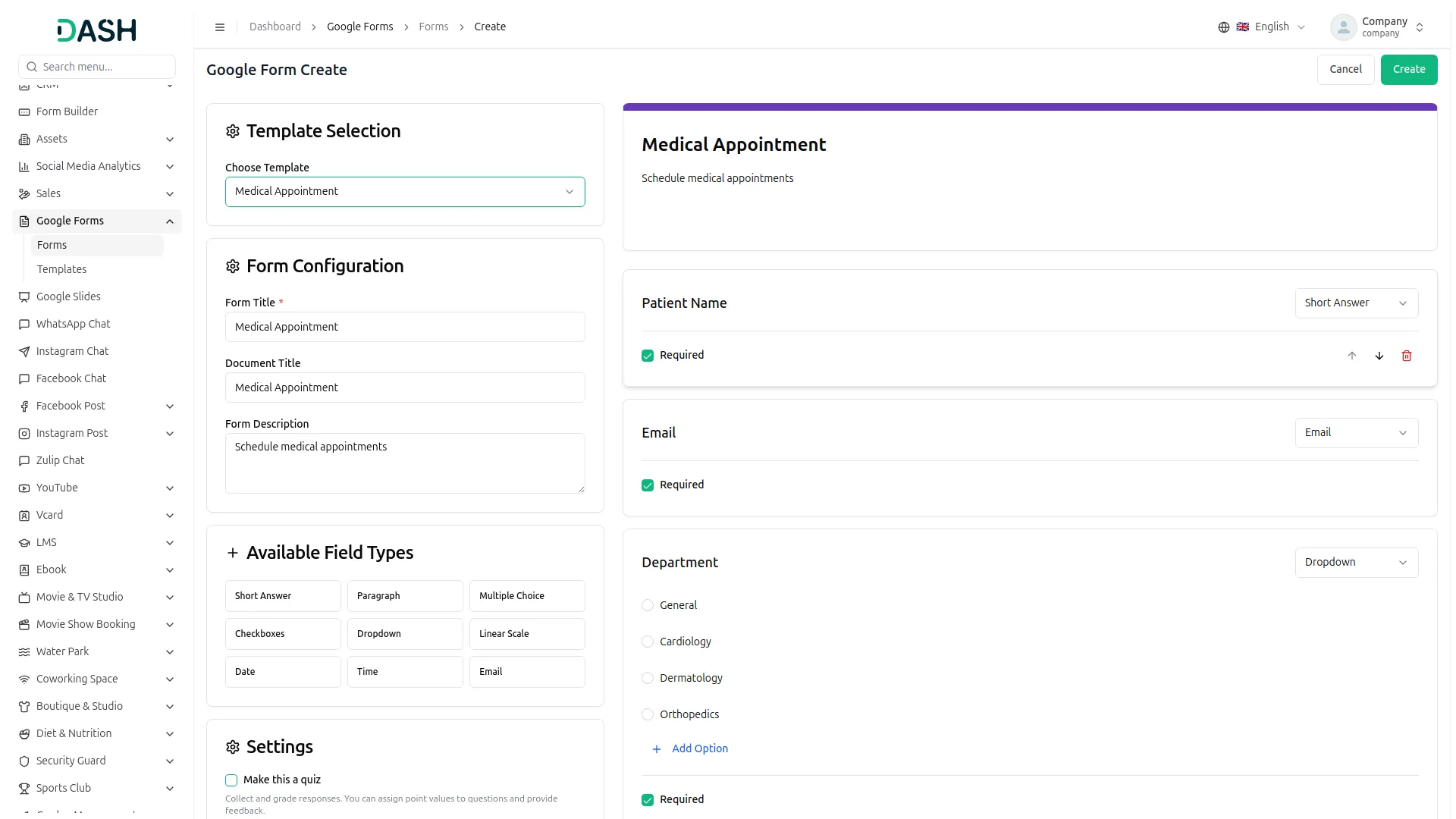
Advanced Form Creation
Build comprehensive forms with unlimited customization options, including titles, descriptions, and email collection modes. The system supports various question types such as text fields, paragraph inputs, multiple choice options, checkboxes, and dropdown menus. All forms automatically synchronize with your Google account and provide real-time preview capabilities for immediate feedback.
- Unlimited form questions with repeater functionality
- Five comprehensive field types available
- Auto-sync with Google account
- Real-time form preview capabilities
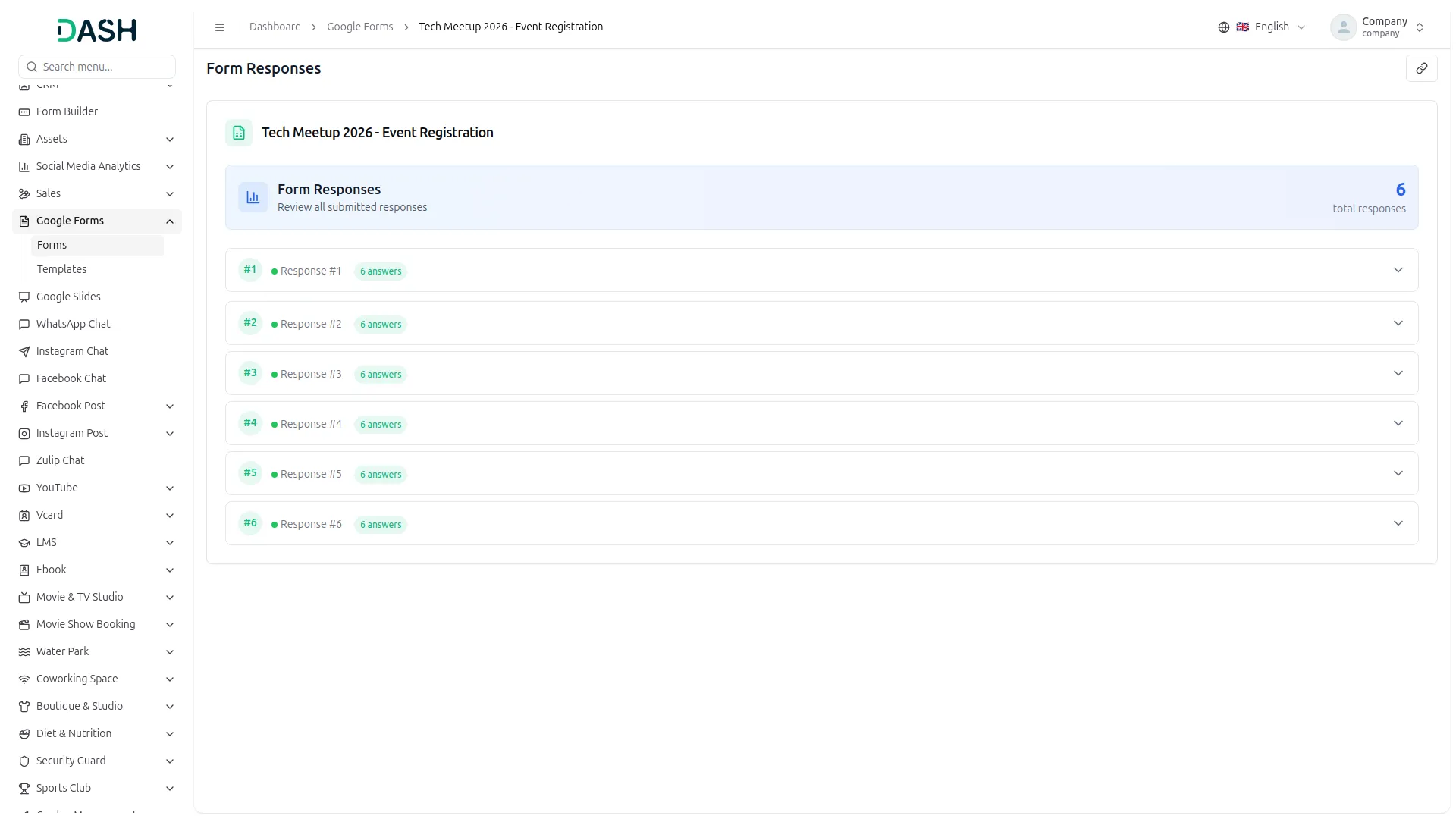
Response Analytics Overview
Track and analyze form responses through a comprehensive dashboard displaying responder information, submission timestamps, and all form field data. The system provides real-time response monitoring with advanced search capabilities and detailed analytics for each form. complete field capture based on form structure.
- Real-time response tracking system
- Dynamic form field data capture
- Advanced search and filter functionality
- Individual response detailed viewing
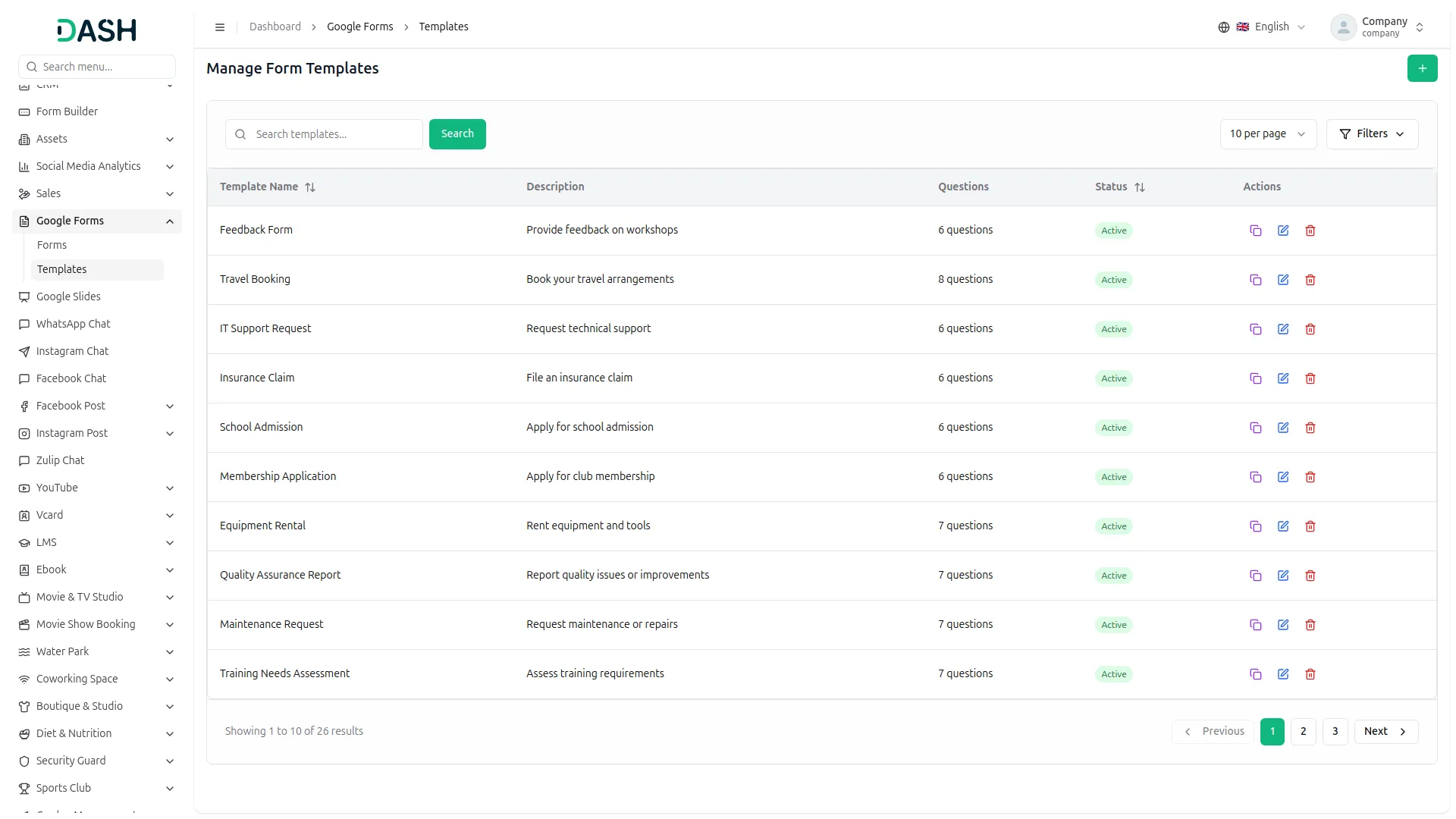
Template Management System
Streamline form creation with pre-built templates that can be customized and reused across multiple projects. The template system allows users to create, edit, and delete templates with structured question formats supporting all available question types. Templates can be applied immediately to new forms and configured through comprehensive lifecycle management.
- Custom template creation capabilities
- Template library with organization features
- Easy editing and reuse of templates
- Instant template application system
Screenshots from our system
To explore the functionality and usage of these Add-Ons, refer to the accompanying screenshots for step-by-step instructions on how to maximize their features.
Discover More Add-Ons
Unlock even more functionality with additional Add-Ons, providing enhanced networking and customization options for your Dash SaaS experience.


Project Template
This powerful feature is designed to streamline your project management process by allowing you to create, save, and effortlessly convert project templates into active projects.

Vehicle Wash
The Vehicle Wash Add-On is a powerful tool for managing vehicle wash services with ease. It supports both walk-in and registered clients, offering customizable washing plans tailored to various vehicle types.

Reliable support guidance assists during implementation stages
Flexibility helped us modify modules according to different departments