
Running a business requires tracking data across Accounting, HRM, Projects, POS, Invoices, and Inventory, but checking everything daily is time-consuming. The AI Business Advisor Add-On automatically analyzes your business data and generates a simple daily health report with a Business Health Score, Insights, Recommendations, and Alerts.
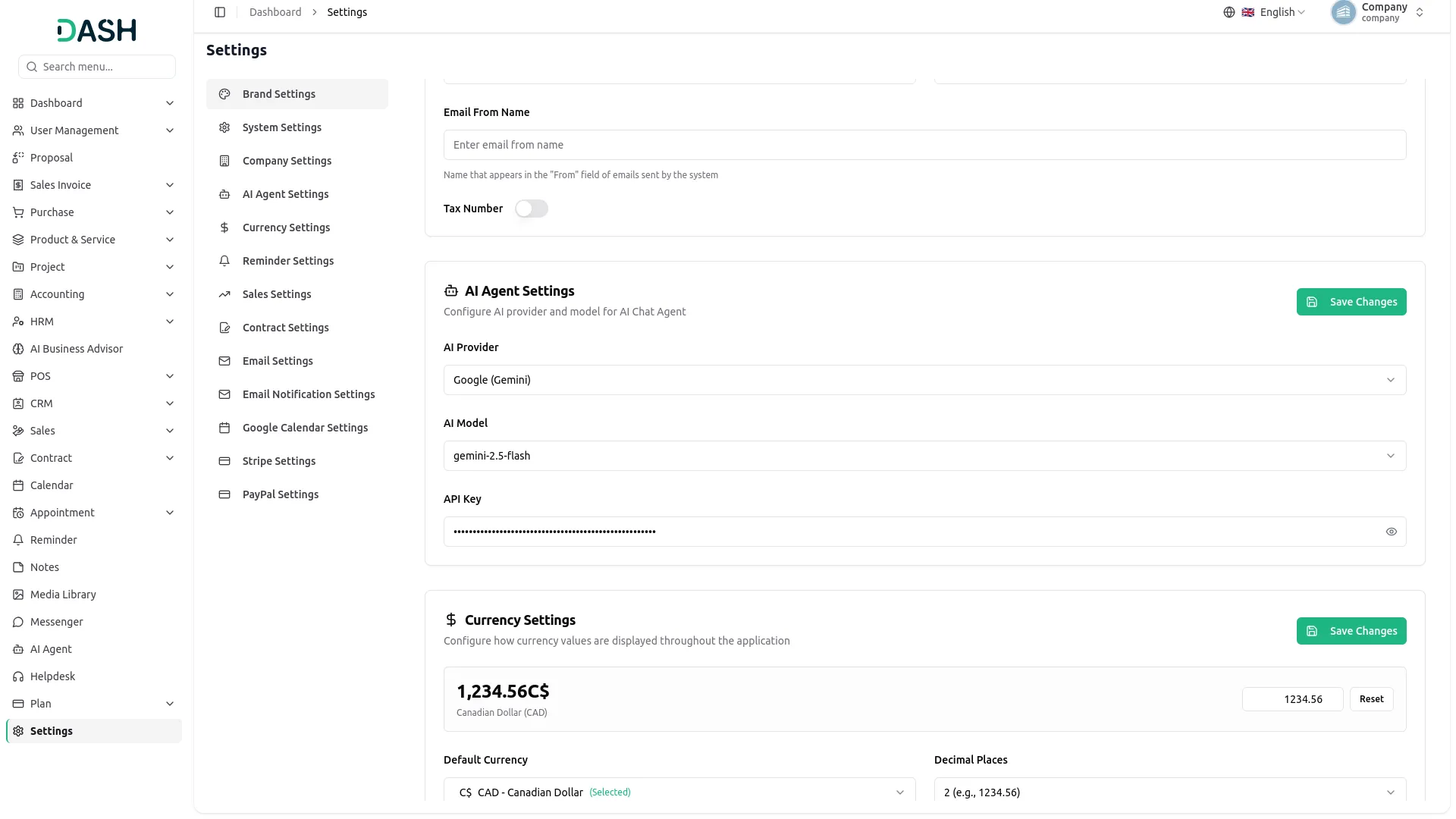
Note: AI Business Advisor requires a connected AI provider (OpenAI, Anthropic, or Google) with a valid API key configured in AI Agent Settings. For accurate analysis, enable Accounting, HRM, Projects, and POS Add-Ons, as the AI uses their data to generate reports.
Daily AI-Powered Business Health Check
The AI Business Advisor Add-On connects Accounting, HRM, CRM, Projects, POS, and Inventory data to generate a daily Business Health Score. Configure the AI Agent with provider, model, and API key for analysis. It reviews metrics and provides simple Insights, Recommendations, and Alerts. The Dashboard displays the score, trends, and AI findings for better decision-making.
- Multiple AI provider support (OpenAI, Anthropic Claude, Google Gemini).
- Daily automated business health scoring across 6 modules.
- AI-generated Insights, Recommendations, and Alerts in plain language.
- 7-day trend tracking with on-demand "Generate Now" refresh.
- Superadmin-controlled rollout with configurable data retention.
AI-Powered Health Score Dashboard
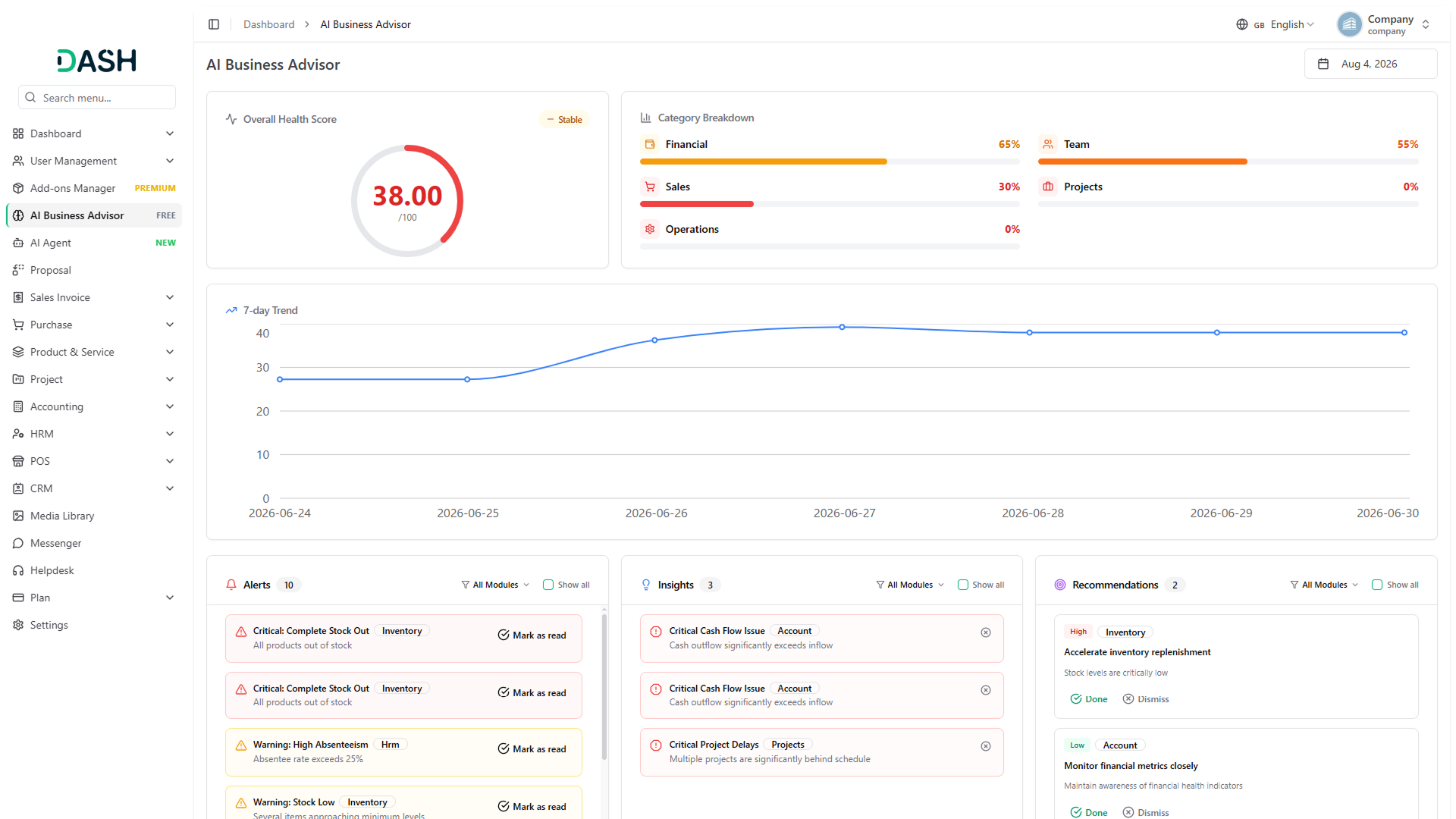
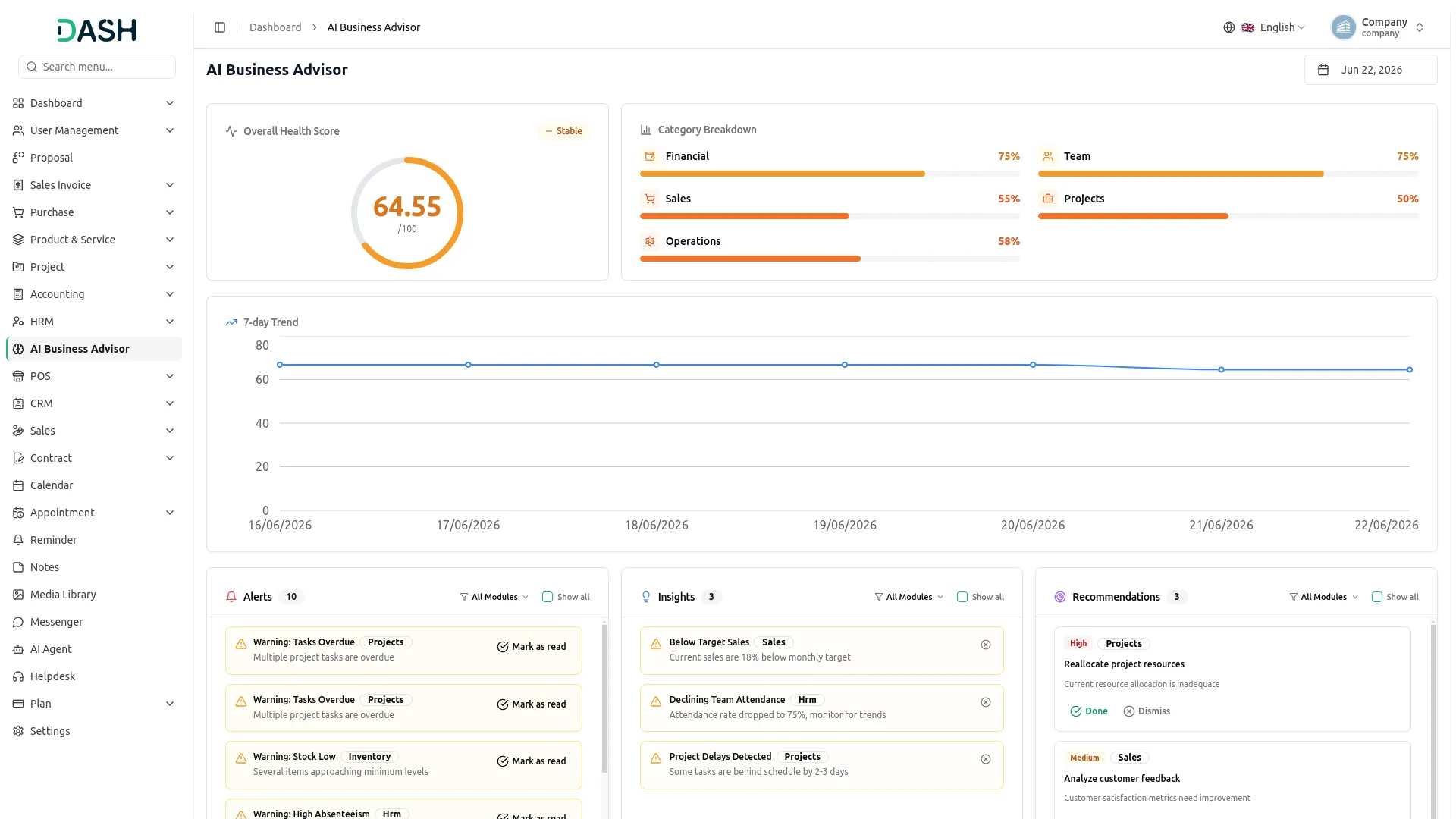
This Add-On gives a complete view of business health through a single score out of 100, broken down into Financial, Team, Sales, Projects, and Operations sub-scores. A trend indicator shows whether the business is Improving, Stable, or Declining compared to the previous day, and a 7-day history chart tracks performance over time. Each day's AI-written Insights, Recommendations, and Alerts appear alongside the score, and users can mark recommendations Done or Dismissed, dismiss insights, and resolve alerts directly from the dashboard.
AI Agent & Advisor Configuration
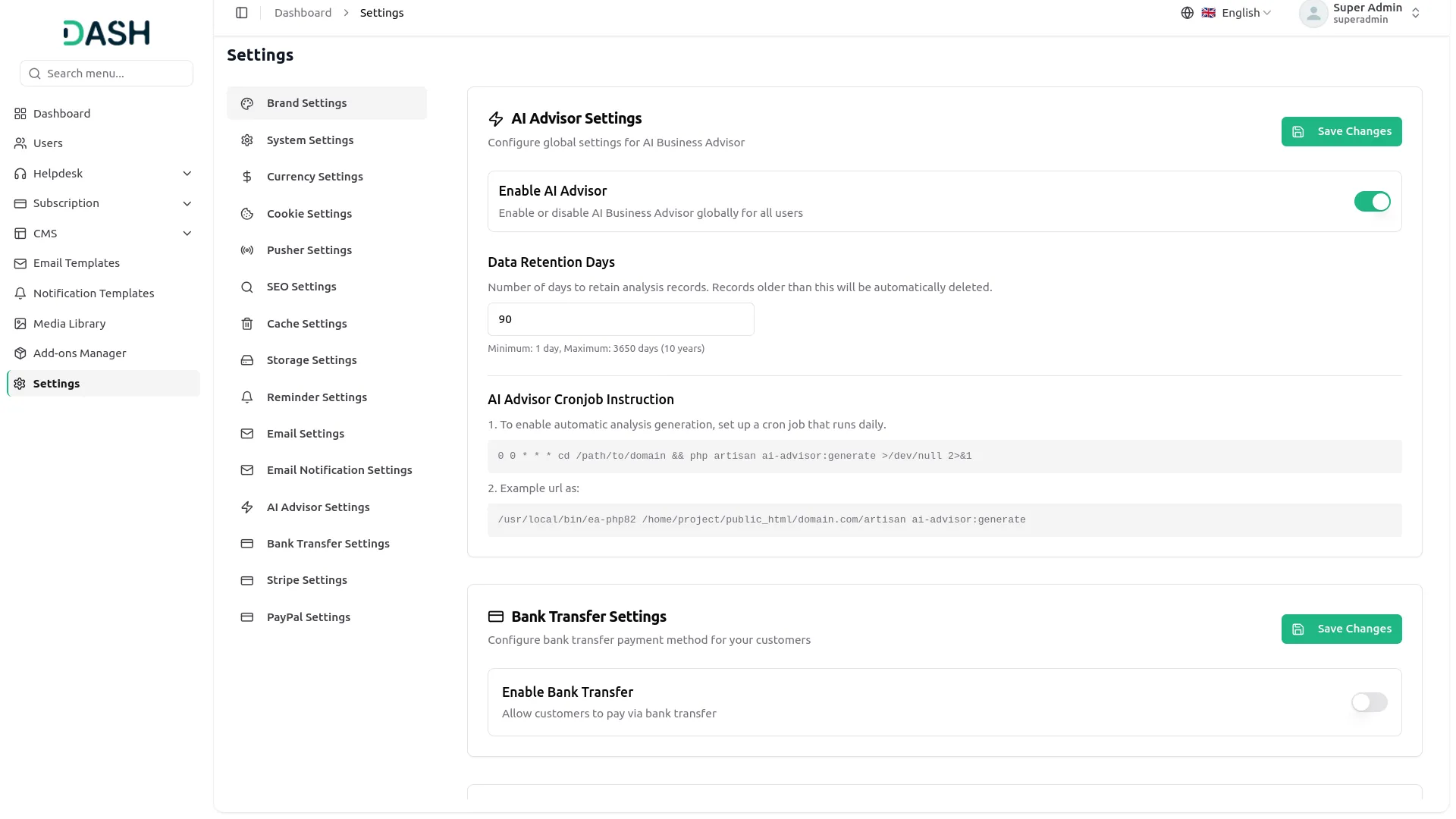
This setup section allows companies to connect their preferred AI provider — OpenAI, Anthropic, or Google — by entering the model name and API key. Once connected, the daily analysis runs automatically without further action, and a Generate Now option is available for an on-demand refresh. Superadmins can enable or disable AI Business Advisor for the entire platform and set how long analysis history is retained, giving full control over availability and data retention.
Screenshots from our system
To explore the functionality and usage of these Add-Ons, refer to the accompanying screenshots for step-by-step instructions on how to maximize their features.
Discover More Add-Ons
Unlock even more functionality with additional Add-Ons, providing enhanced networking and customization options for your Dash SaaS experience.


Water Park Management
The Water Park Management Add-On is an all-in-one platform to streamline operations and enhance customer experience.


ngo-management
The NGO Management Add-On is a complete solution for managing donors, campaigns, funds, volunteers, and communications.
The AI Business Advisor highlights performance trends that are easy to understand
AI insights provide practical recommendations for daily business decisions.