
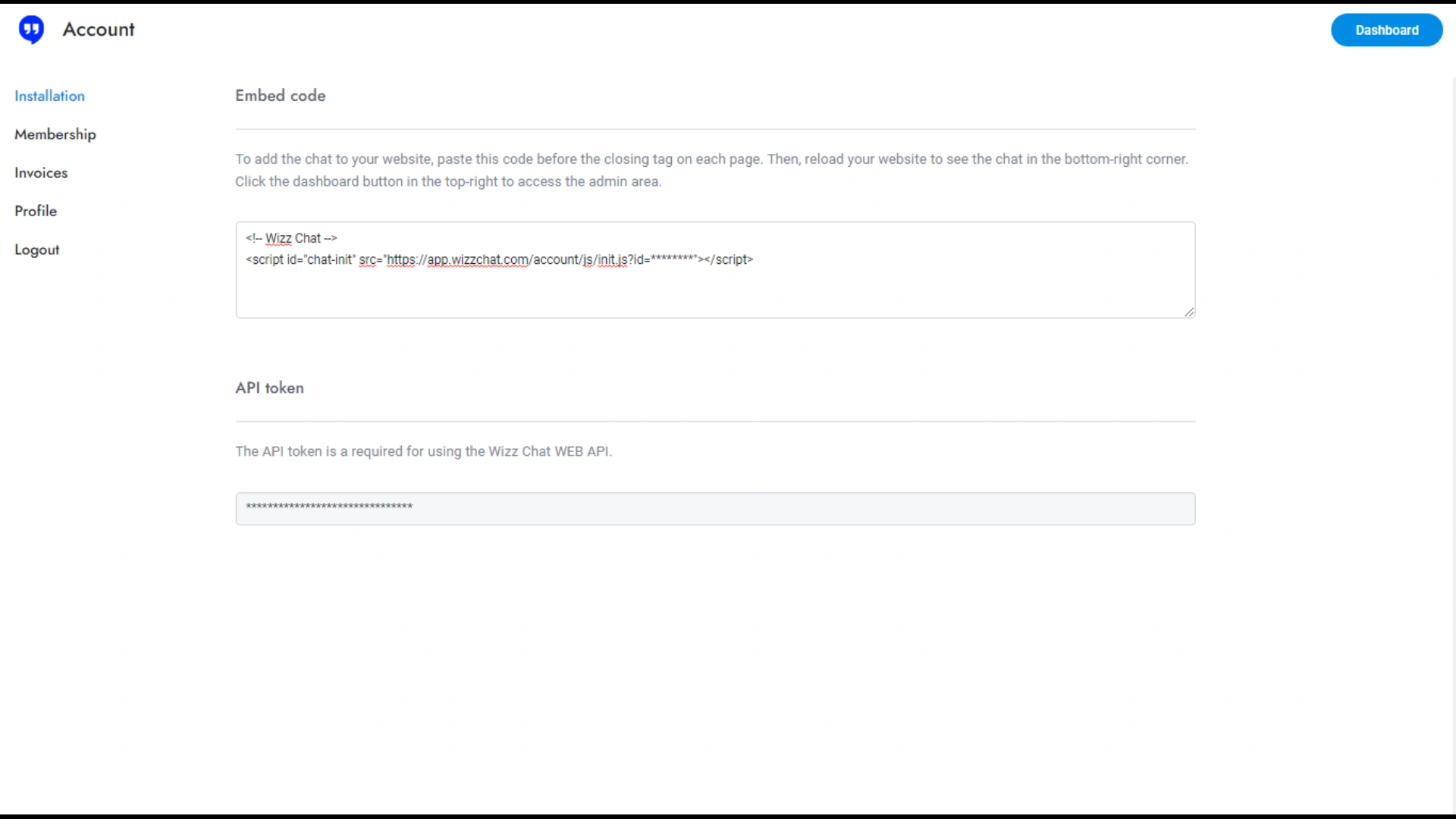
Obtaining the WizzChat Integration Code
The next step involves obtaining the integration code from the WizzChat platform. Log into your WizzChat account and navigate to the integration or API settings. In this section, you will find a unique code generated specifically for your account. Copy this code to your clipboard, as it will be essential for linking WizzChat with your BookingGo platform. This code acts as a bridge, enabling the functionalities of WizzChat on your BookingGo site.
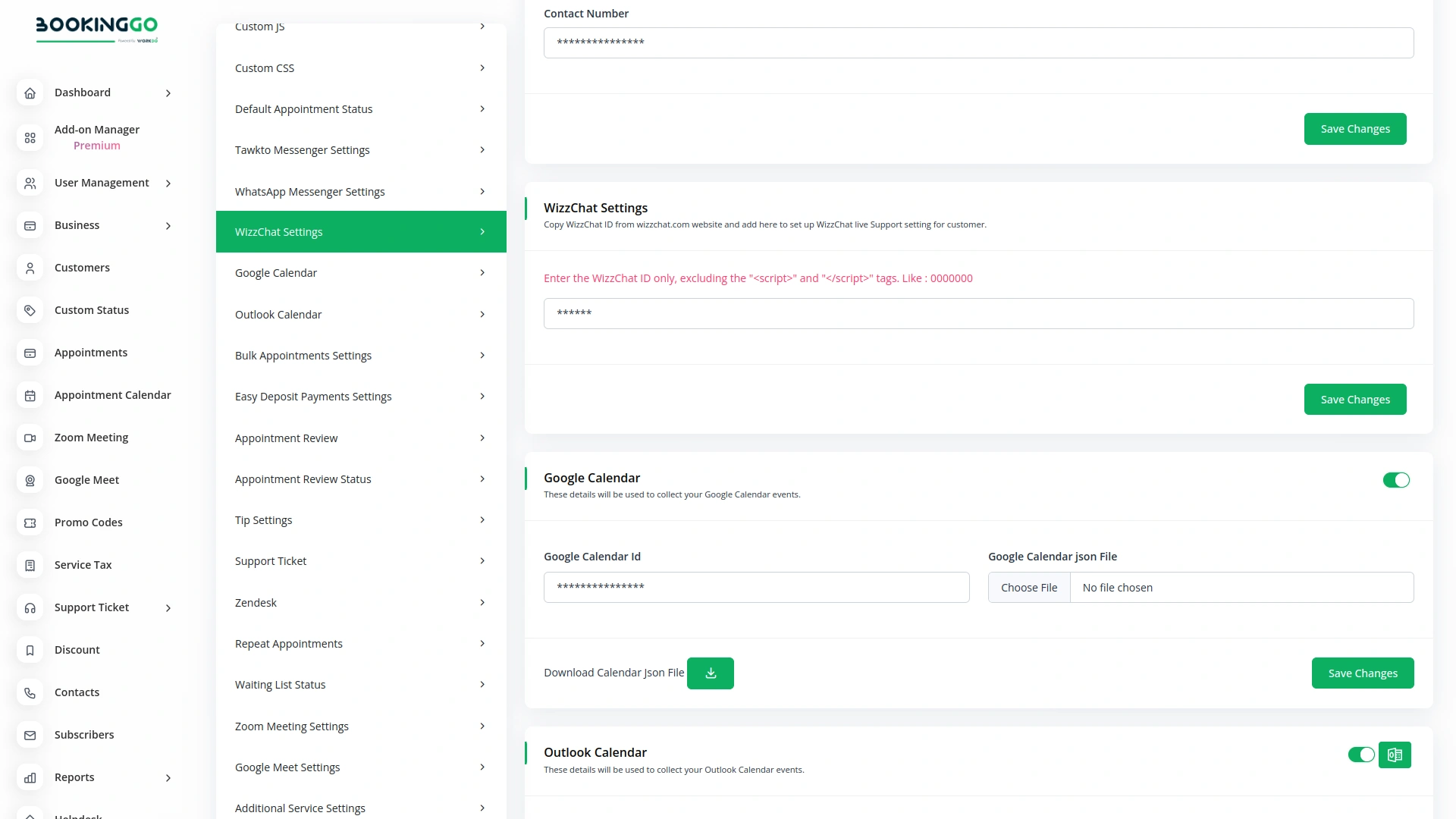
Pasting and Saving the WizzChat Code
Once you have the WizzChat code copied, return to your BookingGo settings. Locate the WizzChat integration module within the settings section. Paste the copied code into the designated field in the integration module. After pasting the code, it is crucial to save your changes. Look for a save or update button within the settings module and click it to confirm the integration. Saving these settings ensures that the WizzChat Bot is now active and operational on your BookingGo platform.
Verifying the Integration
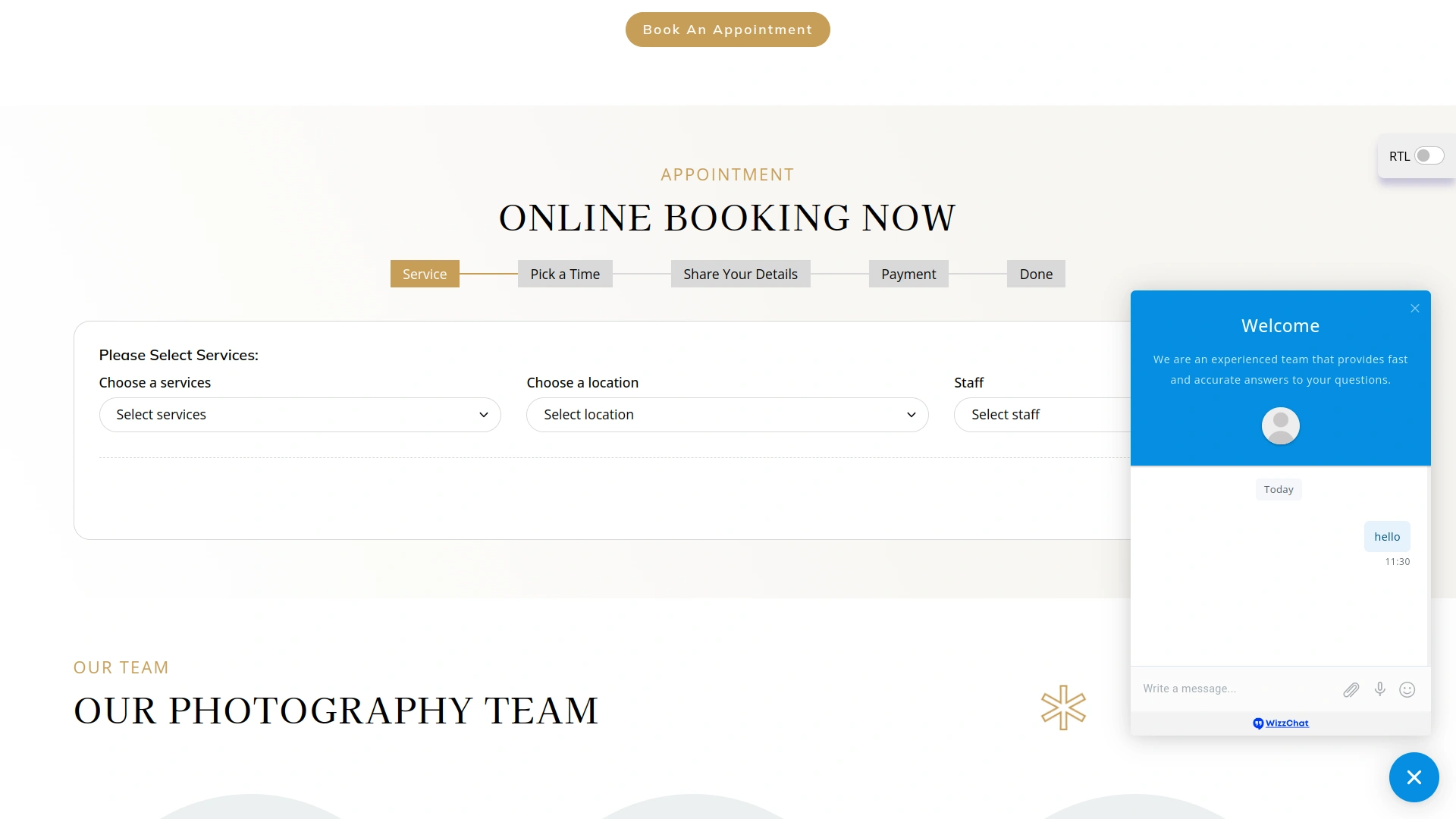
Finally, verify that the WizzChat Bot has been successfully integrated by navigating back to your BookingGo dashboard. You should see the WizzChat Bot active in your settings, ready to assist customers. Additionally, visit your live site to observe the chatbot in action. With WizzChat integrated, your customers can enjoy real-time assistance, enhancing their overall booking experience. This integration not only boosts your support capabilities but also helps maintain a responsive and customer-friendly online booking system.
Screenshots from our system
To explore the functionality and usage of these Add-Ons, refer to the accompanying screenshots for step-by-step instructions on how to maximize their features.
Discover More Add-Ons
Unlock even more functionality with additional Add-Ons, providing enhanced networking and customization options for your BookingGo SaaS experience.

Reports
The Reports module in BookingGo SaaS is designed to provide comprehensive insights into your business operations, specifically focusing on key metrics and performance indicators. This module allows you to generate detailed reports that help you monitor and analyze various aspects of your service appointments and customer interactions. With its intuitive interface and powerful reporting capabilities, the Reports module empowers you to make data-driven decisions and optimize your business effectively.

ToDo
On the ToDo page, getting started with task creation is quick and straightforward. Click on the Create button at the top to begin. You’ll be prompted to fill out key details for the task, including the title, duration, assigned team member, associated module, priority level, and a brief description.

Appointment Kanban Board
The Appointment Kanban Board displayed in BookingGo provides a clear and intuitive visual workflow for managing appointments. Each custom status, such as "Pending," "Confirm," "In Progress," and "Done," is represented as a separate column. These columns allow users to see the progress of each appointment at a glance, ensuring a smooth and organized scheduling process.

Google Calendar
Stay up-to-date with real-time synchronization between BookingGo and Google Calendar. Any changes or updates made to your appointments are instantly reflected across both platforms.
Scalable infrastructure supports growing operational requirements