Alerts on WhatsApp
Messages go out on their own for the events you choose.
The benefits of legal case management software start with one shared record for every case, so no hearing date, document or fee is left in a folder or an inbox. This page covers ten benefits and the WorkDo features behind each one.
In short: cases, hearings, contracts, client files and fees under one login, for a single $219 payment.
Law firms adopt case management software to keep matters organized, meet court dates and protect client files. These ten case management benefits are the advantages of legal case management software over folders and spreadsheets.
Each one comes from WorkDo's legal case management software:
This is why law firms need case management software: folders, spreadsheets and email threads make a case hard to follow. Here each case is one record that the whole firm can open.
Every case now has its court, advocate, next hearing date and expenses in one place, and nobody hunts through folders before a hearing.
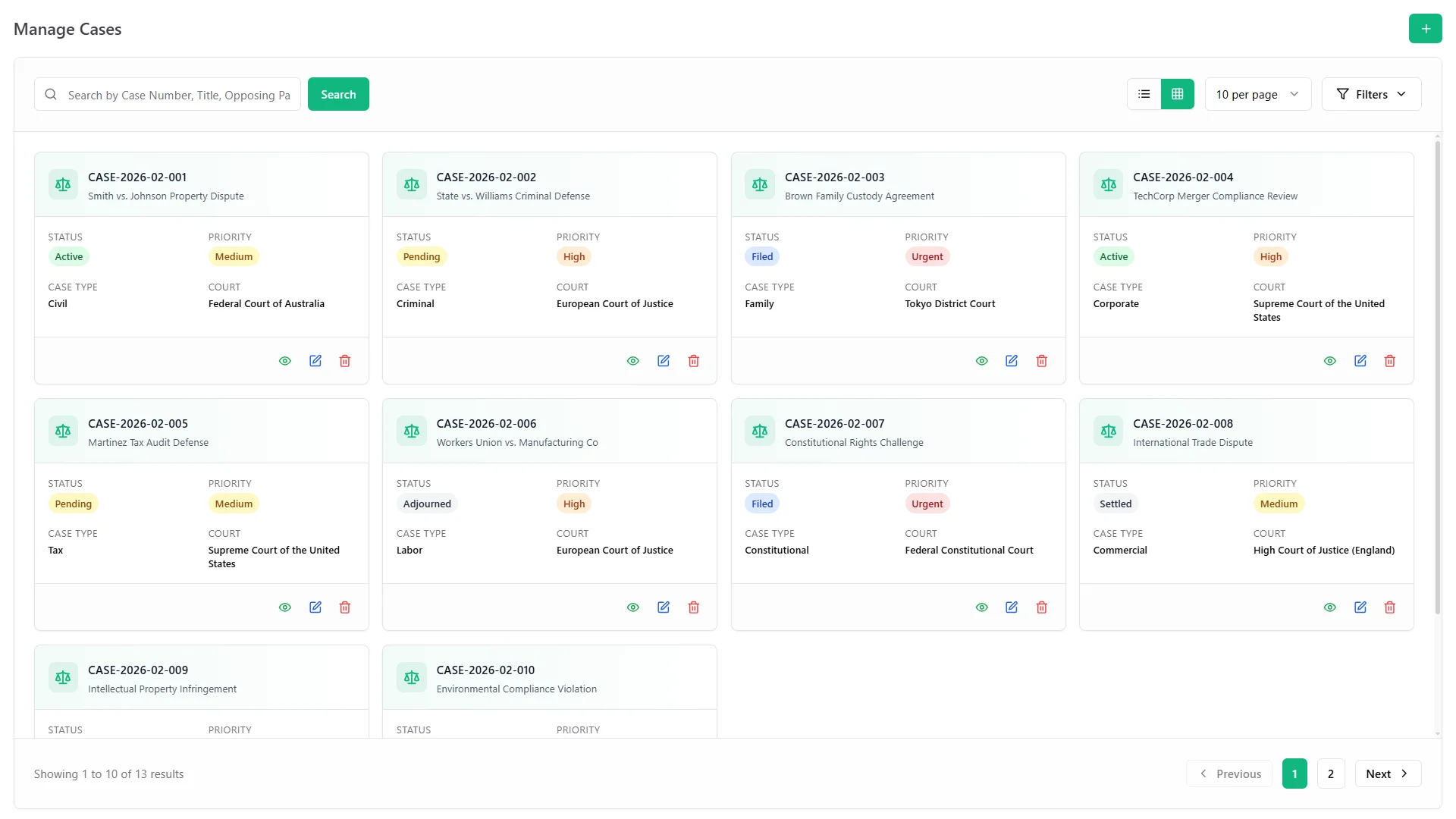
Court dates are easy to lose when they live in several places. Here each date sits on the case and on one shared calendar.
Good to know: automatic court-rule deadline calculation is not listed among the features.
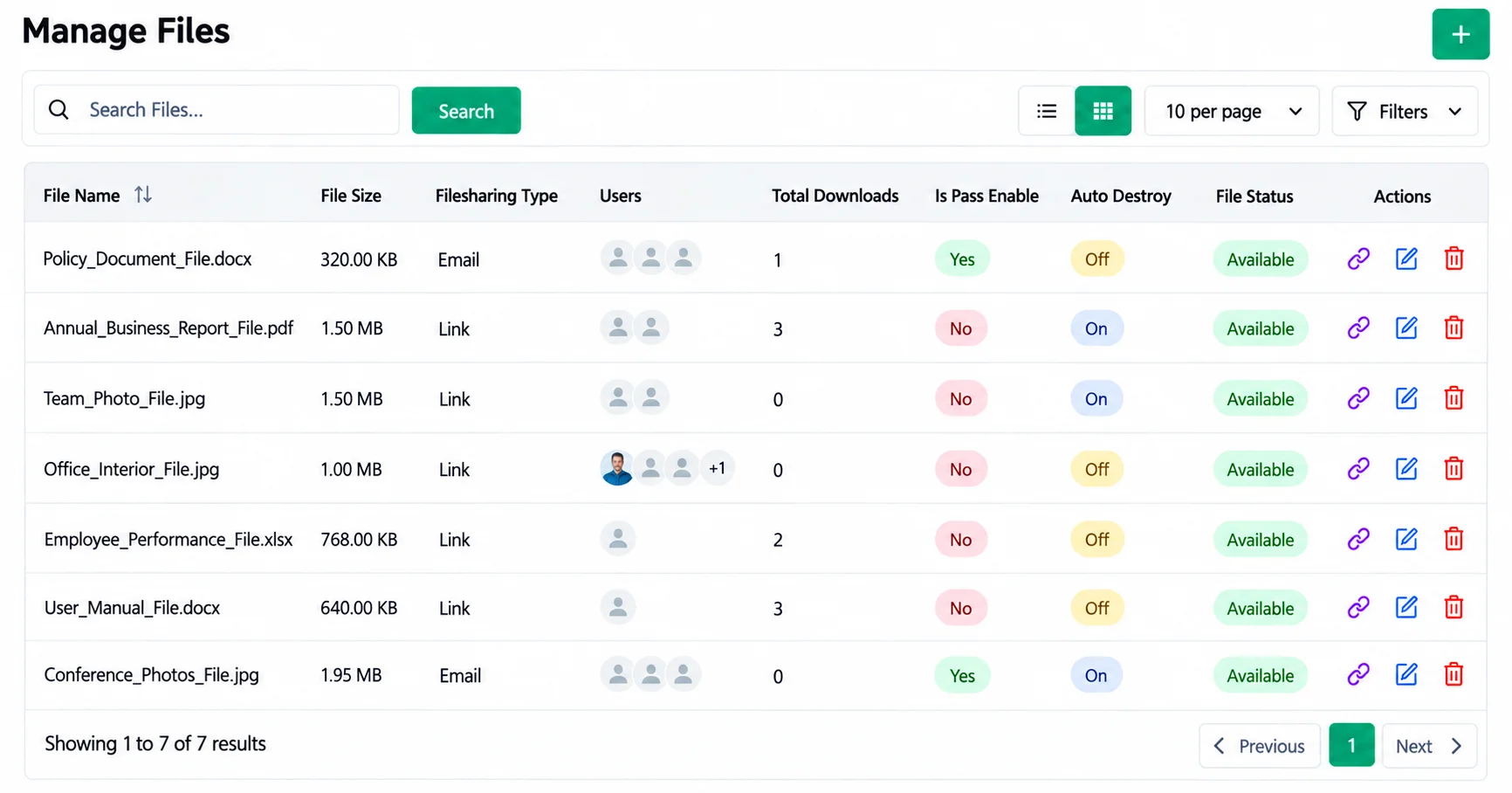
Starting every agreement from a blank page takes time. A saved template turns into a live contract in one click.
Engagement letters start from our own templates and are signed online.
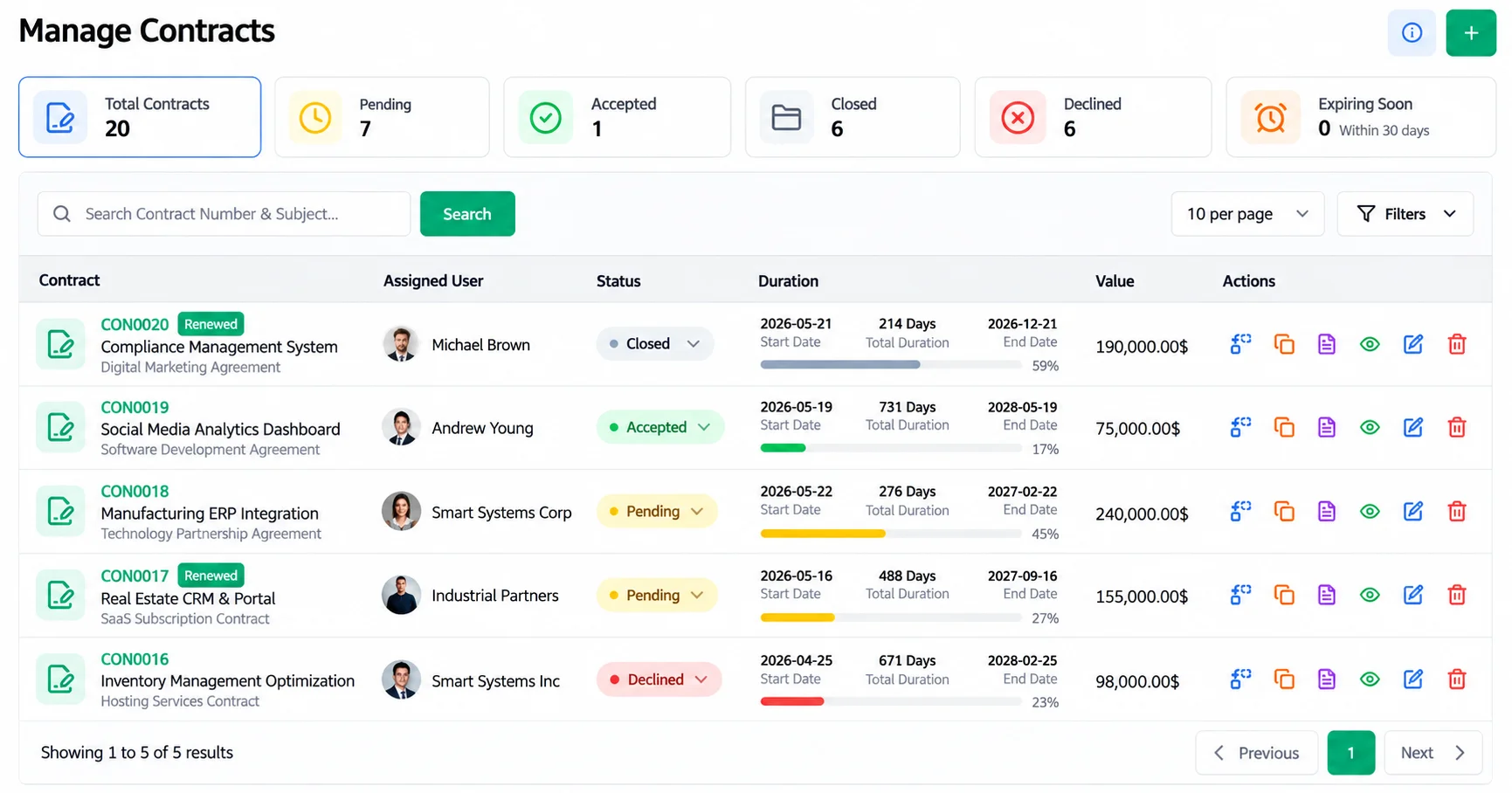
Large evidence files and private papers do not belong in an email attachment. Files go out by protected link instead.
No heavy attachments: send a link, or assign the file to chosen email addresses.
Password lock: sensitive papers stay protected after they leave the firm.
Private documents: mark a document private to limit who opens it.
Safety net: set a file to delete itself after download, or restore deleted files from trash.
Each download is logged with:
Now we send a password-protected link and can see exactly when the file was downloaded.
Inquiries can sit forgotten in an inbox. Here each one is saved with the client's name, contact details and service, and stays open until someone closes it.
Our immigration desk tracks every application with its document checklist and progress notes, so clients always get accurate updates.

Costs add up around a hearing. Each fee is logged against the case it belongs to.
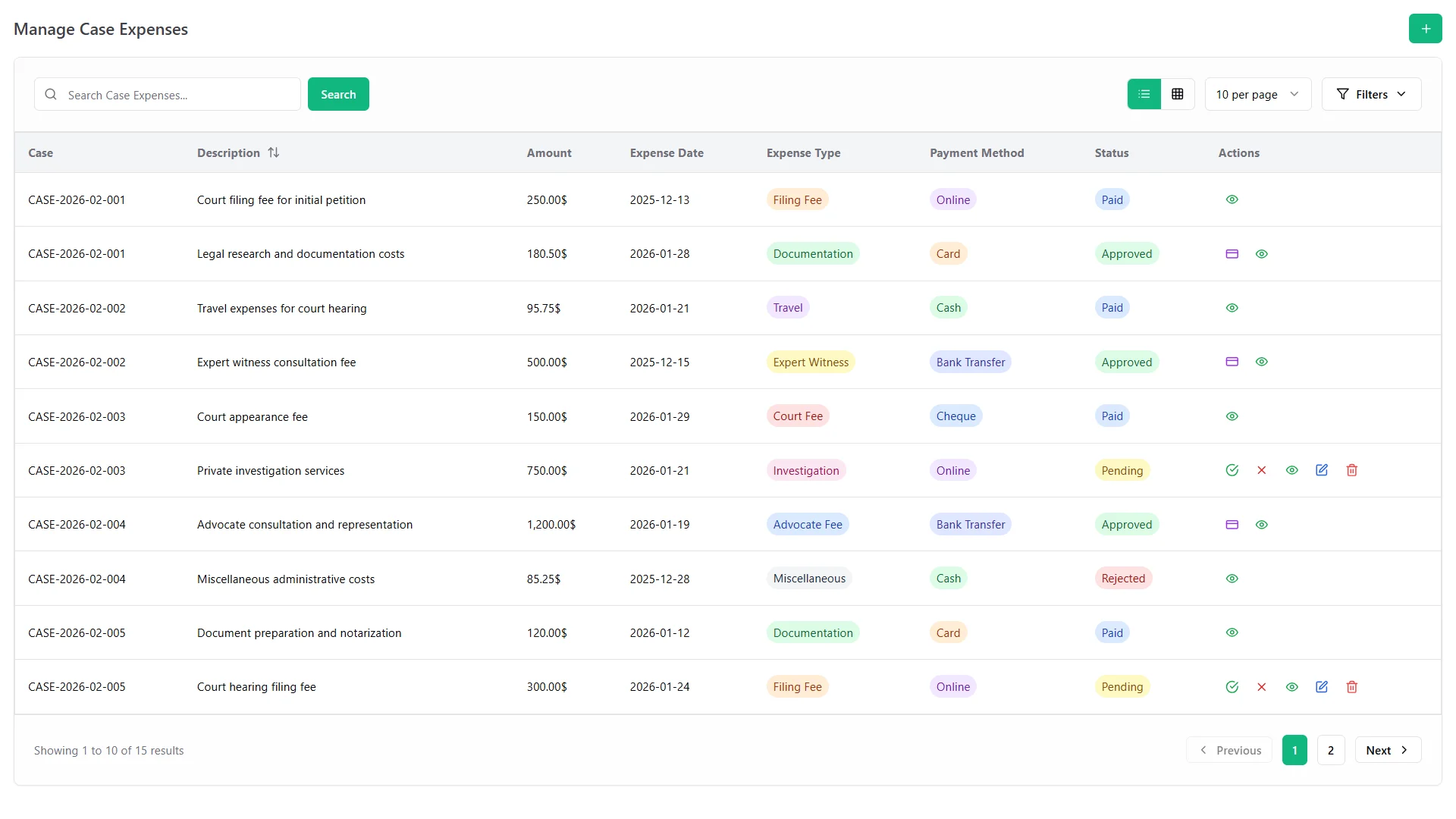
Good to know: invoicing, time tracking and trust accounting are not listed among the features.
Our accounts team finally trusts the numbers.
Partners want the full picture without asking each lawyer. Dashboards and reports pull it together.
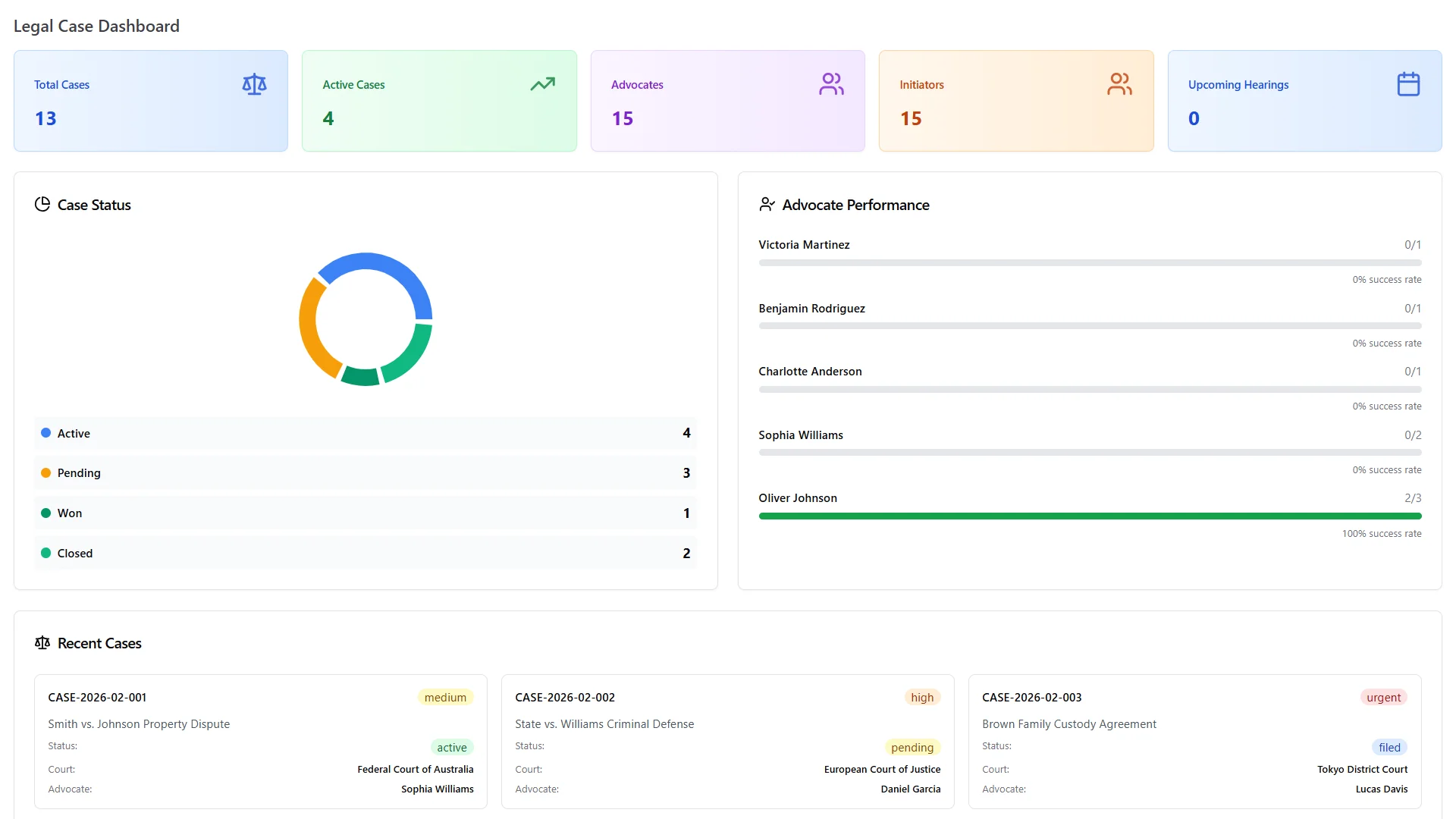
Case status: the legal dashboard shows where every case stands.
Lawyer results: won and total cases for each lawyer.
Firm performance: smart dashboards with live revenue, sales and performance figures.
The advocate performance view shows won and total cases for each lawyer, which makes our monthly partner review much easier.
Updates and approvals take time when people send them by hand. Here the system sends or routes many of them on its own.
Messages go out on their own for the events you choose.
Court fees, expenses and petty cash requests, including court trips.
Good to know: WhatsApp alerts need your own credentials from Meta's WhatsApp Business platform.
Automatic WhatsApp alerts for the events we switched on keep the partners informed without anyone sending manual messages.
A growing firm needs everyone working from the same facts. Shared records and a firm library make that easier.
Same cases for everyone: attorneys and clerks work from one list.
Notes and comments: each document keeps who wrote them and when.
Knowledge books: firm guides, precedents and policies, searchable and shareable.
Screens by role: a simple view for clerks, a detailed one for advocates and the full picture for partners.
Our junior associates learn faster because filing guides and practice notes live in one searchable library of books and articles.
Subscriptions charge every month for as long as you use them. WorkDo sells the full system for one payment.
One payment for lifetime access to all 16 modules.
What convinced us was paying once and owning the source code.
The case management advantages above all come from features WorkDo lists. These are not listed:
If you need one of these, keep it in a separate tool and use WorkDo for cases, hearings, contracts, files and costs.
Here is one way to set up the system in five working days:

Each step uses a tool described on the legal matter management software features page.
The demo has every legal module switched on, so you can try each benefit before you buy. To see how each practice type uses them, read about legal case management software for small firms.