
Signs Your Business Needs an ERP System: Complete Guide
Discover the key signs your business needs an ERP system and know when it’s time to streamline operations.

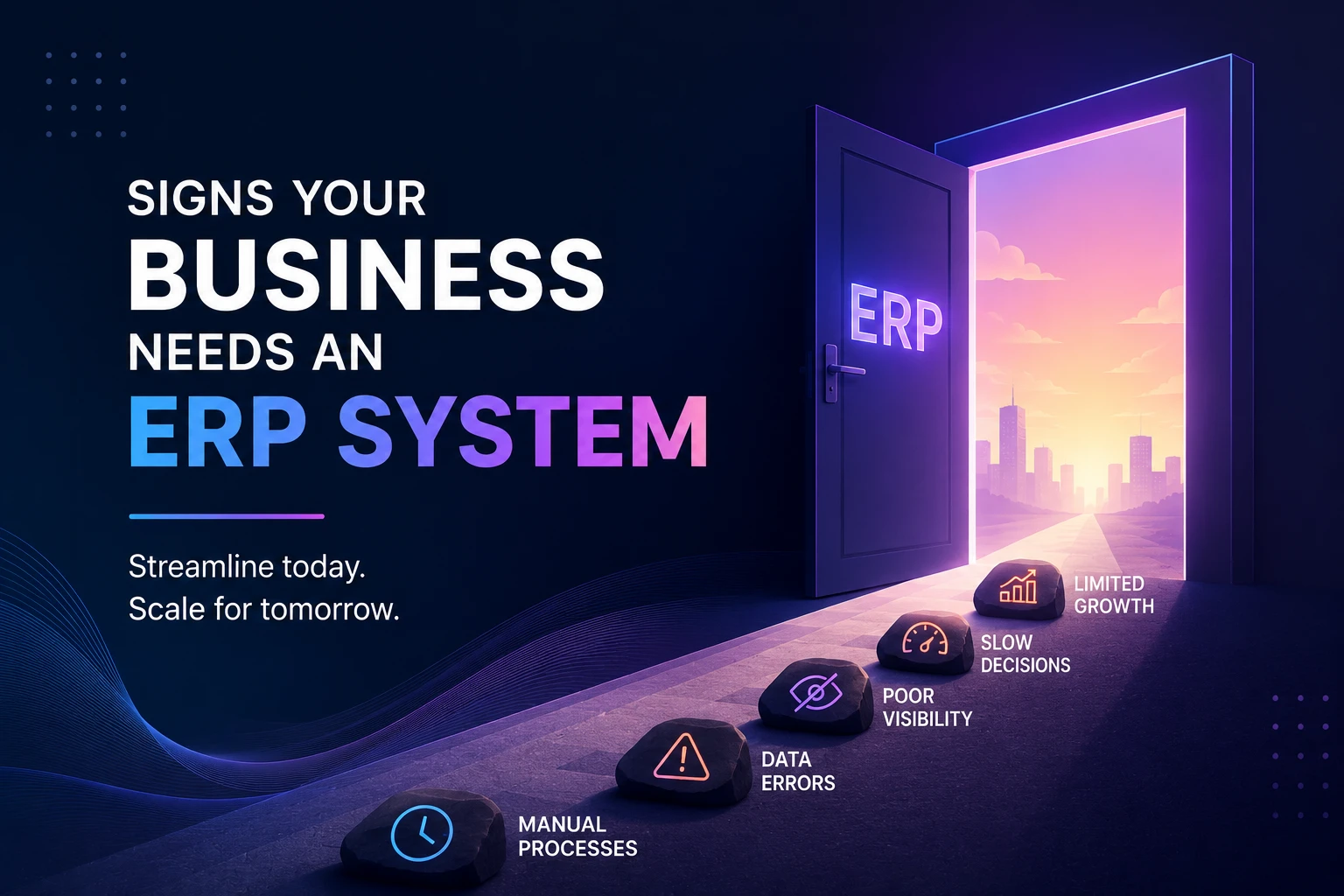
Signs Your Business Needs an ERP Software: A Complete Checklist
Nearly 40% of small businesses still run core operations on spreadsheets, and most of them don’t realize how much that’s costing them until growth exposes the cracks.
If a client asks for last month’s numbers and it takes your team half a day to pull them together, that’s not a “busy week”. It’s one of the classic signs you need an ERP system.
Here’s the part most articles skip: these signs don’t show up one at a time. They stack. Manual work leads to errors. Errors lead to distrust in the data. Distrust leads to slower decisions. And slower decisions cost you deals that your competitors are closing faster.
The good news is that every one of these signs is recognizable, measurable, and fixable. Let’s go through them one by one, with real numbers, real examples, and a clear path forward.
ERP Need Indicators, Explained Simply
Quick definition first, for anyone new to the term: an ERP (Enterprise Resource Planning) system is software that connects departments, finance, HR, inventory, sales, and operations into one shared database, instead of five disconnected tools each holding a piece of the truth. (If you want the full mechanics of how that works under the hood, we cover it in how ERP systems work; this article focuses on when you need one.)
So how do you know you’ve reached that point?
Businesses rarely decide “we need an ERP” in a single moment. It happens gradually: a report that used to take an hour now takes a day; a new employee asks a simple question, and nobody has a clean answer; a stock count in the warehouse doesn’t match what the system says.
Individually, each of these seems survivable. Together, their ERP needs indicators, proof that their systems have stopped keeping pace with their business.
Here are the five signs worth taking seriously, followed by exactly when (and how) to act on them.
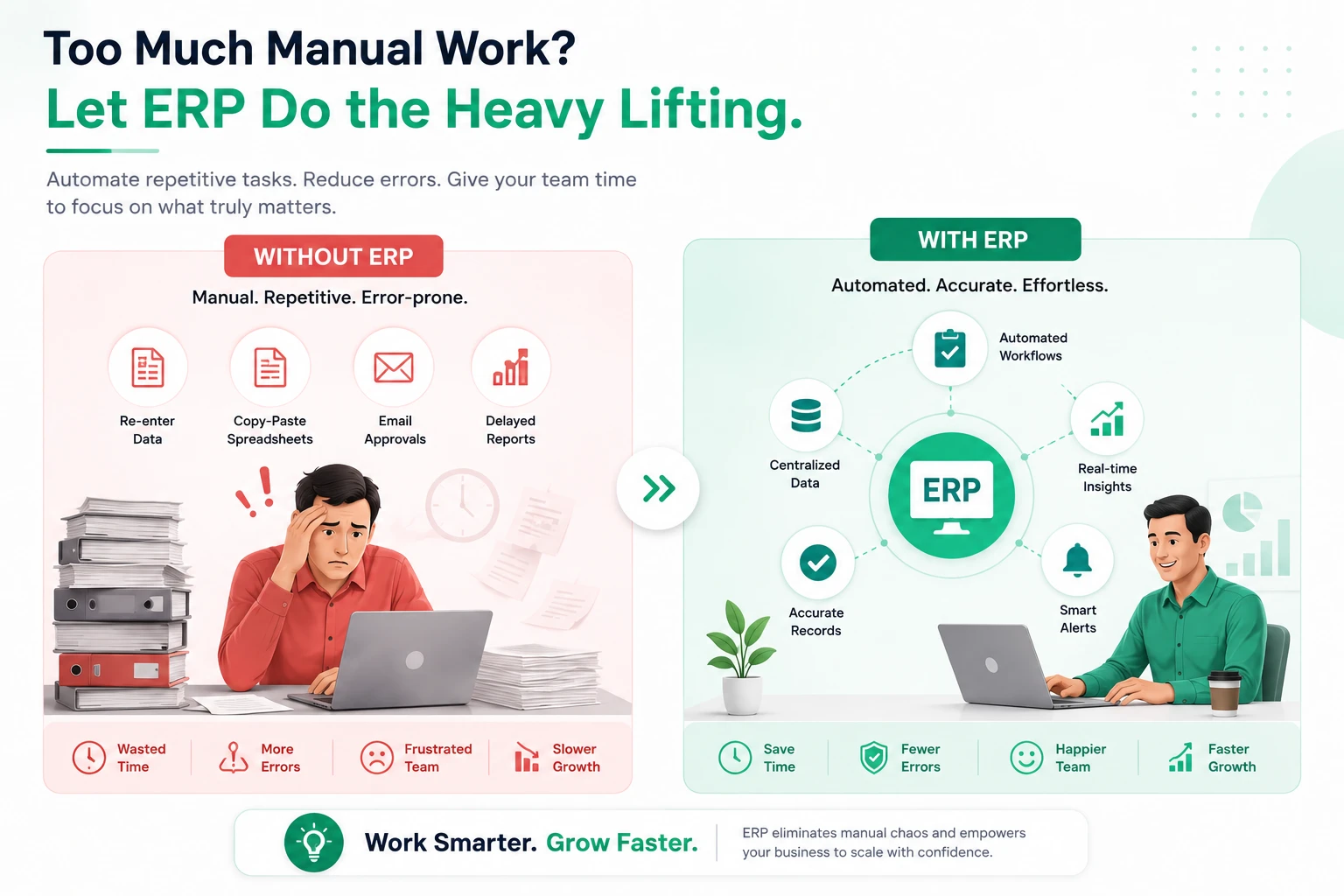
Too Much Manual Work
Ask yourself: does your team spend more time entering data than using it?
Manual work tends to look like this:
- Re-typing the same customer details into three different tools
- Copy-pasting invoice numbers into a spreadsheet by hand
- Manually reconciling sales, inventory, and accounting records at month-end
- Chasing approvals through email instead of a defined workflow
Real-world example: A service-based consultancy with 15 employees was spending roughly six hours a week just moving numbers between its invoicing tool and its accounting spreadsheet. That’s over 300 hours a year, nearly two full months of one employee’s time, spent on work that added zero value to a client.
Pros of automating this work:
- Frees staff for higher-value tasks (sales, service, analysis)
- Reduces payroll hours spent on repetitive entry
- Cuts the error rate that manual retyping introduces
Cons of staying manual:
- Costs scale with headcount; more staff means more redundant entry, not less
- Errors compound as volume grows
- Talented employees leave roles that feel like data entry, not their actual job
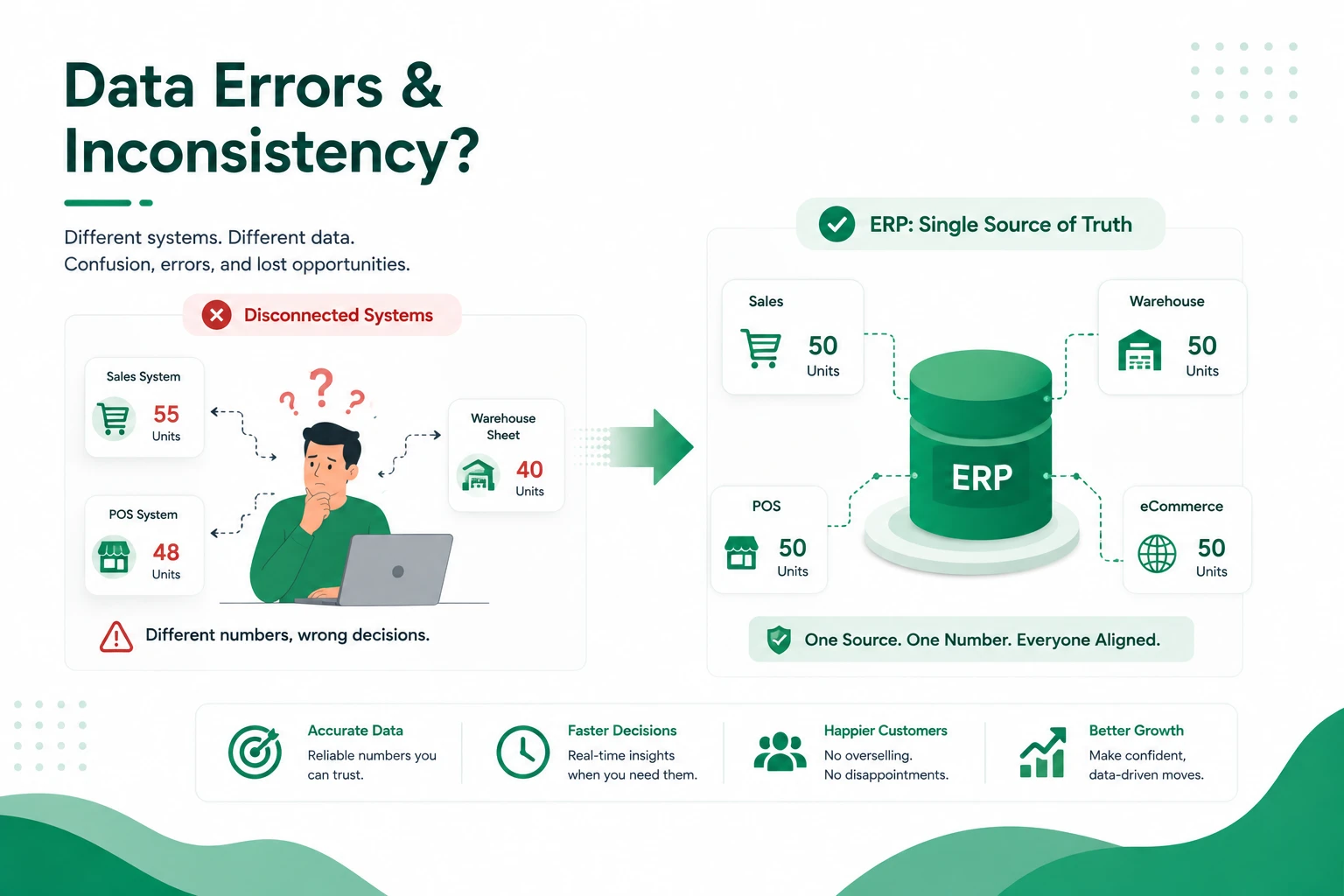
Data Errors and Inconsistency
Here’s a simple test: ask your sales team and your finance team for last month’s revenue number. If you get two different answers, you already have your answer about whether you need an ERP.
Data inconsistency happens when information lives in separate systems that don’t talk to each other. Someone updates a customer’s address in the CRM but forgets the invoicing tool. A warehouse app shows 40 units in stock, while the sales system still shows 55.
Real-world example: A growing retail business with two physical stores and an online shop found that its point-of-sale system, its e-commerce platform, and its spreadsheet-based stock counts regularly disagreed with each other, sometimes by 15–20 units on fast-moving products. The result: overselling items that were already out of stock and refunding frustrated customers.
An ERP maintains a single source of truth. When a number changes in one place, it updates everywhere, no more guessing which spreadsheet is the “real” one.
Lack of Real-Time Information
Growing businesses move fast. Reporting should move just as fast, but for many companies, it doesn’t.
If getting a straight answer to “how are we doing this month?” means waiting days for someone to compile numbers from five different places, you’re not managing your business in real time. You’re managing it in hindsight.
This shows up as:
- Financial reports that are always a few weeks behind
- Inventory levels that don’t reflect what’s actually on the shelf
- Sales pipeline managers can’t see without asking someone directly
- Decisions made on instinct because the real data isn’t accessible fast enough
Real-world example: A healthcare administration team managing supply orders across multiple clinics couldn’t see real-time stock levels for medical consumables. Reorders were placed based on outdated counts, leading to both shortages and, at times, unnecessary overstock, tying up the budget. Healthcare, in particular, is a clear answer to who needs ERP software most urgently, since outdated stock counts there carry real operational risk. Slow reporting like this is a textbook sign your business needs an ERP that keeps every department on the same page.
Disconnected Business Systems
Count the separate tools your business runs on right now: a CRM, a standalone accounting tool, a spreadsheet for inventory, another app for HR, and maybe a helpdesk tool bolted on somewhere. Each might work fine alone; the problem is what happens between them. Usually, nothing.
This is called system fragmentation, and it’s one of the most common reasons businesses hit a wall. A support agent can’t see a customer’s billing history. A construction project manager can’t check material stock before confirming a delivery date to a client. A procurement manager approves a purchase order without visibility into current cash flow.
| Running Disconnected Tools | Running a Unified ERP |
|---|---|
| Data re-entered manually across apps | Data entered once, shared everywhere |
| Departments work from different numbers | One single source of truth |
| Reporting takes days to compile | Reporting available in real time |
| Costs scale with every new tool added | One platform covers CRM, HRM, accounting, inventory, and more |
Construction, procurement, and support-heavy businesses are consistently near the top of any list. Fragmented tools like these are, in practice, some of the most reliable signs your business needs an ERP.
An all-in-one platform covering CRM, HRM, Accounting, POS, Inventory, Projects, and Support under one roof removes this fragmentation entirely.
Difficulty in Scaling Operations
Everything that “just works” at a small scale tends to crack under growth.
A five-person team can manage with spreadsheets and shared drives. A fifty-person team running multiple locations and departments.
Common scaling pain points, step by step:
- Onboarding slows down because processes aren’t standardized across teams
- Opening a new branch means rebuilding workflows from scratch
- Leadership loses visibility into what’s happening across different teams or sites
- Reporting takes longer as more disconnected data sources get added
- Approvals stall because there’s no clear, structured workflow to route them
Real-world example: A construction project management firm expanding to a third city found that each new site manager kept their own tracking spreadsheets for budgets, subcontractor invoices, and material orders. Head office had no consolidated view, every monthly report meant chasing three separate files and reconciling them by hand.
Multi-location businesses are usually the clearest example of who needs ERP software, since growth without one system quickly turns into chaos. Struggling to standardize onboarding and reporting as you grow is another one of the signs your business needs an ERP system sooner rather than later.
Beginner-friendly takeaway: if growth is starting to feel harder instead of easier, that’s rarely a people problem. It’s a systems problem, and it’s solvable.
When to Consider ERP Implementation
So when is the right time to actually make the switch? A practical rule: if you recognized your business in two or more of the signs above, it’s already time to start evaluating options; waiting until something breaks completely just makes the eventual transition harder.
A simple step-by-step evaluation process:
- List your current tools: every spreadsheet, app, and system your team relies on daily
- Map where data gets re-entered manually between those tools
- Identify your top 2–3 pain points from the signs covered above
- Shortlist ERP platforms that cover those specific modules (accounting, inventory, HR, CRM, etc.)
- Compare licensing models: subscription-based vs. one-time payment, against your budget and growth plans
What Industries Use ERP Systems
ERP (Enterprise Resource Planning) systems are used across a huge range of industries because pretty much every business needs to manage things like finances, inventory, and operations in one place. Here’s a breakdown of the major industries that rely on ERP:
Manufacturing
This is probably the biggest user base. Manufacturers use ERP to manage production planning, supply chain, inventory, and quality control all in sync.
Retail and E-commerce
Retailers use ERP to track inventory across stores/warehouses, manage orders, handle customer data, and keep pricing consistent across channels.
Healthcare
Hospitals and clinics use ERP for patient records, billing, supply management (think medical equipment and pharmaceuticals), and staff scheduling.
Construction and Real Estate
Used to manage project costs, timelines, procurement, and subcontractor coordination, construction projects have a lot of moving parts, so ERP helps keep everything organized.
Education
Schools and universities use ERP for student information systems, admissions, finance, HR, and academic scheduling.
Financial Services and Banking
Banks and financial institutions use ERP for accounting, compliance tracking, risk management, and reporting.
Logistics and Transportation
Companies here use ERP to manage fleet operations, route planning, warehouse management, and shipment tracking.
Food and Beverage
Used for tracking ingredients, managing supply chains, ensuring compliance with food safety standards, and handling distribution.
Energy and Utilities
Helps manage assets, field service operations, billing, and regulatory compliance.
Government
Public sector organizations use ERP for budgeting, procurement, and managing public services efficiently.
Professional Services (IT, Consulting, Legal)
These industries use ERP mainly for project management, resource allocation, billing, and client management.
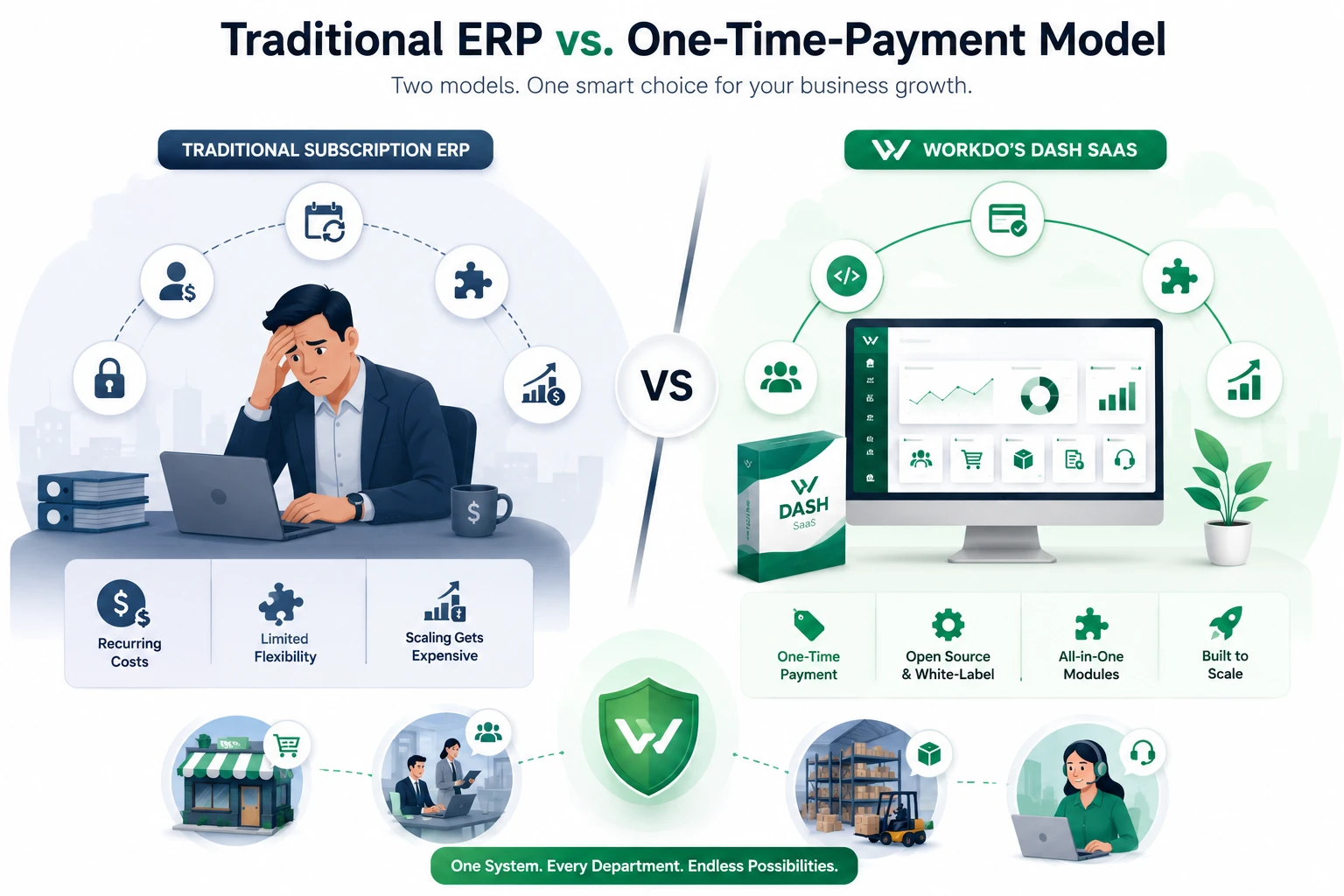
Traditional ERP vs. a One-Time-Payment Model
| Traditional Subscription ERP | Workdo’s Dash SaaS | |
|---|---|---|
| Pricing | Recurring, per-user monthly/annual fees | Affordable one-time payment |
| Licensing | Vendor-controlled | Open-source, white-label — resell under your own brand |
| Modules | Often modular Add-Ons at extra cost | CRM, HRM, Accounting, POS, Inventory, Projects, Support built in |
| Extensibility | Varies by vendor roadmap | 300+ Add-Ons available |
This is exactly where a flexible, modular platform like WorkDo’s Dash SaaS fits, an all-in-one, open-source ERP that brings CRM, HRM, Accounting, POS, Inventory, Projects, and Support together, extendable with 300+ Add-Ons as your needs grow. It’s available through CodeCanyon with a one-time license, rather than a recurring subscription.
Where it fits well:
- SMEs and growing businesses that want ERP functionality without ongoing per-user fees
- Agencies or consultants who want to white-label and resell under their own brand
- Businesses running branches or client accounts from one system
Worth knowing before you commit:
- As a self-hosted platform, it requires basic server setup and light technical maintenance (or a developer/partner to handle it)
- Larger enterprises with highly specialized compliance needs may still require a dedicated enterprise vendor
- Getting the most from the 300+ Add-Ons takes a bit of initial exploration to match modules to your actual workflow
If you want to see how these signs translate into real deployments across different industries, our ERP system examples article walks through several. And if you’re still unclear on the underlying mechanics, How ERP Systems Work is the right next read.
Who Needs ERP Software?
Businesses that rely on spreadsheets and separate tools for inventory, accounting, and sales often need an ERP once things start getting messy and disorganized. It also helps when departments aren’t communicating well, like sales not knowing what finance is doing.
Companies that manage physical products need ERP to track stock and orders accurately, especially if they have multiple stores or locations. Fast-growing businesses also benefit, since ERP keeps operations organized and gives clear visibility into finances.
Industries like healthcare, finance, and food and beverage often need ERP to meet compliance requirements. And any business doing a lot of manual, repetitive tasks—like data entry or reporting—can save time by automating them with ERP.
Bottom line: ERP isn’t just for big corporations. Even small and mid-sized businesses benefit once they start dealing with complexity, multiple departments, growing inventory, or the need for accurate real-time data.
Conclusion
As businesses grow, spreadsheets and disconnected tools can slow operations instead of supporting them. If your team struggles with manual work, inconsistent data, or multiple systems, it may be time for an ERP solution. Evaluate your workflows, business needs, and budget to choose a platform that improves efficiency, supports better decisions, and scales with your growth.
In the end, the signs above are really just a practical way of answering who needs ERP software, and, increasingly, across industries, the answer is nearly everyone growing past the spreadsheet stage. Every pain point covered here is really one of the signs your business needs an ERP, and recognizing them early is what turns a scramble into a smooth transition.
 Frequently Asked Questions (FAQs)
We're Here to Help - Let's Talk
Have questions about our solutions, customization services, or business tools? Our team is here to help you. let's talk.