Bundle Sale - Save 72% on the Dash SaaS Complete Bundle Claim Now
Courier Management Software

Courier Dispatch Software That Puts the Right Driver and Vehicle on Every Delivery

WorkDo's courier dispatch software helps you put the right driver and the right vehicle on every delivery, then follow each one to the doorstep. Bookings, drivers, vehicles, payments and customer tracking live in one system, so dispatch never depends on a whiteboard or one person's memory. It is delivery dispatch software for courier, parcel and freight teams that run their own drivers and vehicles. Pay $199 once, own the full source code and skip per-driver and monthly fees.

$199 one time regularly $500
  • One-time Purchase
  • Full Source Code
  • Lifetime Updates
  • White Label Ready
  • 20,000+Businesses Worldwide
  • 1,400+Customer Ratings
  • Power EliteAuthor on Envato
  • 9+Years of Excellence
The Basics

What Is Courier Dispatch Software?

Courier dispatch software helps a dispatcher match every delivery to a driver and a vehicle, then follow it until it is complete. Instead of calling drivers, checking notes and guessing which van is free, the dispatcher works from one shared list of jobs, drivers and vehicles.

Dispatch is only one part of running a courier business. Around it sit bookings, pickups, payments, customer questions and fleet upkeep. That is why a dispatch delivery management system works best inside a wider courier management system, where the record that starts as a booking carries through to assignment, delivery and payment. WorkDo's courier dispatching software works this way: dispatch is a step in the flow, not a separate tool to reconcile at the end of the day.

The dispatcher might be an owner-operator with a phone, a counter clerk who assigns jobs between customers or a full-time team in a busy depot. The job is the same: get each package to the right driver and know where it stands. Good dispatch delivery software gives all of them the same view.

One record, from booking to payment

  1. Booking
  2. Assignment
  3. Delivery
  4. Payment
  • An owner-operator with a phone
  • A counter clerk who assigns jobs between customers
  • A full-time team in a busy depot
How It Works

How Courier Dispatching Works

Here is a typical day at the dispatch desk with courier dispatching software. Every step happens on the same delivery record.

  1. Check who is on shift and which vehicles are ready

    Attendance shows who has clocked in, and fleet records show which vehicles are active and which are in maintenance.

  2. Review new bookings

    Bookings from the counter, phone or online wait in the pending list with a tracking ID, sender, receiver and package details.

  3. Approve and pack

    Approved bookings move to ready for packing and then ready for delivery as parcels are collected and packed.

  4. Assign a driver and a vehicle

    The fleet dispatch step puts a named driver and a specific vehicle on the delivery and keeps the pairing on record.

  5. Follow the delivery

    The status moves to on the way and then delivered. Customers can check it on your tracking page, so dispatch is not the only place to ask.

  6. Close it and log the payment

    The delivery is marked delivered and the payment is logged against its tracking ID.

Good delivery dispatching software lets you open any delivery at any point and answer three questions: who has it, what stage is it at and has it been paid.

  • Who has it?
  • What stage is it at?
  • Has it been paid?
Signs

Signs Your Dispatch Board Is a Whiteboard

A whiteboard works until the day it does not. Five signs your dispatch has outgrown it:

  • The plan lives in one person's head.

    When the dispatcher is out sick, nobody knows who is doing what.

  • Nobody knows which van has which parcel.

    Finding out means calling drivers one by one.

  • Late arrivals are discovered at the depot door.

    Attendance gets checked after the day has already started.

  • Customers phone dispatch for every status.

    Every call interrupts the person assigning jobs.

  • Vehicle problems surface mid-route.

    Maintenance and insurance details sit in a folder nobody opens.

If three of these sound familiar, it is time to move dispatch into one system.

Features

Delivery Dispatch System Features

A delivery dispatch system earns its place at five moments: when a booking arrives, when a driver is chosen, while the parcel moves, when branches share the work and when the delivery closes.

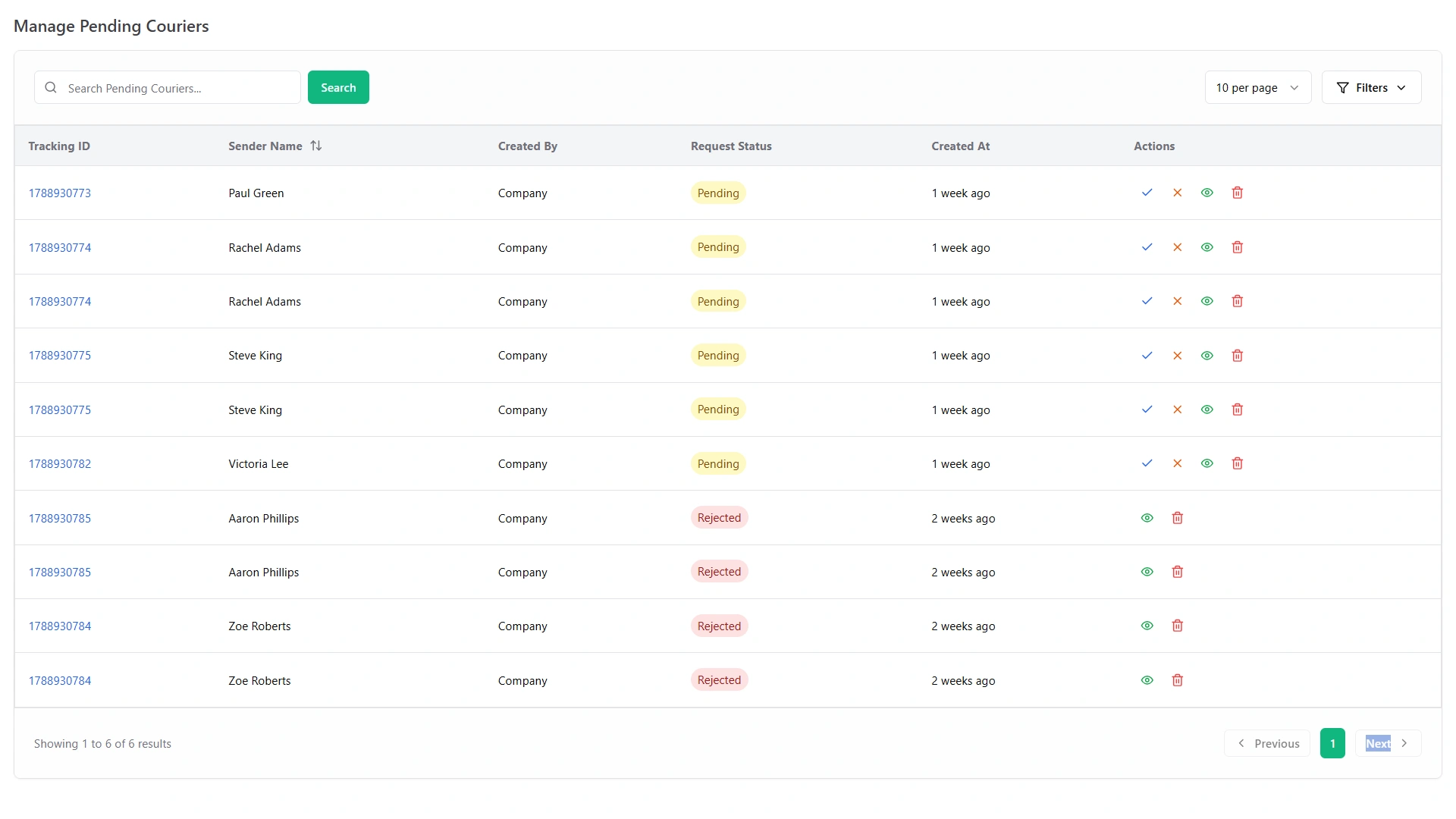
Pending Booking Queue

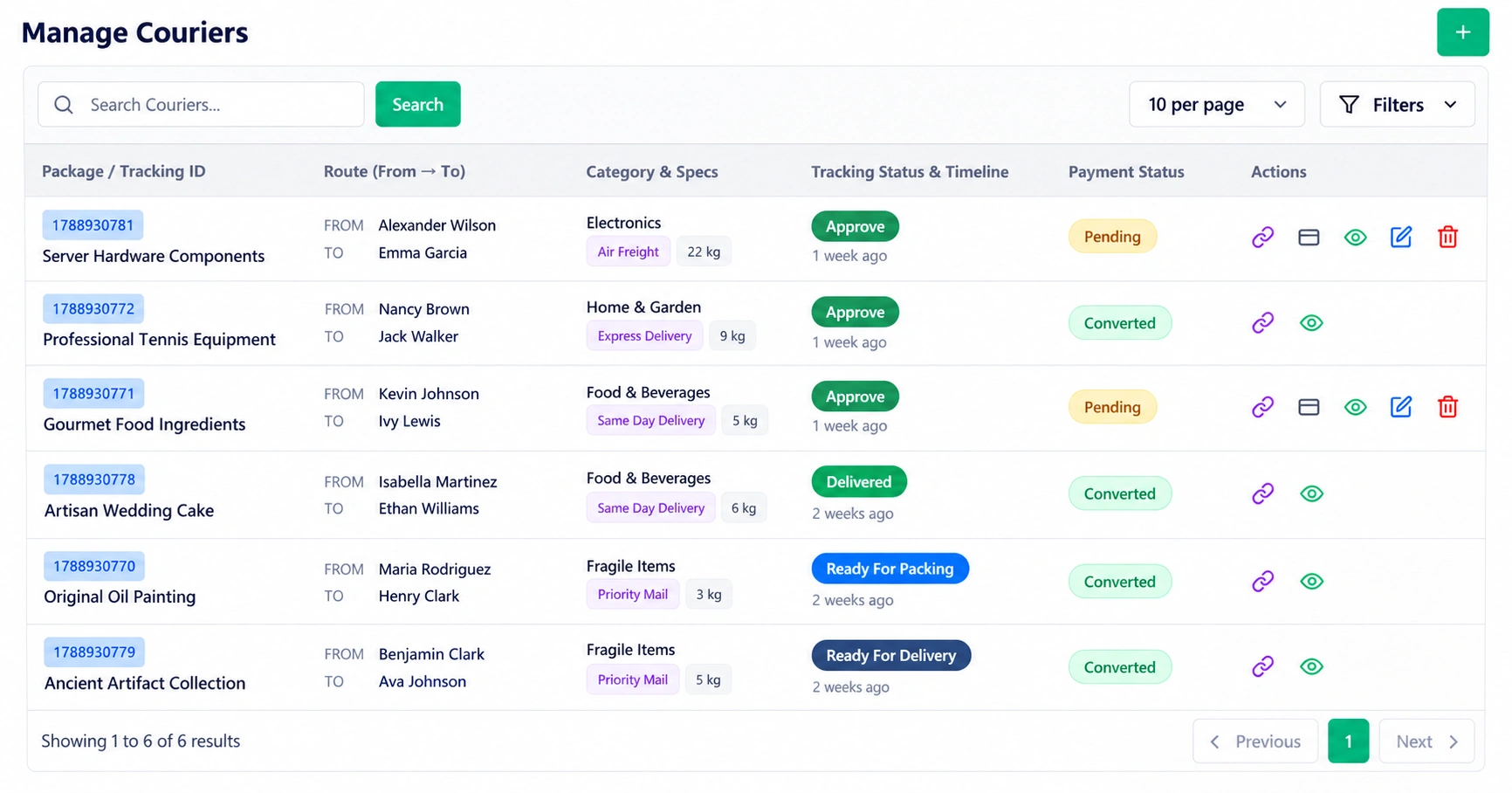
Every new booking lands in a pending list with its own tracking ID, plus sender, receiver and package details. Dispatchers see what is waiting without opening a spreadsheet, and counter staff never retype a booking that arrived by phone or online. Approve a booking and it moves on to packing, so the queue only holds work nobody has picked up yet.

Covers
  • Tracking ID on every booking
  • Sender, receiver and package details
  • Counter, phone and online bookings
  • Approve to move on to packing
Manage Pending Couriers screen with tracking IDs, request status and actions
Scheduling

Delivery Scheduling and Planning

Delivery scheduling software, delivery schedule software, a delivery scheduling system: whichever name you search for, the job is the same. You need to know who is available, which vehicles are ready and which deliveries go out next. Your dispatcher builds the plan, and WorkDo keeps the facts behind it in one place: shift rosters, driver attendance, vehicle status and delivery status.

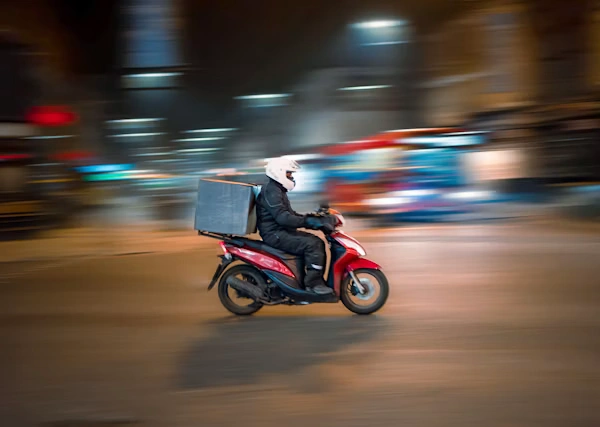
Delivery rider on a motorbike in the city at night

Delivery Driver Scheduling

Publish shift rosters on the notice board so every driver sees the same plan, and post an announcement when the plan changes. Biometric attendance then shows who clocked in, who arrived late and who worked overtime, so the roster you built can be checked against the people actually on shift. That is what delivery driver scheduling software should do: one plan, visible to everyone, checked against real attendance.


Container ship loaded with freight containers

Shipping and Freight Planning

For larger shipments, freight and shipping requests cover land, air, sea and rail, with containers and invoices kept beside your parcel work. Shipping scheduling software and delivery planning software are often separate tools from the ones that run parcels. Here, freight requests, dispatch and payments share one login, so planning a heavy shipment does not mean opening another system.

Before you publish tomorrow's plan, run a quick check.

Each answer is one screen away in the same system.

  • Is the roster posted?
  • Are the drivers you need on shift?
  • Are the vehicles active?
  • Are there pending bookings still waiting?
Routes

Delivery Route Management

Route management can mean two different things.

Not covered here

One is working out the best order of stops.

If you plan stop order in a separate tool, this system still holds everything else.

Covered

The other is running everything around the route: who takes it, in which vehicle, what changed and what happened.

WorkDo's delivery route management software covers the second.

Allocate Deliveries to Drivers and Vehicles

Delivery allocation software should answer one question quickly: who has this delivery? Each delivery here has one driver and one vehicle on record, visible to the whole team, so dispatch, the counter and the manager all work from the same answer.

Route Updates for Drivers

Roads change, and so do plans. Publish route updates and announcements on the notice board so every driver sees the same message at the same time instead of hearing it second-hand. Route changes stay on record, not buried in a group chat.

A simple routine keeps things smooth: review the allocation list before each shift, post one announcement with the day's changes and tell drivers where to find it.

Drivers

Delivery Driver Management Software

Your drivers are the delivery. Delivery driver management software keeps their records, hours, hiring and feedback next to the deliveries they carry, so you manage people and parcels from one place. This delivery driver software gives you the records you need to run a team fairly and reliably.

Delivery rider handing a parcel bag to a customer
  • Driver Records and Assignments

    Keep every driver on record with the vehicles and deliveries assigned to them. When a customer asks who delivered a package, or a manager wants to see who is carrying what, the answer is in the system, not in someone's memory. It also makes hand-overs easier, because a new dispatcher can read the record instead of asking around.

  • Attendance and Overtime

    Biometric attendance syncs clock-ins and clock-outs from your devices and shows late arrivals, early leaves and overtime for every driver. Start-of-shift surprises become a list you can read before the first delivery goes out, and overtime is on record for every driver, so pay questions start from facts.

  • Peak-Season Hiring

    Peak season is when a courier company needs extra drivers fastest, and when hiring by phone and spreadsheet falls apart. Post driver and courier jobs, track candidates, run interviews, send offers and onboard new hires before the busy season starts. Recruitment runs in the same system as dispatch, so peak-season hiring does not need a tool of its own.

  • Ratings and Feedback

    Customers leave star ratings and comments, and complaints become support tickets with a category, a status and a response time. You can see how deliveries are landing and follow up before a small problem grows.

Vehicles

Vehicle Delivery Management Software

Dispatch fails the moment a vehicle is not ready. Vehicle delivery management software keeps each van or bike on record: who drives it, what it costs to run and when it needs attention. WorkDo's fleet records hold:

  • Driver and vehicle pairing on every delivery
  • Fuel entries kept with the vehicle
  • Maintenance records for each vehicle
  • Insurance records kept with the vehicle, not in a separate folder
  • Trip log books to record each vehicle's trips
  • Active or in-maintenance status so you can see at a glance which vehicles can take a delivery today
  • Vehicle bookings on record

The dispatcher's morning check gets simple: which vehicles are active, which are in the workshop and what each one has cost to run. A van in maintenance should never be the surprise you discover at eight in the morning. And when a long run comes up, you can pick the vehicle with the cleanest service record instead of the one that happens to be parked closest.

The Difference

Dispatch, Scheduling, Routing and Delivery Management: What Is the Difference?

These four terms overlap, and vendors use them loosely. Here is a plain way to tell them apart.

Tool Main job Question it answers Where this system fits
Dispatch software Matches deliveries to drivers and vehicles and follows them to completion Who is taking this delivery? Pending list, driver and vehicle assignment, status stages
Scheduling software Plans who works when and which vehicles are available Who is available, and when? Shift rosters, attendance and vehicle status
Route planning software Works out the order of stops What is the best sequence of stops? Route updates and allocation records; you decide the stop order
Delivery management software Runs the whole delivery operation, from booking to payment What is the status of every delivery, and has it been paid? The whole system

In practice the lines blur. A dispatcher needs the schedule to know who is free and needs the route to plan a run. Dispatch also needs the booking before it and the payment after it, which is why the best delivery dispatch software sits inside a complete delivery management software system.

Some fleets pair a dedicated route planner with a delivery management system. That works well if stop order is your main bottleneck. If your bigger problems are lost bookings, unclear assignments and unpaid deliveries, start with the system that holds the records.

Who Uses It

Who Uses Courier Dispatch Software

Any business that puts its own drivers on the road can use courier dispatch software.

Delivery rider handing a parcel bag to a customer

Courier companies

Assign parcels to drivers and vehicles and keep each one on a tracking ID from pickup to doorstep.

Delivery rider on a motorbike in the city at night

Local and same-day delivery services

Short turnarounds leave no time to hunt for information. One list shows what is waiting and who is on shift.

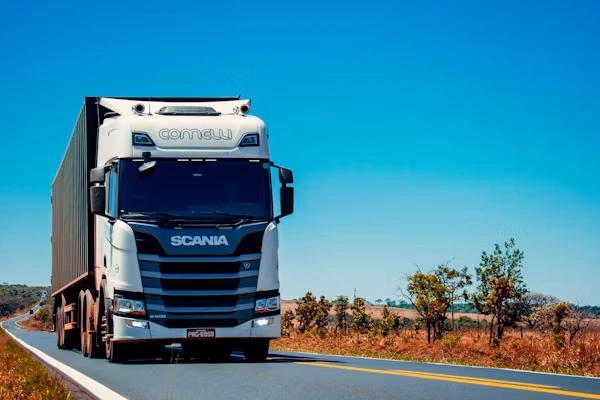
Delivery truck driving on an open road

Fleet-based delivery businesses

Vehicles, drivers, fuel and maintenance sit next to the deliveries they serve.

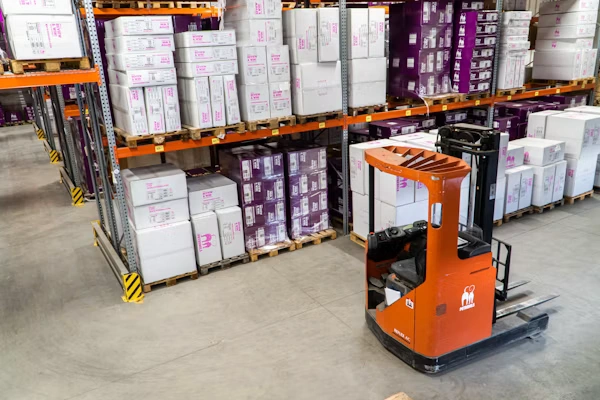
Forklift moving boxes in a distribution warehouse

Multi-branch operators

Branches and agents work from the same system, so every pickup point shares one set of records.

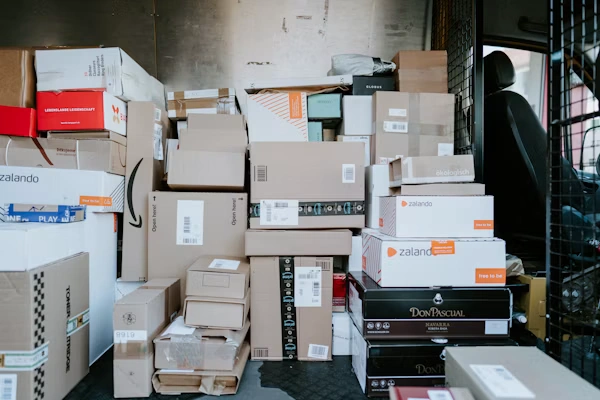
Parcels from many shops stacked in a delivery van

Ecommerce delivery partners

Keep your clients' deliveries assigned, tracked and paid in one place.

Benefits

Benefits of Courier Dispatch Software

  • Fewer status calls

    Customers check the tracking page themselves, so dispatch spends its time assigning deliveries, not answering questions.

  • One assignment per delivery

    A driver and a vehicle on every record leave no doubt about who has what, and no delivery waits on one person's memory.

  • Drivers and vehicles ready on time

    Attendance and fleet status are there to check before deliveries go out, not after the first one is late.

  • Vehicle costs you can see

    Fuel, maintenance and insurance sit with each vehicle, so a costly van shows up early.

  • No per-driver bill as you grow

    Add drivers, vehicles and branches without paying more every month, even in your busiest season.

Choosing

How to Choose Delivery Dispatching Software

The best delivery dispatching software is the one that fits how you deliver and shows what it will cost over three years, not just next month. Use this checklist to compare any tool, including ours.

What to look for Why it matters What you get here
Driver and vehicle assignment Every delivery needs one clear owner A driver and a vehicle on each delivery record
Status tracking Everyone reads the same stage Pending to delivered, on one record
Customer visibility Fewer status calls to dispatch A branded tracking website and WhatsApp chat
Driver and vehicle records Dispatch depends on who and what is available Attendance, recruitment, fuel, maintenance and insurance records
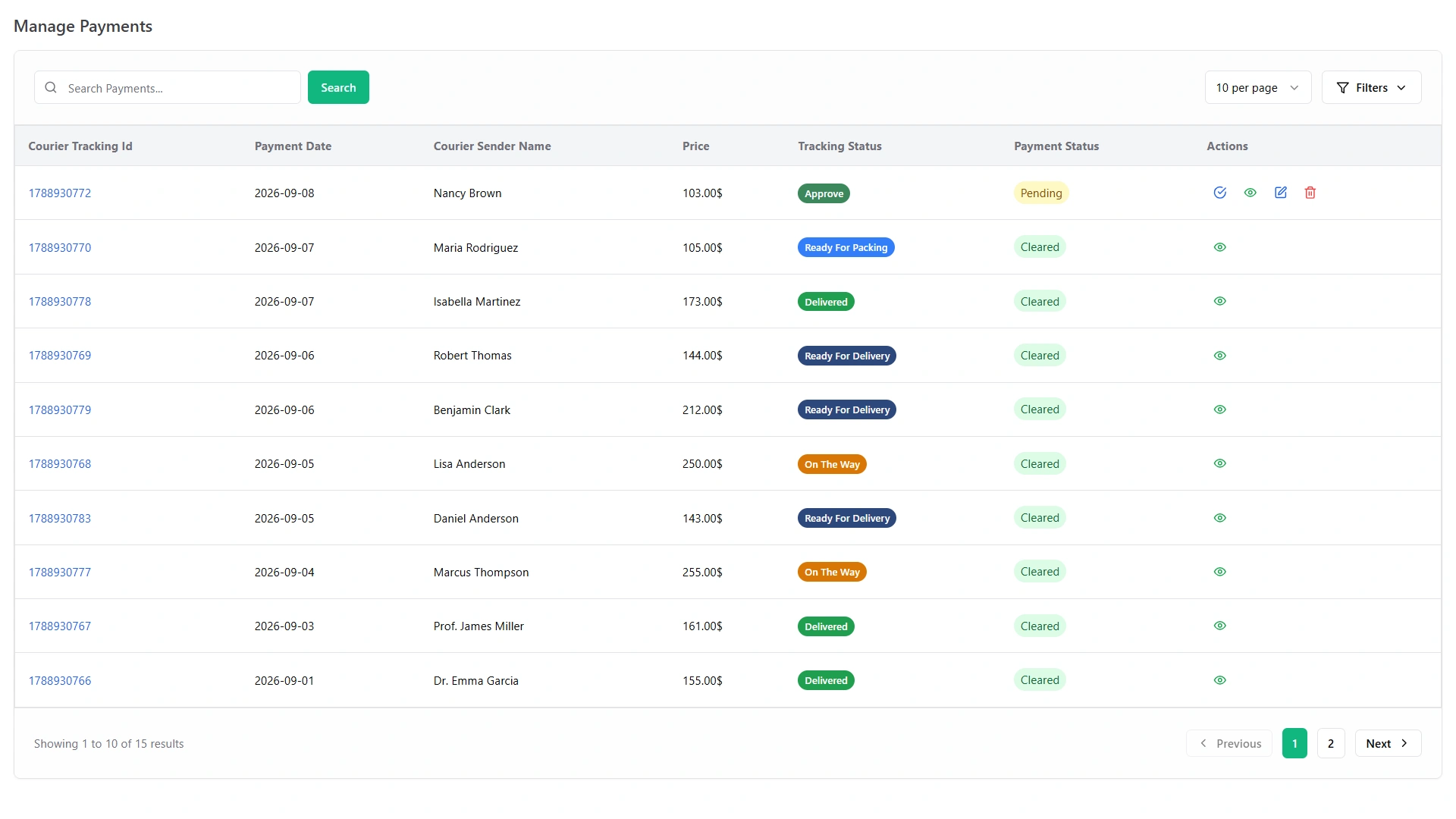
Payments A closed delivery should be a paid delivery Payments logged against tracking IDs
Cost model Subscriptions grow with your headcount $199 one time, no per-driver fees
Ownership Control over the system your team runs on Full source code and white label

Ask every vendor to walk through one real delivery, from booking to payment, and put these questions to them:

  • What will it cost in year one, and in year three?
  • Is pricing per driver, per vehicle or per delivery?
  • Who owns the code?
  • Can I add drivers, vehicles and branches without paying more?
  • How do customers check on their deliveries?
  • What happens if I stop paying?
Pricing

Dispatch Software Pricing: Pay Once, Own It

Dispatch and delivery tools are mostly rented, and the pricing model matters more than the sticker price. Prices below come from public pricing pages, checked in September 2026.

Pricing model Typical 2026 price What drives the bill
Per vehicle About $29 to $65 per vehicle per month Number of vehicles
Per driver About $35 to $99 per driver per month Number of drivers; some plans have a 3-driver minimum
Per delivery About $125 to $1,440 or more per month Deliveries or stops per month
One-time purchase $199 for WorkDo Nothing recurring

A five-driver team on per-driver plans pays roughly $2,100 to $2,900 a year on annual billing, and about $6,300 to $8,800 over three years.

WorkDo Courier Management is $199 one time, a $500 value if the modules were bought separately, with all 14 modules, the full source code and free future updates.

Modules

All 14 Modules in One Dispatch System

Every module is fully unlocked from day one, with one login for the whole system.

Delivery core

  • Courier Management
  • Freight Management System

Insight and communication

  • Smart Dashboard Analytics
  • AI Business Advisor
  • Smart Reports
  • Notice Board
  • Suggestion Box

Fleet and team

  • Fleet
  • Biometric Attendance
  • Recruitment

Customer care

  • Support Ticket
  • Feedback
  • WhatsApp API
  • WhatsApp Messenger
Getting Started

Getting Started

Four steps take you from curious to your first dispatched delivery.

  1. Try the live demo

    Explore pending couriers, the dashboard, payments and agents before you buy.

  2. Get the software

    Pay $199 once and receive the full source code.

  3. Set up branches, agents, vehicles and drivers

    Enter the pieces of your operation so every delivery has a driver and a vehicle to land on.

  4. Start assigning deliveries

    Take a booking, put a driver and a vehicle on it and follow it to delivery.

Get Started

Courier Dispatch Software You Pay for Once

Pay $199 once and get the complete courier dispatch software: 14 modules, the full source code and lifetime updates.

  • One Payment.
  • Lifetime Access.
  • Everything Included.
Courier in a green uniform handing a parcel to a customer
Faq's

Frequently Asked Questions About Courier Dispatch Software

Courier dispatch software helps a dispatcher assign each delivery to a driver and a vehicle and follow it until it is complete. WorkDo's version keeps bookings, drivers, vehicles, payments and customer tracking in one system, so dispatch works from the same record as everyone else.
Dispatch software assigns deliveries to drivers and vehicles and follows them to completion. Route planning software works out the best order of stops. WorkDo handles dispatch, records and payments, and you decide the stop order.
Each delivery record shows its driver and vehicle. Open the delivery to see the pairing, and open the fleet records to see each vehicle's status, maintenance and trip log books.
Yes. Customers enter their tracking number on your branded tracking website and follow every stage from pending to delivered. They can also message your team on WhatsApp.
Yes. Clock-ins and clock-outs sync from your biometric devices, and the system shows late arrivals and overtime for every driver.
Yes. A two-van courier can run dispatch, tracking and payments in the same system as a multi-branch operator, with no per-driver fees to penalize a growing team.