10 Benefits of Tour Operator Software for Travel Businesses
The benefits of tour operator software start with one record for every tour, so no itinerary, booking, payment or document sits in an inbox or a spreadsheet. This page covers ten benefits and the WorkDo features behind each one.
In short: tours, bookings, transfers, tickets, insurance and traveler paperwork under one login, for a single $279 payment.
The Benefits of Tour Operator Software at a Glance
Tour operators and travel agencies adopt software to cut manual work and give travelers answers before they ask. These ten benefits are what a travel business gains over spreadsheets and email.
Each one comes from WorkDo's tour and travel management software:
- One place: every tour, booking and traveler sits in one system.
- Fewer calls: the tour page answers the day-plan questions.
- Online booking: travelers browse and book on your branded website.
- Full transfers: passengers pick their own seats on a route.
- Ticket control: group and event tickets run from one screen.
- Insurance: policies and claims sit beside the booking.
- Paperwork: documents and supplier contracts are numbered and private.
- Same-day costs: guides settle trip expenses through approvals.
- Team clarity: alerts, a calendar and feedback keep everyone informed.
- Lower cost: one payment for 17 modules instead of a monthly subscription.
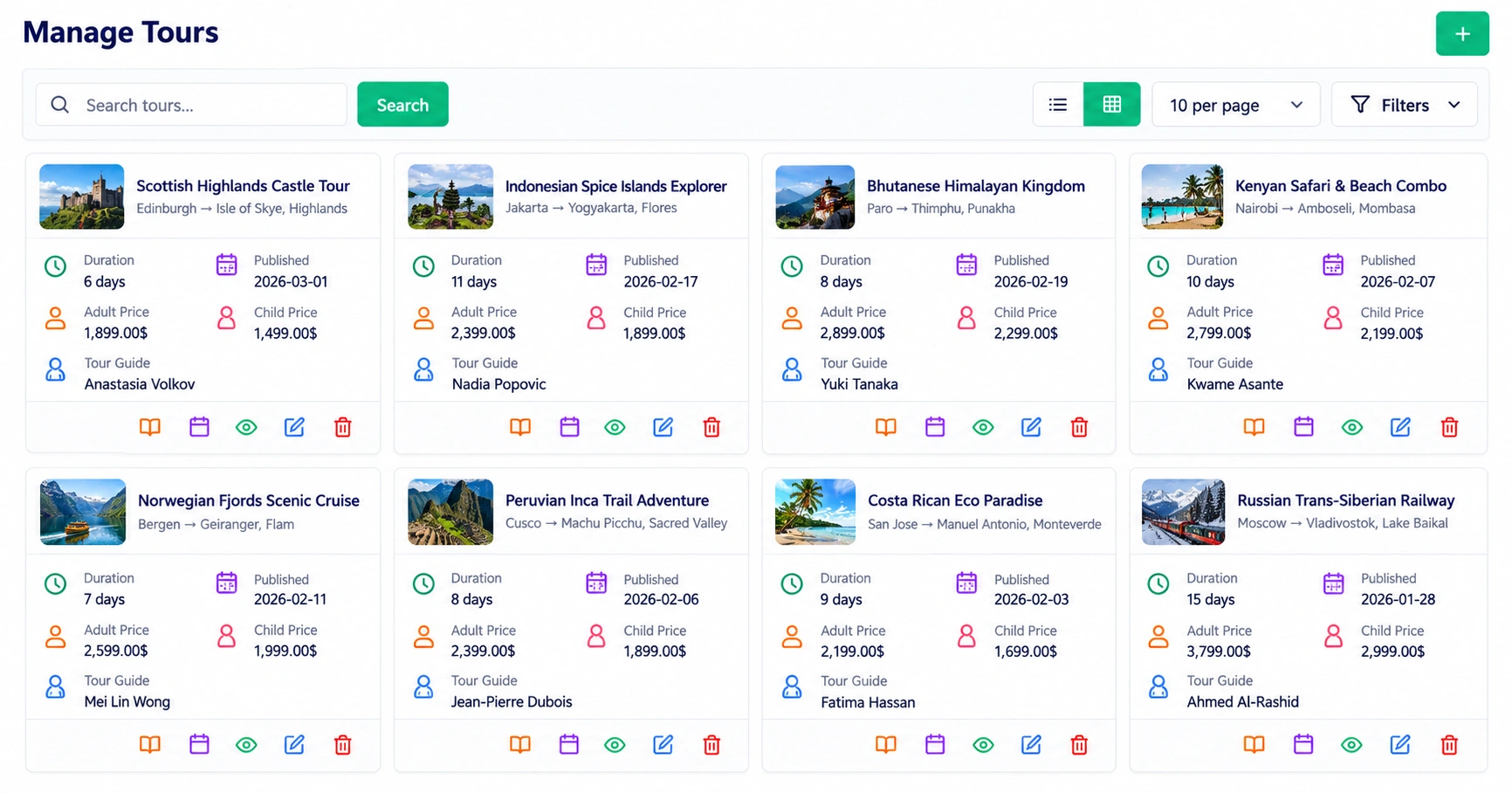
Every Tour, Booking and Traveler in One Place
Itineraries, inquiries and payments scatter quickly across files and inboxes. Here each tour is one record that the whole team opens.
-
Tour record: itinerary, meals, transport legs, guides and pricing stay on the tour.
-
Inquiries to bookings: website and manual inquiries share one list and convert into confirmed bookings.
-
Payments: status, amount and receipts sit on each booking.
-
Overview: live figures for revenue, bookings and performance.
Every package now has its itinerary, meals and transfers in one place, and our sales team sends quotes in minutes.
Fewer Repeat Calls From Travelers
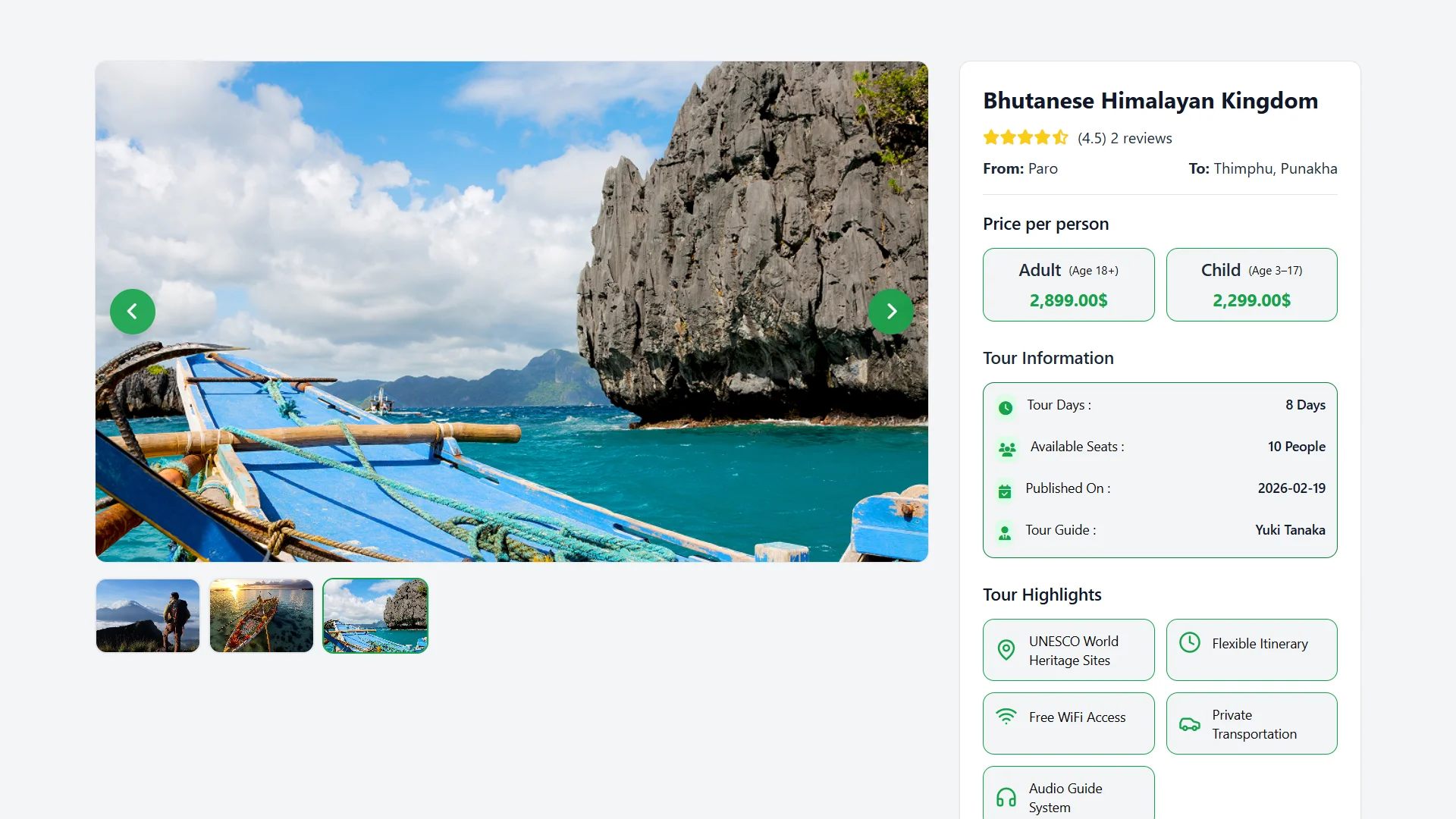
Travelers phone when the day plan is unclear. A full tour page answers before they ask.
-
Day by day: each day has a title, date, time and description.
-
Meals and transport: meals by date and type, and transfers with route, mode and duration.
-
Emergency contacts: medical, police and tourist helplines with their hours.
-
Smart inquiry form: group size, days and nights are calculated from the dates and travelers chosen.
Now the itinerary, meal schedule and emergency contacts sit on the tour page, and those calls have almost stopped.
Online Booking Without a Phone Call
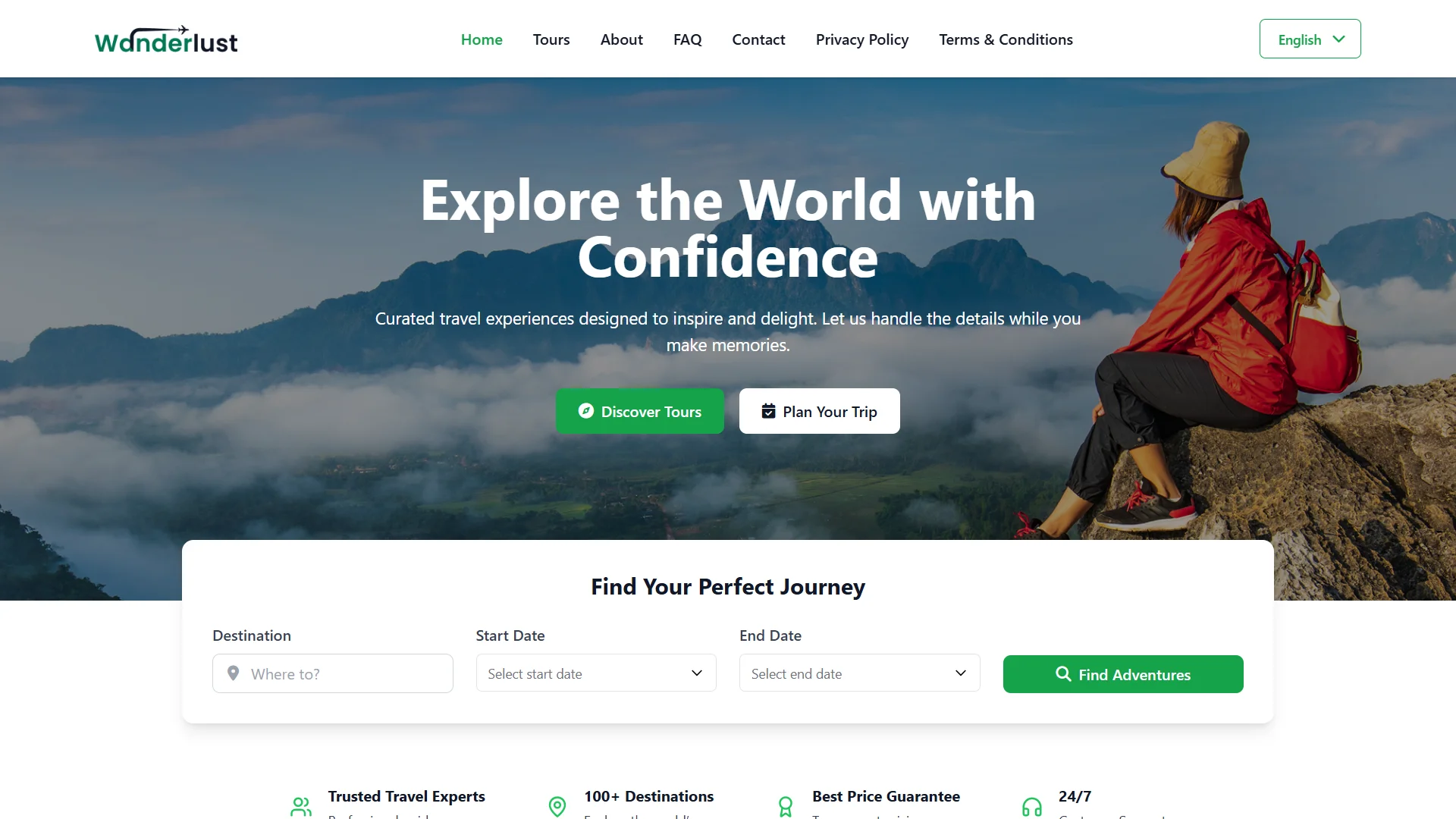
A branded tour website lets travelers explore tours and book on their own. You choose the logo, banners and pages.
-
Branded website: logo, title, footer, banners, testimonials, FAQs and custom pages.
-
Share anywhere: put a booking link or QR code in an email, an ad or a brochure.
-
Secure checkout: Stripe or PayPal, with paid and pending payments tracked per booking.
-
Consultations: a booking link lets travelers pick a slot instead of calling.
Good to know: the website sells your tours, transfers and tickets. It does not sell flights or hotel rooms from supplier inventory.
Our tour website went live with our logo, tours and FAQ page before the season opened, and the first tour inquiries came in that same week.
Full Transfers and Easier Seat Booking
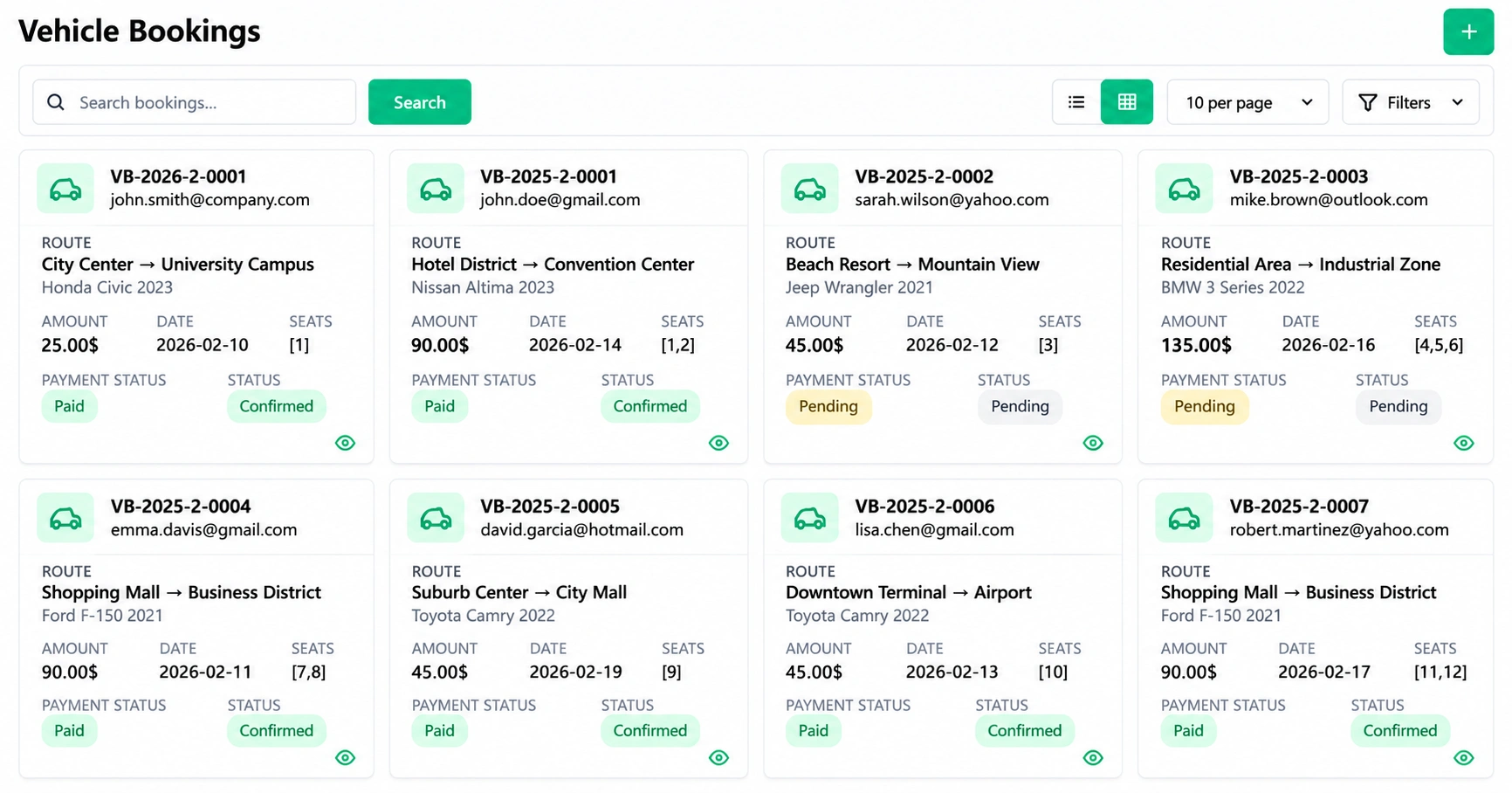
Seats booked by phone and spreadsheet are hard to count. Here passengers choose their own seats on a route, and availability updates in real time.
-
Seat selection: passengers choose seats, enter details and pay securely online.
-
Instant confirmation: a downloadable receipt follows each booking.
-
Reusable routes: drop-off points, times and prices are saved once.
-
Fleet records: fuel, maintenance and incidents are logged per vehicle.
With seat booking by route, our shuttle vans leave full and every passenger is confirmed before pickup.
More Control Over Group Trips and Event Tickets
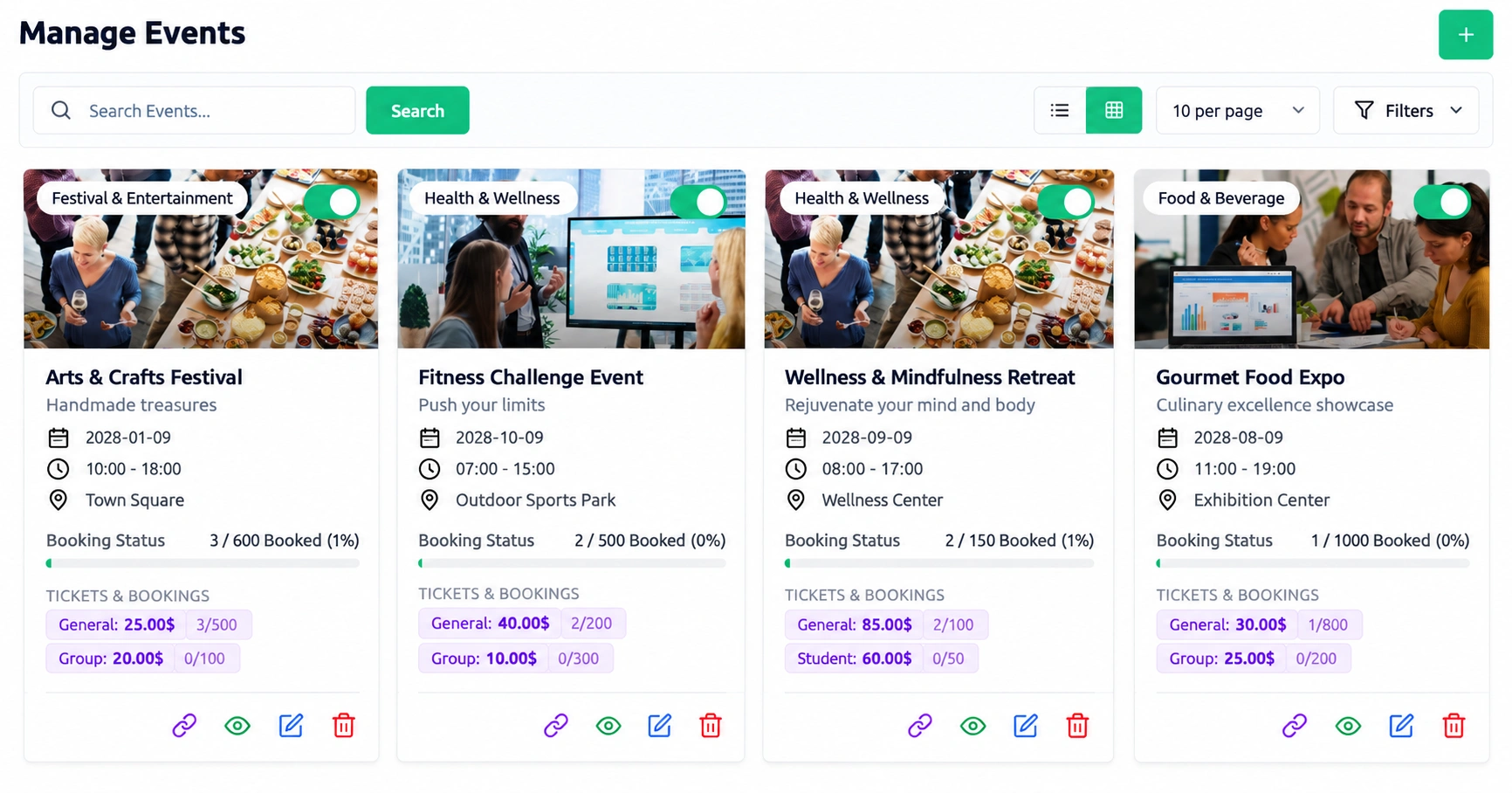
Festival trips and group departures need several ticket types at once. Each event gets its own dates, slots and booking link.
-
Several prices, one event: early bird, group and VIP tickets sell side by side.
-
Repeat departures: one event can run on several dates and time slots.
-
Entry: each booking gets a booking number and a PDF ticket with a barcode.
-
Sales view: bookings by status and daily bookings for the last week.
Ticket types, seat limits and payments all run from one screen instead of three tools.
Insurance Handled Inside the Booking
Cover plans added by hand are easy to lose. Policies, installments and claims stay with the booking they belong to.
-
Plans you define: each policy type has its own code, amount, terms and tax.
-
Your call: approve or decline each policy.
-
Spread the premium: installments, with invoices created from the approved ones.
-
No lost claims: each claim is tracked to payment, with a history of every action.
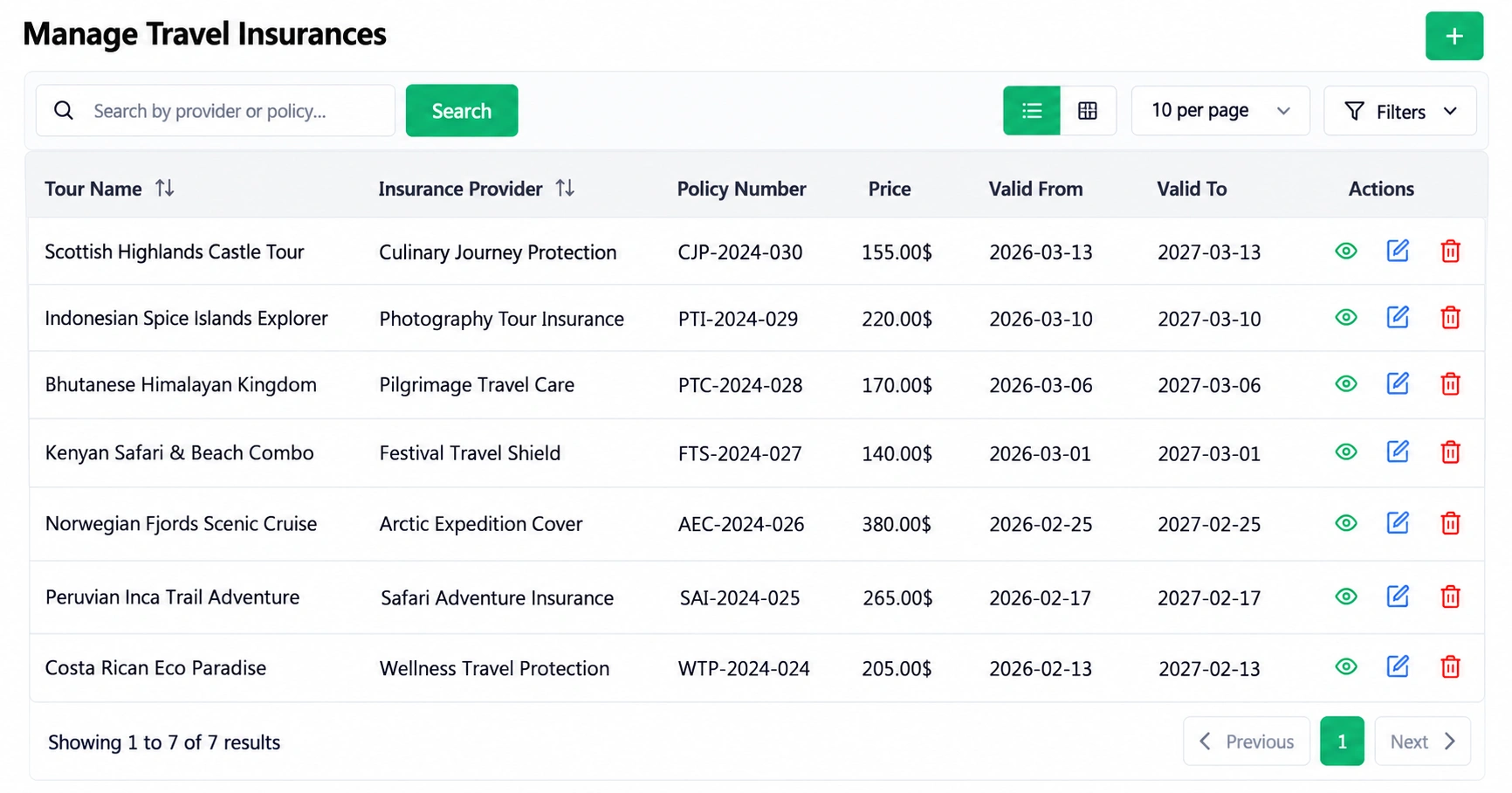
Policies, installments and claims are now tracked in the same system as the booking.
Paperwork and Supplier Contracts Under Control
Passport copies and hotel agreements get buried in inboxes. Numbered records with privacy settings keep them easy to find.
-
Traveler files: passports, visa letters and tickets get a number each.
-
Access control: private or public per document, plus notes and comments.
-
Supplier agreements: hotel, transport and guide contracts show value, dates and renewals.
-
Signed online: both parties sign, and the signature is stored with an audit trail.
Every document now has its own number and private access, so nothing goes missing before departure.
Trip Costs Settled the Same Day
Guides carry cash and often settle on paper after the tour. Cash floats and requests put every cost on record as it happens.
-
A float for each guide: the balance, spending and cash left stay visible.
-
Requests with receipts: reimbursements go through multi-step approval.
-
Categories: every expense is assigned to a category.
Good to know: accounting and tax automation are not listed among the features.
With petty cash requests and reimbursements, accounts sees every expense the same day.
Clearer Team Coordination and Traveler Feedback
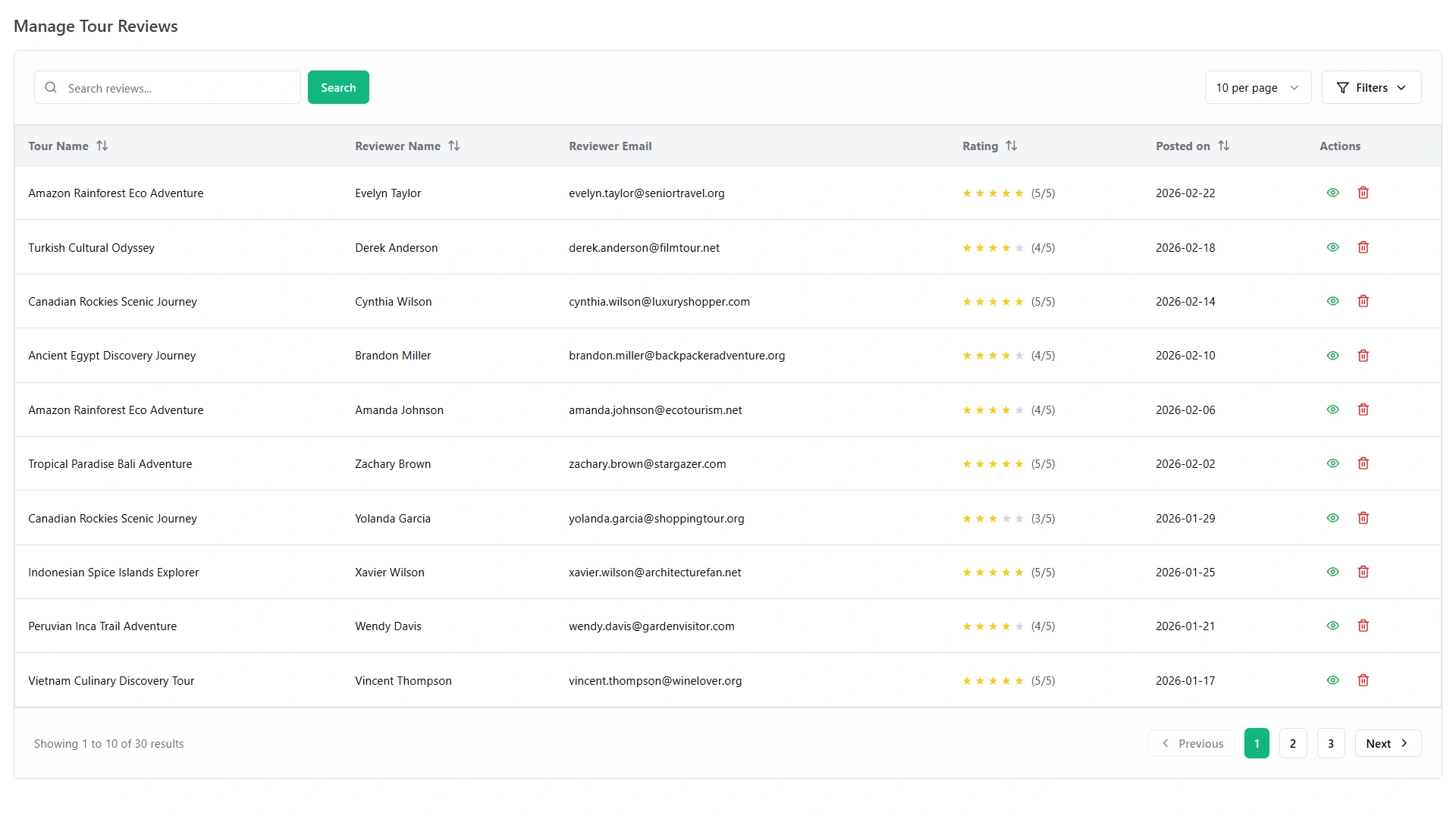
Travel agency software benefits include a team that knows the plan before departure. Alerts, a calendar and notices keep everyone on it, and ratings show what to fix.
-
SMS alerts: your team gets texts for the events you choose, sent through your own gateway.
-
One calendar: bookings, tasks and deadlines, synced with Google Calendar.
-
Notices: departure updates and guide rosters, pinned, with read tracking.
-
Ratings: travelers and staff leave stars and comments.
Good to know: you need your own SMS gateway account, such as Twilio.
SMS alerts for the events we switch on and one shared calendar keep our tour managers organized, so nothing slips before a departure.
A Lower, Predictable Cost
Among the benefits of tour management software, a fixed price is the easiest to measure. WorkDo sells the full system for one payment.
One payment for lifetime access to all 17 modules.
- One payment: $279 for lifetime access to all 17 modules.
- Compare: WorkDo's own price list totals $697 for the same modules bought one by one.
- Source code: the full source code is included.
- Updates: free future updates.
What mattered to us was owning the software outright.
Good to Know Before You Choose
The tour operator software benefits above all come from features WorkDo lists. These are not listed:
- Flight, hotel and car booking from supplier inventory.
- GDS and supplier connections.
- Channel sync with resellers.
- Accounting and tax automation.
If you need one of these, keep it in a separate tool and use WorkDo for tours, bookings, transfers, tickets and paperwork.
Get These Benefits in Your First Week
Here is one way to set up the system in five working days:

- Day 1: build your first tour with its day-by-day plan, meals, transport legs and emergency contacts.
- Day 2: set adult and child prices and publish the tour on your branded website.
- Day 3: add a transfer route with seat booking, or an event with ticket types.
- Day 4: create a policy type, add traveler documents and save a supplier contract.
- Day 5: give a guide a cash float, switch on SMS alerts and share your booking link or QR code.
Each step uses a tool described on the travel booking software features page.
See Every Benefit in the Live Demo
The demo has every travel module switched on, so you can try each benefit before you buy. To see how each kind of travel business uses them, read how a travel agency management system fits each one.
You can test every one of these benefits today, for one payment of $279.
- One Payment.
- Lifetime Access.
- Everything Included.