

Benefits of ERP Software for Modern Businesses
Explore the benefits of ERP software to improve efficiency, reduce errors, and enhance business growth.

Benefits of ERP Software for Modern Businesses
The finance team is chasing numbers from sales. Sales is pulling reports from a CRM that doesn’t talk to inventory. The inventory are updating a spreadsheet that was last accurate three days ago. Everyone is working hard, yet nobody trusts the final report.
That gap between effort and results is exactly what the benefits of ERP software are designed to close. An ERP (Enterprise Resource Planning) system connects finance, sales, HR, inventory, and operations into one platform, so every team works from the same live data instead of their own version of it.
In this guide, we’ll break down the real advantages of ERP, back them with current data, and help you figure out which type of ERP actually fits your business.
The Six Core Benefits of ERP Software
At a high level, the benefits of an ERP system come from one simple shift: replacing disconnected tools and spreadsheets with a single, shared platform.
When every department records data in the same system:
- Information flows automatically instead of being retyped between tools
- Reports reflect reality right now, not last week
- Processes follow one standard workflow instead of each team’s personal method
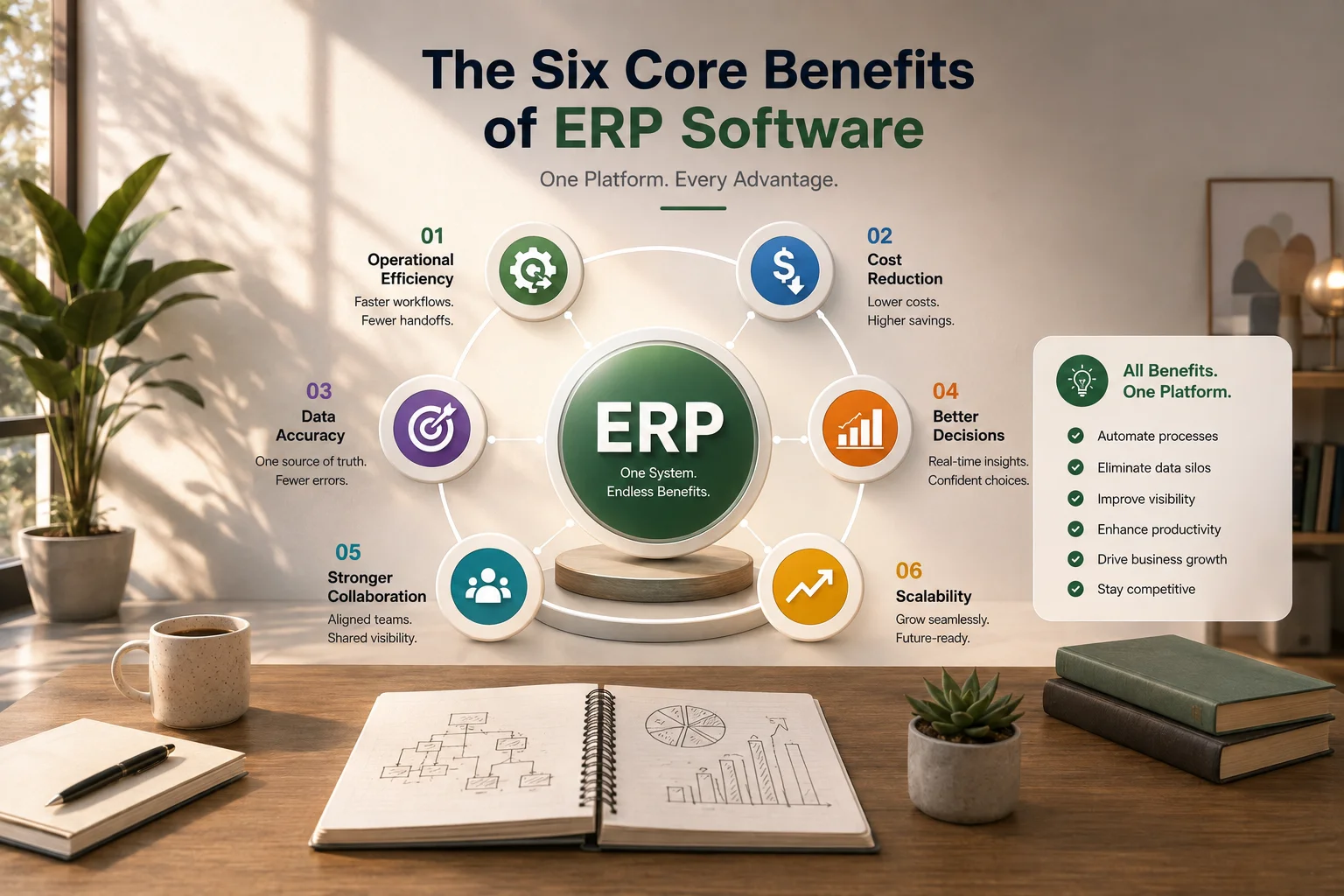
Here are the six benefits that matter most (we’ll unpack each one below):
- Operational efficiency: faster workflows with fewer handoffs
- Cost reduction: less manual work, less duplication, fewer tools to pay for
- Data accuracy: one source of truth, dramatically fewer errors
- Better decisions: real-time dashboards instead of gut feel
- Stronger collaboration: every team sees the same picture
- Scalability: systems that grow with you instead of breaking
1. Operational Efficiency Improvement
Ask any operations manager where their day goes, and the answer is rarely “strategic work”. It’s chasing approvals, re-entering data, and fixing handoff mistakes.
This is where ERP delivers its most visible win: faster workflows.
How ERP speeds up daily work
- Automated handoffs. When sales closes a deal, the ERP automatically triggers the invoice, updates inventory, and notifies fulfilment. No emails, no waiting.
- One-time data entry. A customer record entered once is available to sales, finance, and support instantly. No copy-pasting between the five tools.
- Built-in approvals. Purchase orders, leave requests, and expense claims are routed to the right person automatically, with reminders if they stall.
- Standardized processes. Everyone follows the same workflow, so new hires get productive faster, and quality stays consistent.
Real example: A distribution company processing 200 orders a day manually might spend 10 minutes per order across entry, verification, and invoicing. Cut that to 3 minutes with automated workflows, and you’ve recovered over 23 staff-hours every single day, without hiring anyone.
2. Cost Reduction Benefits
Efficiency is nice. Lower costs are what get CFO sign-off.
The cost-saving benefits of ERP software show up in several places, some obvious and some hidden:
- Less manual work and duplication. When data moves automatically, you need fewer hours spent on re-entry, reconciliation, and error correction.
- Fewer software subscriptions. Many businesses quietly pay for 8–12 separate tools (CRM, accounting, HR, inventory, helpdesk). An all-in-one ERP consolidates those licenses into one bill.
- Lower inventory costs. Real-time stock visibility means less over-ordering, fewer stockouts, and less capital tied up in dead inventory.
- Reduced error costs. Every wrong shipment, duplicate payment, or billing mistake has a price. ERP catches most of them before they happen.
Nucleus Research found that well-implemented ERP systems cut operational costs by around 23%, with a median payback period of about 2.5 years.
A note on pricing models: Subscription-based ERPs can cost thousands per year as your team grows, since most charge per user. That’s why some businesses prefer one-time-purchase options like Workdo’s Dash SaaS, an open-source ERP where you pay once and own the system, a meaningful difference for cost-conscious SMEs doing the five-year math.
3. Data Accuracy and Error Reduction
Here’s an uncomfortable truth: most business errors aren’t caused by careless people. They’re caused by disconnected systems that force people to re-type the same data over and over.
Every manual transfer is a chance for a typo. Every duplicate record is a future dispute. Every outdated spreadsheet is a decision waiting to go wrong.
ERP fixes this at the root:
- Single source of truth. Every customer, product, and transaction exists once, in one place. Update it there, and it updates everywhere.
- Validation at entry. The system rejects incomplete or mismatched data before it enters your records, not three weeks later during an audit.
- Automatic calculations. Taxes, totals, payroll, and stock levels are computed by the system, not by whoever built the spreadsheet formula in 2019.
- Audit trails. Every change is logged with who, what, and when. Disputes get resolved with facts instead of memory.
For finance teams especially, this is the difference between a month-end close that takes two days and one that takes two weeks.
4. Better Decision Making with ERP
Ask yourself: how long would it take you, right now, to answer, “What was our most profitable product line last quarter?”
If the honest answer is “a few days and three department emails”, you’re making decisions on delayed information, and in fast markets, delayed information is wrong information.
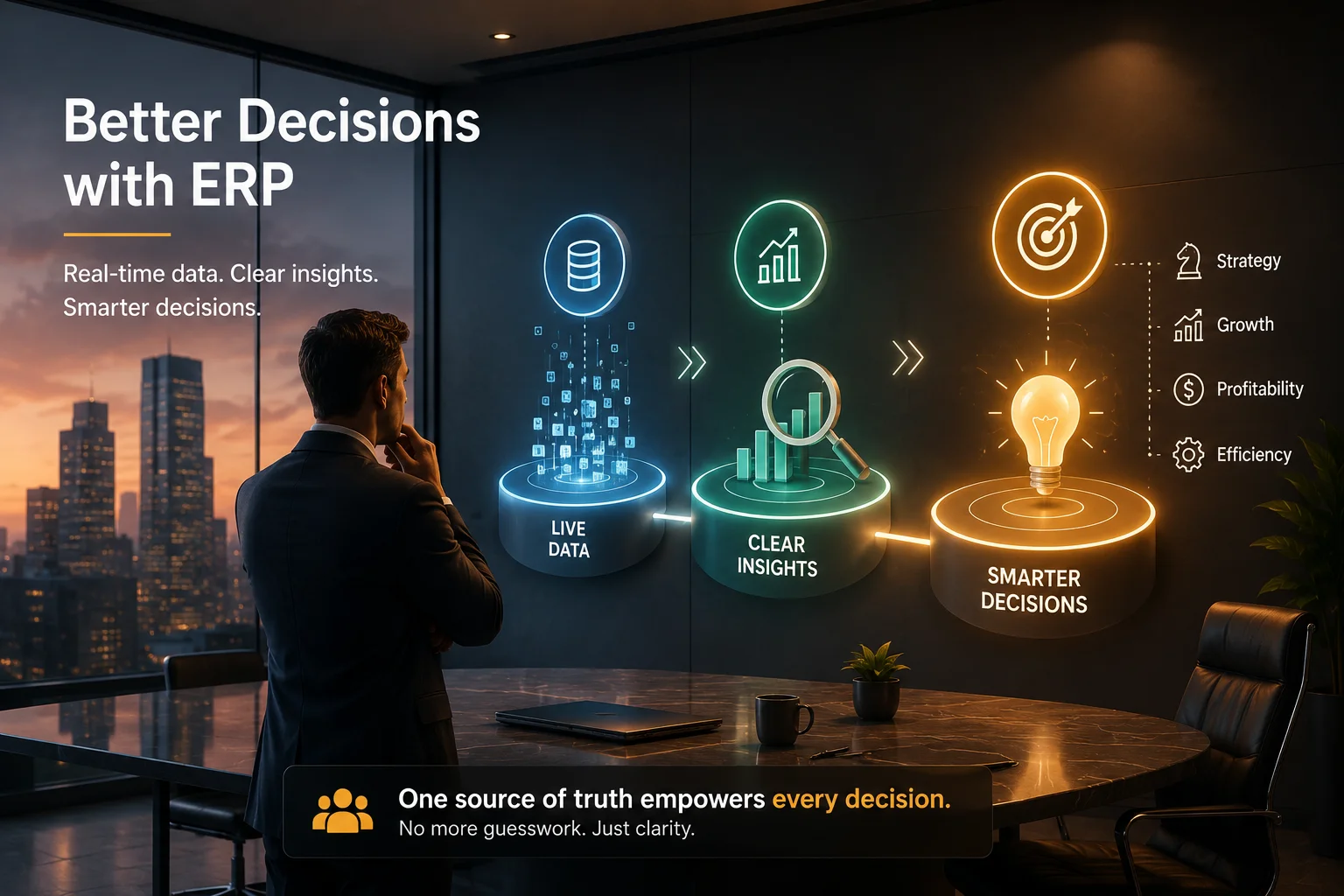
ERP changes the decision-making equation:
- Real-time dashboards. Revenue, cash flow, stock levels, and project status update live, not at month-end.
- Cross-department insights. Because sales, finance, and inventory share one database, you can finally see connections, like which customers are profitable after accounting for support costs.
- Forecasting with real data. Demand planning based on actual sales history beats guesswork every time. AI-assisted ERPs push this further with predictive analytics.
- Faster reporting. Reports that took analysts days to compile become one-click exports.
This is the quiet benefit that compounds over time. Individual decisions get slightly better and slightly faster, and over a year, that adds up to a genuinely different business.
5. Improved Collaboration Across Teams
Silos aren’t a people problem. They’re a systems problem.
ERP tears down those walls:
- Shared visibility. Everyone works from the same live data, so “my numbers vs. your numbers” arguments disappear.
- Clear ownership. Tasks, approvals, and tickets have visible owners and statuses. Nothing falls into the gap between departments.
- Fewer status meetings. When the dashboard already shows project progress, you don’t need a meeting to ask about it.
- Remote-team friendly. Cloud ERP gives distributed teams the same access as office staff, increasingly essential in 2026’s hybrid work reality.
6. Scalability Benefits for Growing Businesses
Here’s a pattern we’ve seen repeatedly: a business hits a growth spurt, and the tools that worked fine at 10 employees start cracking at 50.
Spreadsheets become unmanageable. The “quick workaround” processes break. Adding a second location doubles the administrative chaos.
ERP is built for exactly this moment:
- Add users and modules as you grow. Start with accounting and CRM, then switch on HR, inventory, or POS when you need them, without migrating to a new system.
- Handle volume without hiring. Processing 1,000 orders a month takes roughly the same admin effort as 100 when workflows are automated.
- Expand locations easily. New branches, warehouses, or even country operations plug into the same system with proper multi-currency support.
- Modular pricing. Add-On-based ERPs (Workdo’s Dash SaaS, for instance, offers 300+ Add-Ons) let you pay only for the capabilities you actually use.
The scalability benefit is really an insurance benefit: you’re buying the confidence that growth won’t break your operations.
ERP Trends Shaping 2026
The benefits above are the fundamentals. But ERP itself is evolving fast, and a few 2026 trends are worth factoring into any decision:
- AI as a baseline, not a bonus. Embedded AI now handles forecasting, anomaly detection, and even drafting reports. It’s shifting from a premium feature to an expected one.
- Cloud-first everything. New implementations overwhelmingly choose cloud deployment for lower upfront cost and faster rollout.
- Compliance automation. With e-invoicing mandates rolling out across multiple countries, ERPs with built-in tax and invoice compliance save serious legal headaches.
- Verticalization. Industry-specific configurations (manufacturing, healthcare, construction, retail) are replacing one-size-fits-all setups.
- Open-source momentum. More SMEs are choosing open-source ERP platforms for code ownership, white-label options, and freedom from per-user subscription creep.
Industry-Specific Benefits of ERP
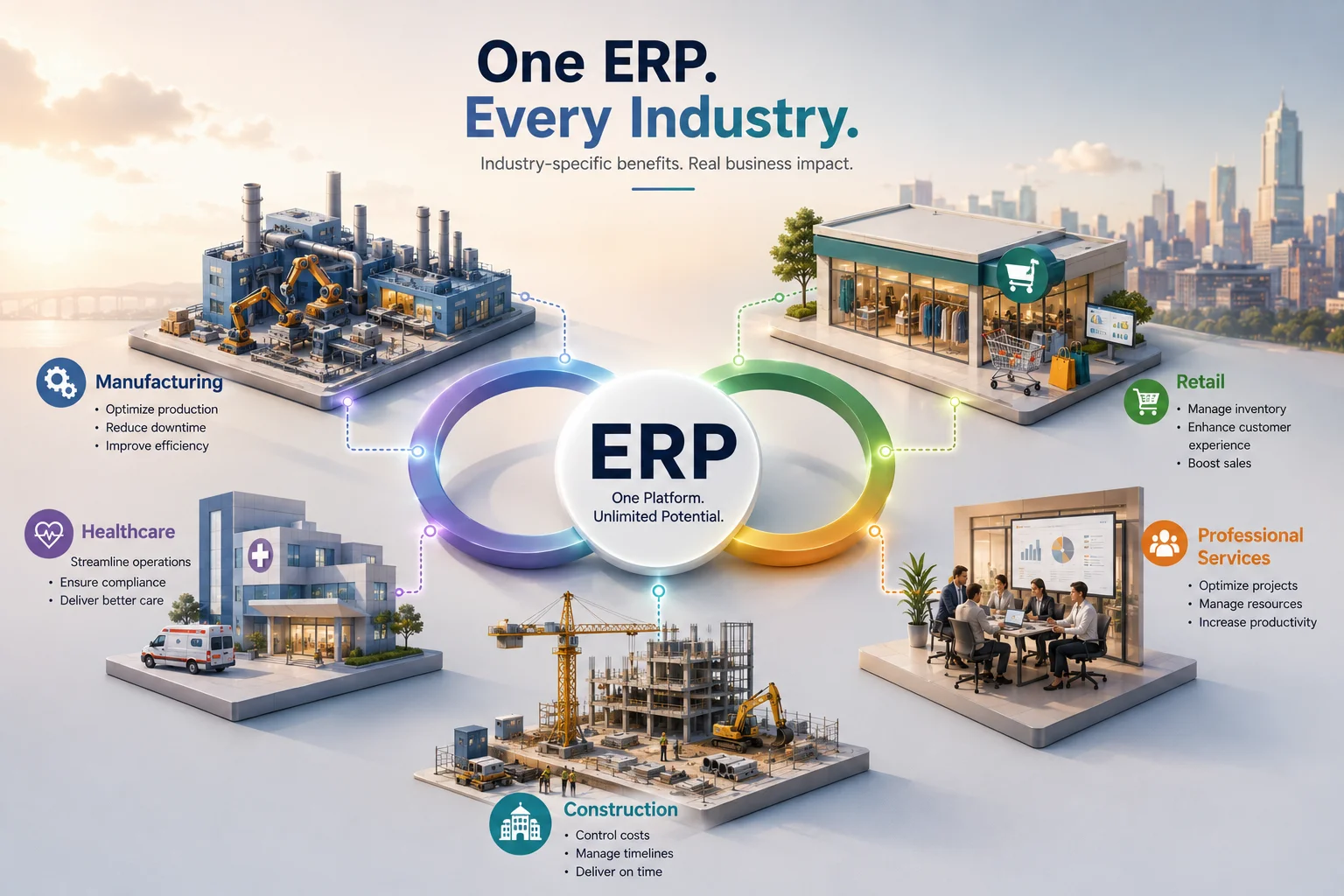
Generic ERP advice is useful, but the real value often shows up differently depending on the industry. Here’s how the same six benefits translate across a few common sectors, following naturally from the trends above.
Manufacturing.
Manufacturers live and die by the shop floor. An ERP with manufacturing modules connects bill-of-materials data, machine scheduling, and raw material inventory into one view. That means production planners can see exactly what materials are on hand before committing to a run, and finance can see true product costs (labor, materials, overhead) instead of rough estimates. Downtime tracking and preventive maintenance scheduling, both fed by the same system, cut unplanned stoppages significantly.
For a detailed look at production planning, inventory control, and manufacturing workflows, explore our guide: ERP for Manufacturing Businesses.
Retail and e-commerce.
For retail, the benefit that matters most is inventory synchronization across channels. A single customer order shouldn’t cause a stockout on the website while the warehouse still shows units on the shelf. ERP with point-of-sale and e-commerce integrations keeps stock counts accurate across physical stores, marketplaces, and online carts in real time, which directly reduces both overselling and lost sales from phantom stockouts.
For businesses looking to improve inventory accuracy and synchronize stock across multiple sales channels, explore our guide on ERP for Retail and E-commerce Businesses.
Healthcare and regulated industries.
Here, compliance and traceability outweigh almost everything else. ERPs built for healthcare or other regulated environments emphasize audit trails, role-based access, and data residency controls. The efficiency gains still apply, but the primary driver is usually risk reduction: being able to prove, instantly, who touched a record and when.
Learn how compliance, traceability, and secure data management are simplified in our guide to ERP for Healthcare and Regulated Industries.
Professional services and agencies.
Agencies managing multiple clients benefit most from time tracking, project profitability reporting. Being able to see, at a glance, which clients are profitable after accounting for actual hours spent (not just the invoice total) often reshapes how an agency prices its next contract.
Discover how service-based businesses can improve project profitability and resource management with ERP for Professional Services and Agencies.
Construction.
Construction firms deal with long project cycles, subcontractor payments, and shifting material costs. ERP modules for project costing and progress billing let a contractor track budget-versus-actual spend on a job in real time, rather than discovering a cost overrun after the project closes.
See how contractors can manage project costs, subcontractors, and budgeting more effectively in our guide to ERP for Construction Companies.
The takeaway: the six core benefits of ERP don’t change industry to industry, but which one delivers the most value, and which modules you should prioritize first, absolutely does.
Calculating the ROI of an ERP System
Once you know which benefits matter most for your industry, the next natural question is what they’re actually worth in dollars. Numbers matter more than promises when it’s time to justify the investment to leadership. Here’s a simple framework for estimating ROI before you commit to a platform.
Step 1: Add up your current hidden costs.
- Hours per week spent on manual data entry and reconciliation
- Cost of maintaining multiple software subscriptions that overlap in function
- Estimated cost of errors (returned shipments, billing corrections, missed deadlines) over the past 12 months
- Inventory carrying costs from over-ordering or emergency reordering
Step 2: Estimate your realistic savings.
Using industry benchmarks like the ~23% operational cost reduction reported by Nucleus Research, apply a conservative version (say, 10–15%) to your current operating costs to get a cautious savings estimate, rather than assuming best-case results from day one.
Step 3: Factor in the payback period.
Most well-implemented ERP systems pay for themselves within two to three years. If your projected savings don’t clear the total cost of ownership (license or purchase cost, implementation, training, and ongoing support) within that window, it’s worth reconsidering scope or vendor.
Step 4: Don’t forget the non-financial ROI.
Faster decision-making, better employee morale (less busywork), and improved customer experience don’t show up neatly on a spreadsheet, but they compound over time and often matter more than the direct cost savings.
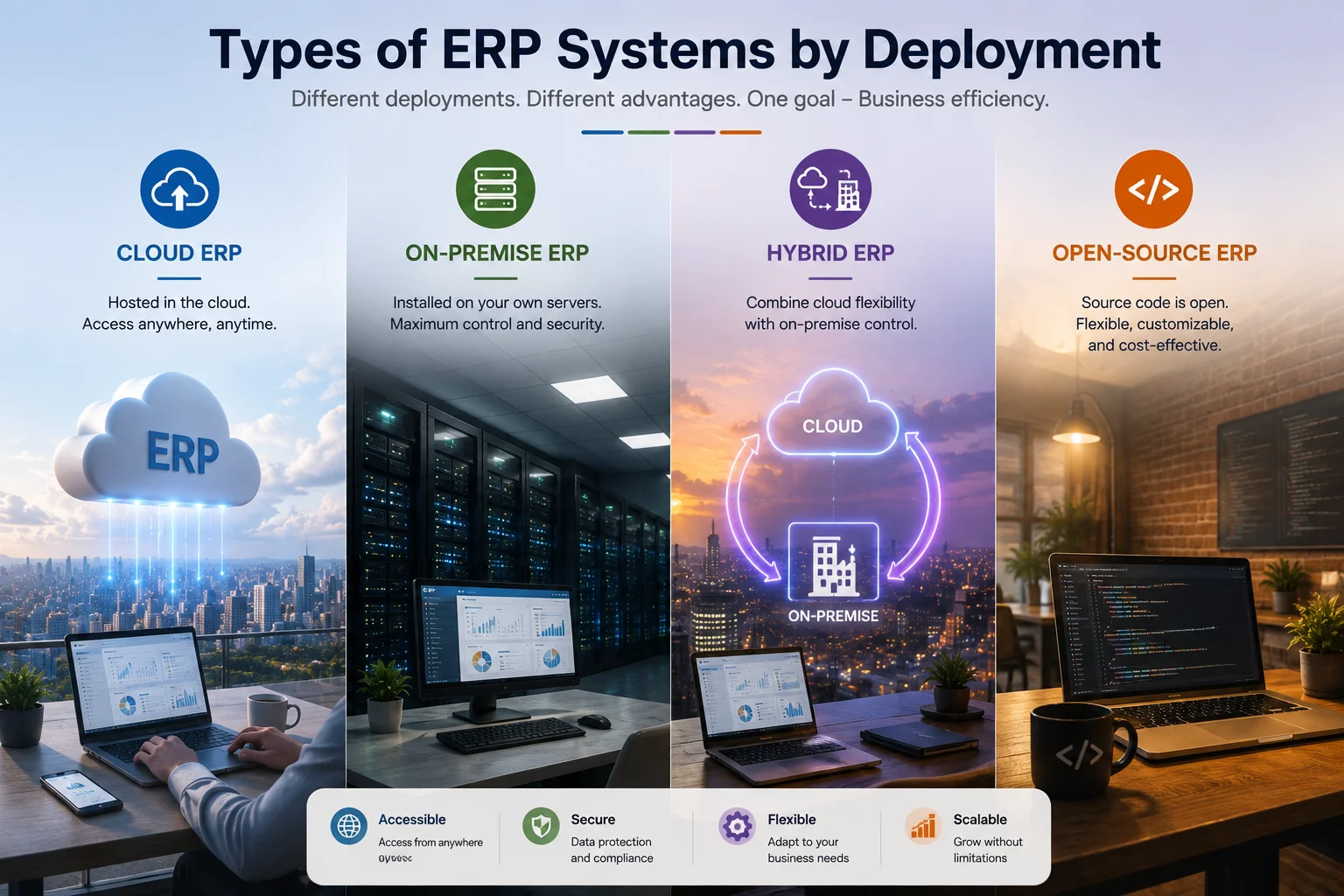
Which Type of ERP Would Be Right for Your Business?
Not every business needs the same ERP, and picking the wrong deployment model erases many of the benefits above. Here’s a quick decision guide:
| ERP Type | Best For | Watch Out For |
|---|---|---|
| Cloud ERP (SaaS) | SMEs wanting fast setup, low upfront cost, and remote access | Ongoing subscription fees grow with your team |
| On-Premise ERP | Regulated industries needing full data control | High upfront cost, needs internal IT |
| Hybrid ERP | Enterprises transitioning gradually to the cloud | Complexity of managing both environments |
| Open-Source ERP | Businesses wanting ownership, customization, and one-time pricing | Requires some technical comfort (or a good partner) |
Quick self-check:
- Under 50 employees, no IT team? → Cloud or hosted open-source ERP.
- Strict data-residency rules (healthcare, government)? → On-premise or private cloud.
- Worried about subscription costs stacking up? → Consider open-source, one-time-payment platforms like Workdo’s Dash SaaS, which combines cloud convenience with ownership pricing.
The Honest Part: ERP Limitations to Know
Any guide that only lists advantages isn’t telling you the whole story. ERP delivers real benefits, but only when implemented well, and industry data shows that’s not automatic.
The realistic downsides:
- Implementation takes effort. Data migration and process setup take weeks to months. Studies show over half of ERP projects run past their original budget or timeline.
- Change resistance is real. Teams comfortable with their spreadsheets will push back. Training and leadership buy-in matter as much as the software.
- Garbage in, garbage out. ERP centralizes your data, including your bad data. Cleaning records before migration is unglamorous but essential.
- Over-customization backfires. Bending the system to replicate every old habit creates a fragile setup. Adapt processes to proven workflows where possible.
The good news: these are process risks, not product flaws. Businesses that start with core modules, migrate clean data, and train properly consistently land in the success column. A detailed user manual and phased rollout go a long way.
Summary of Enterprise Resource Planning Benefits
Here’s the whole article in one table:
| Benefit | What Changes | Business Impact |
|---|---|---|
| Operational Efficiency | Automated workflows, no re-entry | Hours saved daily, faster order-to-cash |
| Cost Reduction | Fewer tools, less manual labor | ~23% lower operational costs (Nucleus Research) |
| Data Accuracy | Single source of truth, validation | Fewer errors, faster audits and closes |
| Better Decisions | Real-time dashboards, forecasting | Faster, evidence-based choices |
| Collaboration | Shared visibility across teams | Fewer silos, fewer status meetings |
| Scalability | Modular growth | Growth without operational chaos |
Why ERP Matters for Businesses in 2026
ERP stopped being an “enterprise-only” tool a long time ago. The numbers make that clear.
According to Grand View Research, the global ERP software market is estimated at $83.2 billion in 2026 and is on track to nearly double to $157.1 billion by 2033. Panorama Consulting’s research shows that 95% of companies with over $1 billion in revenue already run an ERP, and adoption among small- and mid-sized businesses is now the fastest-growing segment.
Why the rush? Three reasons stand out:
- Cloud ERP removed the cost barrier. Businesses no longer need servers and an IT department to run enterprise-grade software. Cloud deployments now make up well over half of all ERP implementations.
- Data expectations changed. Customers, investors, and managers all expect real-time answers. Spreadsheets can’t keep up.
- AI made ERP smarter. Companies using AI-enabled ERP report around 20% better forecasting accuracy and 15% lower operational costs, based on industry studies.
In short: your competitors are probably already running on integrated systems. The question isn’t whether ERP matters; it’s which benefits matter most for your business.
Final Thoughts: Turn Benefits Into Results
The benefits of ERP software aren’t theoretical; faster workflows, lower costs, accurate data, sharper decisions, connected teams, and room to grow are showing up in real numbers across more than a million businesses worldwide.
Weigh the advantages of an ERP system against your current setup, and the math usually isn’t close.
But the benefits only arrive when the system fits your business: your size, your budget, your industry, and your growth plans.
If you want an ERP that combines all six benefits without the subscription treadmill, take a look at WorkDo’s Dash SaaS, an open-source, AI-powered ERP with 300+ Add-Ons, and a one-time payment model.
 Frequently Asked Questions (FAQs)
We're Here to Help - Let's Talk
Have questions about our solutions, customization services, or business tools? Our team is here to help you. let's talk.