
A Complete Guide to ERP (Enterprise Resource Planning) Systems
ERP software manages finance, HR, sales, and supply chain in one unified business system.

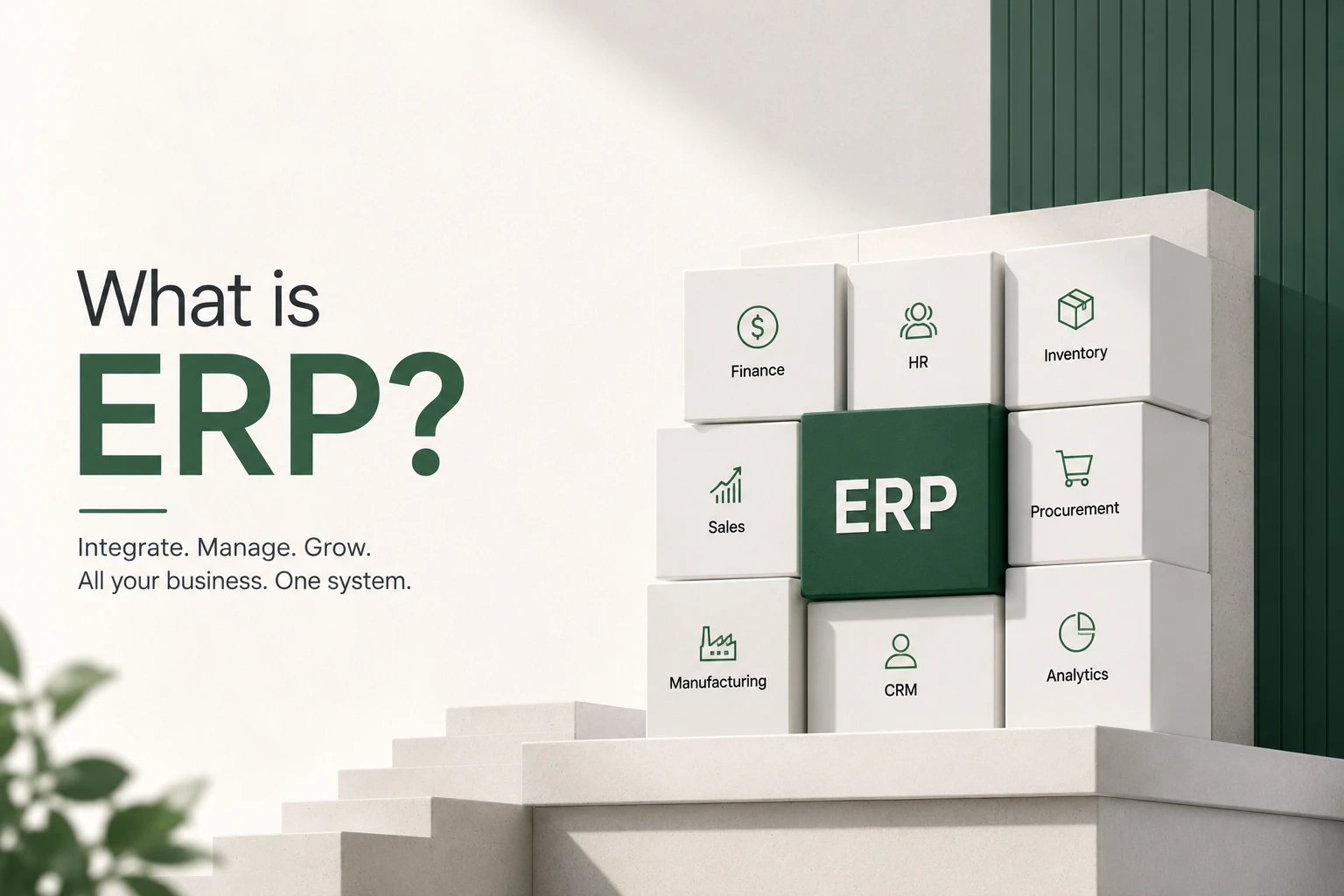
What is ERP? – Meaning and Full Form Explained
Enterprise Resource Planning is a sophisticated company management tool that unifies key operations from multiple departments into a single system. The full form highlights its purpose: Enterprise indicates organization-wide, Resource signifies all operational tools, and Planning reflects strategic use. In short, it’s a solution that connects finance, HR, sales, inventory, and more, helping organizations optimize efficiency.
In simpler terms, the meaning of ERP is a software system designed to manage and automate daily business activities. Companies like WorkDo.io specialize in offering customizable solutions to streamline operations. To put it clearly: it’s a central platform that supports informed decision-making.
ERP Definition – Understanding Enterprise Resource Planning
The definition of ERP extends beyond just software. It represents a strategic approach to resource planning, allowing businesses to integrate every part of their operations. In modern terms, it means real-time data management, automation, and interconnectivity across teams.
When we define enterprise resource planning, we refer to systems that unify departments like finance, procurement, logistics, and human resources. The abbreviation encapsulates this integration, making the technology essential for digital transformation. WorkDo.io brings this to life by offering scalable, cloud-based solutions.
What Does ERP Stand For in Software?
In software terms, ERP stands for Enterprise Resource Planning—a term used to describe software that manages all internal business functions within a central system. The full form in software matches its real-world application: it’s about planning enterprise resources through digital platforms.
The full form of this software shows how critical it is for business management. ERP software full form is commonly used when companies evaluate digital tools for scaling. For any growing business, understanding this term is the first step toward innovation.
ERP in Business – Role and Importance Explained
The role of ERP in business is central. These platforms improve visibility, collaboration, and operational efficiency. So, what is its real significance? It lies in reducing manual workloads and errors by digitizing workflows. The enterprise resource planning meaning reflects how the system enables better productivity and cost control.
In today’s competitive environment, business management systems from WorkDo.io empower leaders with real-time insights. Companies adopt this technology to stay agile, meet customer demands, and comply with regulations while driving profits.
ERP Tools and Platforms – What Are They Used For?
ERP tools are software components that support specific functions like accounting, CRM, supply chain, or HR. Each tool helps automate repetitive tasks and improve communication across departments. When people ask, “What is an ERP tool used for?”—the answer is simple: for managing core business activities.
These platforms integrate analytics and reporting into a unified interface. With WorkDo.io, businesses can customize the toolset for unique needs, whether in retail, manufacturing, or service industries. Choosing the right solution significantly boosts organizational efficiency.
ERP Applications and Modules – Key Functional Areas
ERP applications encompass a wide range of business processes. Common modules include finance, inventory, sales, CRM, project management, and HR. Each function operates as a module that interacts with the others for seamless data flow.
Types of ERP Systems – Choose the Right Software
There are various types of ERP systems: on-premise, cloud-based, hybrid, open-source, and industry-specific. Each of these enterprise resource planning categories serves a different business model. Companies must select the option that matches their scale and industry.
From small startups to global enterprises, the deployment models offered by WorkDo.io can cater to diverse requirements. Whether you need manufacturing, retail, or finance-focused software, there’s a solution tailored for your goals.
ERP in Accounting and Finance – A Guide to Financial Management
ERP finance modules manage budgeting, accounting, invoicing, and financial reporting. A robust financial system ensures compliance, accuracy, and transparency. In terms of financial management, automation reduces manual entry and human error.
With accounting integrated into the platform, your business can easily track expenses and revenues in real-time. For organizations exploring this area, WorkDo.io delivers comprehensive financial solutions that ensure fiscal control and scalability.
How Do ERP Systems Work?
ERP systems work by integrating various business processes into a single unified platform, allowing seamless data sharing across departments. Each module—such as finance, inventory, human resources, or customer service—connects to a central database. This ensures that data entered in one area (like a new customer order) instantly updates relevant areas like inventory, billing, and shipping.
A typical enterprise resource planning system uses real-time processing to provide immediate access to key metrics, reducing delays and human errors. The platform tracks workflows from end to end—whether it’s procurement, production, or payroll. This interconnected structure forms the backbone of modern business management solutions.
WorkDo.io is designed to work flexibly in the cloud or on-premise, making it scalable for small, medium, or enterprise-level businesses. Thanks to automation, data centralization, and custom modules, the system improves decision-making and operational efficiency while reducing redundant tasks.
Whether it’s for financial analysis, supply chain visibility, or HR management, the Workdo.io platform ensures all processes stay connected. That’s the true value of how this software works in today’s digital landscape.
ERP Implementation – How These Systems Are Deployed
ERP implementation involves planning, configuration, data migration, training, and testing. The process varies depending on company size and needs but generally follows a structured rollout strategy. Efficient execution leads to successful adoption and ROI.
Workflow modeling allows simulation of business processes before deployment, ensuring alignment with objectives. With project management tools from Workdo.io, deployment becomes faster and smoother, reducing disruption and maximizing results.
ERP Database and System Architecture
An ERP database is the core data repository that stores all transactional and master data. The system structure includes a centralized database, user interface, and integration layers. The full definition encompasses both software components and infrastructure.
In product development, security, scalability, and speed are key. With WorkDo.io, clients benefit from a robust architecture designed for high performance and modular growth.
Examples of ERP Systems and Software
Popular examples include WorkDo.io, SAP, Oracle, Microsoft Dynamics, and NetSuite. These platforms show how different industries use such systems for supply chain, HR, or finance.
Software options vary by complexity, industry, and budget. Exploring real-world examples of enterprise resource planning systems helps businesses understand available choices and make informed decisions.
Benefits of ERP Systems – Why Businesses Need Them
The benefits of ERP systems include improved efficiency, data accuracy, real-time reporting, cost savings, and regulatory compliance. These advantages of enterprise resource planning empower businesses to make informed decisions quickly.
Companies realize they need such a platform to stay competitive. With solutions from WorkDo.io, organizations gain flexibility, visibility, and integration—all in one place. The value the system provides is indispensable for modern business success.
Enterprise Resource Management System – Full Overview
An enterprise resource management system is the foundation of digital business transformation. Planning, monitoring, and enterprise-wide operation optimization tools are included in the full definition.
With solutions from WorkDo.io, companies can manage everything—from procurement to payroll—using one centralized platform. These systems ensure that businesses grow with confidence, agility, and insight.
ERP Software Development and Custom Solutions
ERP software development involves creating tailored solutions for unique workflows. Businesses often need a custom platform to meet industry-specific demands. The meaning of an ERP solution includes pre-built and bespoke functionalities.
At WorkDo.io, solutions mean more than software—they’re about creating scalable ecosystems. The company offers end-to-end development with ongoing support and customization.
Core Concepts and Introduction to Enterprise Resource Planning
Before implementation, understanding the core concepts is essential. An introduction to ERP covers system functions, modules, and business benefits. A solid grounding in enterprise resource planning builds the foundation for adoption.
These concepts show how integrated systems improve operations. Every idea presented by WorkDo.io is designed for clarity, usability, and long-term value.
ERP and CRM – Full Form and Integration Benefits
ERP and CRM integration helps businesses streamline both back-end operations and front-end customer interactions. The combined full form—Enterprise Resource Planning and Customer Relationship Management—represents this synergy.
Combining resource planning and supply chain management allows businesses to connect end-to-end workflows. WorkDo.io enables this integration seamlessly, improving both operational efficiency and customer satisfaction.
ERP Products and Services in the Market
Modern ERP products include scalable platforms for HR, finance, logistics, and more. Related services encompass implementation, customization, training, and support. Ongoing management ensures consistent system performance.
WorkDo.io clients receive comprehensive support, from consulting to post-implementation maintenance. The platform offers flexible product options to suit every business size and industry.
What Is an ERP System in Accounting?
Still wondering, what is an ERP system in accounting? It’s a software suite that manages financial data and transactions. By integrating accounting into the wider platform, businesses streamline tax management, ledgers, and forecasting.
Financial systems built this way ensure compliance and improve data accuracy. Workdo.io brings transparency and automation to all financial activities.
ERP Solution Definition – What Does It Mean?
The ERP solution definition refers to comprehensive software that manages all aspects of business operations. When asked, what is an ERP solution? — it’s the answer to fragmented systems and inefficiency.
Whether looking for pre-configured software or fully customizable platforms, these solutions mean reliable, scalable, and connected systems. WorkDo.io provides options tailored to industry needs and growth plans.
Modern ERP Systems – Latest Trends and Features
Modern ERP systems are cloud-based, AI-powered, and mobile-friendly. The contemporary approach focuses on flexibility, real-time insights, and user experience. A next-gen enterprise resource planning platform must be secure and adaptable.
WorkDo.io stays ahead by integrating cutting-edge technology into its modern offerings, ensuring clients are always prepared for market demands and digital shifts.
🌟 Why Choose Workdo.io for ERP Solutions?
When selecting an Enterprise Resource Planning (ERP) system, it’s important to choose a platform that delivers value, flexibility, and long-term benefits. WorkDo.io stands out in the market not only for its powerful features but also for its unbeatable offering. Here’s what makes Workdo.io the preferred partner for businesses worldwide:
✅ Full Source Code
Gain complete access to the full source code, giving your development team the ability to customize, extend, and scale the solution without limitations.
🛠️ Premium Support
With premium support, you get direct access to technical experts and dedicated assistance to ensure your system runs smoothly at all times.
🔄 Lifetime Updates
Workdo.io offers lifetime updates, keeping your platform secure, optimized, and aligned with the latest industry standards—at no extra cost.
🏷️ White Label Product
Rebrand the software as your own with a white label product. This is ideal for resellers, agencies, and enterprises looking to offer ERP solutions under their own brand.
💳 One-Time Payment
No monthly or recurring charges—just a one-time payment for a complete package. It’s a cost-effective way to get enterprise-grade software without long-term financial commitments.
✅ Core Features of ERPGo – Powered by WorkDo
ERPGo is not just another ERP platform—it’s your complete enterprise resource planning ecosystem. Designed to streamline operations, reduce manual workload, and enhance collaboration, ERPGo delivers robust functionality for modern businesses of all sizes.
👥 Staff Management
Manage your workforce efficiently with a centralized staff management system. Add, edit, and categorize employees across departments and roles. Monitor activities and ensure compliance from a unified dashboard.
👨💼 HR Management
Simplify your HR operations with tools. Track attendance, manage leaves, evaluate performance, and generate reports seamlessly.
🧩 Assigning Roles and Permissions
Control access by defining user privileges and limiting module visibility. Ensure sensitive data is only seen by authorized personnel.
📋 Reports Management
Make informed decisions with customized reports on finance, sales, and productivity. Gain visual insights to stay proactive.
📝 Goals and Notes
Set team goals, track progress, and use notes to document meetings, plans, or daily tasks.
📅 Events and Notice Board
Keep your team updated with a shared calendar and digital notice board for events and announcements.
⚖️ Estimates Management
Professionally handle estimates with detailed breakdowns, approval tracking, and invoice conversion.
📄 Contract Module
Digitize contract lifecycles with templates, approval workflows, and secure storage.
💬 Chat Module
Collaborate in real time with built-in chat—perfect for quick updates, discussions, and project tracking.
These features are part of WorkDo.io’s commitment to providing a future-ready, enterprise resource planning platform tailored to your business success.
🛠️ Step-by-Step Guide to Building an ERP System with WorkDo
Creating a fully functional Enterprise Resource Planning (ERP) system may seem complex, but with WorkDo.io, the process is streamlined and user-friendly. Here’s a step-by-step guide to building your own solution using the Workdo.io platform.
🔍 Step 1: Define Business Requirements
Identify your needs by outlining the business processes you want to manage—such as Accounting, HR, Inventory, Sales, or CRM. Clear goals help in selecting the right modules.
🧩 Step 2: Choose the Right ERP Modules
Select from Workdo.io’s wide range of functional modules.
🏗️ Step 3: Configure System Architecture
Set up the database, define user roles, workflows, and API integrations. Workdo.io supports modern, scalable architecture for all business sizes.
🛠️ Step 4: Customize and White Label
Use the full source code to customize UI, features, and branding. Create a white-labeled platform that reflects your company’s identity.
🔄 Step 5: Test and Deploy
Conduct functional and user acceptance testing. Then deploy the system on-premise or in the cloud with Workdo.io’s optimized deployment tools.
🧾 Step 6: Train and Onboard Users
Leverage Workdo.io’s documentation and premium support to train your team. Smooth onboarding ensures proper user adoption and efficient workflows.
🔄 Step 7: Monitor, Update, and Scale
Monitor system performance and benefit from lifetime updates. As your business grows, scale by adding new modules and integrations.
With Workdo.io, building a complete ERP solution is achievable and cost-effective. Take advantage of a one-time payment, full system control, and scalable enterprise resource management—all in one place.
📌 Frequently Asked Questions (FAQs)
Key features of ERP systems include:
- Financial Management
- Human Resource Management
- Inventory and Supply Chain Management
- Customer Relationship Management (CRM)
- Project Management
- Reporting and Analytics
There are mainly three types of ERP systems:
- On-premise ERP (installed locally)
- Cloud-based ERP (accessed via the internet)
- Hybrid ERP (a combination of both)
We're Here to Help - Let's Talk
Have questions about our solutions, customization services, or business tools? Our team is here to help you. let's talk.