
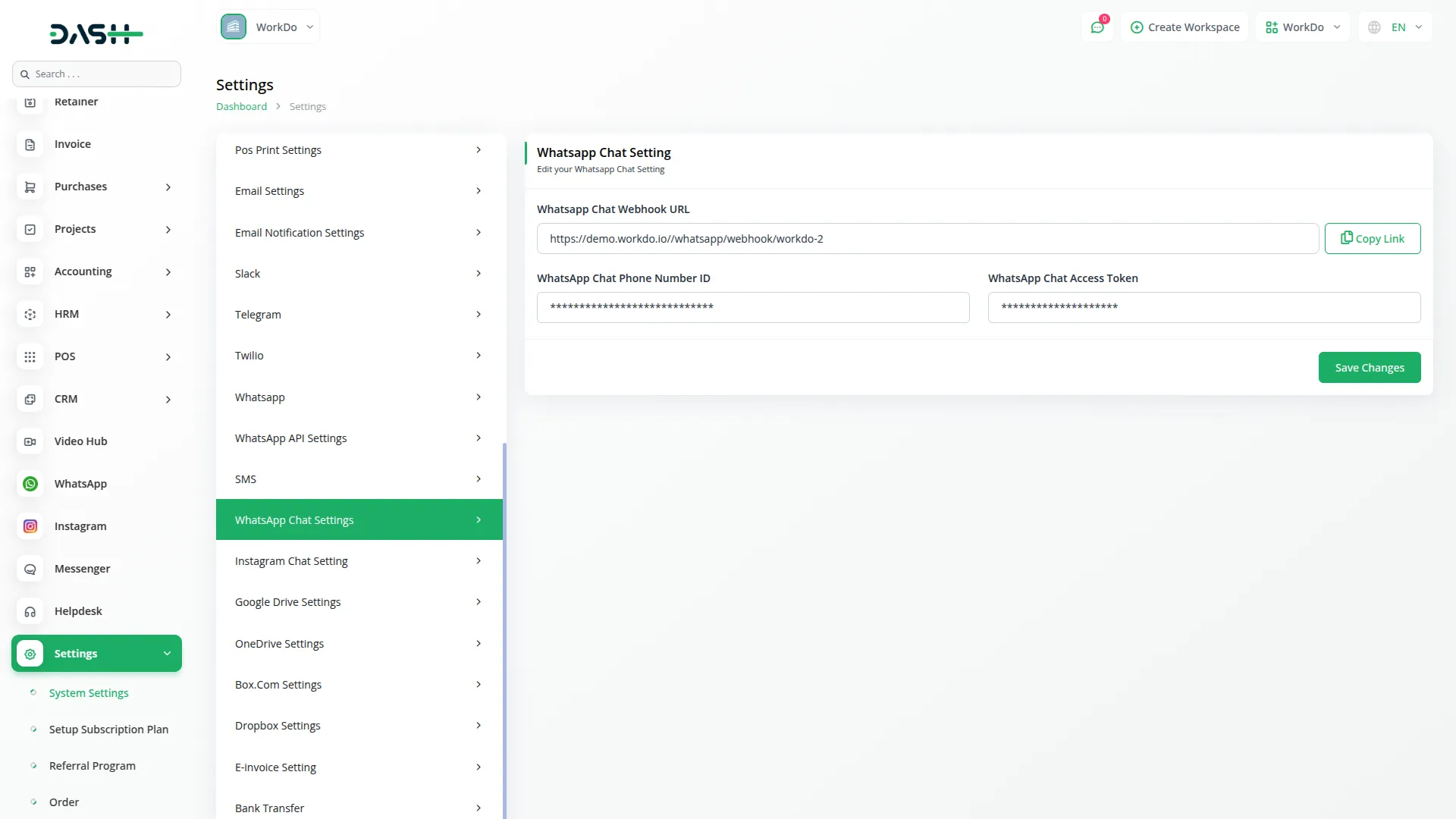
Easy Setup for WhatsApp Integration
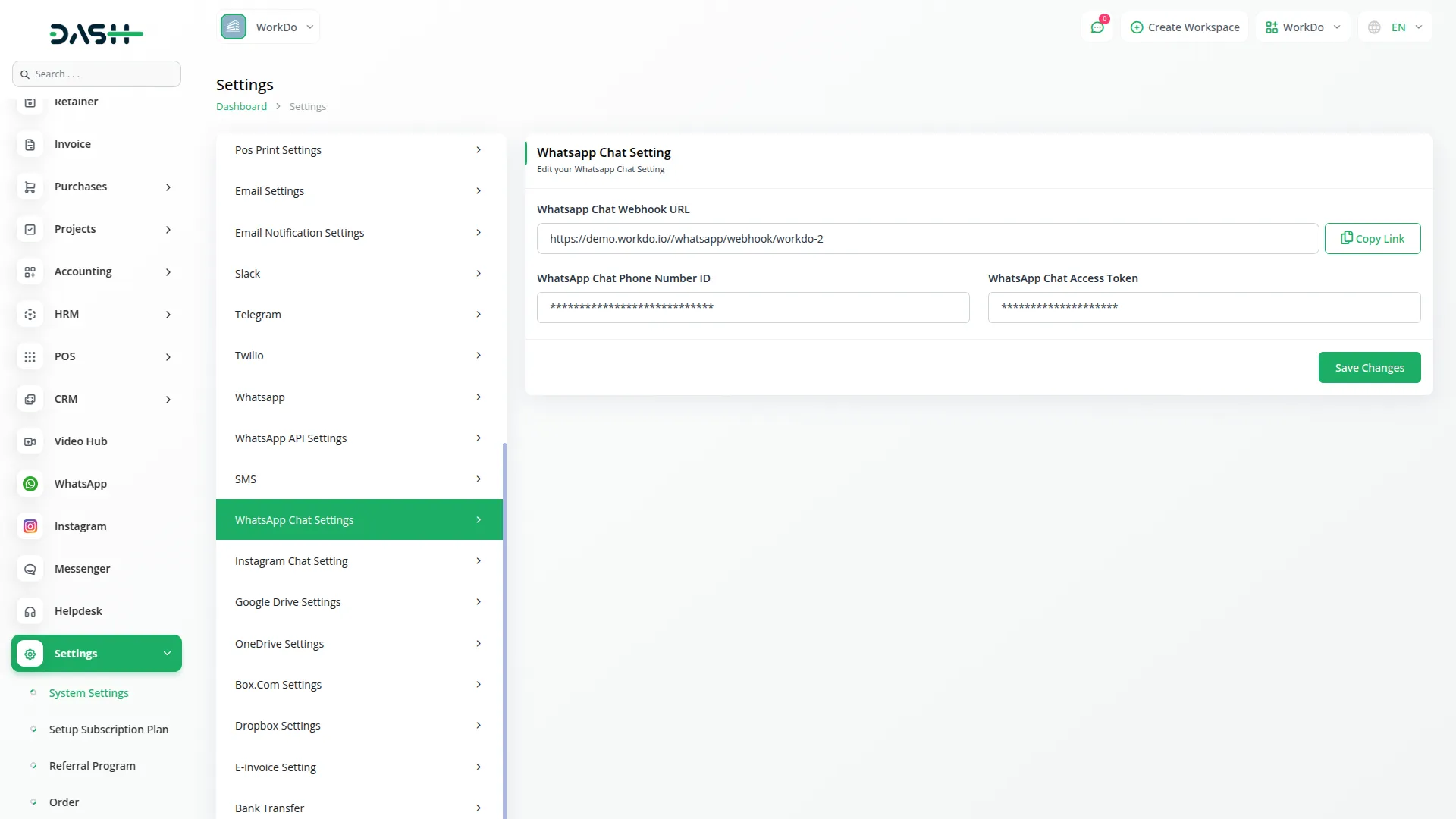
Integrating WhatsApp is quick and simple. You only need to enter your Client ID and Access Token to connect your WhatsApp account. Once this is done, all messages from your customers will instantly sync into the portal, allowing you to respond without needing to check your phone constantly. This setup helps businesses streamline their communication by keeping all chats accessible in one place. Whether you are managing customer support, handling orders, or answering inquiries, this integration makes sure that every conversation is tracked, recorded, and responded to efficiently, helping you provide a smooth and hassle-free experience to your customers.
Get Quick Responses on WhatsApp via Dash SaaS
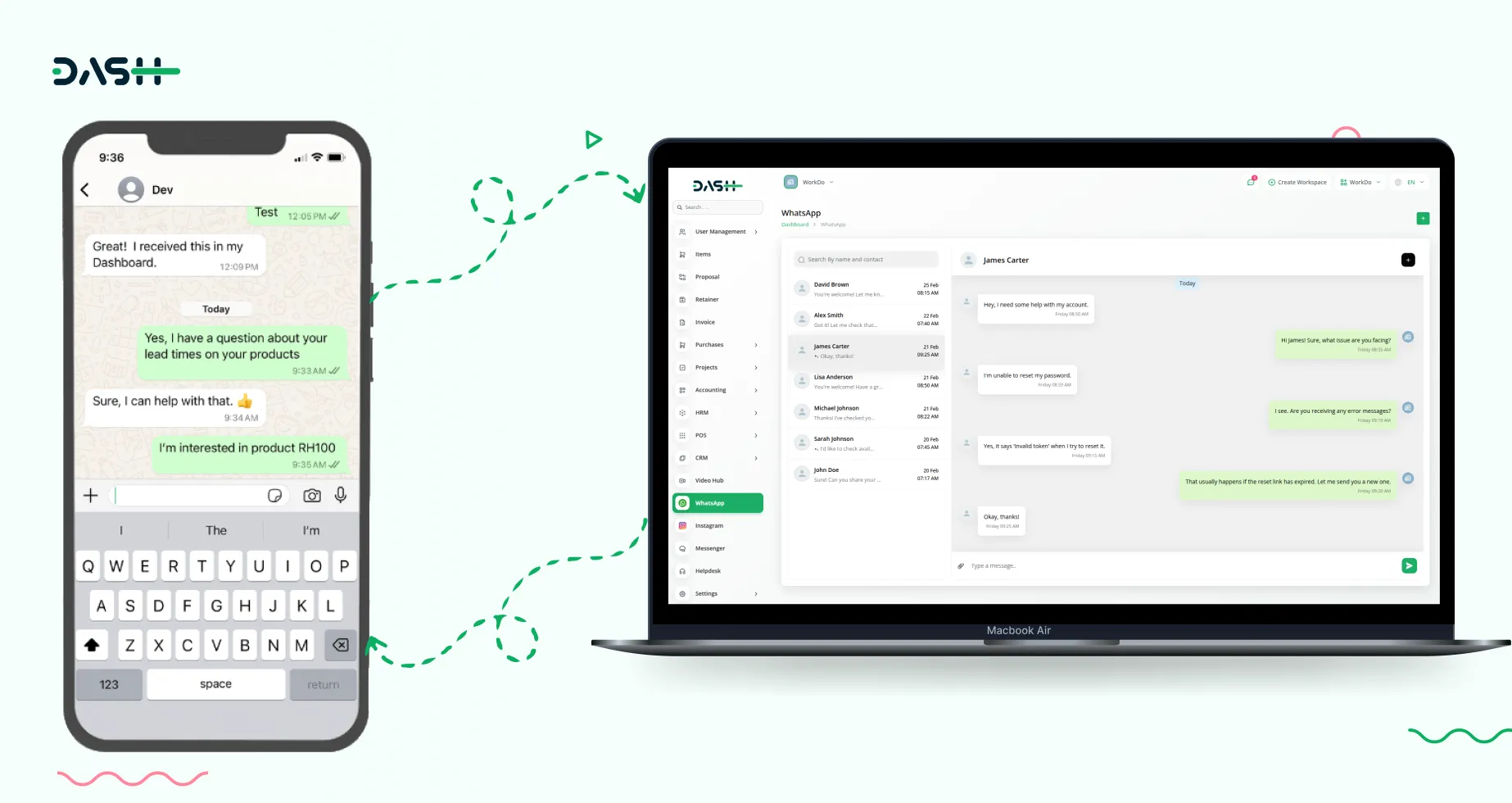
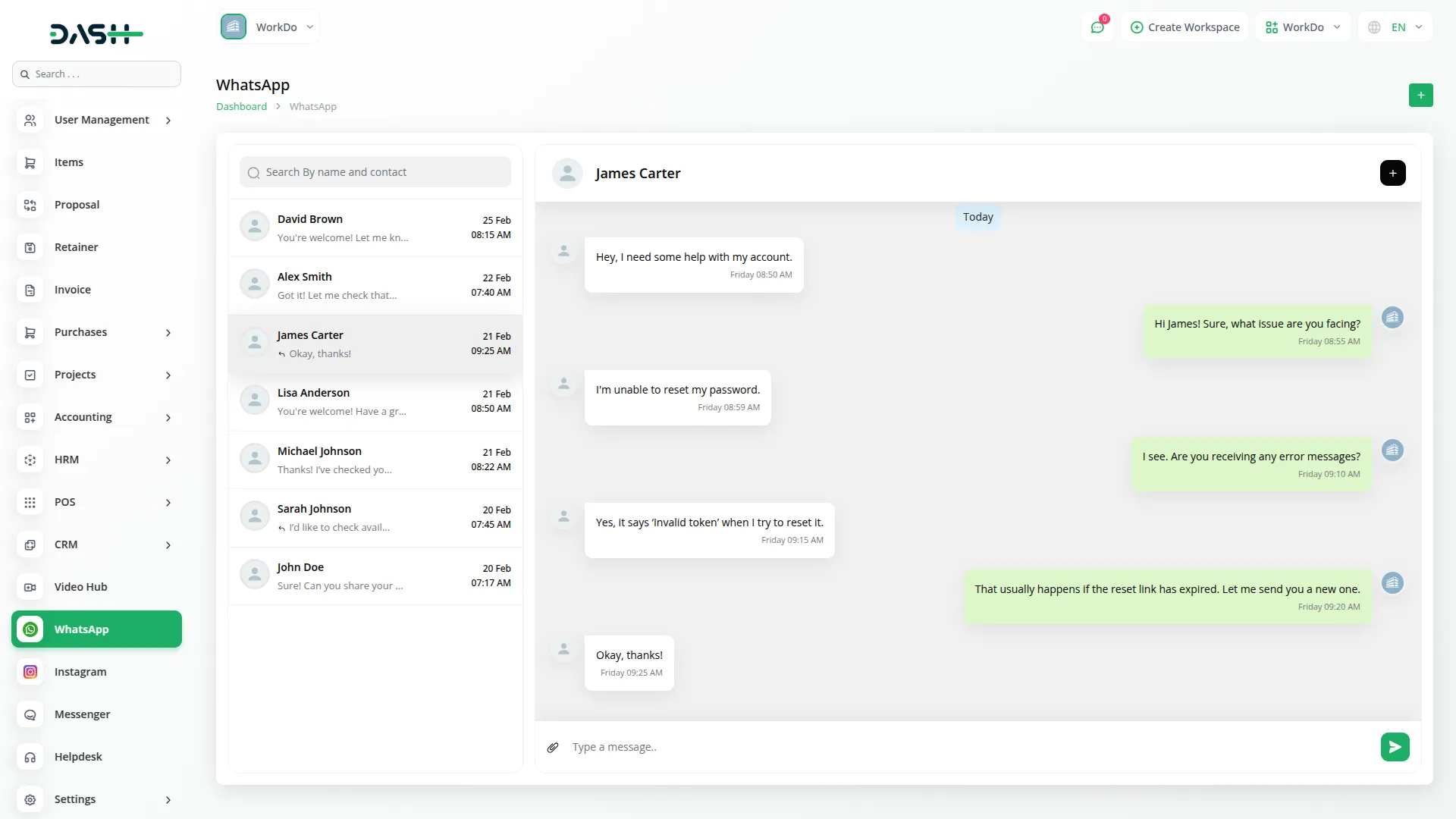
Now, reaching out to us on WhatsApp is more convenient than ever! Whenever you send us a message, we receive it directly in our portal, allowing our team to reply instantly. There’s no waiting or unnecessary delays, our responses will appear in your WhatsApp chat right away. Whether you need assistance, have a question, or are looking for an update, you can expect a fast and efficient response every time. With this integration, we ensure that our communication remains quick, reliable, and easily accessible for you at all times.
Portal Messaging and Contact Management
Once configured, the WhatsApp chat portal displays all your conversations in one centralized location. If you send a message from the portal, the message will be sent to the user's WhatsApp Chat, and if the user sends any message through WhatsApp, it will be visible on the portal. Click the "Create" button to add a new contact directly from the portal. The interface presents two radio button options: "Choose From Users" allows you to select a user from the user management system, while "Custom" lets you manually enter contact details. Contacts are automatically sorted by recent activity, and using descriptive names makes them easy to identify. Use the search function to find specific contacts quickly.
Screenshots from our system
To explore the functionality and usage of these Add-Ons, refer to the accompanying screenshots for step-by-step instructions on how to maximize their features.
Discover More Add-Ons
Unlock even more functionality with additional Add-Ons, providing enhanced networking and customization options for your Dash SaaS experience.

performance-indicator
Track employee goals, measure performance metrics, and evaluate productivity efficiently with customizable indicators, real-time insights, and detailed reports.



The features work together seamlessly creating a streamlined environment for all departments
The consistent performance gives our team the confidence to rely on the system every day.
The addons made our administration processes faster and more structured
The design is elegant and intuitive
Customization is smooth
Support team is proactive
Features improved our workflow