
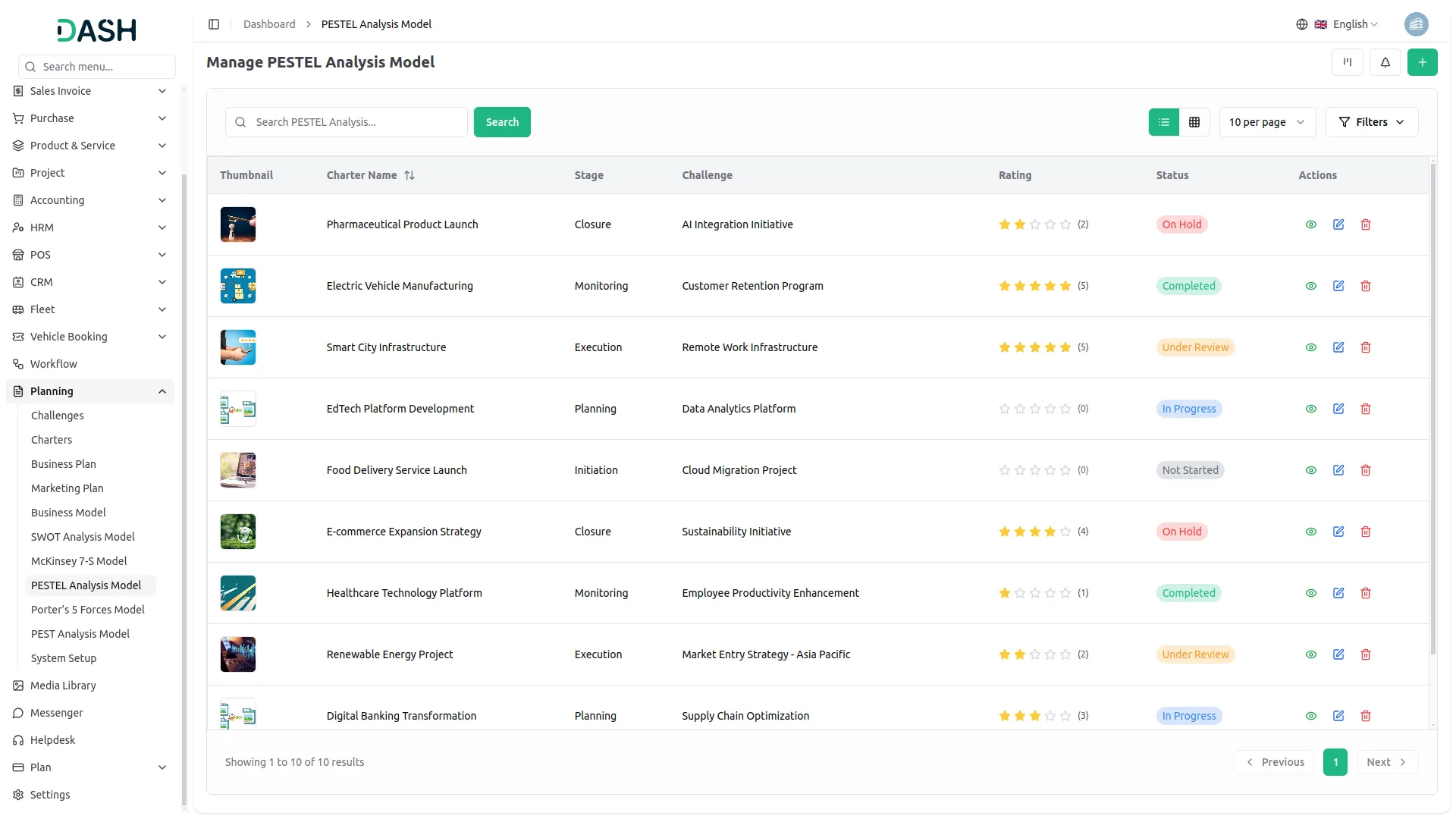
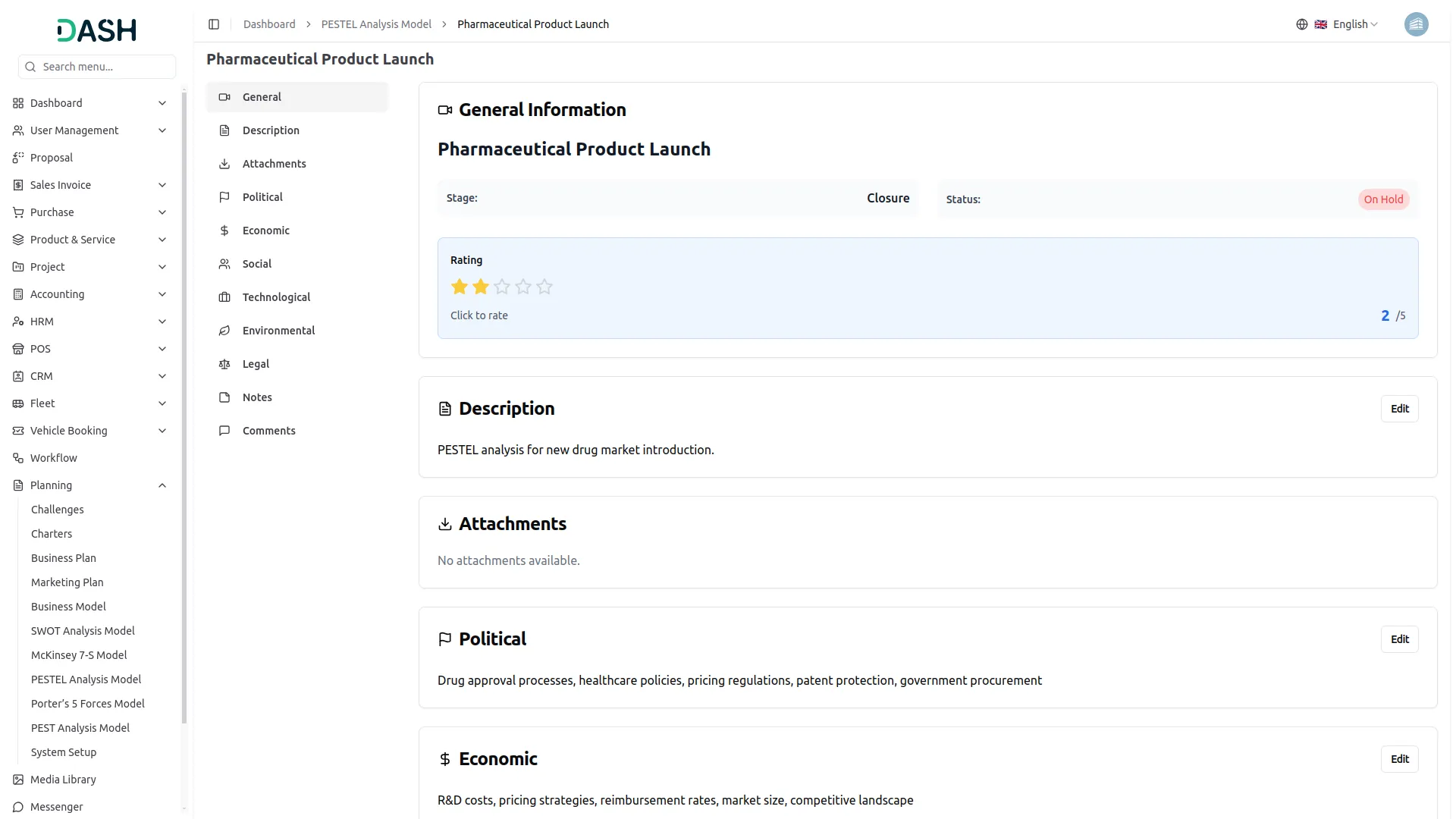
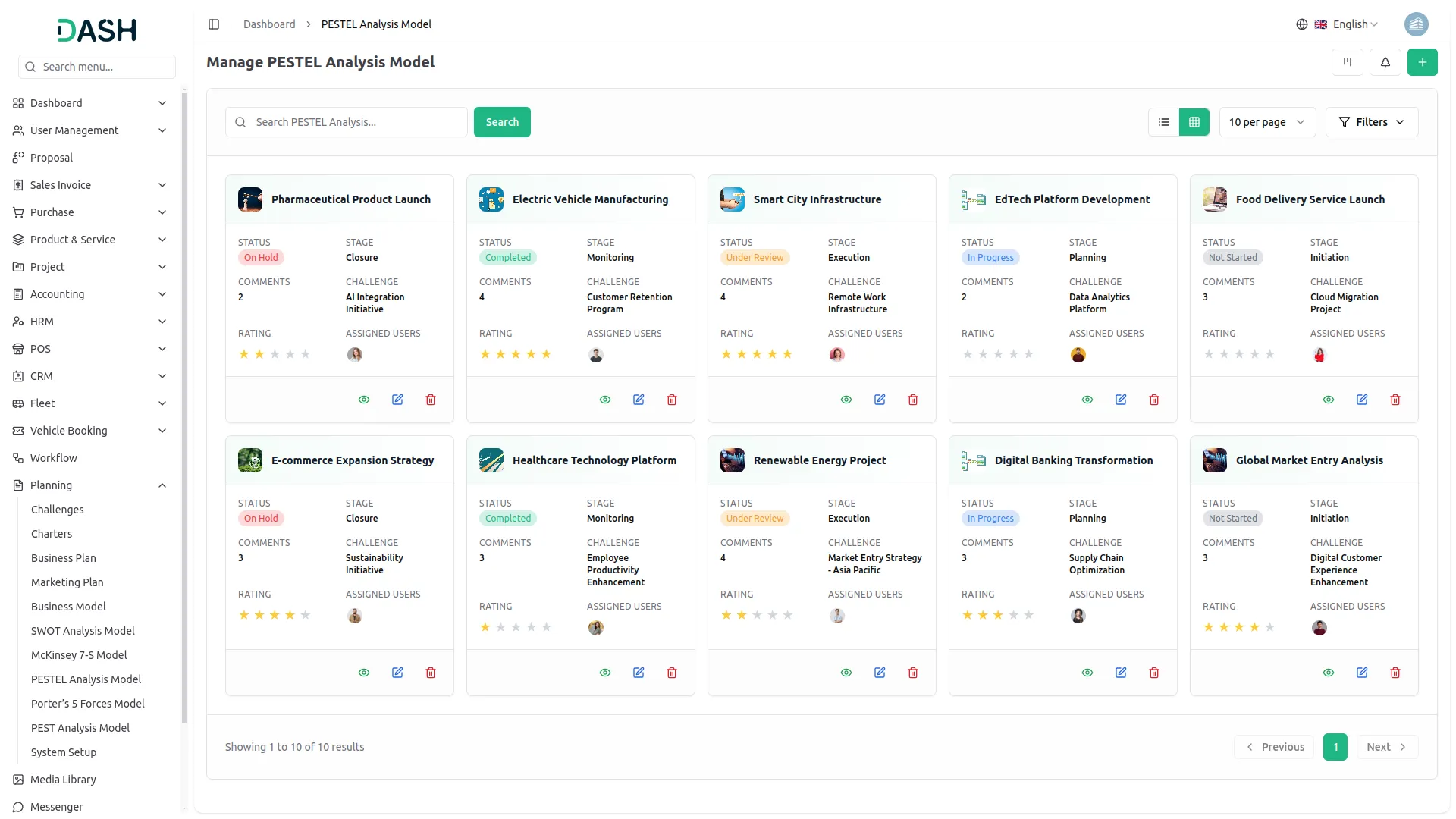
PESTEL Analysis Model Add-On, enabling businesses to strategically assess the external factors that influence their operations. With this model, you can evaluate key elements like Political, Economic, Social, Technological, Environmental, and Legal aspects, ensuring a comprehensive understanding of your market environment. The PESTEL Analysis Model can be customized and visualized in various formats, including grid view, kanban view, and tree view, providing flexibility to meet your business’s unique needs. Additionally, you can track progress, attach relevant documents, and make necessary revisions to align with evolving business strategies.
Dependency Notice: This Add-On depends on the Planning Add-On, so you must purchase and activate it first to access the PESTEL Analysis Model features.
Tech Trends Evaluation
PESTEL Analysis Model, businesses can now assess the technological landscape impacting their industry. This functionality allows users to evaluate technological trends, digital transformations, and emerging innovations. By analyzing technological factors alongside other key elements like Political, Economic, and Social influences, businesses can make informed decisions, enhance operational efficiency, and stay ahead of the competition in an ever-evolving digital world.
Political Analysis Grid View
With Grid View, the Regulatory & Geopolitical Insights section of the PESTEL Analysis model allows businesses to easily assess and monitor political and regulatory factors affecting their operations. The grid displays key details, including comments, attachments, challenge timelines, and assigned users, offering a clear, actionable overview. Users can seamlessly print, edit, or delete their analysis, ensuring they stay proactive and responsive to any regulatory or geopolitical changes.
Economic Insights Kanban View
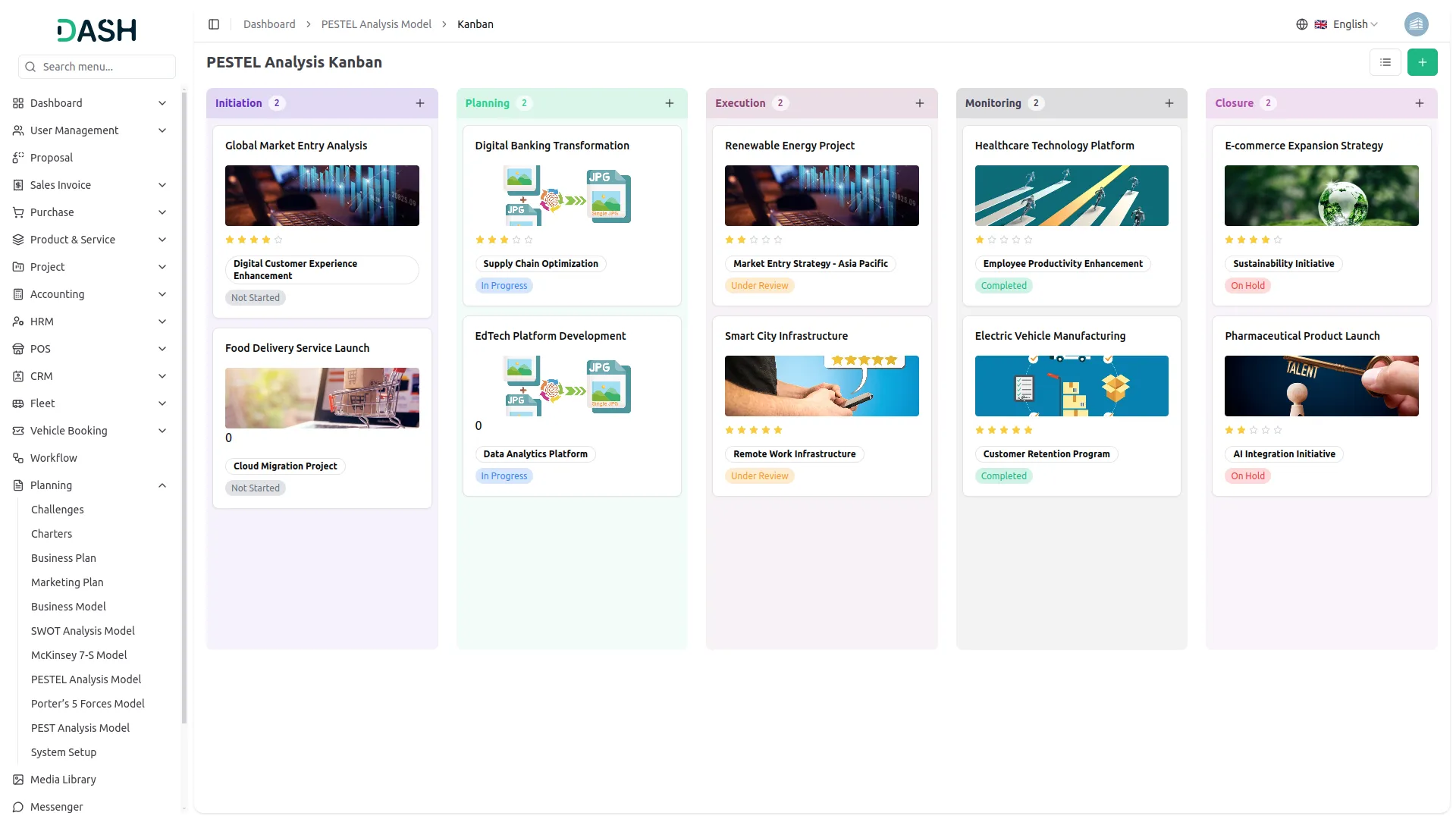
PESTEL analysis is showcased in a dynamic Kanban view. This feature allows businesses to evaluate and manage economic trends by organizing them into stages. With the ability to easily drag and drop PESTEL Analysis Models across stages, users can track the total number of models in each stage and make informed decisions on financial strategies. The Kanban view simplifies the process, making it easy to edit, print, and manage economic assessments for optimal business growth.
Social Insights Tree View
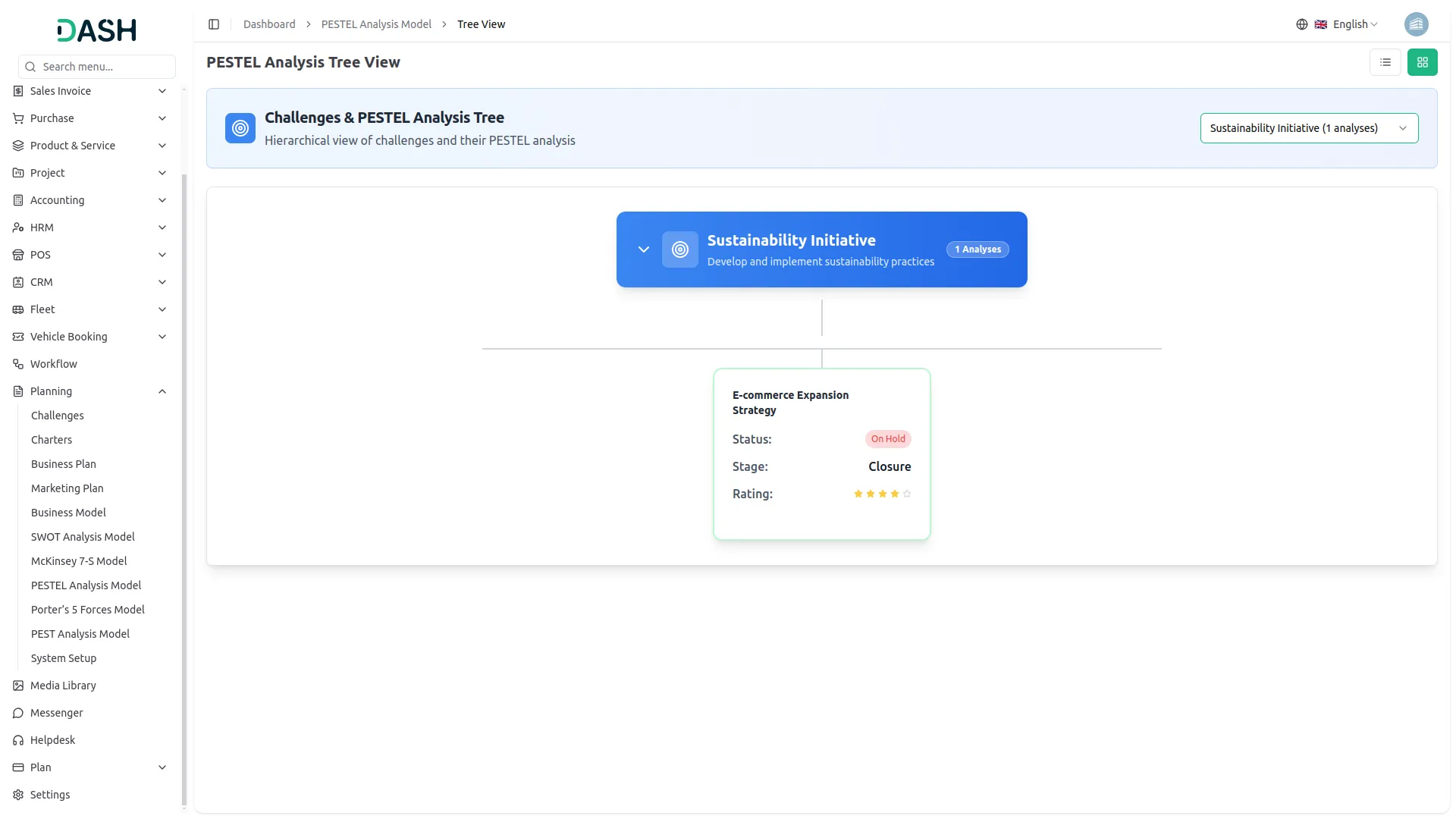
Presents a dynamic Social Factors analysis within the PESTEL framework, displayed through a tree view that adapts based on selected challenges. Users can easily choose challenges from a dropdown, and the relevant PESTEL Analysis Model will be shown in a tree structure. This feature allows businesses to assess societal trends, consumer behavior shifts, and demographic changes related to the selected challenges, providing clear insights to refine strategies and adapt effectively to the evolving social landscape.
Screenshots from our system
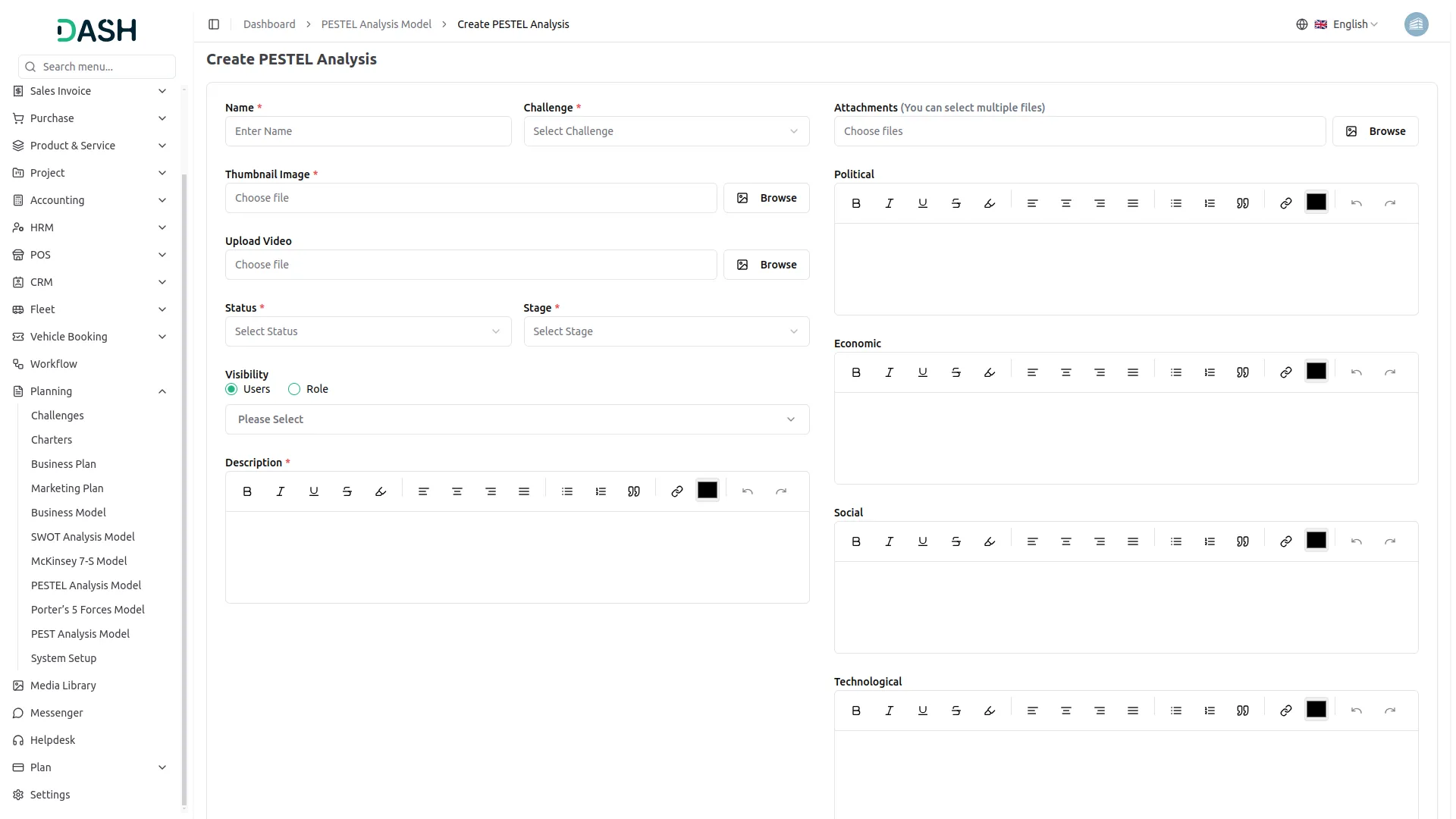
To explore the functionality and usage of these Add-Ons, refer to the accompanying screenshots for step-by-step instructions on how to maximize their features.
Discover More Add-Ons
Unlock even more functionality with additional Add-Ons, providing enhanced networking and customization options for your Dash SaaS experience.


Outlook Calendar
Integrating the Outlook Calendar module into Dash SaaS revolutionizes how you manage your schedule. This powerful integration allows you to seamlessly sync your appointments, meetings, and events from Outlook directly into Dash.


Internal Knowledge (KB)
An internal knowledge base is a company-made resource consisting of process documents and tools that members of the organization need to do their jobs properly. Its purpose is to mitigate organizational, technical, and learning difficulties often faced within companies that limit productivity.
UI design flows naturally
Support is efficient and polite
Features are useful daily