
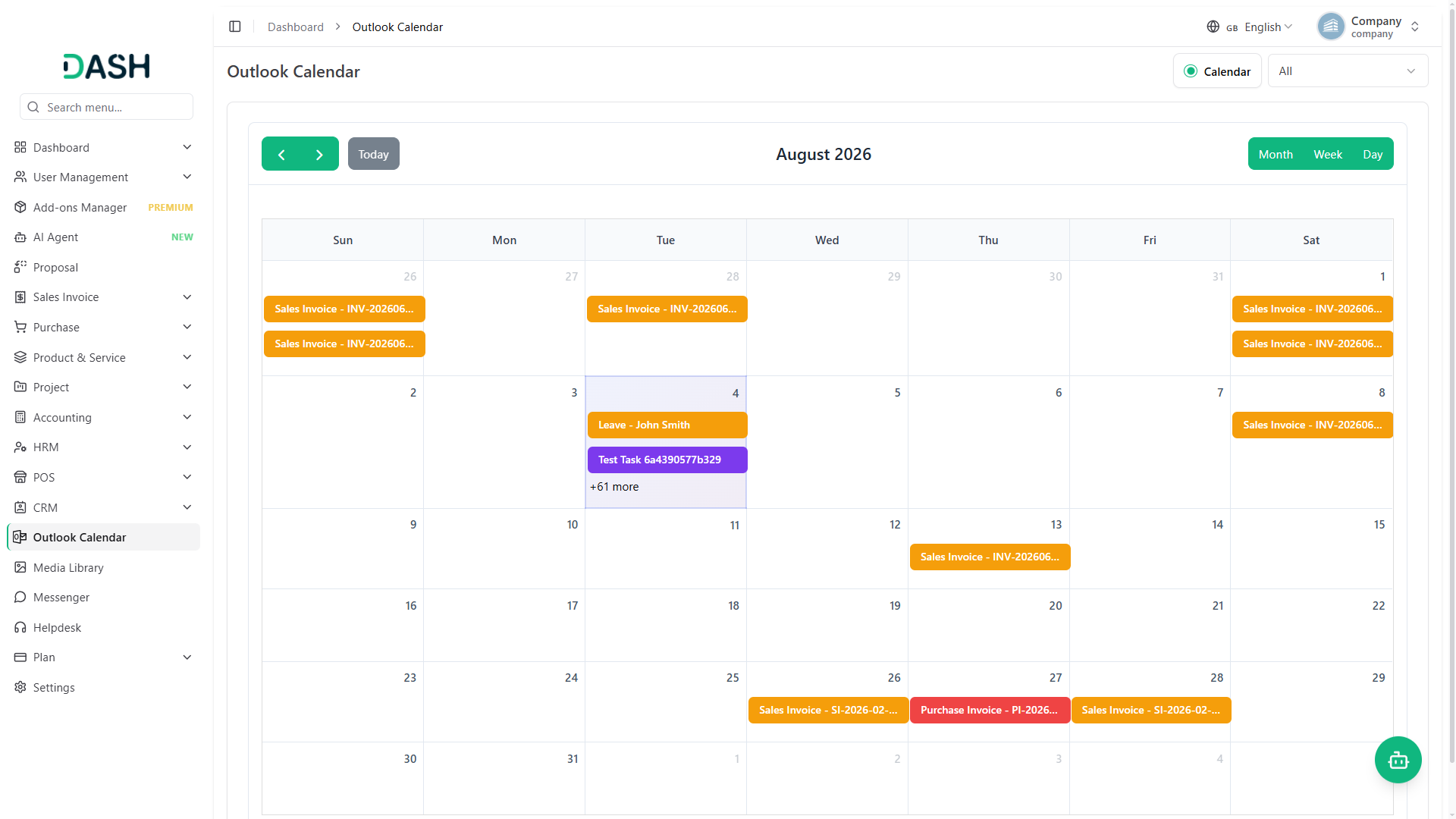
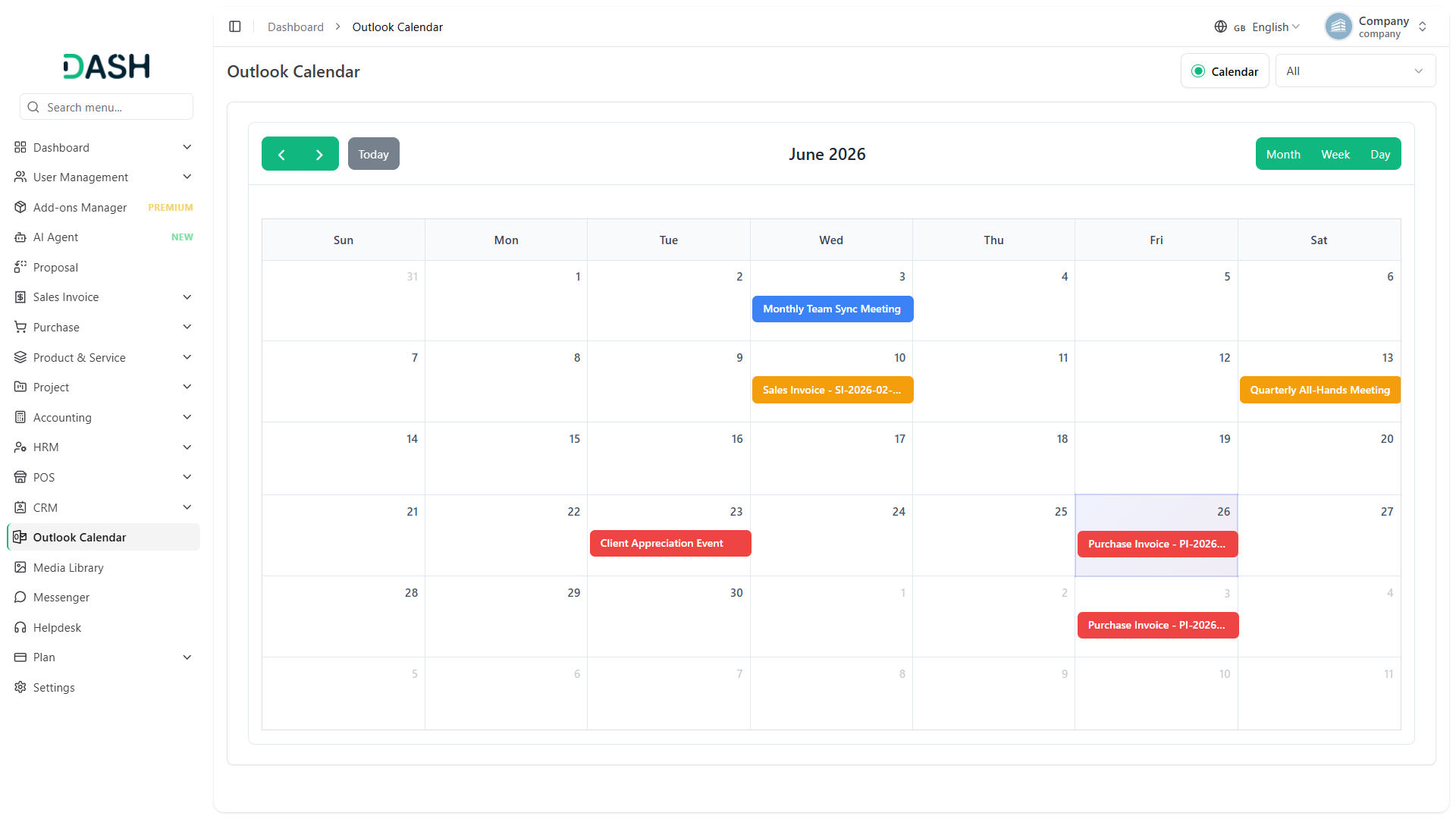
The Outlook Calendar Add-On helps you keep all your important events, meetings, and appointments in one place by syncing your platform with your Outlook account. This means you can manage your work and personal schedules without jumping between different apps. Whether you are tracking deadlines, booking meetings, or planning team events, this integration keeps everything updated and easy to access. With your calendar events always synced, you reduce the chances of missing appointments or double-booking your time. It’s a helpful tool to stay organized and plan your days effectively.
Compatible with Many Add-Ons for Full Event Coverage
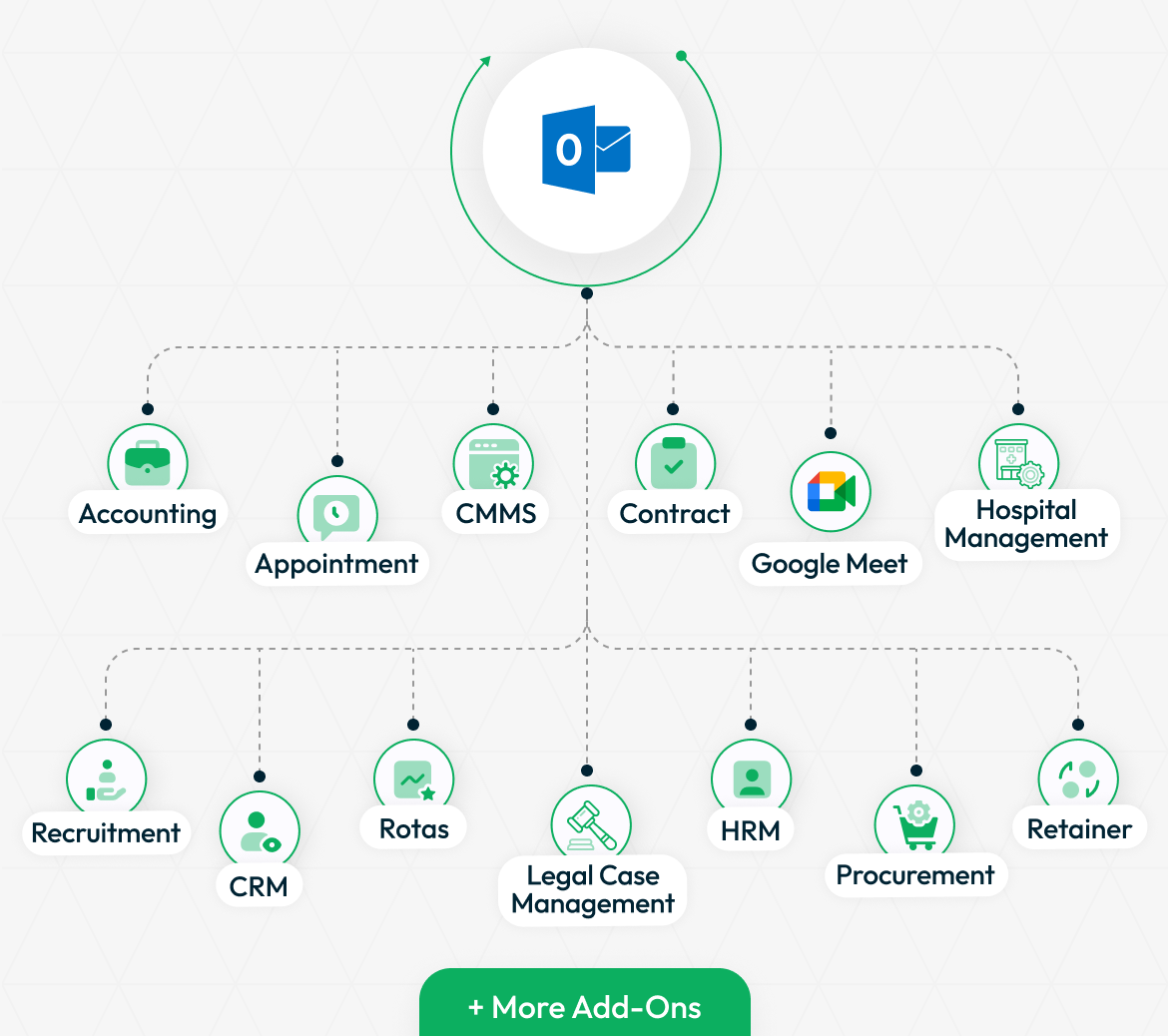
The Outlook Calendar Add-On works smoothly with many other Add-Ons on your platform. By linking it with Add-Ons like Accounting, Appointment, HRM, CRM, Recruitment, Sales, and more, you get a complete event management solution. This ensures that no matter which team or department creates events, they will be synced to your Outlook Calendar automatically. This makes managing schedules easier, saves time, and supports better productivity across your organization.
- Base
- Accounting
- HRM
- Appointment
- CMMS
- Contract
- Google Meet
- Hospital Management
- more+
Easy Setup for Quick Connection
Setting up the Outlook Calendar Add-On is simple and user-friendly. After purchasing, go to your system settings and find the Outlook Calendar Settings section. From there, you just need to enable the integration and enter your Outlook Client ID and Secret ID. You can generate these credentials following the provided instructions. Once saved, click the “Generate Token” button to securely connect your Outlook account with the platform. This quick setup lets you start syncing your events fast, even if you are not very technical. Don’t forget to turn on the “Sync” toggle while creating or approving events so that your calendar stays up-to-date.
Stay Coordinated Across Teams and Projects
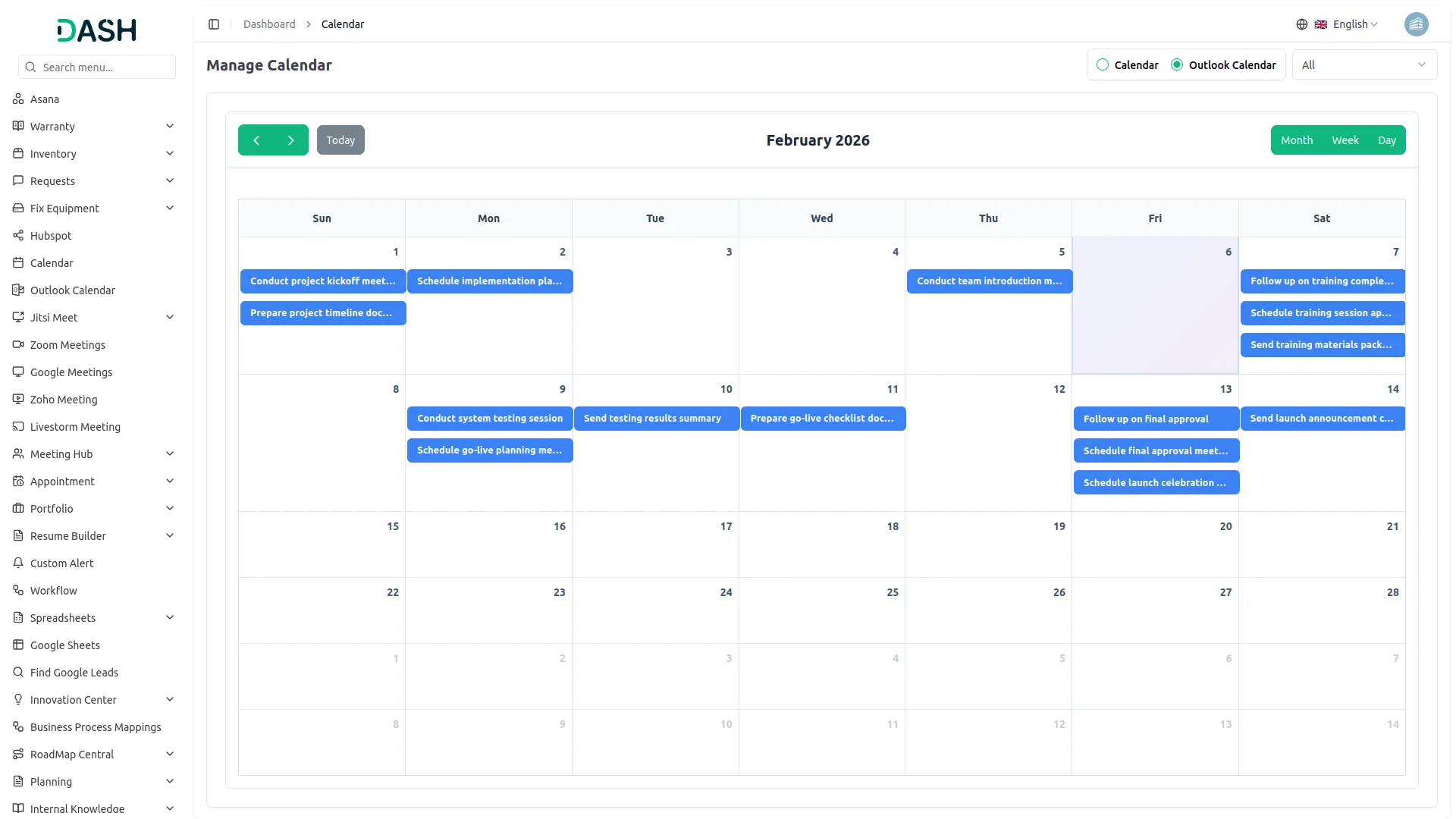
This Add-On is perfect for organizations that manage multiple types of events across different departments. You can sync appointments, project deadlines, hospital visits, interviews, and much more, all with Outlook Calendar. Having a unified calendar makes it easier for teams to coordinate and avoid scheduling conflicts. HR teams can monitor holidays and leaves, sales teams can track calls and meetings, and project managers can keep an eye on tasks. This integration brings all important dates into one view, helping everyone stay on the same page.
Screenshots from our system
To explore the functionality and usage of these Add-Ons, refer to the accompanying screenshots for step-by-step instructions on how to maximize their features.
Discover More Add-Ons
Unlock even more functionality with additional Add-Ons, providing enhanced networking and customization options for your Dash SaaS experience.

Movie Show Booking System
Welcome to Dash SaaS Movie Show Booking Management Integration, your comprehensive solution for streamlined movie theater operations.

Scholarship
The Scholarship Management System is a comprehensive digital platform that streamlines scholarship programs from application to disbursement.


School / Institute Management
Dash SaaS introduces a robust School Management Module designed to simplify and enhance the administrative processes within educational institutions.
Code is clean and easy to maintain
Documentation with real examples
Features are reliable and industry focused
Support is dependable