
How To Start Google Authentication In A BookingGo?
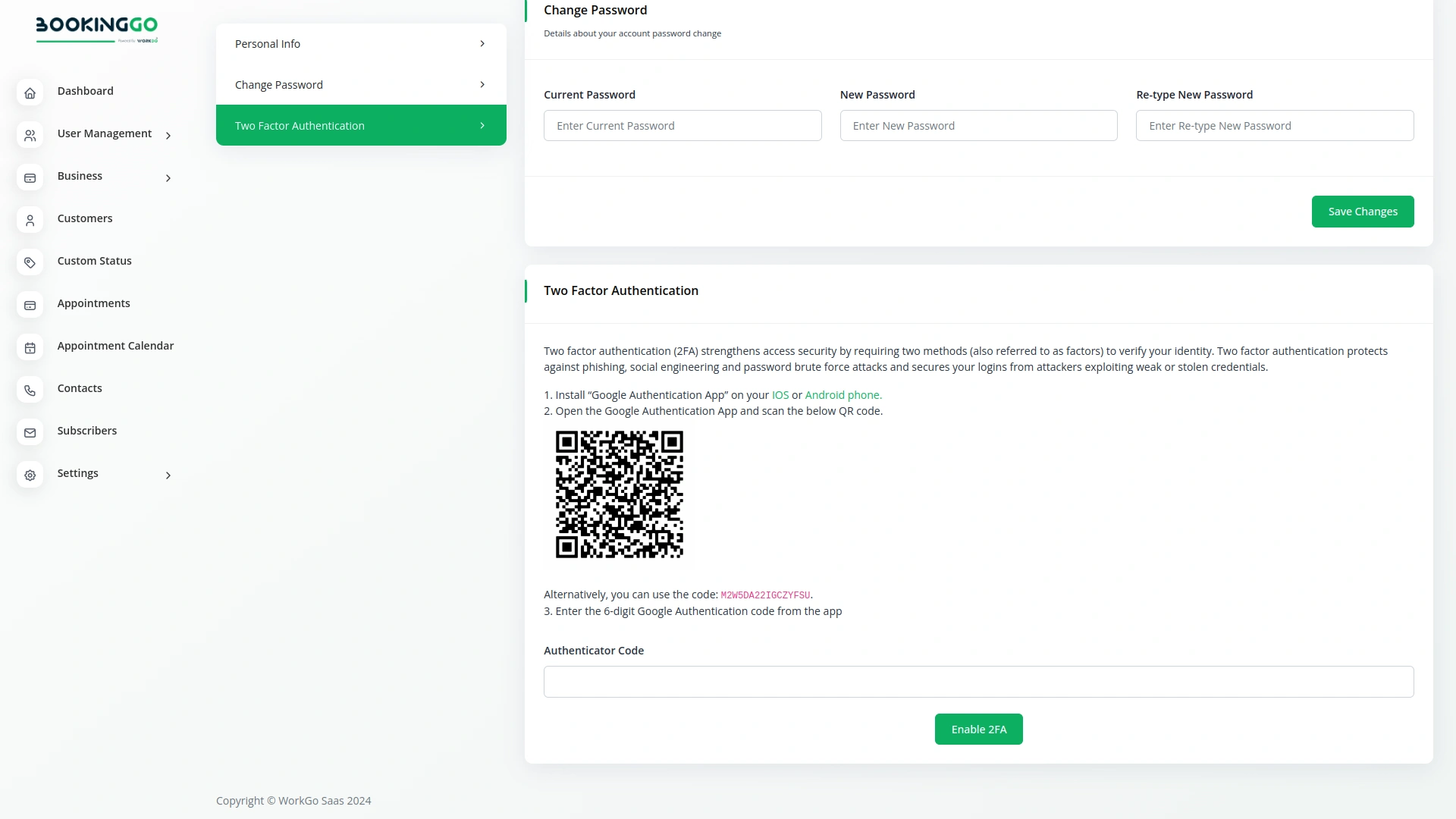
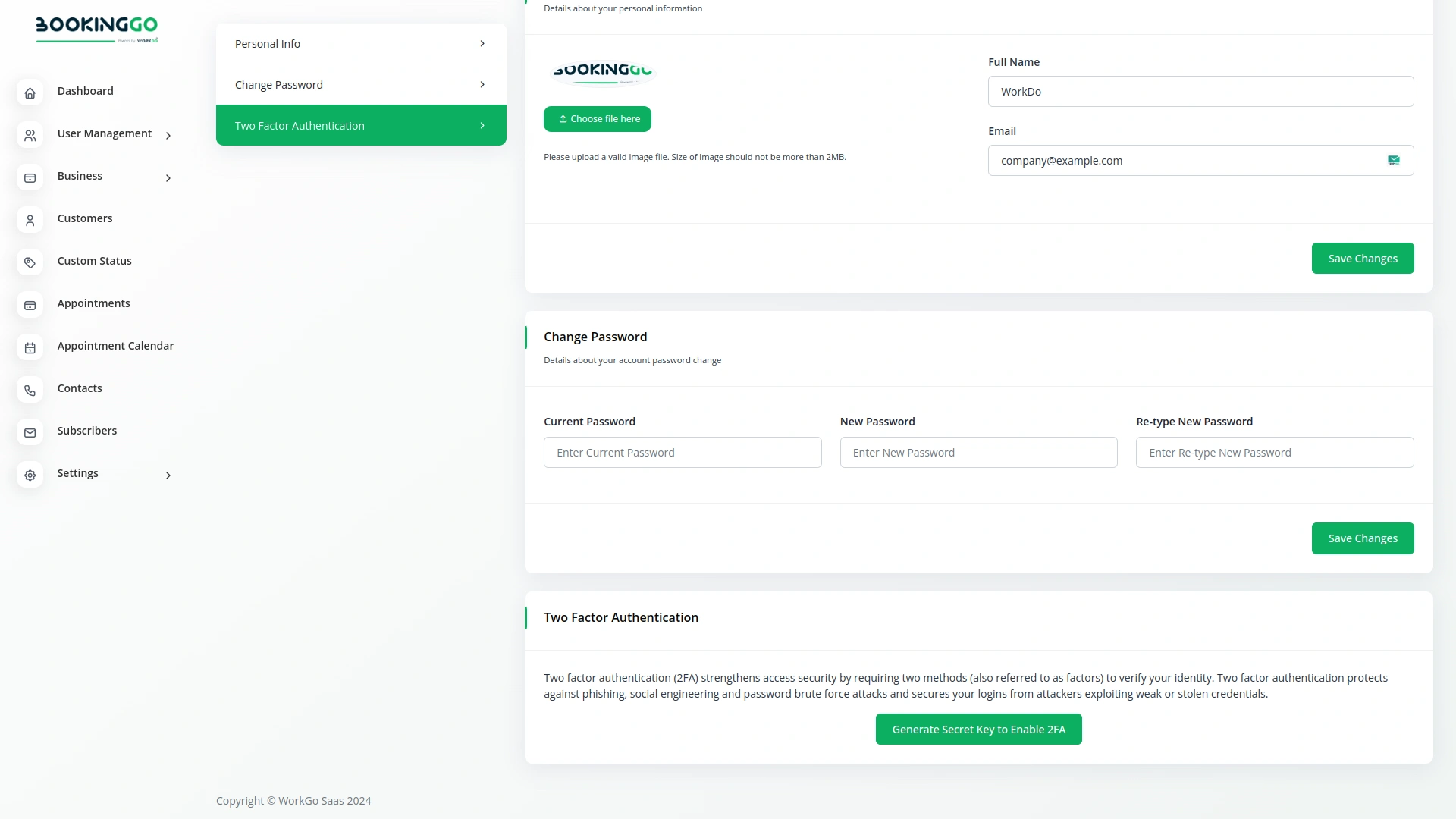
Click to Generate Secret Key to Enable 2FA. Install the “Google Authentication App” on your iOS or Android phone. Open the Google Authentication App and scan the below QR code. Enter the 6-digit Google Authentication code from the app. Click to Enable 2FA.
How Does Google Authentication Work In A BookingGo?
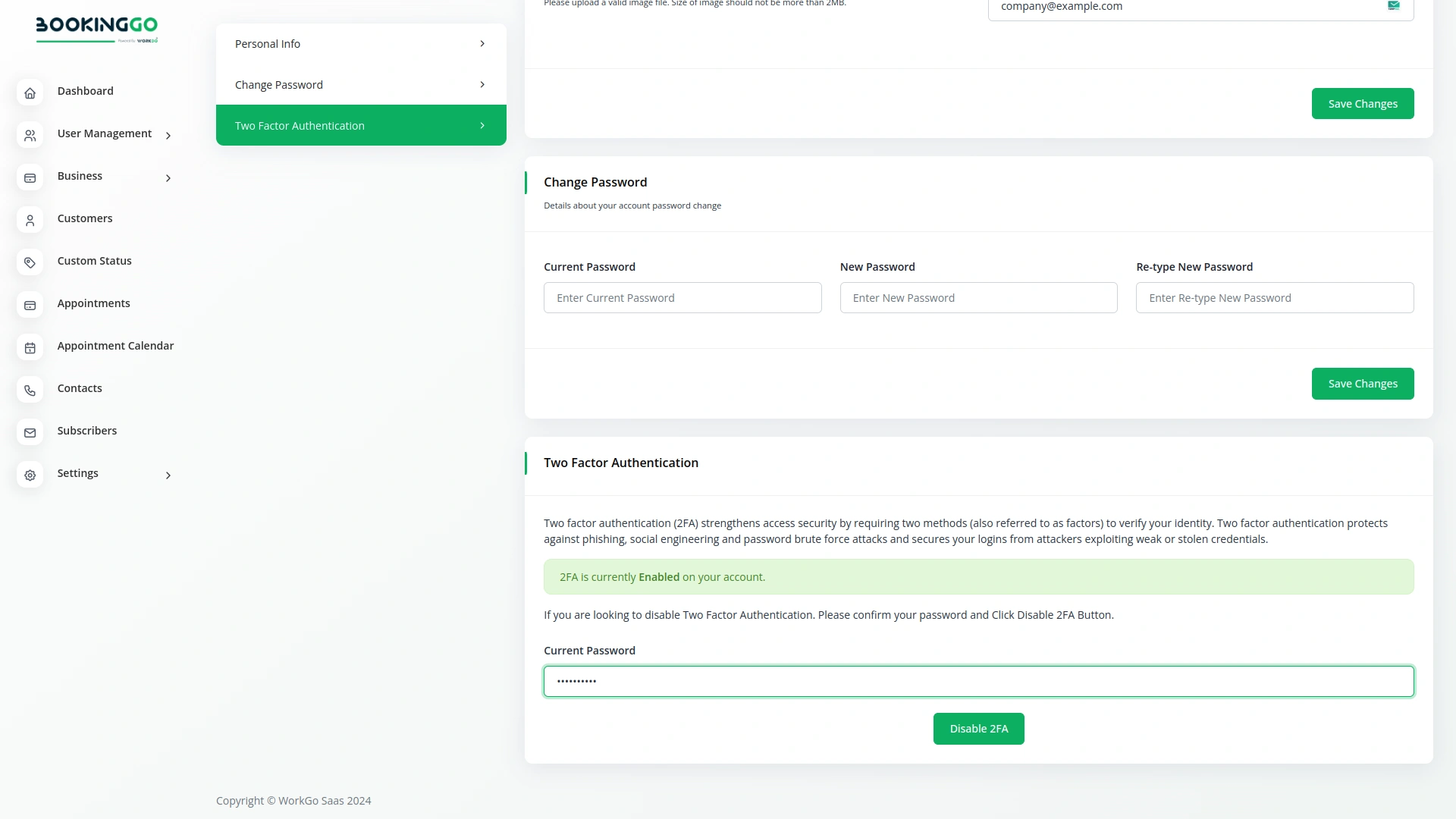
When you and your users log in to the site, the site will ask for a Google authentication code for everyone, like this page. If you do not enter the Google authentication code, you will not be able to login to the site.
Screenshots from our system
To explore the functionality and usage of these Add-Ons, refer to the accompanying screenshots for step-by-step instructions on how to maximize their features.
Discover More Add-Ons
Unlock even more functionality with additional Add-Ons, providing enhanced networking and customization options for your BookingGo SaaS experience.

Whatsender
Whatsender empowers businesses using BookingGo SaaS to connect with their customers through instant WhatsApp notifications for bookings, reminders, and service updates.

Make
MAKE is a powerful workflow automation platform that connects BookingGo with a wide array of applications, enabling seamless integration and workflow optimization. With support for thousands of apps, including Google Calendar, Slack, HubSpot, Shopify, and more, MAKE allows businesses to build customized workflows that automate repetitive tasks. By linking BookingGo to the tools you already use, MAKE simplifies operations, enhances collaboration, and boosts productivity, leading to a more streamlined and impactful business approach.

Additional Custom Field
BookingGo allows you to enhance your primary service with various personalized options, ensuring your appointment is tailored to meet your specific needs.

Developer-oriented architecture simplifies extension and integration work