workdo sale image

Get 50% off all Add-Ons today! Need more? Check Bulk Discounts!

get 50% off
Hospital Management System

Benefits of a Hospital Management System: Why Hospitals Choose This Platform Over Others

Choosing hospital management software isn't about the longest feature list - it's about which system actually reduces admin work, cuts billing errors, and gives your staff time back for patients. That's the bar this platform is built against, and it's why hospitals evaluating the market consistently narrow their shortlist to it.

Below is what changes for a hospital, department by department, once manual processes or a legacy system are replaced with a connected hospital management system.

Operations

Operational Benefits of a Connected Hospital Management System

Replace Multiple Disconnected Tools With One Unified System

Most hospitals run patient records, billing, inventory, and scheduling as separate tools - or separate spreadsheets. A unified hospital management system brings them into one place, so a change in one area (a patient discharge, a stock update, a new booking) reflects everywhere instantly, with no manual re-entry.

Reduce Patient Wait Times With Faster, Automated Patient Throughput

Automated registration, queue management, and appointment scheduling cut the time between a patient arriving and being seen - which matters most on your busiest days, when manual coordination breaks down first.

Eliminate Manual Handoff Errors Between Hospital Departments

Manual handoffs between departments are where mistakes happen - a bed status that isn't updated, a bill that doesn't reflect the latest procedure. A connected system removes most of these gaps by design.

Improve Real-Time Coordination Across Front Desk, Billing, and Clinical Teams

When the front desk, billing, pharmacy, and clinical staff work off the same live data, there's no need for phone calls or paper handoffs to confirm status - everyone sees the same information at the same time.

Finance

Financial Benefits of Automating Hospital Billing and Inventory

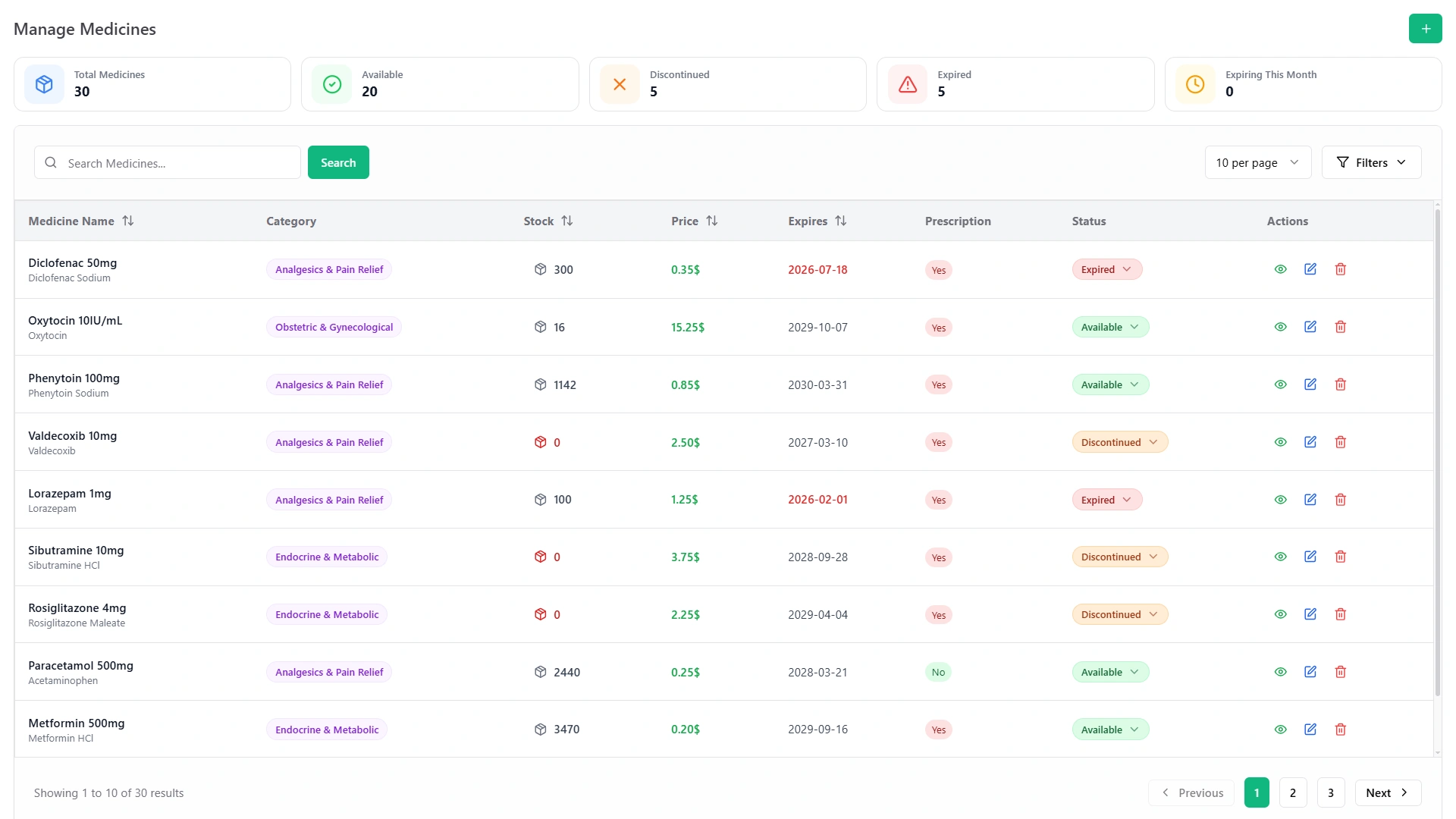
Manage Medicines screen with stock counts, prices, expiry dates and available, expired and discontinued status
  • Reduce Billing Disputes With Automated, Itemized Invoicing

    Automated, itemized billing pulled directly from patient records and procedures reduces the manual entry errors that cause billing disputes and delayed payments.

  • Cut Inventory Costs With Real-Time Stock Visibility

    Real-time visibility into medicine and supply stock prevents two costly mistakes: over-ordering (tied-up capital, expired stock) and under-ordering (emergency purchases at a premium, or worse, stockouts during critical care).

  • Stop Revenue Leakage From Services That Go Unbilled

    Services that go unbilled because they weren't logged consistently are a common - and often invisible - source of lost revenue. A connected system captures billable events automatically as they happen, rather than relying on someone remembering to log them later.

  • Lower the True Cost of Running Your Hospital, Not Just Software Licensing

    The ROI conversation shouldn't stop at license cost. Fewer billing errors, less overtime spent on manual admin, and reduced stock wastage typically pay for the system well beyond what a lower-cost, less capable tool would save you upfront.

Patient Care

Patient Care Benefits of a Modern Hospital Management System

01

Give Clinical Staff More Time With Patients, Less Time on Paperwork

Every process that gets automated - registration, scheduling, billing - is time given back to clinical and front-desk staff that would otherwise go into paperwork.

02

Deliver a More Consistent, Less Frustrating Patient Experience

Patients notice when a hospital is disorganized - long queues, repeated paperwork, billing confusion. A unified system removes the friction points patients actually complain about.

03

Improve Continuity of Care With Centralized Patient Records

Centralized patient records mean any authorized staff member - not just the one who admitted the patient - has the full picture, which matters most in multi-department or multi-shift care.

04

Speed Up Clinical Decisions With Instant Access to Patient History

When a patient's full record - visits, prescriptions, billing, test history - is available in one lookup instead of scattered across departments, clinical decisions can be made faster and with more context.

Doctor with a tablet talking with a patient
Staff & Admin

Staff and Administrative Benefits of Centralized Hospital Management

Onboard New Staff Faster With One System Instead of Five

One system to learn, not five. New hires reach full productivity faster than they would juggling multiple disconnected tools.

Improve Accountability With Role-Based Access and Activity Logs

Role-based access and activity logs mean every action - a billing change, a stock adjustment, a schedule update - is traceable to a person, which simplifies both day-to-day management and audits.

Reduce Manual Coordination Between Department Heads

Department heads spend less time chasing status updates across teams because the system already shows it.

Compliance & Security

Compliance and Data Security Benefits of a Digital Hospital Management System

Maintain Audit-Ready, Structured Patient and Financial Records

Digitized, centralized records are easier to produce for audits or regulatory review than paper files or scattered spreadsheets - every entry is timestamped and attributable.

Control Access to Sensitive Patient Data by Role

Role-based permissions mean staff only see the patient and financial data relevant to their role, reducing the risk of accidental or unauthorized exposure.

Reduce the Risk of Data Loss From Paper Records and Local Spreadsheets

Centralized digital records remove the single point of failure that comes with paper files or disconnected local spreadsheets stored on individual machines.

Scalability

Scalability Benefits for Growing Hospitals and Multi-Location Groups

Front of a modern hospital building

Add New Departments Without Rebuilding Your Admin Processes

Adding a new department or service line doesn't require rebuilding your admin processes from scratch - the same system extends to cover it.

Support Multi-Location Hospitals With Shared, Consistent Systems

For hospital groups running more than one facility, a shared system means consistent processes and visibility across locations, instead of each site running its own disconnected setup.

Keep Operations Efficient as Patient Volume Grows

Manual processes that work at a small patient volume tend to break down as a hospital grows. A system built for automation keeps working the same way regardless of scale.

Automation

What Hospital Automation Actually Means (And Why It Matters)

"Automation" gets used loosely in this category, so here's what it concretely means in practice - a hospital automation system that removes manual steps rather than just digitizing paper forms:

Automated patient registration and record creation

No re-typing the same patient details across departments.

Automated billing generation

Charges pulled directly from recorded procedures and services, not manually assembled at checkout.

Automated inventory alerts

Reorder points and low-stock warnings instead of manual stock counts.

Automated appointment and queue management

Patients and staff both see real-time status, without a front-desk phone call.

The test for genuine automation is simple: does it remove a manual step, or just move it into a form? A well-built hospital management system is designed around the former.

Comparison

Why Hospitals Choose This System Over Other Hospital Software Companies

When hospitals compare hospital software companies, the differences that actually matter tend to show up in four areas: how fast you're live, how the system scales as you add departments or locations, what support looks like after go-live, and whether pricing is honest about what's included.

What hospitals compare Typical legacy / on-premise HMS Generic ERP adapted for healthcare This Hospital Management System
Implementation time Weeks to months, heavy IT involvement Months - built for general business, not hospital workflows Fast, guided setup built specifically for hospital operations
Modules included Often sold separately, Add-On pricing Broad but shallow on healthcare-specific needs Patient management, billing, inventory, and scheduling built to work together from day one
Access Usually on-premise only Varies Cloud-based - accessible from any department, any device
Scaling to new departments/locations Requires new licensing/setup per site Complex reconfiguration Designed to extend without re-implementation
Support after go-live Ticket-based, slow Generic, not healthcare-specific Dedicated support that understands hospital workflows
Pricing clarity Often bundled with hidden Add-On costs Enterprise-complexity pricing Transparent, predictable pricing

This is the honest basis for calling this among the best hospital management software options available today - not because it claims the most features, but because it's built around what actually slows hospitals down, and removes it.

See the Benefits in Your Own Hospital's Numbers

Book a free demo and walk through exactly how this system would apply to your patient volume, departments, and current billing/inventory process.

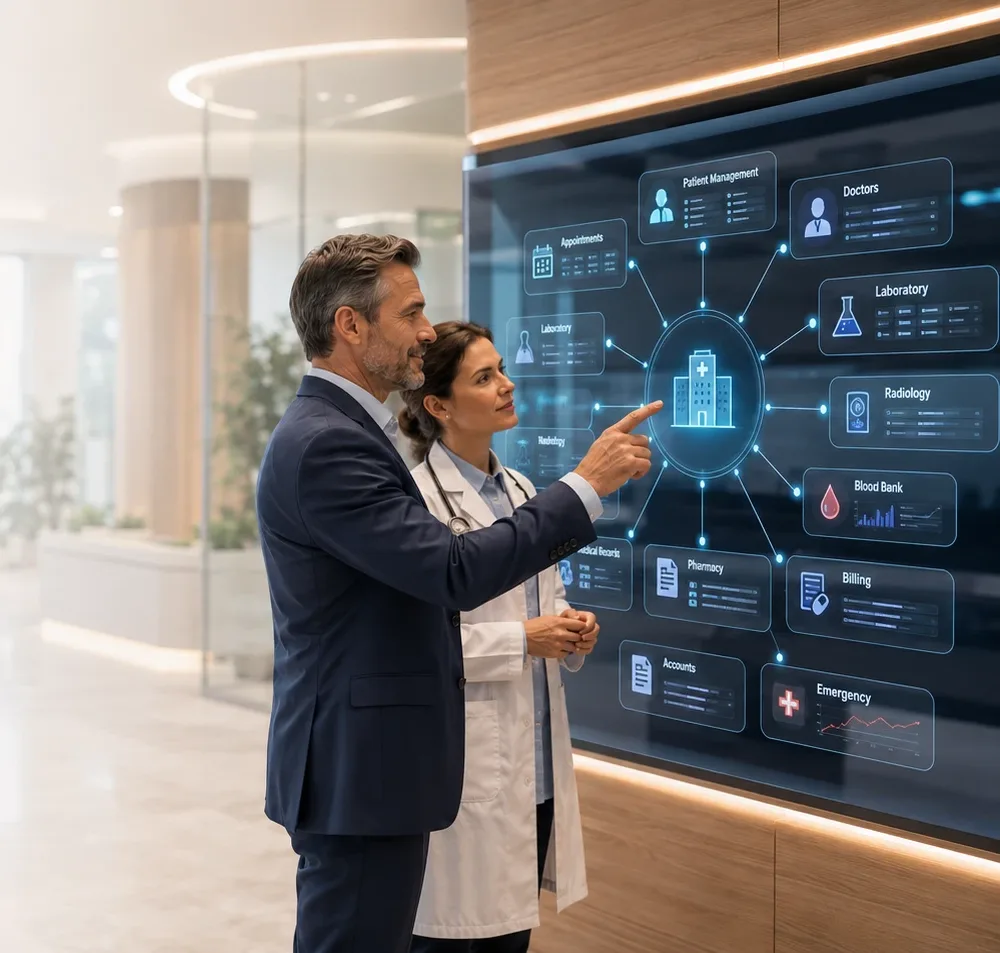
Hospital administrator and doctor reviewing the hospital's modules on a wall screen
Faq's

Frequently Asked Questions About the Best Hospital Management Software

It's built to be fully functional out of the box - patient management, billing, and inventory work together without requiring a large IT team to configure or maintain, which is where many larger, enterprise-first systems become impractical for smaller hospitals.
Yes - because every module (patient records, billing, scheduling, inventory) shares the same data, information entered in one department is instantly available in every other, which is the main advantage multi-department hospitals need from a connected system.
Most differences show up in practice rather than on a feature list: implementation speed, whether support understands hospital-specific workflows, and whether pricing is transparent. See the comparison table above.
No. The automation is built into the core workflows (registration, billing, inventory alerts, scheduling) rather than requiring custom configuration, so most hospitals don't need dedicated IT staff to maintain it.
This depends on hospital size and existing data, but the guided setup process is designed to be significantly faster than typical legacy or on-premise implementations, which often stretch to months.
Returns typically show up as fewer billing disputes, reduced inventory wastage from over/under-ordering, and lower administrative overtime - rather than a single upfront number. Most hospitals evaluate ROI against the specific manual costs (staff hours, billing errors, stock loss) they're currently absorbing.