workdo sale image

Get 50% off all Add-Ons today! Need more? Check Bulk Discounts!

get 50% off
Gym Management Software

Gym Membership Software That Handles Billing, Renewals & Check-Ins

Manage memberships, billing, renewals, and class schedules - all connected in one gym platform.

A card declines on the 3rd of the month. Nobody notices until the member's key fob stops working at the front desk, and they complain about it mid-workout, in front of other members. That one missed payment just cost you a renewal, an awkward conversation, and possibly the member for good.

This is exactly what gym membership software is built to prevent. It catches a failed payment automatically, retries it, and notifies the member - before you're ever forced into that conversation. WorkDo's gym membership software handles billing, renewals, class scheduling, and check-ins as one connected system, not five logins that don't talk to each other.

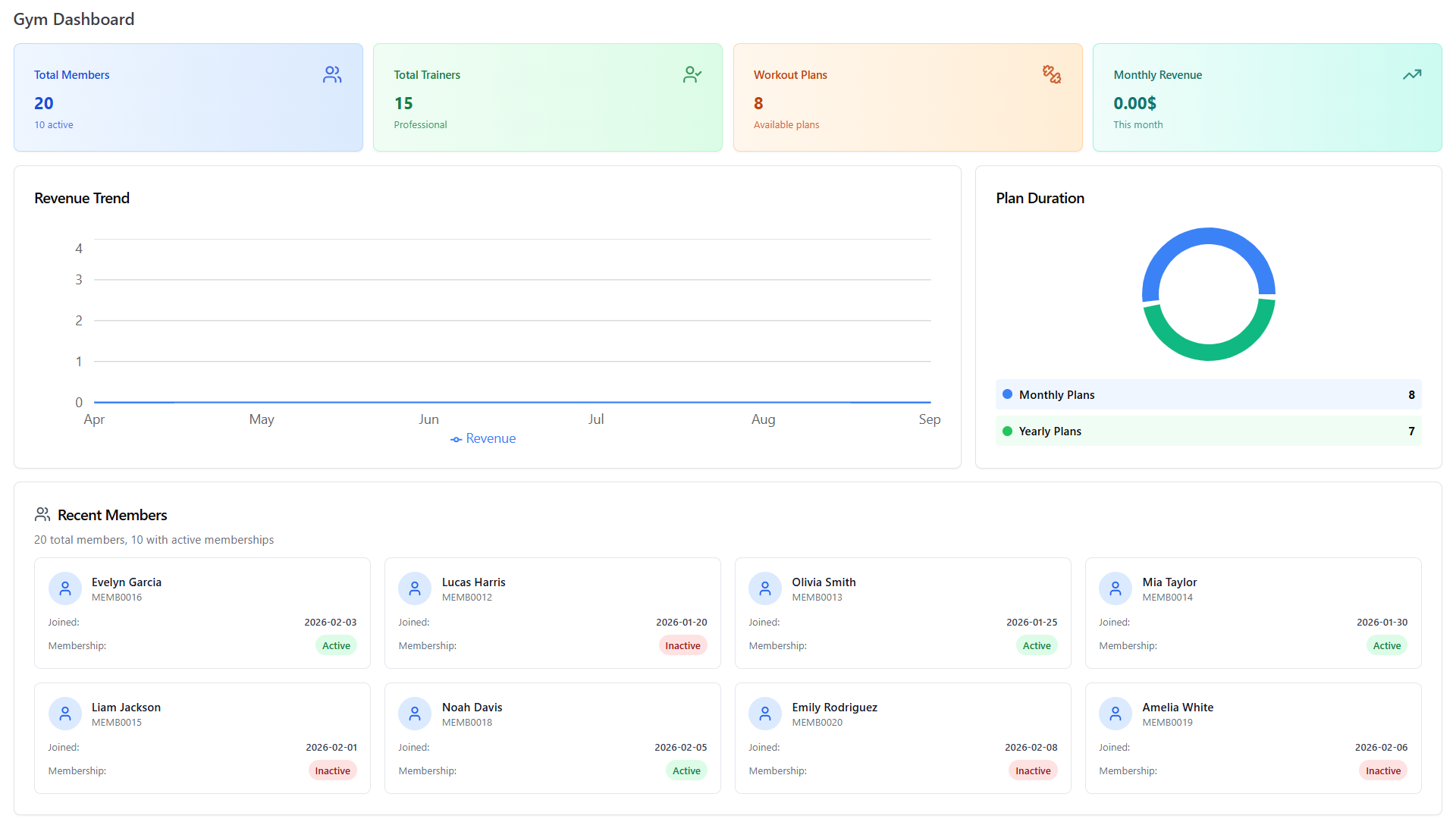
Gym dashboard with members, trainers, revenue trend and plan duration
What It Does

What Gym Membership Software Actually Does

At its core, gym membership software is the system that runs the full lifecycle of a member's relationship with your gym: sign-up, billing, renewal, check-in, and - when the time comes - cancellation. It replaces the spreadsheet-plus-payment-app-plus-sign-in-sheet combination most gyms start with, and puts all of it behind one login.

That matters more than it sounds. When membership data, billing, and attendance live in three different places, nobody has the full picture. A front-desk staffer can't see if a member's payment failed. A manager can't see who stopped showing up. Gym membership software exists to close that gap.

Gym Membership Software vs. Gym Management Software: What's the Difference?

These two terms get used interchangeably, and in practice, they usually describe the same thing. If there's a technical distinction, it's this: gym membership software typically refers to the member-facing side - sign-ups, billing, renewals, check-ins - while the broader term gym management software can also include operational features like staff scheduling, inventory, or multi-location administration. WorkDo's platform covers both, which is why you'll see both terms used on this site. For most gym owners, the distinction doesn't change what to look for - the two are close enough that treating them as synonyms is fine.


How It Works

How Does Gym Membership Software Work?

The mechanics are simpler than they sound. A new member signs up, either at the front desk or through a link you share. From that point, the software takes over most of what used to be manual:

  1. Sign-up The member picks a plan, signs any required waiver digitally, and their profile is created instantly.
  2. Billing kicks in Recurring charges are scheduled automatically based on the plan they chose.
  3. Check-in is tracked Every visit logs against their profile, so attendance history builds itself.
  4. Renewal reminders go out Before the membership lapses, not after.
  5. The cycle repeats Until the member cancels, at which point their record updates and billing stops.

Nobody on your staff has to trigger any of these steps by hand. That's the actual value of gym membership software: not that it does something new, but that it does something you were already doing - just without a person having to remember to do it.

Features

Gym Membership Software Features

Everything below is a real, working feature of WorkDo's gym membership software - not a roadmap item. Here's what each one covers.

Membership Types & Plans

Not every member should pay the same way, and your software shouldn't force them to.

  • Recurring & Fixed-Term Memberships

    Set up monthly, quarterly, or annual plans, each with its own price and billing cycle. A member on a 12-month plan and a member on a month-to-month plan are both handled by the same system, with no manual price adjustments needed.

  • Trial, Day-Pass & Drop-In Options

    Not everyone wants to commit on day one. Offer a trial period or a single day-pass alongside your standard memberships, so a walk-in can pay for one visit without you having to build a special workaround.

  • Family & Multi-Member Accounts

    Multiple people can hold memberships under one household or account record, which keeps billing and attendance clear even when several family members train at the same gym.

  • Digital Sign-Up & Waivers

    New members complete their paperwork digitally instead of filling out a clipboard form at the counter. Waivers and consent forms are captured and stored against the member's profile automatically through the Digital Signatures & Waivers module - no paper trail to lose.

Choosing

Choosing Gym Membership Software: What to Know Before You Buy

What to Look for in Gym Membership Software

Based on what gym owners consistently say matters most when evaluating options:

  • Does it cover core operations - membership, billing, scheduling, and check-in - in one place, or will you still be stitching tools together?
  • Is it easy for staff and members to use, without a steep training curve?
  • Does it help with retention, not just administration - renewal reminders, attendance tracking, feedback collection?
  • Does it integrate with the tools you already depend on?
  • How secure is it, and who actually controls your member data?
  • Will it scale if you add a second location or grow past your current member count?
Area Basic billing/scheduling app WorkDo Gym Membership Software
Billing Manual or basic recurring charge Automated retries, full double-entry accounting
Scheduling Separate tool, separate login Built into the same platform
Check-in Manual sign-in sheet Biometric attendance
Branding Generic or vendor-branded 100% your own brand and domain
Ownership Monthly subscription, indefinitely One-time payment, source code included
Data Stored on vendor's servers Self-hosted, on your own server

How Much Does Gym Membership Software Cost?

Pricing in this category typically runs one of two ways: a monthly subscription that scales with your member count (common with most competitors), or a one-time purchase with no recurring fee. WorkDo uses the second model - you pay once for lifetime access, including the source code, rather than a bill that continues for as long as you use the software. Over a few years, that difference in total cost is substantial, especially as a gym's member count - and typical per-member SaaS pricing - grows.

Is Gym Membership Software Worth It for a Small Gym?

Generally, yes. Automated billing alone often recovers more in reduced payment leakage and staff time than the cost of the software, and that math doesn't really change based on gym size - a missed renewal costs a small gym proportionally more, not less, since every member matters more to a smaller revenue base.

Common Mistakes to Avoid When Choosing Gym Membership Software

A few patterns show up repeatedly when gyms pick the wrong software:

  • Choosing on price alone, without checking whether core operations - membership, billing, scheduling, check-in - are actually covered, or whether "billing" and "scheduling" require separate paid Add-Ons.
  • Ignoring integration needs until after signing up, then discovering the tool doesn't connect to a payment processor or communication channel already in use.
  • Not asking who owns the data. With most subscription platforms, your member records live on the vendor's servers - worth knowing before you're a year in and want to switch.
  • Underestimating total cost. A low monthly number can still add up to more than a one-time purchase within two to three years, particularly once per-member or per-location fees are added.
  • Skipping the demo. Reading a feature list is not the same as seeing whether your front desk staff can actually use the interface in under ten minutes.
Getting Started

Getting Started With Gym Membership Software

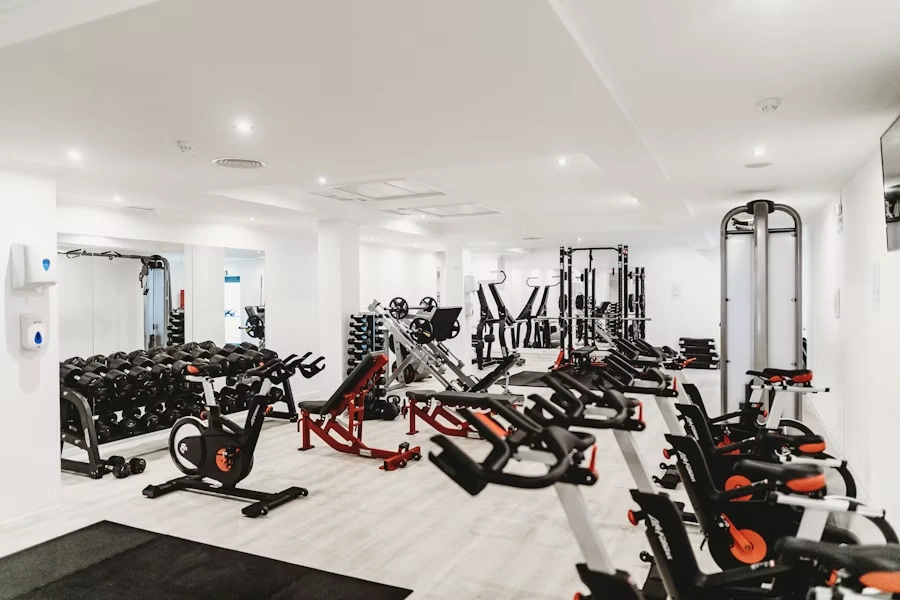
Gym floor with weights and training equipment
  • Can I Try It Before I Buy?

    Yes - a live demo is available so you can see the actual interface, not just marketing screenshots, before committing.

  • How Long Does Setup Take?

    Because the base platform and all included modules are unlocked from day one, setup is mostly about entering your gym's specific data - membership plans, pricing, staff accounts - rather than waiting on features to be activated or paid for separately.

  • What Support Do You Get After You Buy?

    WorkDo includes a period of dedicated technical support following purchase, covering installation and configuration questions, so you're not left to figure out server setup entirely on your own.

Switching From Spreadsheets or Another Gym Software

Moving off a spreadsheet - or off a different platform entirely - is usually less painful than gym owners expect, but it's worth doing properly rather than rushing it:

  • What improves immediately: no more manually cross-referencing a payment list against a sign-in sheet; renewal dates are tracked automatically instead of living in someone's memory.
  • What takes real effort up front: migrating existing member records and payment history takes time regardless of which software you choose, and staff need a short adjustment period to trust the new system over old habits.

Neither of these is a reason to avoid switching - they're just the honest cost of doing it properly.

Your Gym

Which Features Matter Most for Your Type of Gym

A single-location boutique studio and a 12-location franchise lean on different parts of this same platform. If you're running a CrossFit box, a martial arts academy, or a yoga studio specifically, see how these features apply to your setup on our use cases for every type of fitness business page. Running a boutique pilates or yoga studio? Our fitness studio management software page goes deeper on that exact setup. And for the full picture of why this matters to your bottom line, see the benefits of gym management software.

Every feature on this page exists to close one gap: the space between what your gym should be capturing - in dues, in attendance, in member relationships - and what falls through the cracks when systems don't talk to each other. That's the real job of gym membership software: not adding more screens to check, but removing the ones you shouldn't need in the first place. See the complete module list and pricing on the main gym management software page.

Gym member lifting a barbell on the training floor
Faq's

Frequently Asked Questions About Gym Membership Software

Yes - membership and billing data stay connected across locations rather than requiring separate setups for each site. For deeper detail on multi-location setups specifically, see our use cases page.
Yes. The core membership, billing, and scheduling features apply the same way regardless of gym type, though some specialized needs (like belt-rank tracking for martial arts) aren't built in - see the use cases page for what's covered for your specific setup.
No coding is required for day-to-day use. Initial server setup benefits from basic technical familiarity, which is why dedicated support is included after purchase.
The member and staff experience runs through a mobile-friendly web portal, which works on both Android and iPhone browsers without needing separate app store downloads.
Because the platform is self-hosted, your data remains on your own server under your own control - it was never dependent on WorkDo's servers to begin with.
Free future updates are included as part of the one-time purchase, so new features and improvements continue to roll out without an additional fee.