
workdo sale image

Get 50% off all Add-Ons today! Need more? Check Bulk Discounts!

get 50% off
Property Management System

Property Maintenance Software Built Into Your Complete Property System

Log every request. Assign the right contractor. Track every repair to resolution. And when the job closes, the cost updates your financial report automatically - no manual entry, no separate tool, no synchronisation required.

The Problem

Maintenance Handled Badly Costs You on Both Ends

Over 70% of tenant complaints relate to maintenance or safety issues - and slow or untracked maintenance response is the fastest way to lose a tenant.

  • No record of what was agreed. Contractors called directly, jobs handled verbally, nothing documented. When something goes wrong, there is no audit trail.
  • Costs never tracked per property. Maintenance expenses scattered across invoices and messages with no running total by property, by contractor, or by issue type.
  • History reset every tenancy. When a tenant leaves, the repair record goes with them - no searchable service history to reference when the next problem arrives.
  • Manual follow-up on every job. Chasing contractors for updates, calling tenants to confirm completion - all time that the management team should not be spending.
Maintenance Functions

Every Maintenance Function. One Connected System.

Property management maintenance software - integrated with your tenant records, financials, and asset register.

  • Tenant-Submitted Maintenance Requests

    Tenants log issues directly from their self-service portal - describing the problem, noting the location, uploading photos. The request appears in the manager's maintenance queue instantly with a timestamp. No phone call required, no message gets lost.

  • Work Order Assignment & Priority Classification

    Every request converts to a work order with a priority level: Low, Medium, High, or Critical. The manager assigns it to a contractor, and the job enters the tracking queue immediately. Nothing sits unassigned, and high-priority jobs are never buried under lower-priority ones.

  • Contractor & Vendor Management

    Contractor profiles - contact details, specialisation, job history per property - are stored inside the system. Work is assigned directly from the maintenance request to the relevant contractor. No switching to a separate communication tool, no rebuilding contact lists each time.

  • Real-Time Status Tracking

    Status updates in real time as the job progresses: Submitted → Assigned → In Progress → Completed. The tenant sees their request status from the portal. The manager sees the full maintenance queue without chasing updates. No manual status emails required.

  • Maintenance Cost Tracking Per Property

    Every job closes with a repair cost logged against the specific property. These costs feed directly into the per-property expense report - updated automatically, always current. This is property maintenance tracking software integrated with the accounting layer, not separated from it.

  • Permanent Repair History Archive

    Every resolved job is archived: the original request, the assigned contractor, the work completed, the resolution date, and the cost. The history is permanent, searchable, and accessible for any property at any time - for warranty resolution, recurring issue identification, contractor accountability, or compliance documentation.

  • Fix Equipment Module

    Fixed equipment is registered with model number, serial number, manufacturer, supplier, and purchase date. Compliance licenses attach to equipment records with issue and expiry dates - alerts fire automatically before any license lapses. Every maintenance job links to the equipment's permanent history. Consumables and accessories track separately. Equipment audits log per item.

  • Asset Maintenance & Scheduled Upkeep

    Every property asset - furniture, appliances, fittings - is catalogued with condition, location, and purchase cost. Preventive and corrective maintenance is scheduled against specific assets: service type, technician, cost, and completion date. Assets with upcoming maintenance due surface before the date arrives.

  • Asset Depreciation Alongside Maintenance

    The asset register supports three depreciation methods: Straight Line, Declining Balance, and Sum of Years. Useful life and salvage value are set per asset. Annual depreciation calculates automatically. No separate accounting worksheet, no manual calculation - the same system that logs the maintenance job tracks the asset's declining value over time.

  • Maintenance Costs Flow Into Financial Reports

    When a work order closes, the repair cost appears in the per-property expense report without any manual entry. The activity audit trail logs who closed the job, when, and what it cost. The manager can review maintenance spending by property, by date range, or by category - from the same dashboard that shows rent collection and outstanding balances.

Five Steps

From Request Submitted to Repair Resolved - Five Steps

  1. Tenant Submits

    The tenant opens their portal, describes the issue, and submits. The manager sees the request in the maintenance queue within seconds - with the tenant's contact details, the property, and the timestamp already pre-linked.

  2. Work Order Created

    The request converts to a work order. The manager sets the priority level and assigns the relevant contractor from the stored contractor database. The job enters the tracking queue.

  3. Job Tracked in Real Time

    Status updates as the job progresses. The tenant sees the current status from their portal. The manager monitors the full queue without follow-up calls. High-priority jobs are visible and tracked differently from routine requests.

  4. Job Closed With Cost Logged

    When the repair is complete, the contractor cost is entered and the job is marked resolved. The cost posts to the per-property expense report automatically. The job is archived with the full record: request, contractor, resolution, cost.

  5. History Permanently Accessible

    The repair history for every property is searchable at any time - by date, contractor, property, or issue type. Warranty disputes, compliance checks, recurring issue identification, and contractor performance reviews all draw from the same archived record.

One System

Not a Standalone Maintenance Tool - A Complete Property Management System

Most property maintenance software options are standalone subscriptions: Property Meld, UpKeep, and MaintainX all charge monthly fees for maintenance-only functionality. They then need to integrate with a separate property management platform, creating data handoffs and reconciliation work between two systems.

This system includes maintenance as a built-in module - not an integration, not a bolt-on, not a separate subscription.

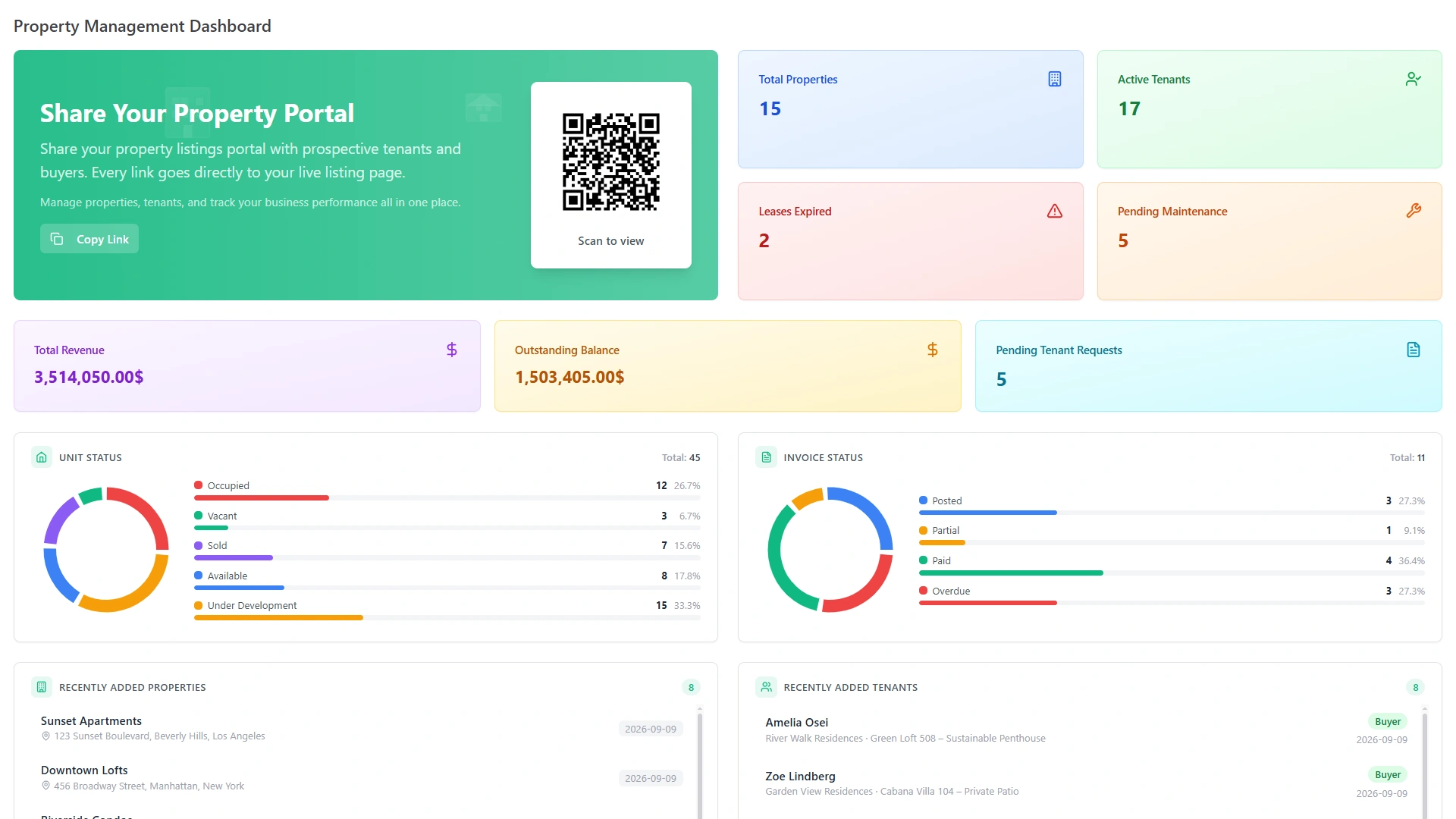
Property Management Dashboard with revenue, outstanding balance and pending maintenance
  • When a repair cost is logged → it auto-updates the per-property expense report.
  • When a contractor is assigned → they are drawn from the same contact database as the tenant's property.
  • When a maintenance issue is raised during an active tenancy → it links to the tenant's record and the property's activity log.
  • When a lease closes → the full maintenance history for that property is archived, not lost.

The result: property management and maintenance software that shares a single data layer, rather than two tools exchanging data across an integration.

Who It Is For

Built for These Property Operations

Family house at dusk with lights on

Property Managers with Growing Portfolios

As a portfolio grows, untracked maintenance becomes the biggest operational liability. Structured work orders, contractor management, and cost tracking replace the phone-call coordination that breaks down at scale. The complete repair history per property means every new tenant starts with a documented record of everything that was fixed before they arrived.
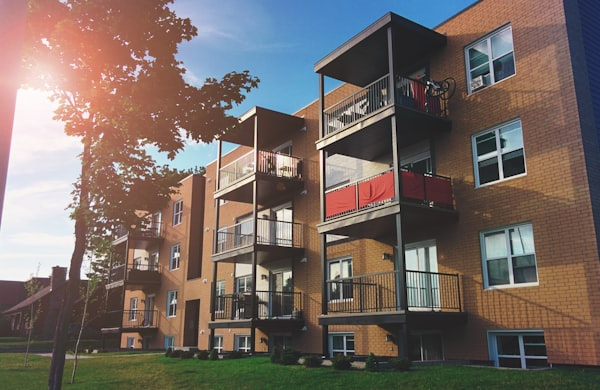

Apartment block with balconies

Housing Society Administrators

Society operations generate high volumes of maintenance requests across shared facilities, common areas, and individual apartments. Work orders are created, prioritised, assigned, and tracked from the same platform that runs the monthly billing cycles, community notice boards, and resident complaint management - no separate maintenance tool needed.

Glass office towers seen from below

Facility Management Companies

Facility teams manage assets and equipment across multiple buildings. Fix Equipment registers each piece with serial numbers, license expiry dates, and maintenance history. Asset registers track depreciation per item. Scheduled preventive maintenance surfaces before overdue dates arrive. All maintenance costs feed into per-property financial reports without any manual accounting entry.

Agent signing a property document

Real Estate Agencies

Agencies managing maintenance for client properties need full visibility into open jobs, repair histories, and costs per property - then share that data with property owners. Per-property maintenance reports are always current, and the activity audit trail shows every action taken on every job. Owner reporting draws from the same live data rather than manually compiled summaries.

Comparison

Maintenance Software Built In - Not Bolted On

Feature Standalone Maintenance Tools This System
Monthly subscription Yes - per user or per feature None - purchased once
Data sync with property management Requires integration Native - same data layer
Maintenance cost → financial report Manual export or sync Automatic on job close
Tenant portal for requests Separate or limited Built in - same portal
Fix equipment register Not available Included
Asset depreciation Not available Included - 3 methods
One-time purchase Not offered Complete system, one payment
Get Started

Property Maintenance Software That's Part of Everything Else

One system. One purchase. Maintenance connected to your tenants, your leases, your financials, and your asset register.

No monthly subscription. No integration to configure. No separate tool to log into.

Trusted by 20,000+ businesses. Power Elite Author on Envato. Running since 2017.

Property manager meeting a tenant in a bright apartment lobby
Faq's

Frequently Asked Questions About Property Maintenance Software

Property maintenance software centralizes work order management, contractor coordination, repair tracking, and maintenance history in one system - replacing phone calls, emails, and spreadsheets with a structured, automated workflow.
Not here. Maintenance is a built-in module - fully integrated with tenant records, lease history, per-property financial reports, and the activity audit trail. No separate tool, no manual data syncing required.
Fixed equipment is registered with serial numbers, manufacturer details, and compliance license dates. License expiry alerts fire automatically. Maintenance jobs link to the specific equipment's permanent history - no spreadsheet needed.
Yes. Every work order logs a repair cost against the specific property at job close. These costs feed directly into per-property expense reports - real-time, always current, no manual entry into a separate accounting tool.
Three depreciation methods - Straight Line, Declining Balance, and Sum of Years - are configured per asset with useful life and salvage value. Maintenance scheduling links to individual assets in the same register.
Those are standalone maintenance tools with monthly subscriptions. This is a built-in module inside a complete property management system - purchased once, with maintenance costs connected directly to financial reporting and tenant records.